### Habits that make copied automation safe on any platform Careful teams share a few habits whatever they use. They test a copy against sample data in a separate project before production, and they make steps idempotent, so a retry or a resubmitted form updates a record instead of duplicating it. Failures go to a channel a person reads, and every flow has a named owner. ## What each category of ready-made workflow actually does The failure you inherit is the same in each category: nobody has decided who gets notified, which record wins, or what happens on a bad input. About 100 integrations at the start, **past 200, then 500, and 771 today**: that is how many apps these skeletons can now reach, according to [Activepieces](https://www.activepieces.com/pricing)' [pieces directory](https://www.activepieces.com/pieces), so builders can connect most systems without custom code. 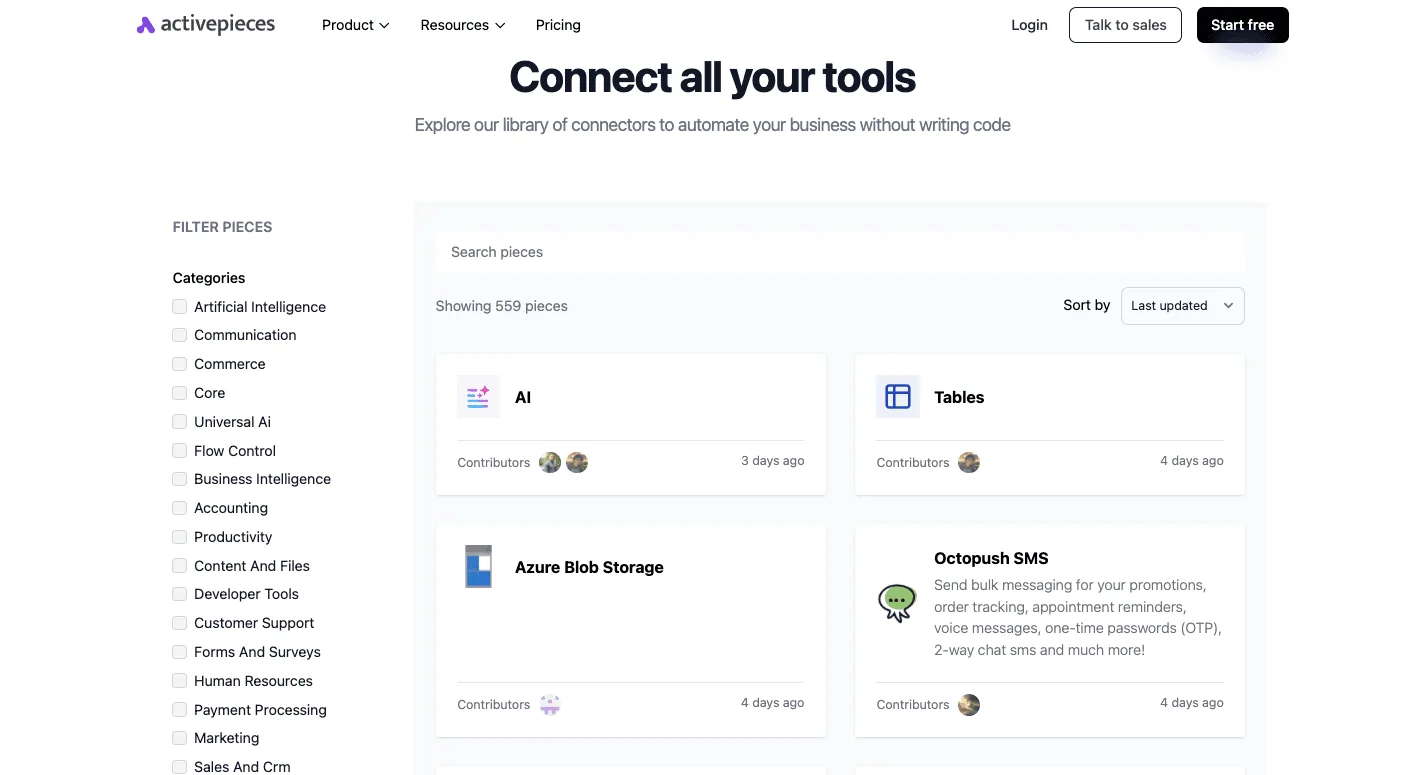 The table compares four categories on what starts them, which apps you must connect, and what they produce. | Category | Typical trigger | Apps that must be connected | Output produced | |---|---|---|---| | Notification and alert | Webhook or new event | Source system, chat or email | Message in a channel or inbox | | Lead, CRM and sales | Form submission or new contact | Form tool, CRM | Created or updated CRM record | | AI-assisted triage and drafting | Incoming ticket or email | Inbox or helpdesk, AI provider | Label, summary or draft reply | | Data sync and reporting | Schedule or new row | Two data stores or a spreadsheet | Synced rows or a periodic report | When an unfiltered trigger floods a channel, people mute it, and **a muted alert is a missed incident**. In lead, CRM and sales handoffs, **the characteristic failure is a duplicate contact created** on every resubmission. Add a lookup step before the create step, and decide which record wins. In AI-assisted triage and drafting, the model call is one step. The risk is a draft sent without review, so keep a human approval before anything reaches a customer. In data sync and reporting, a scheduled sync that overwrites rows silently is worse than one that errors. Test with a copy of the data, not production. ## Installing and running templates Open the template, click Use template, pick a project, reconnect your credentials, replace placeholders, test, then publish. 1. Open the template from the gallery and read its steps first. 2. Click **Use template**. 3. Pick the project that'll own the flow, since that decides who can edit it and which connections it can see. 4. Reconnect every step that shows a missing connection, using your own credentials. 5. Replace each placeholder value, then test and publish. Each step that talks to an outside service shows a connection prompt. Create or select a connection with an account you control, ideally a dedicated service account rather than a personal login.  Then check the placeholder values: channel names, spreadsheet IDs, email addresses, and prompt text are the usual leftovers. Run each step with the **Test step** button, using sample data shaped like your real input. Read every step's output, not just the final one. A step can succeed while mapping the wrong field. Publish only after every step tests clean. Then read the first live runs in the run history against what you expected. Any failed run shows which step stopped and what it received. ## What templates cost and require on each plan No plan charges extra for templates. The plan decides who runs the infrastructure and whether governance features exist when you must explain why a flow failed or who changed it. ### Cloud versus self-hosted Community Edition The table shows where each option puts the running of servers and the governance features. | Option | Cost | Who runs infrastructure | SSO, audit logs, embedding | |---|---|---|---| | Cloud free start | No charge, with a monthly credit allowance | The vendor | Not part of the free start | | Cloud paid plan | Flat monthly fee, per the pricing page | The vendor | Team-level SSO; audit logs and embedding go through sales | | Self-hosted MIT Community Edition | Free software; you pay for your own servers | You | Enterprise features need a paid arrangement | When a template will touch customer data, the security review usually stalls on the platform, because a closed vendor asks reviewers to accept its maturity unchecked. Activepieces publishes an MIT-licensed core, so a reviewer can clone the repository, trace how the queue and workers schedule a run, load-test it, and then run it self-hosted or fully air-gapped. MoneyGram, Moneypenny, Alan and FundingSocieties run it in production. 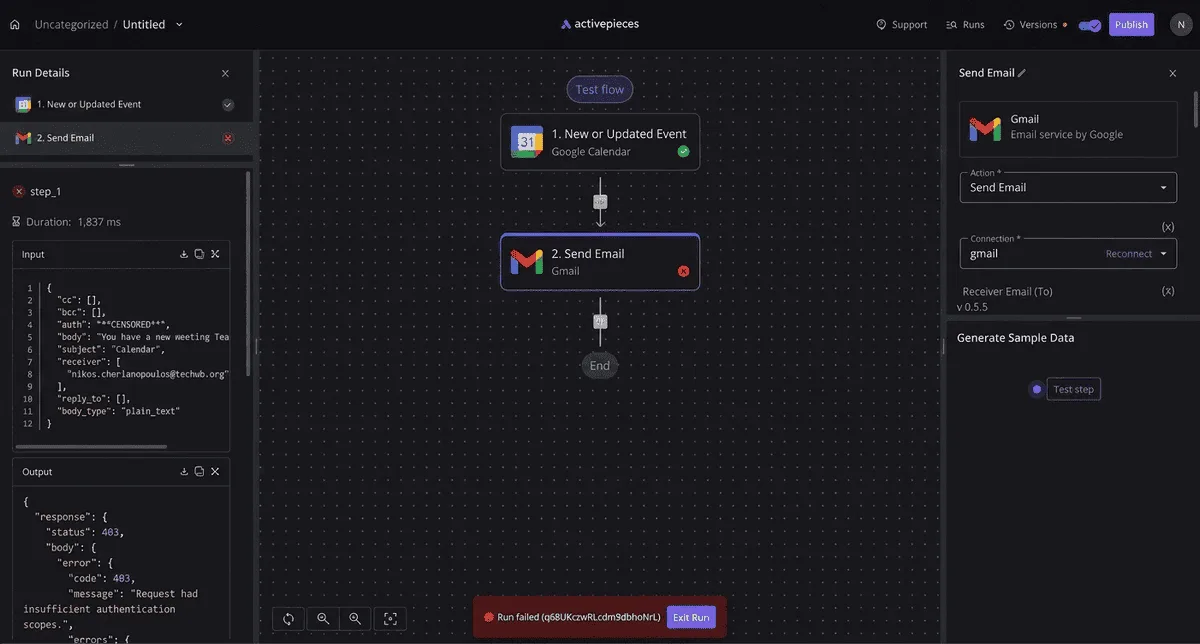 ### What needs a paid plan or the sales form Three capabilities sit outside the free paths: SSO beyond the Team level, audit logs, and embedding the builder inside your own product. If a template touches customer data or must pass a security review, settle these first. Confirm current prices on the pricing page, because they change and this section doesn't restate them. ## Why templates fail in production Seven mistakes cause most production failures in copied workflows. Publish a template unrun and it can email a sample address or write blank rows, because it ships with example values still mapped. Fix: run every step with real test data, then search each field for leftover placeholders.  When that person leaves or rotates a password, a workflow authenticated with one employee's login breaks. Fix: create connections under a shared service account and name them by purpose. Nobody notices a broken lead-routing flow for days, because a silent failure looks identical to no activity. Fix: add an error branch that notifies a channel someone reads. ### Why AI workflow templates stall before production Few enterprises reach the end of the path to running AI workflows, and the chart below shows it. [Teradata](https://www.teradata.com/press-releases/2026/why-enterprise-ai-stalls-before-it-scales) reports 28% are experimenting, 40% developing, 25% building and only 7% operationalizing, which means **execution is where most enterprise AI initiatives stall**.  Fix: put a human approval step between the AI draft and any customer-facing or irreversible action. Near-duplicate clones, where five copies of one template drift apart, are fixed by keeping one parent flow and parameterizing the differences. If you ignore usage limits, a busy week can throttle or halt runs; check your plan's task allowance against expected volume before launch. ## When to build custom workflows When your process has a step, a system or an approval rule that no common pattern anticipated, a template stops being the right route. A template carries the structure of a typical flow and none of your decisions about how yours differs. ### Template versus build from scratch versus custom connector The table below compares the three routes on setup time, flexibility and ongoing maintenance. | Route | Setup time | Flexibility | Ongoing maintenance | |---|---|---|---| | Template | Shortest: the structure exists, and you configure and test it | Limited to the pattern it encodes | Low, but you still own every setting you changed | | Build from scratch | Longer: you design every step and branch | Highest for logic inside existing integrations | Yours entirely, including documenting why each step exists | | Custom connector (piece) | Longest: you build and publish a new integration first | Highest for reaching a system with no existing integration | Highest: you track the upstream API as it changes | *SOC 2 is in progress, not certified. Don't cite it in a vendor review as a completed attestation.* Write a custom connector only when the system you need to reach has no integration, since that's the one route that adds a long-lived dependency you must keep current. ## Self-hosting and sharing templates with Activepieces ### Self-hosting the Community Edition You can run the MIT-licensed Activepieces [Community](https://community.activepieces.com/t/scaling-pieces-with-ai-a-rolling-announcement/4327) Edition yourself with Docker, so a team can keep flows and credentials on infrastructure it controls. On your own host, you decide who can reach the database and where backups go. The MIT-licensed Community Edition runs everything on a single Docker host: Activepieces, backed by Postgres for flows, connections and run history, and Redis for the queue that schedules runs. Both are your responsibility once you self-host. That means upgrades, backups and monitoring are yours to schedule, and a missed backup of Postgres is a lost library of flows. Not everything a larger rollout needs is in Community Edition, because the enterprise directories (`packages/ee/`) sit under a separate commercial licence from the MIT core. SSO beyond the Team plan, audit logs and embedding Activepieces in your own product aren't part of it. If you need self-hosted enterprise, use the sales form (https://www.activepieces.com/sales) rather than assembling workarounds. ### Sharing your own workflows as templates Save a working flow as a template and colleagues can start a copy in their own projects, so the structure is reused without anyone rebuilding it. The diagram shows one self-hosted instance with a single saved template and three colleagues' projects each holding their own copy. Each copy is independent. A colleague must reconnect their own accounts, adjust the settings and test the flow before turning it on. Editing the original afterwards doesn't rewrite their copies, so a fix you make has to be announced and re-shared. Next, give each template an owner and a short note on what the copier must configure. Then the template carries your decisions along with the steps. The free plan is $0 with no card needed, and it includes 1,000 credits a month and unlimited flows, so you can [start free](https://cloud.activepieces.com/sign-up) and test a copied template before deciding anything about plans. The [pricing page](https://www.activepieces.com/pricing) lists what Plus ($20 a month flat, 10,000 credits) and Team ($200 a month flat, 50,000 credits, 25 users included) add. ## Frequently asked questions ### Are Activepieces templates free to use? Yes, browsing templates and adding one to your workspace costs nothing extra. What you pay for is the plan the finished flow runs on. To build from a template, you have two free options: the MIT-licensed Community Edition and the free cloud tier. Features such as SSO beyond the Team plan, audit logs and embedding need a paid plan or the sales team. Check that any template you adopt doesn't depend on one of those before you build around it.  ### Can I use templates on a self-hosted install? Yes. A self-hosted install can use templates the same way cloud does, because a template is a flow definition, not a hosted service. The failure to plan for is a connection that points at a service your network can't reach, such as a SaaS app blocked by an egress rule. It will import cleanly and then fail at the first step that calls out. Test each step from inside your environment before you trust it. ### Do templates work with my own apps and AI models? Usually, with some rewiring. A template names the apps and AI provider its author used. You can swap in the app or model you actually use, but you must reconnect credentials and re-check field mappings, because outputs differ between providers. You can edit a template after you add it. Once added, the flow is your copy and you can change any step, trigger, branch or field mapping. Nothing syncs back to the original, so later improvements to the template won't reach your version. Treat the copy as code you now own: review it, test it with realistic data, and decide who's allowed to change it. The practical route is to build and harden the flow in your own workspace first. Because every plan, including the free one, has unlimited flows, keeping a tested parent copy alongside the working one uses no flow allowance. ## Getting started with templates Start free at [cloud.activepieces.com/sign-up](https://cloud.activepieces.com/sign-up), where the free plan is $0 with no card needed, 1,000 credits a month, unlimited flows and up to 5 users, so you can begin building workflows with a small team at zero cost. Compare plans at [activepieces.com/pricing](https://www.activepieces.com/pricing) when you need to know which features sit behind which tier; Team, at $200 a month flat, is where SSO and standard roles appear, which means you'll need this tier if you require centralized authentication and role-based access control. - Use [activepieces.com/sales](https://www.activepieces.com/sales) if you need self-hosted or fully air-gapped enterprise, SSO beyond Team, audit logs or embedding. ## Related reading - [AI Agent Workflow Examples: 7 Templates to Copy (2026)](https://www.activepieces.com/blog/ai-agent-workflow-examples-7-templates-to-copy-2026) - [7 n8n Templates You Can Rebuild Faster and Easier in Activepieces](https://www.activepieces.com/blog/7-n8n-templates-you-can-rebuild-faster-and-easier-in-activepieces) - [5 MCP Flows You Can Build With Airtable MCP on Activepieces (With Templates)](https://www.activepieces.com/blog/5-mcp-flows-you-can-build-with-airtable-mcp-on-activepieces-with-templates) ## References - [Teradata](https://www.teradata.com/press-releases/2026/why-enterprise-ai-stalls-before-it-scales) - [Activepieces](https://www.activepieces.com/pieces)Each route moves the work rather than removing it.