### When many integrations add no value In March 2025, the public integrations page of the open source workflow platform listed 280 integrations. It listed 400 by September 2025 and 500 by November 2025, and it lists 771 as of October 2026, against 744 in the open source repository. That growth means the library is adding business tools quickly, which is the wrong direction if your job is switching on lamps. That breadth pays for multi-step flows, branching, retries and team ownership. A single rule that turns on a light, mutes a phone or saves a photo doesn't need any of it. You would be writing a flow, assigning an owner and deciding where it runs, all to match something an applet does with one tap. So the count says little about your choice. Fit depends on whether the job is one rule or a process your team has to own. ## Which tool fits multi-step business workflows When a workflow has branches, loops and a team that must maintain it, a team-owned workflow platform fits, and **unlimited flows on every plan, free included**, mean the team isn't rationing them. IFTTT is built around one trigger leading to an action, which is the right shape for a single rule and a narrow one for a process. ### Workflow logic and error handling compared Read an IFTTT applet and you see one condition and its result. Paid tiers add more than one action and some filtering, but the model stays a rule rather than a flow. Business processes need more. A lead has to go down one path or another, line items need a loop, a code step may have to reshape a payload, and something must decide what happens when the CRM call fails. A platform that charges 1 credit per flow run however many steps it holds makes a ten-step flow with branches, a loop and a code step cost the same as the two-step workaround it replaced. Zapier's per-task billing works the other way, and pricing that rises with every step taxes the builder for splitting work into smaller, safer integrations. Here the run is the meter, not the steps inside it. 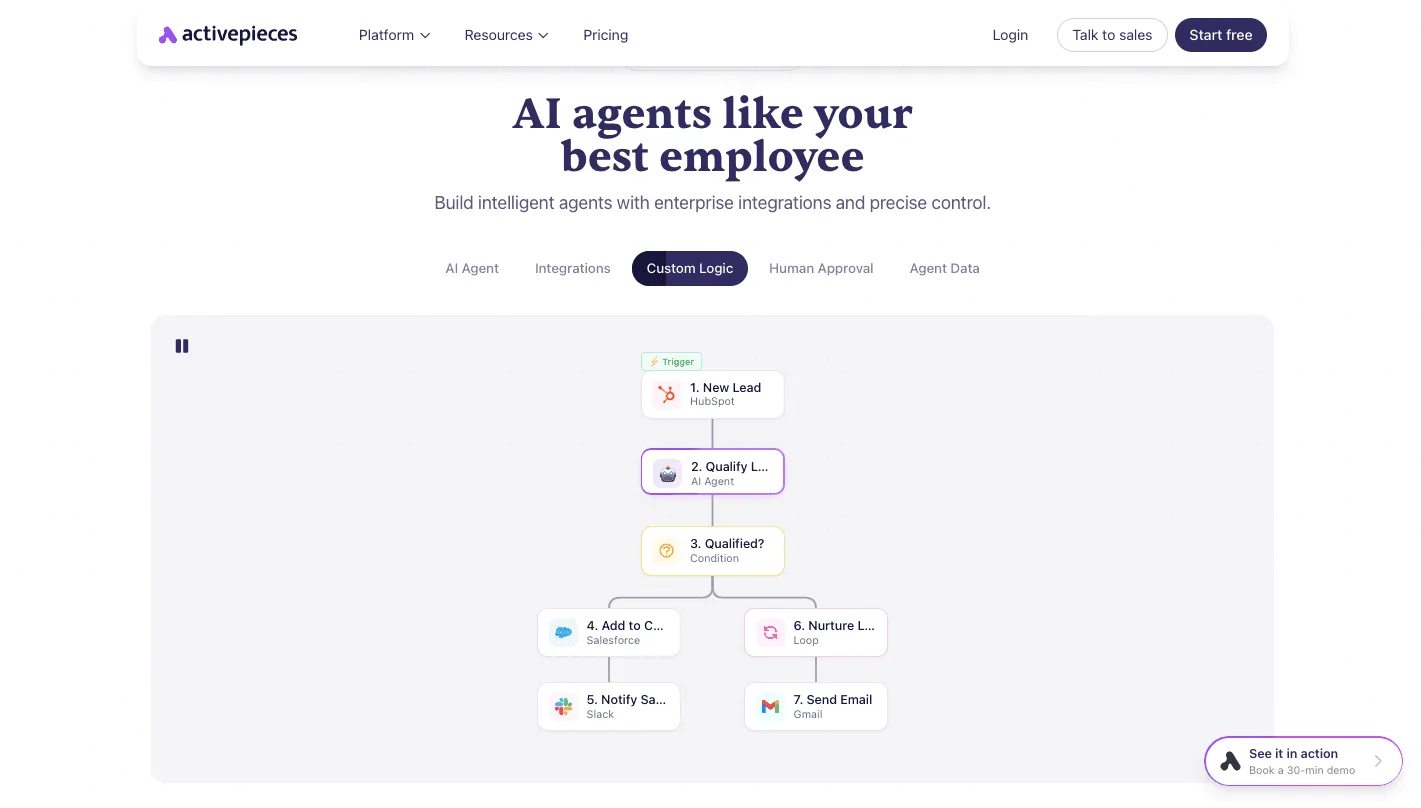 The limit is that you now own the logic, so someone has to design and test it. ### Team access, SSO and self-hosting Where it runs is the first question. IFTTT is a hosted consumer service, so every run crosses the public internet and there's no self-hosted option. If your CRM or database sits behind a restricted network, that settles the question before features come up.  If you deploy the platform inside your own infrastructure, including through Docker, **flows reach internal systems without leaving your perimeter**. Its community edition is open source under the MIT licence, which means you can read the code you run. Admin controls and SSO sit on higher plans, and the enterprise self-hosted setup is arranged through sales rather than self-serve. ### Building workflows with conditional branches Picture the canvas below as a real process. A lead arrives from the CRM, an AI step qualifies it, a condition splits qualified from unqualified, and each side continues with its own actions, such as a record write, a team notification and an email. 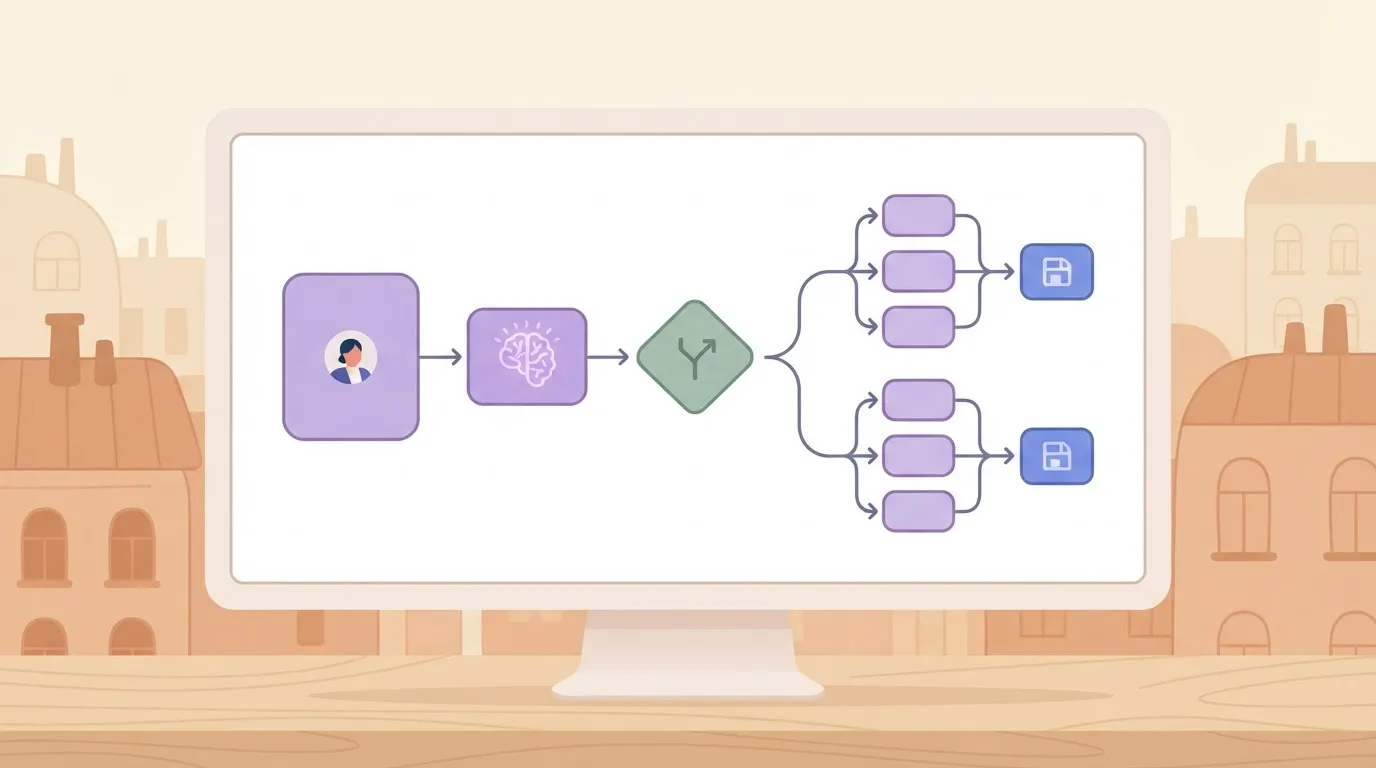 On the canvas, each step is visible, ordered and editable by anyone on the team with access. That's what makes the flow something the team owns rather than a rule one person set up. The limits are real: a flow this size needs a named owner, review when connected systems change, and a decision on where it's hosted. ## Price ranges for each tool From $0 to $8.99, that is the span of IFTTT's price, which tracks how many applets (its single-trigger rules) you keep, so your initial automations are free, up to the 2-applet limit. The team-workflow platform runs from $0 to $200. It can also be self-hosted on a server you rent, so the paid tiers become optional if you manage deployment yourself. The table shows the entry points; the cap is what to read first. | | IFTTT | Activepieces | |---|---|---| | Free | $0, 2 applets | $0 | | First paid | $2.99, 20 applets | $20 | | Top paid | $8.99 billed annually, unlimited applets | $200 | At the top tier **the gap is roughly twenty-fold**, which tells you the two are priced for different buyers. ### IFTTT plans With a light, a thermostat and a calendar, a household hits the free plan's 2-applet ceiling almost immediately. The $2.99 tier raises that to 20, which covers most personal setups. The $8.99 tier, billed annually, removes the cap, so you can create unlimited applets without another price increase. ### Understanding three pricing tier options You're choosing among fixed self-serve tiers: the ladder is $0, $20 and $200, with a custom Ultimate tier above it., leaving you to choose between overpaying or missing features. Here the limits that matter are not rule counts but gated features: SSO, admin controls and AI sit on higher tiers, and the largest deployments are quoted by sales rather than listed. If your security team requires SSO, check that tier before you budget. Move to self-hosting and the cost shifts to infrastructure. [OneSolutions](https://onetsolutions.net/en/vps/activepieces) lists a 2 vCPU, 4 GB server at 6.39 € a month, enough for a pilot with a few flows.  At 4 vCPU, 8 GB the size is 12.79 €, which gives headroom for concurrent runs. At 8 vCPU, 16 GB the price is 23.99 €, and 16 vCPU, 32 GB is 47.99 €, so doubling your computing resources doubles your cost. Even the largest is cheaper than the $200 tier, but you take on patching, backups and uptime, and you'll pay for that savings with your own labor. For a handful of personal rules, IFTTT's $0 or $2.99 is hard to beat, since nothing needs hosting, making automation available to anyone who just wants it to work. When the rules become team workflows, the comparison is the $20 plan against a 6.39 € to 47.99 € server plus the hours someone spends maintaining it. ## Five common automation selection mistakes Because most bad choices come from comparing the wrong things, the cost comparison only helps if you priced the right job. Five mistakes recur, and each has a consequence you pay for later: - Running customer-facing processes on consumer applets, which ties an order confirmation or support handoff to a rule built for one person's accounts and devices, with no team ownership behind it. - Choosing on integration count alone, which leaves you with a long catalogue that still lacks the one action your process needs. - Ignoring hosting and admin needs, which surfaces only when security review asks where data runs and who can see it. - Treating self-hosting as effortless, which turns a server into an unowned system that nobody patches or backs up. - Assuming AI features are equal, which means you discover the gap after building around them. ### Choosing on integration count However big the catalogue, it says nothing about whether the trigger and action you need exist, or whether they cover the fields and edge cases your process touches. List the five steps your workflow actually performs and check each one in both tools, which will reveal which actually covers everything you need. Also check what happens when a connector is missing: whether you can call an arbitrary API or write custom code, or whether you wait on someone else. ### Ignoring hosting and admin needs in automation tools If workflows must run inside an isolated network or touch systems that never face the internet, a cloud-only service is out before features matter. Start with the network boundary. Then look at who administers it: single sign-on and an audit trail of who changed a flow. A consumer service built around personal accounts treats these as secondary, while a team tool treats them as the point.  Then there is the third mistake: assuming AI agents are equivalent. "AI" on a feature list can mean a text-generation step, a prompt template, or an agent that plans and calls tools across several actions. Ask what the model can read, what it can change, and where its output goes next. Then check whether you can pick the model and keep prompts and data inside your own boundary. ## Frequently asked questions IFTTT fits simple personal and device rules; Activepieces, whose 744 integrations are counted from its open source repository, fits teams that need multi-step workflows, self-hosting, SSO or embedding in their own product. The short answers below cover what the sections above didn't. For a small business, IFTTT can replace Activepieces only if the automations are single-trigger, single-action rules, such as posting a message when a form arrives. IFTTT runs in its own cloud, so nothing sits inside your network. Once a process needs branching or review by more than one person, you're asking a rule tool to do workflow work. In licence terms, Activepieces is free to self-host: the community edition is open source under the MIT licence, so running it on your own infrastructure carries no licence fee. You pay in operations: the servers, the upgrades and the backups. Enterprise capabilities, SSO beyond the Team plan among them, are sold separately and quoted by sales. ### Can I use both tools together? Yes, and the split is clean. IFTTT handles the consumer-side trigger, such as a device event or a phone action, and sends a webhook. An Activepieces flow receives it and runs the business steps. One network constraint decides the design: IFTTT's cloud must reach your webhook URL, so a self-hosted instance needs a deliberately exposed endpoint, ideally a reverse proxy that forwards only that path. If your policy forbids any inbound route, keep the two tools apart.  ### Can automation reach smart home devices? Not as a device ecosystem. It has no catalogue built around lights, thermostats or locks. It can reach a device through any HTTP endpoint or webhook the device or its hub exposes, but you build that connection yourself. If the job is "when I leave home, turn things off," IFTTT is built for it. For self-serve plans, go to activepieces.com/pricing. For self-hosted enterprise, SSO beyond Team, or embedding in your product, use the form at activepieces.com/sales. ## Related reading - [Zapier vs IFTTT vs Activepieces: Make the Right Choice](https://www.activepieces.com/blog/zapier-vs-ifttt) - [DeepSeek R1 vs V3 for Business Workflow Automation](https://www.activepieces.com/blog/deepseek-r1-vs-v3-for-business-ai-2026-guide) - [Business Workflow Management: A 2026 Guide](https://www.activepieces.com/blog/workflow-automation-for-small-business) ## References - [OneSolutions](https://onetsolutions.net/en/vps/activepieces) - [Activepieces](https://www.activepieces.com/pieces)Before asking "how many?", ask "does it have my device?".