Per Airtable's [collaborator billing page](https://support.airtable.com/articles/1636857517-how-airtable-collaborators-impact-billing), **Team costs $24 per seat per month** billed monthly, or $20 billed annually. That means annual billing saves $4 a seat, $48 a year.  According to Airtable [Support](https://support.airtable.com/articles/1636857517-how-airtable-collaborators-impact-billing), Business is $54 monthly or $45 annually, so annual saves $9 a seat, $108 a year. If the integration runs under a dedicated account, count it as a seat in your budget. Create the Airtable columns before building, with the field types you want (single select, date, number). A text column receiving a select value is the mapping failure you'll hit first. Do the field mapping and the single-record test before publishing, not after. That is the point to take from the numbered moves below, which are the whole build in order, since a published flow starts consuming rate limit on live data. 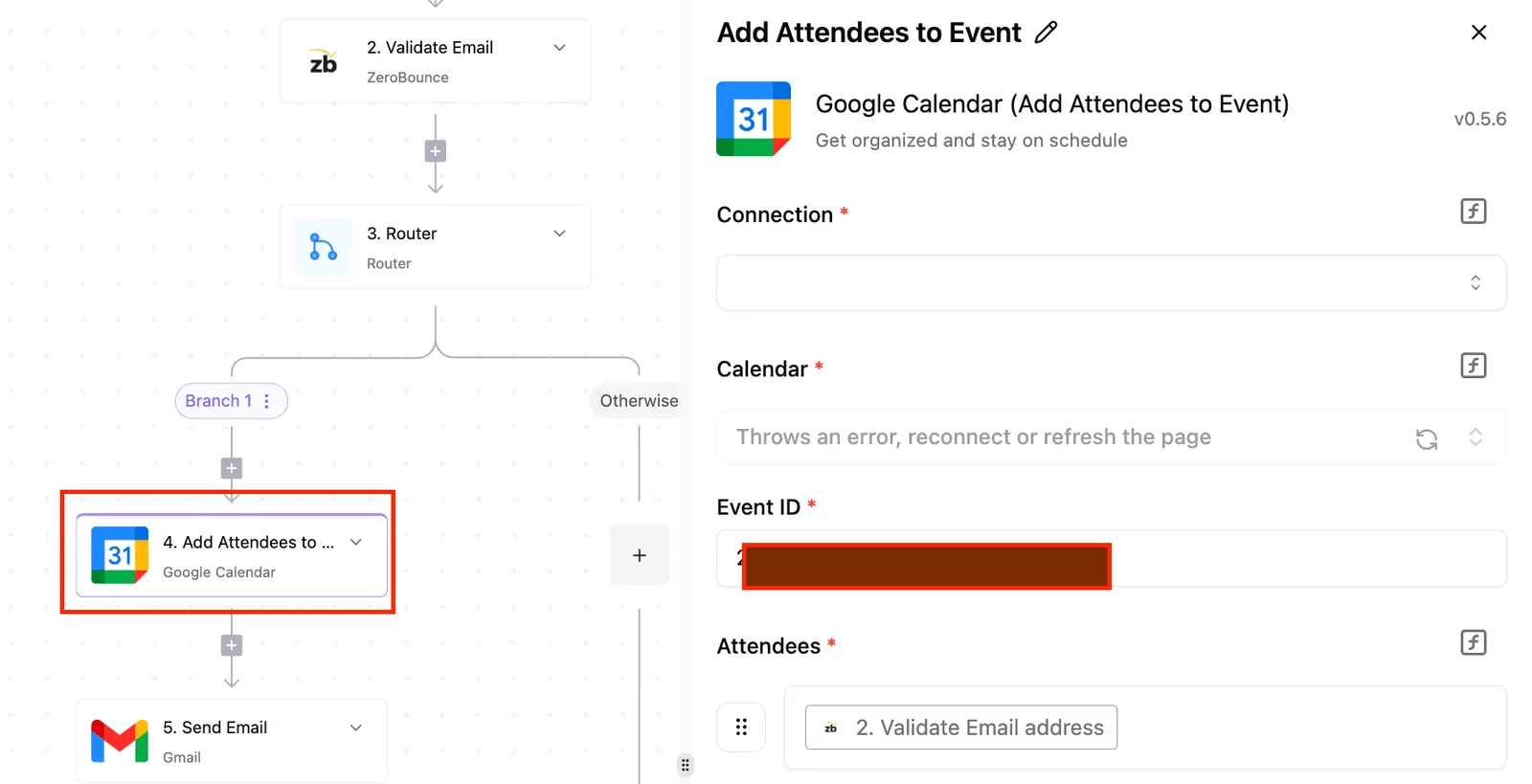 1. In the built-in chat in [Activepieces](https://www.activepieces.com), describe the flow, a new HubSpot contact creating an Airtable record, and it builds a real flow in your account that you then connect to both accounts and the target base. You don't hire for this, you describe it: the result is what a builder would have assembled by hand, it falls under the same RBAC and audit logs as every other flow, and each run leaves a trace anyone can read, no certification needed. MoneyGram and Moneypenny run Activepieces in production. 2. Map fields one at a time, matching each HubSpot property to an Airtable column of a compatible type. Leave out anything you can't explain. 3. Test with one real record. Check the Airtable row field by field against the HubSpot contact, including blanks and dates. 4. Publish only when that row is correct. ## Five HubSpot and Airtable Workflows Worth Building Build the New Contact flow first, one trigger writing one Airtable row, and add the other four only once that one runs clean. Small firms already do this: [Nork Research](https://www.norkresearch.co.jp/pdf/2025DevTool_rel1.pdf) found 28.8% of Japanese SMBs use no-code tools, so you're not an early adopter and the patterns are well worn.  At 49%, RPA leads according to Nork Research, which means most firms still favor rigid, rule-based automation. Low-code sits at 16% and AI agents at 14.2%, so a deterministic trigger-and-action flow is the common, boring choice, and boring is what you want for flow one. Four of the five flows start in HubSpot. The fifth starts in Airtable, which is why its trigger cell says so. The table lists all five by trigger, Airtable action and the work each does. | HubSpot trigger | Airtable action | Work it does | |---|---|---| | New Contact | Create Airtable Record | Copies each new contact into a contacts table | | New Deal | Create Airtable Record | Opens a row for the deal in a pipeline table | | Updated Deal Stage | Update Airtable Record | Moves the matching row to the new stage | | New Form Submission | Create Airtable Record | Logs the raw submission for review before anything else touches it | | None; starts from Airtable "New or Updated Record" | HubSpot update (the reverse direction) | Pushes an edited Airtable value back to the HubSpot record | _Prices and plan limits checked against [activepieces.com](https://www.activepieces.com/pieces/hubspot) and [activepieces.com](https://www.activepieces.com/pieces/airtable) on November 18, 2026._ ### Order to build HubSpot Airtable workflows Because the first four are one-way, only one system can ever be wrong about a field. The fifth makes two systems writers, so leave it until last. Each flow is described below. ### The contact and deal workflows Trigger on New Contact, then Create Airtable Record. Map only the fields you actually use, such as email, name and owner, and store the HubSpot contact ID in its own Airtable field. That ID is what every later flow uses to find the row again. Create the row on New Deal. When Updated Deal Stage fires, run Find Airtable Record on the deal ID and then Update Airtable Record. **Skipping the find step creates a duplicate row** on every stage change, so the pipeline table fills with copies of one deal. ### The reverse flow from Airtable Start from an Airtable "New or Updated Record" trigger and write to one HubSpot property. Limit it to a single field that Airtable owns, such as a qualification note. If both tools can edit the same field, each flow will overwrite the other's changes. ### When your tool has no step for it When your workflow tool has no step for what you need, call the HubSpot or Airtable API directly with an HTTP request step, or receive HubSpot's event through a webhook. You then own the authentication and the payload shape yourself. Test that path with a single record before you point it at live data. ## HubSpot to Airtable workflow steps Build the flow in four stages, and don't start the next one until the current one has produced something you can check. Each stage below ends with a working integration, so when something breaks you know which stage broke it. ### Stage 1: connect both accounts Authorize HubSpot with a login that has access to the contact properties you plan to read. Authorize Airtable with a token scoped to the one base you're writing to. Don't grant access to every base because it's quicker. If a mapping mistake writes to the wrong table, a narrow token limits the damage. You're done when each connection shows as active and a lookup against each app returns a result. ### Stage 2: add the HubSpot trigger and pull sample data Pick a trigger that fires on new contacts first, not on updates. Updates fire far more often and are where duplicate records and rate-limit trouble start. Once the trigger is set, run its test so the platform fetches a real contact and stores it as sample data. In the builder below, a multi-step flow has its first step selected and its settings panel open on the right. Below the settings is a sample-data section with a test option.  Take from it that sample data belongs to the trigger, and every later step reads from that stored record. With the sample contact in hand, read it closely. Properties that are empty on that contact may be missing entirely, and your mapping has to survive that. ### Stage 3: map fields into the Airtable action Put the duplicate check before the create step. Search the Airtable table for the HubSpot contact ID, which should live in its own field, then branch: update the record if one exists, create one if it doesn't.  Email is a weaker key because people change it. Then map field by field, and watch these three: 1. Single-select fields in Airtable reject values that don't match an option exactly. HubSpot's internal value for a property can differ from the label you see in the interface. 2. Linked-record fields want record IDs, not names. 3. Dates and phone numbers arrive in HubSpot's format, so check them against what the Airtable field type accepts. Leave anything you're not sure about unmapped for now. You can add it after the first clean run. ### Stage 4: test with one record, then publish Run the flow once against the sample contact and open the new Airtable row. Compare it to the HubSpot record field by field. Then run it a second time with the same contact. The duplicate check passes only if the second run updates the row and doesn't add another. Publish only after both runs behave. **Don't backfill your whole contact list on day one.** Airtable throttles requests per base, and a bulk import will hit that limit before a mapping error shows up.  Let new contacts flow in, read the run history for failures, and widen the flow from there. ## Limits and Errors in the HubSpot Airtable Connection When the flow you widened starts failing, the cause is almost always a mismatched field or a rate limit, not the link between HubSpot and Airtable. Run history will show it, and each failure has a known fix. This section reflects behaviour as of 18 Nov 2026, and exact figures are left out because they change by plan. ### HubSpot and Airtable API rate limits The cap differs by side. On Airtable it is requests per second on each base; on HubSpot it is requests in a short rolling window and again per day on lower tiers. The table below shows what each limit looks like when you hit it. Read the symptom column first, because a limit rarely announces itself by name. | Limit | Symptom | Fix | |---|---|---| | Airtable requests per second, per base | Runs fail with a 429 status, often several in a row during a bulk import | Batch writes, add a short delay between runs, and retry with a backoff | | HubSpot burst limit over a short window (higher on Professional than Free or Starter) | Errors cluster in bursts, then clear on their own | Spread out calls and stop looping over records one at a time | | HubSpot daily limit (Free and Starter) | Everything works in the morning and fails by afternoon | Cut polling, filter triggers to the records you need, or move up a tier | For the first two, retries are the fix. **The daily limit doesn't clear until it resets**, so a bigger backfill belongs on a quiet day. ### HubSpot Airtable authorisation and permission errors If you see a 401, the token expired or was revoked. A 403 means the token is valid but lacks access, such as an Airtable token not granted to that base or a HubSpot scope missing for contacts. Check the scopes before anything else, since reconnecting rarely helps when the scope was never granted. A flow that worked yesterday and stopped today is usually a token that someone rotated. ### Field mapping and data type failures Of everything here, this is the failure you'll see most. HubSpot's dropdown values must match Airtable's single-select options exactly, or Airtable rejects the write. A phone number sent to a number field, or a date string in the wrong format, fails in the same way. Map text to a plain text field first, then tighten the types once the values prove clean. Blank HubSpot properties also arrive as empty strings, which can overwrite good Airtable data, so skip empty values on update. ### Duplicates and missed records When the flow creates a record every time instead of looking one up, duplicates appear. Use the HubSpot contact ID, or the email address if that is your key, as the match field, and update when it exists. If the trigger fires on creation only, a contact edited later never arrives. Add an update trigger once the create path is stable, and compare record counts weekly to catch gaps. ## How Activepieces Handles HubSpot and Airtable Connections In Activepieces, the HubSpot integration and the Airtable integration each offer triggers, actions and a Custom API Call step, so the create-only flow and its later widening can live in one builder. 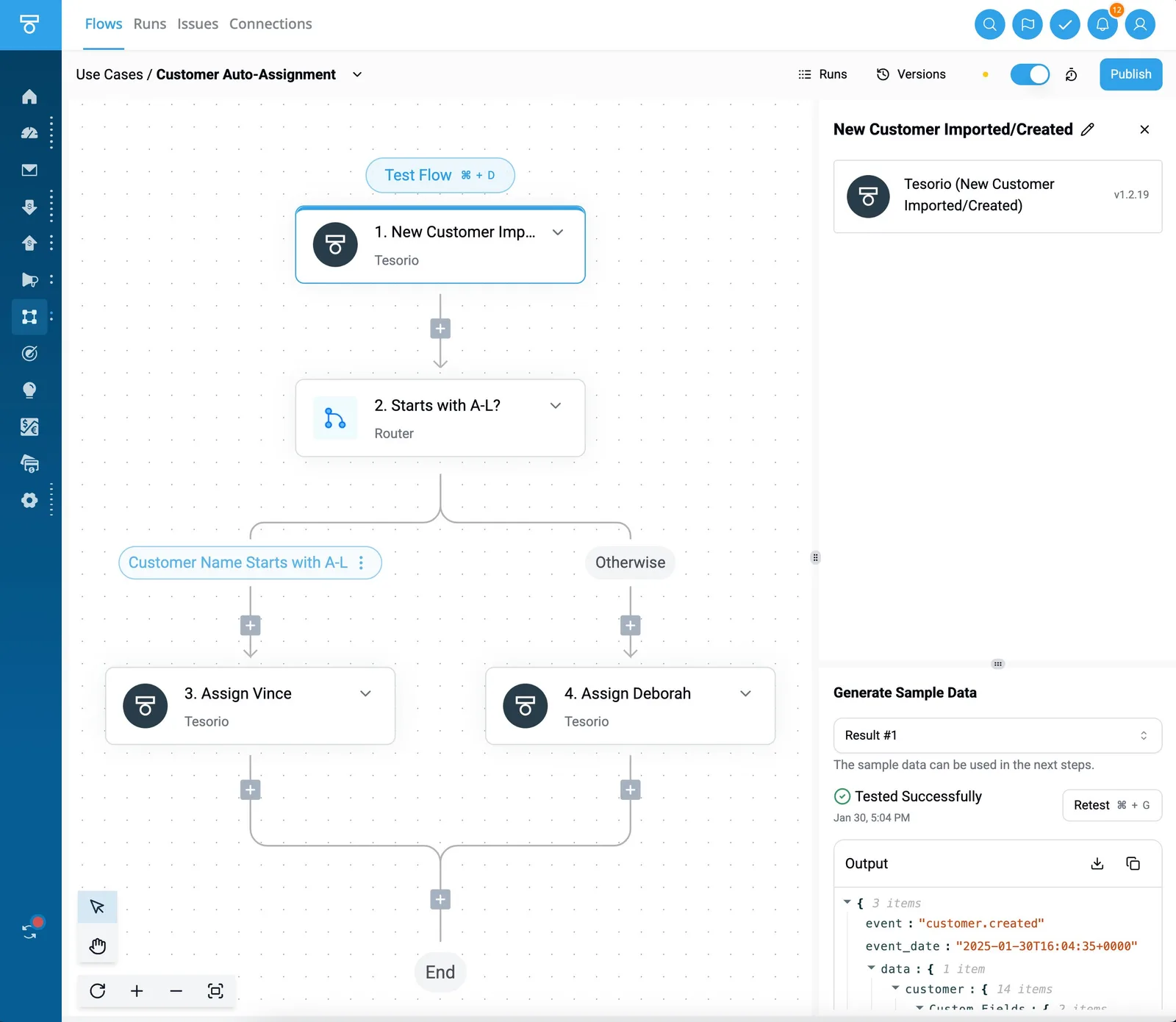 ### When another tool is enough For a one-way create flow, either Zapier or Make will do the job; both are hosted automation services that also connect HubSpot and Airtable. If your team already pays for one, has no data-residency question and runs few enough records that task-based billing isn't a concern, moving platforms buys you nothing. **Switch tools and you still get the failures** this article describes, bad field mapping and rate limits, because they show up on every platform. ### Cost and self-hosting for HubSpot Airtable workflows Activepieces counts a run as 1 credit however many steps the flow has, runs unlimited flows on every plan, Free included, and ships its MIT-licensed core for you to run on your own servers. That matters in this integration because the safe version of a HubSpot-to-Airtable flow has more steps than the demo does: a lookup to avoid duplicates, a mapping step, a delay before the Airtable write, and a branch that logs failures.  On a platform that charges or caps per step, every guard you add is a cost you're tempted to skip. Self-hosting also means the contact data passes through infrastructure you control rather than a third party's. For the two problems that matter here, Custom API Call is the escape hatch. When an integration's built-in action lacks a custom HubSpot property, you can send the raw request yourself. When Airtable throttles you, you can control how the writes are sent instead of accepting one request per record. It doesn't remove the limit. It gives you the means to work within it. | | HubSpot piece | Airtable piece | |---|---|---| | Custom API Call | Available, for endpoints and properties the built-in actions don't cover | Available, for requests the built-in actions don't cover | | Open source | Yes, as part of the open-source Activepieces project | Yes, as part of the open-source Activepieces project | | Self-hosting | Runs wherever your Activepieces instance runs | Runs wherever your Activepieces instance runs | Read the table this way: neither integration is a special case. Both are open code, both run on your own server if you choose, and both give you a raw-request fallback. Take from it that your hosting decision and your fallback plan are the same for both sides of the flow. Create one flow with a HubSpot new-contact trigger and one Airtable create-record action. Map only the fields you have already confirmed exist in both places, run it against a handful of test contacts, and leave the update path alone until the create path has held up.  ## Frequently asked questions Once the create path holds, the same five questions tend to come up. Each has a short answer. Yes, but build it as two separate one-way flows, not one two-way one. Each flow needs its own field mapping and its own test contacts. Without a rule for which side wins, an edit in one app triggers an update in the other, which triggers an update back, and you get a loop. Get the first direction stable before you add the second.  ### Do I need a paid HubSpot or Airtable plan to connect them? It depends on your current plans, so check before you build. Both apps need to give you API credentials: a private app token on the HubSpot side and a personal access token on the Airtable side. On top of that, plan tiers can change how many API calls you get and which automation features are included. Confirm both on each vendor's pricing and limits pages, because a plan that blocks the connection is cheaper to find out about on day one than after the test run fails. ### How do I load my existing HubSpot contacts into Airtable? Treat the backfill as its own job, separate from the live flow. Export the contacts from a HubSpot list as a CSV and import it into the Airtable table. Alternatively, run the same flow once over a saved list in small batches. Because a large one-off load is where rate limits bite hardest, batching matters. Before you switch the live flow on, make sure the backfill carries the HubSpot record ID, so new contacts don't create duplicates of records you've already imported. ### Can I use other tools instead? Yes. Other automation platforms offer HubSpot and Airtable connectors, and Airtable has its own built-in automations. You can also write a small script against both public APIs. Whichever tool you pick, the design advice doesn't change: one small tested one-way flow, mapped fields confirmed on both sides, and the rate limits planned for up front. Choose based on who will maintain it, not on which tool has the longer connector list. ### Is a self-hosted setup possible for this integration? Partly. HubSpot and Airtable both run as hosted services, so only the middle layer, the thing that listens for changes and writes them across, can be self-hosted. You can run that layer on your own server with some automation tools, and a script on your own infrastructure works too. Even self-hosted, that layer won't lift the rate limits, because HubSpot and Airtable set those on their side. ## Related reading - [Docusign HubSpot Integration: No-Code Guide (2026)](https://www.activepieces.com/blog/docusign-hubspot-integration-no-code-guide-2026) - [HubSpot Xero Integration: How to Connect (2026 Guide)](https://www.activepieces.com/blog/hubspot-xero-integration-how-to-connect-2026-guide) - [4 Steps to Set Up No-Code Automation + Workflow Examples](https://www.activepieces.com/blog/no-code-automation) ## References - [Nork Research](https://www.norkresearch.co.jp/pdf/2025DevTool_rel1.pdf) - [Airtable Support](https://support.airtable.com/articles/1636857517-how-airtable-collaborators-impact-billing)Build the forward flow first. Two-way sync doubles your mapping surface and your API calls, and those are where these integrations break.