# Alibaba Cloud Model Studio Automation: 2026 API Guide
By Leah Goldberg · 2026-11-11 · Source: https://www.activepieces.com/blog/alibaba-cloud-model-studio-automation-2026-api-guide
---
Automate Model Studio by calling its OpenAI-compatible API or its Application API from a scheduled or event-driven workflow, such as one built in [Activepieces](https://www.activepieces.com), not by clicking through the console. **Plan for rate limits before you write the first call, because they decide whether the job survives a busy morning.**
Alibaba Cloud Model Studio automation is the practice of running Model Studio's model and application calls programmatically, through its OpenAI-compatible API or Application API triggered by a schedule or an event, instead of repeating the same steps by hand in the console.
## Alibaba Cloud Model Studio automation is API-driven calling
### What Model Studio is and what can be automated
Model Studio is Alibaba Cloud's platform for working with Qwen models and for building apps and agents on top of them.
The console is where you explore and build. It has no trigger of its own, so nothing in it runs unless someone is sitting there.
If you want direct model calls, use the OpenAI-compatible API. If you want an app or agent you already built in the console, the Application API calls it, so the prompt and workflow design stay where they are and your code only invokes them.
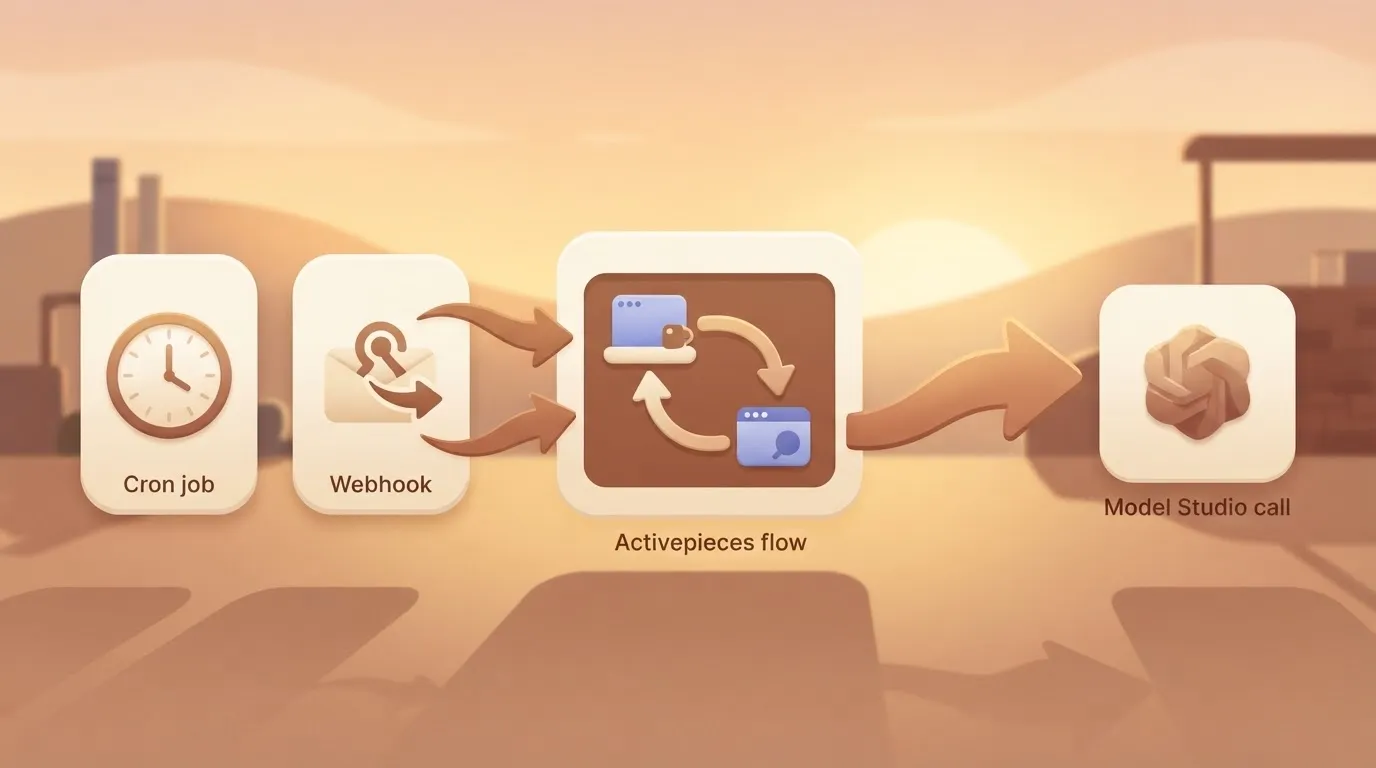
A cron job or a webhook can fire either one, and so can [Activepieces](https://www.activepieces.com), whose MIT-licensed core starts flows from a schedule, a webhook or an event in a connected app.
Read the last column of the table below. It shows whether anything usable reaches the next system without a person in between, and the table compares the three ways to run the work.
| Way to run it | Who triggers it | What can be scheduled | What a downstream system receives |
|---|---|---|---|
| Console | A person, by hand | Nothing | Nothing; someone copies the output out |
| Real-time API | A scheduler, webhook or other event | Any call your workflow can make | A structured response straight away |
| Batch API | A workflow that submits a job | Submission of large, non-urgent jobs | Results once the job finishes |
In the console row, nothing leaves the browser unless a person moves it.
The two API rows are where repeat work belongs, with real-time for anything a user or system is waiting on and batch for work that can wait, which means the wrong classification frustrates users or squanders resources.

Before you size a workflow around them, confirm rate limits and model availability on the current pages, since they are the details most likely to change. Every product fact in this article comes from Alibaba Cloud's own documentation, checked on 11 November 2026.
## Six numbered steps to a working automated call
Six steps take you from an empty account to an unattended call, and the first one decides which region's limits and model list apply to everything after it, so pick the wrong region and you're constrained by its limits for the next five steps.
1. Choose a region, international or Beijing.
2. Create a workspace and an API key in that region.
3. Store the key as an environment variable.
4. Call the OpenAI-compatible endpoint.
5. Call a published Application by its App ID.
6. Schedule the call.
Do them in order, because a mistake in step one surfaces as an authentication error in step four.
### Steps 1-3: region, workspace, API key
When a key created in one region meets the other region's endpoint, it is rejected, so the failure looks like a bad credential when the real problem is the wrong hostname.

Keys, endpoints and model lists are separate for the international and Beijing regions. Pick the region once, create the workspace and key there, and write the region into your runbook.
**Keep the key out of code**. Export it as `DASHSCOPE_API_KEY` and let your scheduler or secret store inject it. The key then never lands in a repository or a workflow export someone emails around.
### Steps 4-5: model call and Application call
For the compatible endpoint, point any OpenAI SDK at `https://dashscope-intl.aliyuncs.com/compatible-mode/v1` (international) or `https://dashscope.aliyuncs.com/compatible-mode/v1` (Beijing).
Set the key from the environment and pass a model name such as `qwen-plus`. Existing OpenAI client code then works with only the base URL and key changed.
For an Application, publish it first, then POST to `/api/v1/apps/{APP_ID}/completion` on the DashScope host for your region, with the same bearer key. Put the prompt in `input.prompt`.
**An unpublished Application returns an error**, so a draft that works in the console can still fail here.
Last, schedule it. Trigger the script from cron, a CI schedule, or an event such as a new row or file. Add retries with backoff on rate-limit responses, and spread batch items out rather than firing them together.
A scheduler that releases a whole queue at the top of the hour is how a working job starts failing every run.
## When the Model Studio console beats API automation
Run it by hand and it never fails on rate limits, because a person clicking one run at a time never releases a queue. A scheduled job can.
That is the best argument for the console, and it's a fair one. API automation brings code to maintain, retries to tune and a key to guard, and for some work that cost never pays back.
Read the condition on each item before you count the advantage. The list below is what the console gives you for free, and each item holds only under the condition stated.
- The no-code workflow and agent builders let you assemble a working pipeline without writing a line, which holds when the flow is built once and changed rarely. If someone has to rebuild it every week, you have a manual process with a nicer interface.
- The Playground lets you test a prompt against a model and change one variable at a time. That holds while you're still deciding what to build. Once the prompt is settled and you need to run it against hundreds of inputs, the Playground becomes the slow part.
- Built-in tools save you from wiring up integrations yourself, which holds when the tool you need is on the menu. When your task needs a system the console doesn't offer, you're writing glue code anyway.
- You need no engineers, which holds when the person doing the work is also the person who owns the result and can fix a bad output by hand. It stops holding the day that person goes on leave and nobody else knows the flow.
- There's no API key to secure, because you sign in as yourself. That holds for a small team that manages access through accounts. Once several people share one login to "keep it simple," you have the key-handling problem anyway, with no audit trail.
Notice what these conditions have in common: one-off tasks, low volume, a non-technical owner, a prompt still in flux. When all of those are true, stay in the console. The case for the API starts when any one of them stops being true.
## Why API automation still wins once work repeats
Once a job runs on a schedule or feeds another system, the API wins. It repeats without a person present, and Batch cuts the token bill for work that can wait.
Think of a `0 6 * * 1-5` cron line, which no console tab can honor.
### Console, real-time API and Batch compared
Before you pick a column, read your account's limits, because **rate limits are the hidden catch**.
Only the two API routes can run unattended, and Batch is the cheaper of them. The table below, dated 11 Nov 2026, shows which of the three options can run unattended, what each costs, and what limits its throughput.
| Route | Repeatable on a schedule | Cost per 1M tokens (Qwen3.8-Max) | Throughput |
|---|---|---|---|
| Console-only | No, a person starts every run | Your hours per run | Limited by one person clicking |
| Real-time API | Yes, from cron or an event trigger | $2 input / $6 output | Limited by your rate limits, so queue and retry |
| Batch API | Yes, submitted as a scheduled job | 50% of real-time: $1 input / $3 output (derived) | Asynchronous, so results arrive later and you poll for them |
Confirm the Batch prices on the pricing page before you budget, because they are my arithmetic on the 50% discount, not a separate listing. Because real-time calls hit rate limits first, **nightly jobs belong in Batch** and only user-facing steps in real-time.
### When manual Model Studio console use still fits
If a task runs a handful of times, with nothing downstream consuming the output, it belongs in the console. A prompt you're still tuning, a one-off comparison of models, or a demo for a colleague all fit that description.
Building a trigger, retry logic and a rate-limit budget for them costs more than the clicks.
That changes the moment a second person asks for the output weekly, or another system needs it as input. At that point you're paying a person to be a cron job, and the API replaces that person.
## Limits and errors people hit, with fixes
Sooner or later an unattended job will meet six failures, and each one can be handled in code before it pages anyone. The table below maps each failure to its likely cause and the fix to build in; rows I couldn't confirm are marked unverified.
At that point you're paying a person to be a cron job, and the API replaces that person.
| Error | Cause | Fix |
|---|---|---|
| 401 | Wrong or missing key, or a key used against the wrong region endpoint (unverified) | Check the key and endpoint pair; fail fast, never retry |
| 403 | Key lacks permission for the model or app (unverified) | Grant access in the console, then redeploy |
| 404 | Wrong model name or app ID (unverified) | Verify the identifier against the model list |
| 429 | Rate limit exceeded | Back off exponentially, queue, spread load |
| Free quota gone | 1M tokens per model, 90 days, whichever ends first | Alert before it ends; move to paid use |
| Moderation rejection | Input or output flagged (unverified) | Log the payload, skip, route to a human |
Each group below says what to do about the rows above.
On the [Model Studio rate-limit page](https://www.alibabacloud.com/help/en/model-studio/rate-limit), the Singapore baseline is **2,500,000 tokens per minute for qwen3.8-flash** and 2,000,000 each for qwen3.8-max and qwen3.8-omni-flash.
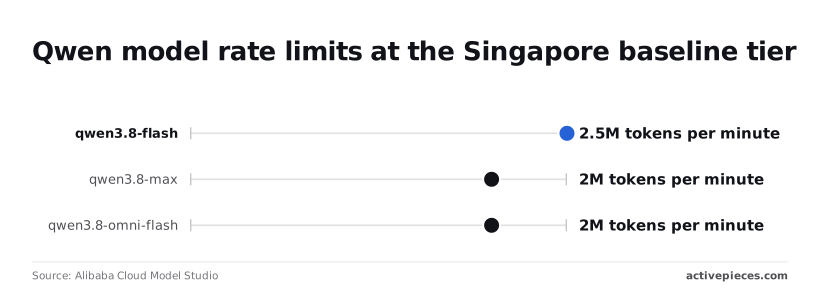
Flash has a quarter more headroom, so send bulk work there and reserve max for the steps that need it.
Treat 429 as routine: retry with backoff and jitter.
Retry a 401, 403 or 404 and you only repeat the failure. Stop the run and alert, because a bad key or ID won't fix itself overnight.
Check the model's own page rather than assuming, because context and output limits differ by model (unverified here).
Truncate or chunk inputs before sending, and set a client timeout so one slow call can't stall the whole queue. A moderation rejection is a per-item failure: log it and keep the batch moving.
Week one works. Month three can start failing with no code change, because the free quota is 1M tokens per model and lasts 90 days. Put the expiry date in your calendar and track usage per model.
## Connect Model Studio to business apps with Activepieces
When a Model Studio call has to start from, or land in, another app, Activepieces earns its place.
It's an automation platform with unlimited flows on every plan, including free, that runs workflows from triggers, and once the expiry dates and per-model usage are tracked, it's where the calls get scheduled.
### When a workflow tool is worth adding
Add Activepieces when the model call is one step in a chain that touches other apps. Examples are a new support ticket arriving, a summary being generated, and the summary being written back to the ticket. MoneyGram, Moneypenny, Alan and FundingSocieties run Activepieces in production.
If the job is a single script on a single timer, a cron entry calling the API is simpler, and a workflow tool is one more thing to maintain.
I wouldn't assume Activepieces ships a dedicated Model Studio connector.
Its catalogue is 747 integrations, counted directly from the `packages/pieces/community` directory of the open source monorepo on GitHub, whose core is MIT-licensed, and a connector that's missing can be generated with AI and added privately to your own instance, so you're not limited to that count.
Each of those integrations is a folder in that directory, and roughly 60% of them were written by community contributors rather than the core team. You don't need one: Model Studio's OpenAI-compatible endpoint is plain HTTPS, so a generic HTTP request step reaches it.

You build the request yourself, and you own the error handling too. That is the practical consequence.
What Activepieces does for you is the plumbing around the call, and a run costs 1 credit however many steps it has:
- Triggers: a schedule, an incoming webhook, or an event from a connected app.
- Secret storage for the API key, so it stays out of the flow's visible fields.
- Branching, so a failed call goes down a different path than a successful one.
- Hand-off of the result to the business app that needs it.
### Building the HTTP request and handling 429s
Read left to right, the flow below starts with a trigger, then an HTTP request carries your key to Model Studio, a 429 branch waits and retries, and the result goes to a business app.
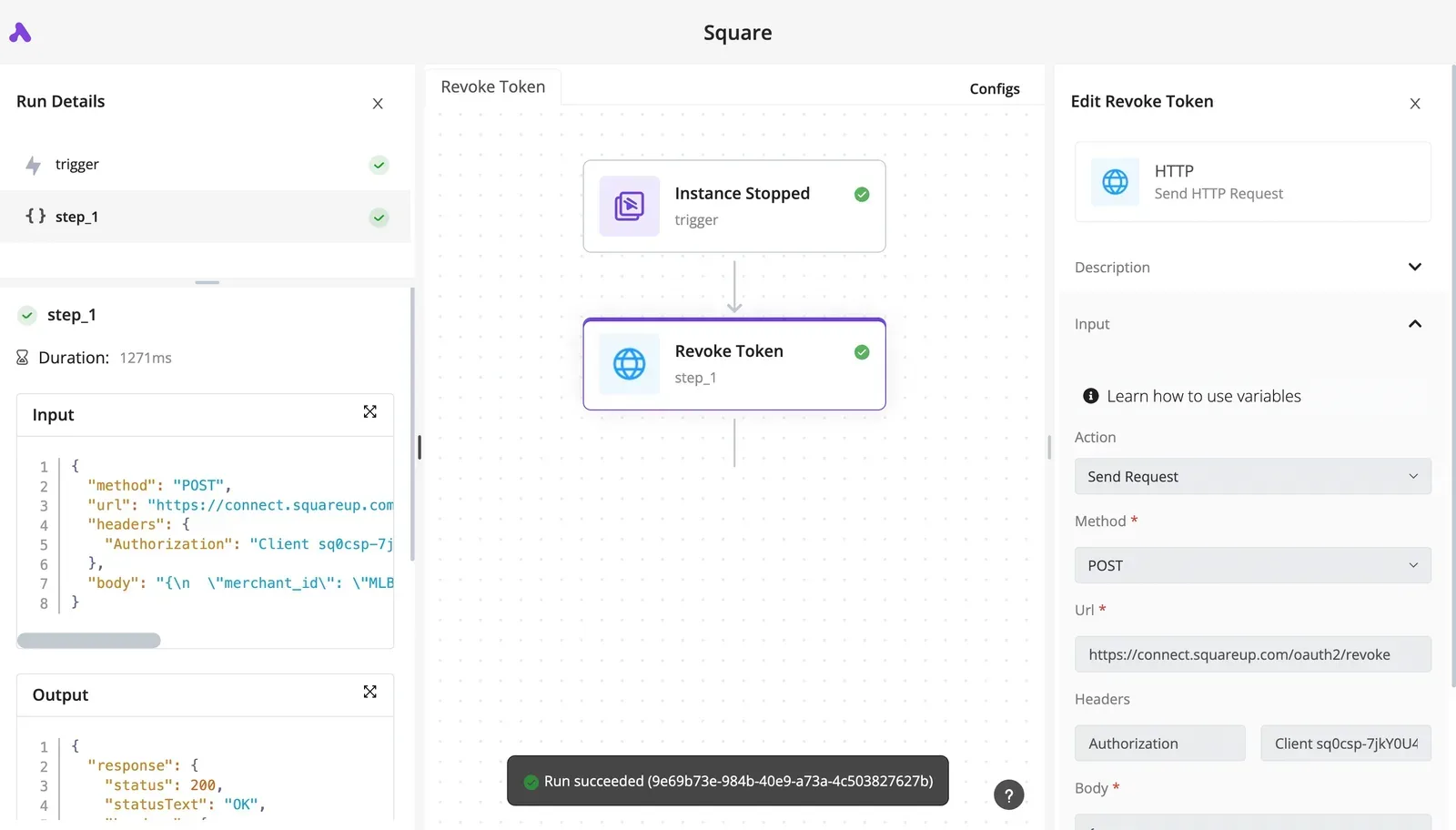
Read it as a template. The retry branch is the part most people add after the first outage, and it belongs in the first draft.
Once the flow is in place, these are the settings that matter:
1. Choose the trigger that matches the work: a schedule for batch jobs, a webhook for requests from your own systems, an app event for things like new tickets.
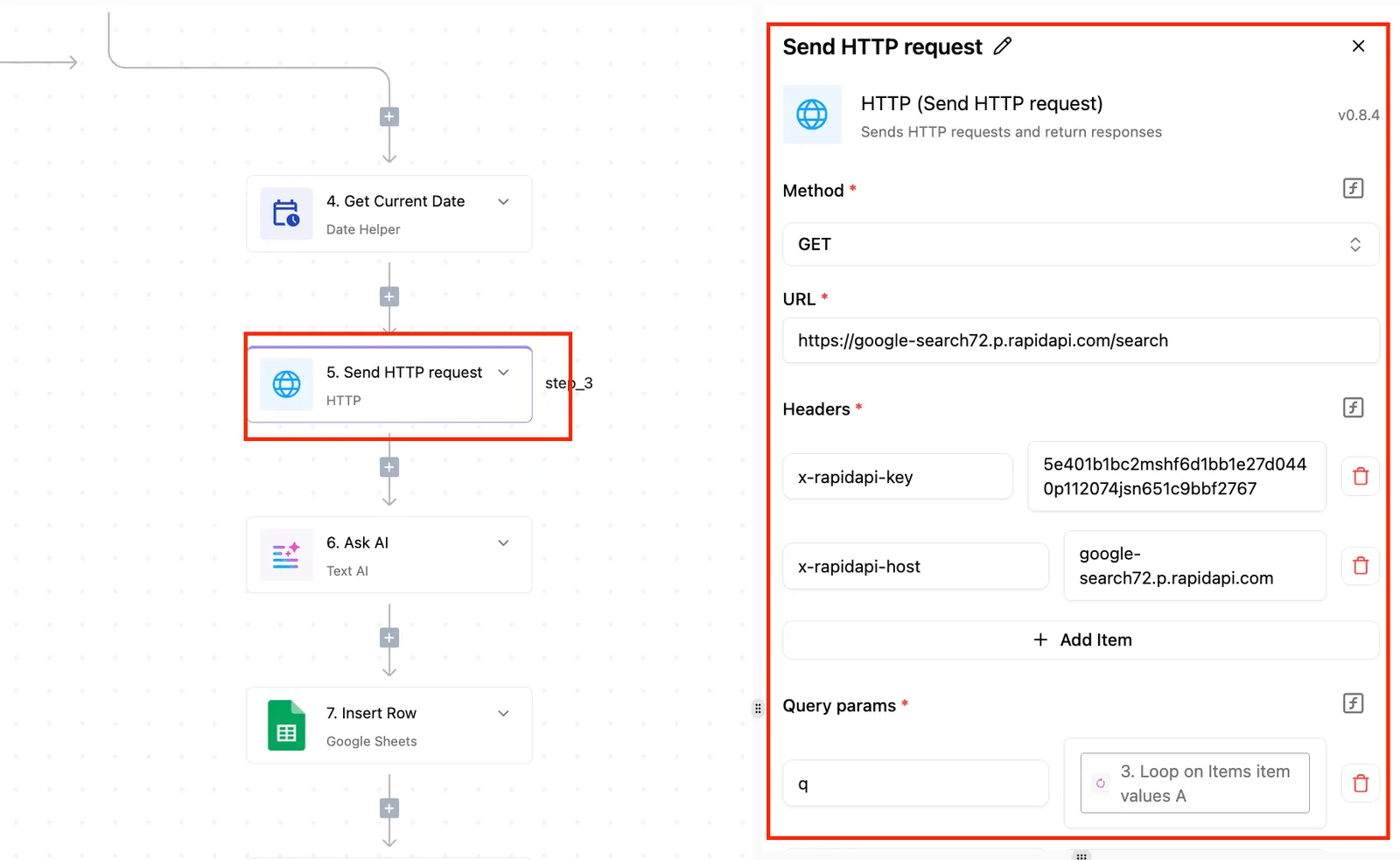
2. Add an HTTP request step that sends a POST to the endpoint for your region, with the chat completions path from the Model Studio documentation. Put the key in a connection or secret and reference it in the Authorization header. Pasting it into the step as literal text means anyone who can view the flow can read it.
3. Add a branch on the response status. A 429 means you hit a rate limit, so route it to a delay step and then back to the request.
4. Cap the retries. An uncapped loop under sustained throttling just keeps hitting the limit, and your queue grows behind it.
5. Pass the response body to the next step, mapping only the generated text into the destination app's field.
Test the 429 path on purpose, with a burst of webhook calls, before the flow goes live. A branch that hasn't fired is a guess, and you want to learn how it behaves on a test run rather than during a real backlog.
## Frequently asked questions
These are the questions that come up once a scheduled job has a test run behind it and someone has to own it in production.
Is Alibaba Cloud Model Studio the same as DashScope? Yes in practice: Model Studio is the current product name for the console and platform, and DashScope is the older name for its API service.
You'll still see it in endpoint hostnames and older SDK packages, so searching either name in the docs finds the same thing.
Can I use the OpenAI SDK with Model Studio? Yes, through its OpenAI-compatible mode. Keep your existing client code, point the base URL at the compatible-mode endpoint for your region, and use a Model Studio key and model name.
Check that your region's endpoint matches the one your key was issued for, because a mismatch fails with an authentication error that looks like a bad key.
### Does Model Studio have a free tier in 2026?
For new accounts, a free token quota per model has been the norm, expiring after a set period. The amount and window vary by model and region, so read the quota shown beside each model in your console before planning around it.
Test your scheduled job against the free quota, but design its rate-limit handling as if you were already paying, since a quota running out mid-run looks like an outage.
### How do I rotate or restrict a Model Studio API key?
Rotate by overlap: create a second key, deploy it to the workflow, confirm a run succeeds, then delete the old one.
Never paste a key into a workflow step or a repository. Keep it in environment variables or your secret store, and use a separate key for each automation.
When one key leaks or misbehaves, you can revoke it without stopping everything else, and the usage log tells you which job was responsible.
### Can I run Model Studio workflows on a schedule without code?
Yes, but the schedule lives outside Model Studio. I haven't found a built-in cron for applications in the console, so use a no-code automation tool with a schedule trigger and an HTTP request step that calls the Application API.
**Add a retry-with-delay step for rate-limit responses**, because the scheduler won't do that for you.
## Related reading
- [Alibaba Cloud Model Studio Pricing for Qwen (2026)](https://www.activepieces.com/blog/alibaba-cloud-model-studio-pricing-for-qwen-2026)
- [DaVinci Resolve Pricing: Free vs Studio Cost (2026)](https://www.activepieces.com/blog/davinci-resolve-pricing-free-vs-studio-cost-2026)
- [Firebase Studio Pricing 2026 Explained for Builders](https://www.activepieces.com/blog/firebase-studio-pricing-2026-explained-for-builders)
## References
- [Alibaba Cloud Model Studio](https://www.alibabacloud.com/help/en/model-studio/rate-limit)