According to [Appsmith's pricing page](https://www.appsmith.com/pricing), Business works out to $15 per user, so 12 users cost $180 a month. Add three hires and 15 users cost $225, so headcount growth raises the bill in small, predictable steps. At $2,500 a month, Enterprise is about 14 times the 12-user Business bill. Pay it only if a feature behind that tier is a hard requirement for your team, because the gap isn't explained by user count. The larger question is which tier your must-haves sit on, Business or Enterprise, because that decides a $2,320 monthly difference. ### Annual billing versus monthly, and free-tier limits The figures above are monthly. If you commit annually, the rate may differ, so read the billing toggle on the pricing page before comparing quotes and treat $180 as the monthly baseline. The free plan's five-user cap is the sharper constraint. It works for a prototype with a handful of testers, but it fails the moment the whole team needs access, as in the 09:10 scenario. **Count the people who'll log in, not the people who built the app, and pick the plan on that number before you start building.** ## Charges beyond the pricing estimate Once real people logged in, three charges surfaced in this order, because the estimate priced the builders, not the users: - Occasional approvers counted as billable users, per [Appsmith's pricing page](https://www.appsmith.com/pricing) - SSO, audit logs and access control sitting on a higher plan, also on [the pricing page](https://www.appsmith.com/pricing) - Hosting cost and upgrade time when you run Appsmith yourself, per [Appsmith's setup docs](https://docs.appsmith.com/getting-started/setup) The metered unit is the person who logs in, not the person who edits. Someone who opens the app once a month to approve a purchase request is still a user on the invoice. 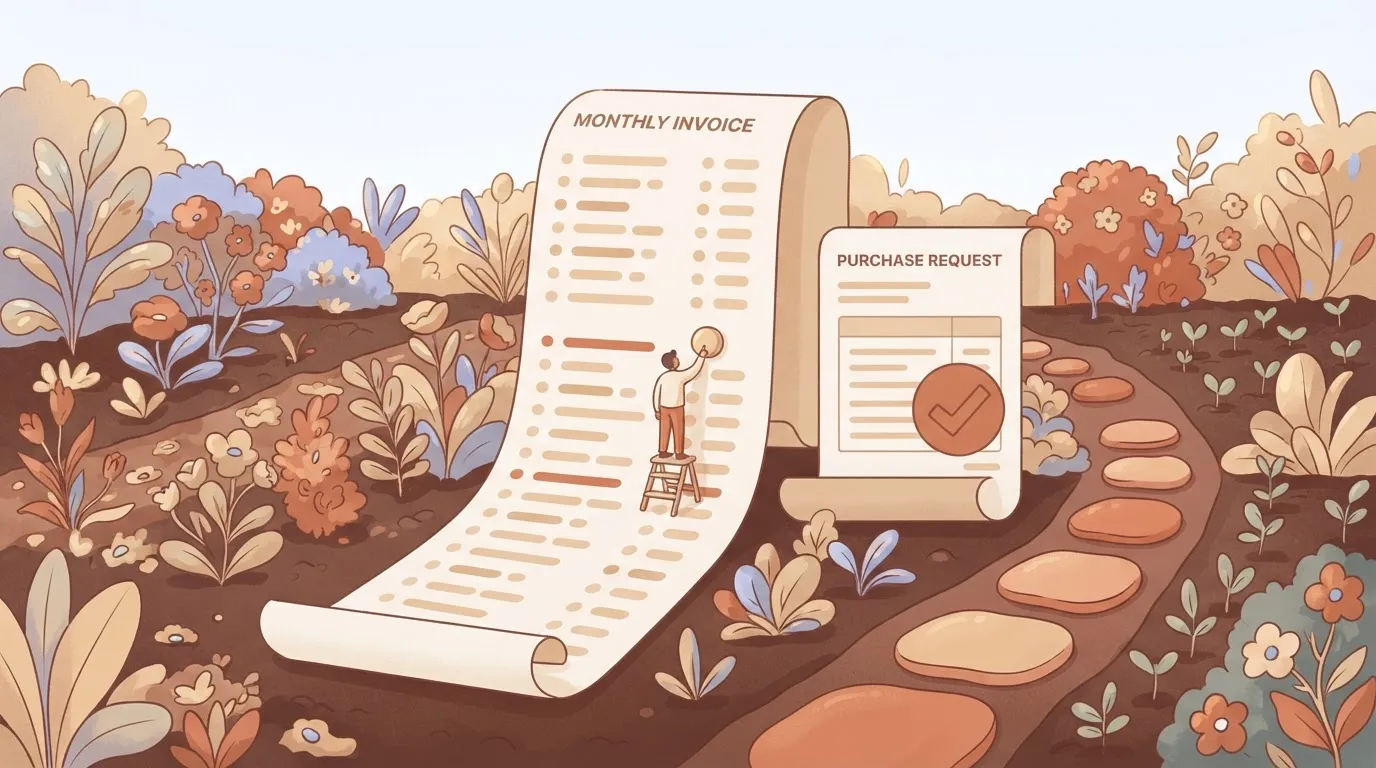  The plan treated approvers as seats, so the headcount we priced was lower than the headcount billed. Read how [Appsmith defines a user on its pricing page](https://www.appsmith.com/pricing) before you decide who gets a login. ### What sits on the next plan up When security review asked for single sign-on, an audit trail of who changed what, and finer control over who sees which page, that was the second surprise. [Appsmith lists these on its higher plans](https://www.appsmith.com/pricing), not on the entry tier. So the plan that fits your user count may not be the plan that fits your compliance needs. If your company requires any of the three, price the higher plan from day one, because moving up after launch means re-pricing every seat at once. ### Self-hosting costs the pricing page doesn't show Self-hosting removes a line item and adds three others. You pay for the server or cluster, for storage and backups, and for someone's time to run upgrades. You can follow installation in [Appsmith's setup documentation](https://docs.appsmith.com/getting-started/setup), but the docs can't price the hours your team spends on each new release. Put an hourly rate on that upkeep and add it to the hosting bill before you call self-hosting the cheaper route. Appsmith's limit sits on users; [Activepieces](https://www.activepieces.com) puts its meter on credits per run and never on how many flows exist, with its pricing page listing unlimited flows from Free through Ultimate. Zapier charges a task per action and Make a credit per module, so splitting one fragile automation into ten small ones raises the bill there on every run, while on Activepieces the ten cost nothing extra to exist. MoneyGram and Moneypenny run it in production.  ## Appsmith Against Retool, Budibase and ToolJet on Price At $15 per seat per month for builders and end users alike, Appsmith Business is cheap for a team of builders and expensive once many people only open the app. ### Appsmith pricing comparison table for November 2026 Read the two price columns together: the gap between them decides your bill. The table shows what each entry paid plan charges per builder and per end user, and whether a free or self-hosted route exists. Prices come from [Appsmith's pricing page](https://www.appsmith.com/pricing), checked November 2026. | Product and plan | Builder seat per month | End-user seat per month | Free or self-hosted option | |---|---|---|---| | Appsmith Business | $15 | $15 | Free open-source self-hosting | | Retool Team | $10 | $5 | Free plan | | Retool Business | $50 | $15 | Free plan | | ToolJet Basic | $23 | $0 | Open-source self-hosting | | Budibase | $50 | $5 | Free self-hosting | Run one workload through it: 5 builders and 40 end users, which at $15 per seat comes to $675 a month. Appsmith comes to $675 a month. Retool Team is $250, ToolJet Basic $115, [Budibase](https://budibase.com/pricing/) $450 and Retool Business $850.  ### When ToolJet is cheaper than Appsmith For that same 5-and-40 workload, **ToolJet Basic costs $115 against Appsmith's $675**, because it charges nothing for end users. If most of your users only view or approve things, ToolJet is cheaper by roughly $560 a month. Next cheapest is [Retool](https://retool.com/pricing) Team at $250. Its $10 builder seat and $5 end-user seat beat Appsmith on both counts. A small team paying for hosted software has little reason to pick Appsmith on price alone. Appsmith wins when builders are most of the headcount. With 10 builders and 5 end users, Appsmith costs $225, Budibase $525 and Retool Business $575. ToolJet Basic would be $230 and Retool Team $125, so Retool Team still undercuts it. The rule that follows: **count your builders and your end users separately** before you compare any two of these plans. ## Pricing due diligence before building Before comparing any two Appsmith plans, the team now counts people by what they do in the app, not by how many logins exist. ### Rule 1: count users by role Count three groups: builders who edit the app, end users who open it daily, and approvers who log in once a week to click a single button. Approvers are the ones who get missed. A person who touches the app four times a month still occupies a seat, so a "five-person tool" with a manager, a finance reviewer and a compliance sign-off is already eight users. ### Rule 2: match requirements to the plan table List what the app must do, such as single sign-on, audit logs, role-based access control and Git-based version control, and find the row for each in the plan table. The question is which tier each one sits behind. If one requirement is in a paid tier, that tier is your price, whatever the entry-level number says. Put anything you can live without on a separate "nice to have" list so it doesn't quietly set the plan. ### Rule 3: set a ceiling and a review date Pick a monthly figure the tool may not exceed, and put a date on the calendar to compare actual usage against it. Because user counts drift upward, the review date matters: a tool built for one department tends to get shared with the next one, and the bill follows without anyone deciding it should. The checklist for Monday morning, in order: 1. Count every user type, approvers included, and write the three totals down. 2. Match each required feature to its row in the plan table and note the tier it needs. 3. Set a monthly ceiling and a review date. 4. Price self-hosting with hosting costs and upgrade hours, and put that next to the paid plan. ## Move Background Jobs Out of Appsmith With Activepieces Put anything that runs without a person looking at a screen into Activepieces, which lists unlimited flows on every plan including Free, and keep Appsmith for the screens people click. You can self-host Activepieces, an automation tool whose core is MIT-licensed and which ships 747 integrations. It runs workflows started by a webhook or a schedule against the same database and APIs your Appsmith app already uses, so it complements Appsmith rather than replacing it. ### What stays in Appsmith and what moves The test is who starts the work. If a person clicks, the work belongs in Appsmith. If a clock or another system starts it, it belongs in Activepieces, and the other system is likely one of those 747 integrations. The table shows four jobs sorted that way, so you can see which side each one lands on and apply the same test to your own list. | Job | Trigger | Home | What it calls | |---|---|---|---| | Nightly database sync | Schedule | Activepieces | The source database and your internal database | | Order-shipped notice | Webhook | Activepieces | The shipping system's event, then your email or messaging API | | 24-hour approval reminder | Schedule | Activepieces | The approvals table, then your messaging API | | Refund form screen | Click | Appsmith | The refund API and the approvals table | Only the last row needs a person, so it's the only one that stays. The other three would otherwise sit in the app as workarounds. Next, the refund flow shows how the two tools hand work to each other. 1. A support agent submits the refund form in Appsmith. The button calls an Activepieces webhook with the order and amount. 2. Activepieces writes a pending row to the approvals table and notifies the approver. 3. If the row is still pending after 24 hours, a scheduled workflow sends the reminder. 4. When the approver decides, Activepieces calls the refund API and updates the row. 5. The Appsmith screen reads that row, so the agent sees the status without any polling logic in the app. After the first click, every step runs outside Appsmith, so the app holds only the screen and the data it displays. Self-hosting [Activepieces](https://www.activepieces.com/blog/activepieces-self-hosted-pricing-plans-and-costs-2026) also means you can price that side as server cost you control. The hosted Free plan is $0 with 1,000 credits a month, and a run costs 1 credit however many steps it has, so a nightly sync uses about 30 of them. ## Frequently asked questions ### Is Appsmith really free? Yes, up to a point: the hosted cloud product has a free plan, and it covers a small team's first build. The catch is that the limit is on how many people can use the app.  Once real users arrive, you hit that ceiling, and the paid tier has the extra seats and some features. Check the pricing page for the current user cap before you build, not after. ### Does self-hosting Appsmith cost anything? You can run the software itself on your own servers without a license fee, but "free" stops there. You pay for the machine it runs on, and someone has to handle upgrades, backups and uptime. Even when you host it yourself, some parts of the product are paid-only, so confirm which ones your app needs. If your app depends on one, self-hosting doesn't avoid the paid tier. ### Can you pay for Appsmith annually and save money? Vendors in this category commonly discount annual billing against monthly, and it's worth asking whether Appsmith's paid plan does. I wouldn't lean on that to make a build pencil out. Because the unit that drives your bill is the number of users, annual billing only lowers the rate on a headcount you may not have settled. Settle the user count first, then compare monthly and annual for that number. ### What happens when you go over a plan's limit? It depends on which limit you cross. A user cap generally means new people can't be added until you move to a higher plan. A feature that sits behind the paid tier simply isn't available to you until you upgrade. In both cases the cost shows up when you roll the app out, which is why the limit matters more than the sticker price. Read the plan terms for exactly what's blocked and what's billed. ### Is Appsmith cheaper than Retool? It can be, but the comparison only holds on one workload. Retool, another tool for building internal apps, is also priced by user, and its plan decides what you can use. So price both against the same app: the same number of editors, the same number of end users, and the same must-have features. Whichever tool needs the paid tier for fewer of those will cost less. A headline per-user rate by itself won't tell you which one that's. ## Related reading - [Semrush Pricing 2026: Plans, Add-ons, and Extra Users](https://www.activepieces.com/blog/semrush-pricing-2026-plans-add-ons-and-extra-users) - [GitLab Pricing in 2026: What Teams Pay](https://www.activepieces.com/blog/gitlab-pricing-in-2026-what-teams-pay) - [1Password Pricing 2026 for Teams and Businesses](https://www.activepieces.com/blog/1password-pricing-2026-for-teams-and-businesses) ## References - [Appsmith](https://www.appsmith.com/pricing)Nobody misjudged the build; they never checked the user cap before building.