# Automate Claude Code (2026 Guide)
By Petra Vlk · 2026-11-10 · Source: https://www.activepieces.com/blog/automate-claude-code-2026-guide
---
Run `claude -p "your prompt"` once, by hand, until the output is what you want. Then put that exact command under a scheduler or a trigger, whether that's cron or a workflow tool like [Activepieces](https://www.activepieces.com).
Everything else in this article is a layer on top of that one line.
By the end you'll have one such command running unattended, which **takes about 45 minutes**, so you can use that time for other work.
Without you at the keyboard, it takes a prompt, does the work, prints a result and exits, and that is what automating Claude Code means.
Recheck the limits and flags against [Anthropic](https://www.anthropic.com/research/claude-code-expertise)'s docs if you're reading this much later than 10 November 2026.
## Automate Claude Code with one headless command
Not all [Claude](https://claude.com/pricing) [Code](https://code.claude.com/docs/en/costs) work suits that. In [genai-playbook.com's report of Anthropic research](https://www.genai-playbook.com/articles/returns-to-expertise-en.html), fixing is 26% of sessions and building new is 25%, so maintenance and new feature development both command significant developer time.
That's **roughly half of all sessions**, and it's bounded work with a test that passes or fails, so a headless run can attempt it without you.
17% of sessions is operating software, which means recurring chores like triage and checks are the next best candidates. Understanding code is 8%, planning is 6% and writing prose is 6%, so together they are a small share of effort.
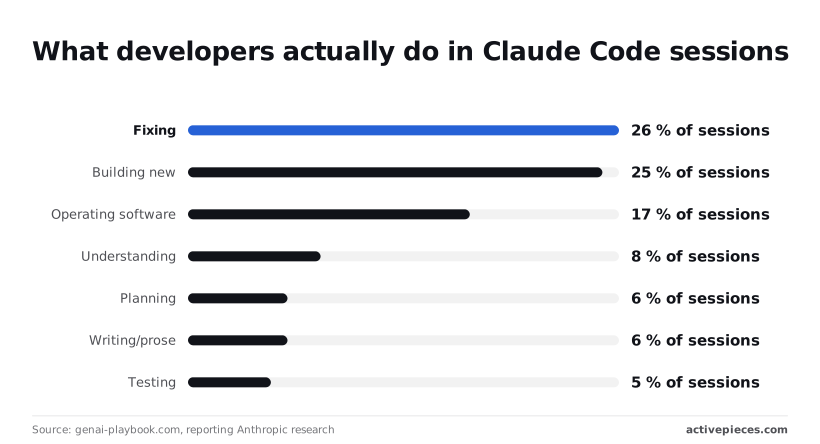
Together that's about a fifth of sessions, and it depends on a human steering mid-conversation. Automate those last, if at all.
### What you need before step 1
- Claude Code installed, and `claude` resolving on the shell's path.
- Credentials the unattended environment can see. A login that works in your terminal will not exist on a fresh CI runner.
- A repository checked out in the directory where the command will run.
- One small, repeatable task, such as "summarize the failing tests". Choose something that fails visibly.
### What automation means for Claude Code
It means removing the person from the loop, not removing the decisions. Interactively, you approve each tool call as it comes. Headless, nobody is there to click, so a run either has permission settings that cover what it needs or it stops.

That's why permissions come right after the first command in this article. Skipping them is how a nightly job ends up waiting on a prompt that no one will ever see.
### Cron, CI, SDK or external trigger: which path
Pick by what starts the run:
- Cron suits a task tied to the clock, such as a morning report on one machine you control.
- CI suits a task tied to a repository event, such as a pull request opening.
- The SDK suits a task inside your own program, where you need to handle the output in code.
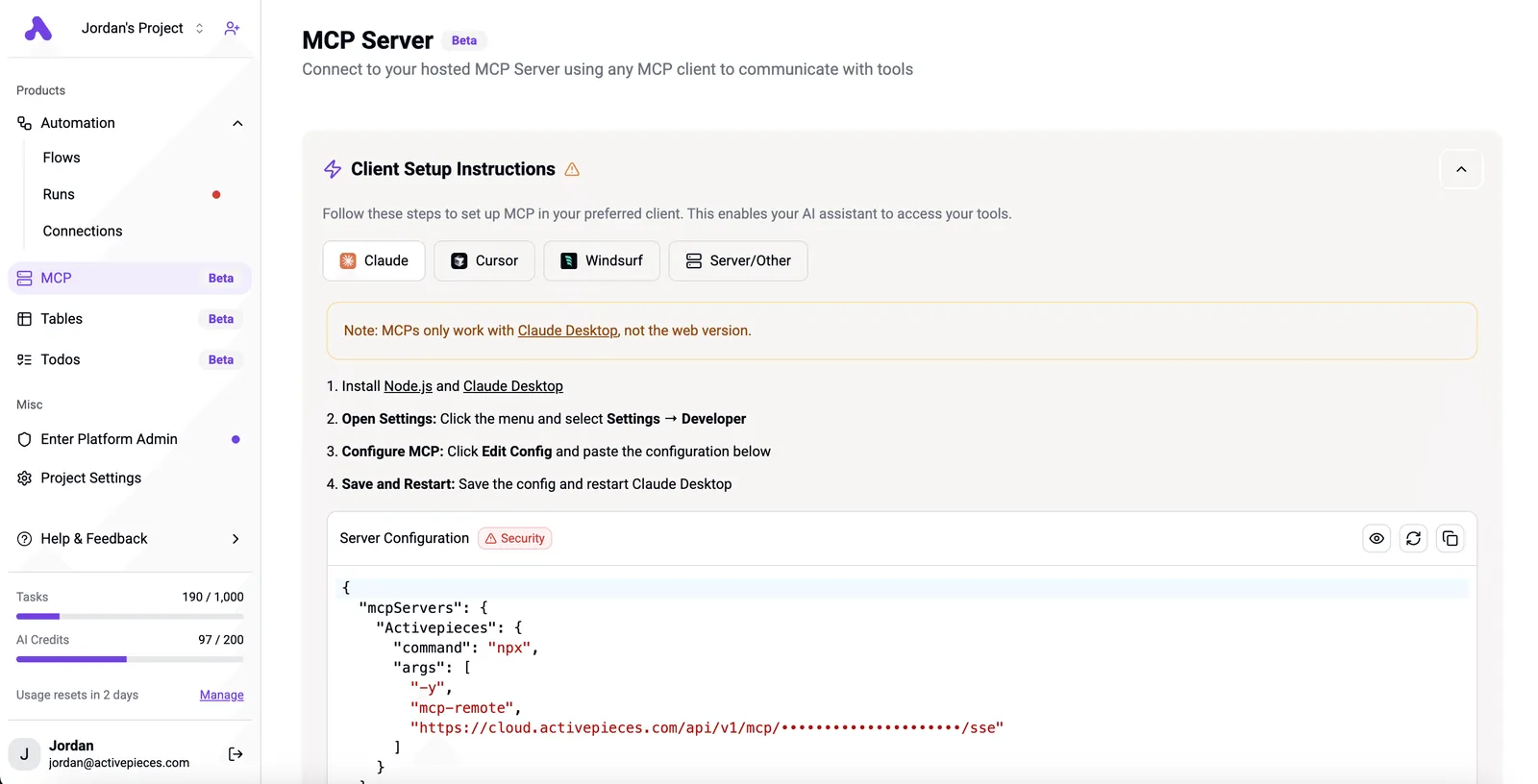
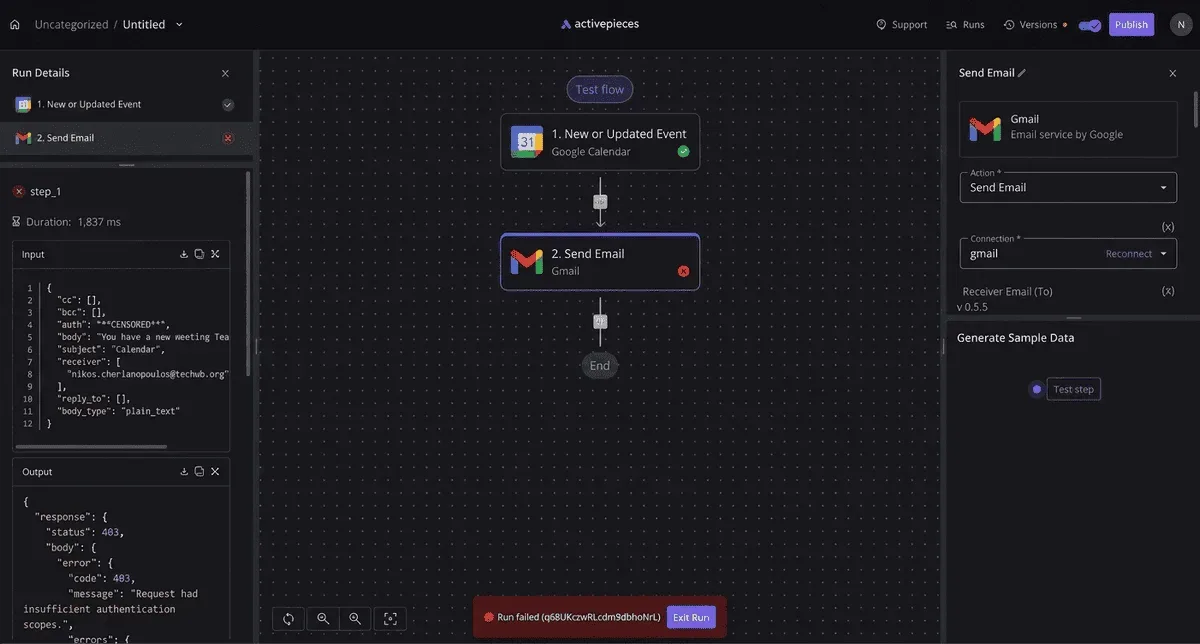
- An external trigger suits an event from outside your repo. [Activepieces](https://www.activepieces.com) starts the same command from any of its 747 integrations, and a connector you link there once works two ways: as a flow step that fires `claude -p`, and as a tool on the project's MCP server that Claude, Cursor or an agent you wrote can call, with nothing to export or wire up a second time, meaning one setup covers both. The flow step and the tool are the same integration action, which you can confirm in `packages/pieces` in the open source repo.
Look at the homepage below: it pitches building with code or drag-and-drop, which is the external-trigger path in miniature. Another tool decides when, and `claude -p` still does the work.
Whichever you choose, the command inside it stays the same, so start with the one you can test today.
## Steps 1-3: run, constrain and structure a headless job
You can test one command today: `claude -p` with a prompt. Then add tool permissions and a turn cap, then JSON output redirected to a file, one change per run so any failure has one suspect.
### Step 1: run claude -p and see a result
From a project directory, run `claude -p "Summarize what this repository does"`. The `-p` flag (print mode) runs one prompt non-interactively, writes the answer to standard output and exits. It asks you nothing and leaves nothing open.
Read the output before changing anything. If you get a plain-text summary, authentication, the working directory and the prompt all work, and every later failure comes from what you add. If you get an error, fix it here, where it's the only variable.
### Step 2: pre-approve tools and cap turns
In an interactive session, a tool that needs approval stops and asks you. **In headless mode no one is there to answer, so a prompt that waits for a human can leave the job sitting until something kills it.**
Read the transcript before trusting a run that finished cleanly. **Pre-approval closes that gap**.
Pass the flags below, using `--allowedTools` to list what the job may use:
```bash
claude -p "Run the tests and fix any failing one" \
--allowedTools "Read,Edit,Bash(npm test:*)" \
--permission-mode acceptEdits \
--max-turns 5
```
- `--allowedTools` names the tools that run without a prompt. Scope Bash entries to a command prefix, as above, instead of granting all of Bash.
- `--permission-mode acceptEdits` approves file edits without asking. It doesn't approve shell commands, which is why the allowlist is still needed.
- `--max-turns` stops an agent that loops. The run ends at the limit, so a stuck job costs you a bounded amount instead of an open-ended one.
If a rule belongs on every run, put it in the project's `.claude/settings.json`, under `permissions` with `allow` and `deny` lists.
Flags then cover only what is specific to one job, and a `deny` rule, for example on reading `.env` files, holds no matter which flags a script author forgets.
### Step 3: capture JSON output to a file
Add `--output-format json` and redirect standard output:
```bash
claude -p "Run the tests and fix any failing one" \
--allowedTools "Read,Edit,Bash(npm test:*)" \
--max-turns 5 \
--output-format json > result.json
```
The file holds one JSON object. It carries the answer in a `result` field, alongside session metadata such as the session ID.
That means a later step can read it with `jq -r '.result' result.json` instead of scraping prose.
Open `result.json` once by hand and confirm the fields you plan to depend on exist, because your hooks and CI steps will parse this file, and a field you assumed would only fail at the end of a pipeline.

That one command runs, has a bound and writes a parseable file, and hooks and CI wrap it next.
## Steps 4-7: hooks, cron, GitHub Actions and the SDK
Before you add the next layer, the last one should be running. Each of the next four steps wraps the same command in one more layer, so the final command has four layers of wrapping.
1. Add a hook in `settings.json` that fires after every edit.
2. Add a crontab line with absolute paths and the API key set.
3. Add `claude-code-action` to a workflow, with the key stored as a repository secret.
4. Move to the Agent SDK and resume a session by its ID.
Do them in that order, because each fails in a way the previous one has already taught you to read.
Put a `PostToolUse` hook in `.claude/settings.json`, matched to `Edit|Write`, that calls a script:
```json
{
"hooks": {
"PostToolUse": [
{
"matcher": "Edit|Write",
"hooks": [{ "type": "command", "command": "./scripts/check.sh" }]
}
]
}
}
```
When a tool call fires the hook, the hook receives that call as JSON on standard input. Make the script read that and run your formatter or tests. Run your one-shot command; the hook has worked when the script's output appears after each file change.
### Step 5: schedule it with cron
Because cron starts with almost no environment, a command that works in your terminal fails silently there. Use the full path to `claude`, `cd` into the repository, and write errors to a log:
```
ANTHROPIC_API_KEY=your-key-here
0 6 * * 1-5 cd /home/me/repo && /usr/local/bin/claude -p "Summarise yesterday's commits" --output-format json > /home/me/out/report.json 2>> /home/me/out/err.log
```
Run `which claude` to get the real path. The step is done when the report file appears after the first scheduled run. An empty file with a populated error log means a path or key problem.
### Step 6: run it in GitHub Actions
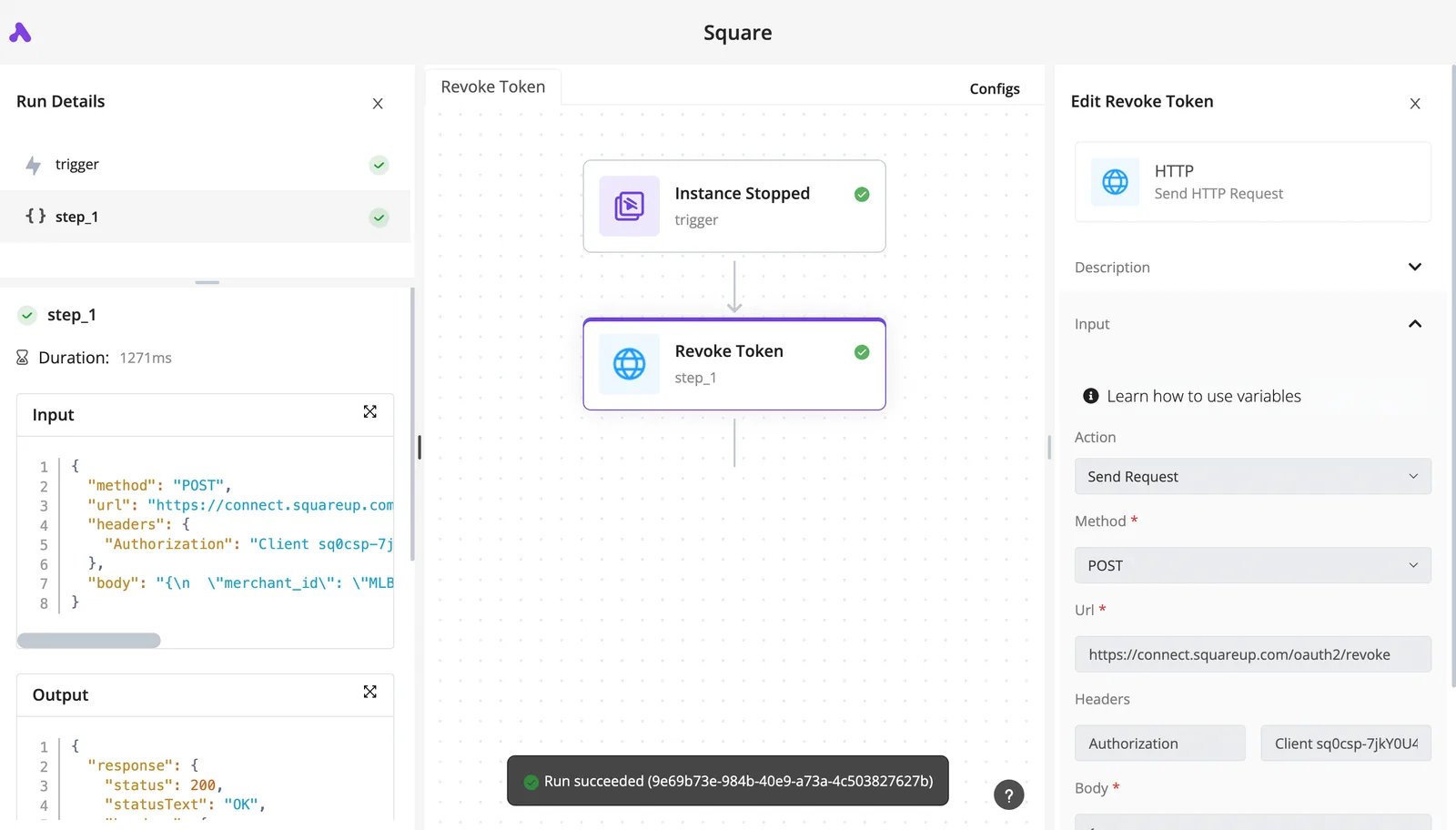
Store the key under the repository's Actions secrets as `ANTHROPIC_API_KEY`. Then add a workflow step using Anthropic's `anthropics/claude-code-action`, passing `anthropic_api_key: ${{ secrets.ANTHROPIC_API_KEY }}` and a `prompt`.
Check the action's README for the current version tag and input names before you copy anything. A pull request that triggers the job and shows Claude's output in the run log is your proof.
### Step 7: move to the Agent SDK when scripts sprawl
Once you're chaining shell scripts to pass state between runs, the Agent SDK does it in code. Each run reports a session ID. Save it, then pass it back through the SDK's resume option so the next call continues with the earlier context.
Confirm the exact option name in the SDK reference for your language. The step is done when a second call answers a question that depends on the first.
Before you leave any of this unattended, the remaining sections cover the limits you should verify against Anthropic's docs.
## Limits, costs and errors that stop automated Claude Code runs
Most unattended runs fail in one of seven ways, and nearly all of them fail silently: the job waits, retries or bills, and nobody is watching.
The table pairs each symptom with its cause and fix, so you can match a stalled job to a remedy and see where a figure couldn't be confirmed.
Most unattended runs fail in one of seven ways, and nearly all of them fail silently: the job waits, retries or bills, and nobody is watching.
| Failure | Symptom | Cause | Fix | Source and date |
|---|---|---|---|---|
| Plan limits vs API billing | Job stops mid-week, or bills unexpectedly | Subscription quota and API-key billing are separate meters | Decide which meter the job uses and set credentials to match | Anthropic docs; exact quota figures not confirmed here, checked 2026-11-10 |
| 429 / overloaded | Intermittent failures, then success | Rate limit or capacity pressure | Retry with backoff; don't loop tightly | Exact limits not confirmed here; verify in Anthropic docs |
| Hanging permission prompt | Job never finishes | Tool call waits for a human | Pre-approve tools with an allowlist | Anthropic docs, checked 2026-11-10 |
| Auth missing in cron | Works in terminal, fails in cron | Cron lacks your shell environment | Set credentials explicitly in the job | Anthropic docs, checked 2026-11-10 |
| Context exhaustion | Quality drops or run aborts | Session outgrows the context window | Split into smaller tasks | Window sizes not confirmed here |
| Runaway cost | Bill far above forecast | Long loops, large outputs | Cap turns, pick cheaper models | [Anthropic costs](https://code.claude.com/docs/en/costs), 2026-11-10 |
| CI exit codes | Pipeline green on a failed task | Exit code not checked or output not parsed | Fail on nonzero, parse structured output | Anthropic docs, checked 2026-11-10 |
_Prices and plan limits checked against [docs.claude.com](https://docs.claude.com/en/docs/about-claude/models/overview) and [claude.com](https://claude.com/pricing) and [openai.com](https://openai.com/chatgpt/pricing) and [gemini.google](https://gemini.google/subscriptions) on November 9, 2026._
Below, the first four rows get their own sections; the last three are handled in the cost section and in the CI layer.
### Usage limits and rate limits
If a job quietly picks up the wrong credential, it either exhausts a plan or runs up a metered bill, because a subscription quota and an API key are billed differently. Decide which one a job uses before it runs.
For 429 and overloaded errors, no fixed number is confirmed here, so build retries with backoff and treat any figure you read elsewhere as unverified.
### Permission prompts that hang headless Claude Code jobs
A prompt that waits for a human has no human. The job sits until something kills it, and a CI runner may bill you for that idle time. Allow the specific tools the task needs, and nothing broader, before the first scheduled run.
### Authentication and environment failures in cron
When the job runs from cron, a login that works in your terminal is absent, because cron starts with a minimal environment. Set credentials explicitly in the job and test it with `env -i` to see what cron sees.
### Cost control for unattended runs
$13 per developer per active day is the average on Anthropic's [costs page](https://code.claude.com/docs/en/costs), so a team budgeting from that number is planning for a typical day.
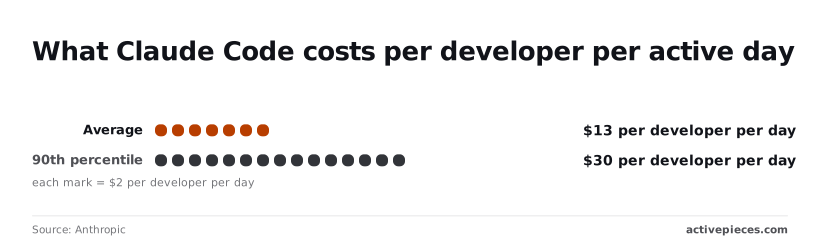
**The 90th percentile is $30**, which means one developer in ten spends more than double the average. An unattended loop is more likely to land in that tail, so set your ceiling there.

Per [Anthropic's pricing page](https://platform.claude.com/docs/en/about-claude/pricing), per million tokens, input and output cost:
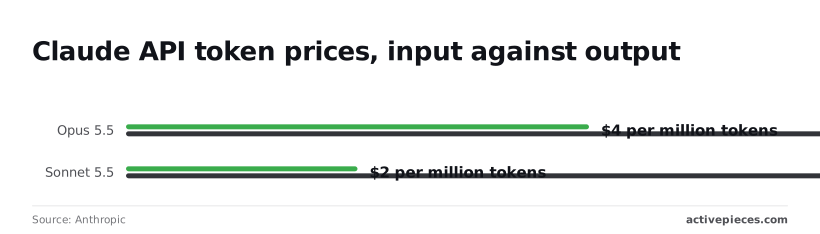
- Opus 5.5: $4 and $20
- Sonnet 5.5: $2 and $10
- Haiku 5.5: $0.10 and $0.50
A job that writes long reports costs far more than one that reads a lot and answers briefly, because **output costs five times input** on all three.
Route classification and extraction to Haiku 5.5, which at $0.50 per million output tokens costs a fortieth of Opus 5.5, and cap turns on every job, so cost stops being the limiting factor in how much you classify.
## Trigger Claude Code from business events with Activepieces
Use Activepieces, an open-source workflow builder with an MIT-licensed core and 747 integrations, when a business event rather than a clock or a commit should start `claude -p`, which means you're automating based on business triggers.
For jobs that only touch a repository, cron or GitHub Actions already does the work. With cost capped, the open question is who starts the job.
Have one headless command that already works from a terminal: `claude -p` with a prompt, `--output-format json`, and a turn cap. Activepieces adds no reliability to a command that fails by hand.
It only delivers the trigger, and since every plan, including the free one with its 1,000 credits a month, allows unlimited flows, and a run is 1 credit however many steps it has, testing that trigger costs nothing.
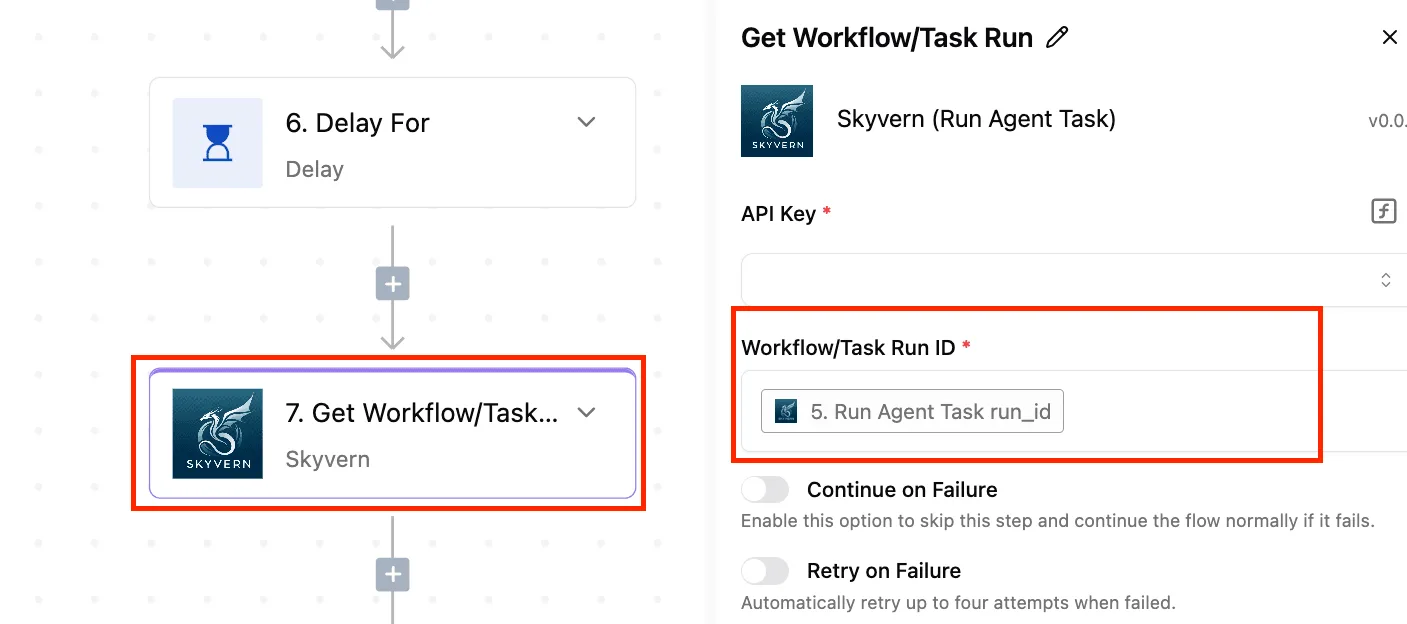
You also need a place for that command to run, which is usually a GitHub Actions workflow with a `workflow_dispatch` trigger.
The Anthropic API key lives in that repository's secrets, never in the Activepieces flow, which holds true whether the flow runs on Activepieces Cloud or on your own servers under the MIT-licensed core.
The flow holds one credential, a GitHub token scoped to dispatching that single workflow. If the token leaks, the worst outcome is someone starting your classifier, not reading your repo.
With no human at the permission prompt, automation here means a non-interactive process. The run starts, does bounded work, and returns structured output that something else consumes.
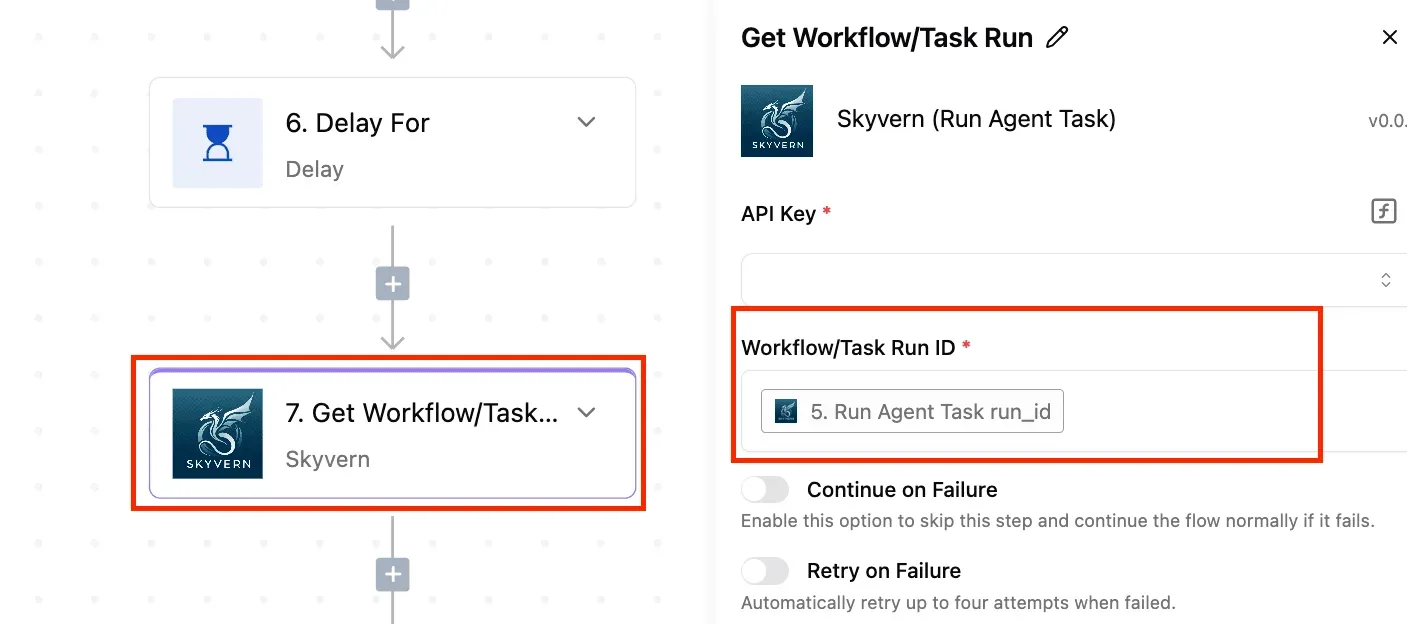
Activepieces covers the first and last of those. It receives the event, calls the webhook or the dispatch endpoint, then takes the JSON back and posts it to a Slack channel, a ticket comment or a CRM field.
Those hand-offs are ordinary flow steps, and the 747 integrations in the open source repo are what make them connectors instead of code you maintain, so you have 747 integrations already built.
It doesn't change what Claude Code is allowed to do. Permissions, allowed tools and turn limits stay in the command and the repo configuration. Check current flag names and behavior against Anthropic's documentation, because those settings are where a misconfigured job fails quietly.
Choose by what starts the work. A schedule belongs to cron or a scheduled Actions workflow. A pull request or push belongs to Actions.
Code that needs to embed Claude in your own service belongs to the SDK. An event that happens in a tool other than your repository belongs to an external trigger.
These are the events that justify Activepieces over cron, and its 747 integrations are the pool of tools that can raise them:
- A new support ticket arrives and needs classifying or a draft reply.
- A form is submitted and its free text needs extraction into fields.
- A Slack message in a designated channel asks for a summary or lookup.
- A CRM status changes and a record needs a note or follow-up written.
Each one ends the same way: the flow calls a webhook or a `workflow_dispatch` endpoint, the job runs, and the result is posted back.
If none of your triggers look like that list, skip Activepieces. A cron entry is one fewer system to maintain, and unlimited free flows are no reason to add one.
If one does, add it last, after the command, permissions, structured output and CI each work on their own.
## Frequently asked questions
Once the command, permissions, structured output and CI each work, what is left are questions about who runs it, under what account, and what it costs.
### Can Claude Code run without a human present?
Yes: the non-interactive `-p` flag runs one prompt, prints the result and exits, with no one at the keyboard. It stalls only when it needs a permission nobody pre-approved, so the allowed-tools list matters more than the prompt.
A run that waits for a click that never comes shows up as a hung job, not an error.
### Does automation need an API key or does a Max plan work?
If the job is unattended, use an API key: it's the dependable choice because it bills per use and doesn't depend on a person's login session.
A Pro or Max login is built around interactive use, and whether it covers headless runs, and under what usage limits, is set by Anthropic's current plan terms. Read those before you wire a subscription into a scheduled job.
To keep the bill in check on an API key, two habits help.
Pass `--model` to pick a cheaper model for routine work: Claude Haiku 5.5 is aimed at classification, extraction and routing, so start there for those jobs and move up to Claude Sonnet 5.5 only when output quality fails.
Bound each run with a turn limit, and set a spend limit on the account that owns the key, so a looping job runs out of budget instead of piling up charges overnight.
### Is --dangerously-skip-permissions safe in automation?
Only inside a disposable environment, such as a container with no network access beyond what the job needs and no credentials it shouldn't use.
The flag removes the prompts that would otherwise stop a bad command, so the sandbox becomes your only protection. On a machine that holds real secrets, list the specific tools the job may use instead.
### How do I run Claude Code on a schedule without my laptop?
Put the same `-p` command in a scheduled CI workflow or in a cron job on a server or container you control, and store the API key as a secret there.
If the command already works from a clean shell, the scheduler adds nothing but a trigger. If it only works on your laptop, the scheduler will expose that on the first run, usually as missing environment variables or a missing login.
### What is the difference between Claude Code and the Agent SDK?
Claude Code is the finished tool you run from a terminal or CI step. The Agent SDK exposes the same agent loop as a library, so you can build it into your own program and control its tools, messages and permissions in code.
Use the command while a shell call is enough, and move to the SDK when you need to handle events yourself.
Anthropic's documentation lists the current limits and options for both, and they change, so check it before you rely on any of them.
## Related reading
- [Claude Code Pricing 2026: Plans, Limits, and Costs](https://www.activepieces.com/blog/claude-code-pricing-2026-plans-limits-and-costs)
- [Monday.com Claude integration: Automate Project Analysis](https://www.activepieces.com/blog/monday-com-claude-integration-automate-project-analysis)
- [n8n Multi Main Setup: Queue Mode and Failover](https://www.activepieces.com/blog/n8n-multi-main-setup-queue-mode-and-failover)
## References
- [genai-playbook.com, reporting Anthropic research](https://www.genai-playbook.com/articles/returns-to-expertise-en.html)
- [Anthropic](https://code.claude.com/docs/en/costs)
- [Anthropic](https://platform.claude.com/docs/en/about-claude/pricing)