# Automate Gemini 4 Neon: How to Set It Up (2026 Guide)
By Margit Solheim · 2026-11-22 · Source: https://www.activepieces.com/blog/automate-gemini-4-neon-how-to-set-it-up-2026-guide
---
Here, "[Gemini](https://gemini.google/subscriptions) 4 Neon automation" means a workflow, built in a builder such as [Activepieces](https://www.activepieces.com) or in plain code, that sends input to a Google Gemini model and writes the response into a Neon Postgres database.
The fastest route to it is **five steps that end with one verified row**, so progress is blocked until that row is verified.
Search for a single product by that name and you won't find one. "Gemini 4 Neon" is a Google model name, described as frontier intelligence with fast task completion.
Neon is a separate company's serverless Postgres service. Google's model listing shows no product that joins the two under one name, so this phrase describes a **pipeline you assemble, not something you install**.
Don't treat the model name as a dependency. Any Gemini model your key can reach works in the call, so you can swap the model string later without touching the trigger or the database write.
## Build Gemini 4 Neon automation
When a credential is broken, you catch it at **step two instead of step five**, because each step produces something you can check before moving on.
1. Create a Gemini API key in Google AI Studio, the console where Google issues keys for the Gemini API. Store it as a secret, not in the workflow body.
2. Copy the pooled connection string from your Neon project's connection settings. The pooled host carries a `-pooler` suffix. Use it, because a workflow that opens a fresh connection on every run can exhaust direct connections.
3. Create the table. Four columns are enough: an id, the input text, the model's output, and a created-at timestamp. Anything fancier can wait until a row has landed.
4. Build the workflow: a webhook or schedule trigger, then an HTTP or SDK call to Gemini, then an insert into that table. Code works, as does a visual builder. Map the model's text field into the output column explicitly, since an unmapped field inserts nothing and raises no error.
5. Run one test with a single known input. Confirm the trigger fired, Gemini returned text, and a row exists in Neon with that text in it.

Run it once by hand before you schedule anything. A scheduled workflow that fails silently looks identical to one that has nothing to do.
### What you'll have working at the end
You'll have one trigger, one Gemini call and one database write, proven end to end on a single input. That's a working pipeline, but it isn't yet a dependable one.
It has no retry on a rate-limit rejection, and it has no handling for the first query after Neon's compute has gone idle. **Those two gaps cause most real failures**, so they get their own sections next.
## Credentials and limits to collect before building
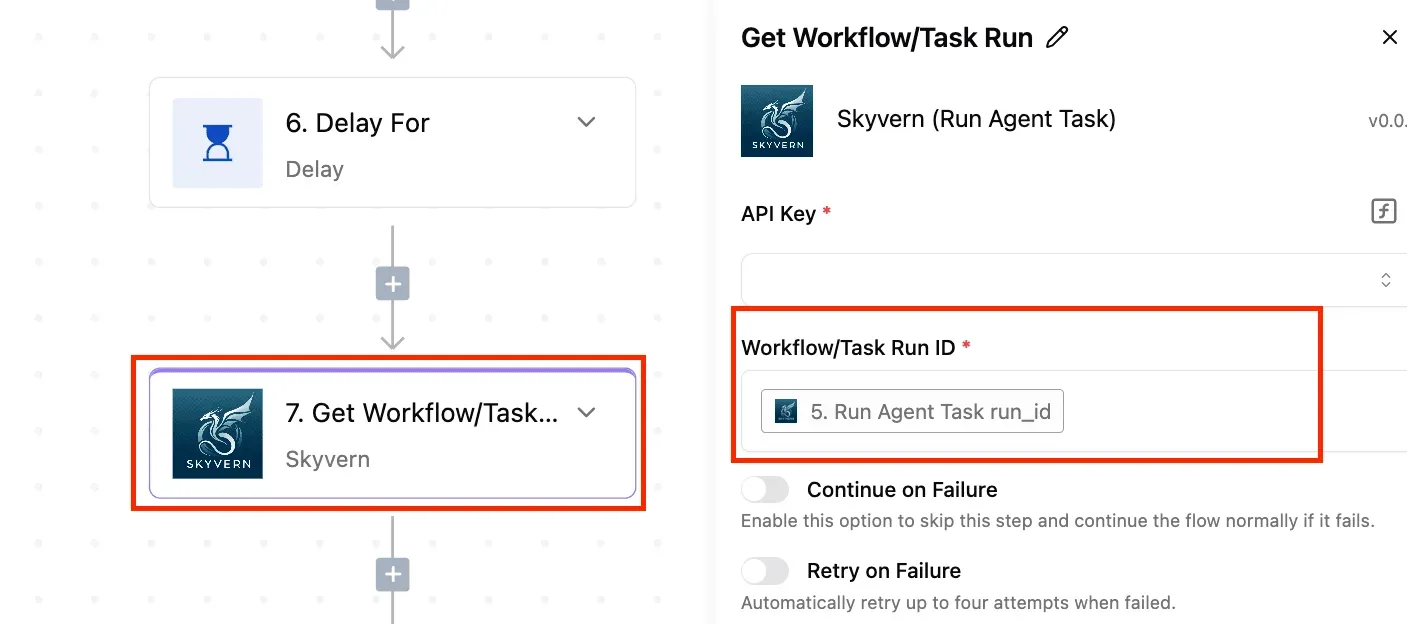
Collect four things first: a Gemini API key, the exact model name, the rate limits on that key, and a Neon connection string, pooled or direct, with SSL on. Missing any one of them produces the two failures above.
### Gemini API key, model name and rate limits
It worked in testing, then the first real batch returns a quota error. That is the usual symptom.
Create the key in Google AI Studio and store it in the workflow tool's credential store, never inline in a step. Copy the model name as a string, exactly, and pin it.
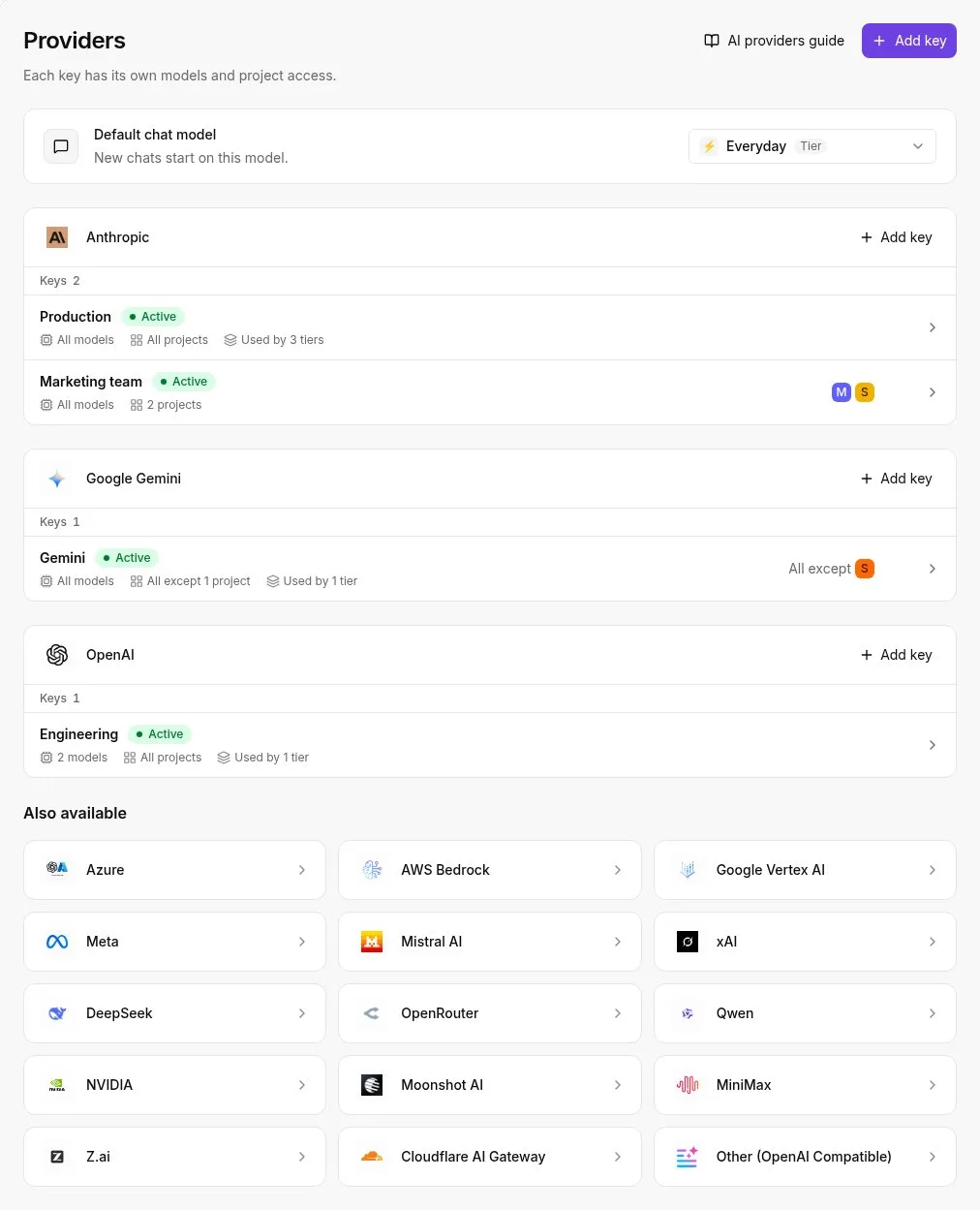
For one row per trigger, Gemini 3.5 Flash-Lite, the fastest and cheapest 3.5 model, is a sensible default to test against. Then read the rate limits shown for your project and write them down.
A trigger that fires faster than the per-minute request limit fails silently unless you handle the error.
When a key is rotated, the workflow breaks without warning. The workflow tool's audit log records which connection was updated or deleted, by whom, and when, so a run that stopped on a given afternoon can be matched to a credential change.
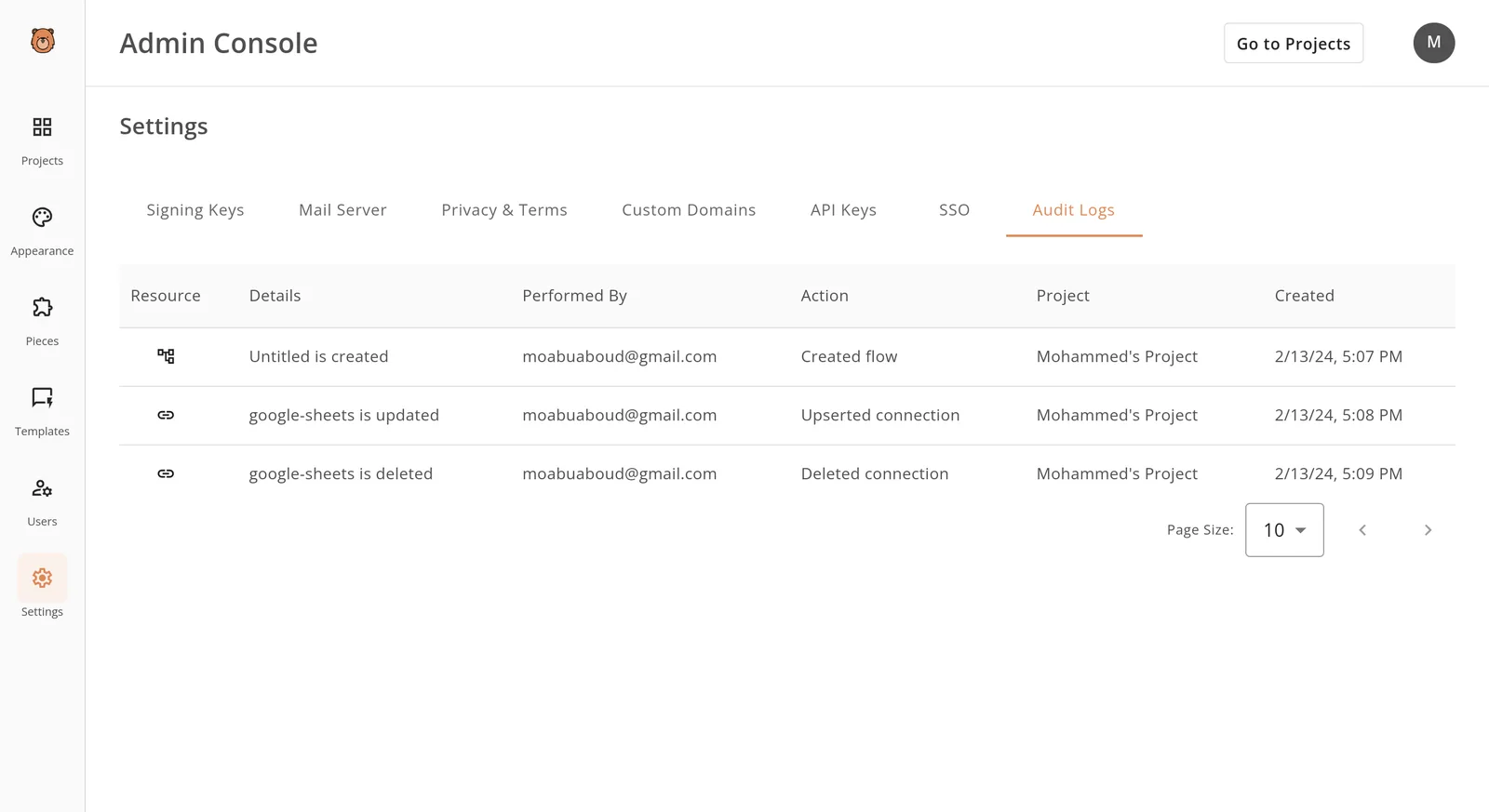

Before blaming the workflow logic, look at the log above. Neon's side has its own limits, covered next.
### Neon connection string, pooling and scale-to-zero
Neon gives you two strings per role and branch: direct and pooled. The gap in capacity is large, according to [Neon's connection pooling documentation](https://neon.com/docs/connect/connection-pooling):
| Compute size | Direct connections | Pooled connections |
|---|---|---|
| 0.25 CU | 112 | 10,000 |
| 0.5 CU | 225 | 10,000 |
| 1 CU | 450 | 10,000 |
_Prices and plan limits checked against [docs.claude.com](https://docs.claude.com/en/docs/about-claude/models/overview) and [claude.com](https://claude.com/pricing) and [openai.com](https://openai.com/chatgpt/pricing) and [gemini.google](https://gemini.google/subscriptions) on November 21, 2026._
So a burst of 150 parallel workflow runs exhausts a 0.25 CU direct connection limit but fits comfortably through the pooled string. **Use pooled for the automation and direct only for migrations.** Keep `sslmode=require` in the string, because Neon rejects unencrypted connections.

Then there is the second trap. An idle compute suspends, and the **first query after a quiet period** pays a wake-up delay. A short timeout in the database step reads that delay as a failure. Set a generous timeout and a retry on that step.
### A one-table test before anything else
Before building the full workflow, create a table with an id, a prompt, a response and a timestamp. Trigger one run by hand, send one fixed prompt to Gemini, and write one row.
Then wait until the compute suspends and run it again. If both rows land, the credentials and limits are good, and any later failure is in your workflow logic.
## Three routes to automate Gemini with Neon compared
If a failed run must retry on its own terms, a custom function is the better route, while a no-code tool is the faster one to stand up. Neon-side scheduling is the thinnest of the three.
The table shows how each handles the two failures that cause most incidents: a sleeping Neon database and a Gemini 429.
| Route | Setup time | Maintainer | Retries | Cost at 10,000 runs a month | Neon asleep or Gemini 429 |
|---|---|---|---|---|---|
| Custom script or function | An afternoon | You | Whatever you write | Gemini usage plus function hosting | Backoff and reconnect are yours to code, so they are as good as you make them |
| Neon-side options | Short, if your extensions allow it | You, inside the database | Usually none beyond the next scheduled run | Gemini usage only | The run fails quietly and waits for the next schedule |
| No-code tool | Under an hour | The vendor, plus you for the flow | Set per step, with limited control | Depends on the plan's run allowance | Retry settings decide; a 429 can burn the allowance |
Read the last column first. A route that fails quietly on a 429 is the one that produces the user report, "the table stopped updating Tuesday", with nothing in the logs.
Strip the phrase "automating Gemini with Neon" down and it means a trigger, a Gemini call and a database write. It doesn't mean Gemini reads Neon directly, and Neon doesn't call Gemini on its own.
Something in the middle always carries the data, and that middle layer is what the table compares.
1. Pick the trigger: a webhook, a schedule, or a new row.
2. Call Gemini with a fixed prompt and a timeout.
3. On a 429, wait and retry a limited number of times, then stop.
4. Open the Neon connection only after the Gemini response arrives, so an idle database is not left waiting.
5. Write the result and log the run ID, whether it succeeded or failed.
Test each step against a throwaway table before pointing it at real data. I don't trust a flow that's only run once.
You'll have a run that fires on its trigger, survives one rate-limit response, wakes a sleeping database on the first write, and leaves a log line for every outcome.
Choose the custom function if that log and the retry rules need to be yours. Choose the no-code tool if speed matters more and you can live with its retry options.
## Build the Gemini to Neon workflow in Activepieces
Build it in four stages, and don't move to the next until the current one has run once with real data and left a visible result: a stored sample, a text reply, a database row, a failure notice.
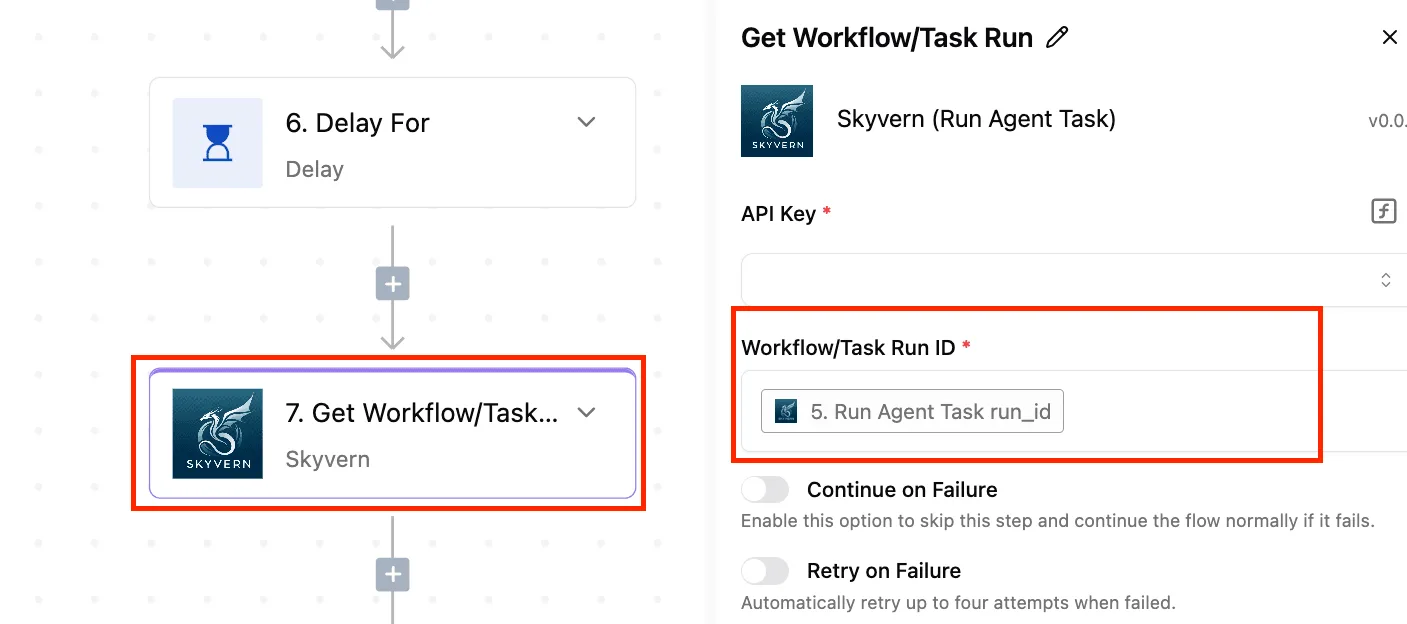
[Activepieces](https://www.activepieces.com) has Google Gemini and PostgreSQL integrations, and Neon is Postgres, so the trigger, Gemini call and row write above is a task it covers directly.
You can also skip the stages by describing that pipeline in its built-in chat, which publishes a live flow in your account, the same artifact you would have assembled by hand.
Because the flow is an ordinary one, it gets the same RBAC, audit logs and run traces as anything built manually, so the run trace shows what each step did and a row that never landed can be traced to the step that failed.
MoneyGram, Moneypenny, Alan and FundingSocieties run Activepieces in production.
### Stage 1: trigger that fires and stores sample data
Start with a Web Form trigger, because you can fire it yourself from a browser and need no outside system.
In the CV Scanning flow below, the first step is a Web Form labeled "Human Input".
Its panel lists a published and a draft form URL, and a warning about "Wait for Response", so you know which URL is for testing and that a form left waiting will hold the caller open.
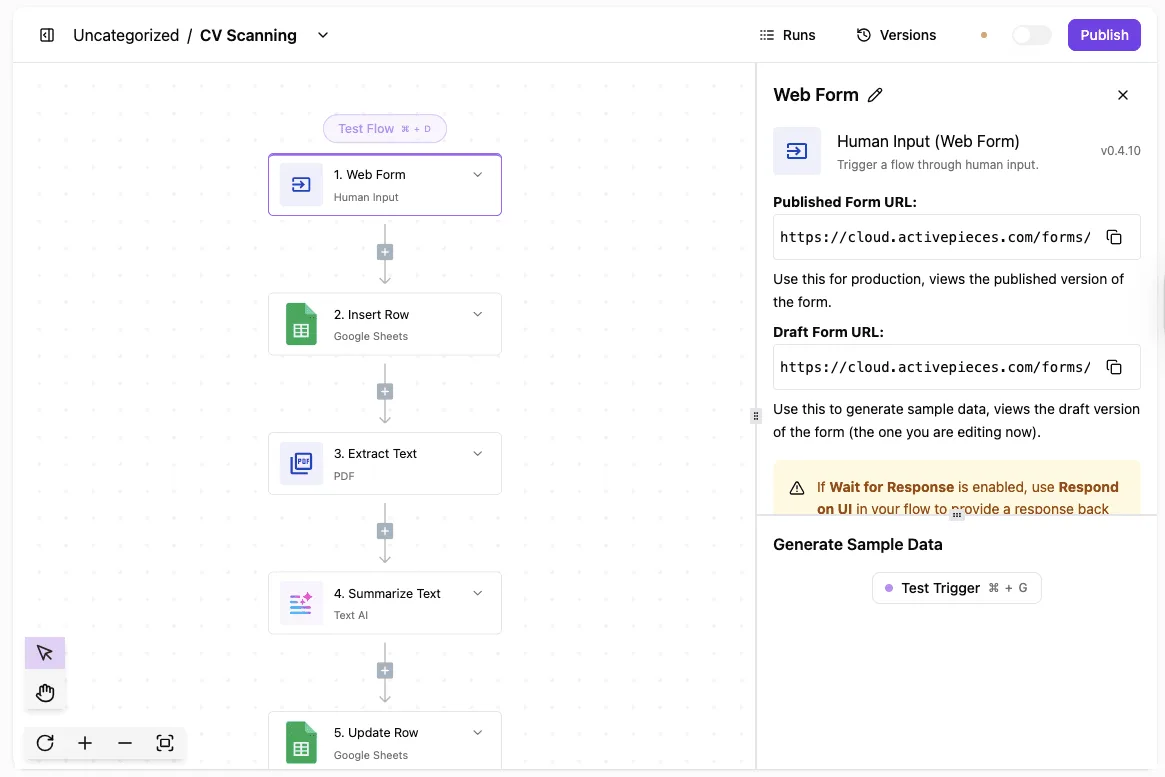
Use the draft URL, submit one realistic entry, then press Test Trigger.
Swap the sheet and PDF steps in that example for Gemini and Neon, and the trigger works the same way. Stop when the sample data shows your submitted fields, because every later step maps from that sample.
### Stage 2: Gemini step that returns text
Add the Google Gemini step, connect your API key, and choose a model. Gemini 3 Flash is a sensible default for a text task like this, since it's low-cost and fast.
Put the form field into the prompt by selecting it from the trigger's sample data, not by typing the placeholder by hand. Run the step on its own.
Stop when you can read Gemini's reply in the step output.
If it errors here, the cause is almost always the key or a quota on your Google project, not the flow. Fix it now, because a quota error will look identical later and be harder to trace.
### Stage 3: write the result as a Neon row
Because Neon is Postgres, you connect through a Postgres step using the connection string from your Neon project. Create the target table first, with a text column for the input, a text column for Gemini's reply, and a timestamp.
Map the trigger field and the Gemini output into those columns, then test the step.
Stop when the row appears in Neon's table viewer. Expect a slow or failed first attempt if the database has been idle, since a suspended Neon compute has to wake before it accepts the connection. That is the failure the next stage exists for.
### Add retries and failure alerts to the workflow
Turn on retry for the Gemini and database steps, so a cold database or a brief rate limit gets a second attempt rather than ending the run.
Then set the steps to continue on failure and route the failed path to a Slack or email step that names the flow and the step.
You find it a week later, in an empty table: the flow that failed silently.
## Fix workflow errors and limits
Behind those empty tables sit eight errors, each with a symptom you can recognize and a short fix.
The table below pairs what the run log shows with the cause behind it, so you can go from a red run straight to the change that clears it.
| Error | Symptom | Cause | Fix |
|---|---|---|---|
| Gemini 429 | Run fails with a resource-exhausted message | Per-minute or per-day quota exceeded | Back off and retry; throttle the trigger |
| Gemini 503 | Intermittent "overloaded" failures | Temporary capacity shortage on Google's side | Retry after a delay; fall back to a second model |
| Blocked or empty output | Row written with blank text | Safety filter or token cap ended the response early | Check the finish reason before writing |
| Malformed JSON | Insert step rejects the payload | Model added prose or was cut off mid-object | Request JSON output with a schema; validate first |
| Neon cold-start timeout | First run after idle fails | Compute suspended and slow to wake | Raise the connection timeout; retry once |
| SSL error | Connection refused or "SSL required" | Client not requesting TLS | Add `sslmode=require` to the connection string |
| Pooling limit | "Too many connections" under bursts | Every run opens its own direct connection | Use the pooled hostname |
| Permission denied | Insert fails on an existing table | Flow's role lacks grants | Grant INSERT on the table to that role |
The first four rows are Gemini-side and the rest are Neon-side, which means querying the full dataset requires accessing both systems. The groups below explain which ones need judgment.
### Gemini errors: quota, overload, blocked output
Retry immediately after a 429 and you only make it worse, because a 429 means you hit your quota, not that the workflow is broken. A 503 clears on its own, but a flow with no retry turns a thirty-second blip into a missing row.
Retry immediately after a 429 and you only make it worse, because a 429 means you hit your quota, not that the workflow is broken.
Then there is blocked output, the quiet one: the call succeeds, the text is empty, and an unchecked insert writes a blank. Test that path deliberately with a prompt you expect to be filtered before you trust the flow.
### Neon errors: cold start, SSL, pooling, permissions
They pass in testing and fail on Monday morning: cold starts hit the first run after an idle stretch.
Per [Neon](https://neon.com/docs/connect/connection-pooling), direct connection ceilings scale with compute: 450 at 1 CU, 901 at 2 CU, 1802 at 4 CU, 3604 at 8 CU, and 4000 at 9 CU and above.

Buying more compute stops helping past 8 CU, because the ceiling rises roughly in proportion to size until it flattens at 4000.
Fan out to 1,000 parallel runs on direct connections and a 2 CU database is overrun, while 4 CU fits, but a pooled connection string lets smaller compute handle this concurrency.
The pooled hostname avoids the question for most flows. SSL and permission errors are configuration, and they fail the same way every time.
- Confirm retries with backoff exist on the Gemini step.
- Send one deliberately blocked prompt and confirm nothing blank is written.
- Run the flow against a database that has been idle, to exercise the cold start.
- Check that the connection string uses the pooled host and `sslmode=require`.
- Verify the flow's role can still insert into the target table.
- Add an alert on failed runs, so you hear about it the same day.
## Frequently asked questions
### Is there an official Gemini integration for Neon?
Not as a single connector that covers the whole job. You assemble it from an HTTP or Gemini step in your automation tool and a Postgres step pointed at Neon.
Check your tool's current node list before building anything custom, and test the assembled flow end to end.
### Does the Gemini free tier work for a production automation?
It works for building and testing, and it's where production runs break first. **Free-tier rate limits and quotas are tighter**, and a burst of triggers will hit them. Read the current data-use terms for the free tier before sending customer content through it.
Move to a billed project before real traffic arrives, and set retries with backoff so a quota error becomes a delay instead of a lost row.
### Can I store Gemini embeddings in Neon with pgvector?
Yes. Neon supports the pgvector extension, so you enable it once per database and add a vector column. The column's dimension has to match what your embedding model returns, and it's fixed when you create the table.
Gemini Embedding and Gemini Embedding 2 are both current options. If you switch models later, plan to re-embed the stored rows. Vectors from different models are not comparable, and mixing them fails silently, with no error and bad search results.
### Will Neon scale-to-zero make my automation fail?
It can, but only when the workflow isn't built for it. After an idle period the compute suspends, and the first query has to wait for it to wake. A short connection timeout or a stale connection then reads as a failure.
Use the pooled connection string, give the database step a generous timeout, and let one retry absorb the wake-up. If failures cluster on the first run after a quiet stretch, suspension is the cause.
### How do I keep my API key out of the workflow?
Put the Gemini key and the Neon connection string in your automation tool's credential store and reference them by name.
Don't paste them into a node's text field, a code step, or a trigger payload. Those values end up in execution logs, exports and shared screenshots.
Restrict the key to the Gemini API only. Rotate it if it ever shows up in a log, and rotate it on a schedule regardless. Then run a test execution and read the logs to confirm the secret never appears.
## Related reading
- [Gemini 4 Neon: Speed, Accuracy and Cost Tested](https://www.activepieces.com/blog/gemini-4-neon-speed-accuracy-and-cost-tested)
- [Gemini 4 Neon MCP: Setup Guide Without Prod Risk (2026)](https://www.activepieces.com/blog/gemini-4-neon-mcp-setup-guide-without-prod-risk-2026)
- [Connect Google Workspace to Gemini for Automation](https://www.activepieces.com/blog/connect-google-workspace-to-gemini-for-automation)
## References
- [Neon](https://neon.com/docs/connect/connection-pooling)
- [Activepieces](https://www.activepieces.com/pricing)