# Best Notion Alternatives for 2026 (Free & Paid)
By Ossian Kettunen · 2026-09-30 · Source: https://www.activepieces.com/blog/best-notion-alternatives-for-2026-free-paid
---
[Notion](https://notion.notion.site/ICYMI-Every-Notion-product-update-from-2023-87fb65f4d42f4df7afe28c1e29dfb1ed)’s market position has shifted from a disruptive documentation tool to a saturated platform. The friction of general-purpose features now outweighs the convenience of a single workspace.
[Activepieces](https://www.activepieces.com) provides the unified governance layer that specialized tools lack, consolidating agents, workflow automation, and shared team data under a single set of controls.
As your workspace grows in complexity, performance degradation, offline limitations, security requirements, and the "All-in-One" tax demonstrate that the platform's utility for high-stakes enterprise work diminishes. This shift marks the end of the "everything app" era for you if you prioritize reliability over feature density.
## Why users are moving away from Notion
### The performance cost of all-in-one features
When your Notion databases scale, the underlying web-wrapper architecture struggles to maintain the sub-100ms latency you need for fluid typing and navigation.
**You'll find that the "All-in-One" tax manifests as a productivity drain when loading times lag.** Every additional property you add to a table increases the DOM (Document Object Model) complexity and slows your entire workspace.
### Lack of true offline functionality
Notion remains a cloud-first application with no local-only mode. A temporary ISP failure or a server-side outage completely severs your access to your proprietary knowledge base.
**For you, if you work in high-security or remote environments, this lack of local caching is a non-starter.** You can't risk being locked out of your operational manuals during critical downtime.
### Security and data sovereignty concerns
Servers decrypt data because of the absence of end-to-end encryption (E2EE) in Notion's core architecture. This fails to meet the strict compliance standards of the legal and healthcare sectors.
**If you require absolute data sovereignty, you're likely migrating to local-first tools.** This ensures that your sensitive intellectual property never touches a third-party cloud in a readable format.
### The steep learning curve for simple tasks
The cost of maintaining a Notion workspace has scaled alongside its feature set. This creates a price-to-complexity gap that favors specialized alternatives.
**Coda Team costs $600 annually per user, which is a premium for advanced computational logic.** **Obsidian Commercial costs $83 annually per user, ensuring local-first speed while requiring you to manage your own sync and backup infrastructure.**

While specialized tools like [Coda](https://coda.io/blog/productivity/power-your-productivity-with-coda-packs) or [Obsidian](https://obsidian.md/changelog/) have different price points, Work Management Hub figures show they offer a predictable performance-to-cost ratio.
## Comparing the top Notion alternatives at a glance
Selecting a Notion alternative requires matching a platform’s underlying architecture to the specific technical constraints of your project. While Notion utilizes a unified block-based system, its competitors optimize for distinct data structures ranging from local Markdown files to relational database engines.
| Feature | Obsidian | Coda | Microsoft Loop | Anytype | ClickUp |
| :--- | :--- | :--- | :--- | :--- | :--- |
| Core Strength | Local-first Markdown storage | Programmable data docs | Office 365 ecosystem sync | Decentralized E2EE | Structured task hierarchy |
| Primary Limit | No native multi-user sync | High logic learning curve | Limited third-party canvas | Complex object permissions | High interface density |
| Target User | Individual researchers | Product & data teams | Enterprise IT departments | Privacy-focused engineers | Project managers |
Moving away from a generalist tool involves trading broad flexibility for specialized performance. Obsidian's reliance on local files means your data resides entirely within your file system; a breach of the cloud provider doesn't expose your raw notes.
Conversely, Coda’s formula-driven engine allows a document to function as a custom application.
When these specialized environments integrate with frontier intelligence, the choice of platform also dictates which models can process your data.
A project in ClickUp might use Gemini 3.8 Flash for status updates, while a researcher using Obsidian might prefer the deep reasoning of Claude Opus 5.5 for synthesizing local files.
Activepieces provides the unified governance layer that these specialized tools lack, consolidating agents, workflow automation, and shared team data under a single set of controls.
The documentation for the platform lists custom RBAC, SSO, SCIM, audit logs, log and event streaming, environments and git sync as standard features in one product, self-hosted or on cloud.
This provides a single point of truth for teams that would otherwise be managing six different vendors and six separate audit trails.
## The case for staying with Notion
Despite the rise of specialized competitors, Notion remains the gold standard for rapid prototyping and cross-functional visibility. The platform’s greatest strength is its low barrier to entry for non-technical users who need to build complex layouts without writing code.
### Frictionless collaboration and sharing
The cloud-native architecture that creates offline hurdles is the same engine that makes real-time collaboration seamless. You can invite a contractor to a single page or share a public-facing help center with one click, avoiding the sync conflicts common in local-first tools.
**For teams that prioritize speed of communication over data sovereignty, the ability to tag colleagues and see live cursors is indispensable.** This level of social presence in a document reduces the need for constant status meetings.

### The power of a unified ecosystem
Notion’s greatest utility is its ability to act as a central hub where documentation, project management, and simple databases coexist. You don't have to context-switch between a markdown editor and a separate task manager because the block system handles both natively.
**If your priority is reducing the number of open tabs in your browser, the "All-in-One" approach is a feature, not a bug.** The platform’s recent investments in AI-powered search across connected apps like Slack and Google Drive further solidify its role as a primary workspace.
## Obsidian for local-first privacy and speed
Obsidian is a local-first environment where notes exist as discrete files on your hard drive. This architectural choice eliminates the latency associated with server requests. Search results and document switching happen at the speed of your local processor.
### Owning your data with Markdown files
Every document in Obsidian is a standard Markdown file. This ensures that your notes remain readable by any plain-text editor even if the software itself is uninstalled.
**Unlike the block-based architecture of Notion, where a relational database fragments content, Obsidian keeps information in a flat or hierarchical folder structure on your disk.**
By applying third-party version control tools like Git, you can track every specific change in your documentation history. By maintaining local ownership, you avoid the risk of losing access to your knowledge base during a service outage.
### Extending functionality through community plugins
The application is a highly extensible shell that you customize through a directory of community-developed plugins.
Dataview queries file metadata, so you can generate automated lists of tasks or project statuses across thousands of files. JavaScript executes within note creation via Templater, meaning complex folder structures or standardized headers are generated consistently.
Advanced Tables automates the alignment and formatting of Markdown tables.
### The trade-off: Syncing across devices
The shift from a centralized cloud to a local-first model introduces a management burden regarding how data moves between devices.
While cloud users rely on a single point of failure, you must choose a specific transport layer to keep your files updated.
Obsidian has a first-party encrypted Sync service, but technical teams often opt for manual configurations using secure file transfer protocols to maintain full control over the encryption keys.
## Coda for data-heavy team workflows
Coda is a relational database wrapper that allows your team to build custom internal applications using a document-like interface. While standard wikis treat data as static text, this platform treats every row as an object that you can reference and trigger across different views.

### Building functional internal applications
Constructing a workspace in Coda resembles software development because every table supports unique displays for different stakeholders. A product manager can view a master feature set as a Gantt chart, while a developer views the same data as a Kanban board.

**Bidirectional syncing ensures that an update to a status in the developer’s view immediately recalculates the product manager’s roadmap.**
The "SEO Blog Writer" configuration screen demonstrates this transition from document to app, showing how an AI agent (powered by a model like Gemini 3.8 Flash) can be embedded directly into a workflow.
By selecting "Add tool," you connect the agent to specific document data, turning a static brief into an active workspace.
### Advanced formulas and automation packs
The platform’s formula language extends beyond basic arithmetic to handle complex logic across entire datasets. Unlike spreadsheet applications where formulas are confined to specific cells, Coda uses named objects.
To interact with external services, the platform utilizes Packs. The Salesforce Pack pulls live opportunity data into a table so sales targets update automatically. The GitHub Pack syncs pull requests into a document to track engineering velocity.
The Slack Pack sends automated summaries of table changes to specific channels.
### Pricing differences: Paying for doc makers only
**By only charging for users who create or edit the structure of documents, the cost structure of the platform deviates from the standard per-seat model.**
This "Doc Maker" model allows you to scale your workspace to hundreds of "Editors" or "Viewers" who can still interact with buttons and input data without increasing your monthly bill.
You can distribute internal tools to your entire company without the budget volatility associated with total headcount licensing.
## Anytype for decentralized and offline work
Anytype functions as a local-first alternative by storing data directly on your device. This architectural choice eliminates the dependency on a constant internet connection. If you're in a low-connectivity environment, you can continue modifying your workspace without sync-blocking spinners.
### The object-based local-first architecture
The platform treats every piece of information as a distinct object that resides in a local repository on your hardware.
**Unlike Notion, which requires a round-trip to a server to validate changes, Anytype utilizes a peer-to-peer synchronization protocol to update your other authorized devices.**
Even if the building’s external internet connection fails, your workspaces can stay in sync if two colleagues are on the same local network. Because the data isn't siloed in a proprietary database, you retain physical possession of your information.
### End-to-end encryption by default
Security in this decentralized model is handled through a private key system where you are the sole holder of the decryption credentials.
**While centralized platforms typically encrypt data at rest on their own servers, the service provider retains the ability to access that data for indexing or compliance.**
Even when data passes through their backup nodes, Anytype’s implementation ensures that it remains unreadable to the company itself. This moves the responsibility of credential management to you, preventing third-party data breaches from exposing sensitive intellectual property.
### Current limitations of the beta ecosystem
The transition toward decentralized workflows introduces friction in collaborative environments. Because there is no central "source of truth" hosted on a web server, inviting a guest to view a single page requires them to install the local client.
Feeding data from external sources into the local object graph is restricted by the lack of a robust public API in the current beta phase.
You must balance high privacy against the manual effort currently required to bridge these isolated data sets with the broader internet.
## Building a custom stack with Activepieces
Activepieces unifies the fragmented workspace by running a company's chosen AI models and automations across its own apps under central governance. MoneyGram and Moneypenny run Activepieces in production to maintain this coordination while keeping their MIT-licensed core self-hosted for maximum data sovereignty.
A closed catalogue only grows when it pays its vendor to grow it, but Activepieces allows you to generate the integration with AI and add it privately to your own instance.
The open-source monorepo shows that roughly 60% of the 735+ integrations are community-contributed, meaning the platform expands based on user needs rather than a single vendor's roadmap.
### Connecting specialized tools via automated workflows
Activepieces bridges the gap between local-first knowledge bases and cloud-based execution by triggering actions across disparate APIs.
**When you create a new project file in Obsidian, Activepieces can detect the file system change and automatically generate a corresponding task in Linear, a specialized issue-tracking tool for software teams.**
To handle the cognitive heavy lifting, these flows can route content through Gemini 3.8 Flash to extract action items. Using this specific model ensures that high-throughput automation remains cost-effective while maintaining the reasoning capabilities you need to categorize complex project data correctly.
### Replacing Notion Databases with automated syncs
**Replacing Notion databases with automated syncs ensures that data integrity is maintained across your stack.**
Instead of a slow, monolithic database, you might use Airtable for managing marketing calendars and PostgreSQL for storing high-volume application telemetry. Activepieces ensures that a status update in one of these tools propagates to the others.
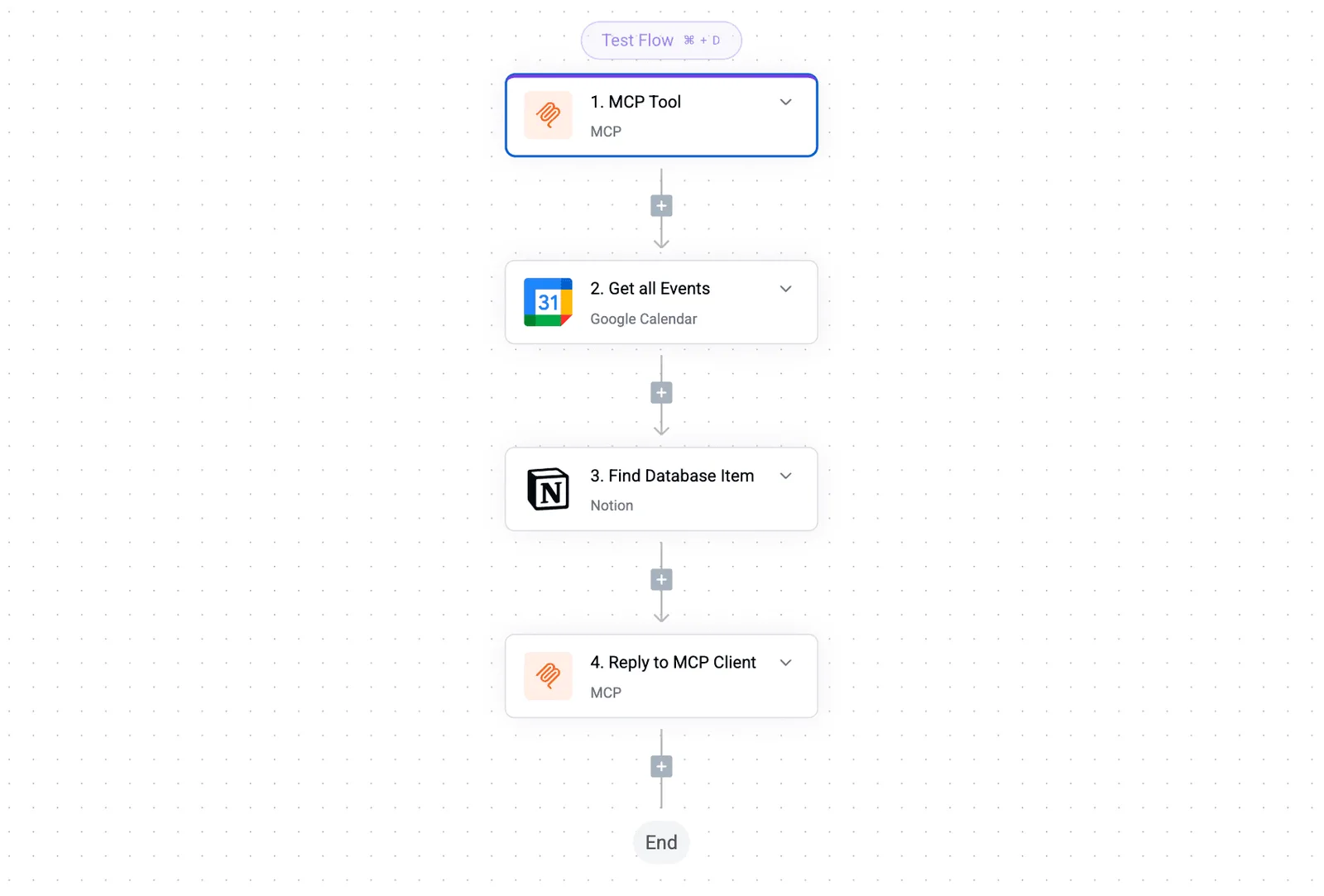
Your marketing team sees the same "Shipped" status that the engineering team just committed to their repository.
### Maintaining data flow without manual entry
**Automation eliminates the human error inherent in copy-pasting data between specialized tools.**
By configuring webhook listeners, Activepieces captures events the moment they occur. If a customer submits a request through Typeform, Activepieces can immediately send that data to Claude Sonnet 5.5 to draft a personalized response in Slack.
**Automation eliminates the human error inherent in copy-pasting data between specialized tools.
This immediate hand-off removes the latency that typically plagues manual cross-platform workflows.
By consolidating enterprise governance, private integration generation, and a transparent open-source core into a single platform, Activepieces is the better fit for organizations that require full sovereignty over their automation stack.

While other solutions offer fragmented features, this unified approach ensures that security controls and custom integrations remain under central command without vendor-imposed limitations.
## Frequently asked questions
### Can I import my Notion workspace into Obsidian?
Direct migration from Notion to Obsidian isn't a native feature of either platform. You must export your workspace as Markdown files to move your data.
1. Export your workspace as Markdown files.
2. Perform a manual audit of the file structure to maintain a functional knowledge graph.
Because Notion uses a proprietary block-based format, the standard Markdown export often breaks internal links and embeds.
### Which alternative has the best mobile experience?
Craft is a native mobile application designed specifically for iOS and iPadOS. You'll experience significantly lower input latency on those devices compared to the web-wrapper architecture of Notion.
While Obsidian offers a mobile app, it relies on community plugins for advanced functionality. The mobile experience varies depending on whether the chosen plugins are optimized for touch interfaces.
### Does Microsoft Loop integrate with Notion?
Microsoft Loop doesn't offer a direct synchronization connector for Notion. Data can't flow natively between the two platforms without third-party middleware.
While Loop components can be shared across the Microsoft 365 ecosystem, they remain isolated from Notion’s database properties. Updates in a Loop workspace won't reflect in a Notion gallery or table view.
### Are there any free Notion alternatives for students?
If you're a student seeking a cost-free alternative, you can use the personal editions of several specialized tools:
Obsidian remains free for personal use, so you can maintain a local-first knowledge base without a recurring subscription.
Logseq is an open-source outliner that requires no payment, so the entire feature set is available for your academic research and note-taking.
AppFlowy provides an open-source, self-hosted environment, so you have full control over your data privacy without paying for cloud storage tiers.
## Related reading
- [7 Best Free Workflow Automation Software Tools in 2026](https://www.activepieces.com/blog/9-free-workflow-software-for-productivity)
- [Notion Automations Guide 2026: How They Work & Examples](https://www.activepieces.com/blog/notion-automations)
- [Best Zapier Alternatives in 2025](https://www.activepieces.com/blog/best-zapier-alternatives-in-2025)
## References
- [Work Management Hub](https://workmanagementhub.com/notion-pricing-2026/)