# Bitwarden Pricing & Plans: Free vs Paid (2026 Guide)

By Winston Bracewell · 2026-11-05 · Source: https://www.activepieces.com/blog/bitwarden-pricing-plans-free-vs-paid-2026-guide

---
<aside class="tldr"><p class="tldr-label">Summary</p><p>Five-person Bitwarden teams require paid plans to share credentials; Families costs $47.88 yearly, Teams costs $240 yearly, while free organizations hold only two people.</p><ul><li>Free organizations hold two people maximum, blocking teams of five from full sharing.</li><li>Families costs $47.88 yearly for up to six people without admin controls.</li><li>Teams plan costs $240 yearly for five people, adding shared collections.</li></ul></aside>

Bitwarden costs nothing for an individual account, and paid plans are billed per account, household or seat, with Enterprise at $6 per user per month billed annually.

Bitwarden's an open-source password manager, much like [Activepieces](https://www.activepieces.com) is an open-source tool in its own corner of the stack, and its **free tier covers more than most buyers assume**.

Bitwarden pricing is the set of tiers, from a free individual account to paid Premium, Families, Teams and Enterprise plans, that determines which sharing, storage, two-step login and admin features you get and what each account, household or seat costs.

## Bitwarden pricing today for every current plan

### The one-table answer: Free, Premium, Families

Read this table for what each tier unlocks and where it stops, then confirm the rate before you buy. It lists every current plan as shown on Bitwarden's pricing page on 2026-11-05.

| Plan | Monthly price | Annual billing total | Inclusions | Usage limits (users, collections, attachment storage) |
|---|---|---|---|---|
| Free | No charge | None | Personal vault, shared items, authenticator-app two-step login | Individual use; no attachment storage |
| Premium | Paid, per account | Billed once a year | Free features plus hardware-key two-step login, built-in authenticator codes, vault health reports | One user; attachment storage included |
| Families | Paid, per household | Billed once a year | Premium features for each household member | Household members share one organization; storage included |
| Teams | Paid, per user | Billed per seat | Shared collections, event logs, API access | Seat count sets users; collections for shared items |
| Enterprise | Paid, per user | $6 per user per month, billed annually | Teams features plus single sign-on and policy enforcement | Priced per user |

_Prices and plan limits checked against [bitwarden.com](https://bitwarden.com/products/families) on November 5, 2026._

If you're an individual, stop at the Free row. Anyone who needs attachments or hardware-key login moves one row down, and anyone who needs an audit trail moves to the business rows.

### Business plans: Teams and Enterprise per seat

Add a person and the bill rises; store more and it doesn't, because **both business plans bill per seat**.

Teams gives you collections and event logs. Event logs tell you who accessed an item and when. They don't stop a copied password from leaving the building.

To require two-step login instead of asking nicely, an admin needs Enterprise, which adds single sign-on and enforced policies.

[Activepieces](https://www.activepieces.com) can run the leaver checks around that setup, and it meters the run, not what happens inside it: a ten-step flow that revokes access, opens the checklist and reminds owners to rotate shared credentials costs 1 credit, the same as a two-step version, where Zapier bills every task.

Check that API access is on the Bitwarden plan before building anything.

Nobody can enforce policy on the Free plan. It includes the vault, sharing of items and authenticator-app two-step login, and it leaves out attachments, hardware-key login and any admin control.

## A worked bill for a five-person team

Only one setup in this worked example lets someone enforce policy: Teams, at [$240 for the first year](https://bitwarden.com/pricing/business/):
- That enforcement is what the extra money buys
- Enforcing policies requires a $240 commitment: - The example is five people
- They are billed for twelve months
- Every price is taken from [Bitwarden](https://bitwarden.com/products/families)'s pricing page

When five Free accounts cost $0, nothing is lost on storage or basic vaulting. The limit is sharing: a Free organization [holds 2 people](https://bitwarden.com/help/about-organizations/), per Bitwarden, so three of the five can't join the shared vault.

![Five Free vault cards, two joined in an organization, three apart](https://ap-marketing-media.fra1.cdn.digitaloceanspaces.com/uploads/b1450101-ea7b-4c28-950a-01da135722a9/bitwarden-pricing-plans-free-vs-paid-2026-guide-92b30a92.webp)

### Setup B: individual Premium for each person

$99 a year buys five Premium seats at $19.80 each, which adds stronger two-step login options and file storage to each person's own vault. Premium sharing also stops at 2 people, so the three-person gap from Setup A is still there.

The $99 buys better personal security for each member and nothing for the team, meaning team controls are unavailable. Nobody can see who has set up two-step login, and nobody can require it.

For sharing across all five, Families at $47.88 a year is the cheapest route, according to Bitwarden, since it reaches 6 people.

![Only Families sharing reaches a five-person team](https://ap-marketing-media.fra1.cdn.digitaloceanspaces.com/uploads/fb19d034-9d4d-4405-a17d-8f97297b5fc4/bitwarden-pricing-plans-free-vs-paid-2026-guide-f6127299.svg "Source: Bitwarden")

It doesn't change the admin picture, because it's still a set of personal accounts with no policy layer. It suits a household or a team that accepts that trade-off.

### Setup C: a business plan with shared collections

Run the sum: $4 × 5 users × 12 months = $240 for Teams. That's $192.12 more than Families and $141 more than five Premium seats.

![What a five-person team pays for a year on Bitwarden](https://ap-marketing-media.fra1.cdn.digitaloceanspaces.com/uploads/0b5215e1-deb0-49f3-ae7d-88eabe2d71cf/bitwarden-pricing-plans-free-vs-paid-2026-guide-3884ef55.svg "Source: Bitwarden")

The difference pays for shared collections, so access is granted per group rather than per person. It also pays for the policy controls that Setups A and B lack.

If one person leaving the team must mean their access ends the same day, this is the first setup where you can make that happen.

The chart showed the cost curve; what follows is the decision rule. **Stay on Families if trust is enough, and move to Teams when you need to enforce, not just hope.**

## Limits and fees that change the Bitwarden bill

Where the free tier ends, enforcement begins, and four limits mark the line: sharing caps, attachment storage, two-step login, and admin controls.

### Bitwarden free plan sharing and organization limits

If a third person needs in, that means a paid plan the same day. **Two users and two collections is all** a free organization holds, so it works as a pair's shared vault and nothing larger.

Families, at [$3.99 per month](https://bitwarden.com/products/families) for up to six users, is the cheapest step up, so small teams won't overspend when moving to paid features. It gives you sharing, not control: nobody can force a policy on a member. Teams is where that changes.

![Activepieces pricing page showing four plan tiers with prices ranging from free to enterprise](https://ap-marketing-media.fra1.cdn.digitaloceanspaces.com/uploads/9f8c4550-3a1d-4bde-a021-c968c6cb2e28/activepieces-rbac-pricing-plans-and-roles-2026-s-ff91a93e.webp)

### Bitwarden storage, attachments and two-step login limits

5GB of encrypted attachments is what Premium allows, enough for scanned IDs and licence files but not for anyone using the vault as a file store.

The stronger two-step login methods also sit behind paid tiers, so check which method your policy requires before assuming Free covers it. A missed requirement shows up as an audit finding, not a billing error.

### Billing term and seat changes

You can't pay monthly for Premium to cover a short project. Premium is annual-only, Families is billed annually at $47.88, and Teams can be billed annually or monthly per seat, so only the Premium and Families commitments run for the full year.

A seat you add mid-year is committed through the term. Extra Secrets Manager machine accounts cost $1 each, which is small until automation spreads across many pipelines. Count seats and machine accounts before renewal, not after.

### Self-hosting is free software, not free to run

The server software costs nothing. The host, backups, TLS certificates, patching and the person on call for an outage do.

Self-hosting suits a team that already runs infrastructure and wants data residency. It doesn't remove the need to license paid features for the people using them.

<blockquote class="pull"><p>The server software costs nothing. The host, backups, TLS certificates, patching and the person on call for an outage do.</p></blockquote>

## Bitwarden compared with 1Password, Dashlane and Proton Pass

At [$19.80 a year](https://www.panicvault.org/compare/pricing-comparison/), **Bitwarden Premium is the cheapest paid individual plan** of the four:
- It's the only one of them you can run on your own server
- That's $1.65 a month
- Five people on individual plans cost $99 a year in total

![Bitwarden Premium is the cheapest paid individual plan](https://ap-marketing-media.fra1.cdn.digitaloceanspaces.com/uploads/5aff499c-90a0-40bb-afb1-3cd8a7eb5956/bitwarden-pricing-plans-free-vs-paid-2026-guide-59c84d7f.svg "Source: PanicVault")

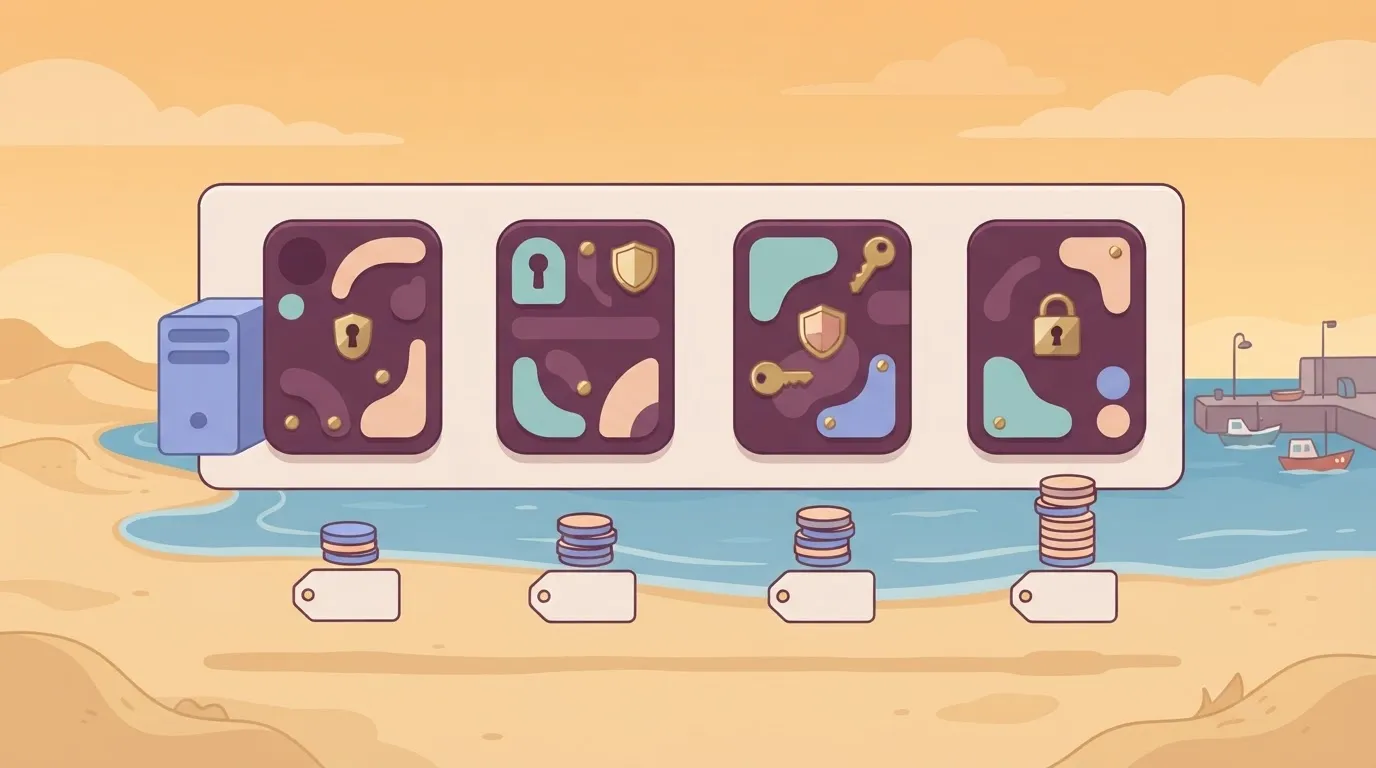
![Four vendor cards with coin stacks, server beside one](https://ap-marketing-media.fra1.cdn.digitaloceanspaces.com/uploads/abdcea6b-40d2-475c-be35-e68030182e9a/bitwarden-pricing-plans-free-vs-paid-2026-guide-a991cc73.webp)

Read the price column as the cost of leaving, and the second column as the control you get for it. The table below sets each vendor's individual price next to whether you can read its code or host it yourself.

| Vendor | Individual price per year | Open source or self-host |
|---|---|---|
| Bitwarden | $19.80 | Open source; self-hostable |
| Proton Pass | $35.88 | Open-source apps; no self-hosting |
| 1Password | $47.88 | Closed source; no self-hosting |
| Dashlane | $59.88 | Closed source; no self-hosting |

Confirm these on each vendor's own pricing page before you sign anything, because plans change at renewal. The prices come from PanicVault's [pricing comparison](https://www.panicvault.org/compare/pricing-comparison/), compiled in November 2026.

At $35.88 a year, Proton Pass comes second, which is $16.08 more than Bitwarden per person.

For five people that's $80.40 a year extra, and what it buys is open-source apps without a server for you to maintain. If nobody on the team wants to patch and back up a vault host, that trade is reasonable.

At $47.88 a year, 1Password sits $28.08 above Bitwarden. Across five seats that's $140.40 a year for a closed-source product you can't host. You're paying for the product's polish and nothing about where the data lives changes.

About three times Bitwarden's price, Dashlane is the outlier at $59.88 a year. Five seats cost $299.40, so unless a specific Dashlane feature is on your requirements list, the premium has no admin or hosting benefit to point to in this comparison.

## Automating member changes around Bitwarden with Activepieces

When someone leaves, Activepieces can open an offboarding checklist and schedule a credential-rotation reminder, but it doesn't provision Bitwarden accounts, and it adds nothing to Bitwarden's bill.

Its Free plan costs $0 and allows unlimited flows, so the leaver flow doesn't add a line to yours either.

Treat it as an optional layer for a team that already has a leaver process in a scattered state.

### What Bitwarden already does for provisioning

Provisioning accounts isn't the gap, because Bitwarden's own tooling covers it. Its directory sync connects to an identity directory and creates or removes members from it, and its API lets a script manage members and collections directly.

Both sit on the Bitwarden side of the line. If a team wants removal from the organization to follow removal from the directory, that's a sync configuration, not a workflow.

What neither does is notice that a person left in the first place. Sync reacts to the directory. It has no idea that a contractor's engagement ended in the HR tool or that someone was dropped from the team chat.

![A clerk watches a ledger while a person leaves by another door](https://ap-marketing-media.fra1.cdn.digitaloceanspaces.com/uploads/a658e439-1e10-4b2f-8eab-c095b612071e/bitwarden-pricing-plans-free-vs-paid-2026-guide-3e8ebd56.webp)

It also can't tell you which shared passwords that person could see and therefore which ones are now worth changing.

### Where a workflow adds the missing steps

That gap is where Activepieces fits. It's an MIT-licensed workflow automation tool with 747 integrations, and here it receives a leaver event from the HR system or the chat tool and branches into two paths.

One opens an offboarding checklist as a task for whoever owns the process. The other schedules a reminder to rotate the credentials that person could reach.

The reminder is only a reminder. Activepieces doesn't rotate a password, and it can't see which items a departing member used unless someone records that elsewhere. One leaver run, both paths included, is 1 credit against the Free plan's 1,000 a month.

![Activepieces pricing page showing four subscription tiers with features and monthly costs.](https://ap-marketing-media.fra1.cdn.digitaloceanspaces.com/uploads/b5f4b19c-ef62-4a60-90b4-7717913b2053/copy-ai-pricing-2026-plans-costs-and-limits-scre-836b2c9c.webp)

What you gain is that the rotation task exists, has an owner, and doesn't depend on someone remembering. What you don't gain is any extra Bitwarden visibility or control.

For a five-person team the next step is a judgment call: a written checklist may do the same job without another tool to maintain.

## Monday checklist for picking a Bitwarden plan

Five steps, and the first two decide the plan: count who shares credentials, then name the paid feature you can't work around, which means everything afterward is predetermined. The list below puts them in the order to run them.

1. Count the people who share credentials. Each person who needs a shared login is a prospective seat, and anyone who only keeps personal logins stays on Free.
2. List the paid feature required. Write the exact feature, such as hardware-key two-step login, file storage or event logs. If the list is empty, stop here: Free's your answer.
3. Check the pricing page date. Record the day you read it in the ticket, so a later invoice that differs has an explanation.
4. Choose monthly or annual billing. Monthly lets you leave if the feature proves unneeded; annual only makes sense after step 5 passes.
5. Run a trial before committing. Test with your real shared collection, not a dummy vault, because that's where sharing limits show up.

Each plan family below maps to one of those answers.

| Plan | Who it fits | What forces the upgrade |
|---|---|---|
| Free | One person, or a pair with light sharing | Hardware-key two-step login, file storage, built-in authenticator codes |
| Premium | One person who needs those features | Sharing with more than a few people |
| Families | A household | Admin visibility, which it doesn't provide |

Since both bill per seat, step 1's headcount is the multiplier.

Teams adds the admin console and event logs, which tell you who accessed what and nothing about whether they should have. Enterprise adds single sign-on and policy controls, which matter only if you already run an identity provider.

Most people expect less than Free gives them: unlimited personal logins across devices. It leaves out the features in step 2's list, and for a five-person team the **sharing limit usually trips first**.

## Frequently asked questions

Most of these questions come back to the sharing limit, and the answers are short.

Yes, Bitwarden's free for personal use. The free plan's a complete personal password manager with no trial clock, and it syncs across your devices.

What it leaves out is the paid feature set: the extra two-step login methods, file attachment storage, and vault health reports. If you're one person with logins and secure notes, you may never hit a wall.

On the free plan, family sharing works only in a narrow way. Free lets you share with a single other person through a basic organization, which suits a couple. A household needs the Families plan, because that's where the shared collections and larger membership live.

Per device, Bitwarden charges nothing. Plans are billed per account or per seat, not per phone, laptop, or browser. Installing the extension on a work machine costs nothing extra, though your admin may restrict that on a managed team.

If you stop paying for Premium, your vault stays. Logins, notes, and cards remain readable and usable on free terms.

What stops is the paid feature set, so anything that depends on it, such as stored attachments or the built-in authenticator codes, becomes unavailable. Export or move that data before the renewal date, not after.

### Is the self-hosted version cheaper than the cloud?

Usually not. Self-hosting doesn't unlock paid features by itself, since those still need a paid license. You then add a server, backups, patching, and an admin who owns the outage. It buys you data control and nothing on the invoice.

Three questions stay open because the pricing page is the authority and it changes:

- What Secrets Manager costs per seat or per project

Confirm each on Bitwarden's current pricing page before you budget around it.

## Related reading

- [Loom Pricing 2026: Free and Paid Plans Explained](https://www.activepieces.com/blog/loom-pricing-2026-free-and-paid-plans-explained)
- [Cloudflare Workers Pricing 2026: Free vs Paid Plans](https://www.activepieces.com/blog/cloudflare-workers-pricing-2026-free-vs-paid-plans)
- [Segment Pricing 2026: Free, Team and Business Plans](https://www.activepieces.com/blog/segment-pricing-2026-free-team-and-business-plans)

## References

- [Bitwarden](https://bitwarden.com/pricing/business/)
- [PanicVault](https://www.panicvault.org/compare/pricing-comparison/)
- [Bitwarden](https://bitwarden.com/help/about-organizations/)