Each area carries its own permissions and failure modes, and the person on call needs to know which one a given job depends on. - Files: list the contents of a folder with `list_folder`, or upload and download file content. - Sharing: create a shared link to a file or folder with `create_shared_link_with_settings`. - Paper: create and manage Paper documents programmatically. - Team admin: list the members of a team with `team/members/list`. Which of these your integration needs decides which app permissions you request and which tokens you must keep alive. Files and sharing are what most integrations start with. Team admin calls need team-level authorisation, which usually means an administrator has to approve them, so find that person before you write the code. ### Dropbox API documentation sources and check date You will not find figures here, because this section contains none. The ones that appear later (token lifetimes, rate limits, upload session limits) come from Dropbox's own developer documentation as it stood on 2026-11-20: the HTTP API reference, the OAuth guide, and the pages on rate limits and upload sessions. 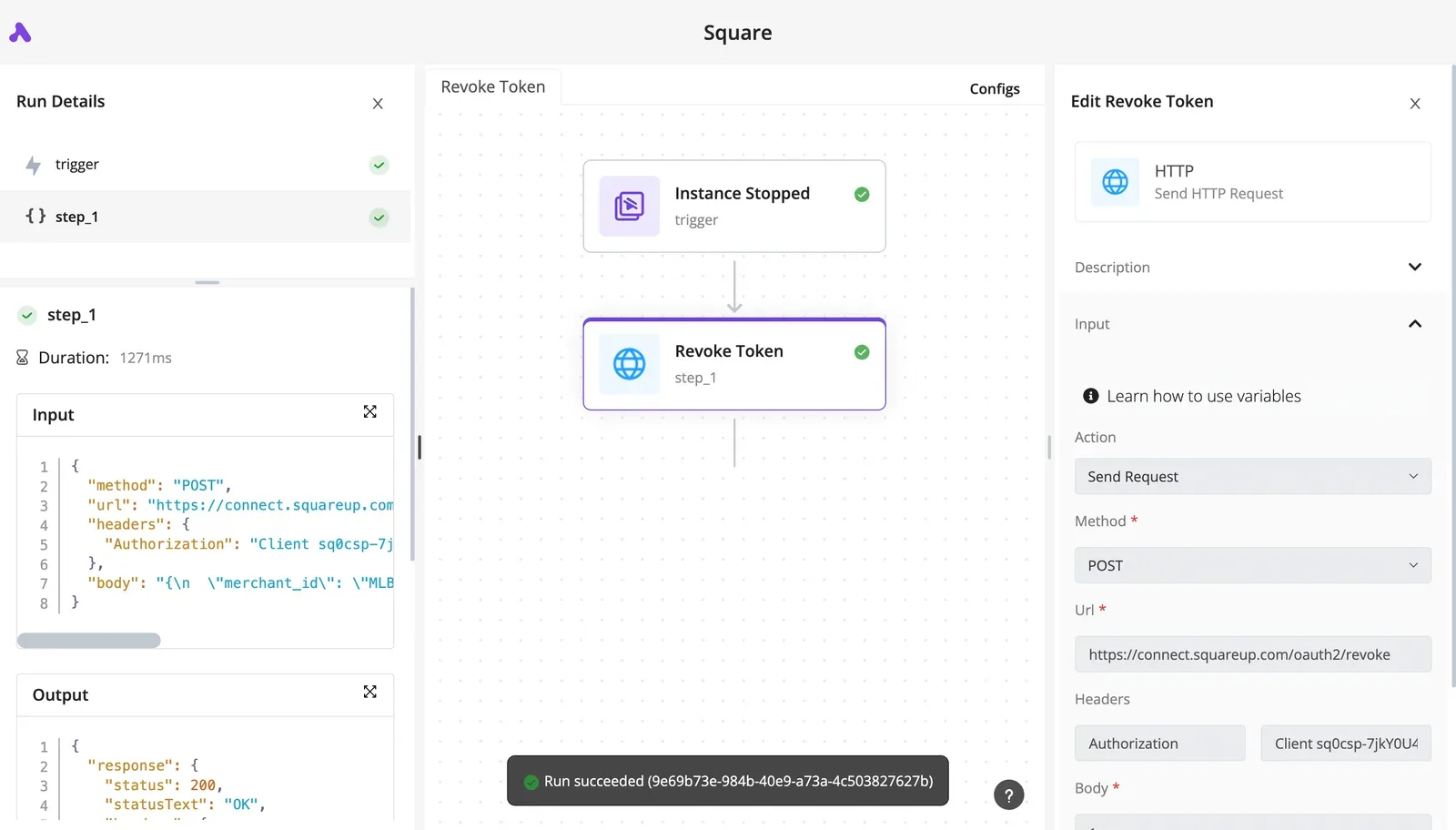 Each later section names the page its figures come from. **Dropbox changes limits without announcement**, so treat the check date as the point after which you should confirm them again before relying on them in production. ## Get Dropbox API access and an app key The moment you create it in the App Console, a new Dropbox app gets an app key and secret and starts in development mode. The first limit you meet is the one on how many accounts can link to it.  ### Create a Dropbox app in the App Console Create the app while signed in to an account your organisation owns, not your personal one. That account owns the app, and when its tokens fail at 2am, the person who can open the console is whoever holds that login. Choose the scoped access API, then choose between App folder and Full Dropbox. An app folder confines the integration to one folder under Apps, so a bug can only damage that folder. Full Dropbox reaches everything the user can, so a bug can reach everything too.  Open the app's Settings tab for the key and secret. Store the secret in a secrets manager, because anyone who holds it can act as your app. You tick scopes on the Permissions tab, and they decide what tokens can do. Select them before you generate any tokens. Tokens issued earlier don't carry scopes you add later, so users must re-authorise, and a quiet integration becomes a support queue. Request only what each call needs, such as `files.content.write` for uploads.  ### Which plans include API access Creating an app isn't gated by a plan tier in the way the console presents it. Team-level scopes, though, need a Dropbox Business team and an admin to approve them. The limit that matters sooner is development mode. According to [Dropbox Community](https://community.dropbox.com/en/discussion/846671/does-a-dropbox-app-have-a-limit-on-development-users), the approval window opens at 50 linked accounts. Past that point you should apply for production status, and an application that's still in review when your 51st customer signs up leaves you rationing invitations. **500 linked accounts is the development cap**. That's the ceiling for an app that never gets approved, so plan the approval request well before your user count approaches it. ## Authenticate with OAuth 2 and refresh tokens Use the authorization code flow with PKCE and `token_access_type=offline`, because a generated access token expires and nobody's awake at 2am to paste in a new one. Once you have approval, the next question is who owns the credential that keeps the integration running.  **Get the order wrong and the refresh token never exists: it only comes if you ask for offline access at step 2, and Dropbox returns it only once.** Take from it that **step 5 is the one most integrations skip**. 1. Generate a random `code_verifier`, then derive the `code_challenge` from it with SHA-256. 2. Send the user to `https://www.dropbox.com/oauth2/authorize` with your `client_id`, the challenge, `response_type=code` and `token_access_type=offline`. 3. The user approves, and Dropbox returns a short-lived authorization code to your redirect URI. 4. Exchange the code at `https://api.dropboxapi.com/oauth2/token` with the original `code_verifier`. 5. Store the refresh token from that response in encrypted storage, tied to a named owner. 6. When the access token expires, post `grant_type=refresh_token` to the same endpoint to get a new one. When a token is lost, step 5 is where it becomes a forced re-consent for the user. Dropbox documents the details in its [OAuth guide](https://developers.dropbox.com/oauth-guide). Access tokens last hours, not months, so every call path needs a handler that refreshes on an expired-token error and retries once. The refresh token doesn't expire on a schedule. It stops working only when the user or an admin revokes access, so treat a refresh failure as an alert, not a retry loop. To call team endpoints, such as listing members, use a team-scoped token. To touch a member's files, send the `Dropbox-API-Select-User` header with that member's team member ID. When the admin who authorised the team token leaves, the integration's access is in question. Record who that admin is. The [HTTP documentation](https://www.dropbox.com/developers/documentation/http/documentation) covers the headers. ## Make a first working Dropbox API request Both first calls use the same bearer token but different hosts and different places for their parameters, and that split's the part the headers documentation leaves you to infer. When an upload returns a 400, the usual cause is parameters put in the body when they belonged in a header, or the reverse. Whoever's on call will find it there. `/2/files/list_folder` goes to `api.dropboxapi.com` with a JSON body and `Content-Type: application/json`, and returns `entries`, `cursor` and `has_more`. `/2/files/upload` goes to `content.dropboxapi.com` with its parameters in the `Dropbox-API-Arg` header and `Content-Type: application/octet-stream`, and returns `id`, `path_display`, `rev` and `content_hash`. Take from it that metadata calls go to the API host with a JSON body, while anything that moves file bytes goes to the content host with its parameters in a header.  Pick the host first, because a correct request sent to the wrong one fails in a way that looks like a bad payload. ### List a folder with the Dropbox API Send a POST to `https://api.dropboxapi.com/2/files/list_folder` with an `Authorization: Bearer` header, `Content-Type: application/json`, and a body of `{"path": ""}`. An empty string means the root of the app's scope. If `has_more` is true, you have only part of the folder. Expect an `entries` array describing each file or folder, plus a `cursor` and that flag, and have the integration continue from the cursor rather than treat the first page as complete. ### Upload a small file with the Dropbox API Send a POST to `https://content.dropboxapi.com/2/files/upload` with the bearer header and `Content-Type: application/octet-stream`. Put the parameters in `Dropbox-API-Arg` as JSON, for example `{"path": "/report.txt", "mode": "add"}`, and send the raw file bytes as the request body.  Back comes the stored file's `id`, `path_display`, `rev` and `content_hash`. Record the `id` and `rev`, since they're how you later identify which version your integration wrote. ### Upload large files with Dropbox upload sessions For anything beyond a small file, skip the single upload call. Larger ones go through an upload session, which splits the transfer into a start, one or more appends, and a finish. When a failure lands midway, a half-finished session is left behind, because each step is a separate request, and someone must own it and resume or discard it. Design that recovery path before you ship, not after the first stalled transfer. Hand-writing every one of those calls is only necessary if the operation you need doesn't already exist as a ready-made step. Activepieces has a Dropbox integration, and if the action you need is missing, you can have AI write the missing integration and keep it private to your own instance, with no vendor release to wait for. The catalogue behind it is the 750 integrations counted directly from the `packages/pieces/community` directory of the MIT-licensed repository, roughly 60% of them contributed by the community, so you can read the Dropbox integration's source before you rely on it. ## Dropbox API rate limits and pricing, as documented If you carry the pager at 2am, know this before the first alert fires: Dropbox's documentation describes rate limits per user and per team without publishing fixed numbers. It signals overload with a 429 and a Retry-After header, and doesn't price the core API per call. ### Does the Dropbox API have per-call pricing? Not for the core API: the plan of the account behind the token covers use, and the docs publish no per-request charge. Dropbox bills Dropbox Sign, the e-signature product, separately. The table shows what the docs state for each tier and where they are silent. | | Cost | Limit scope | When exceeded | |---|---|---|---| | API use under plan limits | No per-call charge | Per user and per team | 429 with Retry-After | | Dropbox Sign API Essentials | $75/mo | not published | not published | | Standard | $250/mo | not published | not published | | Premium | On request | not published | not published | The $75 and $250 tiers are flat monthly fees, so you can budget them. But "not published" in the last two columns means you can't size your retry logic from the price page. Test behavior under load and assign someone to own the result. Limits apply per user and per team, so one busy account can be throttled while others are unaffected. Because Dropbox documents no fixed number, **a threshold you measure today isn't a contract**. On a 429, wait for the Retry-After interval before retrying, and queue work instead of retrying in a tight loop. When the account is full, writes fail no matter how politely you pace requests. The storage quota is a separate ceiling from rate limiting, so an integration needs an owner who watches capacity. Large files go through upload sessions, which let an interrupted transfer resume rather than restart. ## Dropbox API errors and how to fix each Most Dropbox errors fall into three groups. They're ones you fix once (400), ones the client repairs itself (401, 429, 5xx), and ones that mean the data isn't what you assumed (409). When the sync fails at 2am, the first question is which group the error belongs to and whether anyone is assigned to it. The table below shows each error, its cause, its fix, and whether a retry is safe. | Error | Cause | Fix | Retryable | |---|---|---|---| | 400 | Malformed request: bad argument, wrong content type, or invalid JSON | Correct the request in code; do not resend it unchanged | No | | 401 expired_access_token | The short-lived access token has lapsed | Exchange the refresh token for a new access token, then repeat the call | Yes, once, after refreshing | | 409 path/not_found | The file or folder is not at that path | Check the path and the account's current state; treat it as a real answer | No | | 409 path/conflict | Something already exists at the destination | Choose a different name, set an explicit write mode, or stop and ask | No, not unchanged | | 429 too_many_requests | The calling user or app is sending requests too fast | Wait for the interval in the response, then resume | Yes, after waiting | | 429 too_many_write_operations | Too many writes against the same namespace at once | Serialize writes and back off | Yes, after waiting | | 5xx | A fault on Dropbox's side | Retry with backoff; escalate if it persists | Yes | Only the last three rows heal on their own, so the majority require manual recovery. Everything above them needs a decision from a person or from logic you wrote in advance. If your client has no refresh step, someone gets paged for something the code should handle silently, and an expired access token is routine, not an incident. Refresh once, repeat the call once, and if the second attempt also returns 401, stop: the refresh token has probably been revoked, and a human has to reauthorize the account. ### 409 path and conflict errors A 409 is Dropbox telling you the request was valid but the state of the account disagrees with it. Retrying can't change that. For not_found, a file may have been moved or deleted by its owner, so log the path and surface it. For conflict, decide ahead of time whether your integration overwrites, renames or refuses, and write that policy down with a named owner. ### 429 and write-operation limits Treat the two 429 errors differently. too_many_requests is a pace problem across calls; too_many_write_operations is a contention problem, where several writers touch the same shared folder at once. Slowing down fixes the first. Queueing writes so only one runs at a time per namespace fixes the second. Because limits apply per user, one busy account can hit them while the rest of your customers are fine. ### Retries that do not make it worse **Retry only the rows marked retryable**, and honor any wait interval Dropbox returns before using your own. Add jitter so many workers don't wake together and trigger the limit again. When the cap is reached, hand the failure to a person with the request, the response body and the account involved, and cap the attempts so you get there. For uploads, resume the session at the offset Dropbox reports rather than starting over. ## Call Dropbox endpoints without code using Activepieces If you'd rather not write the session and retry logic yourself, Activepieces calls Dropbox without code. Its Dropbox connector is one of the 750 integrations counted directly from the MIT-licensed open source monorepo, about 60% of them contributed by the community, and it covers uploads, moves and new-file triggers, while an HTTP action reaches the endpoints it doesn't, meaning you're never blocked by unsupported Dropbox operations. Settle first who gets paged when a flow stops at 2am on a Tuesday. In Activepieces that's whoever owns the flow and its connection, so name that person before you build. ### What the Dropbox connector covers For the common case, you get a trigger for new files and actions for uploading and moving them. A file lands in a folder, the flow fires, and something is copied or filed elsewhere.  You connect a Dropbox account once, and every step reuses that connection. The flow runs as that account, so if the person who authorized it leaves, the flow's access goes with them. ### Reaching other endpoints over HTTP When the connector lacks an action, the HTTP step can call any Dropbox API endpoint, using the same OAuth app as the connector. You write the request body yourself, as you would in code, but you keep the flow builder's scheduling and run history. The cost is that you now own the error handling for that step.  Code becomes the better choice when the flow starts to fight the platform: - Heavy sync, where a flow would be walking large folder trees on every run. - Large uploads, since a **single upload call tops out at 150 MiB**, so anything bigger needs upload sessions. - High volume that keeps hitting 429 responses and needs backoff you control. - Endpoints the connector lacks that also need custom retry logic. If one of these describes your integration, move that part to code and leave the simple triggers in Activepieces. ## Frequently asked questions ### Is the Dropbox API free to use? Yes: registering an app and calling the API carries no separate charge, and the limits you hit depend on the account you authorize against. Budget for the cost that's not on an invoice, which is whoever gets paged when token refresh or rate limiting breaks. Name that owner before launch. ### Does a Dropbox access token expire? Yes. Access tokens are short-lived, and the refresh token is what keeps the integration running. A refresh token doesn't expire on a timer, but it stops working if the user or an admin revokes access. Any integration still built around a long-lived access token needs migrating, because Dropbox has retired them. Store the refresh token securely, refresh before use, and alert on refresh failures. A silent failure there means files stop syncing and nobody notices until a user complains. ### How do I get notified when a file changes? Register a webhook on your app, and Dropbox will send a request to your endpoint when something changes in an authorized account. Which account changed is all the notification says, not which file. Your handler then asks for the changes since its last saved cursor. Respond to the webhook quickly, do the real work in a background job, and persist the cursor. If you lose the cursor, you're rescanning a folder tree. ### Can I use the API on a personal account? Yes. A personal account can authorize an app through the normal OAuth flow, and the app can be limited to its own folder or given access to the whole account. The ownership question matters more here. If the integration runs on one person's personal account, it stops when that person leaves, changes their password, or revokes access. Decide whose account it lives on before you build. ## Related reading - [LinkedIn API Access, Limits and Errors in 2026](https://www.activepieces.com/blog/linkedin-api-access-limits-and-errors-in-2026) - [Cursor API: Keys, Rate Limits and Errors (2026 Guide)](https://www.activepieces.com/blog/cursor-api-keys-rate-limits-and-errors-2026-guide) - [Discord API: Rate Limits, Errors and Auth (2026 Guide)](https://www.activepieces.com/blog/discord-api-rate-limits-errors-and-auth-2026-guide) ## References - [Dropbox Community](https://community.dropbox.com/en/discussion/846671/does-a-dropbox-app-have-a-limit-on-development-users)Whoever owns the integration owns what happens when it fails, so know the surface before you build on it.