Every keystroke adds up at $2.83 per 1,000 for Autocomplete, which means heavy typing gets expensive fast. Details Essentials costs $5 per 1,000, and Details Enterprise costs $20 per 1,000, four times as much for richer fields. Nearby Atmosphere costs $40 per 1,000, so a careless field choice can multiply your bill eightfold over Essentials. You are the audience if you own or manage locations: agencies, multi-location brands, and review-response tools. It doesn't let you pull data on competitors' listings. A wrong assumption here means building against data Google will never approve you to touch. ## Get project access and credentials approved **Seven steps in a fixed order** get you approved, and the first three decide whether the rest happen at all, so you're advancing to step four or disqualified entirely. The list below shows where you wait on Google and where you work alone. **Review is the one step you can't speed up, so file the request before you write any code.** 1. Confirm Google verified the Business Profile 60 or more days ago. 2. Create a Google Cloud project and note its project number. 3. Submit the access request form. 4. Wait for review. 5. Enable the APIs. 6. Set up the OAuth consent screen. 7. Create an OAuth 2.0 client ID. ### Check your Business Profile qualifies Request access for a profile you don't control and Google rejects it, and you lose the whole review wait. WhosBest counted [155,525 claimed profiles against 82,815 unclaimed](https://whosbest.com.au/findings/claimed-listing). That's roughly **one listing in three with no owner**, so there's a real chance the business you are building for has never been claimed.  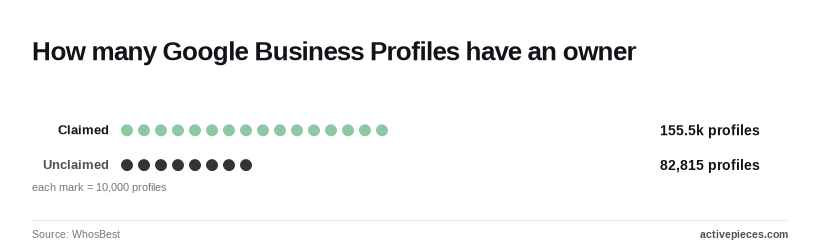 Ask the owner to confirm they can log in to the profile and manage it before you promise anything. Then check the verification date. A profile verified last week is too new for the 60-day minimum, so the clock is your delay, not Google's. Write the date down and count forward. ### Submit the access request form Create the Cloud project first, because the form asks for its project number. That number isn't the project name. Copy it from the project's settings page, and check it twice. A mistyped number sends the approval to a project you aren't using, and you won't find out until the first call fails. Submit the form from an account the business trusts, with an honest description of what you're building. Then wait. Don't enable APIs or configure credentials in the hope it moves faster. It doesn't, and you may configure the wrong project. ### Enable the APIs and create OAuth credentials Once approval arrives, enable the Business Profile APIs on the approved project only. Next, fill in the OAuth consent screen with the app name and a support email. When sign-in errors look like bugs in your code, an incomplete consent screen is usually the cause, so finish it before you test anything. Last, create the OAuth 2.0 client ID and store the secret outside your source files. With a client ID in hand, you can send one real request and see whether the access Google gave you actually works. ## Send your first request and read the result Start with `accounts.list` and an OAuth token that carries the `business.manage` scope. If it returns your account, your access works, and `locations.list` is the second call to try. 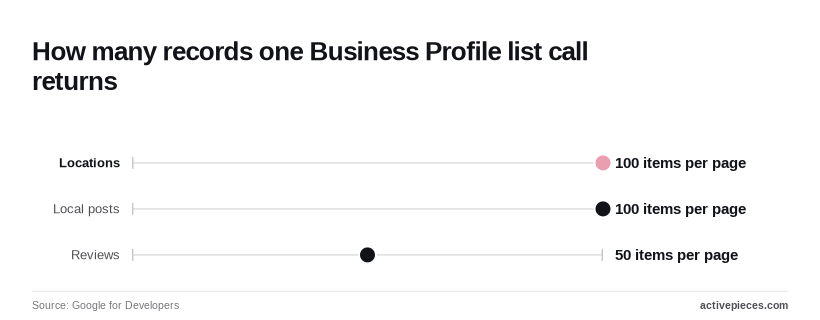 Get the token first. Authorize with the `https://www.googleapis.com/auth/business.manage` scope, then pass the result as a bearer token: ```bash curl -H "Authorization: Bearer $ACCESS_TOKEN" \ "https://mybusinessaccountmanagement.googleapis.com/v1/accounts" ``` When the response is good, it's a JSON object with an `accounts` array. Each entry has a `name` like `accounts/123456789`. Copy that value. A 403 here means approval or the scope is missing, and a 429 means your project has exceeded its quota. Both are access problems, not code bugs, so don't start rewriting your request. Then ask for locations, using the account name you just copied: ```bash curl -H "Authorization: Bearer $ACCESS_TOKEN" \ "https://mybusinessbusinessinformation.googleapis.com/v1/accounts/123456789/locations?readMask=name,title" ``` Leave the `readMask` off and you get a 400 error, which looks like a broken request when you have only forgotten a parameter. It is required. List only the fields you need. In the run below, a request is sent and answered successfully. Check the status and the response body together: a 200 with an empty list means the call worked but the account has no locations, and that's a different ticket from a failure. 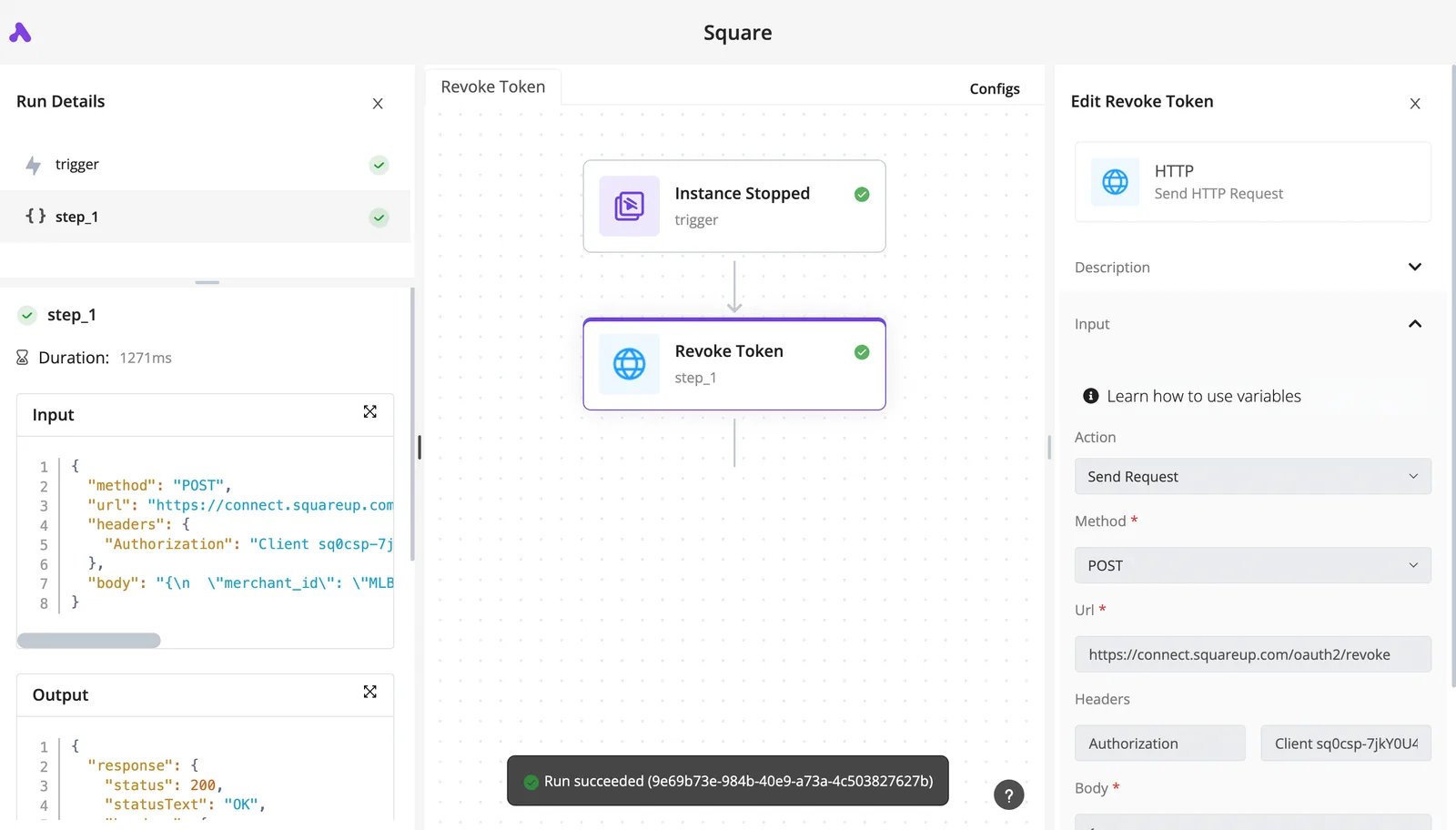 *(screenshot)* ### Handle pagination in Business Profile API responses Once the response matches, check how much one call returns, because paging is where a working test turns into a broken import. According to [Google for Developers](https://developers.google.com/my-business/reference/businessinformation/rest/v1/accounts.locations/list), a locations call returns up to 100 items per page. Local posts also return 100. So an account with 250 locations needs three calls, and you must follow `nextPageToken` or **you'll silently lose 150 records**. **Reviews return 50 per page**, which means a location with 400 reviews takes eight calls and uses your quota eight times as fast as locations do. ### Legacy v4 endpoint and location ID formats Two details trip people up. Reviews still live on the legacy v4 endpoint, not the newer Business Information API. The ID formats also differ between the two: v4 expects `accounts/{id}/locations/{id}`, while the newer API uses `locations/{id}` alone. Strip or add the prefix before you reuse an ID from one call in the other. With one request verified and the page sizes known, you can design your error handling around real responses. ## Understand quotas, limits, and production errors Send a 403 to the wrong owner and it costs days. Most production failures from this API come from six causes, and each one has a different owner: you, Google, or the business owner. The table shows the cause, what Google's documentation says, and the fix. Use it to decide who acts before you open a ticket. | Error | Cause | Google's docs | Fix | |---|---|---|---| | 403 not approved | Project has no approved API access | Access is granted per project after an application | Finish the access request, then retry | | 429 quota exhausted | Requests exceed the project's per-minute quota | Quota is set per project and can be raised on request | Back off, cache reads, file a quota increase | | 400 missing readMask | Read call has no field list | Read methods require a readMask naming the fields | Send the fields you need | | 404 wrong ID format | Location or account ID in the wrong shape | Resource names follow a documented path pattern | Rebuild the name from the listed resource | | Unverified location | Business never completed verification | Some actions need a verified location | Ask the owner to verify | | Expired token | Access token past its lifetime | OAuth tokens are short-lived | Refresh, or re-consent if refresh fails | Read the table by who has to act. Rows one and two are yours to fix with Google, rows three and four are yours alone, and rows five and six may need the customer. ### Quota limits and 429 responses When a 429 arrives, your project has spent its allowance and nothing is broken. Retry with exponential backoff and a little random delay, so parallel workers don't retry in lockstep. Cache location data you read often, since it changes rarely. If steady-state traffic needs more than the default, file the quota increase request early, because the answer isn't instant. If your very first call returns a 403, the project was usually never approved, and your code is not the problem. Check approval before you touch the request. A 403 for one location only is a different ticket: the signed-in user may not manage that profile. Read the message before you change anything, because a 400 names the problem. A missing readMask is the common one. For 404s, compare the ID you sent with the resource name the list call returned, and don't hand-assemble paths from memory. ### Fix expired tokens and location verification errors Yesterday the job worked, and today it fails auth: that is what an expired token looks like. Refresh automatically, and if refresh is rejected, flag the connection for the customer to re-authorize. For unverified locations, tell the owner exactly what to do, because retrying will never change the result. With these six cases handled, the remaining failures are rare enough to investigate one by one. ## Automate recurring Business Profile tasks with Activepieces Once failures are rare, what remains is repetition. Activepieces, a workflow automation tool, can run that repetition for you: scheduled review pulls, new-review alerts and scheduled posts, with no code to maintain. 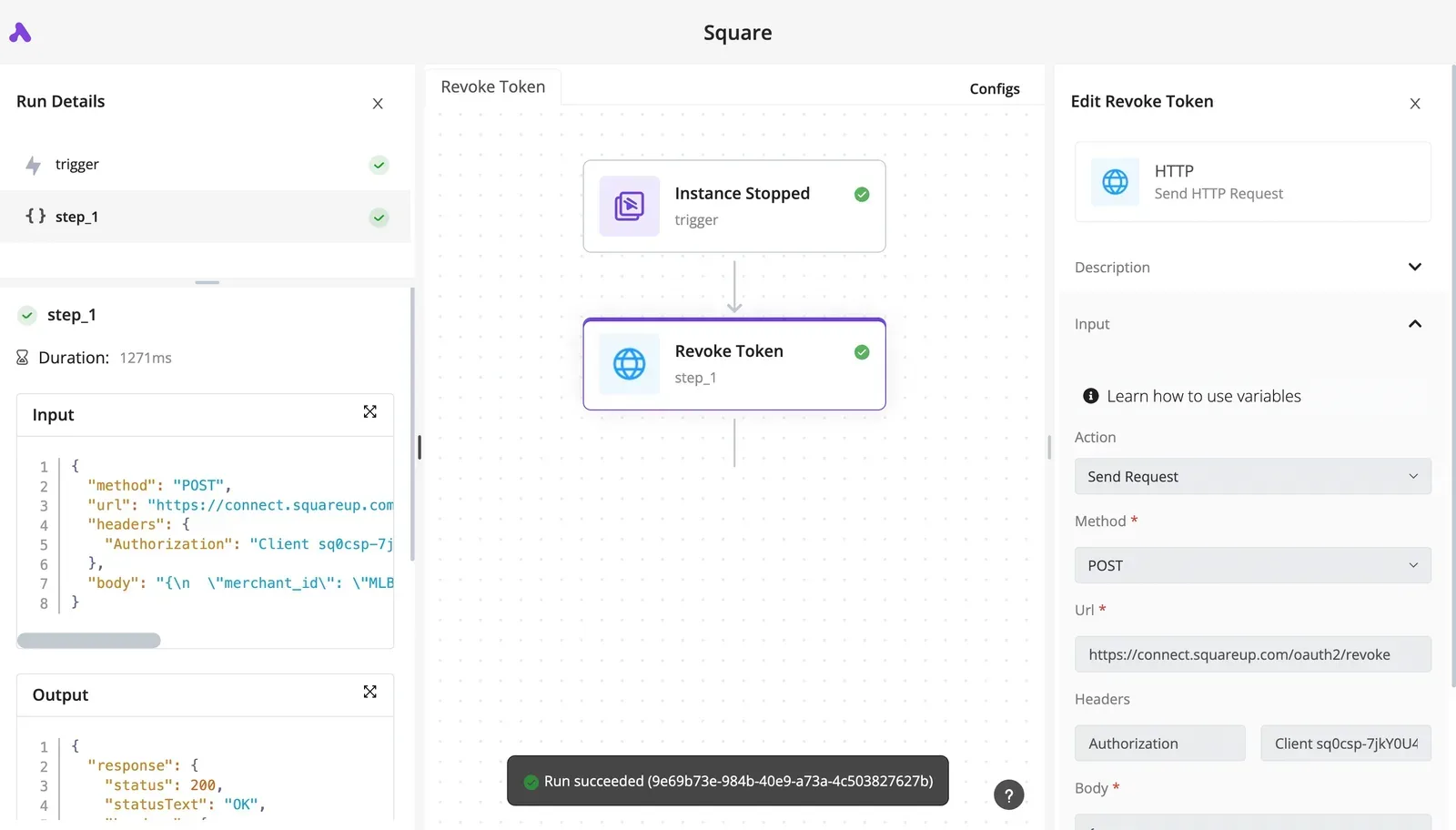 A run costs 1 credit however many steps it has, and the free plan includes 1,000 credits a month. Google still controls approval and quota. Though the API is now documented under Business Profile, code and forum threads still use the older name. Activepieces doesn't change what sits underneath. Its steps call the same Google API with the same OAuth credentials you already set up, and the MIT-licensed core is on GitHub, with 25,683 stars, if you want to read how a step is built. If your project hasn't been approved, the workflow fails the way a script would, with the same permission error. Do the access steps first, then build the flow. Three calls matter for automation: listing reviews, replying to them, and creating local posts. Activepieces has 750 integrations, roughly 60% of them community-contributed, and the figure is counted directly from the `packages/pieces/community` directory of its MIT-licensed open source monorepo on GitHub, not published as a marketing number, so you can see that most of the platform's reach comes from volunteer effort. A Google Business Profile integration either has a folder in that directory or it doesn't, and where one covers the call you need, use it. Where it doesn't, an HTTP step sends the request directly, using your credentials.  Start with the review list. A flow that reads reviews on a schedule is the easiest to verify, and it proves your approval works before anything is published. Google doesn't charge per call. The limit you hit is quota, and a workflow tool doesn't raise it. A missed quota error costs more than a slow flow does. An angry one-star review that sits unseen all weekend because a run failed quietly is a bad ticket, so route failed runs to an alert as well. Here's how the work divides: a scheduled review pull, a new-review alert to Slack or email and a scheduled local post suit Activepieces, where unlimited flows on every plan, free included, let each one be its own flow, while high-volume multi-location sync still needs code. The first three are a handful of calls on a timer, where one failed run is easy to see and retry. Sync across many locations needs batching, backoff and careful quota use, and those are easier to control in code you own. That points to the practical order. Build the review pull and the alert in Activepieces, which costs $0 on the free plan with no card needed, watch what quota and permission errors actually appear, and move to code only when volume demands it, so you discover any limitations at zero cost before engineering effort. ## Frequently asked questions Free to use, yes: Google doesn't charge for calls to the Google My Business API. The cost is time: you must get your project approved and its quota raised before a single request works, and a wrong guess about that wastes days, not money. Budget for the approval wait, not for a bill. ### Can I use a simple API key instead of OAuth? No, not for business data. Locations and reviews belong to someone's Google account, so the API needs that owner's OAuth consent to act on their behalf. An API key only identifies your project, and it can't prove the owner agreed. Plan the consent screen and token storage early, because a refresh token that quietly expires looks like a permission error at three in the morning. ### How long does Google take to approve API access? Longer than a code change takes, and Google doesn't promise a fixed turnaround. Treat it as days, and treat a silent form as normal. Submit the access request first, with an accurate description of what your tool does, before you write anything else. A vague or mismatched description is why most rejected requests come back, and a rejection restarts the wait. It's like escalating a ticket with half the details: the cost of getting it wrong is the whole queue again. ### Why does my project show a quota of zero? Because the project hasn't been approved yet. A new project starts with no request allowance for this API, so every call fails no matter how correct your code is. Don't debug your code or rotate credentials. Check that the API is enabled on the right project, confirm your approval request went through, and wait. After approval, raising the limit is a separate step. Questions about raising limits belong in the same request channel, not in your codebase. ### Can I post and reply to reviews through the API? You can reply to reviews and publish posts, provided the authorizing account has a role on the location that allows it. You can't write reviews yourself or delete a customer's review. Reviews come back in pages, so a pull must loop through them, not assume one call returns everything. Design the reply step carefully: a wrong reply to an angry customer is public and can't be quietly taken back. Have a person approve replies to low ratings before anything goes out, and let automation handle the easy, positive ones.  ## Related reading - [Google Docs API Rate Limits for Developers (2026)](https://www.activepieces.com/blog/google-docs-api-rate-limits-for-developers-2026) - [Google Ads API: Access Levels, Costs and Setup (2026)](https://www.activepieces.com/blog/google-ads-api-access-levels-costs-and-setup-2026) - [Segment API: Tracking, Public and Profile APIs (2026)](https://www.activepieces.com/blog/segment-api-tracking-public-and-profile-apis-2026) ## References - [anygen.io](https://www.anygen.io/showcase/google-places-api-cost/index.html) - [Google for Developers](https://developers.google.com/my-business/reference/businessinformation/rest/v1/accounts.locations/list) - [WhosBest](https://whosbest.com.au/findings/claimed-listing)Because Business Profile calls cost $0, your real cost is the time spent waiting on approval and quota.