Google bills a string retranslated on every page load on every load, so your monthly figure is the sum of all sends, not the size of your content library. Count after you decide which edition you're calling, because the rate in step 4 depends on it. Subtract the free quota, which the [Google Cloud pricing page](https://cloud.google.com/products/translate/pricing) sets at 500,000 characters a month, from your total, then multiply the remainder by the per-million rate listed for your edition. You subtract the quota once, so it shrinks as a share of your bill as volume grows. ### Worked Google Translate API cost examples At 100K characters a month, the quota covers all 100,000, leaving 0 billable. Your translation bill's zero, and the only cost is the work of setting up the account. At 1M characters, the quota covers 500,000 and the other 500,000 are billable. Google charges for half your volume, so a cache that stops resends can halve the bill. At 10M characters, the quota still covers only 500,000, leaving 9,500,000 billable. The free tier's now a rounding error, and the per-million rate and your resend rate decide the cost. For each case, multiply the billable figure by your edition's published per-million rate. Repeat the exercise for any vendor you compare against, using the same character count. ## Control hidden costs affecting translation bills Because several charges and limits sit outside your character count, it's only the starting point, and each one widens the gap between your estimate and the invoice. ### How characters are counted and billed Google counts characters of text sent, so spaces and punctuation count. Words and bytes don't enter into it. If you send HTML, the **markup tags count too**, which means a templated email can cost noticeably more than the visible copy suggests. Strip the tags or send only the strings that need translating. When a nightly job retranslates a whole product catalog, it pays for the untouched rows each run. The API doesn't know that a string is unchanged since yesterday, so **Google bills every resend as new text**.  Cache results keyed on the source string and translate only what changed. When a large document runs into the size ceiling on each request or the per-minute character quota on each project, it has to be split into batches and paced. Batching adds retry logic, and a retry after a partial failure can bill the same characters twice. Budget for that overlap rather than assuming a clean single pass. ### Add-on charges beyond translation itself If you detect first and then translate, Google meters the same text twice, because language detection is a separate call billed on its own characters. Where you already know the source language, skip detection.  Glossaries and custom models also carry their own charges, so check whether the accuracy gain justifies a second line item. Automation multiplies this. A connector library such as the one below, listing 502 integrations, shows how many triggers can feed text into a translation step: a webhook, a spreadsheet row, an incoming email, meaning your translation workflows can start from virtually any tool. 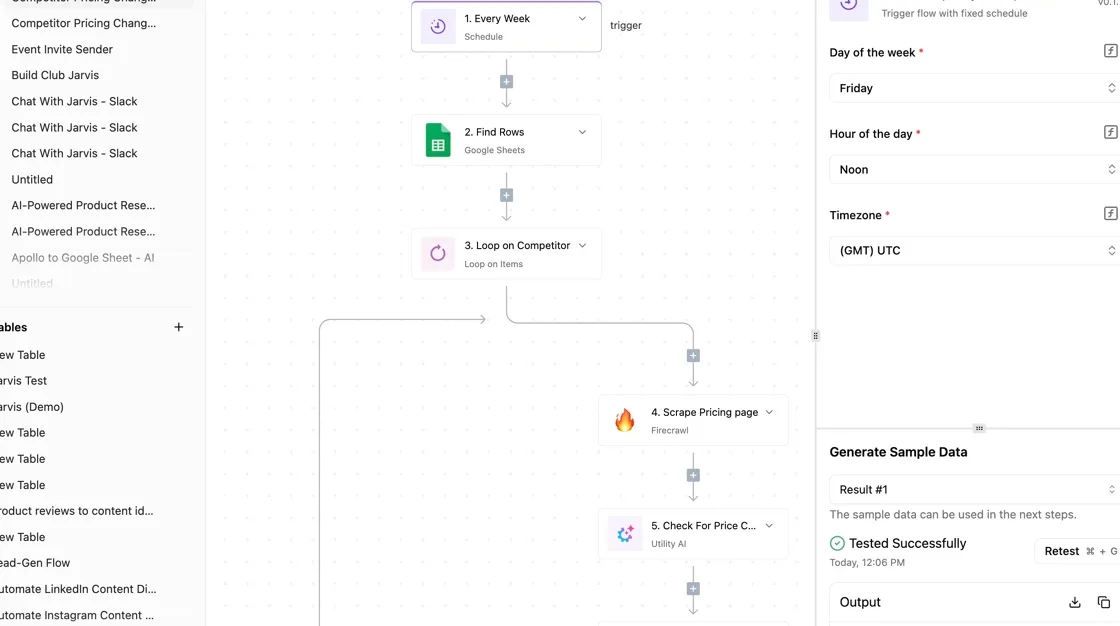 Every one of those is a path that can resend text without anyone noticing. Even free usage requires a billing account, so you attach a card from day one. Create a budget with threshold alerts in the billing console, then check the quota page to see the per-minute limits applied to your project. **An alert only notifies you, so pair it with a quota cap if you need a hard stop.** ## Compare Google Translate API with competitors At **$20 per million characters**, Google sits third-cheapest of the four, so a spending cap protects you from volume, but the vendor you pick moves the bill almost as much. The table ranks list prices, cheapest first, and the monthly column shows what each rate costs at 100 million characters. ### Price and free allowance side by side | Vendor | List price per 1M characters | Cost at 100M characters a month | |---|---|---| | Azure Translator | $10 | $1,000 | | Amazon Translate | $15 | $1,500 | | Google | $20 | $2,000 | | DeepL API | $25 | $2,500 | In all four, the metered unit is the character, so the rates compare directly. [Open API Pricing](https://openapipricing.com/blog/translation/google-cloud-translation-api) lists Azure at $10, which makes it the cheapest here and means the same workload costs less than half of DeepL's bill. 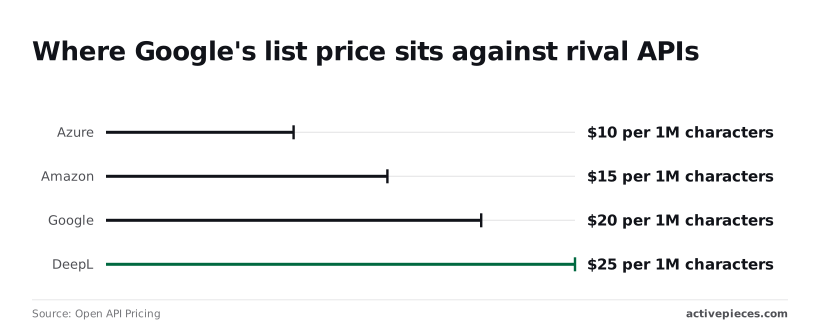 Amazon at $15 saves you $5 per million against Google. Google's $20 means a 100-million-character month costs $2,000. DeepL's $25 puts that month at $2,500, so you pay $500 more than on Google for the same volume. 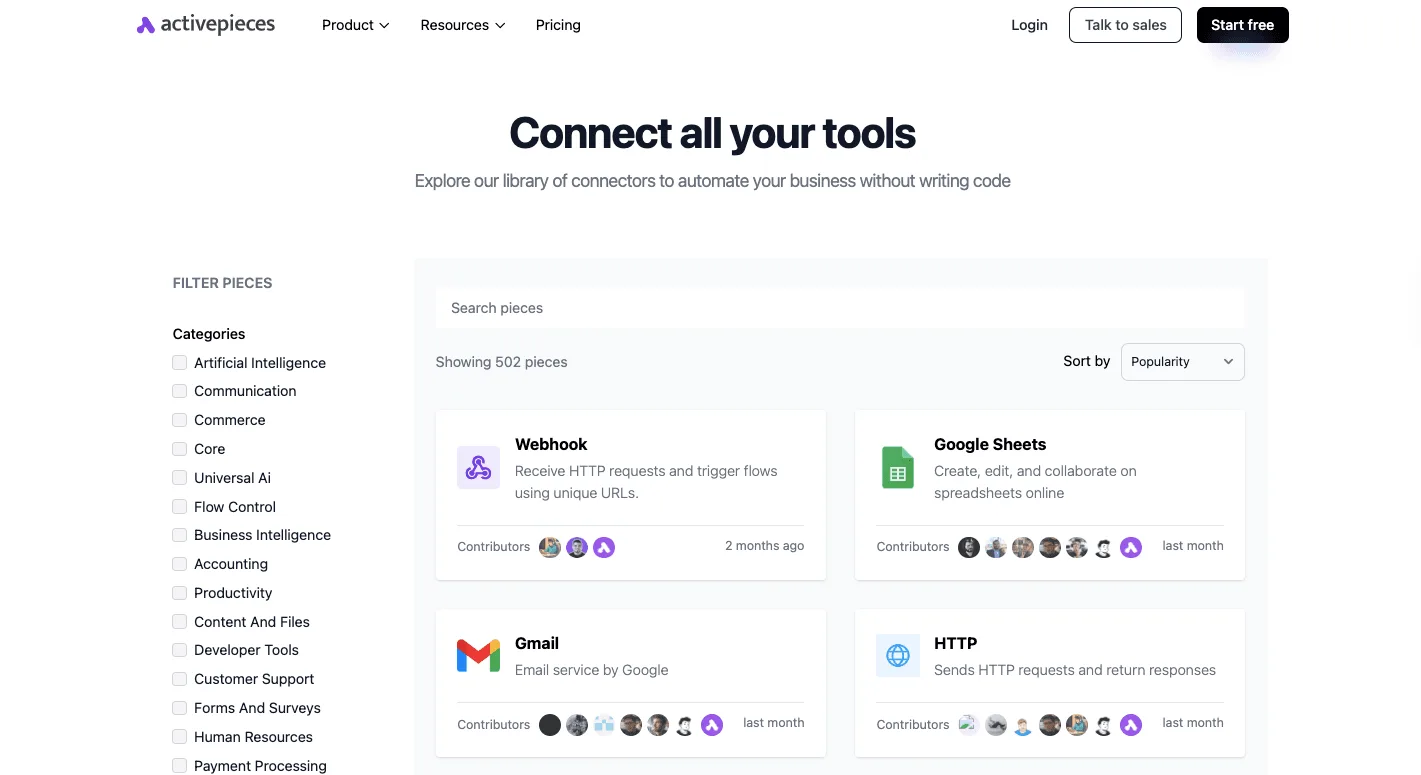 Subtract your own allowance from your volume before multiplying, because free allowances aren't in these figures. At low volume, the allowance can matter more than the list price. ### Translation API language coverage and customization If the vendor doesn't cover your language pairs, or can't enforce your product names and terminology, a lower rate buys nothing. The price figures above don't tell you either. Check each vendor's current language list against the pairs you actually send, and check whether its custom terminology feature applies to the pairs where your brand terms appear. Document translation matters if you send files rather than strings, because file formats can change what you count as characters. ### Which translation API is the better buy When volume is high and your pairs are covered, Azure's the better buy, since its $10 rate leaves the widest margin. Amazon suits a team already running its workloads there, at $15, so they can add translation to their existing AWS operations. Choose Google at $20 when its language coverage or terminology tools fit your content, making the premium price worthwhile for specialized language needs. DeepL at $25 is worth the premium only if you've tested its output on your own text and it saves review time that costs more than the $5 per million gap over Google. ## Cut translation spend with an Activepieces workflow Before paying a premium for another engine, stop paying Google to translate the same string twice. Activepieces, an automation tool where you chain a trigger and steps into a flow, can put a lookup table in front of the translation call so only unseen text is billed. The Google Cloud Translation step it calls is one of the 747 integrations in the community folder of its open source monorepo (github.com/activepieces/activepieces, under packages/integrations/community), a count taken from that folder rather than from a marketing page, meaning you aren't locked into this translation approach if your needs change.  The core is MIT-licensed, and the LICENSE file in the same repository says so. The flow runs in this order: 1. A trigger fires on new text: a form submission, a new support ticket, or a new row in a sheet. 2. The flow looks up that text, plus the target language, in a lookup table. 3. If a stored translation exists, the flow reuses it and skips the API. 4. If not, the flow calls Google Cloud Translation. 5. The result is written back to the table and to the source record. 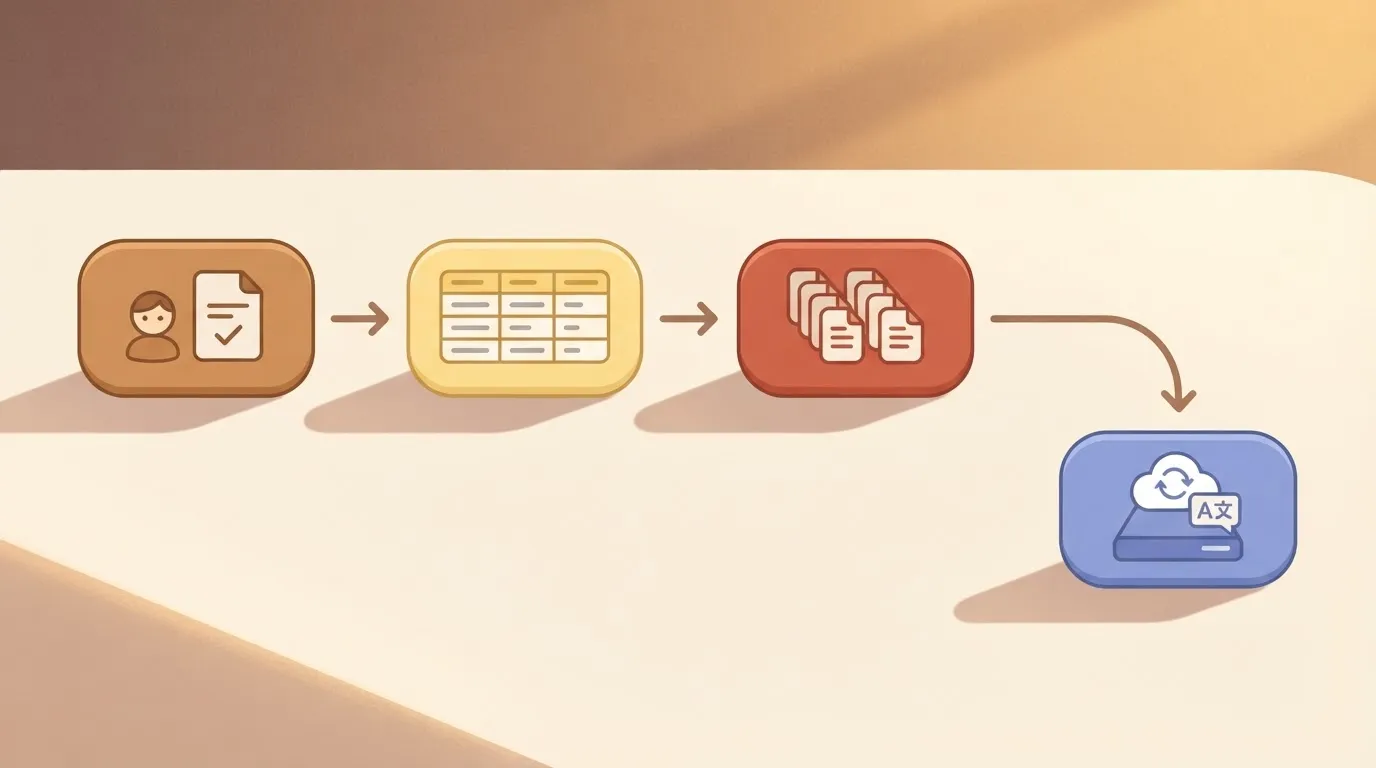 That order matters because the API call sits behind the check, so a repeat never reaches the metered step. What follows is how to build each stage. ### Set up the trigger and translation cache Pick the trigger that matches where text originates. Normalize the text before lookup by trimming whitespace and fixing case where it won't change meaning. Otherwise two identical strings with a stray space count as different keys and both get billed. Use the normalized text and the target language together as the key, since one sentence needs a separate stored row per language. Add a branch after the lookup. The "found" path carries the stored translation forward. The "not found" path calls the Google Cloud Translation integration. Only that second path adds characters to your Google bill, so your hit rate decides the saving. Templated ticket replies and repeated form options will hit often. Free-text messages rarely will. ### Write back and log characters used Save each fresh translation to the lookup table so the next identical string is a hit. Also log the character count of every miss. That log's your own monthly number, the one the rest of this article tells you to calculate before comparing vendors. This cuts repeated characters, not Google's per-character rate. Every new string costs the same as before. On the Activepieces side, a run is 1 credit however many steps it has, so the lookup and write-back steps don't add credits, and the Free plan includes 1,000 credits a month. ## What cuts translation costs this week Measure, calculate, cap, recheck, then decide on a trial: five jobs fit into one Monday, in that order, which means you can fully evaluate the system within a single business day. The list below is the whole week's work, and each item feeds the next. - Export last month's character volume from your billing console or API logs. - Run the pricing calculator on that volume, with your tier and your resend rate. - Set a budget alert and a quota cap. - Recheck the pricing page against what you modeled. - Decide whether a rival tier merits a trial. Treat it as a sequence rather than a menu. Without the first step, the second has nothing to calculate, and the fifth is guesswork. ### Measure your volume Start with the unit being metered: characters sent, not words, pages or requests. Pull last month's total from your billing export, then split it by source if you can. You will not get the why from the invoice, only what was billed. If the same string went out three times, the invoice shows three times the characters and no hint that two were avoidable. That is why your own logs matter here. Count how much of the volume is repeats, such as unchanged records re-sent on every sync. That repeat share is the cheapest saving you'll find, because a cache removes it without touching translation quality. ### Cap Google Translate API spending and quotas Know the difference: a budget alert tells you after spend crosses a line. A quota cap stops the spend. You want both, because they fail differently: an alert can sit unread over a weekend, while a cap can halt a production workflow at the worst moment. Set the alert below the cap so a human sees the trend first. Set the cap above your calculated monthly number with modest headroom, so a runaway loop hits a wall instead of your card. ### Recheck pricing monthly Check the live page every month, because pricing pages change, and so do the tier definitions behind them. Put a recurring reminder in your calendar to compare the live page with the assumptions in your calculator. If a rate, a free allowance or a tier boundary has moved, rerun the numbers before the invoice does it for you. Only then ask whether a rival tier deserves a trial. Run it on the same exported volume, so you compare your real bill against theirs rather than one list price against another. ## Frequently asked questions Once you've your own volume figure, these are the questions that tend to remain. ### Is the Google Translate API free? Not in full, but Cloud Translation includes a monthly free allowance of characters before billing starts. Past that allowance, every character is metered at the rate for the tier you use, so the free portion matters most for prototypes and low-volume tools. Read the current allowance for your tier on the pricing page rather than assuming it carries across tiers. ### Is Google Translate API pricing per word or per character? Per character. Words never enter the calculation, so a language with long compound words and one with short words cost differently for the same sentence count. Google's documentation says **whitespace counts toward the total**, which means spaces, tabs and line breaks in your payload are billed like letters. Markup you send as part of the text, such as HTML tags, counts too, so strip what you don't need to translate. Does the free quota reset every month? Yes, the allowance is a monthly one, and it applies to the billing month rather than rolling forward. Unused characters don't accumulate, so a quiet month doesn't buy you extra headroom later. If your traffic is bursty, expect to exceed the allowance in busy months and pay for the overage. Is the consumer Google Translate website the same as the API? No. The website and apps are a free consumer product with no per-character bill to you. The API's a Google Cloud service that needs a project with billing enabled, and every request is metered. Using the website for a few strings tells you nothing about your API cost, and the two don't share a quota. ### Can I set a hard spending limit on Cloud Translation? Not through a single switch. Budgets and alerts in Google Cloud Billing notify you as spend climbs, but they don't stop usage by themselves. For a real ceiling, lower the per-day or per-minute character quotas on the Translation API in your project, which caps how many characters can flow. You can also wire a budget alert to an automated step that disables billing, accepting that the service stops once it fires. ## Related reading - [Postmark Pricing: Plans, Costs by Volume (2026 Guide)](https://www.activepieces.com/blog/postmark-pricing-plans-costs-by-volume-2026-guide) - [Auth0 Pricing 2026: Plans, Tiers and Monthly Costs](https://www.activepieces.com/blog/auth0-pricing-2026-plans-tiers-and-monthly-costs) - [Vimeo Pricing: Plans, Monthly vs Annual Cost (2026)](https://www.activepieces.com/blog/vimeo-pricing-plans-monthly-vs-annual-cost-2026) ## References - [Open API Pricing](https://openapipricing.com/blog/translation/google-cloud-translation-api) - [Google Cloud](https://cloud.google.com/products/translate/pricing)Forget words and requests: the meter is characters.