# Higgsfield Automation in 2026: Setup Steps, Limits, Fixes
By Petra Vlk · 2026-11-16 · Source: https://www.activepieces.com/blog/higgsfield-automation-in-2026-setup-steps-limits-fixes
---
Higgsfield automation is whatever Higgsfield's own documentation lets you trigger without a human clicking, and the fastest route to it is the official API or a documented integration, whether you call it directly from your own code or from a workflow tool such as [Activepieces](https://www.activepieces.com).
## Using Higgsfield automation today
### The direct answer
Use the official API. It's the one path where the vendor has written down the limits, credit charges and error responses, so you can plan for them instead of finding them in production.
Here's what you'll have working by the end, and what'll stay manual:
- An API key, created and stored outside your code
- One test generation, sent by a script rather than a browser
- Result retrieval, so the finished file lands where you need it
- A scheduled run that repeats the above without you
- Any feature the docs don't expose as an endpoint, which stays a manual click
- Anything you could only do by scripting the web interface, which the docs don't sanction
You need four things in place before the first request:
1. A [Higgsfield](https://higgsfield.ai/creator-hub/help-center/business/team-and-business-higgsfield) account with API access enabled and credits on it. A generation that can't be paid for returns an error, not a result.
2. A secrets store for the key. A key pasted into a script is one shared file away from being public.
3. Somewhere to run a schedule. That can be a cron job or a workflow tool.
4. A place to write failures. Rate limits, credit exhaustion and rejected requests should reach a person, not a discarded log.

## Setting Up Higgsfield Automation in Five Stages
From a plan check to an unattended job takes five stages, and each leaves one thing you can confirm works before you start the next.
Stage 1: confirm your plan includes API access. Open your account and look for the API or developer area before you build anything.
If it's missing, you're on a plan that can't call the API, so raise it with support now. What should now work: you can see where to generate keys.
Stage 2: create and store credentials. Generate the key and put it straight into a secrets manager or your automation tool's encrypted credential store.
What should now work: the scheduler can read the key without you typing it.
Stage 3: send one test generation. Send a single request on the cheapest model and settings you plan to use. Note your credit balance before and after.
**The difference is your real per-generation cost**, and every volume estimate hangs on it. What should now work: Higgsfield accepts the request and returns a job identifier, and you can check the balance.
### Stage 4: Collect the result
Because generation isn't instant, your workflow has to wait. The chart below sets out render times by model, and the point is the spread. According to [Higgsfield](https://higgsfield.ai/blog/how-long-ai-video-generation-takes):
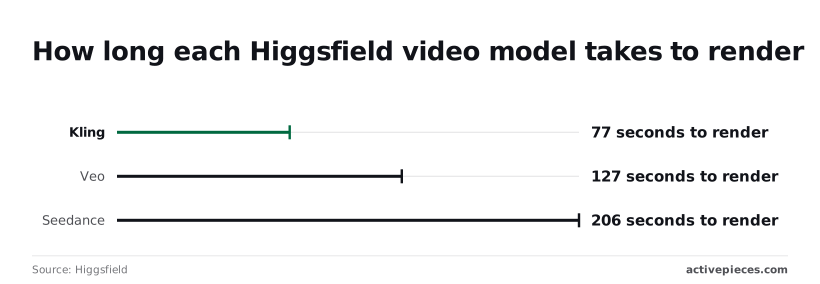
| Model | Render time |
|---|---|
| Kling | 77 seconds |
| WAN | 85 seconds |
| Veo | 127 seconds |
| Seedance | 206 seconds |

At 206 seconds against 77, Seedance takes about 2.7 times as long as Kling. Per [Toolcolumn](https://www.toolcolumn.com/learn/higgsfield-credits-explained), a flat 60-second timeout would fail every one of these models, and **a two-minute timeout would still cut off Seedance and Veo**.
Set the timeout per model, above its render time with margin. Poll the job at intervals of several seconds rather than continuously, so you don't trip rate limits.
What should now work: your test job ends in a downloaded file, and a failed or timed-out job produces a logged error instead of a silent gap.
### Stage 5: Repeat it on a schedule or trigger
Only now attach the schedule or trigger, such as a new row in a spreadsheet or a daily timer. Start with a small batch, because each run spends credits and a loop that retries a failed job spends them again.
Cap retries at one or two. What should now work: a run completes without you, and the credit drop matches the cost you measured in Stage 3.
## Higgsfield Limits, Credit Costs and Errors, With Fixes
You'll hit concurrency first: a Higgsfield API key runs 20 jobs at once, and anything you fire beyond that is a failure you have to plan for, not a feature that scales on its own, so **you cannot exceed 20 concurrent requests**.
### Plan and rate limits from the official docs
The table below shows what [Higgsfield's team and business help page](https://higgsfield.ai/creator-hub/help-center/business/team-and-business-higgsfield) documents. Read the "not documented" cells as the finding: Higgsfield publishes only concurrency, so you can't size a rate-limited retry loop from the docs alone.

| Plan or key | Parallel generations | Rate limit | Credits | Retention |
|---|---|---|---|---|
| Starter | not documented | not documented | not documented | not documented |
| Plus | not documented | not documented | not documented | not documented |
| Team | 16 | not documented | not documented | not documented |
| Scale | 32 | not documented | not documented | not documented |
| New API key | 20 | not documented | not documented | not documented |
On Team, 16 jobs run in parallel, per Higgsfield, and Scale runs 32, so a 25-clip batch fits on Scale in one pass but leaves 9 waiting on Team.
A new API key sits between them at 20, so test your batch size against the key, not the plan you pay for.
For scale, Runway (a competing video generator) allows 5 concurrent jobs at Tier 3 and 3 at Tier 2, per the same page, so tier upgrades add meaningful concurrency capacity.
### Higgsfield credit costs per generation type
Of everything you control, resolution drives cost most. [ToolColumn's credits breakdown](https://www.toolcolumn.com/learn/higgsfield-credits-explained) prices a 5-second Seedance 2.0 clip (a video model offered on Higgsfield) at 30 credits for 720p, 60 for 1080p and 130 for 4K.

That makes **1080p about 2.6 times the cost of 720p**, and 4K nearly 4.8 times. Draft at 720p and render finals only once.
There is no error-code list in Higgsfield's docs, so match on behaviour rather than on codes.
| Symptom | Cause | Fix |
|---|---|---|
| Job refused or stalled past your batch size | Concurrency cap reached (20 per key) | Cap your own queue below the limit |
| Job refused on credits | Balance too low for the resolution | Check the balance first; use 720p for drafts |
| Specific error code or message | not documented | Log the raw response and keep the timestamp |
If a job is rejected, don't assume a refund: moderation rejection criteria and whether a rejected job refunds its credits aren't documented. Log each rejected job's ID and timestamp, and send both to support when credits go missing.
## Connecting Higgsfield to the Rest of Your Workflow
Connect Higgsfield through its documented API, called from a script or from a workflow tool's HTTP step, because those are the places where you can keep the job IDs and timestamps that support will ask for.
### Scripts versus workflow tools for Higgsfield automation
The table compares five ways to make the call. The tools differ less on whether they can reach an API than on who owns retries and what each retry bills you.
Cost here means what the tool charges, on top of whatever Higgsfield charges in credits.
| Option | API calling | Long-running jobs | Retries | Cost |
|---|---|---|---|---|
| Custom script | Yes, any HTTP client | You write the polling or callback handling | You write them, including the stop condition | Hosting and your time |
| Higgsfield built-in features | Not applicable, it's the product itself | Not confirmed | Not confirmed | Credits, per Higgsfield's own pricing |
| Zapier | Yes, through its webhook and request steps | Not confirmed | Replay of failed steps is offered | Billed by its own usage unit |
| Make | Yes, through its HTTP module | Not confirmed | Error-handling routes are configurable | Billed by its own usage unit |
| n8n | Yes, through its HTTP Request node | Wait-style nodes exist | Per-node retry setting | Self-hosted or paid cloud |
| Activepieces | — | — | — | Free plan at $0 with 1,000 credits a month and unlimited flows; Plus $20 a month; Team $200 a month; self-hosted Community Edition under the MIT licence |
With a script you get the Every failure path is yours to write, and so is the log. A workflow tool shows each run on a screen, which helps when you need to point at a failed step.

Activepieces can call Higgsfield's documented API from an HTTP step if no native integration exists (verify).
Its meter is the run: a run is 1 credit whether it holds two steps or ten, so the submit, poll, stored-ID check and download steps that make retries safe cost nothing extra.
Zapier's pricing page counts per task and Make's per module, so on those the careful build bills more than the careless one. The free plan carries 1,000 credits a month and unlimited flows, enough for 1,000 runs of the careful version.
Higgsfield's own credits are billed separately.
### Handling long Higgsfield jobs and retries
Because generation jobs don't finish inside one request, build for a job that's submitted now and complete later. Store the job ID the moment it's returned.
Then either poll for status or receive a callback, whichever Higgsfield's documentation actually offers for your endpoint.
A retry is a second submission, and a second submission can spend credits a second time. Retry only on errors the documentation describes as transient.
Never retry a rejection that reports a credit or limit problem. Set a ceiling on attempts and a delay that grows between them.
Because a replayed step may resubmit work you've already paid for, check the stored job ID before any resubmission. **If the ID exists, fetch its status instead of creating a new job.**

## What to Do on Monday Morning
Make every failure visible before it costs anything: read the current docs, cap the spend, run one test generation, and put a name against the credentials.
### Check the Higgsfield API docs and changelog
Read Higgsfield's official API documentation and its changelog before you write a single call, not after the first error.
Automation here means only what those pages say you can trigger without a human clicking, so an endpoint you remember from a forum post isn't a commitment.
### Set a spend ceiling
Set the credit budget and the alert before the test generation, because the test is where you learn what one request actually costs.
Run a single generation, then compare the balance before and after. That difference is your real unit cost, and it's the figure your ceiling should be built on.
Then make the failures loud:
- A 401 means the credentials weren't accepted, so stop the workflow and alert someone instead of retrying.
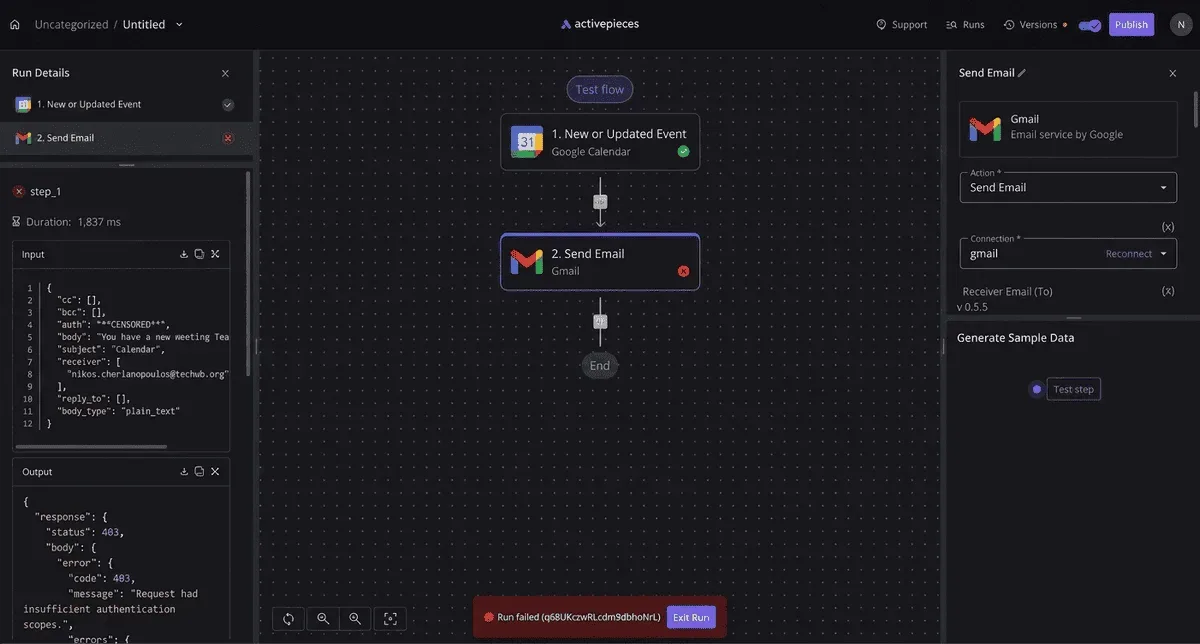
- A 403 means the credentials are valid but not permitted to do this, which is a plan or permission question, not a retry question.
- A 400 means the request itself was malformed, and resending it unchanged'll fail the same way each time.
Never wrap any of these in a blind retry loop.
### Assign ownership of Higgsfield API credentials
Write down one person who holds the API credentials, where they're stored, and who rotates them. When a 401 appears at an inconvenient hour, the only useful answer is a name.
If the key lives in one person's personal account, **the workflow ends when that person leaves**, so move it to an account the team controls.
When a 401 appears at an inconvenient hour, the only useful answer is a name.
## What Activepieces does about this
Activepieces is a workflow tool, and the part of this article it covers is the wiring around Higgsfield's API, not Higgsfield itself. We haven't confirmed a native Higgsfield integration, so the build uses the HTTP step against the documented API.
That puts the job ID, the status check, the timestamps and the failure alerts in a flow you can open and show to support. If the endpoint or its limits change, you edit a step instead of rewriting a script.
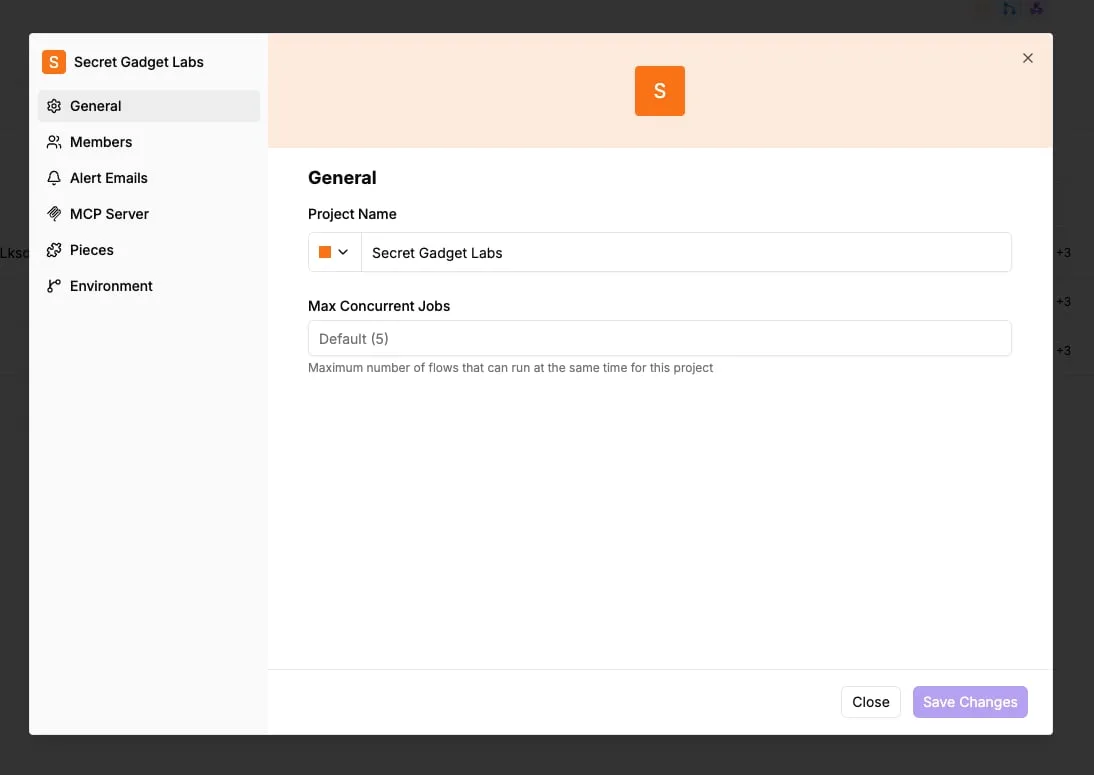
The five stages map onto one flow. A schedule or a new spreadsheet row triggers it, one step submits the generation, and the next stores the returned job ID.
A delayed polling step then waits per model, using the render times in Stage 4, and a download step saves the file. A branch sends 401, 403 and 400 responses to a person instead of back into a retry.
Because the stored-ID check sits before the submit step, a replayed run fetches the existing job's status instead of paying for a second one. To stay inside the 20-job key limit, you also cap how many items each run releases.
The pricing is the reason we'd argue for this route.
An Activepieces run costs 1 credit whether it holds two steps or ten, so the ID check and the polling cost nothing extra, and the free plan's 1,000 credits a month and unlimited flows cover 1,000 runs of the careful build.
The community edition is open source under the MIT licence, so you can self-host it and read how a step behaves before you rely on it. Higgsfield's credits are billed separately and still need the ceiling from Stage 3.
None of this fills the gaps in Higgsfield's documentation. Activepieces can't tell you the rate limit, the error codes or whether a rejected job refunds, because Higgsfield doesn't publish them.
It makes sure you log the raw response each time, so the missing answers can be asked for with evidence.
## Frequently asked questions
### Does Higgsfield have an official API?
Does Higgsfield have an official API? It does if Higgsfield's own developer documentation lists endpoints, authentication and request formats, and it doesn't if the only evidence is a tutorial or a community wrapper.
Read the docs page, not the video. A wrapper can stop working the day Higgsfield changes its web app, and nobody owes you a notice.
### Can I automate Higgsfield without coding?
Can I automate Higgsfield without coding? Only through an integration that Higgsfield documents itself. A no-code tool that merely lists Higgsfield in its catalog isn't the same as Higgsfield supporting it.
Check which side published the connector, because only the vendor's version has anyone obliged to fix it when it breaks.
### Is Higgsfield automation allowed on the free plan?
Is Higgsfield automation allowed on the free plan? That's decided by the plan terms and the API terms, not by what the software lets you do. A script can run on a free account and still breach the terms.
Read both documents, and look for wording on automated access, rate limits and whether API use needs a paid plan before you build on a free one.
### Why do my generations stay queued or fail?
Why do my generations stay queued or fail? The usual causes are a rate or concurrency limit, an exhausted credit balance, or a rejected request, and the error response tells you which.
Log the full response body and its timestamp for every failure. A bare "failed" status gives you nothing to put in a support ticket, while the raw error does.
### How do I stop automated jobs burning through credits?
Cap spend on your side. Count credits before each batch, stop the loop when a job fails instead of retrying blindly, and never let a retry run unattended. Credits are consumed whether or not anyone is watching, so the loop needs its own brake.
Four questions can't be closed from public documentation. Each answer below is the safe position, and the source is the page that settles it:
- Is Sora 2 available through Higgsfield? Treat it as unavailable to your workflow until Higgsfield's model list or API reference names it. Source: the model list in Higgsfield's documentation.
- Does Higgsfield have official Zapier support? Assume not until Zapier's app directory shows a Higgsfield listing and Higgsfield's docs link to it. Source: Zapier's app directory.
- Are failed requests charged? Unconfirmed, so budget as if they are and test with one deliberate failure. Source: Higgsfield's pricing and credit terms.
- Do credits expire? Unconfirmed, so don't stockpile them for a later scale-up. Source: the same credit terms.
Until each of these has a dated answer from the vendor, plan around the worst reading and record the date you checked.
## Related reading
- [Self Host OpenCode 2.0: Setup Steps, Real Cost and Pitfalls](https://www.activepieces.com/blog/self-host-opencode-2-0-setup-steps-real-cost-and-pitfalls)
- [Automate Poe: API Setup, Limits and Automation Gem](https://www.activepieces.com/blog/automate-poe-api-setup-limits-and-automation-gem)
- [Clinical Workflow Automation: Use Cases, Tools and Steps](https://www.activepieces.com/blog/automate-clinic-processes)
## References
- [Higgsfield](https://higgsfield.ai/creator-hub/help-center/business/team-and-business-higgsfield)
- [ToolColumn](https://www.toolcolumn.com/learn/higgsfield-credits-explained)
- [Higgsfield](https://higgsfield.ai/blog/how-long-ai-video-generation-takes)