# How Do You Set Up an Okta and Workday Integration?

By Aisha Okoye · 2026-11-22 · Source: https://www.activepieces.com/blog/how-do-you-set-up-an-okta-and-workday-integration

---
<aside class="tldr"><p class="tldr-label">Summary</p><p>Turn on Okta's native Workday connection for account lifecycle, then build small event-driven workflows to fill gaps such as manager notices and IT tickets.</p><ul><li>Okta's 60-minute scheduled import interval means Workday changes can delay up to an hour.</li><li>Okta users and apps hit 600 per minute rate limit; group limits unpublished.</li><li>Five documented sync errors stem from authentication, field mismatch, duplicates, rate limits and timing.</li></ul></aside>

An Okta Workday integration means Workday's HR events (hire, transfer, leave, termination) drive identity actions in Okta, and the fastest way to get there is Okta's own Workday connection plus a small workflow, built in a tool like [Activepieces](https://www.activepieces.com), for whatever it leaves out.

An Okta Workday integration is a connection in which Workday acts as the authoritative HR source, so that worker lifecycle events such as hires, transfers, leaves and terminations automatically create, update, suspend or deactivate the matching user accounts and access in Okta.

Right now your IT person is probably still creating accounts from a hiring email, and a leaver's access stays live until someone remembers.

The picture below is what the docs support (checked 22 Nov 2026): Workday stays the source of truth, Okta's native connection handles the account lifecycle, and workflows pick up the notices, tickets and approvals around it.

The arrows show the same Workday event reaching both, so nothing is retyped and nothing is built twice.

## Okta Workday Integration Defined, and the Fastest Path

Anything the native connection already does isn't yours to rebuild, and that is why the picture matters: it tells you where to stop building.

Most teams want some mix of these:

- A new hire in Workday gets an Okta account created and activated before day one.
- A job or department change updates the Okta profile and moves the person between groups.
- A leave of absence suspends the account, and a return reactivates it.
- A termination deactivates the account the same day.
- A manager gets a plain notice when a report's access changes.
- IT gets a ticket for anything that needs hands, such as a laptop or a licence.
- A sensitive-role change waits for an approval before access is granted.

Read the list in two halves. The first four are account lifecycle, which is the native connection's job. The last three are the gaps, and they're what a workflow is for.

![Coat hooks, four with coats, three bare with loose items on floor](https://ap-marketing-media.fra1.cdn.digitaloceanspaces.com/uploads/543a0ccd-bcbc-44ad-b87c-78a6bb5b8ee1/how-do-you-set-up-an-okta-and-workday-integratio-28672ac1.webp)

The fastest path has three moves:

1. Turn on Okta's Workday connection and confirm what it covers in your tenant: creates, updates, deactivations and group rules. Write down what it doesn't do.
2. Pick the gaps from the list above. Each one becomes a small, event-driven workflow, not one large flow that tries to do everything.
3. Build those workflows with no code. [Activepieces](https://www.activepieces.com) has Okta and Workday integrations, and every connected integration is available as a tool in a flow. That's enough for the notice, ticket and approval cases without touching Okta's connection.

The next sections take each gap in turn.

## Five Workday and Okta Workflows Worth Building

Workday offers far more to build from, so each of the five small workflows that cover what Okta's native Workday connection leaves open should start from a Workday event.

According to [Activepieces](https://www.activepieces.com/blog/how-to-get-an-okta-api-token-and-handle-rate-limits), the [public pieces directory](https://www.activepieces.com/pieces) lists both Workday and Okta integrations. Expect to lean on Workday events and fill Okta gaps by hand.

| Workday trigger | Okta action | What it does for you |
|---|---|---|
| New Hire Created | Create User | Account exists before day one |
| Business Process Event Completed | HTTP request | Moves users between groups after a job change |
| Employee Terminated | Deactivate User | Access ends the day HR records it |
| New Hire Created (branch) | Create User, or a message to a person | Stops odd records from becoming bad accounts |
| Leave Request Submitted | Suspend User | Flags or suspends access during leave |

_Prices and plan limits checked against [activepieces.com](https://www.activepieces.com/pieces/workday) and [activepieces.com](https://www.activepieces.com/pieces/okta) on November 22, 2026._

Build them one at a time, since each row is one workflow.

Once the New Hire Created trigger feeds Create User, nobody retypes names from an HR email, and the account is waiting when the person arrives.

When a Workday process finishes, Business Process Event Completed fires. Okta's side has no matching group action in that directory, so an HTTP request to Okta's groups API does the move. Without it, people keep last year's access.

Put a filter before Employee Terminated feeds Deactivate User, so a contractor record or a future-dated end date doesn't lock someone out early.

Not every hire is clean: a missing email or duplicate name will break an automatic create. A branch sends those records to a named person and lets the rest through, so one bad row doesn't stall the batch.

Okta's list is short, so anything unlisted goes through an HTTP request to Okta's API, or a webhook if Workday pushes the event. That covers the leave-of-absence case above without writing code.

Once these five run, the remaining question is what to watch so they keep running.

## Okta's native connection advantage

If your two-person IT team already struggles to watch what it runs, the best argument is to add nothing: Okta's own Workday connection is vendor-supported, built for joiners, movers and leavers, and leaves no extra parts to watch.

![Small desk with one simple machine, an unused bigger contraption beside it](https://ap-marketing-media.fra1.cdn.digitaloceanspaces.com/uploads/231fc5d3-b9ae-44d3-826c-4b0aada0e6d2/how-do-you-set-up-an-okta-and-workday-integratio-71b0f925.webp)

### What the native route covers per Okta's docs

In Okta's Workday integration, Workday is the source of truth for people. Per Okta's documentation, a worker record in Workday drives the matching Okta account.

Workday's own documentation describes the worker record as the system of record for hire, change and termination events. So the two vendors agree on which side owns the data, and neither expects you to bolt on a middle layer for the core job.

Use the table to see where that coverage stops and what you would take on by going past it. The native column handles account lifecycle, while every cell in the right column is a thing you'd have to build, test and monitor.

| Event | What Okta's native integration covers (per Okta docs, checked 22 Nov 2026) | What you would own if you added a workflow |
|---|---|---|
| Joiner | A new Workday hire creates the Okta user | Anything beyond the account: a ticket, a welcome message, a device request |
| Mover | Changed Workday attributes update the Okta profile on import | Access changes in apps outside the mapped attributes, and the approval notice to a manager |
| Leaver | A Workday termination deactivates the Okta user | Offboarding steps outside Okta, such as file handover or a hardware return task |
| Scheduled import | Okta pulls from Workday on a schedule, with a 60-minute interval | A trigger that reacts sooner, and a check that it actually ran |

Because of the 60-minute interval, a Workday change can sit for up to an hour before Okta sees it. If your leavers aren't time-critical, that delay may cost you nothing.

### The cost of adding another layer

Add a workflow and you add a second system with its own credentials, its own failure modes and its own owner. When a leaver's account stays active, you now have two places to look and no vendor to call about the one you built.

The native route is auditable in one place, and that matters when someone asks who was deactivated and when.

That's the case at full strength: if the table's right column is work you don't need, stop at the left. What follows is how to tell whether you need it.

## Why a Workflow Layer Still Earns Its Place

Once Okta's Workday connection creates the account, someone still has to tell the manager, order the laptop and chase the approval. Native provisioning covers the core lifecycle. The gaps sit around it.

### Where native provisioning stops

Hires, changes and terminations flow from Workday into Okta without help. What the connection doesn't do is tell people what happened or ask anyone's permission. Five jobs tend to fall to a person with a spreadsheet and a reminder:

<blockquote class="pull"><p>Hires, changes and terminations flow from Workday into Okta without help. What the connection doesn't do is tell people what happened or ask anyone's permission.</p></blockquote>

- A notice to the manager when a new hire's account is ready
- An IT ticket so a laptop is ordered before day one
- An approval step when someone needs access outside their role's defaults
- An alert when provisioning fails, so a failed record doesn't sit unnoticed until the new hire can't log in
- A sync to an app that Okta doesn't manage, such as a niche internal tool

Look at the list and every gap is a reaction to an event Workday or Okta already emits. Nothing here needs a new system of record, which is why small event-driven workflows fit.

Each one watches for a single trigger and does a single thing. If one breaks, the lifecycle underneath keeps running, and you fix a notification rather than an outage.

The next question is which tool should carry those workflows.

### When each tool works best

Several tools can link Workday and Okta and handle these edge jobs. Zapier and Make are hosted automation services with visual builders, and they suit teams that want the least setup and are comfortable with a vendor running everything.
![A failed two-step workflow in Activepieces showing a Google Calendar trigger connected to a Gmail send email action, with…](https://ap-marketing-media.fra1.cdn.digitaloceanspaces.com/uploads/d92eb24d-50c6-4cf1-8445-b563b17f0966/lever-api-rate-limits-and-webhooks-2026-guide-sc-e97557a6.webp)

Workato is an enterprise integration platform, which makes more sense if your IT group already uses it and has people to maintain it. Each of these can do all five jobs above.

Activepieces fits when your constraints point elsewhere, starting with an MIT-licensed core and 750 integrations you can count in its open source monorepo:

- You want an open-source tool whose workings you can inspect.
- You need to self-host, for example because employee data should stay inside your own infrastructure.
- You expect workflows with many steps and don't want to ration them.

If none of those apply, a hosted tool you already pay for is a reasonable answer. Pick on those constraints, not on the length of a feature list.

## Building the Workday-to-Okta Workflow in Activepieces

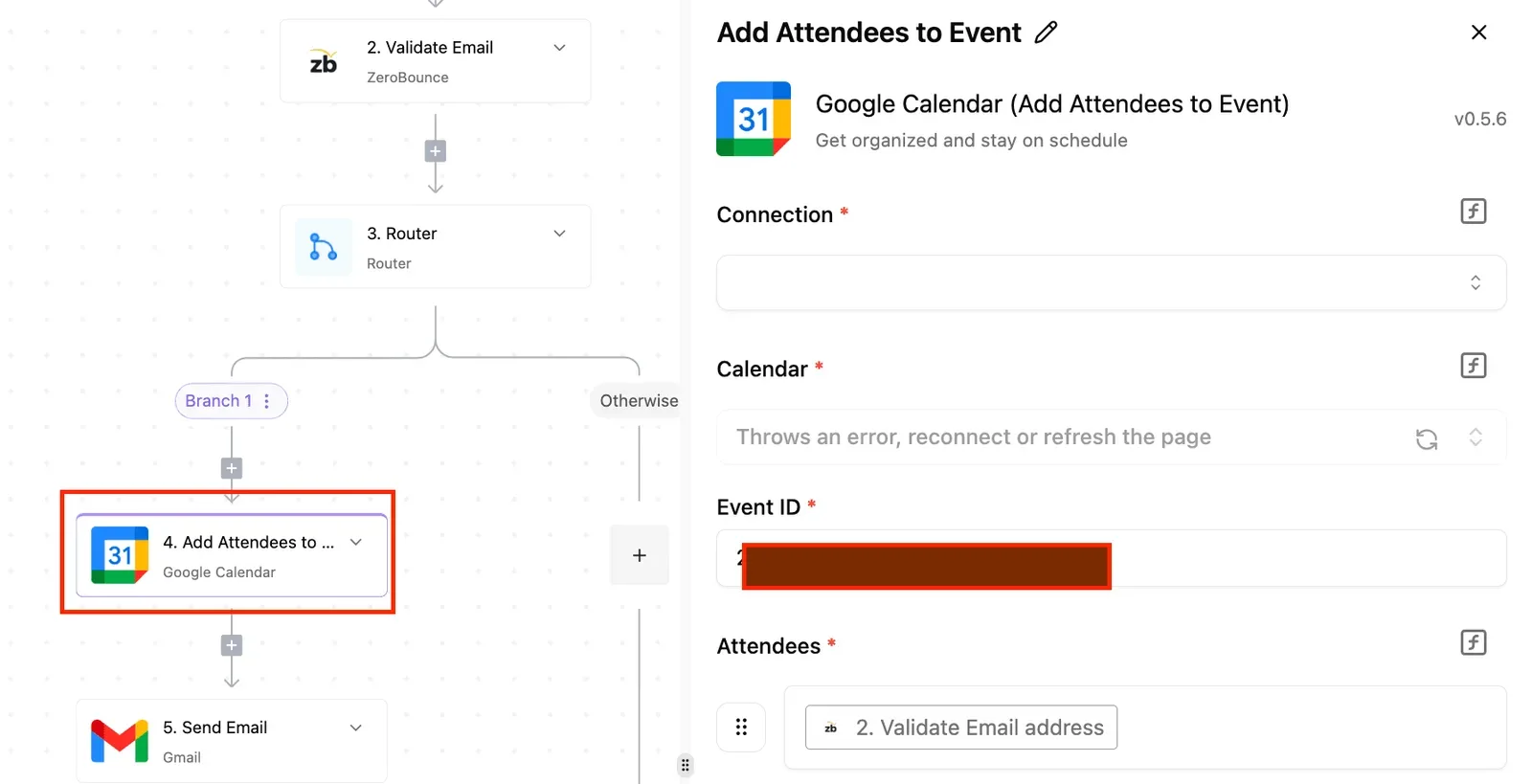
Build one Activepieces flow, and since every plan, the free one included, allows unlimited flows, each gap can get its own: a Workday new-hire trigger, an Okta lookup, a create-user step, then a group assignment.

Workday stays the source of truth, and Okta only receives what Workday has already approved.

Describe that flow to Activepieces' built-in chat in plain words (new hire in Workday, look up the email in Okta, create the user, add the group) and it publishes a live flow in your account, the same artifact as one assembled by hand, with the lookup, the create-user mapping and the group step laid out as ordinary steps.
![Activepieces workflow builder showing a 5-step automation with Google Calendar's Add Attendees action selected and its…](https://ap-marketing-media.fra1.cdn.digitaloceanspaces.com/uploads/5089d6d6-74f8-47a4-a0d9-d7b6bd6e72da/salesforce-wrike-integration-in-2026-set-up-with-6366f9bc.webp)

It runs under the same RBAC and audit logs as every other flow, and the first test hire leaves a run trace listing each step and what it returned. MoneyGram, Moneypenny, Alan and FundingSocieties run Activepieces in production.

### Before you start: accounts and permissions

You need an Activepieces account (the free plan is $0, needs no card and allows up to 5 users), a Workday login that can create an integration user, and an Okta admin account.

The Workday integration user should read worker data and nothing else, so a leaked credential can't change HR records.

The Okta credential needs to create users and manage group membership, and no more. Create the Okta group the new hire should land in first, so you can pick it from a list later.
![Activepieces connection setup dialog for Drip integration with API credential fields and vault-based secret management](https://ap-marketing-media.fra1.cdn.digitaloceanspaces.com/uploads/b62b3eb1-2b0c-4fb4-aa9f-41ce51e5d58e/datadog-api-keys-endpoints-and-getting-started-s-3e17d356.webp)

Build in the order below, so nothing downstream is half-configured when you test; the list is the whole path from hire to Okta account.

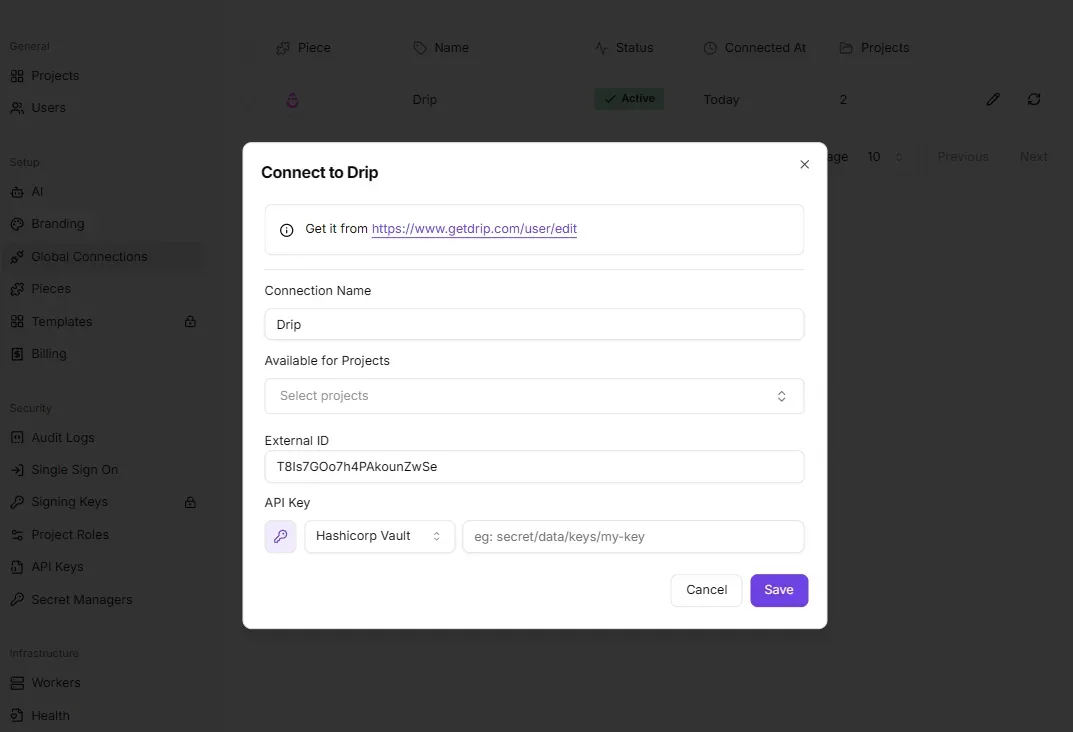
1. Connect Workday in Activepieces using the integration user's credentials.
2. Connect Okta using your Okta domain and the admin credential.
3. Set the trigger to **New Hire Created**. If you only want some hires, add a filter step after it, for example by department.
4. Add **Find User by Email** and branch on the result, so a rehire or duplicate never produces a second account.
5. Add **Create User** and map the fields from the table below.
6. Add **Add User to Group** with the group you made earlier.
7. Test with one sample worker, then check Okta.

Steps 4 and 5 matter most. The lookup stops duplicates, and the mapping decides whether the account is usable on day one.

Your tenant's field labels may differ, so match by meaning rather than by name.

| Workday field | Okta field |
|---|---|
| First name | firstName |
| Last name | lastName |
| Work email | email and login |
| Worker ID | employeeNumber |
| Job title | title |
| Department | department |

Use the work email for both email and login. Anything else gives people a username nobody remembers.

Run the trigger's sample data through the flow rather than waiting for a real hire. Then open Okta, find the user, and check that each mapped field arrived and that the group shows the new member.

A blank field means the mapping points at the wrong Workday value, and you can fix it before anyone real depends on it.

## Fixing common Okta sync errors

When an Okta–Workday sync breaks, it is usually one of five failures, and each has a fix you can apply in an afternoon.

The table shows the symptom you'll see, the fix, and whether the vendor documents it, so you know which fixes you can cite and which you'll have to test yourself.

| Problem | Symptom | Fix | Documented? |
|---|---|---|---|
| Auth/permissions | 401 or 403 on a call that worked in testing | Give the integration user access to the specific Workday domain it reads | Partly; error text varies |
| Field mismatch | Blank or wrong attribute in Okta | Remap to the correct Workday field | Not as a list |
| Duplicate users | Two Okta profiles for one person | Search by email or worker ID before creating | Not documented |
| Rate limits | 429 responses during bulk runs | Okta users and apps: 600/min; back off and retry. Groups: no published limit | Users and apps yes; Groups no |
| Effective-dated timing | Hire or change appears days late | Trigger on the effective date, not the entry date | Figure not documented |

Next, the detail behind each row.

If a call that worked in testing suddenly returns 401 or 403, the integration account almost always lacks access to one Workday domain; the credentials are rarely the problem. Test with the narrowest call that reads one worker, then widen.

A mismatch shows up as a blank. A duplicate shows up when a rehire or a changed email creates a second profile. Look up the person by a stable ID before any create step, so a rehire updates the old record.

![Two matching name badges of one person on a desk, receptionist holding a blank one](https://ap-marketing-media.fra1.cdn.digitaloceanspaces.com/uploads/bd0a1bf3-5848-40a0-80bd-76f936b4a963/how-do-you-set-up-an-okta-and-workday-integratio-f19886d5.webp)

### Okta and Workday API rate limits and timing

600 requests a minute is the ceiling on Okta's users and apps endpoints, so a backfill of 3,000 people at one call each needs at least five minutes. Okta publishes no figure for Groups, so assume it's lower and retry on 429.

Workday sets its own ceilings. [Workday's API gateway documentation](https://developer.workday.com/documentation/GUID-6141e955-7cfe-4bee-b736-73a108d19d9f-enHYPHENus/ConceptWorkdayCloudPlatformAPIGateway) gives REST, SOAP and RaaS (Workday's custom report service) 5 minutes each. A company-wide report that runs longer fails, so filter it. Graph gets 3 minutes, two fewer, so keep those queries narrow.

![Synchronous call timeouts by Workday API type](https://ap-marketing-media.fra1.cdn.digitaloceanspaces.com/uploads/064f4bf8-c4e8-4ded-9c39-1a4489636899/how-do-you-set-up-an-okta-and-workday-integratio-96e3bd67.svg "Source: Workday")

A Monday start entered last week should fire Monday, because effective-dated changes arrive when Workday says they take effect.

Start with new hires, because mistakes there are the most visible.

1. Trigger on a Workday hire event.
2. Search Okta by worker ID, then email.
3. If no match, create the user; if one exists, update it.
4. Add a retry with a pause on 429.
5. Run it on one test worker and check the fields.

## Frequently asked questions

Once new hires are flowing, the same four questions come up, and none of them needs a long answer.

### Can I connect Workday and Okta without writing code?

Yes. The Okta side is configured in its admin console, and the gap-filling workflows are built by dragging triggers and actions onto a canvas.

You'll still map fields and write a few conditions, such as "only if worker type is contractor", but that's spreadsheet-formula effort, not programming. Your payoff is that an HR admin can read and fix the flow without opening a ticket with engineering.

### Does Okta already integrate with Workday on its own?

Yes. Okta ships a Workday connection that treats Workday as the source of truth and creates, updates and deactivates Okta accounts from worker records. That covers the core job of turning a hire, change or termination into an identity.

What the connection may not cover is everything around that job: notifying a manager, opening an equipment request, or handling a rehire your way.

Check which of those your tenant's setup already handles before you build anything, because every workflow you skip is one you'll never have to maintain.

### What do I do if the step I need is not listed?

Use a Custom API Call step. Most no-code automation tools offer one: you point it at an endpoint in Workday or Okta's documented API, add your authentication and the request body, and it runs like any other step.

The practical rule is to reach for it only after you've checked the built-in actions, since a prebuilt step handles errors and authentication for you and a custom call leaves both to you.

### Can I self-host the workflow?

It depends on the tool, not on Okta or Workday. Okta's own Workday connection runs inside Okta's cloud, so there's nothing for you to host there.

If your policy requires the automation layer to sit on your own servers, choose a workflow tool that offers a self-hosted edition, and confirm that before you build, because moving workflows between tools later means rebuilding them by hand.

## Related reading

- [Workday API Integration for Developers in 2026](https://www.activepieces.com/blog/workday-api-integration-for-developers-in-2026)
- [Set Up a Workday Slack Integration Without Code](https://www.activepieces.com/blog/set-up-a-workday-slack-integration-without-code)
- [How to Get an Okta API Token and Handle Rate Limits](https://www.activepieces.com/blog/how-to-get-an-okta-api-token-and-handle-rate-limits)

## References

- [Workday](https://developer.workday.com/documentation/GUID-6141e955-7cfe-4bee-b736-73a108d19d9f-enHYPHENus/ConceptWorkdayCloudPlatformAPIGateway)
- [Activepieces](https://www.activepieces.com/pieces)
