# How to Automate a Telegram Bot With AI in 2026

By Margit Solheim · 2026-11-11 · Source: https://www.activepieces.com/blog/how-to-automate-a-telegram-bot-with-ai-in-2026

---
<aside class="tldr"><p class="tldr-label">Summary</p><p>Pipe incoming Telegram messages through a webhook to an AI step writing replies, setting up a functioning bot in 30 minutes without hosting custom code.</p><ul><li>Rate limits cause silent bots more than models: 60 messages per minute per chat.</li><li>Telegram's 4096 character limit silences bots while models get blamed.</li><li>Slow models risk duplicate replies: kickllm.com measured o3 at 2500 milliseconds, the kind of delay that triggers retries.</li></ul></aside>

You can automate a [Telegram](https://telegram.org/blog/700-million-and-premium/?setln=en) bot in about 30 minutes.

Let Telegram push each incoming message to a webhook, built in a flow tool like [Activepieces](https://www.activepieces.com) if you'd rather not host your own server, and let an AI step write the reply, which leaves you with a bot that answers real users without you touching it.

Telegram's bot documentation, checked on 11 November 2026, still describes this push model, and in my tests that's the part that rarely breaks.

## Automate Telegram bot in 30 minutes

### What a Telegram bot is and what it can automate

If you can express it as "message in, decision, message out", you can automate it. A Telegram bot is an account run by software through the Bot API, with a token in place of a phone number.

![New variable dialog in Activepieces showing name and value fields for storing an API key securely.](https://ap-marketing-media.fra1.cdn.digitaloceanspaces.com/uploads/2ed45337-9239-4a0c-b46a-e23f1f5cc9a1/how-to-automate-a-telegram-bot-with-ai-in-2026-s-ce519bf2.webp)

Telegram's bot platform page puts bots created at 10 million, so the setup's well-trodden and the failure modes are already documented.

Active bots come to 8 million, roughly four in five, so people don't abandon this setup.

According to Telegram, **AI agents account for 5 million**, half of all bots created, so an AI step writing replies is the common case now, not an experiment. The work lies in the delivery path around it.

![How many Telegram bots are now AI agents](https://ap-marketing-media.fra1.cdn.digitaloceanspaces.com/uploads/86b3e945-9778-4853-8dcf-5e7f1f4eb9fb/how-to-automate-a-telegram-bot-with-ai-in-2026-f-7fc2fd22.svg "Source: Telegram")

### Three routes: own code, workflow tool, bot builder

The routes differ in how much you host and write yourself.

| Route | Time to first reply | Hosting needed | Coding needed | Best for |
|---|---|---|---|---|
| Own script on a webhook | 30–60 minutes | Yes, a public HTTPS endpoint | Yes | Custom logic and full control |
| Workflow tool such as [Activepieces](https://www.activepieces.com) | Shorter than writing your own handler | Hosted or self-hosted | None to light | Replies wired to other apps |
| Another no-code bot builder | 10–20 minutes | No | None | Simple menus and FAQ answers |

Have these ready before the clock starts:

1. A Telegram account, to message the official bot-creation bot and receive your bot token.
2. A public HTTPS address for the webhook, which your tool or host provides.
3. An API key for the AI model that'll write replies.
4. A second account to send test messages.

## Create bot and get BotFather token

Making a bot takes a single conversation with @BotFather, Telegram's official account for registering bots: send /newbot, answer two questions, and copy the token it returns.

1. Open a chat with @BotFather and confirm the account carries Telegram's verification badge, since lookalike accounts exist.
2. Send `/newbot`.
3. Give the bot a display name. This is what people see in the chat header, and it can be changed later.
4. Give it a username. It must be unique and end in `bot`, such as `acme_support_bot`. A taken or malformed name is rejected, and BotFather asks again.
5. Copy the token from the confirmation message.

Treat the token as the bot's only credential.

If it leaks, `/revoke` in BotFather issues a new one, and the old one stops working immediately.

### Verify Telegram bot token with getMe

A stray space or a clipped last character produces a bot that looks configured and never answers. Open this address in a browser, with your token in place of the placeholder text:

`https://api.telegram.org/bot<your-token>/getMe`

If the token is correct, the call returns a short JSON object with `"ok": true` and your bot's username. An unauthorized error means the token is wrong.

### Set commands and group privacy mode

Neither setting is required, and both are made in BotFather. `/setcommands` registers the slash commands that appear in the client's menu, one per line in the form `command - description`. Your workflow still has to handle each command.

If the bot will sit in groups, `/setprivacy` matters. With privacy mode on, which is the default, the bot sees commands and direct replies to it, not ordinary group chatter. Turning it off requires removing the bot from a group and re-adding it.

## Receive messages with getUpdates or webhook

### Telegram webhook vs getUpdates polling

**Pick the webhook**: Telegram pushes each message to an HTTPS address you control, so the workflow wakes only when someone writes and nothing sits in a loop asking for news.

"The bot answers sometimes and goes silent otherwise." That report traces back to polling. `getUpdates` needs no public address, which makes it easy on a laptop, but something has to keep calling it, and every gap between calls is delay.

A webhook has no gap. Its cost is that the address must be HTTPS and reachable on port 443, 80, 88 or 8443. Anything else is never contacted, and Telegram doesn't tell you why.

![A small server box with four open doors, with a webhook arrow from a Telegram phone reaching doors for ports 443, 80, 88…](https://ap-marketing-media.fra1.cdn.digitaloceanspaces.com/uploads/1d912df6-07ba-4eb1-b77c-56ee59b8769f/how-to-automate-a-telegram-bot-with-ai-in-2026-i-f0a923e3.webp)

You can't use both at once. While a webhook is set, `getUpdates` returns a conflict error. If you tested with polling first, call `deleteWebhook` to go back, and expect the reverse when you switch to a webhook.

### Set the webhook and the secret token

Register the address once with `setWebhook`, passing your workflow's URL and a `secret_token` you invent:

```
curl "https://api.telegram.org/bot<TOKEN>/setWebhook" \
 -d "url=https://your-host.example/telegram" \
 -d "secret_token=a-long-random-string"
```

After that, Telegram repeats that string in the `X-Telegram-Bot-Api-Secret-Token` header of every delivery. **Have the first workflow step compare it and stop on a mismatch.** Without the check, anyone who finds the URL can post fake updates and spend your AI budget.

![A doorman at a gate holds up one half of a torn token, matching it against the other half in an arriving courier's hand…](https://ap-marketing-media.fra1.cdn.digitaloceanspaces.com/uploads/08c31c5c-45ca-4e0a-985e-4d58612c3f60/how-to-automate-a-telegram-bot-with-ai-in-2026-i-ca0866fc.webp)

### Read chat ID and text from update

Two fields matter for a reply, and both sit in the one JSON object Telegram delivers:

```json
{
 "update_id": 100000001,
 "message": {
 "message_id": 7,
 "from": { "id": 555000111, "first_name": "Ada" },
 "chat": { "id": 555000111, "type": "private" },
 "text": "hi"
 }
}
```

Map `message.text` into the AI step as the prompt, and keep `message.chat.id` for the send step. Reply to the wrong ID and the answer goes to the wrong person, or nowhere.

Updates without a `message`, such as edits, carry a different key, so the workflow must tolerate their absence.

## Send AI reply with Telegram sendMessage

Once the workflow skips updates that carry no `message`, what's left is a chat ID and some text. Pass the text to a model, then call `sendMessage` with the answer, keeping it under Telegram's 4096-character limit.

1. Read `message.chat.id` and `message.text` from the update.
2. Send the text to the model with a short system instruction.
3. Trim or split the answer to 4096 characters or fewer.
4. Call `sendMessage` with `chat_id` and `text`.

**Step 3 is where bots break**. Telegram rejects an over-limit message outright, so the model looks like the culprit when it isn't.

### Choose a fast AI model for Telegram bot

With the webhook waiting on you, **time to first token matters**. [kickllm.com](https://kickllm.com) measured these older models; current fast options such as Claude Haiku 5.5, GPT-6 Luna and Gemini 3.5 Flash-Lite weren't in that test:

<blockquote class="pull"><p>Telegram rejects an over-limit message outright, so the model looks like the culprit when it isn't.</p></blockquote>

| Model | Time to first token | What it means |
|---|---|---|
| GPT-4o mini | 250 ms | The reply starts almost instantly |
| GPT-4.5 | 1200 ms | Noticeable but workable |
| o4-mini | 1800 ms | Slower still |
| o3 | 2500 ms | A reasoning model leaves the request hanging for two and a half seconds before any text exists |

Telegram expects a quick 2xx response to every webhook delivery, but its Bot API documentation publishes no hard timeout figure. So the o3 row has no documented cutoff to cross, only a risk that grows with every second the handler stays silent.

If the response is too slow, Telegram treats the delivery as failed and retries it, and each retry can send the user a duplicate reply.

The fix is to acknowledge the delivery immediately, then run the AI step and `sendMessage` afterwards. The other fix is to choose a fast model, so the whole exchange finishes before Telegram gives up waiting.

Put a reasoning model behind a webhook only after testing it against the wait Telegram allows.

### Create workflows with visual configuration and AI

Activepieces has a large, growing integration catalogue (747 integrations in the open source monorepo), and flows are built from triggers and steps or described in the built-in AI chat, so the work shifts from writing code to configuring steps.

Connect the bot once and the send-message action does double duty: it runs as a step in your flow and is also a tool on the project's MCP server, so Claude, ChatGPT, Cursor or an agent you built can message through your bot with nothing extra to publish or wire up.

Every connector is an agent tool, and you can confirm it in `packages/pieces` in the open source repo, where the action your flow runs is the same one the MCP server exposes.

Read the history column first, because it's where the options differ most.

| | Own script | No-code workflow | Another no-code builder |
|---|---|---|---|
| Setup time | Longest: write and deploy a handler | Short: configure three steps | Short: configure three steps |
| Hosting | Your server, public HTTPS | Platform-hosted or self-hosted | Platform-hosted |
| Chat history | You build and store it | Add a storage step | Add a storage step |
| Cost | Server plus model usage | Plan fee plus model usage | Plan fee plus model usage |

Whichever column you pick, the next problem is the same: the model has no memory of earlier turns unless you supply it.

Key every stored message by `chat.id`. If you key by bot or by user name instead, two people can end up reading each other's context.

Store the last handful of turns per chat, send them with each request, and test with two accounts before you trust it.

## Fix Telegram bot limits and errors

When a user reports "the bot went quiet," the cause is almost always a documented Telegram limit rather than the AI step. Each limit returns an error code you can match to a fix. Limits checked 11 November 2026; confirm against core.telegram.org/bots/faq.

| Error | Cause | Fix |
|---|---|---|
| 429 retry_after | Sending faster than the rate limits allow | Wait the number of seconds given, then retry |
| 409 | Webhook set while getUpdates polling runs, or two instances polling | Run one receiver; delete the webhook or stop the poller |
| 401 | Wrong or revoked bot token | Re-copy the token from BotFather |
| 403 | User blocked the bot, or the bot was removed from the chat | Stop sending to that chat and mark it inactive |
| 400 parse error | Unescaped characters in Markdown or HTML | Escape them or send plain text |
| 4096 text limit | Reply longer than 4096 characters | Split into several messages |
| Webhook port/certificate fault | Unsupported port or untrusted certificate | Use 443, 80, 88 or 8443 with a valid certificate |
| File size limits | Upload above 50 MB or download above 20 MB | Compress, or link to the file |

### Telegram bot rate limits and 429 retry_after

A 10,000-subscriber announcement needs about six minutes, not one: [Conferbot](https://www.conferbot.com/limits/telegram) lists free broadcast at 1800 messages per minute.

**A single chat allows 60 messages per minute**, which breaks any bot that edits a streaming reply every second. A single group allows only 20 per minute, so a busy group trips 429 first.

Honour `retry_after` exactly; retrying sooner extends the penalty.

If nothing arrives, check `getWebhookInfo` for the last error message. It names a bad port or certificate directly.

## What Activepieces does about this

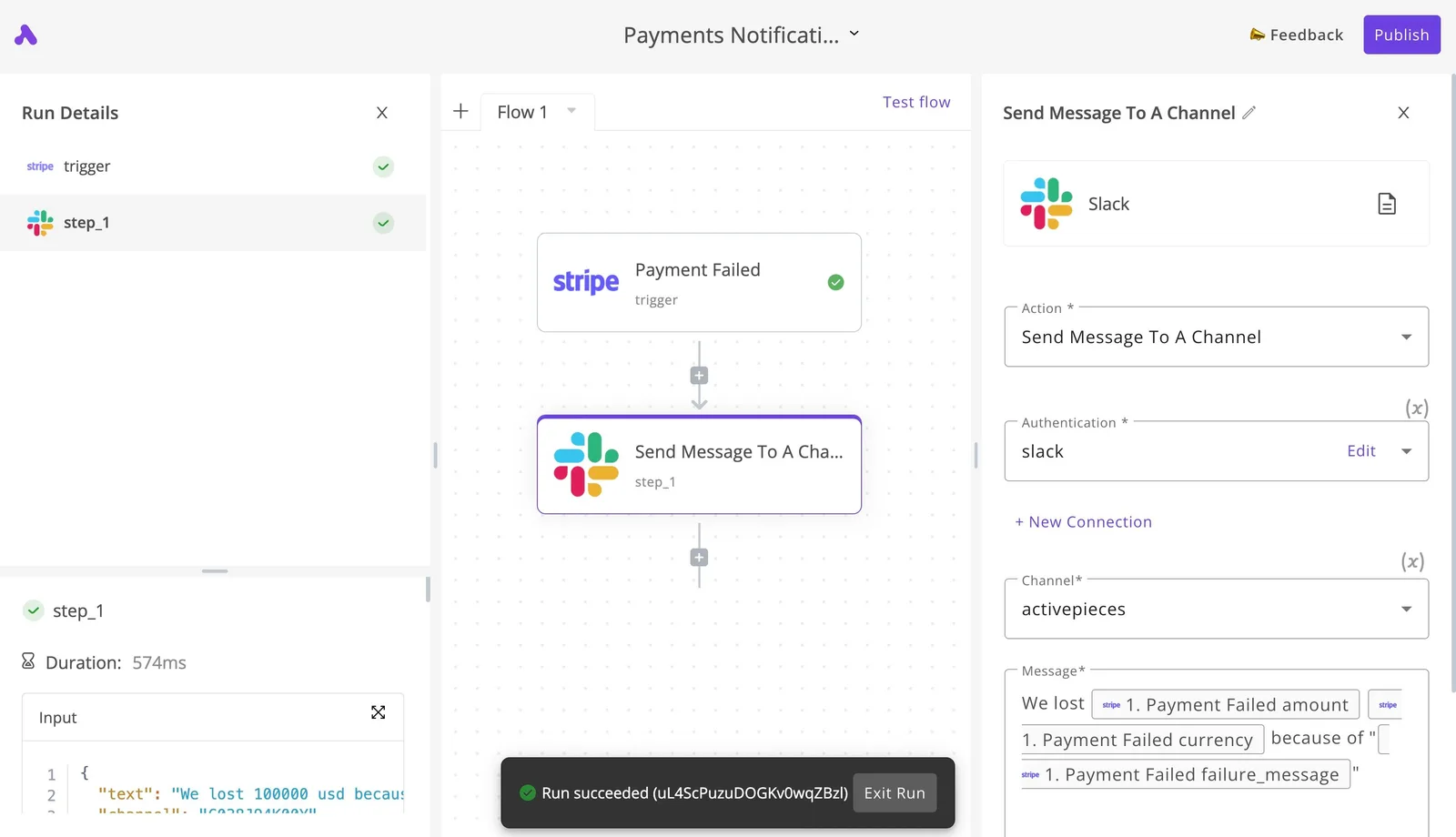
Activepieces is built around the route this article recommends. A flow starts from a Telegram trigger, which receives the update Telegram pushes, then passes `message.text` to an AI step and sends the answer with the Telegram send-message action.
![A workflow automation canvas showing a Stripe payment failed trigger connected to a Slack message action, with…](https://ap-marketing-media.fra1.cdn.digitaloceanspaces.com/uploads/832a3d13-71ba-413a-9599-dc58eb902861/webhook-signature-verification-how-to-secure-int-dbd07535.webp)

The three-step flow is the same one described above, with no handler for you to write or host. The core is open source under the MIT licence, so you can self-host it and keep the bot token and the webhook on your own server.

The failures in the table above mostly come from the delivery path, not the model.

A flow run records what each step received and returned, so a 400 parse error or a 403 from a blocked user appears against the step that caused it instead of surfacing as "the bot went quiet." You then add the fix as a step: a branch that sends plain text after a parse error, or a step that splits a long answer before the send.

The send-message action also works as a tool on the project's MCP server. The catalogue holds 747 integrations in the open source monorepo, so the same bot can write to a CRM, a sheet or a ticketing tool in the same flow.

![Activepieces Notion MCP integration page showing the tool description, contributor list, and available database operations.](https://ap-marketing-media.fra1.cdn.digitaloceanspaces.com/uploads/ad5a4ce4-ce65-485c-847c-d9fb805847ff/how-to-automate-a-telegram-bot-with-ai-in-2026-s-87bab770.webp)

You can check all of this in `packages/pieces` in the repo before you commit to it.

## Frequently asked questions

### Is automating a Telegram bot free?

The bot itself is never the line item: creating it and using Telegram's Bot API cost nothing. The bills come from the two things around it: the AI model that writes replies and whatever runs the webhook.

Under real traffic, a bot on a free AI tier answers the first few messages in a test and then goes quiet, because those tiers usually cap requests per minute and per day. Reproduce a burst of messages before you call it done.

### Can a Telegram bot message someone first?

No, not until that person has started the conversation. Telegram only lets a bot send to users who've messaged it or pressed Start, so a "welcome" push to a list of usernames fails with an error, not a delivery.

A user who later blocks the bot produces the same error. Treat those failures as an unsubscribe signal and stop sending to that chat, rather than retrying.

### How do I keep my bot token from leaking?

Keep the token in your automation tool's credential store and nowhere else: not in a shared workflow export, a screenshot, or a public repository. Anyone holding it can send as your bot and take over its webhook.

If you suspect exposure, revoke it in BotFather, which issues a new token and kills the old one immediately, then update the credential in one place. Setting a secret token on the webhook also lets your endpoint reject requests that didn't come from Telegram.

### Can one bot serve many groups and users at once?

Yes. Every update carries the chat it came from, so a single bot and a single webhook can serve any number of private chats and groups.

The mistake is in the workflow: if the AI step has no chat identifier attached, replies and any remembered context bleed between conversations. Key everything on the chat ID.

### What happens to messages while my webhook is down?

If the webhook is down for a short while, Telegram keeps undelivered updates and retries them, so nothing is normally lost.

The catch is that the queue isn't permanent, and when your endpoint comes back, the backlog arrives in a rush that can hit the AI model's rate limits and trigger a second failure.

When you ask for webhook status, Telegram reports the last delivery error, which is the first place to look when a bot has gone silent. If the outage was long, assume some messages are gone and tell users to resend.

## Related reading

- [Telegram API: Bot API vs MTProto Explained (2026)](https://www.activepieces.com/blog/telegram-api-bot-api-vs-mtproto-explained-2026)
- [Telegram Bot API: Rate Limits, File Sizes, Errors](https://www.activepieces.com/blog/telegram-bot-api-rate-limits-file-sizes-errors)
- [Ultimate Guide: Automating Telegram Messages for Zendesk Tickets](https://www.activepieces.com/blog/ultimate-guide-automating-telegram-messages-for-zendesk-tickets)

## References

- [Telegram](https://core.telegram.org/bots)
- [kickllm.com](https://kickllm.com)
- [Conferbot](https://www.conferbot.com/limits/telegram)
