### Configuring the Stripe 'new refund' trigger Stripe is the source of truth for every transaction reversal. To begin the flow, you select the Charge Refunded event within the Stripe integration, which monitors your account for any successful refund processing. This specific trigger is necessary because it exposes the `metadata` object. This object is a collection of custom key-value pairs you likely attached to the customer at signup, such as their "Plan Tier" or "Account Manager." With it, the automation can later route the alert to the specific representative responsible for that account. ### Configuring the Stripe trigger scope The screenshot of the builder demonstrates how this logic manifests in a live environment. You can see a Stripe trigger configured to watch for the `charge.refunded` event, which is sent when a charge is refunded, including partial refunds. 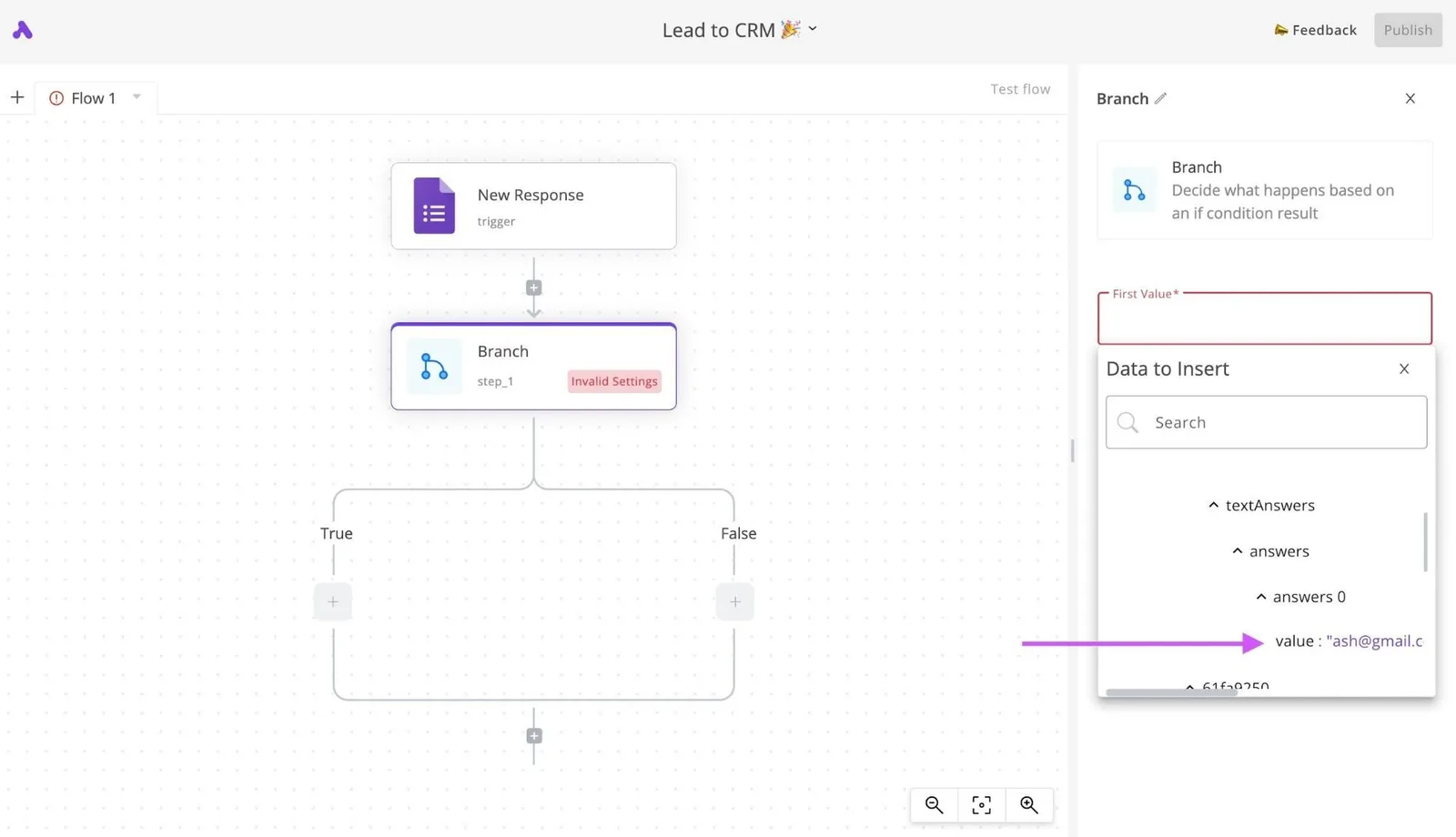 By setting the "Scope" to the individual user and verifying the connection with a "Test result," you ensure the automation is receiving real-time data packets from the external API. ### Formatting the Slack approval request message Slack is the interface where your support or sales team will interact with the refund data. Instead of a simple text notification, you configure the "Send Message To A Channel" action to include interactive elements. To make the message actionable, you must map the following fields from the Stripe trigger: * The customer's email address to identify the account. * The total refund amount to prioritize high-impact losses. * A direct link to the Stripe dashboard for manual review if needed. By using the "Blocks" feature in the Slack integration, you can insert "Approve" or "Investigate" buttons directly below the text. This turns a notification into a decision point. A team member can click a button to trigger a secondary workflow, such as opening a ticket in a customer service tool or sending a personalized "We're sorry" email. ## Design the approval logic and execution Conditional branching allows a workflow to evaluate specific data points, such as refund reason or customer lifetime value, before committing to a financial transaction. By using a logical fork, you prevent the system from blindly draining your merchant account when a request falls outside of established policy. ### Setting up the 'if/else' branch for approvals A branch node functions as the primary decision engine, routing the workflow down different paths based on whether your specific criteria are met. In a standard refund scenario, the "Yes" path executes the payment reversal while the "No" path triggers a manual review or a polite decline. ### Linking Slack approval responses to the branch The branch does not fire automatically based on the initial Stripe data; instead, it evaluates the specific output of the human approval step. When the workflow reaches the approval action, it pauses all execution and waits for a webhook response from the Slack button click. Once a manager clicks Approve, the workflow resumes and passes an Approved status to the branch. The branch then checks if this status is true before allowing the sequence to proceed toward the final Stripe refund action. ### Setting Slack button payload values To ensure the branch correctly identifies a rejection, you must configure the Slack buttons to return specific payload values. In the Slack block builder, the Investigate or Deny button should be assigned a value such as "rejected" or "denied." The Branch node then uses a second condition to look for this specific string. If the incoming value matches the rejection keyword, the workflow is routed to the "No" path, which triggers the automated rejection email to the customer. ### Automating the final refund confirmation in Stripe The final step involves mapping the original transaction ID to a specialized payment action to ensure the money returns to the correct cardholder. 1. The workflow targets the Stripe "Create Refund" action, which pulls the Charge ID from the initial trigger data to target the specific transaction. 2. If the Stripe API returns a success code, the workflow proceeds to a Gmail "Send Email" action to notify the customer that their funds are on the way. 3. If the Stripe action fails due to an expired card or insufficient merchant balance, an Error Handling path sends a high-priority alert to a team lead via Gmail. For teams handling high volumes who need to build these logic paths without writing custom scripts, Activepieces provides the granular control required for financial workflows, a capability trusted by companies like MoneyGram and FundingSocieties to run production automations. [Start building your refund automation for free](https://www.activepieces.com/pieces) ## Building the refund workflow in Activepieces step-by-step Activepieces handles custom refund logic by connecting your payment processor to a visual canvas. AI-generated steps bridge the gap between standard transaction data and your specific business rules, drawing from a library of 748 integrations to reach your existing stack. While most platforms limit you to a fixed library of templates, Activepieces uses a built-in AI chat to construct the exact logic you describe. If your refund policy requires a unique sequence (like creating a HubSpot task and alerting a Slack owner only after a second failed Stripe payment) you can simply state that requirement to have the platform build and publish the flow. 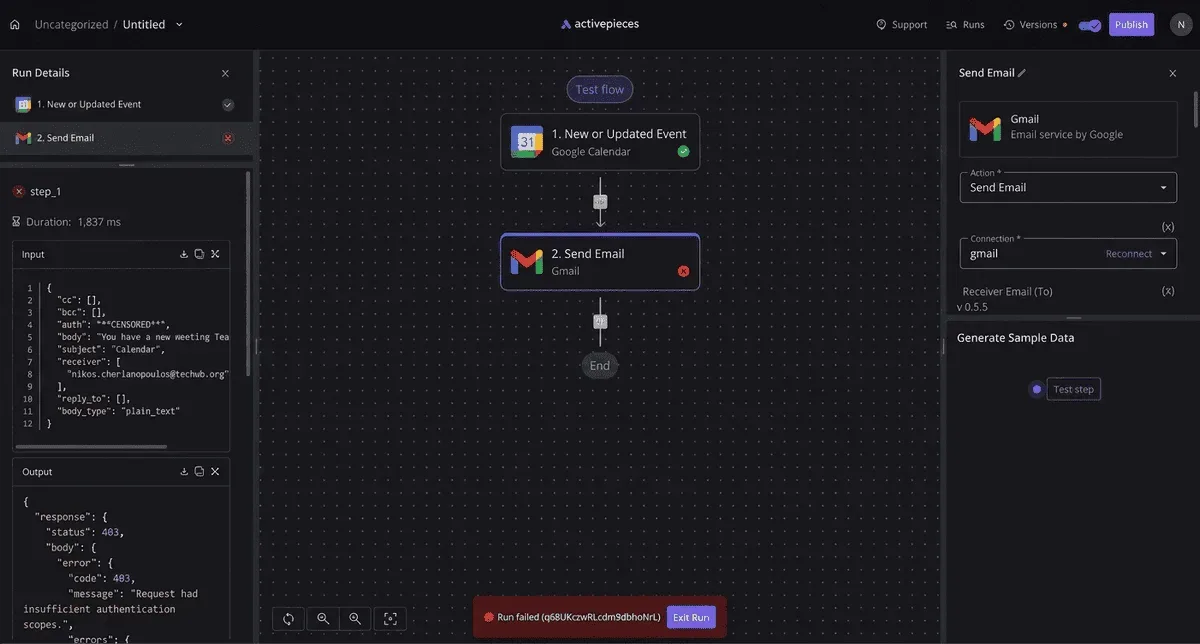 This removes the template catalog as the ceiling for what your finance team can automate. ### Selecting the stripe 'refund created' integration The workflow begins by selecting Stripe, a financial infrastructure platform, as the trigger source. This ensures every initiated refund is captured the moment it hits your ledger. In the Activepieces builder, you drag the Stripe integration onto the canvas and select the "Refund Created" event. This establishes a webhook listener that fires whenever a customer or staff member triggers a return.  Roughly **60% of these integrations** are community-contributed, ensuring that even niche financial events are often already supported. The canvas displays this as a "New Lead" or "New Event" trigger. It provides the raw JSON payload required for the subsequent logic steps. ### Adding the 'wait for approval' action You insert a "Human Approval" step immediately after the trigger to prevent automated systems from draining your liquidity on suspicious or high-value edge cases. This step pauses the execution of the workflow and generates a unique approval URL.  You then route this URL to a Slack notification so that a manager can verify the return without leaving their chat interface. Activepieces provides a built-in "Wait for Approval" integration that holds the state of the flow until a maximum wait duration is reached. You aren't billed for execution time while waiting for a human. The run is the meter, not the steps inside it. A complex ten-step refund validation costs the same single credit as a two-step notification, which you can verify on the published pricing page: **1 credit per flow run**, regardless of step count. ### Testing the workflow with live data The final stage involves running a sample execution through the canvas to verify that the DeepSeek-v4-pro or Claude Sonnet 5.5 models you’ve integrated for risk scoring are correctly interpreting the Stripe metadata. By clicking "Test Step," Activepieces pulls the most recent transaction from your live Stripe account. This allows you to see exactly how the "Qualified?" condition handles a real-world refund amount. If the test fails, the logs pinpoint exactly which integration returned an error code. You can then fix the logic before the first customer actually requests a return. ## Troubleshooting common refund workflow errors and limits Automated refund workflows fail when external API constraints or human delays break the sequential logic required to move funds. **Identifying the specific breakdown point in the execution log allows you to implement retry strategies or manual overrides before the customer reaches out to support.** Common Stripe 400 Error Causes: * Missing parameters * Invalid amount format (cents vs dollars) * Idempotency key mismatch * Clock skew Resolving these requires adjusting the data mapping in your automation builder. You must ensure every required field, such as the specific Charge ID, is passed in the exact format the financial processor expects. ### Handling approval timeouts and expired links Refund approvals fail when the time a manager takes to review a request exceeds the maximum wait duration allowed by the automation platform. Extending the timeout setting to a 7-day window ensures that the workflow remains active through holiday closures. If the platform lacks long-polling capabilities, the workflow should be configured to write the pending request to a persistent database. You might use Airtable or a Google Sheets spreadsheet rather than relying on a transient memory state.  ### Preventing duplicate refund triggers Duplicate refunds occur when a single customer event initiates several parallel workflow runs. Without a locking mechanism, each run may independently verify the transaction status and attempt to capture the funds. To prevent this, the workflow must check for a unique "Refund Initiated" tag or metadata entry on the transaction record before proceeding with the API call. Stripe provides Idempotency Keys to ensure that repeated requests with the same key don't result in multiple charges or refunds. Implementing these checks at the start of the logic flow ensures that the system ignores redundant triggers, protecting your balance from accidental double-payouts. ## Frequently asked questions about refund automation ### Can i require two different managers to approve one refund? Multi-level approval chains are standard in custom workflows to prevent internal fraud and ensure high-value transactions receive senior oversight. By mapping the refund amount to specific organizational roles, you ensure that a junior clerk can't accidentally drain the company’s operating account.  The following table illustrates how logic branches route requests based on financial risk: | Refund Amount Tiers | Required Approver Level | Escalation Path | | :--- | :--- | :--- | | $0-$2k | Auto-clear | None; logged in Stripe | | $2k-$5k | Manager | Slack notification to Finance Lead | | $5k+ | VP | Email to CFO via Microsoft Outlook | This structure forces the automation to pause until every required stakeholder provides a digital signature. If a VP is out of the office, the workflow can be programmed to reroute the request to an alternate director after a set time window.  ### What happens if the customer disputes the charge during the approval? If a customer initiates a chargeback through their bank while an internal refund is pending, the automation must immediately kill the payout to avoid losing the money twice. When a dispute is logged in a payment processor like Stripe, it triggers a webhook. This webhook searches for any active, unfulfilled refund runs for that specific transaction ID. The system then moves the internal ticket to a "Disputed" status in your CRM, such as Salesforce or HubSpot. ### Is it possible to automate partial refunds based on specific rules? Partial refunds are achievable by using conditional logic to calculate depreciation or restocking fees before the money moves. Instead of a binary payout, the workflow uses a math step to subtract costs from the total transaction value. These costs might include a shipping fee recorded in Shopify or a usage penalty from a SaaS billing platform. Once the calculation is finished, the automation passes the specific adjusted amount to the payment gateway rather than the original full price. ## Related reading - [AI Agent Builder for Customer Support Teams](https://www.activepieces.com/blog/ai-agent-builder-for-customer-support-teams) - [Customer Support Workflow Templates: Examples (2026)](https://www.activepieces.com/blog/customer-support-workflow-templates-examples-2026) - [Approval Workflow Examples: Steps and Use Cases (2026)](https://www.activepieces.com/blog/approval-workflow-examples-steps-and-use-cases-2026)Automating the handover between a payment processor and your communication hub ensures that high-value churn signals never sit unread in an inbox.