# How to Finish a Power Automate Migration Without Stalling
By Marco Andersson · 2026-09-15 · Source: https://www.activepieces.com/blog/how-to-finish-a-power-automate-migration-without-stalling
---
When an organization fails to decommission Power Automate after deploying a new tool, the migration stalls. It forces IT to fund two overlapping automation ecosystems indefinitely.
This creates a "dual-licensing" trap. The stubborn persistence of legacy seat costs cannibalizes the projected ROI of the new platform.
## Migration stalling is a structural failure of adoption
### How dual licensing drains your automation budget
A permanent drain on the IT budget is the primary manifestation of the **dual-licensing trap**. Organizations pay for new capabilities while still funding the very tools they intended to replace.
This financial bleed isn't a single catastrophic event. It's a slow leak caused by the inability to cut the cord on legacy dependencies.
The illustration of the Dual-Licensing Trap shows a central bucket with the label 'IT Budget' and two large leaks:
* One leak has the label 'Unused Power Automate Premium Seats.'
* The other leak has the label 'New Platform Subscription Fees.'
* It demonstrates that without a hard cutover, the business is effectively paying a "transition tax" that has no expiration date.
* Consequently, every month the migration drags on, the total cost of ownership for the new platform increases. It often exceeds the original budget for the entire project within the first year.

### Why a half-finished migration is riskier than none
Staying on Power Automate is actually less dangerous than a half-finished migration. It doubles the security surface area and fragments the governance model.
When workflows are split between systems, audit logs become disconnected. A security breach in a marketing automation could go undetected because the response team is looking at the wrong dashboard.
Token expiration limits from [Adobe Experience League](https://experienceleague.adobe.com/en/docs/commerce-admin/config/services/oauth) illustrate the maintenance burden of this fragmentation:
* An integration with the e-commerce platform Adobe Commerce expires every 60 minutes, so a developer must manage high-frequency token refreshes.
* The CRM Salesforce expires every 120 minutes, which forces IT to monitor session stability twice as often as other tools.
The user management tool Adobe Admin lasts 240 minutes, creating a specific **four-hour window** where authentication failures might cluster, which means administrators have a significant period of vulnerability to monitor.
The marketing suite Adobe Experience lasts 720 minutes, so users face a twelve-hour span of potential service disruption.
Nobody notices a failure here for an entire work shift. Managing these varying cadences across two different automation engines ensures that senior engineers spend their time on credential maintenance rather than building new value.
### Security policies dictate the maintenance rhythm
These specific expiration windows are not limitations of the automation tool itself, but are mandated by the security policies of the third-party services.
Adobe and Salesforce set these hard limits to minimize the window of opportunity for intercepted tokens, regardless of which platform is making the API call.

The true maintenance burden emerges when IT teams must configure and monitor these refresh logics in two different platforms simultaneously.
Instead of a single point of failure, engineers must now manage two sets of OAuth client secrets and two distinct error-handling behaviors for the exact same service.
### Where citizen developer migrations stall out
When the project reaches the "Citizen Developer" layer, the momentum of a migration usually dies. This is where users lack the technical safety nets required to move their business-critical flows.
While IT can migrate back-end scripts easily, non-technical users will refuse to move their work if the new tool lacks enterprise-grade deployment workflows.
Without features like Git Sync (a method for version-controlling automations), users feel they're working without a net. This leads them to cling to Power Automate’s familiar, if flawed, environment.
## Consolidating shadow IT with Activepieces
Activepieces addresses the friction of migration by offering a self-hosted, open-source automation engine. It mirrors the logic of Power Automate while removing the licensing complexity that often drives departments toward unmanaged "shadow" tools.
Activepieces runs the same codebase on your own infrastructure or as a managed cloud, ensuring that teams like MoneyGram and Moneypenny can promote flows between environments without being locked into a specific deployment model.
Because the platform ships the same product either way (including RBAC, SSO, SCIM and audit logs) the decision to self-host remains a technical choice rather than a permanent architectural trap.
Activepieces ensures that where a flow runs never decides whether you can leave the platform.
Git Sync and Releases ships as a documented feature in the Activepieces docs, and the self-hosted version runs via Docker, Compose or Kubernetes on the same codebase as the managed cloud.
This parity allows organizations to maintain full control over their deployment strategy without sacrificing the governance features required for enterprise scale.
By providing a platform where the MIT-licensed core is accessible, IT directors gain the ability to audit the underlying execution environment. This ensures that data processing remains within the corporate firewall rather than leaking into opaque third-party clouds.
## The case for Microsoft ecosystem gravity
Power Automate gains its perceived gravitational pull from its existence as a pre-approved default within the Microsoft 365 tenant. This bypasses the procurement hurdles that usually kill third-party adoption.
When a tool is already signed off by legal and security, users will tolerate significant functional gaps just to avoid the six-month audit cycle required for a new vendor.
### Why Power Automate isn't really free with E5
Bundled licensing creates a **sunk-cost fallacy** where stakeholders view Power Automate as a zero-dollar line item. This persists even as hidden consumption costs mount.
Enterprise agreements include the base seat. However, the moment a workflow touches a "Premium" connector, the organization triggers per-flow or per-user add-ons. These can quickly outpace the cost of a dedicated automation platform.

Deception lies at the initial entry point of this financial structure. Teams build complex dependencies on "free" tiers only to find themselves trapped in a scaling model where every new efficiency requires a budget increase.
### How Microsoft's ecosystem locks in Power Automate users
Microsoft designed its ecosystem to reward staying within the walls. They do this by offering seamless authentication and identity management that third-party tools struggle to replicate.
Because Power Automate shares the same Azure Active Directory, it inherits existing security groups without additional configuration. Choosing an alternative requires building new bridges for identity and access. This often results in a "friction tax" that discourages non-technical users from switching.
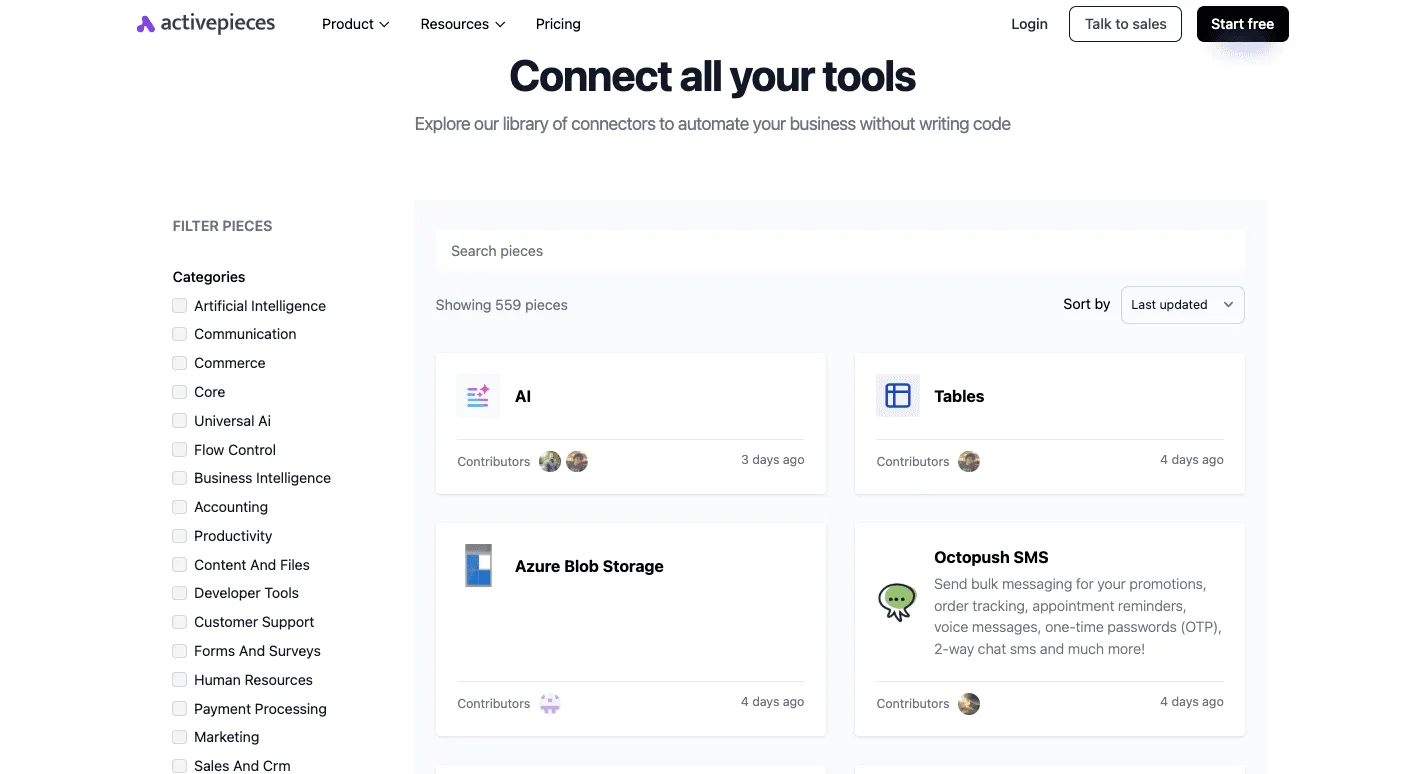
The following comparison illustrates how the perceived ease of staying within the Microsoft stack often masks the long-term architectural burden.
| Dimension | Microsoft 365 Integration | Alternative Platform |
| :--- | :--- | :--- |
| Initial Friction | Low: Pre-approved and SSO-ready | Medium: Requires security audit and new API tokens |
| Long-term Licensing Cost | High/Scaling: Premium connectors and per-flow fees | Predictable: Flat or volume-based tiers |
| Deployment Workflow | Manual: Export/Import packages | Professional: Git-based version control |
This trade-off forces IT directors to choose between the immediate convenience of the status quo and the long-term stability of professional development workflows.
### Losing Dataverse triggers when you migrate away
Moving away from the native stack threatens the deep, event-driven triggers provided by Dataverse, the centralized database that powers Dynamics 365 and Power Apps.
Power Automate can react to a record change in Dataverse instantly. External tools often rely on polling, which is checking the database at intervals. This introduces latency into business-critical processes.
When operations live inside a CRM, users often see the loss of this "native" speed as an unacceptable performance regression.
## When Power Automate's native integration adds complexity
Native integration becomes a liability when the technical overhead required to maintain performance forces teams to build fragile workarounds instead of scalable solutions.
While staying within a single ecosystem promises seamless data flow, the reality is a steep learning curve. It often pushes citizen developers back toward unmanaged spreadsheets.
### The low-code ceiling in Power Automate
Standard automation logic in Power Automate frequently fails under enterprise data loads. This requires users to master complex concurrency settings just to achieve acceptable execution speeds.
When a basic loop that updates several thousand records takes over half an hour, it creates a productivity bottleneck. This halts downstream business processes.
To mitigate this, developers must manually enable parallelism. This increases the risk of race conditions where two simultaneous updates overwrite each other's data.
The following comparison of execution times for 5,000 record updates illustrates how much manual tuning is required to move from sluggish default behavior to enterprise-grade performance, implying that the out-of-the-box configuration is insufficient for high-volume needs, which means administrators must invest significant time to achieve production-ready efficiency.
The process takes 37 minutes at Standard settings, 4 minutes at Concurrency 20, and 2:45 minutes at Concurrency 50, demonstrating that aggressive parallelization drastically reduces the time required for data synchronization, so scaling the concurrency level is essential for minimizing system downtime.
These figures demonstrate that "out of the box" performance is insufficient for bulk operations. It forces non-technical staff to learn advanced engineering concepts just to keep their workflows from timing out.
Consequently, the time saved by using a native tool is quickly lost to troubleshooting these performance thresholds.
### Hidden costs of Premium connectors and API calls
Financial friction introduced by the Power Automate licensing model discourages experimentation. It also siloes data within specific departments.
Most essential enterprise tools, such as SQL Server or Jira, require a "Premium" per-user or per-flow license. Because of this, a simple departmental automation can suddenly trigger a massive unbudgeted expense for the entire organization.
This cost barrier leads to "shadow IT." Employees use personal accounts or insecure third-party workarounds to bypass the corporate billing gates.
### Why Power Automate's native design confuses business users
The interface for Power Automate often mirrors the underlying complexity of the Azure cloud platform. This overwhelms the very business users it's meant to empower.
When a user simply wants to automate a document approval, they are confronted by environment pickers that determine which data residency laws apply.
These users must handle connection references that break whenever a password changes or an account rotates. They also face expression builders that require a functional understanding of Logic Apps syntax to perform basic string manipulations.

These requirements transform a "quick win" project into a long-term maintenance burden. When the barrier to entry is this high, the "native" advantage disappears. Teams spend more time managing the tool's quirks than improving the business processes the tool was intended to serve.
## Overcome technical hurdles stopping your migration
Migration projects frequently collapse because IT leaders underestimate the sheer volume of undocumented dependencies buried within their current automation stack.
When a developer leaves a company, their personal Power Automate environment often retains critical business processes. These are invisible to central administration.
A migration attempt will inevitably miss these "orphaned flows" and cause silent failures in production. These hidden risks are compounded by technical debt that's hard-coded into the architecture of the flows themselves.
The Four Migration Blockers:
* Orphaned flows owned by departed employees that lack visibility in the central admin center.
* Hard-coded OData API endpoints that require manual identification and re-mapping across thousands of individual actions.
Connector parity gaps where the destination tool enforces stricter payload limits than the Power Platform's 50MB threshold, meaning that large data transfers will inevitably fail unless the payload is partitioned.
* The citizen developer learning curve, which creates a productivity vacuum as non-technical staff struggle to translate their existing logic to a new interface.
These hurdles represent more than just a configuration task. They're fundamental breaks in business continuity. If a team can't account for every trigger and endpoint, the migration is essentially a gamble with the company's operational stability.
### Mapping complex Power Automate expressions to new logic
Translating WDL (Workflow Definition Language) into a new platform’s syntax is rarely a one-to-one conversion. This often results in logic that behaves differently under load.
Power Automate uses a specific functional style for data manipulation, such as the `union()` or `item()` functions. This style may not have a direct equivalent in tools that rely on standard JavaScript or Python blocks.
This lack of parity means that a simple data transformation in the old system might require a custom-coded script in the new one. This effectively strips the "low-code" benefit away from the business users who built the original process.
### Migrating SharePoint Online triggers and workflows
Deep integration with SharePoint Online creates a "gravity well." It makes moving even simple document approval flows a high-risk operation.
Many enterprise processes rely on specific metadata triggers or "When a file is created" actions that utilize internal SharePoint IDs. These aren't portable to other ecosystems.
If the new tool lacks a native webhook that can listen to these specific SharePoint events with the same low latency, the team is forced to build "polling" loops. These consume significantly more API quota and introduce delays that frustrate end-users accustomed to instant updates.
### Simplifying the user experience for citizen developers
The platform reduces the cognitive load on non-technical staff by using a linear, visual flow designer. This mimics the "trigger-action" mental model users already learned in the Microsoft ecosystem.
Activepieces syncs flows to git and promotes them through Release Management, turning promotion from a test environment to production into a deliberate, versioned step.
Git Sync and Releases ship as documented features in the Activepieces docs, allowing teams to review automations the way they review software rather than relying on a private in-app history.
Because the interface suppresses the complex JSON schema definitions usually required for data mapping, business users can build their own integrations without requesting dedicated engineering hours for every minor field change.
This accessibility prevents the inevitable "reversion to spreadsheets" that occurs when a new tool is too rigid. The migration actually sticks instead of becoming another abandoned line item on the software budget.

### Bridging the gap with custom code integrations
Activepieces solves the "last mile" problem of proprietary integrations through its TypeScript-based connector SDK. This allows developers to wrap complex API calls into simple, reusable blocks for the rest of the staff.
When a team encounters a legacy internal database that lacks a native connector, a senior developer can write a custom "Integration" (a modular wrapper) so that:
* Citizen developers see a standard form with dropdown menus rather than a raw code editor.
* Security teams can centralize the authentication logic within that integration, so credentials aren't ever exposed to the end-user.
* Maintenance is restricted to a single code block, which ensures that an API update doesn't break fifty different departmental flows simultaneously.
## Monday morning plan to restart your automation migration
Citizen developers can continue building against secure data sources without needing to understand the underlying API authentication.
This separation of concerns prevents the "access sprawl" that occurs when non-technical users are granted direct database credentials. Such sprawl often leads to unauthorized data exfiltration during a migration.
To regain control over a fragmented Power Platform environment, leadership must transition from passive monitoring to an active reclamation of resources.
### Auditing the 'zombie' workflows in Power Automate
You must identify every automated process that lacks a valid human owner. This stops you from paying for "zombie" compute cycles that provide no business value.
In many enterprise environments, employees leave the company but their flows continue to trigger. The organization is effectively subsidizing the technical debt of a ghost workforce.
By utilizing the Center of Excellence (CoE) Starter Kit (a suite of tools provided by Microsoft to manage platform adoption), administrators can surface these orphaned assets and reassign or terminate them.
The Monday Morning Restart Protocol provides a baseline for triaging these inefficiencies:
1. Audit the CoE Toolkit for flows with no active owners;
2. Identify the top 5 high-task-burn flows hitting the 25k API limit;
3. Map one 'Shadow IT' process to a governed environment.
This protocol forces a confrontation with the true cost of your current licensing tier before you commit to a new vendor. Once the waste is identified, the focus must shift from optimization to decommissioning.
### Setting a hard sunset date for legacy environments
A migration only concludes when the legacy environment is physically inaccessible. This prevents users from reverting to old habits that double your licensing overhead.
A migration only concludes when the legacy environment is physically inaccessible.
Without a firm "read-only" deadline, departments will treat the new automation tool as an optional secondary platform. This results in your budget being drained by two concurrent subscriptions for the same functional output.
This transition requires a staged withdrawal of permissions to ensure that mission-critical processes are moved rather than forgotten.
* The Sandbox Environment: The first to be restricted, ensuring new development happens exclusively in the new stack.
* The Production Environment: Moved to a restricted-access state where only the IT audit team can trigger flows for data recovery.
* The Data Connectors: Disabled at the tenant level so that legacy flows can no longer pull live information from the ERP or CRM.
Following this sequence ensures that the migration is a permanent architectural shift rather than a temporary experiment. By the time the final connector is severed, the team must already be operating within a governed, Git-integrated workflow that mirrors professional software development standards.
## Frequently asked questions
### Can I export Power Automate workflows directly?
Direct exports don't exist because Power Automate flows are defined in a proprietary JSON schema that other automation engines can't natively execute. While you can download a flow as a ZIP package, this file is only compatible with other Power Platform environments.
Your team must manually rebuild every trigger and action logic in the new tool. This lack of interoperability forces a complete logic audit for every migrated process. It prevents the "lift and shift" approach that many project managers mistakenly budget for.
### What happens to my data during a migration?
Data remains in its original source system, but the audit trails and run histories tied to specific flow executions are lost once the Power Automate environment is decommissioned. You must archive these logs externally to satisfy compliance requirements.
A gap in execution history can lead to failed security audits regarding who authorized a specific data movement.
Because the new tool starts with a blank history, you lose the ability to troubleshoot recurring errors by comparing them against historical performance trends in the old system.
### How do I handle workflows that use custom on-premises gateways?
Moving flows that rely on the On-premises Data Gateway requires you to install new, tool-specific agents. You may also establish a Site-to-Site VPN to bridge the gap between your cloud orchestrator and local servers.
Without these new connections, the migrated automation can't reach your internal SQL databases or file shares, which results in an immediate break in business-critical reporting.
To maintain security, your infrastructure team must perform a new risk assessment on these third-party agents:
* The agent’s outbound port requirements, which dictate how many holes you must poke in the corporate firewall.
* The encryption standards of the vendor’s relay service, which determines if sensitive internal data is exposed during transit.
* The credential storage mechanism, which impacts whether your local service accounts are vulnerable if the vendor’s cloud is compromised.
## Related reading
- [14 Best Alternatives to Power Automate in 2026](https://www.activepieces.com/blog/14-microsoft-power-automate-alternatives)
- [Zapier vs Power Automate: Compare Before You Choose](https://www.activepieces.com/blog/zapier-vs-power-automate)
- [Microsoft Power Automate: Pros, Cons, and a Flexible Alternative](https://www.activepieces.com/blog/microsoft-power-automate-alternative)
## References
- [Adobe](https://experienceleague.adobe.com/en/docs/commerce-admin/config/services/oauth)