# How to Use the Freshservice API (2026 Guide)
By Bram Vissenaekens · 2026-11-21 · Source: https://www.activepieces.com/blog/how-to-use-the-freshservice-api-2026-guide
---
Freshservice has a RESTful interface for service management that requires either a profile-based API key or a registered OAuth 2.0 application, which can be configured within [Activepieces](https://www.activepieces.com) to automate workflows, to authorize requests.
**Only users with an active Freshservice subscription** can access the data; an agent without an assigned role can't authenticate to perform administrative tasks.
## Authentication methods for the Freshservice API
### Generating your API key in profile settings
Simplifying the development of internal scripts and scheduled tasks is the primary reason the API key acts as a static credential tied to a specific agent profile.
To retrieve this credential, an agent must navigate to their Profile Settings in the Freshservice portal and complete a captcha verification to reveal the unique string.
A developer must handle encoding manually to prevent 401 Unauthorized errors, as this key is used in the `Authorization` header as a Base64-encoded string combined with a dummy password.
### Registering a Freshservice OAuth 2.0 application
When applications need scoped access to Freshservice without storing raw user credentials, OAuth 2.0 is the required protocol. Administrators register these applications in the Freshservice Admin portal under the Apps section to define specific permissions and redirect URIs.

A Client ID and Client Secret are generated by this process. Activepieces manages token refreshes automatically on behalf of the user, ensuring that long-running service desk automations maintain their connection without manual re-authentication.
This dashboard is a central view for managing these digital workers:
Activepieces provides a dedicated Agents dashboard where teams can build and manage digital workers that interact with the Freshservice API.
This interface allows developers to configure agents like a "Blog Author Enricher" or "SEO blog writer" to handle specific service desk documentation tasks, using the same MIT-licensed core that powers the platform's **25,629 GitHub stars**.
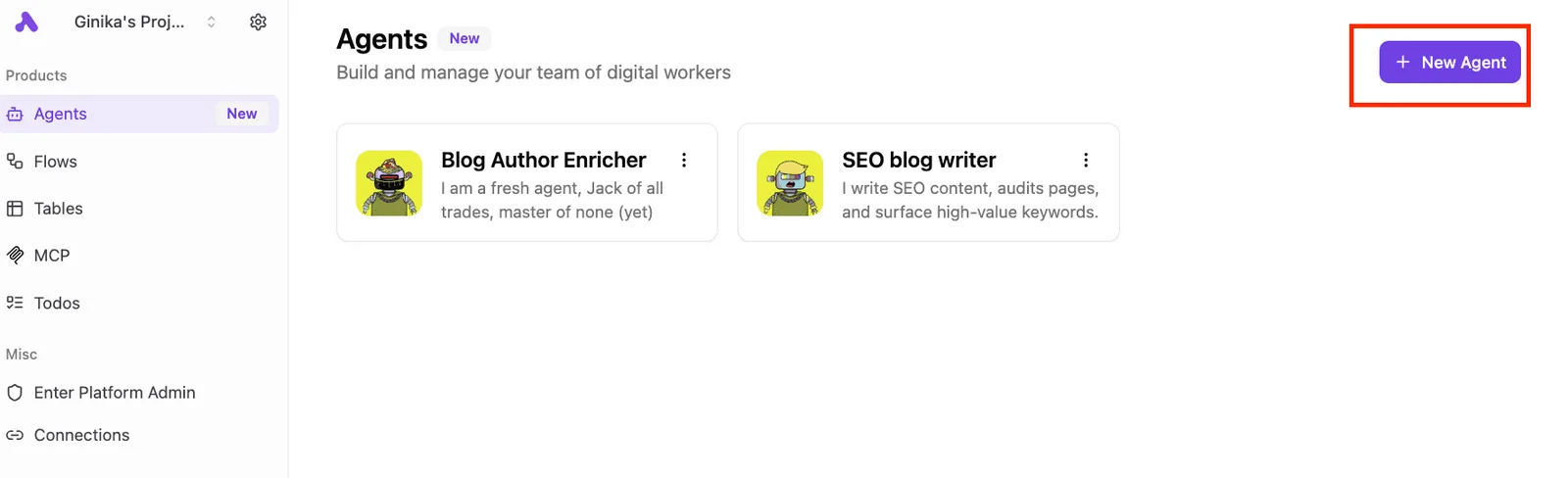
Once you configure an agent, it can interact with the API endpoints defined by your account's regional hosting location.
### Freshservice API base URL structure by region
To comply with data residency requirements and minimize network latency, Freshservice routes API requests through regional data centers. A request sent to the wrong regional domain will fail, so developers must verify their account's primary location before hardcoding the base URL.

| Region | Base URL |
| :--- | :--- |
| United States | `https://domain.freshservice.com/api/v2/` |
| European Union | `https://domain.eu.freshservice.com/api/v2/` |
| India | `https://domain.in.freshservice.com/api/v2/` |
| Australia | `https://domain.au.freshservice.com/api/v2/` |
## Core REST endpoints for service management data
Because the legacy API lacks the granular filtering and pagination controls necessary for large-scale data synchronization, Freshservice requires developers to distinguish between V1 and V2 endpoints. Using the wrong version for high-volume entities results in unoptimized payloads that trigger rate limit penalties.
The following table identifies the primary endpoints and their unique identifiers to ensure data integrity during POST or PUT operations.
| Entity | V1 Endpoint | V2 Endpoint | Primary Key |
| :--- | :--- | :--- | :--- |
| Tickets | /helpdesk/tickets.json | /api/v2/tickets | id |
| Assets | /cmdb/items.json | /api/v2/assets | display_id |
| Requesters | /itil/requesters.json | /api/v2/requesters | id |
Data integrity is maintained by mapping these correctly, which prevents the creation of duplicate records when syncing external databases with the service desk.
Failure to use the specific Primary Key field for each entity leads to 400 Bad Request errors during update attempts, rejecting that request rather than locking the database against incoming changes.
### Ticket management and conversation threads
Standard ticket operations must target the V2 endpoint to access custom fields and nested conversation data. The V2 Tickets API has the `include` parameter to fetch conversations in a single call.
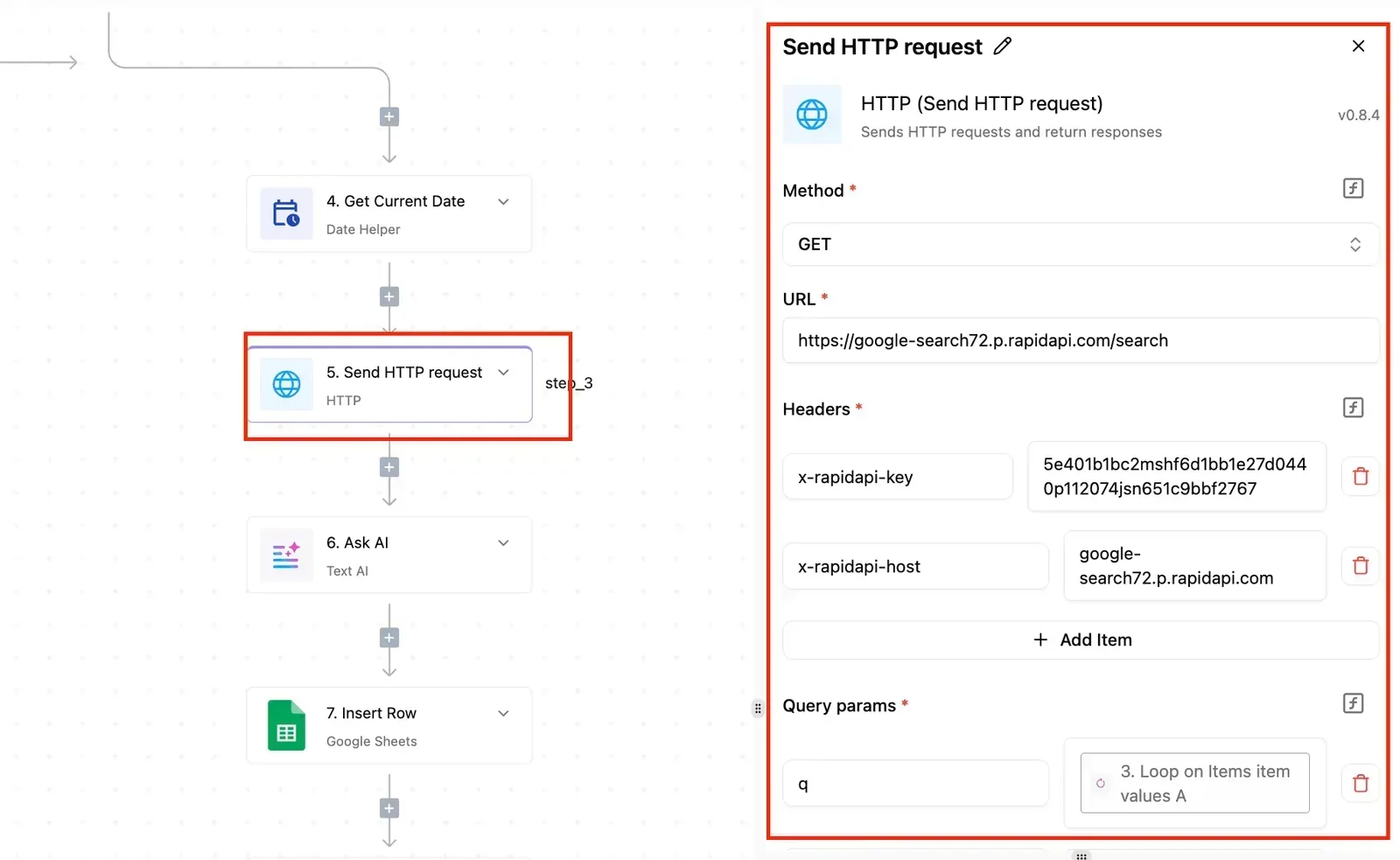
This reduces the total number of HTTP requests required to reconstruct a full ticket history. When developers use Claude Sonnet 5.5 to generate automated response logic, they must parse the `private` attribute of a note to ensure internal-only communications aren't leaked to the requester.
### Freshservice CMDB and asset management endpoints
You manage hardware assets through the Configuration Management Database (CMDB) endpoints, which require the `display_id` for all modifications. The V2 Assets API supports bulk imports and specific asset type filtering.
A fleet manager can query only "Laptops" without iterating through every peripheral in the system. If a script attempts to update an asset using the internal database ID instead of the `display_id`, the API returns a 404 Not Found error, halting the lifecycle update.
### Managing requesters and agent departments
Requester data is the foundation for ticket assignment and department-based reporting. The V2 Requesters API synchronizes user profiles from external identity providers, ensuring that department changes in the HR system appear in Freshservice permissions.
A mismatch between a requester's email and their unique ID prevents the system from linking new tickets to an existing user profile, resulting in orphaned records that break reporting dashboards.
## Freshservice API rate limits by subscription tier
To prevent individual API consumers from degrading the performance of the shared multitenant infrastructure, Freshservice enforces rate limits based on your specific subscription tier. These thresholds determine how many requests your integration can execute before the server returns a **429 Too Many Requests** response.
### The Freshservice minute-window throttling logic
The platform utilizes a sliding minute-window to calculate consumption, meaning the API counter resets every sixty seconds rather than at the start of a calendar hour.
If an integration hits its ceiling at second forty-five, it must pause until the next sixty-second cycle begins to avoid persistent blocklisting of the source IP address.
Exponential backoff logic must be included by developers using Gemini 4 Hydrogen to generate everyday automation scripts. Without this, the script will terminate with an unhandled exception during peak service desk hours.
### Freshservice API limits for Starter vs Enterprise plans
Throughput capacity scales significantly as an organization moves from entry-level tiers to premium offerings.
Five times the concurrency of a Starter plan is provided by an Enterprise license, allowing for complex multi-system synchronizations that would otherwise trigger throttles.
High-volume migrations or real-time data streaming require the Enterprise tier to maintain a steady state without falling behind the event queue.
### Consequences of exceeding the hourly burst limit
An immediate 429 error code and a mandatory cooldown period result from exceeding the allocated burst limit. During this lockout, the system returns an error response and tells the integration, via a retry-after header, how long to wait before sending another request, rather than dropping every incoming webhook and polling attempt. This does not cause a total loss of visibility into ticket updates; requests simply wait until the retry-after window clears.
Builders should use GPT-6.2 Astra to design local caching layers that batch requests to mitigate this risk. This ensures the integration stays within the minute-level quota defined in the Freshservice developer documentation.

## Constructing a minimal working API request
A successful POST request to the Freshservice API requires an authenticated session and a correctly formatted JSON body to avoid the `400 Bad Request` or `401 Unauthorized` errors that halt automation workflows.
While the Freshservice developer portal has comprehensive documentation, the specific sequence of headers and encoding determines whether the server accepts the payload.
The following sequence establishes a valid connection and creates a ticket:
1. Encode API key to Base64
2. Set Content-Type to application/json
3. Define the raw JSON body
4. Execute the POST request to /api/v2/tickets
Completing these steps ensures the request bypasses the initial security filters and reaches the ticket processing engine.
### Required HTTP headers for Freshservice requests
The API uses Basic Authentication. This requires the API key to be passed as the username with a dummy password. Failing to include the `Content-Type` header results in the server misinterpreting the payload as plain text, leading to a rejection.
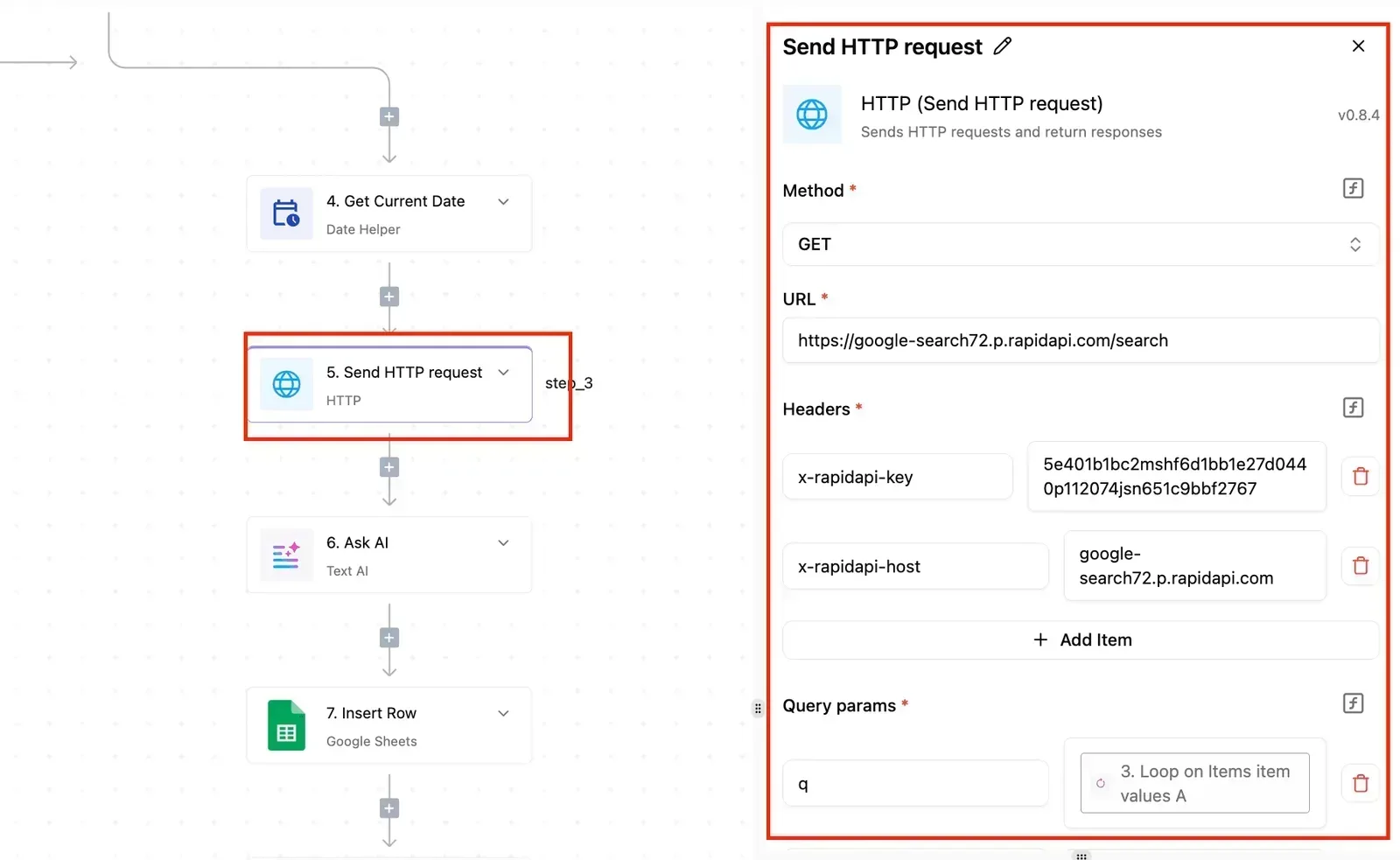
* Authorization: This header must contain the string `Basic` followed by the Base64-encoded version of your API key and a colon.
* Content-Type: This must be set to `application/json` so the Freshservice parser knows how to handle the incoming data stream.
### The JSON payload structure for new tickets
Every new ticket requires a specific set of mandatory fields, such as `description`, `subject`, `email`, and `status`. Omitting a required field triggers a validation error.
This prevents the ticket from being indexed in the service desk. Using a model like GPT-6.2 Astra to generate these structures ensures that the nested JSON objects comply with the schema requirements for custom fields.
### Testing endpoints with the Freshservice API sandbox
The Freshservice Sandbox provides a safe environment to execute POST and DELETE requests without altering live production data. This environment is isolated from the primary service desk. A developer is testing against a snapshot of the system rather than real-time user tickets.

Using the sandbox is the standard method for verifying that custom scripts don't trigger accidental notification loops or exceed the API rate limits during the debugging phase.
## Common Freshservice API errors and production fixes
Hardening an integration requires a middleware layer that interprets HTTP status codes as actionable logic rather than generic failures. While the sandbox environment prevents initial disruptions, production traffic exposes the structural weaknesses of scripts that lack standardized error-handling routines.
### Handling Freshservice API 429 errors with exponential backoff
A 429 Too Many Requests response signifies that the client has exhausted the API rate limit allocated to the specific Freshservice plan.
To prevent persistent service lockout, the system includes a `Retry-After` header indicating the number of seconds to wait before the next call is permitted.
Implementing an exponential backoff strategy, where the script increases the wait time between successive retries, ensures the integration self-regulates during peak ticket volumes.
Failure to respect this header leads to a complete block of the API key, effectively severing the connection between the service desk and external automation tools.
### Resolving Freshservice API 403 Forbidden errors
A 403 Forbidden error indicates that the API key or OAuth token is authenticated but lacks the specific scope required for the requested endpoint. This usually occurs when a technician’s role is restricted in the Freshservice Agent Portal. The API inherits those same limitations.
Failure to respect this header leads to a complete block of the API key, effectively severing the connection between the service desk and external automation tools.
Developers must verify that the agent associated with the API key has "Manage" permissions for the specific module, such as the Asset Management or Change Management sections. Without these explicit permissions, the integration can't modify records, regardless of how well the code is written.
### Debugging 400 Bad Request validation failures
A 400 Bad Request error confirms that the server received the call but rejected the payload due to malformed JSON or missing mandatory fields, so the developer must re-examine the request structure before retrying.

Freshservice returns a specific error object in the response body that identifies which attribute failed validation, such as a missing "Email" field when creating a Requester.
In production, these errors often stem from upstream data sources, such as a user directory, providing null values where the API expects strings.
Logging the full response body is the only way to identify whether the fault lies in a data mismatch or an unsupported field type.
### Freshservice API authentication in production
Providing your Freshservice Domain and an API Key establishes authentication. The connector uses this to sign every outgoing request automatically.
Because the API Key is stored as a secure credential rather than hardcoded in a script, you can rotate the key in one location without breaking individual automation steps.
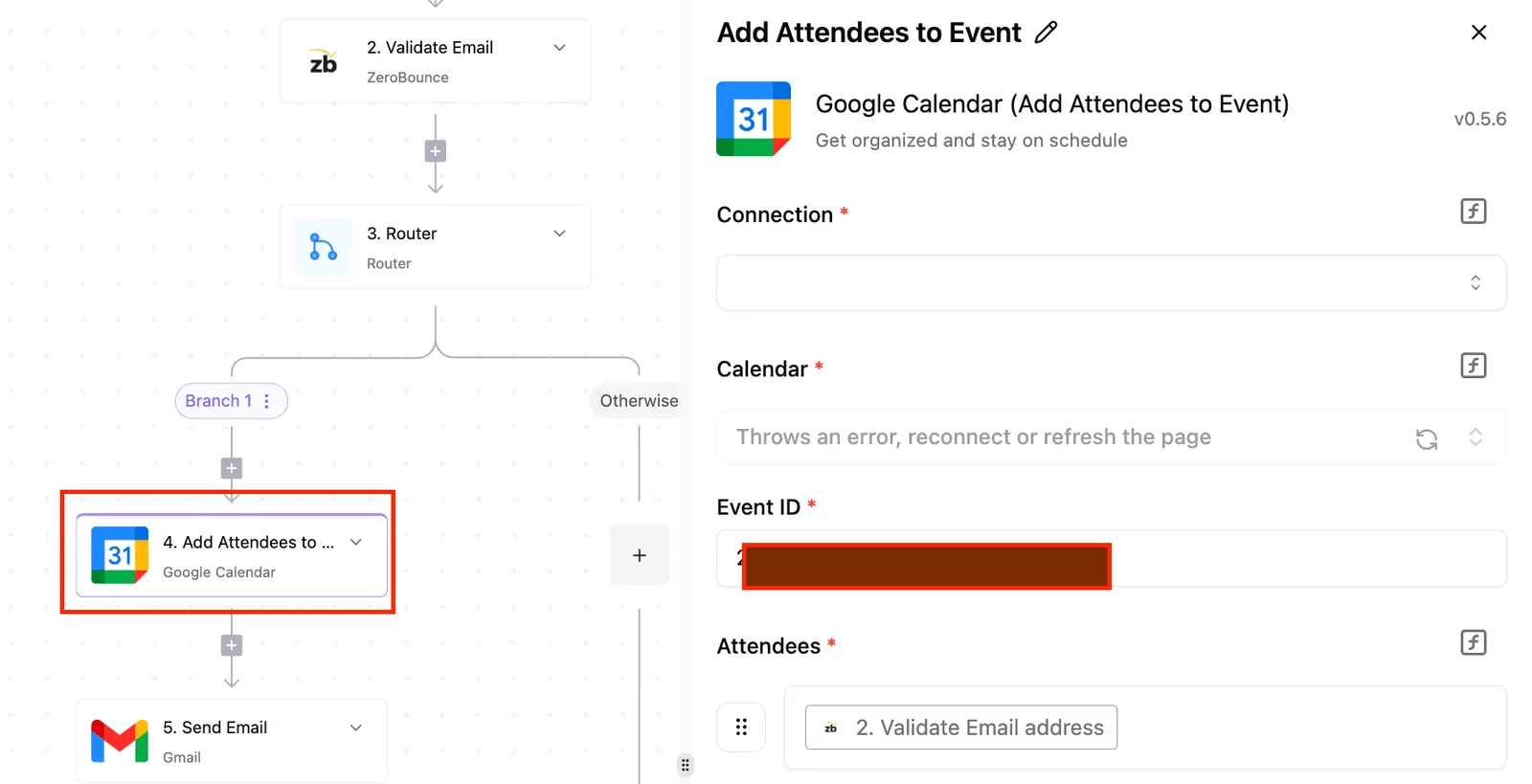
This centralized management ensures that service desk credentials remain isolated from the workflow logic itself. , which means the automation logic is currently incomplete and cannot yet process user inquiries. AI action, 4) Router, and 5) Send Message to Discord.
The right panel displays configuration for a "New Message" step with fields for Connection, Limit (set to 50), and Channel. A "Publish" button is visible in the top right, and an unpublished changes notification appears at the top.]
## Automating Freshservice workflows without custom code
Low-code automation platforms eliminate the need for manual boilerplate by providing pre-built connectors that manage the underlying HTTP handshake and data serialization.
By shifting the logic from raw scripts to a visual flow builder, teams reduce the technical debt associated with maintaining custom authentication scripts and error-handling loops.
Activepieces handles these Freshservice API complexities by charging a flat 1 credit per flow run, regardless of how many steps or retries are required to handle a rate-limited request.
This pricing model, visible on the published pricing page, contrasts with per-task billing where granular error-handling logic increases the cost of the automation itself.
### Triggering workflows from Freshservice events
Workflows initiate when the platform receives a webhook notification from Freshservice or identifies a new record through a polling trigger. The example above demonstrates a multi-step process where a chat message serves as the entry point for a structured data pipeline.
External events can drive Freshservice actions, such as creating a ticket or updating an asset, without writing a custom listener. Once the trigger captures the initial payload, the data becomes available for use in subsequent service desk operations.
### Mapping dynamic data to Freshservice API fields
Dynamic data mapping allows you to drag variables from a trigger, such as a requester’s email or a ticket description, directly into the fields of a Freshservice action.
The connector handles the translation of these variables into the JSON format required by the REST API. This prevents the syntax errors common in manual string concatenation.
Activepieces allows teams to manage these mappings across environments by syncing flows to Git and promoting them through Release Management, as detailed in the product documentation.
This ensures that a Freshservice automation is versioned and reviewed as code before it reaches production, rather than existing only as a private configuration in a vendor's UI.
## Best practices for Freshservice API production deployment
Production-grade Freshservice integrations require a transition from hardcoded API keys to an architecture that prioritizes credential isolation, proactive rate-limit monitoring, and event-driven updates. Neglecting these areas results in service desk downtime when keys expire or scripts hit unhandled throttling limits.
### Securely storing your Freshservice API key
Production environments must store the Freshservice API key (a sensitive token providing full administrative access) within a dedicated secrets manager to prevent exposure in source control.
Storing credentials in an environment variable or a service like Azure Key Vault ensures that only the execution runtime can access the secret.
A leaked repository doesn't compromise the entire service desk. For multi-tenant or complex deployments, using OAuth 2.0 provides granular scopes. This limits the potential damage of a stolen token to specific modules like "Tickets" or "Assets" rather than the whole system.
### Monitoring API usage against plan limits
Every API response from Freshservice includes `X-RateLimit-Remaining` and `X-RateLimit-Total` headers, which must be logged to prevent unexpected 429 "Too Many Requests" errors. Monitoring these values allows the integration to slow down execution before the quota is exhausted.
Critical ticket updates aren't blocked during peak hours. **Because standard list views are restricted by a 30-records-per-page limit and a 10-page maximum scroll, the system can only retrieve a 300-object hard limit for these specific queries.**
This pagination cap ensures that large data exports don't degrade the performance of the primary web interface. Developers must use the "Filter Tickets" endpoint or the Export API for larger datasets. Failing to account for this will result in incomplete data synchronization.
### Setting up Freshservice webhooks for real-time updates
Webhooks replace inefficient polling loops by pushing data to your endpoint the moment a specific event occurs in Freshservice. Using the Automator to trigger a webhook ensures your middleware only runs when needed.
You avoid wasting your daily API call quota on "no-change" responses. These listeners must be configured to return a 200 OK status immediately upon receipt to prevent Freshservice from retrying the request and causing duplicate entries in your downstream systems.
## Frequently asked questions about Freshservice API?
### Does Freshservice API support bulk data exports?
Freshservice doesn't provide a dedicated bulk export endpoint for high-volume data retrieval. Developers must implement a recursive polling strategy using the List All Tickets API. This requires your middleware to manage pagination via the `page` and `per_page` parameters to avoid missing records during large syncs.
To offload the processing burden from the API, use the Analytics Export feature to schedule CSV or JSON files to an Amazon S3 bucket. This cloud storage service moves the heavy lifting to an asynchronous file transfer.

### How do I filter ticket lists by custom fields?
Filtering by custom attributes is restricted to the Filter Tickets endpoint, which uses a specific `query` parameter formatted as a string. You can't use standard URI parameters for custom fields.
You must wrap the field name in double quotes, such as `"cf_service_tier":'Premium'`, or the API will return a 400 Bad Request error.
Furthermore, because the filter endpoint has stricter rate limits than the standard list view, you should cache frequently accessed custom field mappings in a local database to prevent hitting the throttling ceiling.
### What is the difference between Freshservice API v1 and v2?
The v2 API is the current standard and uses JSON for all request and response bodies, whereas the deprecated v1 relied on XML. Moving to v2 is mandatory for modern integrations because it supports the latest features like Asset Management and Service Catalog items.
These items are completely invisible to the v1 architecture. If you're still running v1 scripts, you're accumulating technical debt that will eventually break when Freshservice retires the legacy endpoints.
### Can I access the Freshservice API on a trial plan?
API access is enabled on all Freshservice trial accounts, so you can test authentication and endpoint logic before committing to a paid subscription. However, trials are often locked to the lowest rate limit tier.
This means your load testing will trigger 429 Too Many Requests errors much earlier than it would on a production Enterprise plan.
If you need to test high-reasoning agentic workflows using Gemini 4 Carbon or GPT-6.2 Astra, ensure your trial environment has sufficient sample data to simulate the complex JSON payloads these models require.