# Kittl Pricing 2026: Plans, Tokens and Export Limits
By Dario Espinoza-Blum · 2026-11-18 · Source: https://www.activepieces.com/blog/kittl-pricing-2026-plans-tokens-and-export-limits
---
Kittl's a graphic design platform with AI tools (the sort of thing a team might slot into a workflow built in [Activepieces](https://www.activepieces.com)), and its pricing comes in four tiers: Free, Pro, Expert and Max. The monthly price matters less than:
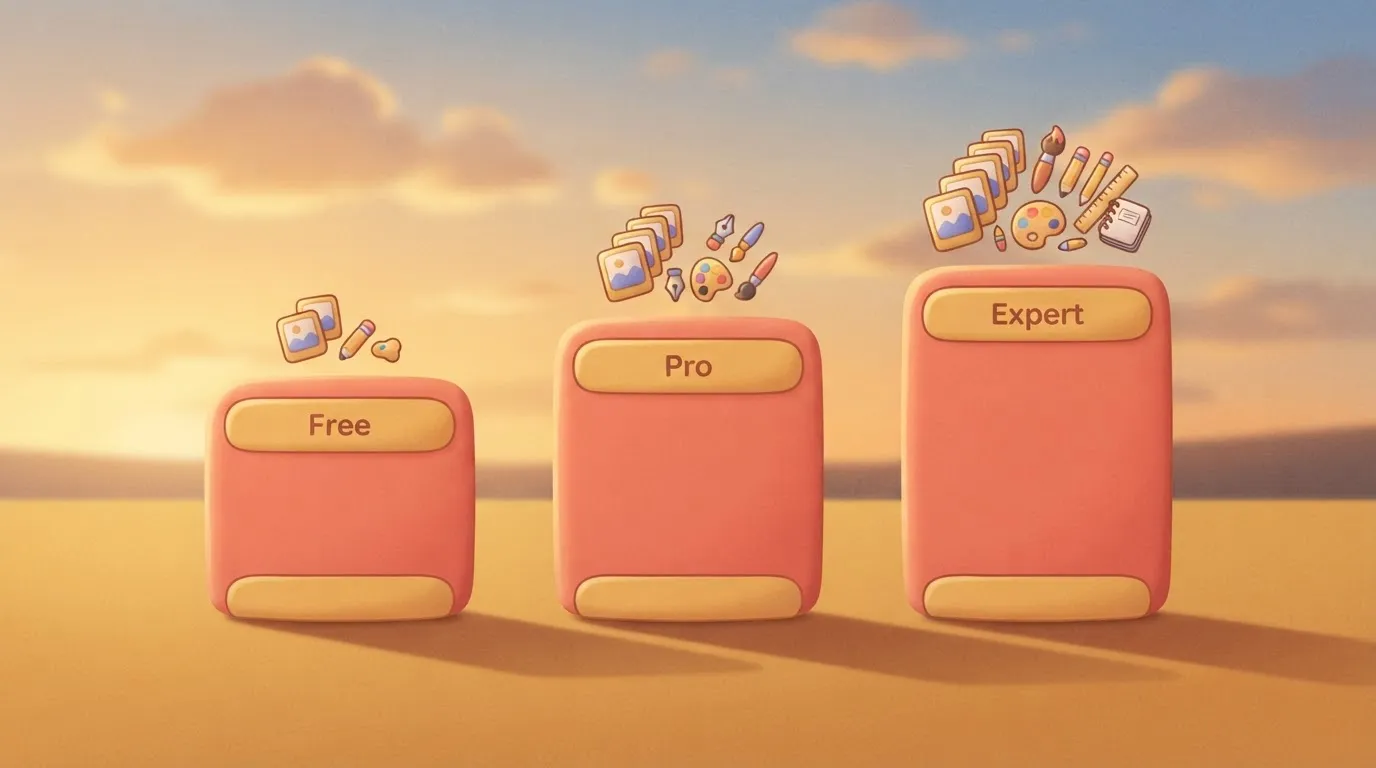
**Kittl's credits-based pricing is the model** in which each plan's real cost depends on how many AI credits it includes and what export and commercial-use limits it sets, rather than on its monthly price or number of seats.
## Kittl Plans, Prices and Limits in One Table
- how many AI tokens you burn
- what resolution you can export
- whether the plan lets you use the work commercially
Read the [Kittl pricing page](https://kittl.com) for current numbers before you commit, because they're the figures that change.
### Every plan in one table, checked November 2026
I haven't put a table here. I couldn't confirm the per-plan prices, token counts or export limits against Kittl's own page, and a table with guessed cells would be worse than none.
Use the pricing page to fill in five things for Free, Pro and Expert:
- what the monthly price is
- what the annual price per user is
- how many AI tokens the plan includes
- what resolution you can export
- whether the plan lets you use the work commercially
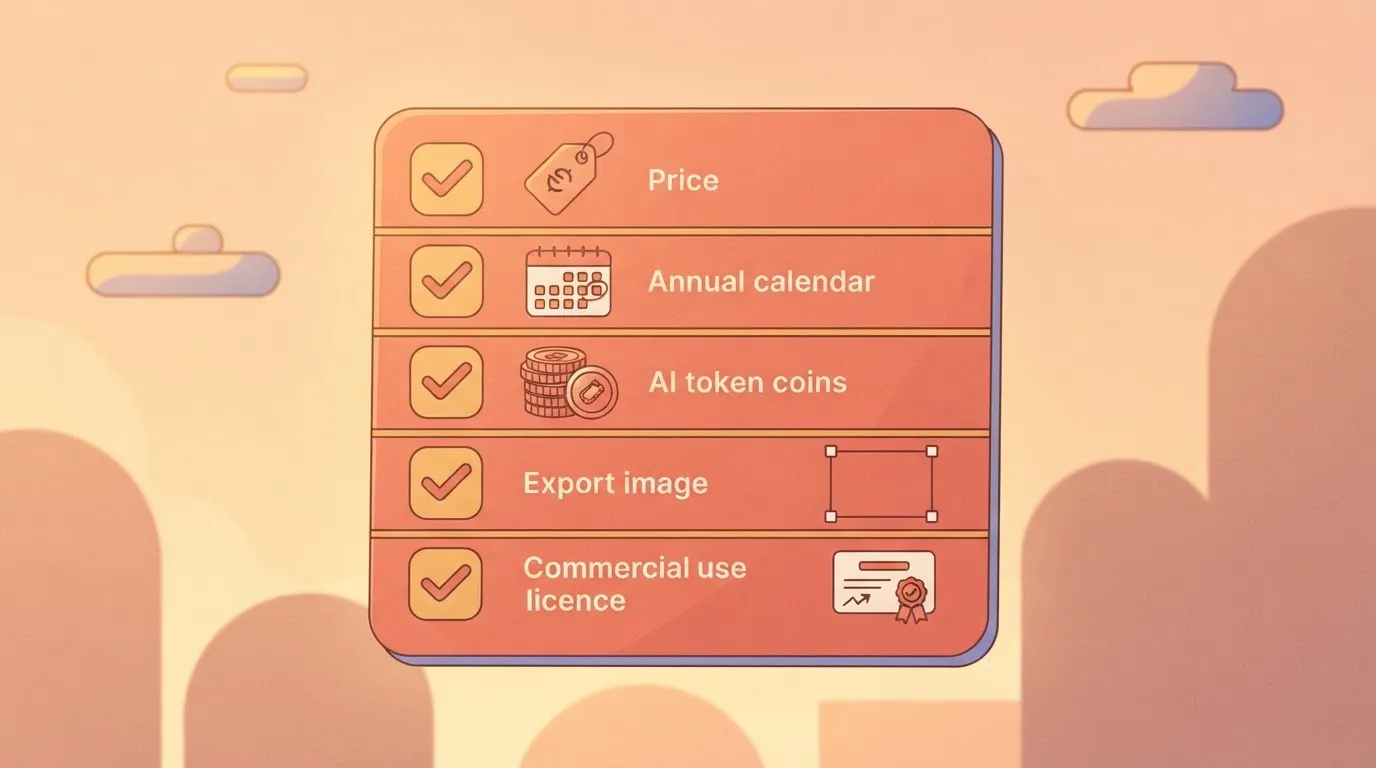
Go by price alone and skip the last three, and you can end up paying for a plan you outgrow in a week, or one that blocks the client work you bought it for.
### What the Kittl free plan includes
Treat Free as a test bench. It shows you whether the editor suits how you work and whether the AI output's good enough to be worth paying for.
**Don't build a client project on it until you've checked the export and commercial-use terms.**
Every time you run an AI feature, tokens are the meter. [Kittl](https://kittl.com)'s also running a limited-time promo that [gives back 1,500 tokens](https://kittl.com) on its Marketing Studio feature.
Whether you're making one flyer by hand or batching dozens in a row, the same meter runs.
Next to its Monthly/Annual toggle, Kittl's site advertises [savings of up to $240](https://kittl.com), so users who plan to stay on the platform for more than a few months should strongly consider the annual plan.
Annual billing saves money only if you'd keep the plan for the full year anyway. If your need is one busy quarter, pay monthly and cancel.
## Hidden Limits That Set What Kittl Really Costs
| Generation | Token cost |
|---|---|
| [Standard image](https://www.kittl.com/blogs/20th-feb-2026-product-update/) | 10 |
| [Nano Banana 2](https://www.kittl.com/blogs/20th-feb-2026-product-update/) | 24 |
| [Kling 8-second clip](https://www.kittl.com/blogs/20th-feb-2026-product-update/) | 144 |
| [Veo 3.1 8-second clip](https://www.kittl.com/blogs/20th-feb-2026-product-update/) | 640 |

Run the numbers and one Veo clip costs as much as 64 standard images.

[Free gives 100 tokens once](https://kittl.com), [Pro gives 2,000](https://kittl.com), [Expert gives 12,000](https://kittl.com) (monthly, plus 200 bonus daily), and [Max gives 30,000](https://kittl.com).

Free covers ten standard images and no Veo clip at all. Pro covers about 12 Veo clips, or 200 standard images. If video's your work, Expert's the first plan where it stops being a rationing exercise, at roughly 18 Veo clips.
### Kittl export terms, seats and token limits
**Tokens are only half the bill**. Before you pay for a plan, read Kittl's terms for the plan on resolution, file types and commercial use.
A plan with plenty of tokens still costs you if its exports can't go on a client's packaging or a product you sell.
Because the token allowance's counted per editor, seats matter less than they appear to. Two people sharing one plan share one pool.
Two people on separate plans each get their own pool, so a small team that mostly makes images may do better with separate cheaper plans than with one large one.
Once your tokens are gone, AI generation stops until the next refill, while ordinary design work carries on. Check the Kittl pricing page for top-up options on your plan.
When a deadline lands in week three of a month you spent in week one, and there's no top-up, you move up a plan or you wait.
Work out your monthly outputs first, multiply by the token costs above, and buy the plan that covers that number with room to spare.
## The Sticker-Price Objection and Real Monthly Costs
If its token allowance doesn't cover the work you just counted, the cheapest plan isn't cheap; once you run short, the low price's the smallest part of the bill.
If you place type, shapes and artwork by hand, you barely touch the AI tools. The lowest paid tier looks like plenty, and anything above it looks like paying for features you ignore. For that kind of user, the objection's right.
### Where Kittl Pro and Expert plans hold up
It holds while you rarely generate. Pro gives [2,000 AI tokens a month and no daily tokens](https://help.kittl.com), so a few generations a week fit, but a heavy week stops you mid-project.
Max gives [30,000 a month plus 600 bonus daily tokens](https://help.kittl.com), so most of its allowance suits steady daily use, not one big burst.
To see which plan's enough and what should make you leave it, read the table, which sorts three common users by what they need.
| User | Needs | Plan that is enough | Trigger to move up |
|---|---|---|---|
| Print-on-demand seller | Commercial use on every design, large exports, light AI | Pro | Generating new artwork weekly, not just editing your own |
| Small team posting weekly | Commercial use, standard exports, steady AI for varied posts | Expert | Two or more people drawing on the allowance until it runs out |
| Freelancer doing logos | Commercial use, the largest export you can get, AI for early concepts | Pro, or Expert if you iterate with AI | Running out of tokens before a client signs off |
**Move up when you hit your allowance twice** in one month, or when a stalled job costs you a billable hour. One lost hour usually outweighs the price gap between tiers.
The chart below shows how Pro and Expert split their tokens between monthly and daily allowances.

## Kittl Against Canva, Adobe Express and Playground
Once you know how Kittl's tokens are split between monthly and daily allowances, the fair comparison is whether a rival gives you the same room for AI work and commercial use.
Kittl wins when you lean on AI and print-ready output. The others win when your needs are narrower.
### Price and AI allowance side by side
To compare the four tools, the table asks the same five questions of each. I've left a cell as "Not confirmed here" wherever I couldn't tie the figure to the maker's own pricing page. I'd rather show you a gap than a guess.
| Plan | Entry price, monthly and annual | AI allowance | Export and commercial limits | Seats |
|---|---|---|---|---|
| Kittl Pro | Not confirmed here | Monthly and daily token split | Not confirmed here | Not confirmed here |
| Canva Pro | Not confirmed here | Not confirmed here | Not confirmed here | Not confirmed here |
| Adobe Express | Not confirmed here | Not confirmed here | Not confirmed here | Not confirmed here |
| Playground | Not confirmed here | Not confirmed here | Not confirmed here | Not confirmed here |
The empty cells are the lesson. A sticker price tells you almost nothing until you know the AI allowance and the commercial terms beside it.
### Which Kittl plan to choose
If you make logos, posters, merchandise or lettering, and you generate AI images often enough that a daily cap would slow you down, pick Kittl Pro. Its token split rewards steady use rather than one big burst.
A sticker price tells you almost nothing until you know the AI allowance and the commercial terms beside it.
If you want a large template library for social posts, slides and documents, and AI's an occasional extra, pick Canva Pro. You're paying for convenience there, not for generation volume.
Already working in Adobe's other apps? Then Adobe Express is the pick, for quick edits that stay in that ecosystem.
Pick Playground if your job is mostly editing and generating images. You skip the layout and typography tools you wouldn't use anyway.
If two plans look close, choose the one whose limits you're least likely to hit in a busy week. Running out of AI credits or export room mid-project costs you more than the gap in price between plans.
## Where Activepieces Fits for Repeat Design Work
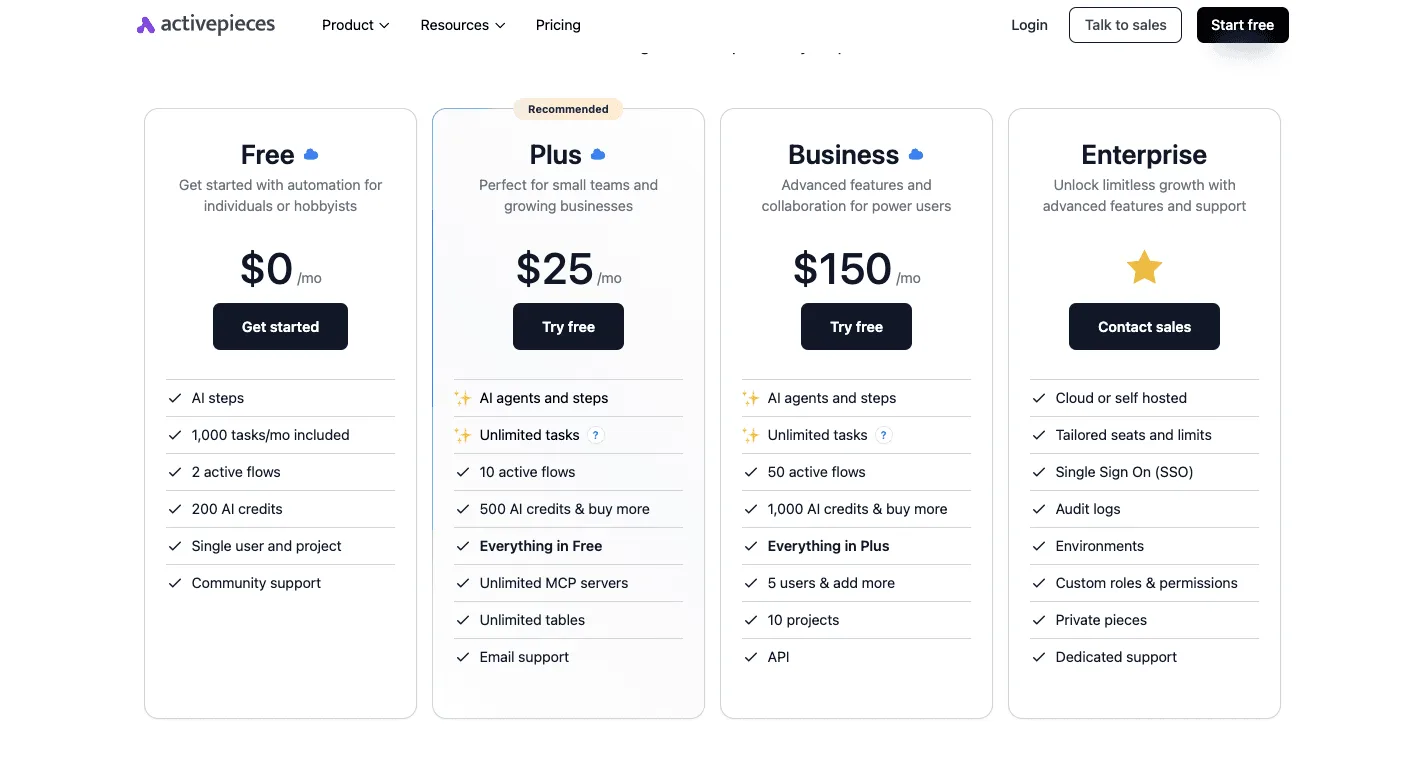
If you're one person on one plan, you can skip Activepieces, which won't lower your Kittl bill or do any of the designing, though its free plan costs $0 and includes 1,000 credits a month if you want to try it anyway.
Where it earns a look is a team turning out many similar designs, where the cost is people shuffling files and messages between steps.
Picture the shuffling. Someone fills in a request, someone else copies it into a design file, and a reviewer gets asked by chat whether it's ready. The finished exports land wherever the designer happened to save them.
None of that's design. It's hand-carrying, and it's where work gets lost: a brief sits unread, a reviewer never hears the file's done, an export ends up on a desktop.
Do nothing about it and you pay in delays and redone work, which is the same kind of hidden cost as running out of credits halfway through a project.
### How the automation sits around Kittl
Activepieces's an MIT-licensed automation platform with 750 integrations that connects the apps you already use, so that one step triggers the next.
The picture below shows the arrangement: a brief form triggers an Activepieces flow, deterministic steps and a human-in-the-loop approval run, and a reviewer is notified.
The designing itself happens in Kittl; if Kittl isn't in the integration catalogue, you'd need to check for a integration or generate a private one for it.
Every Activepieces plan, the free one included, allows unlimited flows, so the arrangement doesn't depend on a paid tier.
Activepieces meters the run, not the steps inside it: its published pricing page lists 1 credit per flow run, any number of steps, so a ten-step flow costs the same as the two-step workaround it replaced, whereas Zapier's pricing page bills per task and Make's per module.
Splitting the brief, the handoff and the reviewer notice into small separate steps is the sound way to build this, and here it costs nothing extra. Those credits are Activepieces's own and never touch Kittl's tokens.
Because Kittl's plan's set by AI credits and export or commercial-use limits, an automated flow doesn't get you around either one. A flow that kicks off more designs still spends the credits and exports those designs use.
Automation makes it easier to burn through your allowance faster, if anything, so size your plan for the volume you're planning before you wire anything up.
The test is simple. If you're handing the same kind of job between several people every week, automating those handoffs is worth an afternoon of setup. If you're the only person touching the file, a folder and a checklist'll do the same job for free.
## Design count as your Kittl plan guide
Spend one afternoon counting what you made last month, because **that count, not the price on the page,** picks your plan, which makes a checklist the cheapest way to buy. Work through it in this order:
1. Count last month's designs and, separately, every AI generation you ran or would have run.
2. Test the free plan on one real project, start to finish, and note where it stops you.
3. Check your commercial-use and export needs against the plan table earlier in this article.
4. Start on a monthly plan, so a wrong guess costs you one month.
5. Move to annual only once a full month of real usage confirms the plan fits.
The four notes below tell you what to look for at each step.
### What to check when testing Kittl plans
Your generation count from step one is the number that matters most, so start there. Different AI tools may draw on credits at different rates, so test the tools you'll actually use, not the ones in the demo.
Note how many attempts it takes to get a usable result, since retries spend credits too.
During your free-plan test, check export and commercial-use limits. Try exporting the file type and size your client or printer needs.
If the project's for sale or for a customer, confirm the plan covers commercial use before the work goes out, because discovering this afterward means redoing finished work.
If others will open the same files, count them. If it's only you, skip anything priced around collaboration. If others need to edit, test the sharing on the free plan first and pay for seats only when someone is blocked.
Run the free plan until it stops you and write down what happens: does generation pause, does an export get blocked, or does the file simply downgrade? Whatever happens there's your preview of a bad month, and it tells you how much headroom to buy.
## Frequently asked questions
Is Kittl free to use? Yes, you can start without paying, but treat the free plan as a trial of the tools rather than a working allowance.
Before you build anything on it, check whether the free AI credits renew or are a one-time grant, because that decides whether you can plan a month around them.
### Can I cancel Kittl or switch plans mid-month?
You can change or cancel from your account settings, but what happens to the time and credits you've already paid for is the part that costs money.
Before switching, check whether the new plan starts immediately or at the next billing date, and whether unused AI credits roll over or vanish. If they vanish, switching late in the month wastes what you bought.
Go annual and the stakes rise, so confirm on the pricing page whether it bills the full year upfront before you commit.
### Does Kittl charge extra for more team members?
Don't assume the answer's a flat per-seat fee. The article's argument is that credits and export limits drive the price, so the question to ask's whether added members share one pool of credits or each bring their own.
If they share, a bigger team can run out sooner on the same plan.
Read the team terms on Kittl's pricing page and compare them against how much your whole group will actually generate and export.
### Can I use Kittl designs commercially on every plan?
Not necessarily, and this is the question to settle before you sell anything. Commercial-use rights can differ by plan, and the rules for the free tier may be narrower than for paid ones.
If you plan to put designs on products or deliver them to clients, check Kittl's licensing terms for your specific plan first.
Selling work you weren't licensed to sell's a far more expensive mistake than the monthly fee.
### Does Kittl offer a student or nonprofit discount?
I can't confirm one, so I won't promise it. If you qualify as a student, educator or nonprofit, ask Kittl's support directly and look for any discount listed on the pricing page.
Pick the wrong plan and a discount still leaves you short on credits or exports, so choose the plan by your usage first and apply any discount to that.
## Related reading
- [Compare Taskade Pricing for Small Teams](https://www.activepieces.com/blog/compare-taskade-pricing-for-small-teams)
- [DeepSeek Search API vs Exa Pricing for Small Teams (2026)](https://www.activepieces.com/blog/deepseek-search-api-vs-exa-pricing-for-small-teams-2026)
- [No-Code Automation Statistics 2026: Adoption for Small Teams](https://www.activepieces.com/blog/no-code-automation-statistics-2026-adoption-for-small-teams)
## References
- [Kittl](https://www.kittl.com/blogs/20th-feb-2026-product-update/)
- [Kittl help centre via whats-best.ai](https://help.kittl.com)
- [Kittl](https://kittl.com)