# LinkedIn API Access, Limits and Errors in 2026
By Ingrid Kovarová · 2026-11-01 · Source: https://www.activepieces.com/blog/linkedin-api-access-limits-and-errors-in-2026
---
Approval, not code, is what usually blocks you.
## LinkedIn API capabilities and scope
The LinkedIn API is a set of REST APIs behind OAuth 2.0, and most of them work only after LinkedIn approves a product on your app, a wait that holds whether you call them from your own service or from a workflow tool like [Activepieces](https://www.activepieces.com).
This reflects LinkedIn's developer docs as checked on 2026-11-01.
When LinkedIn revokes the approval or it lapses, the person who owns the app gets paged at 2am as the posting job starts returning 403s. Whoever owns the app also owns the approval.

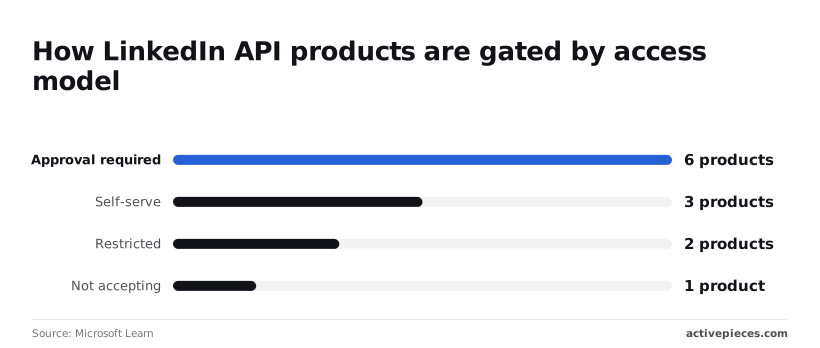
LinkedIn lists twelve products: six require approval, three are self-serve, two are restricted, and one has stopped taking applications.
The illustration below shows the gates between your app and each product area, with only one open and the approval key beside it. Take from it that opening a gate means obtaining that key.
If all you need is to sign members in or post on their behalf, no review stands in your way, because **three products are self-serve**, including Sign In and Share on LinkedIn. You enable them on your app and start building.
That's also as far as you get without a conversation with LinkedIn.
### LinkedIn API products that require approval
If you want ads, page management, archiving or recruiting automated, you need one of the six products that require approval.
Expect a review of your use case, not a form that clears the same day. Plan the timeline and name an owner for the application before anyone writes integration code.
Once LinkedIn grants a product, [Activepieces](https://www.activepieces.com) can call its endpoints from a workflow, and the LinkedIn integration's source is public in its MIT-licensed repo, so you can read exactly what it sends.

Whatever you submit, some capabilities stay closed, because LinkedIn restricts two products and takes no applications for a third. LinkedIn has **neither general profile search nor bulk member data**.
A workflow that depends on them can't be built here, and it's better to learn that before you scope it.
## Getting LinkedIn API access and a client ID
You get a client ID by creating a developer app tied to a Company Page your organisation controls, then requesting products on that app. Decide first who owns the page and the app, because when a token breaks at 2am, that person gets paged.
Don't skip ahead to products: each step in the sequence below depends on the one before, and together they are the whole route from nothing to credentials.
1. Create a developer app in the LinkedIn developer portal.
2. Link the app to your Company Page.
3. Have a page administrator verify the association.
4. Open the Products tab and request the products your workflow needs.
5. Complete the access application where a product requires one, then copy the client ID and client secret from the Auth tab.
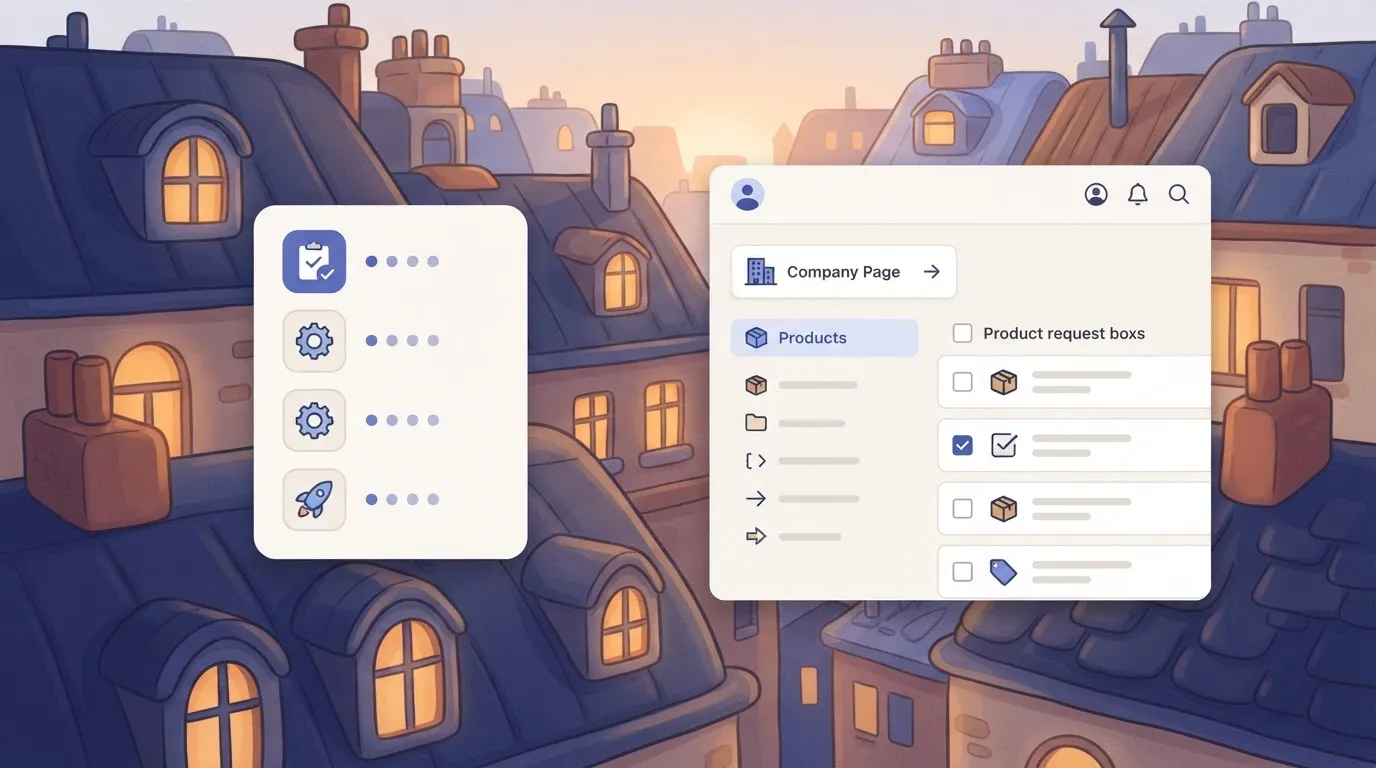
If the administrator who verifies the association is a contractor who later leaves, the app has no owner, so name a role rather than an individual. Verification needs an administrator of the page.
### Request products and what approval asks for
On some products a request from the Products tab is enough, while others route you into a form asking for your use case, your company, and how you'll handle member data.
Answer it as an auditor would read it: specific, narrow and truthful.
**About 1% of partner applications get approved**, [SociaVault](https://sociavault.com/blog/linkedin-scraping-legal-guide-2026) reports, and that is where most people stall. **That means a plan that assumes approval is a plan with a 99% chance of rework, so scope a fallback before you apply.**
I haven't confirmed any plan or fee for these products, so check the product's page in the portal before you commit budget.
Before production use, LinkedIn gates Marketing APIs in two stages: the Development tier is for building and testing against limited access, and the Standard tier needs a further application. Treat the first as a trial and ask who'll submit the second, and when.
Once you hold the client ID and secret, authentication is the next job.
## LinkedIn API authentication with OAuth 2.0
When your app acts on behalf of a member, LinkedIn's OAuth 2.0 requires the three-legged authorization code flow, which ends with a token your app must store, renew and own.
Decide who owns that token before you write the first call, because when it lapses at 2am the page goes to whoever holds the refresh credential.
### LinkedIn API OAuth 2.0 authorization code workflow
Read the sequence below as an order of operations, from registering your app to the first authenticated request: each step depends on the one before, and the refresh token in step five is what keeps the integration running unattended.
1. Register the redirect URL in your app's Auth settings in the LinkedIn developer portal. LinkedIn rejects any request whose redirect doesn't match exactly, so a staging URL left unregistered fails at the first hop.
2. Send the user to the authorization URL with your client ID, the registered redirect URL, a state value and the scopes you need.
3. Receive the authorization code on your redirect URL, and check the state value matches before you use it.
4. Exchange the code for an access token by posting it, with your client ID and secret, to LinkedIn's token endpoint.
5. Store the refresh token where the integration can read it and a named owner can rotate it. Where your products don't issue one, plan for the user to re-authorize when the access token expires.
6. Call the API with the access token as a bearer credential, plus the `LinkedIn-Version` and `X-Restli-Protocol-Version` headers.
Read the lifetimes from the token response rather than hard-coding an assumption, since LinkedIn sets them for access and refresh tokens and they vary by product.
If your grant doesn't list the client-credentials flow, use the code flow above. That flow, which needs no member sign-in, is available only to certain approved products.
### LinkedIn API scopes by product
Request a scope your products don't cover and you get an error rather than a narrower token, because LinkedIn grants scopes through the products it approves for your app. Match each scope to a product you actually hold, and request only those.
When a consent screen fails, the usual reason is a broader request than your approval, and trimming scopes later forces every user to consent again.
### Making a first LinkedIn API request
To prove the whole chain, meaning the token, the scopes and the headers, send a GET to a REST endpoint your product covers with three headers: `Authorization: Bearer `, `LinkedIn-Version` set to a version in `YYYYMM` form, and `X-Restli-Protocol-Version: 2.0.0`.
Leave out the version header and you get an error, and pinning it means LinkedIn changes don't reach you silently. A successful response confirms the grant is live.
If you need an endpoint the connector doesn't yet wrap, the open-source repo lets you add it yourself once LinkedIn has approved the product.
## LinkedIn API endpoints and pricing per unit
You **will not find a per-call or per-unit price** for any of these six API families, because LinkedIn lists none. What separates them is the approval each needs, and approval decides who owns the integration when it breaks.
### Comparison table of API families
Read the approval column first: it tells you how long you wait before anyone can build anything, and who at LinkedIn you answer to afterwards.
The table shows what each family lets you read and write, whether LinkedIn must approve you first, and what it costs.
| API family | Read / write | Approval needed | Price per unit or call | Check date |
|---|---|---|---|---|
| Sign In | Read the signing-in member's basic profile | Self-serve product request | Not listed | 2026-11-01 |
| Posts/Share | Write posts as a member | Self-serve product request | Not listed | 2026-11-01 |
| Marketing | Read and write ad accounts, campaigns, reporting | Application review | Not listed | 2026-11-01 |
| Community Management | Read and write Page content, comments, reactions | Application review | Not listed | 2026-11-01 |
| Compliance | Read member activity for archiving and supervision | Restricted, case by case | Not listed | 2026-11-01 |
| Talent | Read and write jobs and applicant data | Partner-level review | Not listed | 2026-11-01 |
"Not listed" means LinkedIn doesn't publish a figure. It doesn't mean free. Ask LinkedIn directly before budgeting for anything beyond Sign In and Posts/Share.
Paying for a seat product such as Sales Navigator is a separate purchase. A seat doesn't grant API access, and API approval doesn't include a seat, so assign budget and ownership for each separately.
Once LinkedIn approves a family, Activepieces' LinkedIn integration can be used as a tool in a workflow, with your credentials held centrally in a connection.
If the connector falls short, you can extend it in the MIT-licensed open-source repo, where the 746 integrations sit in `packages/pieces/community` and are counted from that directory rather than quoted as a marketing figure.
That is a convenience for the call, not a way around LinkedIn's approval. Name one person who holds the LinkedIn developer app, because every token and every re-review request traces back to that account.
## LinkedIn API rate limits by tier
When a limit is hit, the app owner is the one paged. LinkedIn doesn't publish one rate-limit number per tier; each endpoint carries its own daily application quota and daily member quota, and the owner reads them in the Developer Portal.
### LinkedIn API application and member quotas
The application quota caps everything your app does on an endpoint in a day, across all users. The member quota caps what one authorised member's token can do on that endpoint.
Two different things can fail here: the whole app runs dry, or one person's token does while everyone else still works. Your logs need to tell you which, because the fixes differ. One needs fewer calls overall, the other needs the load spread across members.

### Finding your actual limits in the Developer Portal
Open your app in the Developer Portal and use the Analytics view. It reports usage against the limits for the endpoints LinkedIn has granted your app, and that's the only figure you should plan around.
Use it to confirm the items below before you size any workflow:
- Daily application quota for each endpoint you call
- Daily member quota for each endpoint you call
- Whether the Analytics view shows usage close to either quota
- Midnight UTC reset, so you know when a spent quota comes back
- HTTP 429 response, which is how LinkedIn signals a quota has been exceeded
- Whether your app is on the Development or Standard tier, since the docs treat their limits differently
Once those are written down, you know the ceiling and when it lifts. What remains is how to spend it.
A 429 means stop, not retry harder. Because quotas reset at midnight UTC, retrying within minutes against a spent daily quota only produces more failures.
Budget each endpoint's daily calls across your workflows, queue the overflow for after the reset, and alert the named owner when usage nears the quota.
## LinkedIn API production errors and fixes
Five status codes cover most LinkedIn API failures. **Each has a different person to page**: the token holder for 401, the app admin for 403, the workflow author for 400 and 426, and the quota owner for 429.
Triage by code first, because it tells you who has to act. The table shows the usual cause of each code, the fix, and the LinkedIn page that documents it.
| Status | Usual cause | Fix | LinkedIn docs |
|---|---|---|---|
| 400 | Malformed body, missing required field, or bad header | Compare the request to the endpoint's reference and correct the payload | Error handling |
| 401 | Expired, revoked, or invalid access token | Refresh or reissue the token through the authorization flow | Error handling |
| 403 | Valid token, but the app lacks the product or scope | Request the missing product or scope, then reauthorize | Error handling |
| 426 | Requested API version is no longer active | Move the version header to a currently supported version | Versioning |
| 429 | Daily call quota for the endpoint is used up | Wait for the reset and queue the overflow | Rate limits |
Once you can read a code, the next question is whether retrying can ever help.
When a 401 comes back, LinkedIn doesn't accept the token, so refresh it and name who owns that credential. A 403 means the token is fine and the app isn't allowed, so retrying will never fix it. Check the granted products and scopes.
Stop retrying a 429: it's a budget problem, not a fault. Hold the work until the reset, and tell the endpoint's owner. A retry loop only burns the allowance you have left.
Stop retrying a 429: it's a budget problem, not a fault.
On a workflow nobody has touched, a 426 usually appears, because versions retire on a schedule. Assign someone to review the version header regularly, before LinkedIn retires the version and the workflow fails.
## Call LinkedIn API endpoints without code in Activepieces
### Available LinkedIn API calls
Without writing code, you can make LinkedIn calls in Activepieces, an MIT-licensed core with unlimited flows on every plan, but only once LinkedIn has approved your app; neither the licence nor the flow count grants access or lifts any of LinkedIn's limits.
The version header you were just told to review still has an owner, and that owner is whoever built the flow.
The LinkedIn integration is one of the 746 in the catalogue, and you use it as a tool in a workflow, with your credentials held centrally in a connection.
For an endpoint it doesn't cover, you can generate an integration with AI and add it privately to your own instance, with no vendor release to wait on.
That makes a privately added integration yours to maintain when LinkedIn retires a version, so name a person for it.
### Reading the action panel
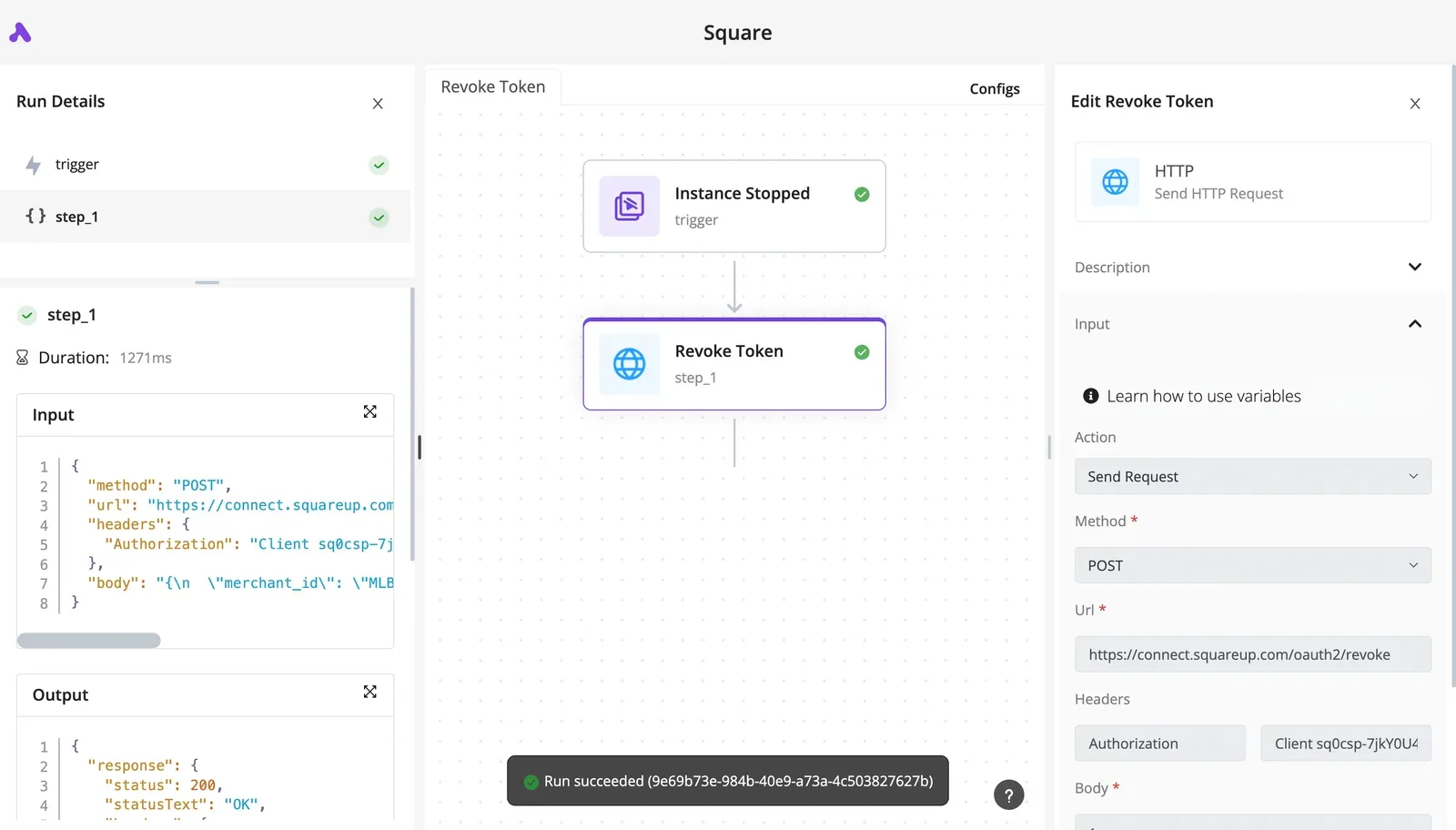
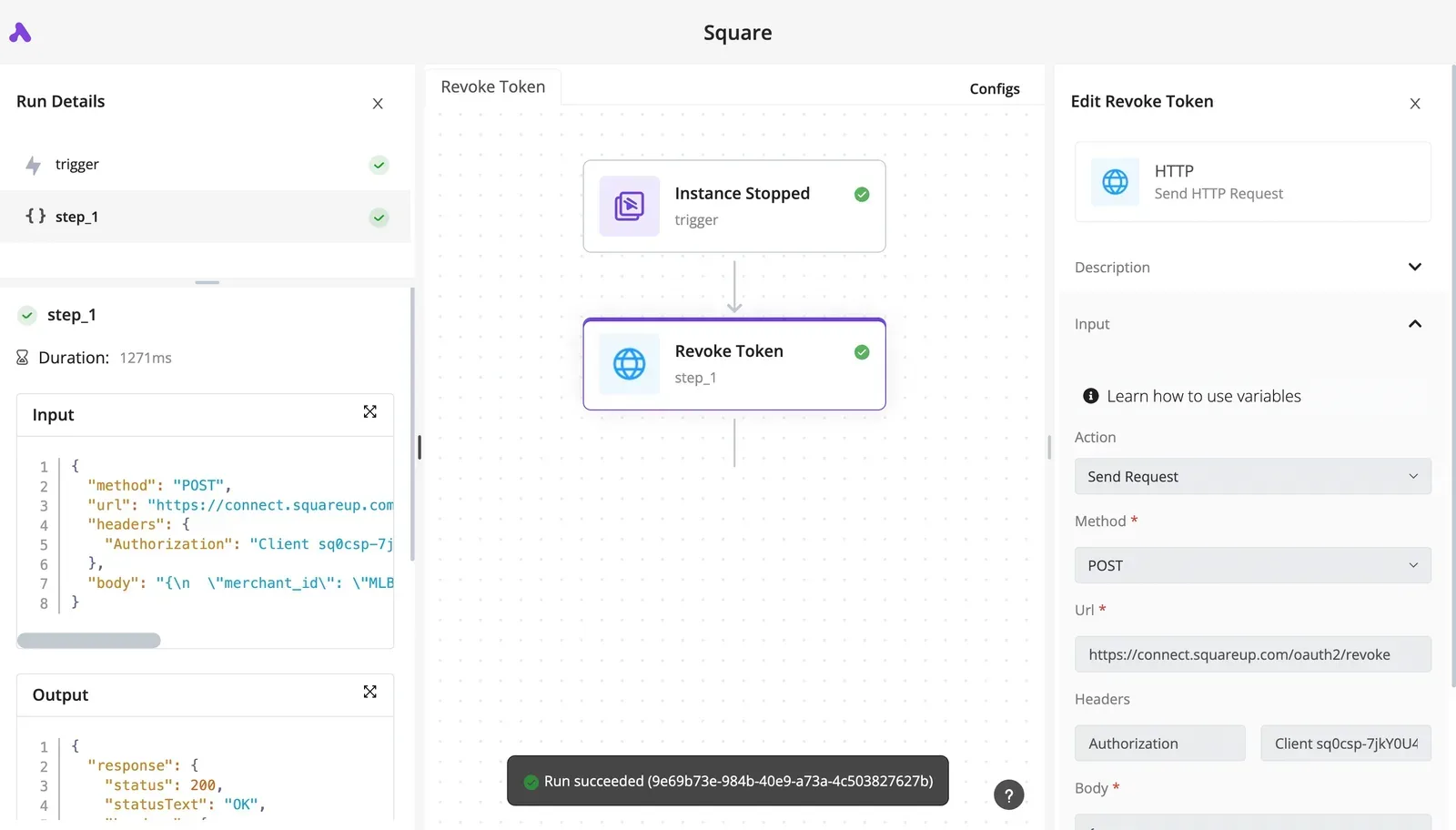
Though the screenshot below shows a different integration, Gelato, the layout is the same for any action.
A webhook trigger feeds a selected action step, and the side panel holds the connection, the failure options "Continue on Failure" and "Auto Retry on Failure", and a test result with its output.
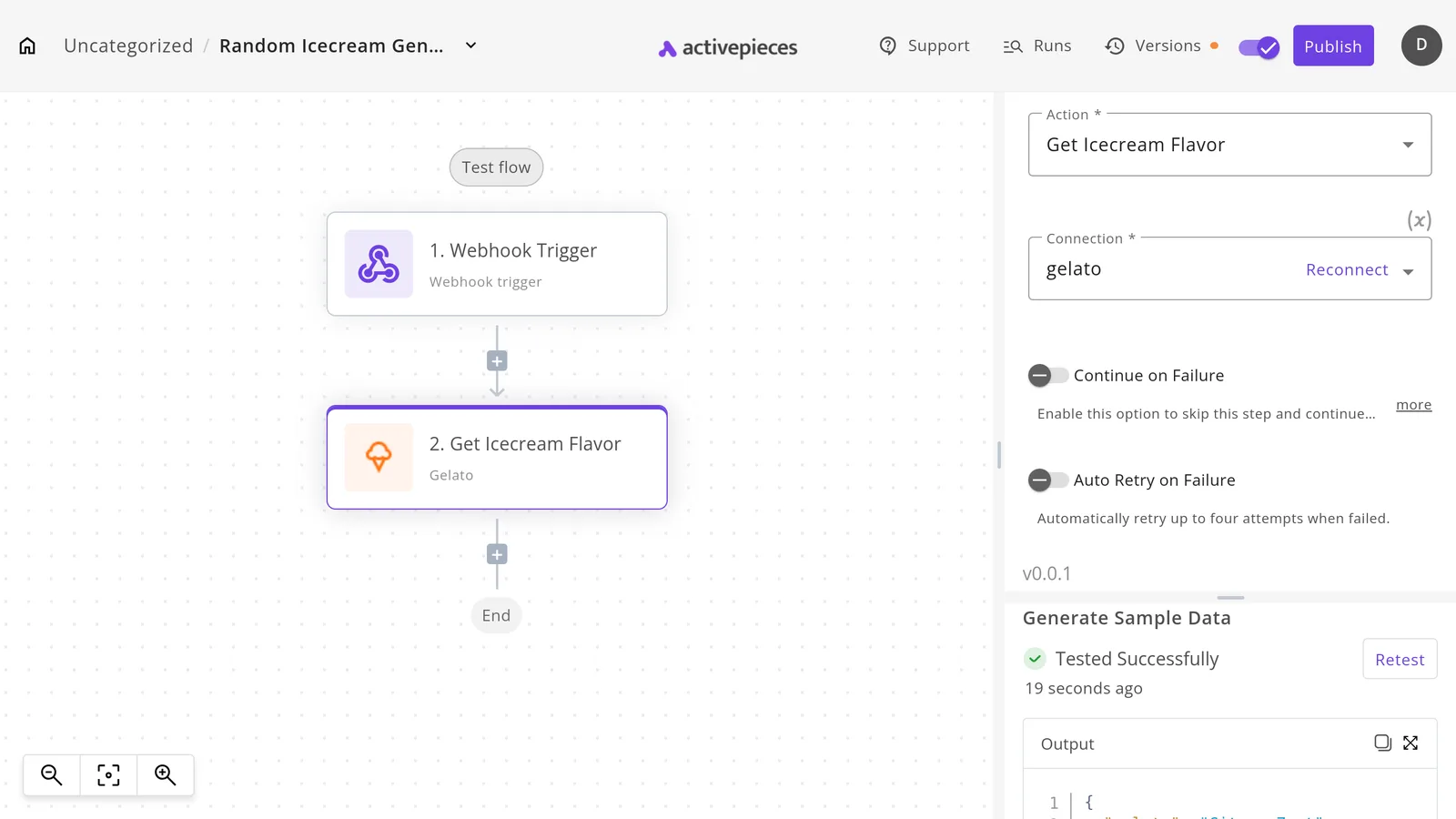
Read that panel before you ship: a flow that was tested once hasn't been tested against a rate limit.
### Retries and what still depends on LinkedIn
Now the practical part. Turn on auto retry for steps that can hit a 429, so a throttled call is tried again instead of paging someone. Retrying doesn't raise your quota, so a flow that hits the limit constantly needs fewer calls, not more retries.
| Way to call LinkedIn | How you do it in Activepieces | What still depends on LinkedIn |
|---|---|---|
| Actions the LinkedIn piece supports (the piece's source sits in the MIT-licensed repo) | Pick the action and attach your connection | Approval of the product behind that action |
| Other endpoints your approved products cover | Generate an integration with AI and add it privately to your instance | Approval and the rate limits |
| Products LinkedIn has not granted you | Nothing to configure that will work | The grant itself |
## Frequently asked questions
Each answer says who owns the consequence, because the person who inherits a broken flow is the one who needs the answer. The questions below cover what the body leaves open.
### Is the LinkedIn API free to use?
Nobody sells the core products as a paid tier; the cost is the approval process and the engineering time to meet LinkedIn's conditions.
Some products, particularly in marketing and talent, sit behind partner programs with their own terms. So budget for the review, not for a subscription, and check the terms of the specific product you apply for before you commit a roadmap to it.
### Can I scrape or search LinkedIn profiles through the API?
No, not as a general capability. The approved products expose what a member consents to share about themselves, or what a Page admin manages. They don't give you a search over other people's profiles.
**Scraping the site directly breaches LinkedIn's terms**, and when the account is restricted, the person who owns that flow is the one paged. If your design depends on arbitrary profile lookup, the gate has already answered you, and no platform or catalogue changes that.
### How long does LinkedIn API approval take?
Plan for the wait as an unknown, because LinkedIn doesn't commit to a timeline and it varies by product and by how complete your application is. Start the application before you build anything that depends on it.
Once a product is granted, you don't wait again on us: if the connector you need is missing or thin, you can build or extend it in the open-source repo yourself.
### Can I post to a personal profile and a Company Page?
Yes, but they are separate permissions, usually under separate products. Posting as a member needs the member's own consent through OAuth. Posting as an organization needs the authorizing user to hold an admin role on that Page.
Decide who holds that role before launch: if that person leaves and their access goes with them, publishing stops.
## Related reading
- [Spotify Web API Free? Access Modes, Scopes, Limits](https://www.activepieces.com/blog/spotify-web-api-free-access-modes-scopes-limits)
- [Open Phone API (Now Quo): Access, Endpoints and Limits](https://www.activepieces.com/blog/open-phone-api-now-quo-access-endpoints-and-limits)
- [How to handle errors in production AI agents](https://www.activepieces.com/blog/how-to-handle-errors-in-production-ai-agents)
## References
- [Microsoft Learn](https://learn.microsoft.com/en-us/linkedin/marketing/increasing-access?view=li-lms-2026-10)
- [SociaVault](https://sociavault.com/blog/linkedin-scraping-legal-guide-2026)