# Microsoft Office Automation with Power Automate in 2026
By Priscilla Nakabuye · 2026-11-16 · Source: https://www.activepieces.com/blog/microsoft-office-automation-with-power-automate-in-2026
---
Microsoft Office automation, as this article uses the term, that's Power Automate deciding when something happens and Office Scripts doing the work inside an [Excel](https://excel.tv/office-scripts-in-excel/) workbook on the web, rather than a general workflow builder such as [Activepieces](https://www.activepieces.com).
The facts below come from Microsoft Learn as read on 2026-11-16.
## Microsoft Office automation and the 02:10 failure
### The direct answer: Power Automate plus Office Scripts
When something has to start the work, that's Power Automate, the trigger layer:
- a schedule
- a new email
- a file landing in a folder
Once the trigger fires, Office Scripts is the action layer: a recorded or hand-written script that runs against a workbook in Excel on the web. Connect the two and a flow can refresh, reformat and total a workbook without anyone opening it.
Usually the order is the same. A team records one script, it saves an hour a week, and within a quarter every neighbouring team wants its own.
Templates decide whether you govern that spread or improvise it. A flow you start from a tested template inherits its retries and alerts. A flow you build from scratch inherits nothing.
Underneath every one of these flows sit three prerequisites, and each one fails quietly if you skip it:
- A Microsoft 365 licence that includes both Power Automate and Office Scripts, with the tenant administrator having left Office Scripts switched on. A flow can be built by someone whose colleague later finds the feature disabled.
- A workbook stored in OneDrive for Business or SharePoint, because the connector can't reach a file on a local drive. A file saved to a desktop's invisible to the flow.
- Excel on the web as the runtime. Scripts don't execute in the desktop app, so a workbook that depends on desktop-only features is a poor candidate.
**Skip any of these and the flow fails** in production even though it ran cleanly in the builder's own session.
### The month-end workflow that broke at 02:10
It was the finance team that relied on this first, and broke it first.
Their flow was a scheduled card, Recurrence, set for 02:00 on the 1st, pointing at the close workbook in Excel on the web, where an Office Script rebuilt the month-end summary. It passed every test run during the month.
Look at the illustration below and the shape is plain:
- the schedule on the left
- the script-bearing workbook on the right
- a clock at 02:10
Ten minutes after the trigger, the run had already failed, with no one awake to see it. What follows is why a flow that worked all month stopped on the one night it mattered, and which documented limits to design around before it does.
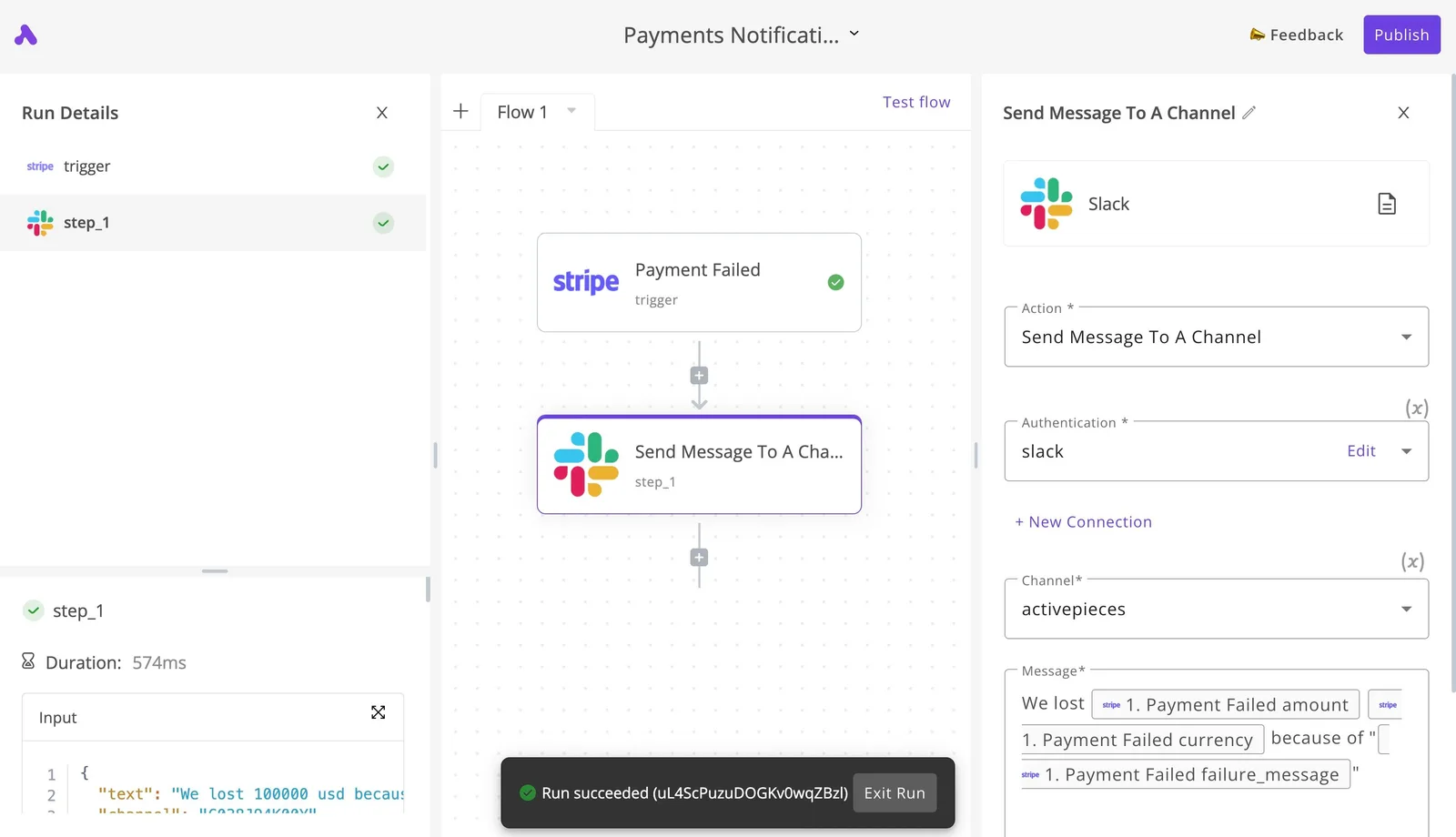
An open source platform with an MIT-licensed core and 750 integrations counted from its monorepo is available as an alternative, but swapping the stack would not have prevented this failure: it belongs to the pattern, not to any single tool, so architectural approach determines outcomes more than integration breadth.
## What the failed run cost the finance team
Count the cost in rows, hours and late reports, not in licence dollars; the dollar figures are small beside it.
The pattern's the same at any stage of the adoption curve: the cost lands on the people downstream of the flow, not on whoever built it.
### Missing rows and late reports from Office automation
When a flow stops at a documented limit, nobody who consumes its output is warned. Rows that never arrive leave a report that looks complete, and a report that looks complete gets used.

The cost therefore comes in two forms: reports that are late because someone has to find the gap, and reports that are wrong because nobody does.
### Manual rebuild time in Office automation failures
Once the gap is found, someone repopulates it by hand, and that time comes straight out of the close calendar. Compare that with what the safeguards cost. Microsoft's pricing page lists three plans relevant here:
- Premium (user), at $15 per month
- Process (bot), at $150 per month
- Hosted RPA (bot), at $215 per month
At $15, the Premium plan's the entry point for the premium connectors a monitored flow often needs. A single hour of manual rebuilding outweighs it.
Step up to Process and the cost is ten times that, and Hosted RPA is about fourteen times, so size those against real volume.
Even the $215 tier costs the same every month, whereas the rebuild is unplanned work that arrives at month-end, so billing stays fixed at $215 regardless of whether crisis work fills the month.

Of everything here, the licence's the cheap part. What a team actually pays for is the monitoring and retry design that no plan includes.
### How Power Automate failures get detected
Nobody on the build side noticed first. The people who saw the problem were the ones reading the output, because a figure didn't reconcile or a row they expected didn't appear.
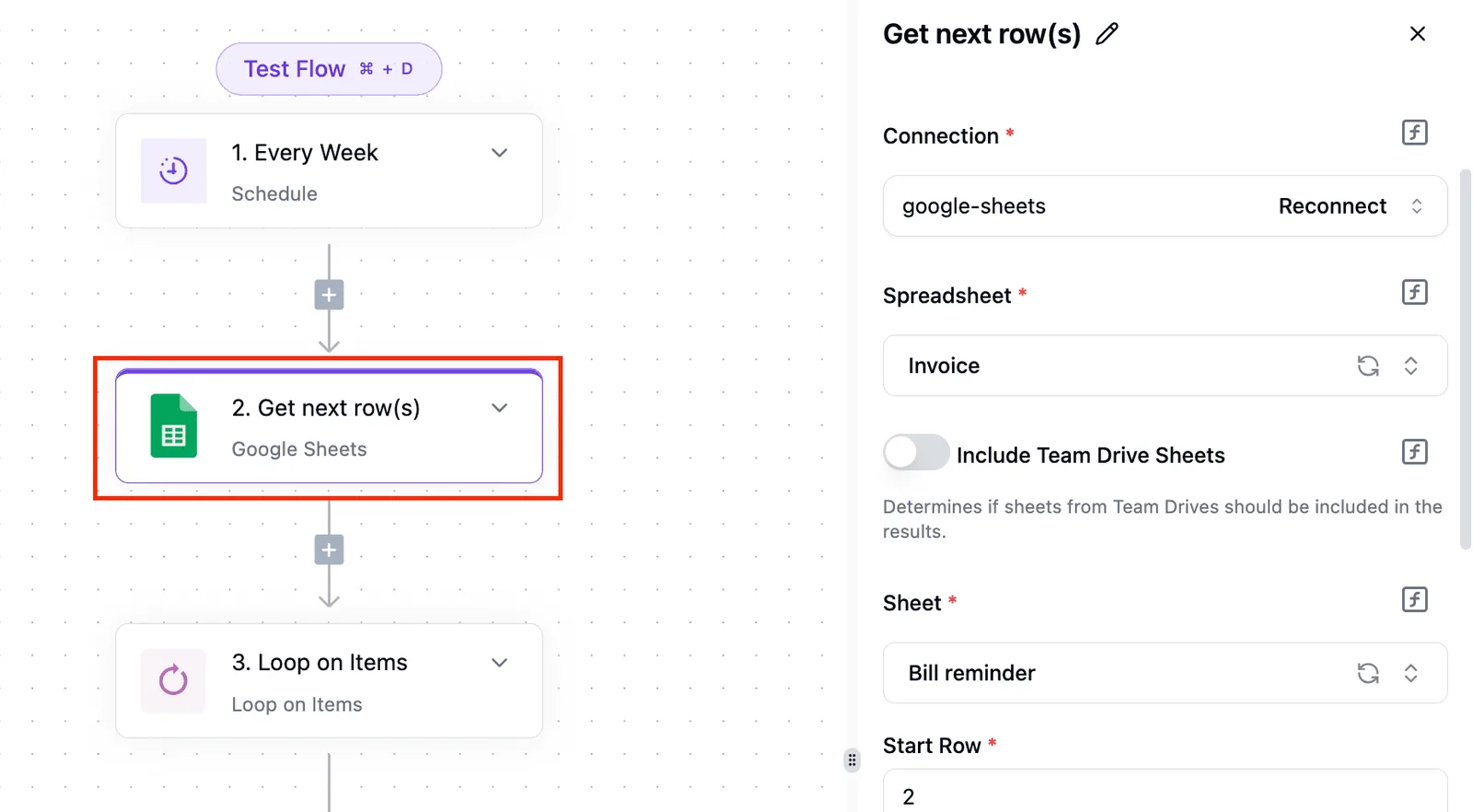
That's the weakest detection path available: it depends on a reader's memory, it fires after the report has circulated, and it gives no cause.
An alert on the failed run would have named the problem on the day it happened.
## The limits and errors behind the failure
Had an alert existed, it would have named one of three causes. Each is a documented limit that a small test file never reaches: a timeout, a throttle tied to the licence, or a lock or connection error.
Figures below were read on 16 November 2026.
### Office Scripts limits on the Run script action
Start with timeouts, because they arrive first at 02:10.

Any step that reads or writes a large range through the connector fails there before anything else does.
120 seconds is what the Run script action and the flow action both allow, per the same thread, which means any operation exceeding two minutes cannot complete.
On a ten-row test file, a script that finishes in four seconds has no warning of that ceiling, but a production workbook with tens of thousands of rows can run into it, so the ceiling remains hidden until production volume exposes it.
### Power Automate request and throttling limits for the licence in use
When a whole team's volume lands on a flow that behaved under a developer's licence, Power Automate can throttle it. Request and throttling allowances differ by licence, and the test account is rarely the one that runs the flow in production.
I left out request counts here, because the current figures belong on Microsoft's limits page for the licence you actually hold.
Read that page before rollout, not after the first throttled night. Put the check into the team template, so every new flow starts with the licence and its allowance recorded.
### Power Automate file lock and connection errors
Not every failure is about size. Locks and connections fail for other reasons. Someone's open desktop session can lock a workbook just as the flow arrives. A connection that belongs to a person who has left, or whose password has changed, expires without anyone noticing.
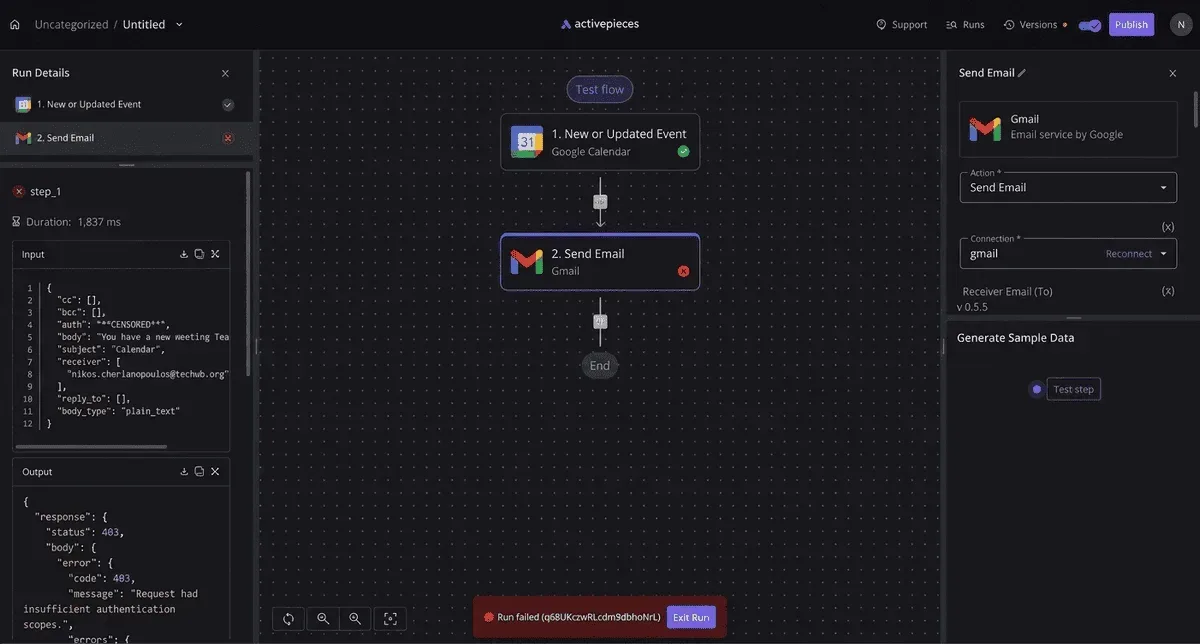
Here is what the alert would carry, taken from a failed run record: a 1,837 ms run that ended in a 403 for insufficient authentication scopes.
That's a permission fault named in the first line of the error, not a timeout, and it's cheap to catch once an alert is attached.
Because each of these faults needs a different remedy, the next section sets out the retries and alerts to build in.
## The nine numbered steps to rebuild the workflow
Nine steps rebuild the flow: four to create the script, file and trigger, four to add batching, retries and a failure branch, and one to prove it at full volume, meaning each production failure is a complex, multi-step recovery.
Each step names the setting that stops a pilot-stage flow breaking at scale.
### Steps 1-4: script, file and trigger
1. Create the script in Excel on the web, using the Automate tab, so it's an Office Script a flow can call.
2. Store the workbook in OneDrive or SharePoint. A file on a local drive's invisible to the flow, so this step is what makes every later one possible.
3. Create a scheduled flow, not a manual one. A schedule removes the person who remembers to press the button, which is where most pilots first fail.
4. Add the Run script action and point it at the workbook and script from steps 1 and 2.
### Steps 5-8: batching, retries and run-after settings
Pass parameters into the script rather than hard-coding values, and batch rows so each call stays under the documented payload limit; that is step 5. One oversized call fails everything in it, so smaller batches limit the damage.
Read it as the reason batching comes before any retry setting, since a flow that reads a large table without pagination quietly sees only part of it.
Step 6 is to set the retry policy on the Run script action, choosing a pattern that backs off instead of hammering a throttled service. Step 7 is to add a failure branch, configured to run only when the script action fails or times out.
Step 8 is to have that branch alert a named owner, so a failed run reaches a person in the same hour rather than surfacing in the next report.
### Step 9: test at full month-end volume
Run the finished flow against a copy of the workbook at the size it reaches at month end, not the tidy sample used in the pilot; that is step 9. Deliberately break one batch to confirm the failure branch fires and the alert arrives.
Treat a clean full-volume run and a working alert as the exit criteria for rollout; a flow that has passed only on sample data hasn't been tested at all.
If the month-end flow also has to reach a billing tool or a CRM, Activepieces can run that part, and it makes the exit criteria above a promotion step: Git Sync keeps flows in git, and Release Management moves them from a test project to production, so the full-volume run happens in one environment and the release is a reviewed act in another.
Both appear on the Ultimate plan's feature list as "releases and Git Sync", on the same product whether it runs on the vendor's hosted cloud or self-hosted, with an MIT-licensed core and 750 integrations counted from its open source monorepo, which means integration work won't typically require custom connector development.
MoneyGram, Moneypenny, Alan and FundingSocieties run this kind of platform in production. None of it touches Office Scripts or Excel limits, which stay as described above.
## Safeguards for Power Automate workflows after the failure
Count what the flow read, count what it wrote, and stop when the two disagree: that first rule follows from the pagination problem.
Five standing rules came from the failure. The list below's the minimum a flow carries out of pilot, and each rule closes a gap that testing left open.
- Row-count reconciliation
- Failure alert to a named owner
- Test at production size: - Connection owned by more than one person
- Calendar check of the limits page
Three of these need more than a line, and the other two ride along with them.
### Reconcile row counts in Power Automate workflows
Have your flow compare the number of rows it read with the number it processed, and fail loudly if they differ. **A silent partial read looks like success**, so the count is the only evidence that nothing was dropped.
This is also why testing at production size belongs here. A ten-row sample can't reveal a truncated read, so the test table should be as large as the real one.
A silent partial read looks like success, so the count is the only evidence that nothing was dropped.
### Send Power Automate failure alerts to owners
Nobody sees a failure that's only written to run history. **Route every failure to a named owner**, by name rather than a shared mailbox, so someone is responsible for noticing.
Pair that with a connection owned by more than one person. A flow tied to a single individual's sign-in stops when that person changes role or leaves, and the alert then goes to someone who can't fix it.
### Review Power Automate limits on a schedule
Over time, Microsoft's documented limits change, and a flow that fit them at launch may not fit them later. Put a recurring calendar entry in the owner's diary to reread the limits page and compare it with what the flow does.
Treat the checklist as a template: once these five rules are baked into the starting flow, every new flow inherits them, and adoption can be measured by how many flows still carry all five.
## Where Activepieces fits in an Office workflow
Do not expect Activepieces to replace Office Scripts. It is a separate automation platform with 750 integrations, and Office Scripts still does the work inside the workbook.
It belongs in the template only once a flow has to reach tools outside Microsoft 365. Treat it as a later adoption stage, added after the five rules are in place, not a competitor to the starter flow.
Here, in a table, are the three tools by the job each does in a month-end flow. Read it as a division of labour: only Office Scripts edits cells, and only [Activepieces](https://www.activepieces.com/blog/activepieces-cloud-pricing-plans-2026-price-guide), with its 750 integrations, sits outside the Microsoft stack.
| | Role in month-end flow | In-workbook logic | Reaches non-Microsoft tools | Price on its own page | Date checked |
|---|---|---|---|---|---|
| Office Scripts | Edits the workbook | Yes | No | Part of eligible Microsoft 365 plans | 2026-11-16 |
| Power Automate | Orchestrates triggers, approvals, retries | No | Through connectors | Some use included with Microsoft 365; premium connectors need a separate plan | 2026-11-16 |
| Activepieces | Orchestrates across Excel, Outlook and other tools | No | Yes | Plus $20/month, Team $200/month | 2026-11-16 |
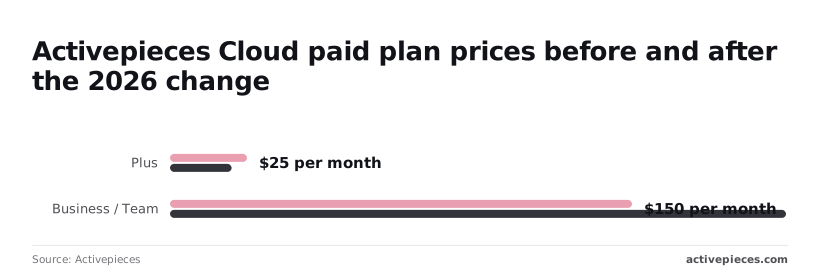
Activepieces carries no in-workbook logic, so any calculation still lives in a script and the guardrails you built there aren't wasted; the flows around that script are not capped, since unlimited flows come on every plan, including free.
If every step touches Excel, Outlook, Teams or SharePoint, one orchestrator is one set of limits, retries and alerts to template and audit.
Adding a second platform doubles what you have to track, so keep the flow in Power Automate until a concrete step forces it out.
### When the workflow leaves Microsoft 365
Add Activepieces when a month-end step must pass data to a system Microsoft doesn't cover, because it offers Excel and Outlook integrations alongside other tools. Prices are from the [Activepieces pricing page](https://www.activepieces.com/pricing), checked 2026-11-16.

Plus is $20 a month flat with 10,000 credits, and Team is $200 a month flat with 50,000 credits and 25 users, so the step from one to the other is $180 a month, or $2,160 a year.
For adoption planning, that gap matters. Budget for Plus as the pilot tier, and treat the move to Team as a decision tied to how many flows have actually left Microsoft 365.
## Frequently asked questions
### Can Power Automate run Office Scripts on desktop Excel?
No: the Run script action works on workbooks stored in OneDrive for Business or SharePoint and executes the script in the cloud, not in the desktop app on someone's machine.
So a flow that depends on a local file, or on a desktop session being open, belongs on the "rework before pilot" list. Move the workbook into Microsoft 365 storage first, then build the flow against it.
### Do I need a paid Power Automate licence to run scripts?
Not necessarily, but it depends on what else the flow touches. The Excel Online (Business) connector that hosts the Run script action is a standard connector, and eligible Microsoft 365 business and education plans carry Power Automate rights for standard connectors.

When a flow adds a premium connector or a trigger outside Microsoft 365, the licence question usually surfaces, and that's when a pilot budget stops covering it.
Check your own tenant's plan against Microsoft's current licensing pages before you scale, because the entitlements change and a flow that quietly crosses the line will be flagged late.
### Why does my Run script action time out?
Almost always because the script does too much work per run, most often by reading or writing cells one at a time in a loop. Read a whole range into an array, process it in memory, and write it back in a single call.

If the workload is still too heavy, split it across several script runs with a flow loop or a filter step in between. Then set a retry and an alert on the action, so a timeout reaches a person instead of sitting in run history.
Microsoft documents the current execution limits on its Office Scripts platform pages, so read the figure from there rather than from a forum post.
### Can VBA macros be converted to Office Scripts?
There's no automatic conversion, so plan on a rewrite. Office Scripts are written in TypeScript against a different object model, and VBA features that rely on the desktop interface, local files or other applications have no direct equivalent.
Treat each macro as a requirement: list what it does, check that the behaviour is available in Office Scripts, and rebuild it. Start with the macros that run most often, since those save the most time once they work in a flow.
## Related reading
- [How Much Is Microsoft Office? 2026 Price Guide](https://www.activepieces.com/blog/how-much-is-microsoft-office-2026-price-guide)
- [Microsoft Power BI Pricing 2026: Plans and Licensing](https://www.activepieces.com/blog/microsoft-power-bi-pricing-2026-plans-and-licensing)
- [Power Automate Pricing: Plans & Costs in 2026](https://www.activepieces.com/blog/power-automate-pricing-plans-costs-in-2026)
## References
- [Microsoft Q&A and community pages](https://community.powerplatform.com/forums/thread/details/?threadid=611fdb4d-ac5d-f011-bec1-7c1e52151eee)
- [Activepieces](https://www.activepieces.com/blog/activepieces-cloud-pricing-plans-2026-price-guide)
- [Microsoft](https://www.microsoft.com/en-us/power-platform/products/power-automate/pricing)