# n8n Log Streaming: How to Set It Up (2026 Guide)
By Wendell Achterberg · 2026-10-26 · Source: https://www.activepieces.com/blog/n8n-log-streaming-how-to-set-it-up-2026-guide
---
n8n log streaming sends workflow, node and audit events from your instance to an external destination you control. n8n's docs place it on the Enterprise plan, so the cheaper tiers don't include it, which is worth knowing if you're weighing n8n against alternatives like [Activepieces](https://www.activepieces.com).
## Understand n8n log streaming basics
### Which plans and versions include it
Paying more at the lower tiers doesn't change the answer: **only Enterprise carries log streaming**, as the table below, dated 26 October 2026, shows.
| Plan | Log streaming available | Price per month as listed | Source page |
|---|---|---|---|
| Community | No | Free | n8n pricing |
| Starter | No | 20 € | n8n pricing |
| Pro | No | 50 € | n8n pricing |
| Enterprise | Yes | Custom quote | n8n pricing |

**A larger bill proves nothing here**. n8n lists Business, a tier the table leaves out, at $800/mo, billed annually, so the price alone doesn't show the feature is in it.
**Get the plan confirmed in writing before anyone signs a budget line that assumes an audit feed.**
Before you promise a go-live date, check your instance version against the current docs. They don't name a minimum n8n version in the pages used here.
### Log streaming versus console logs and execution history
Most teams already keep two other records, and log streaming is neither of them. Console logs are process output on the machine running n8n, and they vanish when you replace that machine or its container.

Execution history lives inside n8n's own database, and n8n can prune it, so it's the system describing itself.
**Once streamed, an event leaves that system** and lands somewhere with its own retention and access rules. That separation is what an auditor tests, and the platform doing the streaming gets tested too.
A closed one asks the security team to take its maturity on faith, and that is a slow way to finish a review.
[Activepieces](https://www.activepieces.com) has an MIT-licensed core, so the team can clone the repository, read how the queue and worker architecture is built, load-test it, and run it self-hosted or fully air-gapped, and MoneyGram and Moneypenny run it in production.
Findings the reviewers produced themselves are easier to sign off than assurances.
Treat the other two records as debugging aids, and treat the stream as the record.
## Stage 1: Choose the events and destination first
Settle the events and the destination in writing before you open the settings page, because a record is only as good as what you chose to put in it.
Send workflow failures and audit changes; treat everything else as optional until a named requirement asks for it. Each documented category follows, with its verdict.
Send failed workflow events always, and send started and success events only if you must prove a scheduled job ran. Send all audit events (user, credential and workflow changes, logins), because they show who changed what, which is the reason for paying for the feature.
Leave node events off, since volume is high and they're debugging detail. Send AI events (model and tool calls inside AI workflows) only where you must show a reviewer evidence of AI use.
Send worker events (queue-mode workers starting, stopping, picking up jobs) if you run queue mode and need to show capacity or outages.
Write the plan as one line: the categories you chose, the destination, and the person who owns it.
| Destination | Payload | Receiver needed | Fit |
|---|---|---|---|
| Syslog | Structured log line per event | A syslog collector or log platform | Audit retention alongside other system logs |
| Webhook | JSON posted over HTTP | Any endpoint you operate that accepts and stores the post | Custom pipelines and routing into your own store |
| Sentry | Error-oriented events | A Sentry project | Failure alerting, not an audit record |
Choose by who will read the record. If your auditors already look at a central log platform, use syslog.
### Check the syslog server accepts n8n connections
Test the path before you configure the stream, because a destination that silently refuses connections produces a gap in the record, and the gap is what an auditor will find.
From the machine running n8n, check that the receiver's address resolves, that every firewall in between lets the port through, and that n8n trusts any certificate. Then send one test message and confirm the receiver stored it, not merely accepted it. Record who confirmed it.
## Stage 2: Add a syslog destination in n8n
Go to Settings, then Log Streaming, then Add new destination, then Syslog, and save only once the collector has received a test message. Have the receiving host's owner confirm its address before you start.

### Open the Log Streaming settings
Sign in as an instance owner or admin and open Settings. Log Streaming appears only on plans that include it, so if the entry is missing, the licence is the first thing to check.
Select Add new destination, then choose Syslog from the list of destination types. The form that opens is blank, and nothing is sent until you save it.
Expect five values on the form: host, port, protocol, facility and app name. Take each from the collector's owner, not from habit.
The host is the address of the syslog receiver, as approved by whoever runs it, and the port is the one it listens on. Protocol is UDP or TCP, matching the receiver's configuration; a mismatch fails silently, so settle it in writing beforehand.
Facility is the label your receiver uses to route these messages. App name is the tag that identifies n8n in the stream, so you can filter audit entries from other sources.
### Select events and send a test message
Choose events deliberately. The form groups them by category, and selecting every category turns an audit feed into noise that nobody reviews. Pick the ones your audit requirement names and leave the rest unticked until someone asks for them.
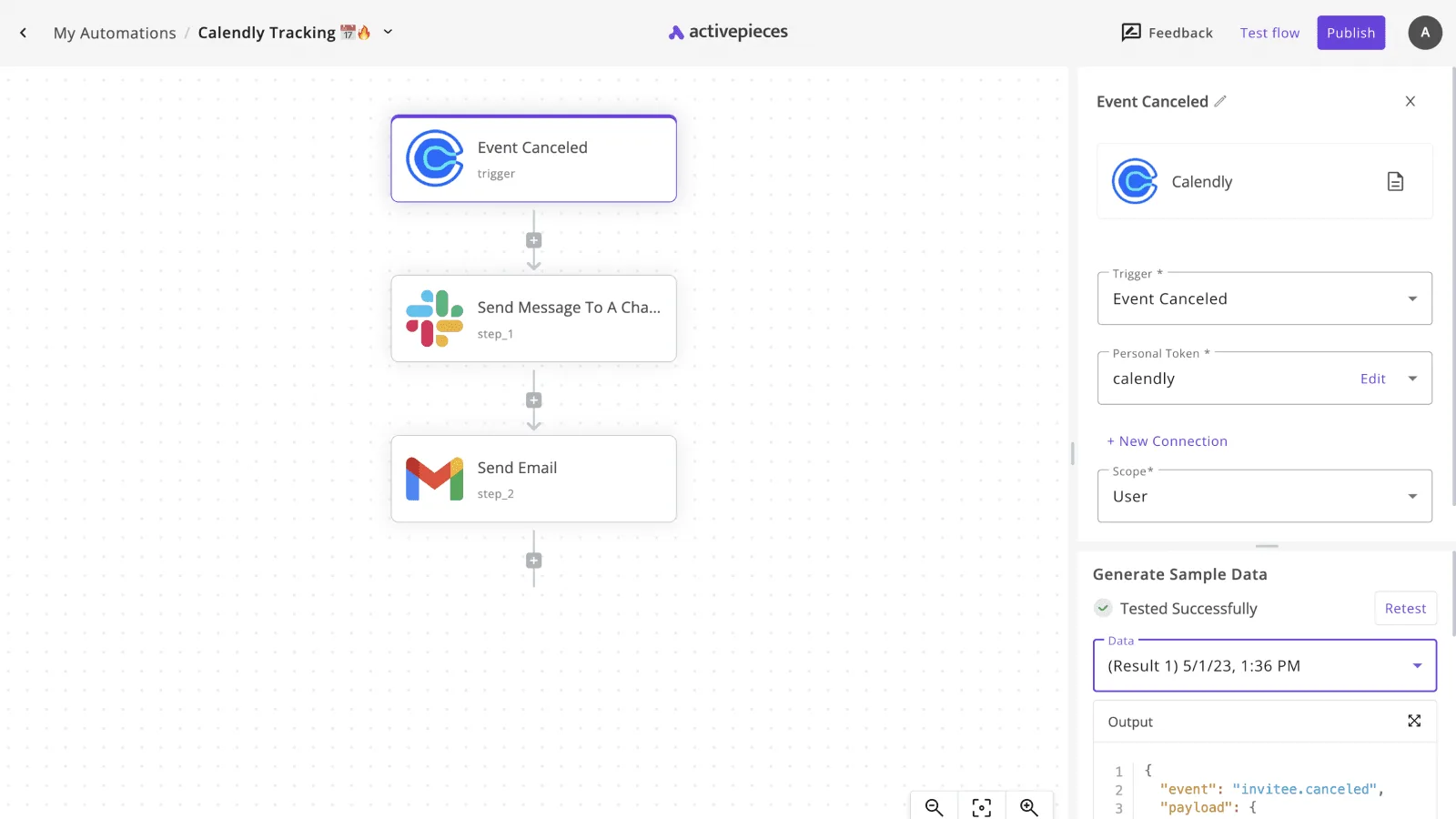
Then send the test message before you save.
Check the collector for the same message, with the app name you set. If it's there, save the destination.
If not, correct the host, port or protocol and test again. The saved destination is the end of this stage, and the next confirms that real events reach it.
## Stage 3: Confirm logs arrive and read them
Nothing is proven just because the destination saved without error. The check belongs at the receiving end, on a host you control, before you point any production system at the feed.
### Set up a test syslog listener for n8n
Use a minimal rsyslog instance on a disposable test host. Enable its TCP or UDP input module, and match the protocol to the one you chose when creating the destination. Write everything received to a single file so nothing is filtered out at this point.

Open the listening port on the host firewall only to the address your n8n instance sends from. Restart the service and confirm it's listening before you return to n8n. If the port isn't open here, no workflow run will tell you why.
### Run a workflow and watch events land
Run a workflow that does something visible, such as one that calls an MCP tool, searches Slack messages and creates an Airtable record. Each step gives the stream more than a single start-and-finish pair to record.
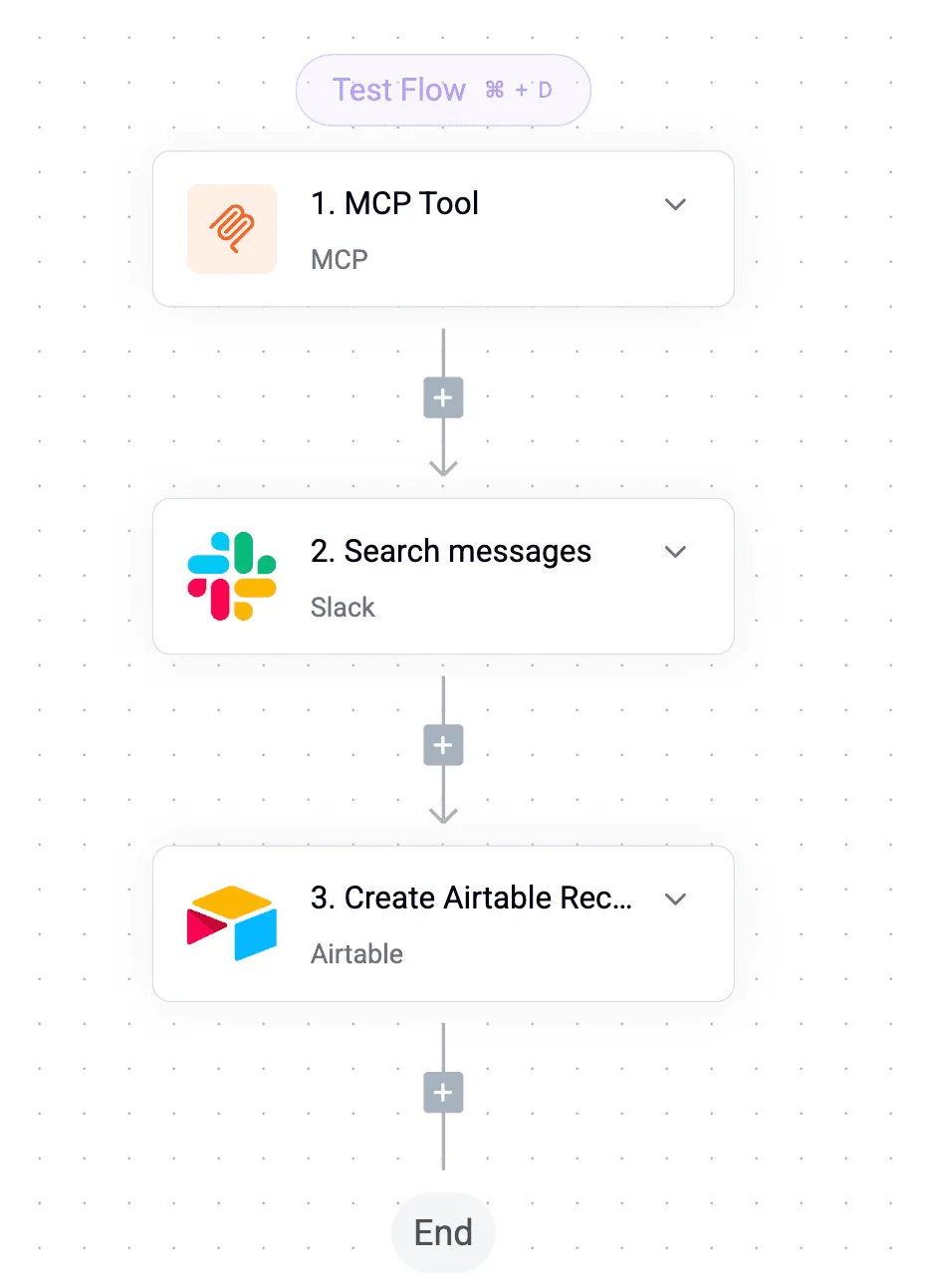
Take from it that a short, deterministic flow is enough. Keep it unchanged between runs so any difference in the received events is down to the stream rather than the workflow.
With the run complete, tail the receiving file on the test host. Read one message in full. Check that it carries a timestamp, an event name that matches your filtered list, and an identifier tying it to the workflow and execution.
Then check what's absent: events outside your filter shouldn't appear. If they do, the filter wasn't saved as you intended.
### Forward to a SIEM or log platform
Once the test host shows the right events and only those, change the destination to point at your security information and event management (SIEM) system. You can point it at whichever log platform your organisation has approved for retention instead.
Repeat the same run and confirm the same message appears there. Record the date, the workflow used and the result, since that record is what an auditor will ask to see.
## Mistakes that break n8n log streaming
Once an auditor accepts your test record, the next question is whether the feed was complete, and the mistakes below are the ones that leave gaps in it.
The table pairs each failure with what you'll observe and the correction, so use it as a pre-approval checklist before sign-off.
| Mistake | Symptom | Fix |
|---|---|---|
| Wrong plan | The log streaming settings are missing or can't be saved | Confirm the plan includes the feature before design work starts |
| UDP drops | Test events arrive, but gaps appear under load | Use TCP for syslog, or a webhook destination |
| Firewall block | The destination shows no events and n8n reports no obvious error | Open the route from the n8n host to the destination and rerun the test event |
| Streaming every event | Storage and review costs climb, and the signal is buried | Select only the event categories your audit requirement names |
| Missing worker events in queue mode | Executions are absent from the feed | Configure streaming so worker processes are covered as well as the main instance |
| Sensitive data | Personal or credential data appears in stored logs | Review event payloads and restrict what reaches the destination |
| Silent feed stop | Nobody notices until an auditor asks | Alert on the absence of events |
When a network is congested, **UDP discards events without confirming receipt**, and neither side reports it. An audit trail with undetected gaps is weaker than none, because it implies completeness. Prefer TCP, or a webhook that returns an acknowledgement.
An audit trail with undetected gaps is weaker than none, because it implies completeness.
It feels cautious to select every event category, but that hides the entries an auditor needs among routine execution noise. Write down which events your control requires, then subscribe to those categories only.
In queue mode, **workflow executions run on separate worker processes**, not on the main instance. If you tested only against the main instance, the feed may omit the very executions you must evidence.
Run a test workflow that a worker picks up, and confirm its events arrive.
When a destination stops receiving events, **it looks identical to a quiet system**. Set an alert that fires when no events arrive within an expected window, and name an owner who must respond to it.
## When a separate workflow is the better route
When you need to react to an event rather than keep a record of it, a separate workflow is the better route. It's also the route when your plan doesn't include log streaming.
In the diagram, an n8n instance has three outputs. They're log files controlled by `N8N_LOG_LEVEL`, an error workflow, and a syslog stream, all leading to a collector and an alert workflow.
The point to take is that only the collector is the record, and the other paths exist to notify.
Judge each route below by whether an auditor could rely on what it produces.
### Built-in alternatives to streaming
For troubleshooting, log files cost nothing extra, with verbosity set through `N8N_LOG_LEVEL`. They're weak as evidence, because they sit on the same host as the system they describe and can be rotated away or altered by anyone with server access.
For notification, an error workflow, started by the Error Trigger node when another workflow fails, is better. It records failures only, so it can't show who changed what.
### Using a separate workflow for audit event alerts
Use a second workflow for what happens after an event is captured: forwarding a summary to a chat channel, opening a ticket, or paging an owner. Keep it downstream of the collector, not in place of it.
If an alert fails silently, it leaves no trace, and the audit requirement is precisely that gaps are visible. Give the alerting workflow its own named owner and its own error handling.
Start on Monday with these steps:
1. Write down which events your auditor expects to see, and confirm the streaming plan covers them.
2. Filter the event list to those events and nothing more.
3. Point the stream at a collector outside the n8n host, with access limited to those who don't administer n8n.
4. Keep log files at a modest level for debugging, and treat them as disposable.
5. Attach an error workflow to each production workflow, and name an owner for the alerts.
6. Send a test event and confirm it arrives at the collector and triggers the alert.
## What Activepieces does about this
Activepieces answers the problem in this article from the other side: the audit trail should not depend on a tier you have to negotiate for.
Its core is MIT-licensed, so the platform that runs your workflows is code the security team can read, clone and test. The audit-feed question then becomes something you can verify yourself, not a line item on a quote.
MoneyGram and Moneypenny run it in production, and it can be self-hosted or run fully air-gapped, which matters if your collector sits in a network the automation platform must never leave.
For the pipeline this article describes, the useful part is that the destination is a workflow you own.
A step that posts to your collector, a syslog forwarder or a ticket queue is a integration like any other, so you can filter to the events your control names and send them where your auditors already look.

You can then add the check this article keeps asking for: a second flow that alerts when the feed goes quiet.
I'd rather not claim a built-in syslog stream I can't point to here, so treat that as a design you assemble and test, not a switch you flip.
The same test-first discipline applies. Run one deterministic workflow, confirm the event reached your collector and was stored, and record the date and result.
Because you control the deployment, you can also keep the collector outside the host that runs the automation and limit access to people who don't administer it, which is the separation an auditor tests.
If you are weighing this against an Enterprise quote, compare what each gives your reviewers to inspect. A licence you can read and a pipeline you built and tested yourself tend to be easier to defend than a feature you were told is there.
## Frequently asked questions
### Is n8n log streaming available on the free community edition?
No. Log streaming is a paid-tier feature, so the community edition won't give you it.
Treat it as a licensing line item: confirm the plan with whoever approves the spend before you design the pipeline around it, because a pipeline built on a feature you aren't licensed for can't be signed off as an audit control.
### Can n8n log streaming send logs to Splunk or Datadog?
Yes, indirectly. n8n has generic destinations (syslog, webhook and Sentry) rather than a dedicated connector for either platform. In practice you point a webhook destination at the HTTP collector endpoint that Splunk or Datadog provides, or send syslog to a forwarder you already run.
Whichever route you pick, send a test event and confirm it arrives and is parsed correctly. The audit requirement is evidence that the record reached the destination, not that the setting was saved.
### Does log streaming include the data passing through nodes?
Not by default, and you shouldn't assume it. The stream is built around events: workflow started, succeeded or failed, and similar lifecycle records, plus audit events such as credential and user changes.
It's not a copy of the payloads moving between nodes. That is the right design for an audit feed, since customer data stays out of your log store.
Inspect a real event from your own instance before telling a compliance reviewer what it does or doesn't contain.
### How do I stop duplicate events from multiple workers?
First establish whether they're duplicates at all. In queue mode, the main instance and each worker emit events for the work they perform, so one execution can legitimately produce repeated records from more than one process. Those are distinct events, not copies.
Genuine duplicates usually come from the same destination being configured twice, or from a receiver retrying a delivery. Remove the redundant destination, then deduplicate at the receiving end using the event identifier, which stays the same across a retry.
## Related reading
- [n8n Audit Logs: What Each Plan Includes (2026)](https://www.activepieces.com/blog/n8n-audit-logs-what-each-plan-includes-2026)
- [What a hash-chained audit trail actually means](https://www.activepieces.com/blog/what-a-hash-chained-audit-trail-actually-means)
- [How to Automate SEO Site Audit With Activepieces](https://www.activepieces.com/blog/how-to-automate-seo-site-audit-with-activepieces)
## References
- [n8n](https://n8n.io/pricing/)