Roughly **60% of the platform's 748+ integrations** are community-contributed, meaning the catalogue functions as a floor for growth rather than a limit on it. 1. The workflow monitors the HubSpot Deal for a "Closed Won" status change. 2. The system queries NetSuite for an existing Customer record matching the HubSpot Company ID. 3. If no match exists, the system creates a new Customer record in NetSuite using the HubSpot firmographic data. 4. The system updates the HubSpot Company record with the new NetSuite Internal ID to link future transactions. ### Pushing NetSuite invoice status to HubSpot timelines Account managers gain visibility into payment health without needing direct access to the general ledger when you sync invoice status back to the CRM. When your finance team applies a payment in NetSuite, the integration pushes a note or property update to the associated HubSpot Deal or Company record. Overdue accounts are easier for sales teams to identify before they attempt an upsell. This visibility reduces the risk of extending further credit to delinquent customers. ### Maintaining product catalog consistency across platforms NetSuite must act as the master repository for all SKUs, pricing tiers, and tax schedules to maintain a unified product catalog. Any change to a NetSuite Item record (such as a price increase or a retired service) must reflect in the HubSpot Product Library to ensure quotes generated by sales are financially accurate.  * NetSuite Item Name maps to HubSpot Product Name. * NetSuite Base Price maps to HubSpot Unit Price. * NetSuite Item ID maps to HubSpot SKU. ## Syncing HubSpot contacts to NetSuite Moving data from a front-office engagement signal to a back-office financial record requires a structured sequence. By treating the integration as a series of distinct logic gates, you'll avoid the common pitfall of flooding the ERP with unqualified leads that haven't yet met billing requirements. ### Stage 1: Set the HubSpot 'Contact Updated' trigger Monitoring the [HubSpot](https://www.activepieces.com/pieces/hubspot) "New or Updated Contact" trigger allows the integration to capture any profile changes that occur during the sales cycle. You'll prefer this specific trigger over "New Contact" because financial data, such as a Tax ID or billing address, rarely exists at the moment of initial lead creation. The workflow remains dormant until the salesperson populates the specific properties required for a successful NetSuite record. 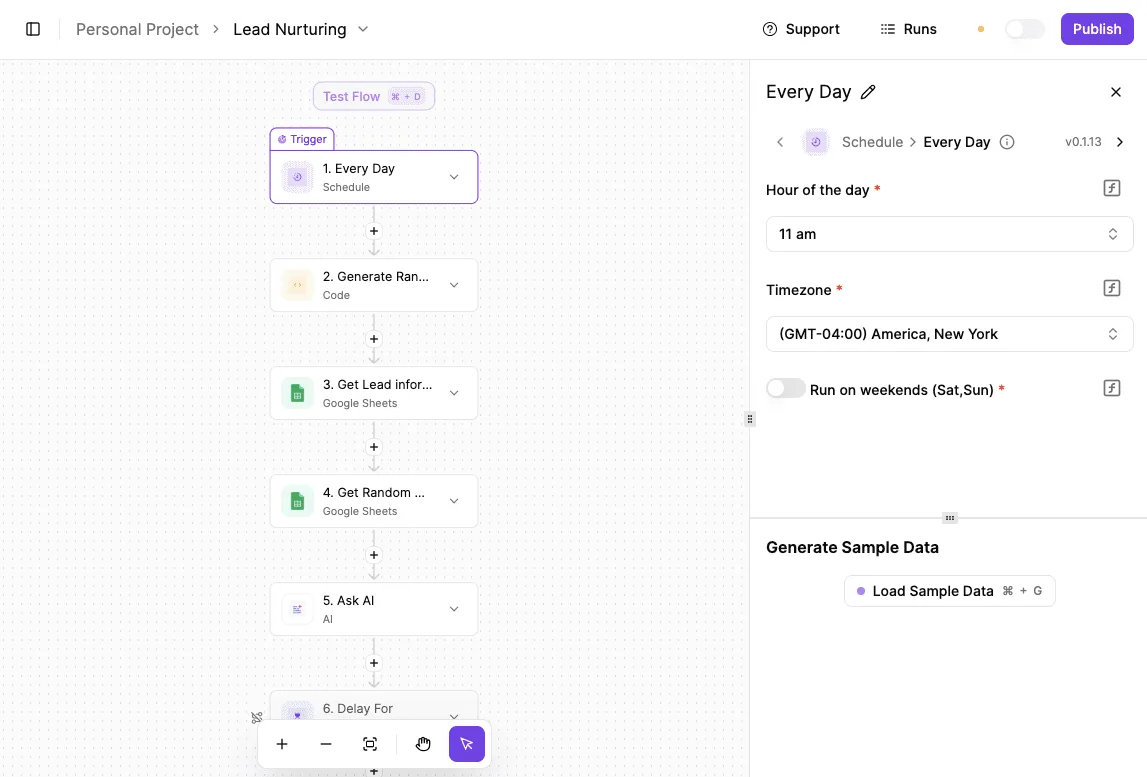 ### Filtering leads by lifecycle stage before sync Every marketing lead would consume a seat in the ERP if data did not pass a filter step checking if the `lifecycle_stage` property equals "Customer." Revenue Operations teams found that without this gate, the NetSuite sandbox became cluttered with junk data within a single week. Only records with high intent and verified data move forward to the accounting layer once you implement this strict condition. ### Stage 3: Authenticate the NetSuite 'Custom API Call' action The workflow initiates a [NetSuite](https://www.activepieces.com/pieces/netsuite) "Custom API Call" action to post the data to a RESTlet or the standard REST API once the filter passes. Because the standard catalog often lacks the specific custom segments used by finance for regional reporting, the custom call includes specific headers and internal IDs. Token-Based Authentication (TBA) is required at this stage. TBA creates a secure connection that doesn't expire when an administrator changes their password. ### Mapping HubSpot email and company fields to NetSuite To ensure record uniqueness, the mapping layer translates the HubSpot `email` and `company` fields into the corresponding NetSuite `email` and `companyName` keys. To handle edge cases where a company name might be missing, a "Branch" step or a fallback value should be used.  The following table illustrates the essential mapping requirements for a standard B2B sync: | HubSpot Property | NetSuite Field | Purpose | | :--- | :--- | :--- | | Email | email | Primary key for duplicate detection | | Company Name | companyName | Legal entity name for invoicing | | HubSpot Contact ID | externalId | Links the two records for future updates | These steps are visualized in the screenshot of the workflow builder. It specifically highlights how a "Contact Updated" trigger flows through an "AI Agent" step for qualification before reaching the NetSuite Customer action. 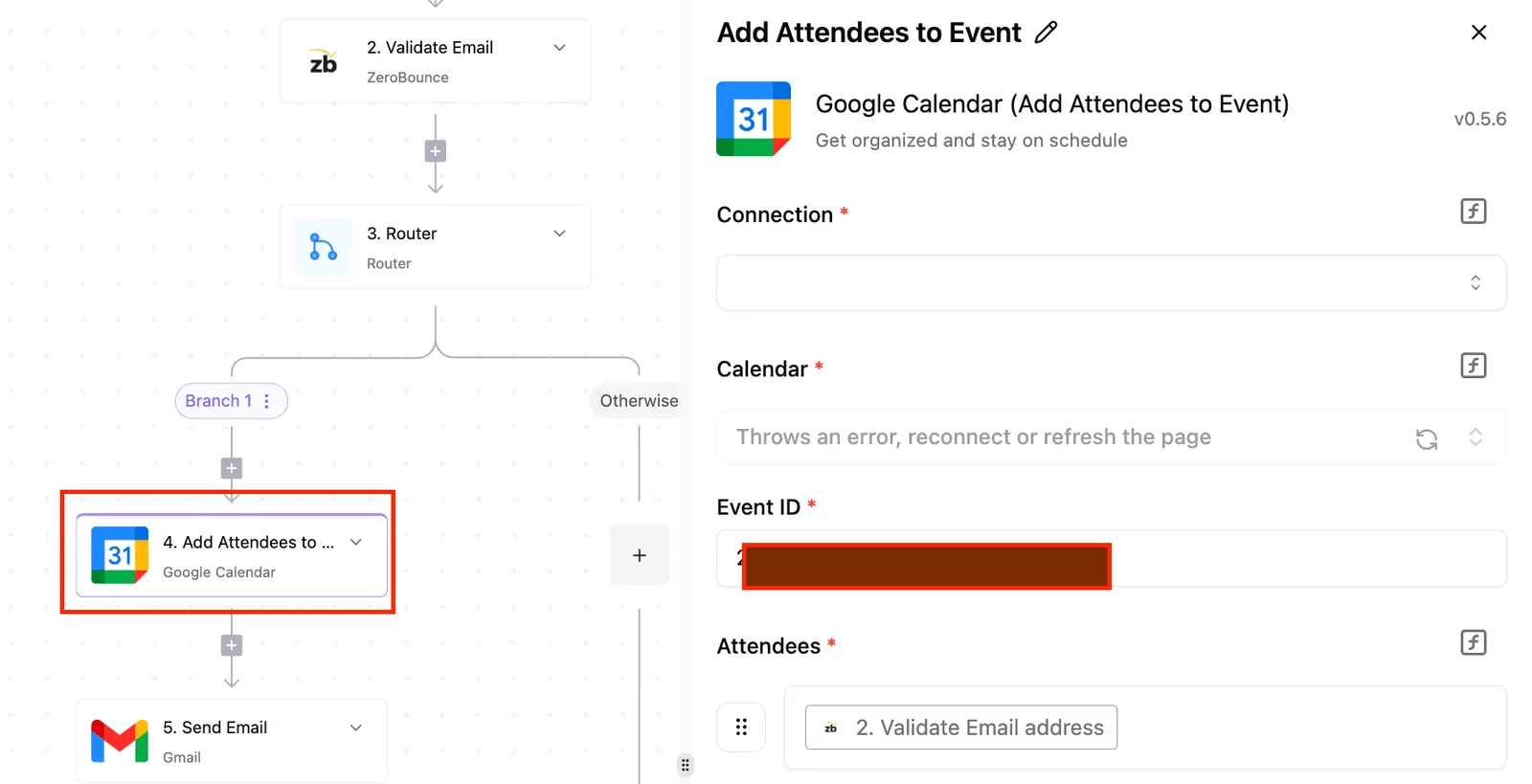 This visual logic allows your program lead to verify the "Qualified?" condition position before any data reaches the ERP. ### Stage 5: Run a manual test to verify record creation Confirming that the NetSuite Internal ID is returned and logged back in HubSpot requires a manual execution using a test contact. Successfully receiving an HTTP 201 Created response means the field types are compatible and the permissions are correctly scoped. The workflow can be toggled to an active state once your team verifies this handshake. This allows the automated sync to take over the manual entry tasks previously handled by the accounting team. ## Choosing the right integration middleware for your stack Whether you prioritize the rapid deployment of pre-built connectors or the long-term architectural control of an open-source framework will determine your choice of middleware. While standard integration catalogs provide an immediate path to connectivity, they often impose a rigid logic that prevents your Finance team from mapping custom NetSuite segments exactly as their reporting requires. ### The case for open-source automation architecture Business logic remains portable and extensible as your company scales when you choose an open-source approach to NetSuite-HubSpot connectivity. A flow that exists only in a vendor's proprietary UI is difficult to review or version properly. Activepieces allows teams to sync flows to Git and promote them through Release Management, treating the NetSuite integration like software rather than a hidden configuration. This ensures that changes to financial logic are versioned and reviewed in a test environment before hitting production, a capability that MoneyGram and FundingSocieties use to maintain governance over their automation environments. 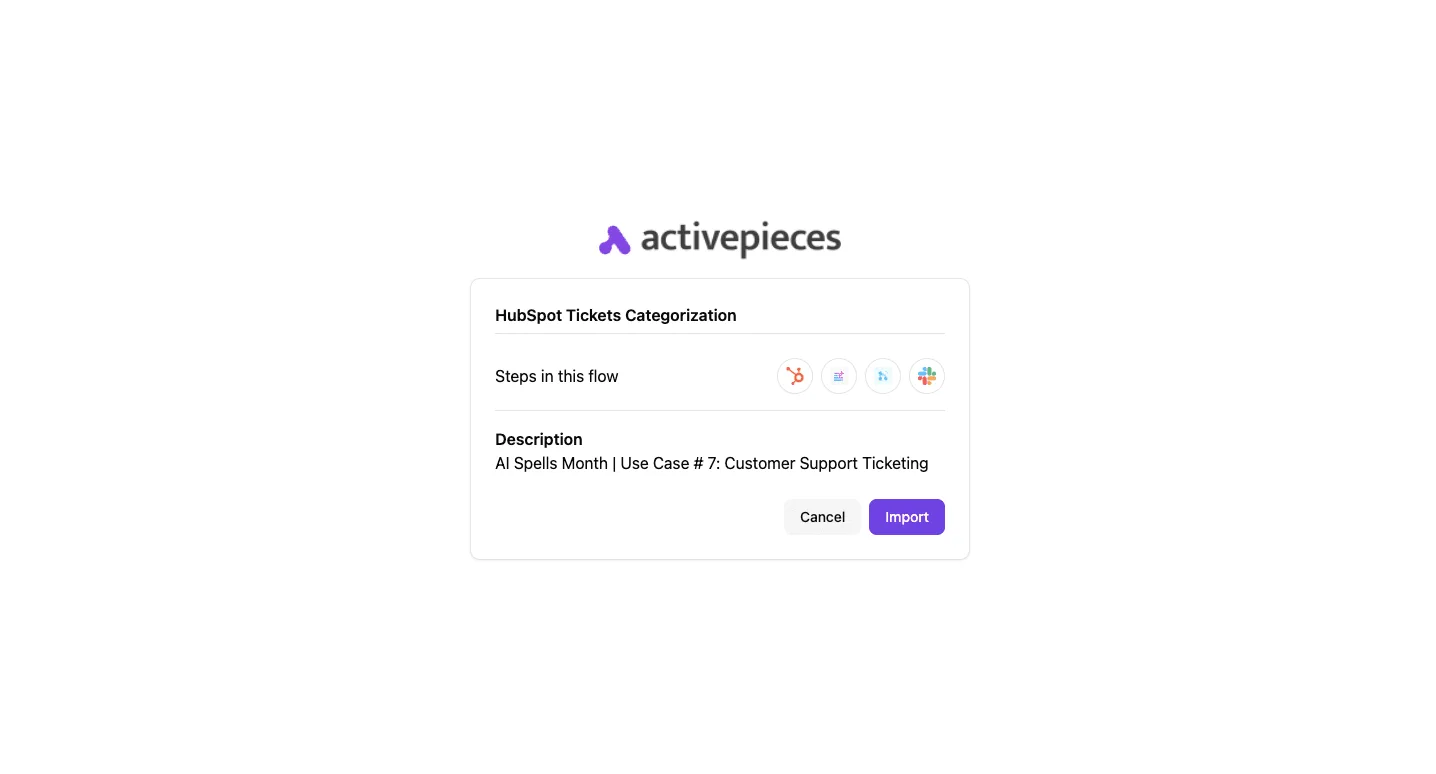 This avoids the "black box" problem where a proprietary vendor’s update might silently break a critical sync between CRM deal stages and ERP sales orders. ### Managing high-volume data syncs without per-step fees As transaction volumes increase during the growth phase, modern middleware selection must account for the total cost of ownership. The following comparison illustrates the **median annual contract costs** for common integration paths, showing how enterprise-grade platforms often demand a significant premium over basic or custom-built solutions. | Integration Type | Median Annual Contract Cost | Consequence | | :--- | :--- | :--- | | Basic HubSpot Integration | $1,500 - $5,000 | Limited to standard objects. | | Custom Builds | $20,000+ | High initial capital expense. | | Workato | $64,544 | Significant budget overhead. | Paying for convenience or investing in a platform that doesn't penalize you for every automated step is the choice forced by this cost disparity. When a high-volume sync triggers thousands of individual tasks daily, a **per-step pricing model** can lead to unexpected budget overruns that halt your automation roadmap. ### Self-hosting for SOC2 and financial data compliance Sensitive PII and financial records stay within your own virtual private cloud when your IT department self-hosts the integration layer. By deploying the middleware on internal infrastructure, your security team can apply the same network isolation and monitoring tools used for the ERP itself. Customer data stays off third-party vendor servers in this configuration. It's often a prerequisite for passing SOC2 audits, as it eliminates the risk of data exposure through an external intermediary’s breach. ## Resolving common NetSuite and HubSpot connection errors When the authentication layer or the API throughput fails to accommodate the specific business logic of your teams, technical hurdles in the NetSuite-HubSpot sync typically emerge. Stabilizing these connections requires moving beyond basic credentials to persistent, scoped access methods that satisfy both security and uptime requirements. ### Fixing 'Invalid Login Attempt' in NetSuite TBA User passwords that expire or require frequent rotation are eliminated by NetSuite’s Token Based Authentication (TBA). When an integration returns an "Invalid Login Attempt" error, it indicates a mismatch between the token’s digital signature and the account’s security permissions.  Your integration team must follow a specific sequence within the NetSuite environment to authorize the external request and resolve this. 1. Enable Token Based Authentication in the Enable Features menu so the system can process non-password-based requests. 2. Create an Integration Record for the HubSpot connector to establish a unique application identity within the ERP. 3. Create a Token Role with specific permissions for the objects being synced, such as Customers and Sales Orders, to ensure the principle of least privilege. 4. Generate the Token ID and Secret to provide the final set of credentials for the integration handshake. The integration uses these persistent keys to sign every request once these steps are completed, preventing the session timeouts that plague traditional login methods. ### Handling HubSpot API rate limit concurrency issues HubSpot enforces strict limits on the number of simultaneous calls an integration can make to prevent any single process from degrading the performance of the CRM portal. When the NetSuite sync attempts to push a massive batch of historical invoices or customer updates at once, the API returns a 429 error code to signal that the request has been throttled. An **exponential backoff strategy** must be designed into the workflow to mitigate this. This strategy pauses and retries failed calls at increasing intervals rather than flooding the queue. Utilizing a high-reasoning model like Claude Fable 5.2 to script these retry loops ensures the logic accounts for complex state changes during the wait period. ### Mapping custom properties between CRM and ERP Synchronization often breaks when the integration references a HubSpot property’s label instead of its internal name. While a field might be labeled "Contract Start Date" in the HubSpot UI, its internal API name is frequently a simplified string like `contract_start_date`. Using the wrong identifier will cause the NetSuite write operation to fail. | Sync Component | HubSpot Requirement | NetSuite Requirement | | :--- | :--- | :--- | | Field Identifier | Internal Name (e.g., `deal_value`) | Internal ID (e.g., `custbody_deal_value`) | | Data Type | Property Type (e.g., Enumeration) | Field Type (e.g., List/Record) | | Validation | Options must match internal values | Value must exist in the target list | "Property does not exist" errors that commonly stall automated billing workflows are prevented by ensuring these identifiers match exactly across both systems. ## Frequently asked questions about NetSuite HubSpot sync ### Does this integration support real-time bi-directional sync? Standard integration catalogs typically support near-real-time synchronization through webhooks. True bi-directional flow depends on configuring specific triggers to prevent circular logic loops. Without defined primary systems for specific record types (such as HubSpot for Lead generation and NetSuite for Transactional truth), the systems may overwrite each other's data during simultaneous updates. Claude Fable 5.2 from Anthropic is utilized by Solution Architecture teams to manage the high-reasoning requirements of mapping these complex conditional flows. This model handles long-horizon agentic work better than basic mapping templates. ### Do I need the NetSuite SuiteTalk license to connect? Enabling the Web Services feature within your account settings is required for any external integration to access the NetSuite platform. This provides the SOAP and REST endpoints necessary for data exchange. This feature is a prerequisite for generating the Consumer Key and Secret used in Token-Based Authentication (TBA). TBA is the secure method for verifying the integration's identity without sharing user passwords. You'll deploy Antigravity Agent from Google to ensure the resulting scripts adhere to NetSuite’s governance limits if your team requires autonomous code generation to build these custom authentication wrappers. ### Can I sync historical data from HubSpot to NetSuite? Historical data synchronization is possible. It requires a distinct migration strategy separate from the trigger-based workflow used for daily operations. Attempting to push thousands of legacy records through a real-time sync engine often triggers concurrency errors, which halts the processing of new, high-priority sales orders, effectively stalling revenue generation during peak demand. Three distinct phases are used to categorize the data migration and ensure system stability: 1. Data Cleansing: Identifying and merging duplicate records in HubSpot to ensure only unique entities consume NetSuite storage. 2. Schema Alignment: Mapping legacy custom properties to current NetSuite fields to maintain reporting continuity across fiscal years. 3. Batch Upload: Utilizing the NetSuite CSV Import Assistant for the bulk of the volume while reserving the API for delta updates. Claude Haiku 5.5 from Anthropic is used to accelerate the classification and routing of these legacy records. Its low latency allows you to process high-volume historical datasets without delaying the production rollout. ## Related reading - [Stripe HubSpot Integration: Setup Guide (2026)](https://www.activepieces.com/blog/stripe-hubspot-integration-setup-guide-2026) - [Shopify HubSpot Integration vs Zapier or n8n in 2026](https://www.activepieces.com/blog/shopify-hubspot-integration-vs-zapier-or-n8n-in-2026) - [Intercom HubSpot Integration: Setup and Limits (2026)](https://www.activepieces.com/blog/intercom-hubspot-integration-setup-and-limits-2026)Every vendor-locked catalogue acts as a ceiling on your business logic, forcing you to wait for their roadmap if a specific NetSuite sub-record or HubSpot custom object is missing.