## Hidden Costs and Limits Nscale Users Hit Beyond the headline rate, five items decide what an Nscale bill really is: rate limits, quotas, minimum commitments, egress and storage charges, and idle GPU billing. I haven't confirmed any of them with a figure, and an unconfirmed limit's a risk, not a rounding error. ### Rate limits and quotas At peak, a rate limit on serverless inference caps how much of your planned monthly volume you can send. If the cap sits below your busiest hour, the token price on the worked bill is irrelevant. When you request reserved capacity, the quota decides whether the capacity you priced exists. As of 2026-11-09 there's no Nscale docs figure for either that I can cite, so both go to sales. ### Commitments, minimums and idle capacity Under a minimum commitment, a usage price becomes a floor: you owe the floor even in a slow month. Reserved GPUs raise a second question, which is whether an allocated GPU bills while it sits idle. Assume it does until the terms say otherwise in writing. ### Nscale Storage, Networking and Support Costs For moving data out of their network and for keeping datasets on their disks, providers often bill separately from compute. For a training or fine-tuning workload, those lines can grow with the dataset while the GPU rate stays flat. If response times for a GPU outage depend on a paid plan, that plan belongs in the monthly total; support tiers matter in the same way. I haven't confirmed Nscale's position on any of these from its docs, terms or changelog. ### Questions to put to nscale sales before signing Settle the five items below in writing before comparing Nscale with Nebius on a monthly bill. Each's a question for sales, because I haven't confirmed it against a dated Nscale source: - What are the per-account rate limits on serverless inference, and can Nscale raise them on request? - What quota applies to reserved GPUs, and how long does an increase take? - Is there a minimum commitment, and what do you owe if usage falls short? - Does Nscale bill egress and storage separately, and from what point? - Does a reserved GPU bill while idle, and can capacity be paused or released mid-term? Enter both sets of answers in the worked bill, so that the comparison rests on contract terms and not on list rates. ## Nscale Versus Nebius and Other Close Alternatives On on-demand H100 time, Nscale's cheaper than Nebius: [ComputeTick](https://computetick.com/gpu/h100) lists $3.49 against $4.50 per GPU-hour, so [Nebius](https://nebius.com/prices) costs about 29% more before any contract term is applied. 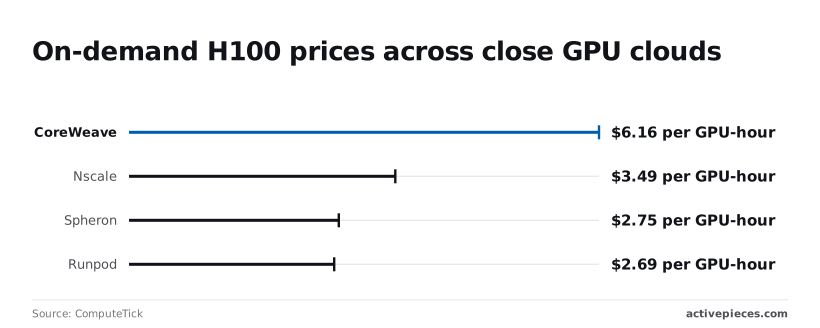 ### Nscale vs Nebius, side by side Over an illustrative eight-GPU month of 730 hours (5,840 GPU-hours), it's $20,381.60 on Nscale against $26,280.00 on Nebius, a difference of $5,898.40. Confirm both rates before signing anything, because ComputeTick's a third-party tracker, not either vendor's own page. Whether a committed or batch discount erases the gap depends on the answers to the five questions, which is why the bill takes contract terms and not list rates. ### Other Nscale Alternatives Worth Pricing Only one dimension can be sourced for every vendor, and the table shows it: the on-demand H100 rate, and how far each sits from Nscale. It shows that Nebius isn't the only vendor to price against, and that Nscale isn't the cheapest. | Vendor | H100, $/GPU-hr (ComputeTick) | Against Nscale | |---|---|---| | CoreWeave | 6.16 | +$2.67 (about 76% higher) | | Nebius | 4.50 | +$1.01 (about 29% higher) | | Nscale | 3.49 | baseline | | Spheron | 2.75 | −$0.74 (about 21% lower) | | Runpod | 2.69 | −$0.80 (about 23% lower) | Choose CoreWeave, at $6.16 the most expensive here, only if something other than hourly price decides the purchase. [Spheron](https://www.spheron.network/blog/gpu-cloud-pricing-comparison-2026/) at $2.75 and Runpod at $2.69 undercut Nscale, and both deserve a quote, which means Nscale should expect significant price pressure.  A lower hourly rate says nothing about free credits, commitment terms, rate limits or discounts, and the table carries none of those. Each must be asked of the vendor in writing. ### Which one is cheaper for the worked workload Nscale's cheaper than Nebius and CoreWeave at on-demand H100 list rates, and Spheron and Runpod are cheaper than Nscale. For the eight-GPU month above, Spheron comes to $16,060 (5,840 × $2.75) and Runpod to $15,709.60 (5,840 × $2.69), **roughly $4,300 to $4,700 under Nscale**, making Nscale uncompetitive on cost for eight-GPU deployments. That ranking holds only until committed-use pricing and written rate limits are entered. If Nscale's committed rate falls below those two, or if the cheaper vendors can't guarantee capacity, the order changes. ## Tracking Nscale Spend with Activepieces Every day, Activepieces can check your Nscale usage and warn you when spend nears a budget you set. It's an automation tool with a visual workflow builder, and it only monitors the bill and does nothing to lower it. It also costs almost nothing to run: Activepieces' pricing page counts a flow run as 1 credit, so a ten-step flow costs the same as a two-step shortcut, while Zapier bills per task and Make per module, which taxes splitting work into small, reliable steps. A daily check of about 30 runs a month uses 30 of the 1,000 credits on the free plan, which allows unlimited flows, which means the free tier comfortably covers it.  Unless you notice early that your committed rate or volume has drifted from what you modelled, the comparison above is of little use. ### Nscale Spend Alert Workflow Overview You'll have one workflow that runs daily. It pulls your usage from Nscale, compares it to a monthly budget, and sends a Slack message and an email once spend passes 80% of that budget, so you can take action before the budget is exceeded. The 80% line is a choice, not a vendor figure, and it leaves time to act before the invoice does. This depends on one thing I can't confirm for you: that Nscale exposes usage or billing data through an API your account can call. Check its documentation first. If there's no such endpoint, the workflow has nothing to read, and a manual export is the only fallback. ### Build a Daily Nscale Spend Check Built to track Calendly cancellations, the workflow in the screenshot is a different one. Its shape's the one to copy: a trigger feeding a Slack "Send Message To A Channel" action and a Gmail "Send Email" action. 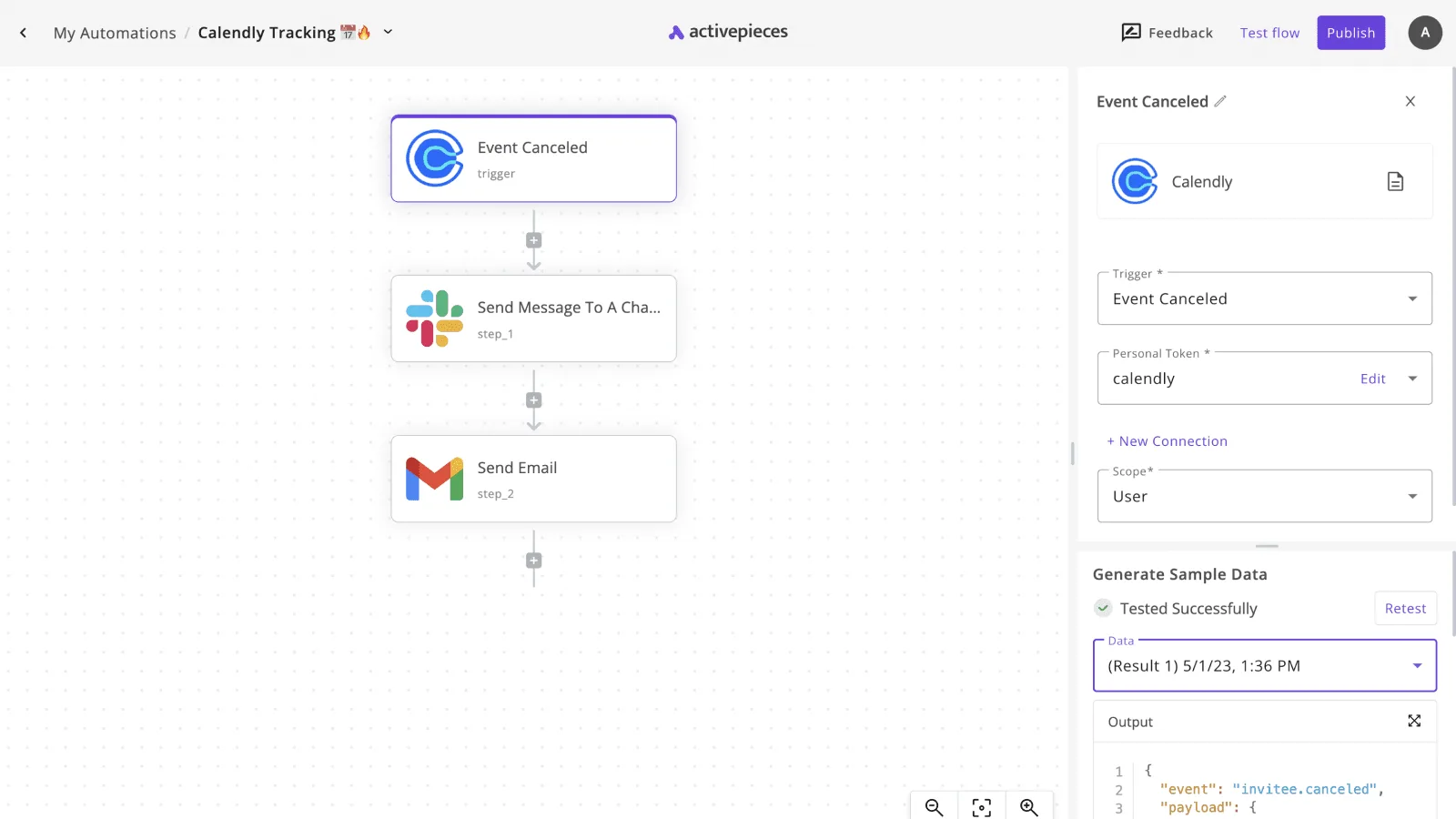 That means the alerting half's already a standard pairing, and only the trigger and the data step change. 1. Add a Schedule trigger set to run every day. Daily's enough because the bill moves by day, not by minute. 2. Add an HTTP step with the method GET, the usage URL from Nscale's documentation, and an Authorization header carrying your API key. Store the key as a connection or secret, never pasted into the step, so it stays out of exported flows. 3. Add a condition step comparing the returned spend to your budget multiplied by 0.8. Use the field name the response actually returns, which you'll see after running Test flow once. 4. On the true branch, add the Slack and Gmail actions. Put the spend, the budget, and the date in the message so the alert can be read without opening anything. Publish only after the test run shows real data in the step output. A flow that passes with an empty response will stay silent in the month it matters. ### Nscale Pricing Checklist for Monday On Monday, confirm that Nscale offers a usage endpoint and note which product it covers: serverless inference, reserved GPUs, or both. Write down your monthly budget from the worked bill, then build and test the flow with a real API key held as a secret. Send one deliberately low-threshold test alert to confirm both Slack and email arrive, and put a calendar reminder in to revisit the budget when your commitment changes. ## Frequently asked questions If an answer can't be tied to a vendor page and a date, it's the same kind of empty pass: it looks like a result and tells you nothing. Treat each answer below as a prompt to re-read the named page before you sign. ### Does nscale have a free tier or free credits? Budget as if it doesn't. Nscale's pricing pages are the only authority here, and any credit that isn't printed on them is **a sales concession, not a published term**. Ask for it in writing, with an expiry date and the products it covers, because a credit that applies to serverless inference doesn't offset a reserved GPU invoice. ### Is nscale cheaper than Nebius for inference? It depends on the workload, so a headline rate can't settle it. Compare the two on the same monthly bill: the same model, the same input and output token mix, and the same commitment level. Check each vendor's page on the same day. At low volume a rate can win, then lose once a committed discount applies on the other side. ### Does nscale charge for data egress? Read the egress line on the vendor's current pricing or terms page before you assume either answer. Nebius publishes a per-gigabyte egress rate, which makes it easy to price. If Nscale's page doesn't state one for your product, ask the sales team and get the answer in writing. Egress matters most when you move large outputs or datasets out of the vendor's cloud, and it's the line most often missing from a comparison. ### Can I get a discount for committing to nscale GPUs for a year? On reserved GPU capacity, commitment length normally moves the price, so ask for a quote at each term you'd accept. Get the discount stated against the on-demand rate, and ask what happens to the commitment if the hardware's unavailable or the service goes down. Read the SLA clause verbatim, since uptime credits are only as good as the clause that defines them. ### How often does nscale change its prices? I've no confirmed cadence, so I won't state one. Treat every price in this article as true on the date it was checked, and nothing more. Before you rely on a figure, reopen the vendor's page and compare its date against the date in this article. If you're signing a contract, a price-protection clause matters more than any list rate. ## References - [ComputeTick](https://computetick.com/gpu/h100)**If the order form doesn't say that Nscale credits unused hours, assume you forfeit them.