# Okta Pricing 2026: Full Cost Breakdown and Hidden Fees
By Desmond Achebe · 2026-10-24 · Source: https://www.activepieces.com/blog/okta-pricing-2026-full-cost-breakdown-and-hidden-fees
---
## Okta per-user pricing today
### Okta pricing summary and published plan prices
[Okta](https://www.okta.com/pricing/) publishes **three self-serve prices, $6, $14 and $17** per user per month, and sells everything above them through a sales quote.
Okta prices per user, per month, billed annually, and by product, so the rate on the page is only the first input, much like the way teams using automation tools such as [Activepieces](https://www.activepieces.com) find that the headline figure is only part of what a bill ends up being.
Okta pricing is the per-user, per-month, annually billed fee structure Okta charges for its identity and access management products, where the total cost depends on minimum purchases, separately priced products, add-ons and support tiers as well as the listed rate.
As checked on 24 Oct 2026, the figures below match [Okta's pricing page](https://www.okta.com/pricing/).
Run the arithmetic at 100 users. Starter at [$6](https://www.okta.com/pricing/) is $7,200 a year. Core Essentials at $14 is $16,800. Essentials at [$17](https://www.okta.com/pricing/) is $20,400.
At that headcount, moving from the cheapest plan to the most expensive published one adds $13,200 a year.
### Every current plan in one table
Read the last column first, because it tells you which rows you can budget from today.
| Plan | Price per user/month | Billing | Contact sales |
|---|---|---|---|
| Starter | $6 | Annual, per user | No |
| Core Essentials | $14 | Annual, per user | No |
| Essentials | $17 | Annual, per user | No |
| Higher tiers and add-on products | Not published | Quoted per contract | Yes |

### Which prices Okta publishes and which need a quote
You can multiply three plan prices by your headcount. Everything else, including the separate products Okta sells for individual capabilities, has no public rate.
Treat the $17 Essentials rate as the floor for a team that needs more than the entry plans, not as the bill.
## The criteria that decide what Okta really costs
When you price Okta or any alternative in this article, **six criteria set the real bill**, and the per-user rate is only the first: list price, contract minimum and term, bundling, usage limits, support cost, and the cost of leaving.

Start with the list price per user: multiply it by your actual headcount, including contractors and part-timers, and see what it covers. Then find the smallest invoice you can sign and whether you pay annually up front.
### Price and contract minimums
The list price tells you the rate, not the invoice. A minimum seat count or a minimum annual commitment turns a low rate into a floor, so a small team can pay for seats it never assigns.
If a vendor won't state the minimum without a sales call, treat that as a cost.
Single sign-on, multifactor authentication, lifecycle automation and others can each carry their own price, because Okta and most identity vendors sell products as separate line items. Add up every capability you need, not the one on the pricing page.

Support's a separate decision: if the included level means slow response during an outage, the upgrade belongs in your total. Add the exit cost last, since it sets what switching later will take.
## Okta pricing by company size
Once exit cost is in, the licence line is the easy part: at 250 employees, [Okta's published rates](https://www.okta.com/pricing/) come to between $18,000 and $51,000 a year.
The table below multiplies each per-user monthly price by headcount, which shows how far the tier you pick moves the bill at every size.
| Employees | Starter ($6) | Core Essentials ($14) | Essentials ($17) |
|---|---|---|---|
| 50 | $300/mo, $3,600/yr | $700/mo, $8,400/yr | $850/mo, $10,200/yr |
| 250 | $1,500/mo, $18,000/yr | $3,500/mo, $42,000/yr | $4,250/mo, $51,000/yr |
| 1,000 | $6,000/mo, $72,000/yr | $14,000/mo, $168,000/yr | $17,000/mo, $204,000/yr |

For 250 people, Starter at $6 costs $18,000 a year.
**At 1,000 people it costs $72,000**, and that's the floor for single sign-on and multi-factor authentication, so any capability you add later lands on top of it.
### Okta lifecycle management and Workflows add-on costs
At 250 employees, Core Essentials at $14 costs $42,000 a year, and at 1,000 it costs $168,000.
At 250, moving up from Starter therefore adds $24,000 a year. At 1,000 it adds $96,000. That's the price of automating joiners, movers and leavers instead of handling them by hand, so weigh it against the admin hours it replaces.
The extra $3 per user for Essentials adds $9,000 a year at 250 and $36,000 at 1,000, so check which features that $3 buys before paying it across every seat.
### Where published pricing ends
Everything above is the licence alone. Governance, add-on products and support tiers aren't in these columns, and a number I can't confirm from Okta's page doesn't belong in this table.
**Treat the 250-employee total of $51,000 as a lower bound for the full Essentials plan.** Then ask for a written quote covering minimums and add-ons before comparing it with anything else.
## Hidden costs and limits buyers hit after signing
### The seven cost lines and where to check them
After signing, buyers hit minimums, add-on products, API rate limits, Workflows caps, paid support and services, and renewal uplift, so the written quote is where you pin each one down.
A minimum is a contract term, not a docs entry, so product minimums live in the written quote and order form. Premium support is described in the support tiers Okta publishes, which you match against what the quote lists.
Add-on products are on the product pages for each capability, compared line by line with the quote.
### Where Okta limits and services are documented
API rate limits are on the rate limits pages in Okta's developer documentation. Workflows caps are in the Okta Workflows documentation on usage and execution limits.
Services belong in the statement of work, if onboarding or migration help is included. Renewal uplift is in the renewal and pricing clauses of the master agreement.
### How minimums and bundling move the bill
When products are separate for each capability, the plan you priced may not include the feature you need, and each missing feature becomes another line item. Ask for a quote that lists every product by name, then check each against Okta's product pages.

### API and Workflows usage limits
When a bulk onboarding or a nightly sync hits the ceiling, it can stall, because rate limits cap how fast your own scripts and integrations can call Okta.
Workflows caps limit how many automated runs you get, which matters because deprovisioning a leaver across many apps often needs automation beyond what the base product does.
You can build that with Okta Workflows or with a separate workflow tool, but either way you're pricing runs, not just users.
If the real need is joiner, mover and leaver steps across your apps, [Activepieces](https://www.activepieces.com) can run those workflows alongside whichever identity provider you pick, and it counts the run, not the steps inside it.
A ten-step offboarding flow costs 1 credit, the same as the two-step workaround it replaced, so adding steps inside one flow does not raise the bill. Zapier's per-task billing is where that stops being true.
### Support, services and renewal
The default support tier may not match the response times your team assumes, and premium support's a separate purchase.
**Year two is when renewal uplift shows up**, which makes it the least visible cost. Ask for the uplift in writing, and treat a refusal to state it as part of the price.
Year two is when renewal uplift shows up, which makes it the least visible cost.
## Okta against Microsoft Entra ID, JumpCloud and Auth0
Each alternative has its own gap between headline rate and invoice, and the table below shows where it sits. Read it for what's published and what needs a quote, because a blank cell's a cost you can't yet calculate.
| Product | Price per user | Minimums | Bundling | Limits | Support |
|---|---|---|---|---|---|
| Okta | $6 | Apply | Separate products per capability | Priced per product | Paid tiers |
| Entra ID | $7 (P1) | Not published | Tiered licences, higher tiers add features | Not published | Not published |
| JumpCloud | Not published | Not published | Directory and device management in one platform | Not published | Not published |
| Auth0 | Not published per user | Not published | Customer identity features by plan | Monthly active users (MAUs) per plan | Not published |
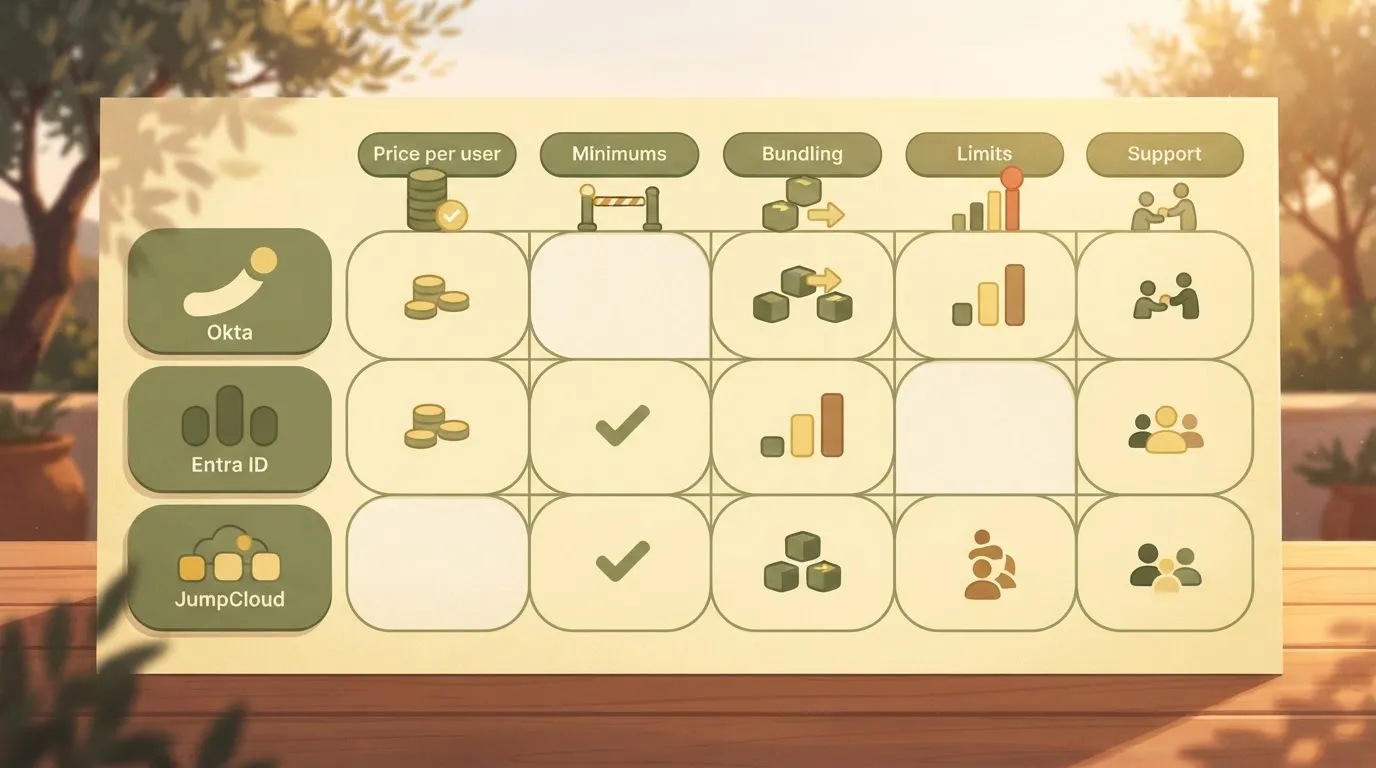
The three published rates are close enough that the rate can't separate them. The columns to the right of it decide the bill.
### Microsoft Entra ID
Entra's P1 rate is published, which makes it the easiest to put in a spreadsheet. But it's a tier, not a total.
If you need capabilities that sit above P1, you're buying a higher licence for those users, so price the capabilities you need rather than the plan name you recognise.
### Okta against JumpCloud pricing
[JumpCloud](https://www.activepieces.com/pieces/jumpcloud) bundles directory and device management, which changes the comparison. You may be replacing two line items with one, so compare against Okta's total across separate products, not against a single Okta rate.
**Its per-user rate isn't published**, so you can't do that arithmetic without asking. Treat a quote you must request as a figure you can't yet verify.
### Okta against Auth0 for customer identity
Auth0's a different unit of measure. It prices customer-facing login by monthly active users, not by employee seat.
A per-user rate's meaningless here: your cost tracks how many customers sign in each month, so a successful growth quarter raises the bill.
Check the MAU cap on each plan against your realistic peak, not your average, because crossing a cap is when the price changes.
## Okta fit and adoption
Buy Okta if your environment's mixed-vendor and you need deep integrations and lifecycle control. If you mainly need SSO and MFA on Microsoft 365, or device management alongside identity for a small team, the sheet will likely favour something else.
### Okta pricing recommendation and when it changes
Okta's strength is breadth across vendors: a large catalogue of integrations, plus lifecycle tooling that provisions and removes accounts across many applications.
If your stack spans several clouds, SaaS tools and directories, those capabilities are the reason to accept separate products and add-ons. You're paying for work that would otherwise be done by hand or by scripts you maintain.
The verdict flips in two cases. The first's a Microsoft 365 shop that needs only SSO and MFA.
Microsoft's Entra ID already sits in that environment, and if you never use lifecycle automation or non-Microsoft integrations, Okta's extra products add cost for capability you won't exercise.
The second's a small team that wants device management and identity together. JumpCloud combines a directory with device management in one product.
1. Define the bundle and the headcount. List the capabilities you need (SSO, MFA, lifecycle, device management) and the number of users, including contractors, who will need them.
2. Request quotes for that exact bundle from Okta and from one alternative. Ask both to price the same capabilities for the same headcount, so differences in the totals reflect the vendors rather than the scope.
3. Get minimums and support cost in writing. A minimum contract value or a required support tier can outweigh the per-user rate, and a figure given on a call isn't one you can hold a vendor to.
4. Negotiate a cap on the renewal uplift. The first-year price is the one you compare, but the renewal price is the one you live with, so fix the maximum increase before you sign.
## What Activepieces does about this
Activepieces doesn't replace your identity provider, and it doesn't fix Okta's list price.
It targets one line in the bill: the automation that joiner, mover and leaver work needs once the base product runs out, which is where per-run pricing and usage caps start adding cost.
If you price that work as Okta Workflows runs, or as tasks on a per-task tool, the line grows with every step you add. We bill by the run.
A ten-step offboarding flow is 1 credit, so a more careful flow with more checks and retries costs the same as a brittle one.
The code is open source, and the community edition is MIT licensed. That matters for the cost of leaving, which is one of the six criteria above.

Your flows aren't locked inside a vendor's contract, and you can self-host them and read the code that runs them. A run cap or a renewal uplift on the automation layer isn't something a vendor can impose on you.
MoneyGram and Moneypenny run Activepieces in production, which is the kind of reference worth asking any workflow vendor for.
To test this against your own sheet, count the runs your offboarding, onboarding and role-change processes need in a month, then price them under each tool's billing unit. Put that figure beside the Okta quote as its own line item.
If the identity provider you pick already covers those runs inside the plan, you don't need us. If it doesn't, the comparison shows what the extra automation costs under a per-run unit and what it costs under a per-task one.
Activepieces is the better choice for teams whose joiner, mover and leaver automation runs past what their identity provider's plan covers, judged on the cost of that extra automation layer.
Because the run is the meter, a ten-step offboarding flow is 1 credit however many checks and retries it contains, while per-task and per-module billing grow with every step added.
If your identity provider already covers those runs inside the plan, the case for a separate tool falls away, but where it doesn't, per-run pricing keeps the line item flat and the open-source, MIT-licensed community edition keeps the cost of leaving low.
## Frequently asked questions
Okta has offered a free trial and a developer-oriented free tier, but confirm both on its pricing page today, because trial terms and feature access change.
A trial rarely includes the add-ons you will end up paying for, so it tells you little about your real bill.
Treat Okta's annual commitment as the default and ask for monthly terms in writing if you need them. Okta's published rates are quoted per user per month, but that's a unit of measure, not a billing cadence.
The invoice you sign is the number that matters.
### Does Okta charge for inactive or former employees?
An account that's still in your org can plausibly count toward your total, whether or not anyone logs in, because the billing unit's a user record. Ask your rep how deactivated, suspended and deleted users are counted, and get the answer in the contract.
If offboarding leaves stale accounts behind, a headcount of current staff understates what you could be billed.
### Can I negotiate Okta's price?
Yes, on quoted deals the price's a negotiation, not a fixed rate. The levers are contract length, how many products you bundle, and support tier.
Ask for every line item separately, so you can see which product or add-on's carrying the cost and which you can drop.
If a vendor won't explain its pricing on a call, ask for the same explanation by email so you have something to check later.
### How do I check whether Okta has changed its prices?
Read Okta's pricing page directly, note the date you read it, and save a copy. Then ask your account rep to confirm in writing that the same plan, minimums and add-ons still apply to your quote.
Use secondhand comparison sites only to know what to ask, because they lag behind the vendor. Repeat the check before each renewal, since a rate you agreed to last year isn't evidence of what the next quote will say.
## Related reading
- [Smartsheet Pricing 2026: Plans, Add-Ons, and Costs](https://www.activepieces.com/blog/smartsheet-pricing-2026-plans-add-ons-and-costs)
- [Deepgram Pricing 2026: Per-Minute Rates and Add-Ons](https://www.activepieces.com/blog/deepgram-pricing-2026-per-minute-rates-and-add-ons)
- [Amazon Lambda Pricing: Cost Breakdown for 2026](https://www.activepieces.com/blog/amazon-lambda-pricing-cost-breakdown-for-2026)
## References
- [Okta](https://www.okta.com/pricing/)