# Picsart Automation in 2026: Set Up AI Workflows Step by Step

By Aisha Okoye · 2026-11-15 · Source: https://www.activepieces.com/blog/picsart-automation-in-2026-set-up-ai-workflows-step-by-step

---
<aside class="tldr"><p class="tldr-label">Summary</p><p>Picsart automation consists of three layers—in-app editing tools for occasional work, the API for developers, or workflow tools for non-coders.</p><ul><li>Per-call costs range from $0.0002 (SANA-Sprint) to $0.044 (Enhance), a 200-fold difference.</li><li>In-app setup takes minutes; API setup takes an afternoon; workflow tools take longer.</li><li>Uncontrolled retries can exhaust a month's credits overnight when bulk runs aren't capped.</li></ul></aside>

Picsart automation means getting repeat image work done without clicking through it by hand, and it comes in three layers:
- the editor's own tools
- the Picsart API
- a workflow tool connecting the two to your files

Pick the lightest layer that covers the job.

The table shows who each layer suits, how long it takes to stand up, how much it handles and how you pay.

## Picsart automation's three layers

| Layer | Who it suits | Setup time | Volume it handles | Cost model |
|---|---|---|---|---|
| In-app editor tools | One person, occasional batches | Minutes | Small, hands-on runs | Picsart subscription |
| Picsart API | A developer with a repeatable job | An afternoon | Large, unattended runs | Credits consumed per call |
| Workflow tool (Activepieces, Zapier, Make) | A non-developer wiring files and stores together | An afternoon on top of the API | Whatever your API credits and the tool's task limits allow | The tool's plan plus Picsart credits |

By the end you'll have a working pipeline. It takes an image from a folder or store, sends it to [Picsart](https://picsart.com/api-platform/models/picsart-sod-v8-2) for a task such as background removal, and saves the result back.

For one-off work, the in-app batch and AI tools are enough:
- a campaign
- a catalogue refresh
- a single afternoon

**You need no code and no keys**, but you stay at the keyboard, so it doesn't scale to a job you repeat weekly.

For repeatable jobs, the Picsart API is the layer. You send requests from your own script and pay in credits. It needs someone comfortable with requests and keys, and it rewards you with unattended runs.

If nobody on your team writes code, [Activepieces](https://www.activepieces.com) carries files from your storage to the API and back, and its free plan includes unlimited flows. Zapier and Make do the same job, and each brings its own task limits.

## Your first Picsart API call

You get a Picsart API key by signing up on Picsart's developer portal. Copy the key from your account and send it in an `X-Picsart-API-Key` header with a single background-removal request.

![API key placed in the header of a background-removal request](https://ap-marketing-media.fra1.cdn.digitaloceanspaces.com/uploads/6bd6c84b-5d84-439a-a4d1-32fb474bc9bf/picsart-automation-in-2026-set-up-ai-workflows-s-785eb0dc.webp)

Do this once by hand first, so you aren't debugging two things at once at 2am.

### Create your Picsart API key

Sign up on the developer portal, which is separate from your regular Picsart editor login. Choose a plan there and read the terms on the pricing page before you test.

Every call you make while experimenting draws from the same credit balance your real jobs will use.

Copy the key from your account's API section and store it somewhere your workflow tool can read later, such as a password manager or an environment variable.

### Send a Picsart background-removal API request

Start with background removal, because the result is easy to judge by eye. Send a POST to the remove-background endpoint with your key in the header and a public image URL in the body:

![Activepieces workflow builder with the Send HTTP request step selected, showing its configuration panel with HTTP method…](https://ap-marketing-media.fra1.cdn.digitaloceanspaces.com/uploads/58352882-31ce-42ab-9b0f-c4a0fe866a5c/deepseek-r1-vs-v3-for-business-ai-2026-guide-scr-ae99964b.webp)

```bash
curl -X POST "https://api.picsart.io/tools/1.0/removebg" \
 -H "X-Picsart-API-Key: YOUR_KEY" \
 -H "accept: application/json" \
 -F "image_url=https://example.com/your-photo.jpg"
```

Replace `YOUR_KEY` with the key you copied, and point `image_url` at a photo that is publicly reachable. A link behind a login, such as a private drive folder, will fail because Picsart's servers can't open it.

Use one image, not a folder, so a mistake costs you one credit's worth and not a batch.

### Read the Picsart API response

When the call succeeds, you get JSON with a status field and a `data` object. Inside `data` is a `url` pointing to the processed image. Open it in a browser and check that the cutout is clean.

![A small JSON response card showing a status field and a data object containing a url, with an arrow from the url to a…](https://ap-marketing-media.fra1.cdn.digitaloceanspaces.com/uploads/d980ffd4-8ed1-41d0-a698-b17a40afd9f0/picsart-automation-in-2026-set-up-ai-workflows-s-61cb16a6.webp)

Treat it as temporary. Download the file to your own storage soon after the call instead of saving the link in a sheet and assuming it'll still work next month.

If you get an authentication error instead, check the header name first, then check for a stray space or line break copied along with the key. Those two mistakes cause most first-call failures.

## Automated image processing workflows

Build three parts and you have a working image workflow:
1. a trigger that fires on each new file
2. an HTTP call to Picsart with your key in the header
3. a step that saves the result and writes one log row

Longer than you need on day one, the flow on the canvas below runs from a schedule trigger through a spreadsheet, a loop, an HTTP request, a router with branches and a final email.

![A 10-step workflow automation flow in the Activepieces builder canvas with schedule, loops, HTTP, AI, and email steps…](https://ap-marketing-media.fra1.cdn.digitaloceanspaces.com/uploads/05e329e3-f176-4619-987f-9a4b73f89b1c/beam-1-0-api-pricing-plans-limits-and-overages-2-0ba3aa81.webp)

![A multi-step automation flow in a workflow builder canvas, titled "Test Flow"](screenshot)

Zapier is the easiest to learn and the Cost increases as volume grows. Make gives you a visual canvas and finer control over loops and branching.

Activepieces can build this three-part flow from a description. Tell its built-in chat about the new-file trigger, the HTTP call to Picsart and the save-and-log step, and what comes out is a live flow in your account, with every step open to inspect.

Any of the three tools can make an HTTP call, and that's all this stage needs.

For the trigger, use "new file in folder" on whichever storage your team already uses.

### Add the Picsart HTTP request

Add a generic HTTP step and set the method and endpoint as given in Picsart's documentation for the feature you chose.

Put your API key in the request header, stored as a secret field in the tool, never typed into the URL or pasted into a shared note.

Pass the image from the trigger as the input.

### Save and log processed images

Take the result URL or file from the response and save it to a separate output folder, so processed and raw files never mix. Then add one row to a sheet: the original filename, the output location, a timestamp and the response status.

One row per image is enough. When a credit count looks wrong later, this sheet is how you find out why.

To test, drop a single file into the input folder and run the flow manually. Check three things: the output file opens, the log row is written, and the status column reads as success. Only then switch the trigger on for real.

## AI enhancement steps and pricing

Add AI steps one at a time and price each before you enable it. The per-call costs in the Picsart API **differ by more than 200 times** between the cheapest and the dearest.

### Picsart upscale and enhance pricing

At [$0.044 per generation](https://picsart.com/api-platform), enhance is the highest price of the five models priced here. A 1,000-image batch run through it costs $44, so don't put it on every file by default.

<blockquote class="pull"><p>The per-call costs in the Picsart API differ by more than 200 times between the cheapest and the dearest.</p></blockquote>

Run it only on images that fail a size or quality check, such as supplier photos under your minimum resolution.

At the opposite end of the scale, **remove background costs $0.0011 per generation**, about $1.10 per thousand images. That's cheap enough to run on every upload without thinking about it.

### Generate and edit with AI

For text-to-image there are two models at very different prices. Flux 2 Klein costs [$0.015 per generation](https://picsart.com/api-platform), while SANA-Sprint costs $0.0002, so SANA-Sprint becomes the obvious choice for volume work.

20 cents buys a thousand drafts on SANA-Sprint, against $15 on Flux 2 Klein.

Use the cheaper one for mood boards and throwaway concepts, and keep Flux 2 Klein for images a customer will see.

At $0.01 per generation, image edit makes a retry after a bad prompt a real cost: ten failed attempts on one product is ten cents.

### Chain steps in order

Put the cheapest, most decisive step first. Removing the background before enhancing means you only pay $0.044 for images that survived the first step. A remove-background plus enhance chain costs $0.0451 per image, nearly all of it from the second step.

To estimate a chain before building it, use the table below, which shows the five priced models side by side.

| Step | Cost per generation | Where it fits |
|---|---|---|
| Remove background | $0.0011 | Every upload, first in the chain |
| Image edit | $0.01 | Targeted changes to an existing photo |
| Flux 2 Klein | $0.015 | Text-to-image for final-quality visuals |
| Enhance | $0.044 | Only images that fail a quality check |
| SANA-Sprint | $0.0002 | Text-to-image drafts and bulk concepts |

![What one Picsart API call costs, by AI step](https://ap-marketing-media.fra1.cdn.digitaloceanspaces.com/uploads/c29af8e9-9d6b-42a2-ab56-29f718620ad8/picsart-automation-in-2026-set-up-ai-workflows-s-b44b908f.svg "Source: Picsart")

Multiply the right-hand cost by your monthly volume before you switch anything on. Then set a credit alert in the workflow, because a loop that retries a failed enhance step is the quickest way to spend a month's credits in an afternoon.

## API limits, errors, and fixes

Five causes account for most Picsart API failures: a bad image, a bad key, spent credits, a rate limit, or a result URL that has expired. Each has a cheap fix if you know it before your retry loop runs.

### Documented Picsart API limits

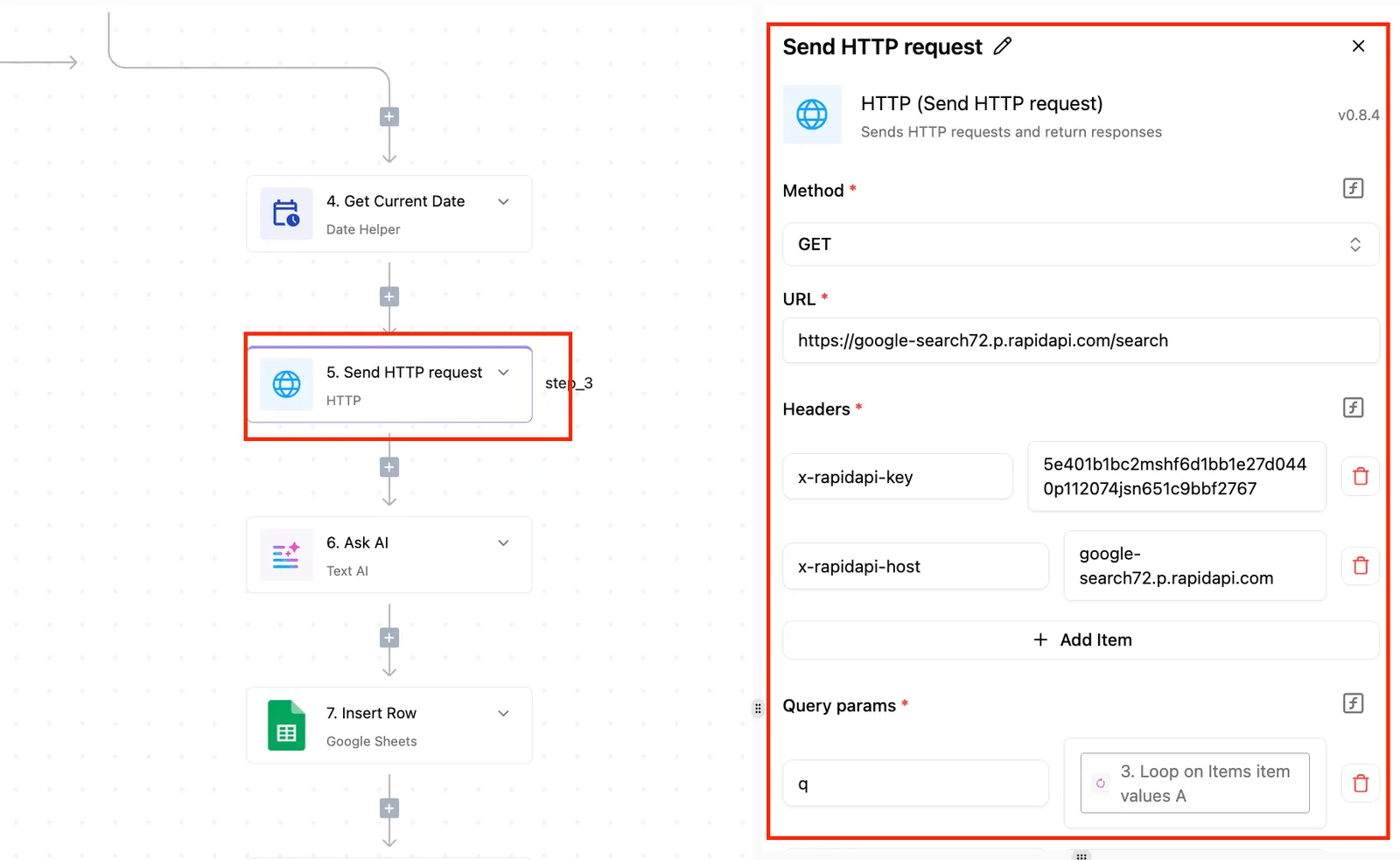
Check three levels, because limits sit on each of them: the plan (free tiers get a small monthly call allowance), the account (a general requests-per-second ceiling), and the endpoint (accepted formats, maximum file size and resolution, processing time).
![Activepieces workflow builder with HTTP request step selected and its settings panel open showing method, URL, headers, and…](https://ap-marketing-media.fra1.cdn.digitaloceanspaces.com/uploads/9e36e973-de4a-435f-8912-12e666216b2d/self-host-mistral-ai-enterprise-deployment-guide-3f7fe28d.webp)

The endpoint level is where most surprises hide. A background removal call and an upscale call don't accept the same inputs, so a batch that works on one can fail on the other.

I've left exact figures out because they change with plans and endpoints. Check the current docs for each endpoint, and write the date you checked next to the number in your own runbook.

| Error | Cause | Fix |
|---|---|---|
| 400 invalid image | Unsupported format, corrupt file, or an image outside the endpoint's size or resolution limits | Validate and convert before the call; do not retry the same file |
| 401 bad key | Missing, mistyped or revoked API key, or the key sent in the wrong header | Re-copy the key, check the header name, and store it in your workflow's credential vault |
| 402 quota exhausted | Plan or credits used up | Top up or wait for the reset; stop the loop instead of retrying |
| Rate limit | Too many requests in a short window | Slow the queue, add a pause between calls, and retry with a growing delay |
| Expired result URL | The output link was fetched after its lifetime ended | Download the file straight after the call and store it yourself |

**Never retry the first three rows, because the same input will fail the same way and every attempt may still cost you.**

### Retries, rate limits, and credit tracking

Retry only the rate limit, and only with a growing delay and a hard cap on attempts. A 400, 401 or 402 should stop the run and send you a message.

Finally, count credits per run, not per month, so one stuck item can't drain the allowance before anyone notices.

## What Activepieces does about this

The failure this article keeps returning to is a credit meter nobody watched. Activepieces is built for the layer where that happens, the workflow between your files and the Picsart API.

**Its free plan includes unlimited flows**, so the number of automations you build is not what runs up the bill. **The meter to watch is Picsart credits**, and you can build that check into the flow itself.

The core of Activepieces is open source under the MIT licence. You can read how a step runs, and you can self-host it if your images shouldn't pass through a third party's servers.

The Picsart call goes through the generic HTTP step with your key stored as a secret field, which is the setup the earlier sections describe.

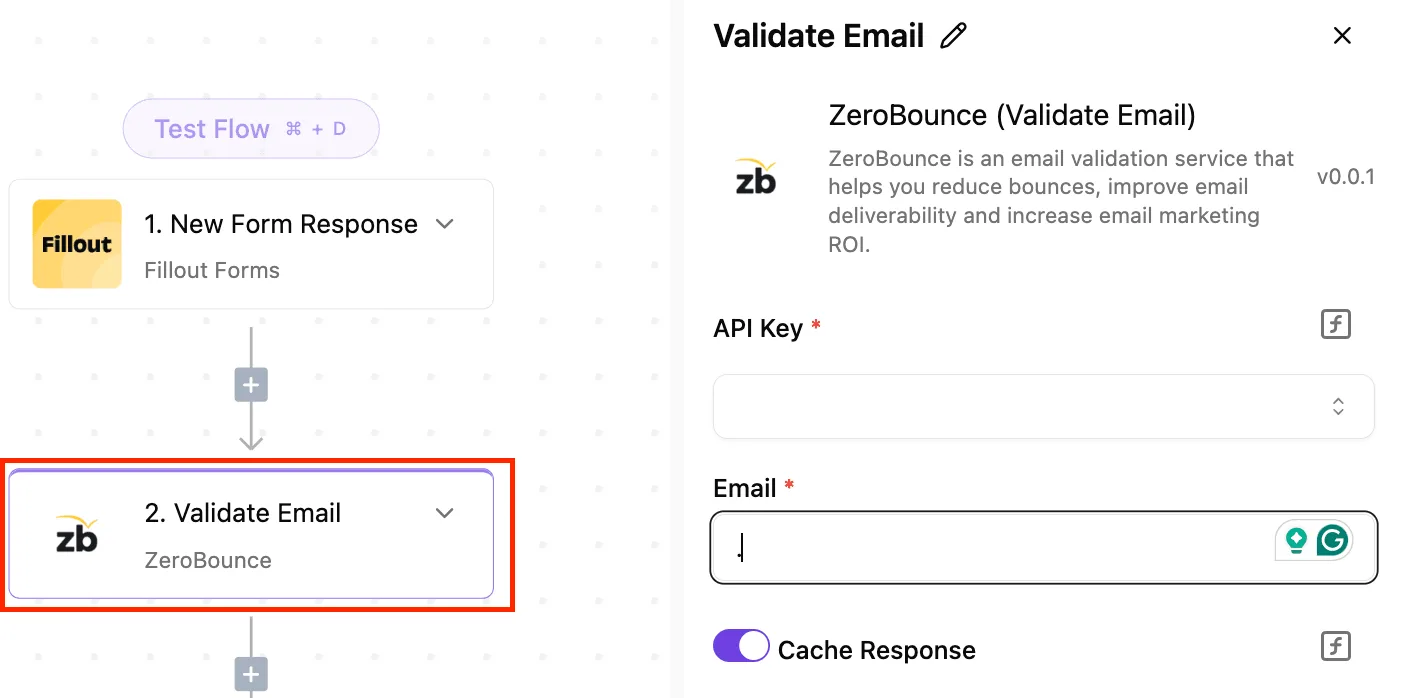
The three-part flow of trigger, Picsart call and save-and-log can be described in the built-in chat, and it returns a live flow you can open and check step by step.

Every run keeps its own trace, so when a 402 or an expired result URL shows up, you can see which image and which step caused it. RBAC and audit logs cover who changed the flow and who can read the key.
![Activepieces workflow showing a form response trigger connected to an email validation step with configuration panel open.](https://ap-marketing-media.fra1.cdn.digitaloceanspaces.com/uploads/2e8f0431-a6bb-42ba-b7f1-a198fffc6825/hootsuite-api-setup-authentication-and-docs-2026-087aed1b.webp)

Start with one input folder, one image and the remove-background call at $0.0011, so the true cost depends on volume. Once the log row and the trace agree, turn the trigger on.

## Frequently asked questions

### Can Picsart automate editing without coding?

Yes, for one-off and light repeat work, because the editor's own features handle batch-style jobs with no code. Your team has a folder of 200 product shots with cluttered backgrounds, and the built-in tools can clear them by hand-guided clicks.

Once the job has to run on its own every week, a no-code workflow tool sitting on top of the API is the next step. It still needs only forms and mapped fields, not scripts.

### Does Picsart have a Zapier or Make integration?

Check the app directory inside each tool, because listings change and a ready-made module may or may not exist when you look.

What doesn't change is the fallback: Zapier and Make can both send a plain HTTP request with an API key in the header. That's enough to call the Picsart API, so the lack of a native module is an inconvenience, not a blocker.

Budget an hour of fiddling with headers and JSON on the first run.

### Is the Picsart API free to use?

**Treat it as credit-based, not free**, and read the current pricing page before you build anything. Any trial allowance is for testing, so a pilot that works on test credits can still fail the first week of real volume.

Size the pilot against the paid rate, not the trial one, and put a per-run credit cap in the workflow so a stuck loop stops itself.

### Can I automate Picsart AI image generation in bulk?

Yes, through the API, and the limit you'll hit is credits and request rate, not setup. Send prompts from a spreadsheet row by row, queue them, and slow down when the service pushes back.

When bulk runs have no retry cap, a month's allowance disappears overnight, so log every request and its result. If your connection is patchy or your hours are irregular, a queue that resumes where it stopped beats a script that must finish in one sitting.

![A row of numbered jars on a shelf being filled from a tap overnight, the moon in the window and a sleeping cat beside the…](https://ap-marketing-media.fra1.cdn.digitaloceanspaces.com/uploads/bb6c5da5-2ad8-4901-b143-ea204f509d61/picsart-automation-in-2026-set-up-ai-workflows-s-6b490189.webp)

### Who owns images created through the Picsart API?

That depends on Picsart's terms of service and any commercial agreement you sign, so read those, not a blog post, before you sell the output. Ownership questions get sharper when the images carry client work or your own source files.

Ask whether the licence covers resale, and keep the terms you agreed to on file next to the project. If the stakes are high, a short check with a lawyer costs less than a takedown dispute.

## Related reading

- [Picsart Pricing 2026: Plans, Credits, and Costs Explained](https://www.activepieces.com/blog/picsart-pricing-2026-plans-credits-and-costs-explained)
- [FTP File Drop Automation for Modern Workflows](https://www.activepieces.com/blog/ftp-file-drop-automation-for-modern-workflows)
- [Latest Automation Tools to Streamline Workflows](https://www.activepieces.com/blog/latest-automation-tools-to-streamline-workflows)

## References

- [Picsart](https://picsart.com/api-platform)
