The following data compares the financial impact of management speed on contract value, specifically highlighting how slow execution leads to revenue attrition. Organizations that rely on manual handoffs pay a "**slow-close tax**" represented by this gap. By moving to a structured automation flow, teams move from reactive drafting to proactive oversight. ## Build a quote to contract workflow Standardizing the transition from a verbal agreement to a binding signature requires a linear sequence that eliminates manual data entry. By utilizing a no-code automation platform like Zapier or n8n to bridge the gap between disparate systems, teams ensure that every contract reflects the specific terms agreed upon in the sales pipeline. This removes the possibility of **human transcription errors**. ### 1. Mapping CRM fields to document variables The workflow initiates when a deal reaches a specific stage in a CRM, such as Salesforce or Hubspot. This trigger pulls specific data points (such as the legal entity name, the total contract value, and the payment terms) and assigns them to unique placeholders within a document template. Without this mapping, sales reps must copy-paste data. This creates the risk of clerical errors that can invalidate a contract during a legal audit. ### 2. Triggering the document generation engine Once the system captures the data, the automation sends a payload to a generation service like PandaDoc or DocuSign Gen. This step converts the raw data into a formatted PDF or web-based document ready for review.  Relying on the CRM’s native basic document tools often fails here because they lack the sophisticated formatting controls required for complex, multi-page service agreements. ### 3. Inserting conditional legal clauses Advanced reasoning models, such as Claude Haiku 5.5, can be used within the flow to classify the deal type and select the appropriate indemnity or jurisdiction clauses. This ensures that a contract for a client in the European Union automatically includes necessary data privacy language that a North American contract would omit. 1. Map CRM fields to document variables. 2. Select a dynamic template and define conditional approval logic. 3. Trigger delivery via e-signature and auto-archive to cloud storage. This sequence guarantees that no document reaches a client without meeting the specific regulatory requirements of their region. ### 4. Routing for internal and external signatures The system then routes the document through a defined approval chain, often involving a Slack notification to the legal department before emailing it to the client via an e-signature provider. If the internal stakeholder rejects the terms, the workflow halts. This prevents the client from seeing an unapproved version of the quote. ### 5. Updating the CRM and storage folders post-sign After the final signature, the automation platform retrieves the completed PDF and uploads it to a secure repository like SharePoint or Google Drive. Simultaneously, it updates the CRM deal status to "Closed Won." This ensures the finance team has an immediate, verifiable record for revenue recognition without waiting for a manual hand-off from sales. ## Native CRM automation versus dedicated document platforms Native CRM automation handles internal field updates efficiently but often fails to maintain document integrity when data must traverse disparate legal or finance platforms. Relying solely on a single vendor’s built-in tools creates a closed ecosystem, which forces teams to manually reconcile data when a contract requires signatures or approvals outside that specific environment. The following comparison outlines how primary market leaders manage document logic and where their native functionality reaches its architectural limit. | Tool | Native Automation | Multi-app Support | Template Flexibility | Cost per User | | :--- | :--- | :--- | :--- | :--- | | Salesforce CPQ | Advanced scripting | Limited to ecosystem | High via plugins | Premium enterprise | | HubSpot | Basic workflows | Strong via Marketplace | Moderate | Tiered by seat | | PandaDoc | Document-centric | Broad integration | High for design | Flat per user | Selecting a platform depends entirely on whether your priority is maintaining a rigid database or generating aesthetic, client-facing materials. ### Salesforce CPQ: high power, high complexity Salesforce CPQ, the Configure, Price, Quote tool for the Salesforce CRM platform, provides granular control over complex product bundles. It allows administrators to enforce strict pricing rules, which ensures that sales reps can't offer unauthorized discounts to prospects. The logic is tied to proprietary objects. A change in your contract terms requires a certified developer to update the underlying code. ### HubSpot: Ease of use for standard quotes HubSpot, a combined marketing and sales platform, offers a simplified quoting interface that allows small teams to generate PDF agreements directly from a Deal record. This native feature eliminates the need for external tools for simple transactions. A representative can move from a discovery call to a signed quote without leaving the browser tab. The limitation appears during redlining, as HubSpot doesn't natively track version history for legal markups. ### PandaDoc and DocuSign: When the document is the product PandaDoc and DocuSign, dedicated document automation and e-signature platforms, prioritize the layout and the signing experience over the CRM database. These tools offer drag-and-drop editors that allow non-technical staff to build interactive proposals. This increases the likelihood of a client engaging with the content. While they excel at the "handshake" phase, they require a middleware connection to push the final signed data back into the system of record to keep the finance team’s audit trail accurate. ## Common failure modes in automated contract generation Automated contract generation fails most frequently when the structured data in the system of record doesn't align with the rigid formatting requirements of the document template. Without a dedicated logic layer to sanitize inputs, these errors bypass simple triggers and result in broken PDFs or rejected signature requests. ### Data type mismatches between CRM and PDF Contract failures occur when the CRM, a relational database, passes a raw value that the document generator can't parse into a legible format. This typically manifests when a currency field in Salesforce, the cloud-based customer relationship management platform, is sent as a floating-point number without a localized symbol. This causes the legal document to display a raw integer instead of a formatted price. Similarly, date fields often default to ISO 8601 strings, which legal teams reject because they don't meet the "Day, Month, Year" prose requirements of a standard Master Services Agreement. ### The 'missing signer' roadblock The automation sequence halts if the "Contact" object associated with the deal lacks a verified email address or a specific role designation. Most electronic signature platforms, such as DocuSign, the industry-standard document signing service, require a valid recipient string to initialize an envelope. If the CRM field is null, the API returns a 400-series error. This means the failure surfaces immediately as the 400-series error returned by the API, rather than as a silent failure caused by a retried and timed-out automation engine. ### API rate limits during end-of-quarter spikes Infrastructure bottlenecks appear when a high volume of concurrent deals exceeds the hourly request threshold of the document generation service. While a single deal flows through without issue, a "burst" of fifty deals at 5:00 PM on the final day of the quarter can trigger rate limiting in tools like Google Docs or Adobe Acrobat Sign. | Failure Point | Consequence | Mitigation | | :--- | :--- | :--- | | Data Type Mismatch | Unsigned contracts due to illegible terms | Use Claude Haiku 5.5 to format raw strings into prose | | Missing Signer | Immediate 400-series API error rather than a silent stall | Set a conditional branch to alert the Owner if the email is null | | Rate Limits | Dropped packets and incomplete audit trails | Implement a queue system to stagger API calls | The following chart illustrates the operational impact of these failures, comparing the intended four-day signing window against the **eight-day reality** reported by 502 business leaders. This discrepancy highlights how manual intervention to fix "automated" errors doubles the actual time to close. Closing this gap requires moving beyond basic triggers to a resilient workflow that handles exceptions before they reach the customer's inbox. ## Building the quote to contract workflow in Activepieces Activepieces synchronizes document generation with CRM status changes across 748+ integrations without embedding proprietary logic into the sales platform. By offloading the contract assembly to an external workflow, teams prevent the data silos that occur when legal templates are locked inside a single CRM. Activepieces publishes its core under an MIT license, ensuring the logic governing these contract flows remains a company asset rather than a rented service. Open the LICENSE file in the activepieces/activepieces repository to see the MIT terms on the core, with enterprise directories kept under a separate commercial license for advanced governance. This structure allows teams to build complex legal automations without the risk of a vendor paywalling the very logic their revenue depends on. 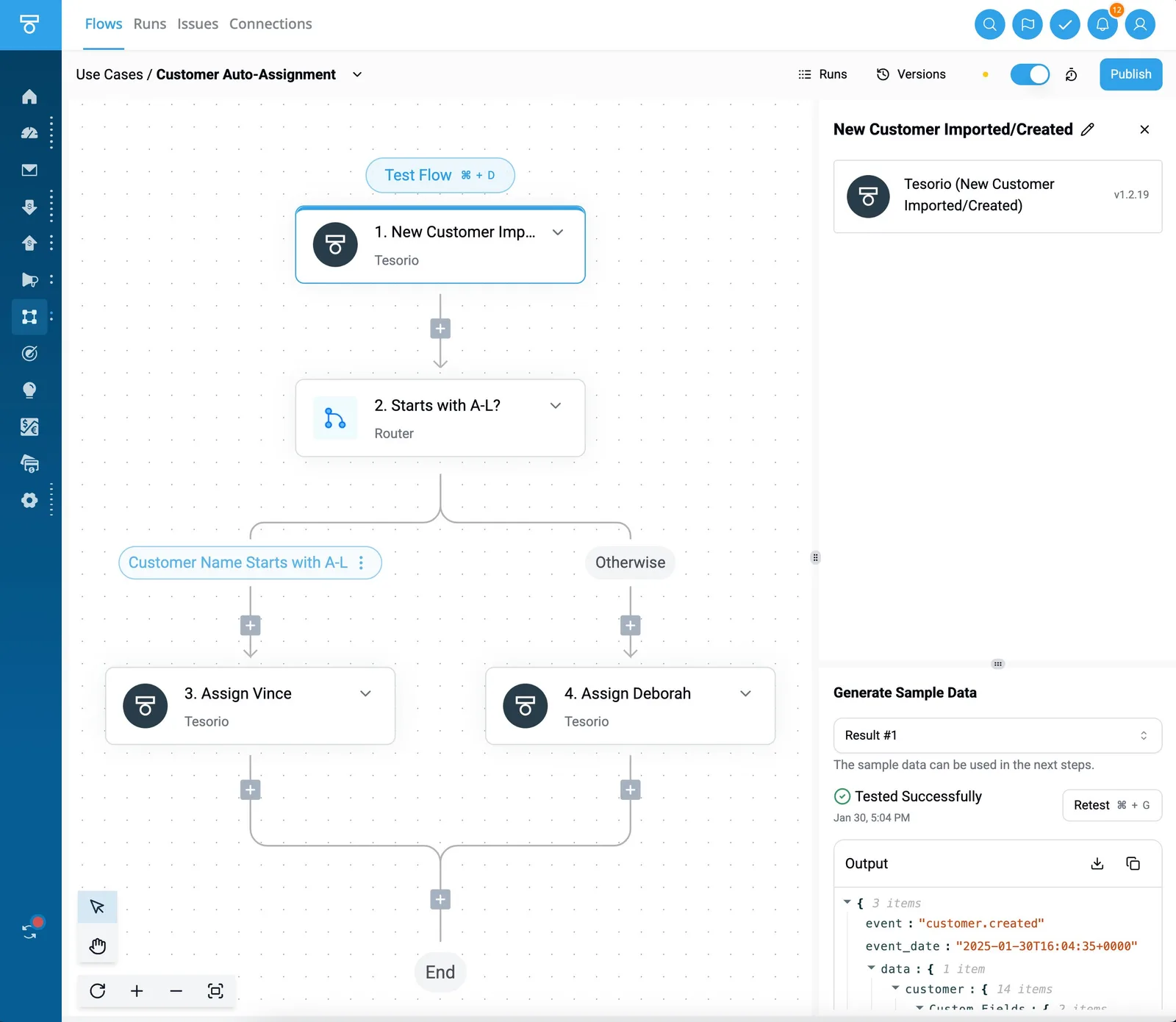 ### Setting up the deal stage updated trigger The workflow initiates when the HubSpot "Deal Stage Updated" trigger detects a status change to "Contract Requested." This ensures the automation only fires after a salesperson has performed the necessary manual validation. Activepieces processes these deal properties (including the primary contact’s email and the total contract value) using an MIT-licensed core that can be self-hosted to keep sensitive legal data on your own infrastructure. Without this specific trigger, the document generation would require a manual export of data, which introduces the risk of human transcription errors.  ### Step 2: Using the 'generate document' action The CRM data maps to the DocuSign "Create Envelope from Template" action to populate the legal agreement with the correct pricing and terms. This step ensures that the legal language remains consistent across all deals. The signing platform manages the template rather than a text field in the CRM. The screenshot of a payment notification workflow demonstrates this principle: a Stripe "Payment Failed" trigger connects directly to a Slack "Send Message To A Channel" action, providing immediate visibility into transaction status.  This visibility allows the finance team to intervene before a service interruption occurs. The subsequent step in a contract flow would then wait for the signature status to update before proceeding. Activepieces enables this progression through Git Sync and Release Management, allowing teams to promote flows from a test environment to production as versioned code. Check the Activepieces documentation for Release Management to see how it separates projects and environments to make promotion a deliberate step. Organizations like MoneyGram and FundingSocieties run Activepieces in production to maintain this level of control over their critical business logic. ### Step 3: Branching for high-value contract approvals A "Branch" step evaluates the total contract value from the initial deal data to determine if the document requires a secondary internal signature. The system routes contracts exceeding a specific internal threshold to an "Approval" action. This action pauses the flow until a manager grants permission via an email button. This gate prevents unauthorized discounts from being sent to clients, a control that is often absent in basic point-to-point integrations.  ### Step 4: Automating the final PDF archival Once the "Envelope Signed" webhook is received from DocuSign, the final executed PDF is uploaded to a Google Drive folder via the "Upload File" action to meet long-term audit requirements. This centralizes all signed instruments in a secure repository that is independent of the sales team's daily environment. For teams requiring self-hosted infrastructure or open-source flexibility, [Activepieces](https://www.activepieces.com/docs) provides a scalable alternative to Zapier or Make. Explore the library of 748+ integrations at [https://www.activepieces.com/pieces](https://www.activepieces.com/pieces) and start free. ## Automation platform comparison for contract workflows Selecting an automation platform for contract workflows requires matching the technical architecture to your specific volume and data sovereignty requirements. The choice determines whether your legal team manages the logic or if you remain dependent on external consultants to troubleshoot failed executions. The following table compares three primary integration services based on their operational characteristics for document routing and approval chains. | Automation Provider | Pricing Model | Execution Speed | Maintenance Ease | Self-Hosting Option | | :--- | :--- | :--- | :--- | :--- | | Zapier | Per-task consumption | Standard | High | No | | Make | Data throughput volume | High | Medium | No | | Activepieces | Per-flow execution | High | High | Yes | Zapier, a cloud-based connector, utilizes a per-task pricing model, which means each successful action step—though not trigger or filter steps—in a contract generation flow incurs a cost against your monthly quota. This visibility into usage allows for granular budget tracking. The lack of a self-hosting option means all sensitive contract data must transit through their public cloud infrastructure. Moreover, Make, a visual workflow builder, calculates costs based on data throughput. This benefits teams moving large PDF files but increases the complexity of error handling during high-volume bursts. ### Centralizing logic with automation platforms These platforms act as the connective tissue between a CRM like Salesforce and a document generator such as DocuSign. While native integrations within these tools exist, they often fail to handle multi-stage approvals that require conditional logic. An example is routing a contract to a specific VP only if the discount exceeds a defined threshold. By centralizing this logic in a dedicated automation platform, you ensure that a change in your document vendor doesn't necessitate a complete rebuild of your sales process. ## The Monday morning checklist for Q2C automation Reliable quote-to-contract automation requires a rigorous validation phase to ensure that document logic executes correctly before reaching a customer. By testing these workflows in isolation, you prevent the distribution of broken signature links or incorrect pricing tables that damage professional credibility. ### Audit your CRM data cleanliness Automation fails when the source data lacks the specific fields required to populate a legal agreement. You must verify that every mandatory field in the contract (such as the legal entity name, governing law jurisdiction, and signatory email address) has a corresponding, populated field within your CRM. The CRM is the system of record. If a sales representative leaves the "Company Address" field blank in Salesforce, the automation will generate a contract with a voided preamble. This requires a manual void-and-correct cycle that delays the closing process. ### Create a 'sandbox' contract template A dedicated testing template allows you to verify the layout and logic of your document without consuming paid envelopes or triggering actual notifications to stakeholders. You should use this template to perform a full execution run. This run demonstrates specific outcomes. | Step | Action | | :--- | :--- | | 1 | Verify webhook status and check for 'Missing Signer' errors in logs | | 2 | Validate PDF formatting on mobile | | 3 | Confirm auto-archive folder permissions | Successful completion of this checklist confirms that the document renders correctly across different device types and that the signed copy is successfully retrieved by your storage solution. Once these technical hurdles are cleared, you can transition the workflow to your production templates. ### Set up an 'error notification' Slack channel Centralizing automation failures in a dedicated communication tool ensures that technical debt doesn't accumulate unnoticed by the operations team. When a workflow fails, perhaps due to an expired API token or a service outage at the document provider, a notification sent to a specific Slack channel provides the immediate visibility required to intervene. This happens before the sales team reports the issue. This proactive monitoring allows you to resolve the bottleneck in the background, maintaining the integrity of the automated sales motion. ## Frequently asked questions about Q2C automation ### Is an automated contract legally binding? Automated contracts are legally binding provided they meet the same criteria for offer, acceptance, and intent as manually drafted documents. The validity of a digital agreement rests on the audit trail generated by the e-signature provider. This trail records the IP address and timestamp of the signatory to ensure non-repudiation. This process centralizes the contract as a single source of truth, linking the legal operations officer, the CRM database, and the e-signature seal into a unified record. By maintaining this connection, organizations ensure that the data used to populate the terms matches the final executed version stored in the system of record. ### How do I handle custom redlines in an automated workflow? Custom redlines require a conditional branch in the automation that diverts the document from the standard path to a manual review queue. When a counterparty requests a change, the flow pauses the automated sequence and notifies the legal team to intervene.  To manage this transition, teams use high-reasoning models like Claude Fable 5.2 to analyze incoming text and flag deviations from the standard clause library. This ensures that only pre-approved language is processed automatically, while high-risk alterations are isolated for human counsel. ### What happens if the e-signature API goes down? **If the e-signature API experiences an outage, the automation platform must be configured with a retry policy and an error-handling branch to prevent deal stagnation.** A robust flow includes a "dead-letter" queue where failed requests are held until the service is restored. At that point the system re-attempts the signature request. This prevents the loss of transaction data and ensures that the sales representative is alerted to the delay via a notification in the CRM. This allows for manual intervention if the service interruption exceeds the established recovery time objective. ## Related reading - [Best AI Agent Builders for Sales Teams, Ranked](https://www.activepieces.com/blog/best-ai-agent-builders-for-sales-teams-ranked) - [AI Agents for Sales: What Teams Are Using Today](https://www.activepieces.com/blog/ai-agents-for-sales) - [Best Pipedrive Alternatives for Sales Teams in 2026](https://www.activepieces.com/blog/best-pipedrive-alternatives-for-sales-teams-in-2026)The "administrative pause"—where a deal sits in a legal queue waiting for a human to copy data from a PDF into a Word template—is removed by automating this handoff.