Cloning an entire production stack for testing takes only seconds. Because Railway versions the infrastructure alongside the code, a rollback to a previous commit also reverts the associated environment settings. This prevents failures caused by mismatched database versions or missing secrets.  ### Why 2026 demands automated scaling over manual VPS management High-demand models like Gemini 4 Carbon and GPT-6.2 Astra make manual resource allocation a liability. These agentic workloads often produce unpredictable traffic spikes that can exhaust a fixed VPS in seconds. The following data compares the friction of manual deployment against automated workflows: Manual CLI (Fly.io) takes 17.5 minutes for the first deploy, while automated Git-based (Railway) takes 2 minutes. 800% more iterations are possible in the same window because Railway’s automated pipeline removes the twenty-minute wait forced by manual CLI-based flows. Moving away from manual management ensures that your infrastructure scales horizontally to meet load. This prevents you from having to manually resize a disk or upgrade a CPU tier during a traffic surge. ## Four steps to automate your first Railway deployment today The Site Reliability Engineer (SRE) is the primary stakeholder who inherits the burden of manual deployments. Shifting to an automated pipeline ensures you're monitoring system health rather than babysitting a terminal.  By standardizing the path from commit to container, you'll eliminate the "it works on my machine" variance that leads to silent production failures. ### Step 1: Connect your GitHub repository for 'push-to-deploy' Establishing a continuous deployment trigger requires authorized access to a GitHub repository. Once connected, Railway monitors specific branches for new commits. Every code change automatically initiates a fresh build. This link ensures the production environment is always a reflection of the latest audited code. ### Setting environment variables and build commands Sensitive credentials stay separated from application logic through the use of environment variables. This prevents API keys for models like Claude Opus 5.5 or Gemini 4 Carbon from being committed to plain text. After the variables are set, the platform uses a "start command" or a Nixpack to install dependencies and compile the binary. 1. [Pickuma](https://pickuma.com/for-dev/vs-fly-vs-railway/) instructs you to connect your GitHub repository 2. Configure environment variables 3. Define start command or Nixpack 4. Deploy to production URL The sequence above demonstrates the transition from static code to an addressable web service. ### Step 3: Connect your deployment to external monitoring Performance bottlenecks can be identified before they result in a total service outage by using external monitoring tools. Integrating a logging or metrics provider allows you to track memory leaks or high latency in real-time. Activepieces bridges Railway’s webhooks to your alerting stack, automating the notification flow to Slack or PagerDuty without custom middleware. Organizations like MoneyGram and Moneypenny run this air-gapped edition in production to maintain full governance over their automation logic. You can verify this parity by comparing the enterprise feature list (including SSO, SCIM, custom RBAC, audit logs, release management, and secret managers) in the self-hosted documentation against the managed cloud environment. ### Step 4: Configure horizontal scaling and health checks Automated probes, known as health checks, verify if the application is responding to traffic. These allow the platform to restart a frozen process before users encounter an error page. The system automatically adds more instances of the service as load increases when the platform pairs these checks with horizontal scaling. This configuration moves the responsibility of resource management from you to the infrastructure itself. ## Technical limits and common errors in Railway automation Railway enforces resource boundaries to ensure that a single runaway process can't degrade the performance of the entire multi-tenant cluster. Exceeding these boundaries results in additional usage charges rather than immediate container termination. | Feature | Hobby Plan | Pro Plan | |:--- |:--- |:--- | | Monthly Base Cost | $5 | $20 | | RAM Limit per Service | 8GB | 1 TB | | Build Concurrency | 1 | 10 | Individual validation is supported by the Hobby plan. The Pro plan allows you to run parallel CI/CD pipelines so that ten developers can deploy simultaneously. While the RAM limit differs between plans, with the Pro plan offering up to 1 TB, the Pro plan also has higher priority for CPU scheduling and prevents the "Sleep" behavior where services spin down after inactivity, ensuring your background tasks remain perpetually responsive.  This keeps internal tools responsive for the first user of the day. ### Understanding Railway's 10-minute build timeout Build processes that exceed the ten-minute threshold are killed by the platform to prevent hanging tasks from consuming shared runner capacity. Implementing Docker layer caching or splitting the service into microservices is necessary if a build fails this way. ### Railway ephemeral file systems and volume mounts explained Railway containers use an ephemeral file system. Any data written to the disk is wiped the moment a service restarts. To prevent data loss, you must provision a **Railway Volume**. Without this explicit mount, a database or file upload service loses all records every time the code is updated, forcing a full restoration from backups. ### Why deployments fail when Nixpacks cannot detect your language **Nixpacks**, the default build system that detects project requirements, will fail if it can't find a standard entry point like a `package.json` or `requirements.txt`. Manifest files must be included in the AI-generated scaffolding for teams using frontier models like **GPT-6.2 Astra** for complex coding tasks. This allows the build system to install necessary dependencies. ## Automate the Railway lifecycle with Activepieces workflows Activepieces executes the asynchronous logic for event-driven tasks Railway doesn't natively run, reaching across 750+ integrations to route deployment statuses or trigger maintenance scripts. Activepieces syncs these automation flows to git and promotes them through Release Management, ensuring that changes to your infrastructure logic are versioned and reviewed like software. You can find the Git Sync and Release Management implementation details in the documentation, which apply identically whether you are self-hosting or using the cloud. ### Triggering Slack alerts on successful builds Standard deployment logs are often buried in the Railway dashboard. Activepieces bridges this by listening for the Railway "Deployment Successful" webhook and formatting the metadata into a human-readable Slack message. A Stripe "Payment Failed" trigger is mapped to a Slack "Send Message To A Channel" action, completing in under 600ms to ensure your billing team sees the error before the customer reaches out. This visibility transforms a silent log entry into an actionable task. ### Automating database backups to external S3 buckets Relying on a single provider for both production data and backups creates a single point of failure. Activepieces automates the export of PostgreSQL or MySQL data to an Amazon S3 bucket on a recurring schedule. Alan and FundingSocieties run Activepieces in production to handle these critical data movements where reliability is the baseline. Accidental deletion of a Railway project will not result in total data loss because this process ensures you retain a portable copy. ### Syncing Railway usage metrics to a financial dashboard Budget overruns often go unnoticed until the end of the billing cycle. Activepieces queries the Railway API for current usage metrics and pushes that data into a Google Sheets spreadsheet. Roughly 60% of the integrations used for these financial syncs are community-contributed, providing a breadth of connectivity that covers most niche accounting tools, so users can link even the most obscure platforms without custom development. Burn rates can be monitored in real-time through this continuous sync. You'll have the necessary data to decide whether to scale down non-essential worker nodes before the monthly invoice arrives. ## The Monday morning railway automation checklist You must transition from reactive firefighting to systemic oversight by identifying every point where a human currently acts as the glue between code and production. ### Audit your manual 'SSH and Pull' workflows Manual server interventions create undocumented state drift that makes disaster recovery impossible. If you're using SSH to access a VPS to pull changes, you're bypassing the build pipeline. Audit manual environment variable entry to ensure secrets are managed via encrypted service providers rather than plaintext files. Identify services exceeding 8GB RAM to determine which workloads require high-memory plan upgrades, since usage beyond plan limits results in additional usage charges rather than immediate container termination. Map GitHub triggers to staging environments to verify that every pull request generates a unique ephemeral preview. Review failed build logs for Nixpack errors to catch misconfigured language runtimes before they reach the main branch. This inventory is the baseline for moving these services into an automated lifecycle where the infrastructure responds to code. ### Identify services exceeding the 8GB RAM threshold Resource exhaustion is the primary driver of silent service degradation. In the Railway ecosystem, the 8GB memory limit is a functional boundary between standard containers and specialized high-memory instances, which means developers must choose their tier based on the specific resource demands of their application. Monitoring these thresholds ensures that a sudden spike in traffic doesn't crash a critical worker node. Proactive migration to Railway’s Pro or Team plans is recommended for services that consistently hover near this limit. 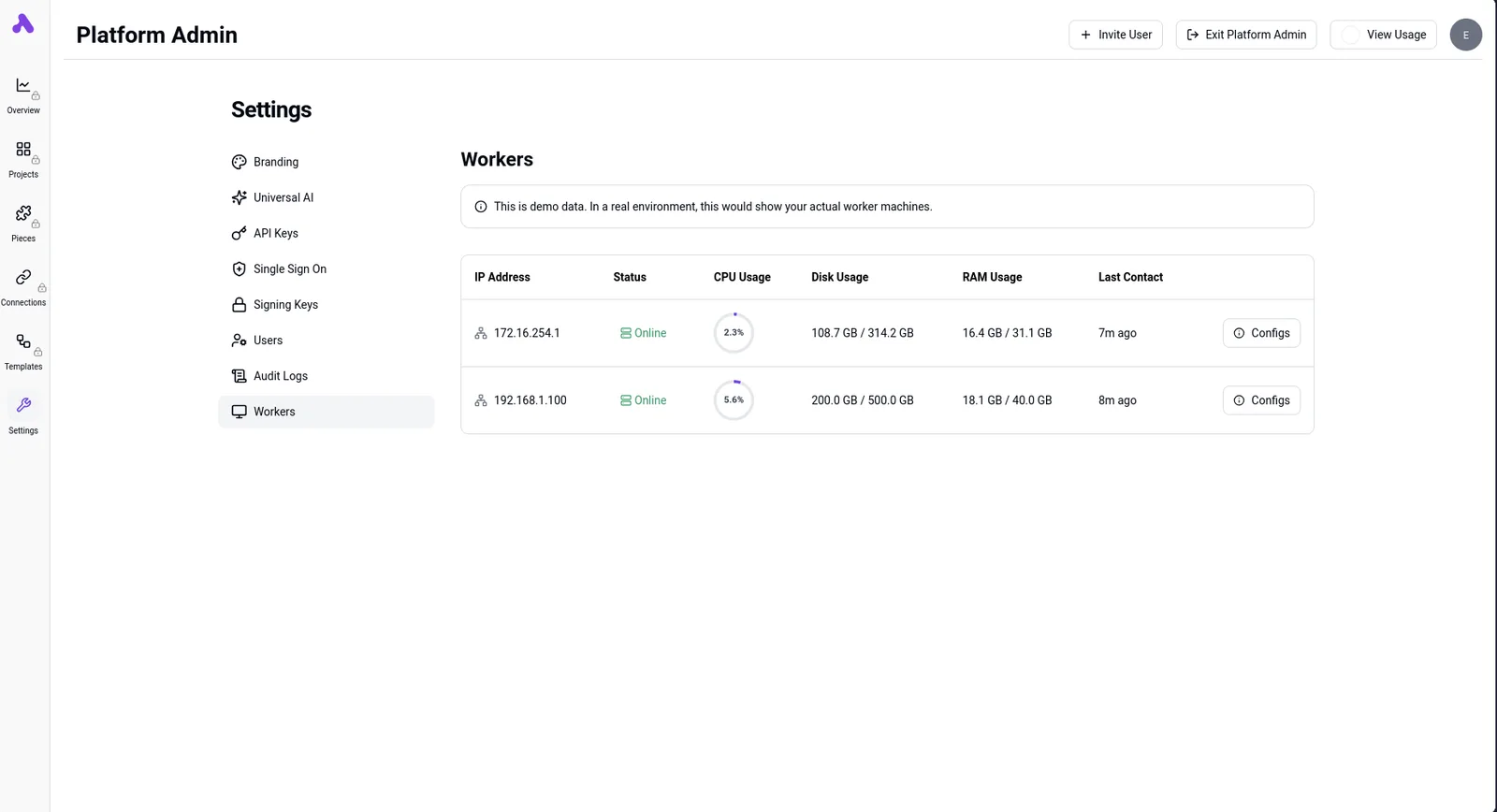 ### Mapping environment variable dependencies across environments Hardcoded configurations and manual `.env` file transfers are common sources of deployment failures. You must document how secrets flow from a vault into the staging and production environments. Stalling an entire agentic workflow can happen if a missing API key for GPT-6.2 Astra is not accounted for. Centralizing these variables within Railway’s shared environment blocks ensures that when a database password changes, every downstream service updates simultaneously.  ## Frequently asked questions about Railway automation? The Site Reliability Engineer (SRE) is the primary contact when a deployment pipeline stalls. Automation is only as resilient as the infrastructure supporting it. ### Does Railway support multi-region deployments? Railway has a global edge network through its Priority Delivery Network (PDN). This ensures that incoming traffic is routed to the nearest point of presence to reduce latency. The platform uses Anycast IP addresses to ensure that requests don't travel across the globe unnecessarily. Selection of specific regions for underlying compute resources is available for teams requiring strict data residency. ### How does Railway pricing differ from Heroku in 2026? Railway utilizes a resource-based metering system that charges for actual consumption of CPU and RAM rather than the fixed-capacity "dyno" model. | Plan Name | Base Fee (includes credit) | Overage Policy (metered usage) | |:--- |:--- |:--- | | Pro | Monthly platform fee with included credit | Per-minute metering for vCPU and RAM usage | | Enterprise | Custom commitment with volume discounts | Negotiated rates for high-scale resource consumption | Paying for unallocated headroom in a static virtual machine is avoided by this shift toward metered billing. ### Can I automate Railway deployments from GitLab or Bitbucket? Railway supports direct automation from any Git provider via the Railway CLI. This tool allows you to trigger builds and manage infrastructure from within your existing CI/CD pipelines. GitHub has a native, one-click integration to automate deployments on every push. You can use "Deploy Tokens" to authenticate your runners if you're on GitLab or Bitbucket. By using the CLI within a GitLab CI `.gitlab-ci.yml` file, you'll maintain a single source of truth for your deployment logic while benefiting from Railway’s managed execution environment. ## Related reading - [Self-Hosted AI Travel Agent: Owning Your Infrastructure](https://www.activepieces.com/blog/self-hosting-ai-for-travel-and-hospitality-in-2026) - [Railway Pricing 2026: Plans, Usage Rates and Costs](https://www.activepieces.com/blog/railway-pricing-2026-plans-usage-rates-and-costs) - [Oracle Cloud Infrastructure Pricing: 2026 Price Guide](https://www.activepieces.com/blog/oracle-cloud-infrastructure-pricing-2026-price-guide)"Configuration drift" is eliminated by treating infrastructure as a derivative of the application’s state.