That's the whole of the provenance I'll claim: Stitch Loop comes from Google Labs, the group Google uses for early experiments. Labs products tend to change or disappear, so build the connection so you can swap the tool out without rewriting the workflow around it. I'm not stating an access route, because I haven't confirmed one from Google's own page. Check that page for sign-up steps and eligibility before you plan a rollout. ### What Stitch Loop costs, per Google's pages Where a row says none published, treat the answer as unknown, not as free. The table shows what each question gets from Google's pages. | Row | What the page states | |---|---| | Capabilities | Described as new from Google Labs; I make no further claims | | How to get it | Not confirmed here | | Pricing | None published | | Usage limits | None published | _Prices and plan limits checked against [stitch.google.com](https://stitch.google.com) and [github.com](https://github.com/google-labs-code/stitch-skills) and [docs.claude.com](https://docs.claude.com/en/docs/about-claude/models/overview) and [claude.com](https://claude.com/pricing) and [openai.com](https://openai.com/chatgpt/pricing) and [gemini.google](https://gemini.google/subscriptions) on November 21, 2026._ You can't size a trigger volume against a quota nobody has stated, and that is why usage limits is the row that matters most to an automation owner. You'll find a hidden cap the way everyone does: **a run fails at 2 a.m.** 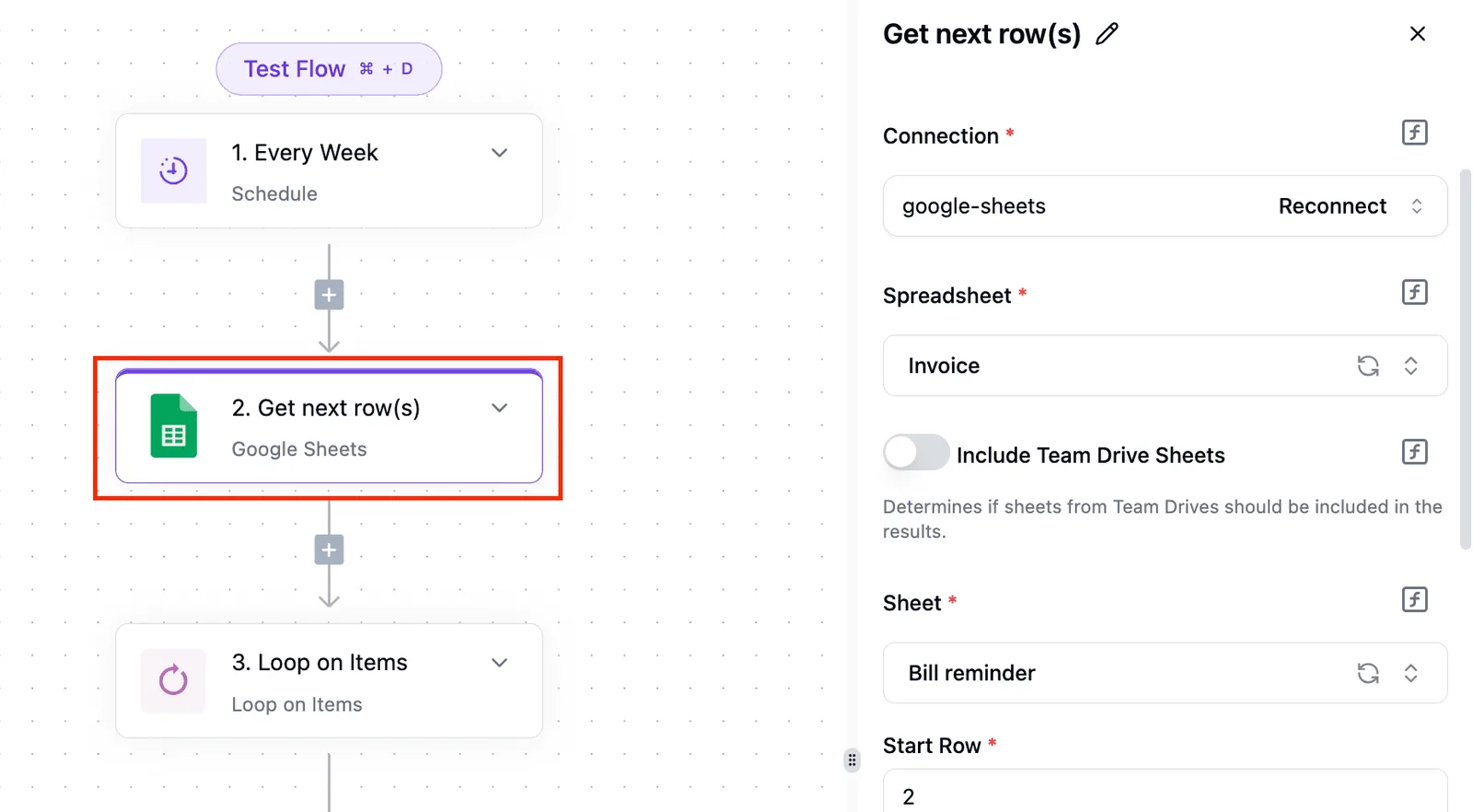 Add retries, a daily run cap of your own and an alert on failures. I also don't infer Stitch Loop's cost from Google's AI subscription plans, since those are different products. ## What Activepieces has shipped for Stitch Loop so far Nothing: as of 2026-11-21, Activepieces has no native Stitch Loop support, and I found no pull request to cite, so I assume none rather than guess. Search the **750 integrations in the Activepieces open source monorepo** and you'll find none for Stitch Loop, so you'll need to build your own, and no open work on one that I can point to. **Don't build a workflow that expects a Stitch Loop trigger or action to appear in the step picker.** If you search for it, you'll find nothing, and that silence shouldn't be read as "coming soon." Today you can use the generic HTTP request step, the same step any service without an integration goes through. In the flow below, it runs against an unrelated search API. The selected step is a GET with a URL, key and host headers, and query parameters filled from the loop's current item.  That's the pattern to reuse, and it only works against a service that publishes an endpoint, which I haven't confirmed for Stitch Loop. A missing integration doesn't have to wait for anyone's release schedule, though. In Activepieces you can have AI generate the connector you need and keep it private to your own instance, and roughly 60% of the 750 integrations in the catalog came from community contributors, so the platform's ecosystem is community-powered, counted straight from the open source monorepo. As of 2026-11-21, neither the Activepieces repository nor its integration catalog contains anything specific to Stitch Loop. A catalog changes without notice, so recheck it before you plan around this. My claim is narrow: nothing was there on that date. ## What routes connect Stitch Loop today? Try an HTTP request step first, an AI step second, an MCP server third; each is a general route, and we haven't run any of them with Stitch Loop. [Stitch Loop](https://github.com/google-labs-code/stitch-skills) is a skill that generates multi-page websites from one prompt. Because Stitch Loop is a skill, the order above may be wrong for it. A skill is instructions an agent follows, not a service with an address, so an HTTP request step is the less likely fit. An agent that runs the skill, or an MCP server that fronts such an agent, is the more plausible route. Neither is confirmed by Google's pages, so treat that as a hypothesis to test. MCP, the Model Context Protocol, is a standard that lets an agent expose tools to other software. In a flow, a step would call an MCP server, which has an agent run the skill and return the pages. "OpenAI-compatible" simply means a model endpoint that accepts the same request format as OpenAI's API, so a flow's AI step can talk to it. A skill could also be run from a flow without MCP, for example by a headless agent, one running with no chat window, that a step invokes with the brief and that writes the pages out when it finishes. That is my own design idea, not something Google's pages describe. **Google Sheets has 27 actions and 4 triggers**, GitHub 19 and 14, [Gemini](https://gemini.google/subscriptions) 11 and 0, MCP 1 and 1. Something else must start the run, because Gemini has no trigger. The routes follow. HTTP request step: use this if Stitch Loop, or anything wrapping it, exposes an endpoint you can call. Nothing we have read says it does, so confirm that first. Untested with Stitch Loop. AI step with a custom or OpenAI-compatible provider: use this if you can put Stitch Loop behind an OpenAI-compatible interface, or point a custom provider at whatever model drives it. Gemini's 11 actions cover calling a model, not triggering on one. Untested with Stitch Loop. MCP server: use this only if Stitch Loop can be served over MCP. MCP's single action and single trigger mean the server must carry the whole job. Untested with Stitch Loop. ## How Stitch Loop costs and speed compare Since Google has published no benchmarks and no per-task costs for Stitch Loop, any claim that it's cheaper or faster than your current setup is unsupported. Treat it as unmeasured until you measure it. That's a workable position, because the comparison that matters is on your tasks, not a vendor's. Pick a batch of real work you already run through your current tool, run the same batch through Stitch Loop, and record the same five things for both. Don't skip the baseline: without it, a number from the new tool has nothing to be judged against. ### Five measures for testing Stitch Loop Measure these on your own tasks. Time to a usable result runs from trigger to something a person could act on, not to the first output. Cost per completed task counts every call and every retry, not the cost of a single run.  Then there's retries or rework rate, the share of tasks that needed a second pass. Failures per 100 runs keep one bad afternoon from passing for a trend, meaning problems must recur to register. Human review minutes per task is the last. That last measure is where a fast, cheap tool most often loses. If a person spends ten minutes fixing what a machine produced in seconds, **the saving was never real**, and only your own log will show it. Switch only if the new tool wins on the measures you care about across enough runs to trust, and keep the old path wired up until it does. ## What to watch next as Stitch Loop develops You can check the evidence that decides your switch in five public places without asking anyone. They are the Stitch page, the stitch-skills releases, its changelog, its open issues, and the integration catalog of your automation platform, as checked on 2026-11-21. That's the whole watch list. Anything you read on those pages today is a snapshot, so a note of the date goes next to every decision you base on them. Trust Google's pages over any claim here that no longer matches them. Everything in this integration rests on what they state, read on 2026-11-21. Your wiring is the thing that will be wrong, not the pages. The sources do different jobs. The product page tells you what Google says Stitch Loop is. Releases and the changelog tell you what changed and when, which is what you need before touching a working flow. Before you blame your own automation, read the open issues, where problems surface before anyone documents them. The integration catalog shows which generic building blocks you can use today. Re-read them on a schedule, and record the date each time. While the old path is still wired up, a changed release note costs you a comparison. Without it, you only learn about the change from a failed run. ## Related reading - [Building Your First Wix Chat Automation Without a Loop](https://www.activepieces.com/blog/building-your-first-wix-chat-automation-without-creating) - [SAP S/4HANA Purchase Order Workflow for MS Teams](https://www.activepieces.com/blog/sap-s-4hana-purchase-order-workflow-for-ms-teams) - [Content Creation Workflow: How Successful Teams Do It](https://www.activepieces.com/blog/content-creation-workflow) ## References - [Activepieces](https://www.activepieces.com/pieces)Beyond a name and a maker, Stitch Loop from Google Labs, Google's pages establish nothing.