# Vertex AI Automation: Set Up a Scheduled Pipeline in 2026
By Ingrid Kovarová · 2026-11-16 · Source: https://www.activepieces.com/blog/vertex-ai-automation-set-up-a-scheduled-pipeline-in-2026
---
Vertex AI automation means Google [Cloud](https://cloud.google.com/vertex-ai/docs/quotas#custom-trained_model_quotas`)'s own scheduler, pipeline and batch tools run your models without anyone starting them by hand, whether triggered on a timetable or by an event from a workflow tool such as [Activepieces](https://www.activepieces.com).
A scheduled Vertex AI pipeline is a defined sequence of machine learning steps, such as data preparation, training and prediction, that Vertex AI Pipelines runs automatically on a recurring schedule in a chosen region, using a service account with the permissions and quota it needs.
The risk is that **nobody's watching when they fail**, so decide who owns the job before you build it.
This article uses the term for four native routes:
- scheduled pipeline runs
- batch prediction
- a timer that calls a small service
- agents built in Agent Builder
## Set up scheduled, unattended Vertex AI automation
### Fastest way to schedule Vertex AI automation
Build the smallest scheduled job you can: one Cloud Scheduler trigger calling one Cloud Run service, which makes one prediction request with a dedicated service account.
Most failures come from **permissions, quotas and region mismatches**, and a tiny job exposes all three cheaply. Run it, break it on purpose, and find out which error message points to which cause before you add anything larger.

### Four native ways to automate Vertex AI compared
Read the effort column as a warning: the more a route automates, the more permissions and regions it touches, and the more places it can fail overnight.
A workflow automation tool such as [Activepieces](https://www.activepieces.com) can also trigger these jobs from outside Google, but the table covers only Google's native options.
| Route | What it automates | Setup effort | How it's billed |
|---|---|---|---|
| Vertex AI Pipelines schedules | Recurring runs of a multi-step pipeline, such as data prep, training and evaluation | Highest: you write and compile the pipeline, then attach a schedule | Per pipeline run, plus the compute each step uses |
| Batch prediction | One-off or repeated bulk scoring of stored data, with no endpoint to keep running | Moderate: needs input and output locations and matching regions | By the compute or tokens the job consumes, with no charge for an idle endpoint |
| Cloud Scheduler plus Cloud Run | Any timed call to a model, written as ordinary code | Lowest: one trigger, one small service | Scheduler jobs plus Cloud Run usage, plus the model call itself |
| Agent Builder | Agents that act on a prompt or event rather than a fixed sequence | Varies with the agent's tools and data sources | By usage of the components the agent calls |
Because the Scheduler-plus-Cloud-Run route has the lowest setup effort and the plainest billing, it's the right first job. Pipelines and batch prediction are the next step once that job runs cleanly.
## Prepare your project, region and service account
Enable billing and the Vertex AI API, choose one region, and create a dedicated service account with two roles. Everything later runs as that account, so it also answers who owns the job when it fails.
### Enable the API and pick a region
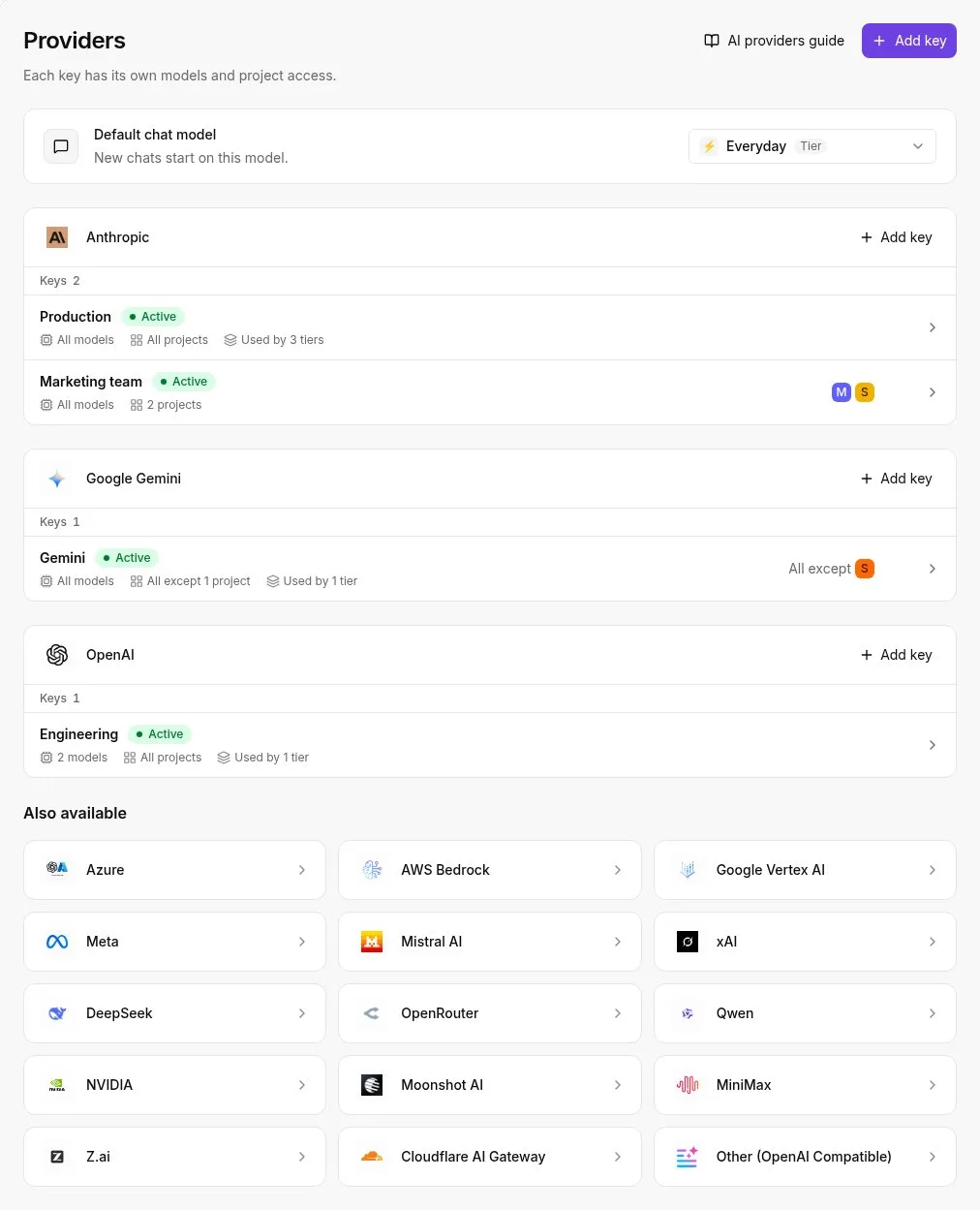
Link a billing account to the project first. Without one, the API won't enable, and the error that comes back rarely says billing is the cause. Then enable the Vertex AI API:
```bash
gcloud services enable aiplatform.googleapis.com --project=$PROJECT_ID
```
Choose your region now and write it into the runbook.
Pipelines, batch jobs, models and the storage bucket should all sit in that same region. A bucket in one region and a job in another is among the most common causes of a failed unattended run.
Check that your intended model is available where you plan to run, because **not every model is offered in every region**.
### Create the service account and assign roles
Create one account for this job only, not a shared one and not your own user.
```bash
gcloud iam service-accounts create vertex-runner --project=$PROJECT_ID
```
Grant it two roles:
- Vertex AI User (`roles/aiplatform.user`), so it can call models and submit jobs.
- Service Account User (`roles/iam.serviceAccountUser`), so the scheduler and pipelines are allowed to run work as this account. Missing it produces a permission error that names a different resource than the one you need to fix.
- Storage Object User (`roles/storage.objectUser`), granted on the one bucket that holds inputs and outputs rather than on the whole project.
If a key leaks or a job is misconfigured, it can only touch that bucket, because the storage role is scoped to it.
You also want a record of who changed these grants. The audit log below, from a workflow tool's admin console, lists each creation, update and deletion with the person who performed it and the time.
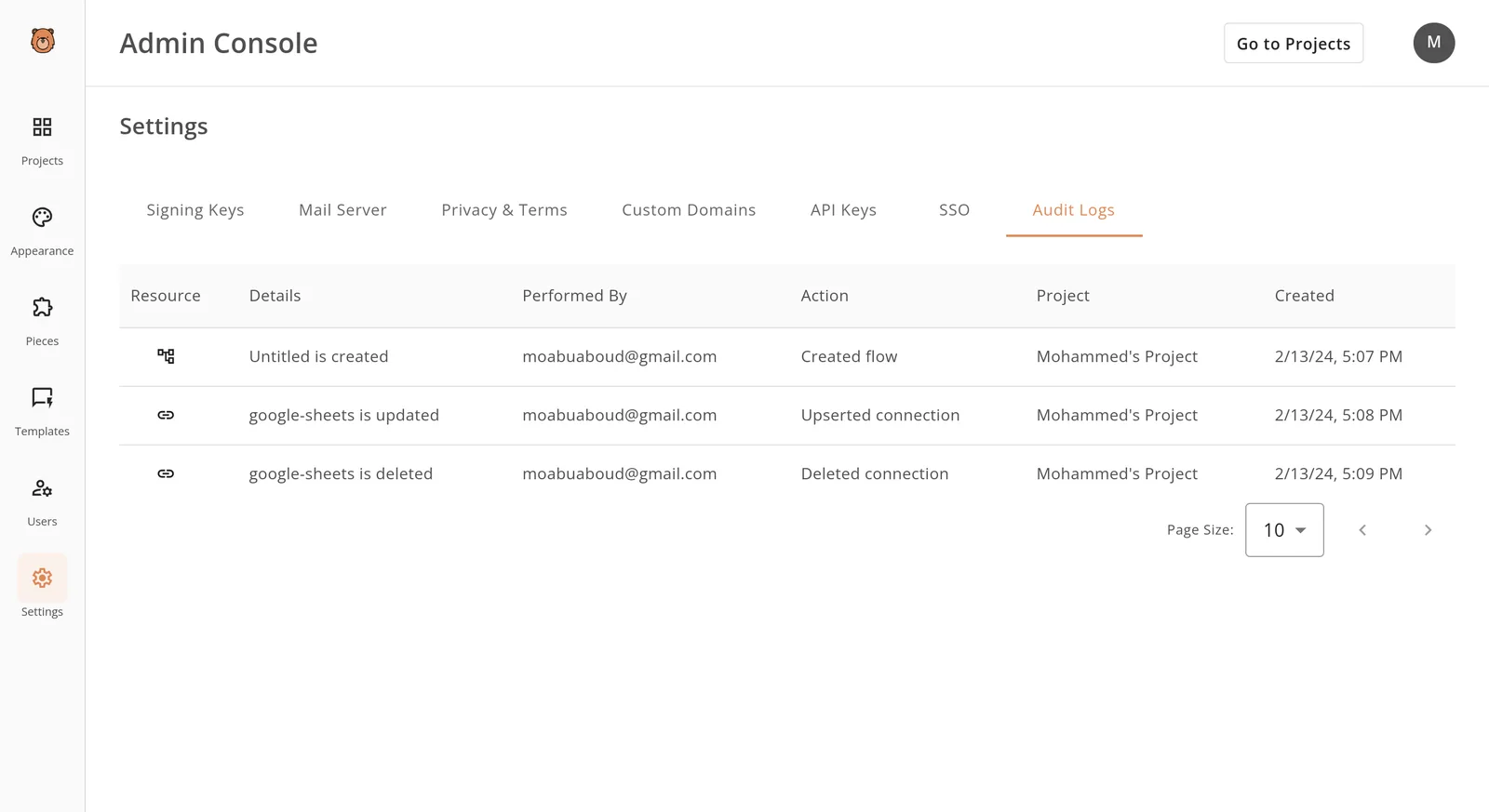

On Google Cloud, Cloud Audit Logs records IAM changes in the same way, so check there first when a job that worked last week is refused today.
### Run a first test call
Prove the project, region and account work together before any scheduler is involved.
1. Authenticate as the service account by impersonation, which needs the Service Account Token Creator role on your own user: `gcloud config set auth/impersonate_service_account vertex-runner@$PROJECT_ID.iam.gserviceaccount.com`
2. List endpoints in your chosen region: `gcloud ai endpoints list --region=us-central1`, replacing the region with yours.
3. Send one short prompt to a small model. Copy the model ID for a Flash-Lite model from Model Garden for your region, and use the same region in the request.
If step 2 returns an empty list, that is a pass. It means the API is on and the account is accepted.
A permission error means a role is missing, and a not-found error usually means the region is wrong. Once the prompt in step 3 returns text, the project is ready for its first scheduled job.
## Run your first automated job on schedule
At its smallest, a scheduled job is one trigger, one service account and one output bucket: a timer fires, your step-3 prompt runs, and a file appears in Cloud Storage, which means each layer of the pipeline is visible.

Before you pick a trigger, decide who gets paged when that file doesn't appear at 2am on a Tuesday, and write the name down.
Most first failures are the service account lacking permission to call the model or write to the bucket, and the error surfaces in a log nobody's watching.
Create the account, grant it only those two abilities, and keep the project, bucket and job in one region so a mismatch can't be the cause.
### Option A: schedule a Vertex AI pipeline
Choose this if your prompt is already a pipeline, meaning a defined sequence of steps Vertex AI runs for you.
Pipelines have a schedules form: you give it the compiled pipeline, a recurrence in cron syntax, the service account, and a Cloud Storage path for pipeline outputs.
When a job runs at an hour the owner didn't expect, the time zone in the cron expression is a common reason.
The cost is setup. You must compile the pipeline first, which is more machinery than one prompt needs, but you gain run history and step-level logs for free.
### Option B: Cloud Scheduler calling a function
Choose this if your job is one prompt in, one file out. Cloud Scheduler is Google Cloud's cron service, and a Cloud Run function is a small piece of code that runs only when called. The order matters:
1. Write the function so it calls the model with your prompt and saves the response to the bucket.
2. Deploy it with the service account attached, so it runs under that identity and not yours.
3. Create a Cloud Scheduler job that calls the function's address on your cron schedule, authenticating with the same service account.
4. Trigger it manually once and check the bucket before trusting the timer.
Step 4 is the audit point, where problems from earlier steps first surface. A manual run proves permissions and region together, while waiting for the timer proves only that you waited.
### Use batch prediction for large Vertex AI inputs
Choose this when you have many inputs to process and nobody needs the answers immediately. A batch prediction job takes an input location, such as a file of requests in Cloud Storage or a table in BigQuery, and an output location where results are written.
Both must be in a region the model supports, and the service account needs read access to the first and write access to the second.
Because batch jobs run asynchronously, a scheduler or pipeline still starts them. For a first job, use Option A or B and move to batch once a single run has written output you can open and read.
## Stage 3: Add monitoring, retries and cost guardrails
Make the job safe to leave alone once a single run has written output you can read. Without guardrails, the first sign of trouble is a bill or a stakeholder asking why the report is empty. Set these before the schedule goes live:
- A Cloud Logging filter that isolates the job's errors
- A Cloud Monitoring alert on failed runs
- A retry count (Cloud Scheduler defaults to 0 and allows at most 5)
- A job timeout
- A budget with billing alert thresholds

### See failures: logs and alert policies
Write the Logging filter first, scoped to the one job's name and to severity ERROR, so the person paged sees that job's failure and not the project's noise.
Then attach a Monitoring alert policy on failed runs and route it to a named human or a team channel.
Send an alert to a shared inbox nobody owns and you have no alert at all. Record the owner in the job's description field, so the answer to "who owns this now" survives staff changes.
Send an alert to a shared inbox nobody owns and you have no alert at all.
### Retries and timeouts
With a default retry count of 0 in Cloud Scheduler, a single transient failure means a silently skipped run. Raise it to 1 or 2 for jobs that are safe to repeat, so failures are recoverable without manual intervention.
You should rarely approach the retry ceiling of 5. Each retry is a full re-run, and a job that fails for a permission or quota reason will fail identically every time, only at higher cost.
Pair retries with a job timeout, so a hung run is killed instead of billed until someone notices.
### Budgets and billing alerts
On accelerators the timeout matters most. As read on 2026-11-15, [CloudToolStack](https://cloudtoolstack.com/tools/gcp-vertex-ai-cost-estimator) lists an H100 at $12.24 per hour, an A100 80GB at $3.67 and an A100 40GB at $2.95, making hardware choice the biggest variable in total compute cost.

When an H100 job hangs overnight for ten hours, it **costs $122.40 before anyone wakes up**. The same hang on an A100 80GB costs $36.70, and on an A100 40GB $29.50, which corresponds to a ten-hour hang at the rates specified.
The gap is a reason to pick the smallest card that fits your model. It's not a reason to skip the timeout, because every one of these figures is a multiplier on how long a stuck run lives.
Create a budget on the project and set billing alert thresholds at several percentages of it, so the first alert arrives while there's still money left to act on.
**A budget alert notifies; it doesn't stop spending**, so it needs the same named owner as the failure alert.
## Handle Vertex AI automation errors and quota limits
Whoever owns the alert also owns the likeliest cause: orchestration, the layer where permissions, quotas and regions live.
In [Marius Daugela's breakdown of pipeline failures](https://www.linkedin.com/posts/mariusdaugela_most-pipelines-fail-for-boring-reasons-activity-7437799597084909568-Q_6K), **orchestration accounts for 40% of failures**, data quality 35% and platform 25%. So the biggest single bucket is configuration your team controls, not a fault Google has to fix.

In a first scheduled job, six errors turn up most often. No numeric limit in the table is confirmed, so each one is marked to check against your own project.
| Error | Symptom | Cause | Fix | Limit and verified? |
|---|---|---|---|---|
| 403 permission | Job fails at start with "permission denied" | Service account lacks a role | Grant the role to the job's service account | None; verified |
| 429 quota | "Resource exhausted" | Project quota used up | Stagger runs or request an increase | Per project and region; not verified, read your Quotas page |
| Region or model unavailable | "Not found" for a model or endpoint | Job runs in a region without that model | Move the job to a supported region | Not verified, check the model's page |
| Bucket access | Read or write fails mid-run | Bucket in another region or project, or missing role | Align location and grant access | None; verified |
| Timeout | Run cancelled before finishing | Step exceeds its allowed time | Split the step or raise the timeout | Not verified |
| Concurrency limit | Runs queue or are rejected | Too many jobs at once | Serialise schedules | Not verified |
### Fix Vertex AI 403 permission errors
When the log says 403, the identity running the job, not you, lacks a role. The scheduler, the pipeline and the model call can each use a different service account.
Name one account per job and give it only the roles that job needs, so the audit trail points at a single owner.
### Fix Vertex AI 429 quota errors
When the project hits a quota, you get a 429, and quotas are set per region. Two schedules firing at the same minute can exhaust one that either would clear alone.
Stagger start times, and read your own Quotas page rather than trusting a number from a blog post, including this one.
### Region and model availability
If the model isn't offered in the job's region, the job fails, and a bucket in a different location from the job adds a second failure.
Pick one region for scheduler, pipeline, model and bucket, then confirm the model is offered there before writing anything else.
Region is a choice you can't easily undo on the Google side, and the app that triggers the job deserves the opposite treatment.
Where a flow runs should never decide whether you can leave, and on Activepieces it doesn't: the managed cloud and a self-hosted install (Docker, Compose or Kubernetes) run the same codebase, whose core is MIT-licensed, and Git Sync, documented under Releases, moves a trigger flow from one side to the other.
RBAC, SSO, SCIM and audit logs ship in both, so starting on cloud costs nothing if your own servers later become the requirement. A platform with no self-hosted edition makes that call for you, and that is the real lock-in, however good the flow is.
### Fix Vertex AI timeouts and concurrency limits
When a step runs too long, a timeout cancels it, and a concurrency limit rejects or queues a run that starts while others are active.
Both look like flaky behaviour but are deterministic. Keep each step short, give the schedule a gap longer than the slowest run, and record the limits you confirm in the runbook beside the owner's name.
## Frequently asked questions and when Activepieces fits
If something outside Google Cloud must start the job or receive its result, Activepieces fits, with 750 integrations in its open source monorepo to cover the form, CRM or webhook. Vertex AI's own tools fit everything else.
In Activepieces, an automation platform, a trigger starts a chain of steps, and one step can call the Vertex AI API over HTTP. MoneyGram, Moneypenny, Alan and FundingSocieties run it in production.
It doesn't replace Vertex AI. It carries the request in and the answer out, so the Google-side permissions, quotas and region still apply.
As a rule of thumb, Activepieces fits when a job must start from a form, CRM or webhook, and results go to Slack or email. The free plan includes unlimited flows and 1,000 credits a month, so a first job of that shape costs $0.
Native tools stay right for training and large pipelines.
### Can Vertex AI run workflows without code?
Partly. The Google Cloud console lets you create a schedule or launch a batch prediction without writing a program, but a pipeline definition is code.
If the missing integration is a trigger or a notification, Activepieces covers it without code, and a run costs 1 credit however many steps it has. The service account behind it still needs the right permissions, and someone still has to own it.
Does Vertex AI automation cost extra beyond model usage? Usually yes, though the lines differ. Pipeline runs consume compute and storage, scheduled jobs and logging can add their own charges, and an outside automation platform may bill or host separately.
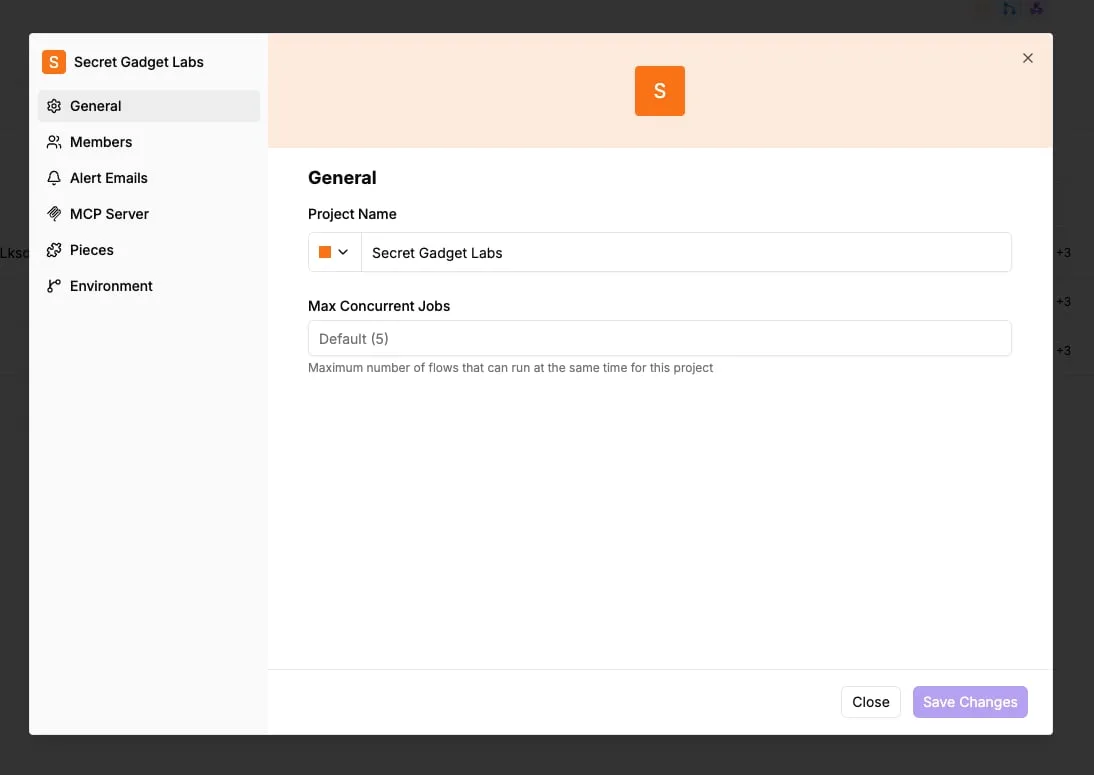
Check each pricing page before the first run. Skip this and the result is a monthly invoice no one can attribute to a job.
How is Vertex AI Pipelines different from Cloud Scheduler? Start with timing: Cloud Scheduler decides when something fires. Vertex AI Pipelines decides what runs, in what order, with what inputs and outputs between steps.
A scheduler can start a pipeline, but it knows nothing about whether step three succeeded. For the smallest first job, a schedule calling one endpoint is enough. Reach for Pipelines when steps depend on each other.
### Can I call Gemini on Vertex AI from an outside app?
Yes. Any app that can send an authenticated HTTPS request can call a Gemini model through the Vertex AI endpoint.
It needs credentials for a service account allowed to use the model, and the request must name a region where that model is available.
A region mismatch is one of the failures this article keeps returning to, so test with one request before wiring in the trigger. Then record who owns that service account in the runbook.
## Related reading
- [Vertex AI Pricing: Costs by Service (2026 Guide)](https://www.activepieces.com/blog/vertex-ai-pricing-costs-by-service-2026-guide)
## References
- [CloudToolStack](https://cloudtoolstack.com/tools/gcp-vertex-ai-cost-estimator)
- [Marius Daugela, LinkedIn (2026-03-12)](https://www.linkedin.com/posts/mariusdaugela_most-pipelines-fail-for-boring-reasons-activity-7437799597084909568-Q_6K)