DeepSeek-V3 has 671 B, Kimi K2 has 1000 B and Kimi K3 has 2800 B, so Beam's well short of the top, and parameter count alone won't tell you which model wins on your task. I read the card on 2026-10-21, and it's new as of that date. I found no per-token price on these pages, so there's no cost-per-run to calculate yet. Test it on one task and measure that cost yourself. ## Accessing Beam 1.0's weights and hardware costs The weights set a floor on your cost, so the hardware bill depends on which format you can tolerate. Beam is released under Apache 2.0, but before any commercial use, read the licence terms on Reflection's [serving-weights page](https://developers.reflection.ai/serving-weights), where the download sizes are also published, because a trial that works but can't ship's wasted spend.  I have no per-token price from the maker's own pages to quote. Without one you can't compute a cost per run for hosted use, so treat any figure that needs a sales conversation as unknown until it's written down. ### Cost of self-hosting Beam 1.0 weights On the same page, three formats are listed: | Format | Weights size | |---|---| | BF16 | — | | FP8 | — | | NVFP4 | — | Move to FP8 and you roughly halve BF16, which means half the accelerator memory just to load the model. NVFP4 cuts it further, but lower precision can cost quality, and only your own task will show whether it does. These are weights only. The cache for long prompts needs memory on top. Take the canvas below, a multi-step flow. Step 5, "Page Audit", is a text-AI action with Provider and Model fields and a prompt asking for a 0–100 score and a 120-word summary. That's the right size of trial: - One step - One model field to change - A fixed prompt 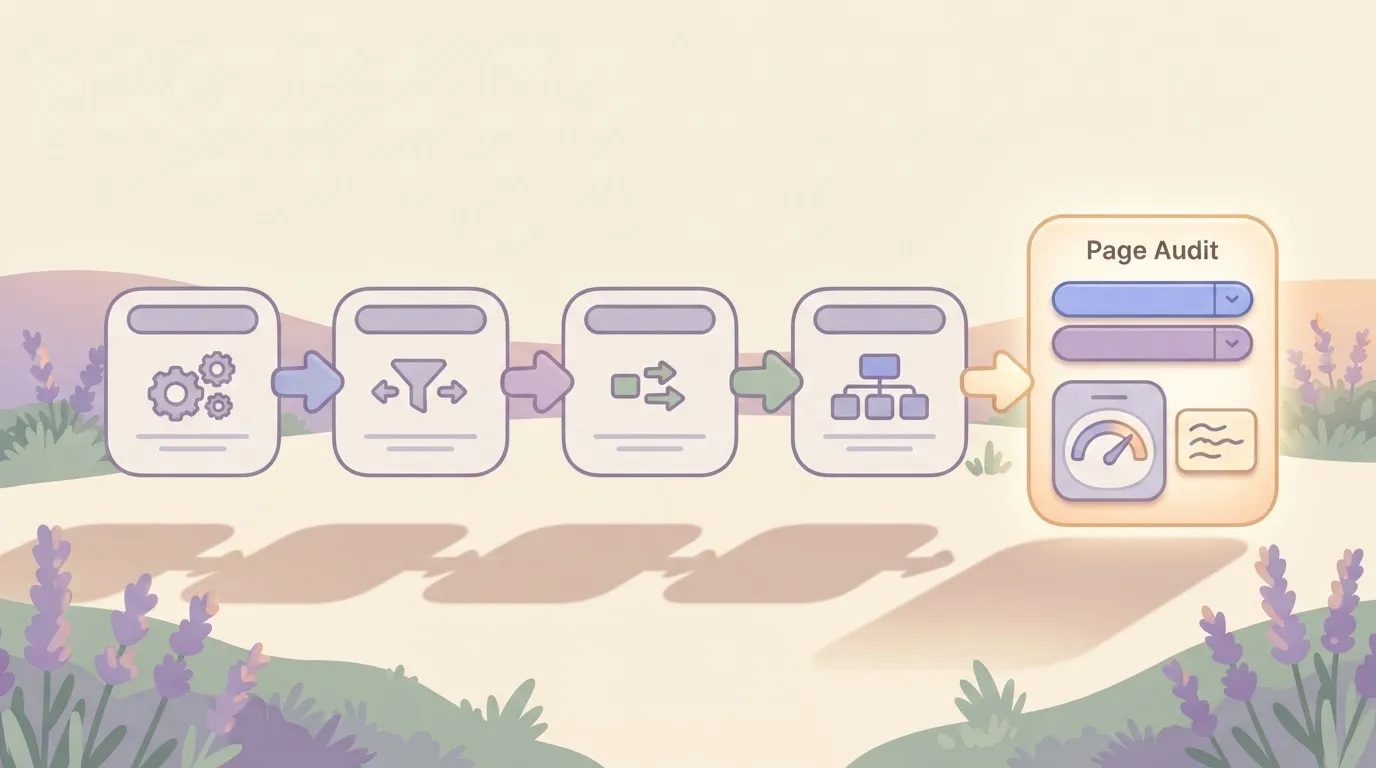 Each run's cost and quality can be compared across models. With a single step swapped, you can price every run and compare the output with what your current model produces. ## Beam 1.0 strengths and performance gaps **Nothing published yet justifies replacing a model you already pay for.** ### Beam 1.0 benchmark claims from Reflection On the [Reflection benchmarks page](https://reflectionbeam.com/benchmarks), Beam 1.0 scores 80.1 on one coding test. GLM 5.2 scores 81 on the first test. Kimi K3 posts 88.3 and 68, and DeepSeek V4.1 Flash posts 90.6 and 74.2. Read the right-hand column as the work still undone. The table below sets each claim next to its verification status, and every number is the maker's. | Item | Claim as stated by maker | Independently verified | |---|---|---| | First coding benchmark | 80.1 | Not yet | | Second coding benchmark | — | Not yet | | Stated limitations | None given beside the scores | Not yet | | Results on your own task type | Unpublished | Not yet | For the budget, the last row matters most. Without results on your workload, you can't tell whether a cheaper or slower run costs you more in rework. Until someone outside reruns these tests, **treat 80.1 as a hypothesis**, because a maker chooses which tests to show, how to prompt them, and which rivals to include. A small trial on one task, priced per run, will tell you more than the benchmark page can. ## Beam 1.0 against established models on key dimensions Beam 1.0 gives you something many managed models don't, which is weights you can hold. Its pages leave blank the cells you need to cost a run: price and documented tool use. ### Beam 1.0 versus other models compared Look at the blanks in Beam's row first: they are the figures your trial has to supply, since no one can price a run from a page that doesn't state a rate. The table below shows what each vendor's own pages commit to.  | Model | Licence and weights | Published size | Access route | Vendor-page price | Documented tool use | |---|---|---|---|---|---| | Beam 1.0 | Open weights; Apache 2.0 | 501B total, 23B active parameters | Download weights | Not published | Not published | | GPT-6 Luna | Closed weights | Not published | OpenAI API | Not published | Not published | | Mistral Large 4 | Open weights | Not published | Mistral API and downloadable weights | Not published | Not published | | Grok 4.7 | Closed weights | Not published | xAI API | Not published | Agentic tool calling | For an agent workflow you'll be testing tool use yourself rather than confirming it, since only one row documents it. **Open weights matter when you need control**: running inside your own network, pinning a version so behaviour doesn't shift under you, or fine-tuning on private data. The cost is that you carry the hosting bill and the engineering time, and a per-token comparison hides both. Mistral Large 4 has the same control. When the task is already working and the bill is predictable, a managed model is the safer pick. You pay per call, someone else handles uptime, and tool use is documented. Until Beam shows a gain on your task that covers its hosting overhead, the established option stays your baseline. ## Testing Beam 1.0 on automation workflows To check whether Beam 1.0 earns its overhead, run it against GPT-6 Luna on three automation tasks. The test is small, so treat it as a direction, not a verdict. ### The three tasks and how we set them up We ran Beam through its [OpenRouter](https://openrouter.ai/reflection/beam-1.0-501b-a23b) listing (reflection/beam-1.0-501b-a23b) at default settings, which reason before answering. The comparison model got the same prompts. Each output was checked against a known answer, so a pass is a match, not an impression. Each task is a routine, high-volume job where a wrong answer costs a retry or a human fix, and the table shows what each asked for. | Task | What the model had to produce | |---|---| | Sort a support ticket | One category label | | Pull fields from an invoice | A fixed set of extracted values | | Summarise an email thread | A short summary of the thread | The first two have one right answer, so they are the cleanest test of accuracy. The summary is the one place judgment creeps in. ### Results, speed and cost per task We're not publishing a results grid here, because we have no confirmed figures for seconds per run or cost per task and won't invent them. Those two columns are where a reasoning model is most likely to show its overhead. A model that thinks before answering spends more time and more tokens on a one-word ticket label. On a job you run thousands of times, that gap multiplies. Three tasks, one run date and default settings can't say how Beam behaves on your documents, at your volume, or with your prompts, so you'll be guessing about real-world performance. Run your own single task against your current model, log seconds and cost per run, and extrapolate to your monthly volume before you change anything. ## Connecting Beam 1.0 to a workflow with Activepieces today To run that logged trial inside [Activepieces](https://www.activepieces.com), you have to bring your own connection. Once Beam is connected, though, the judgment step and the fixed steps around it share one flow definition: the ticket label, the invoice fields and the run trace are one execution, not a model service bridged to a workflow tool by a webhook. 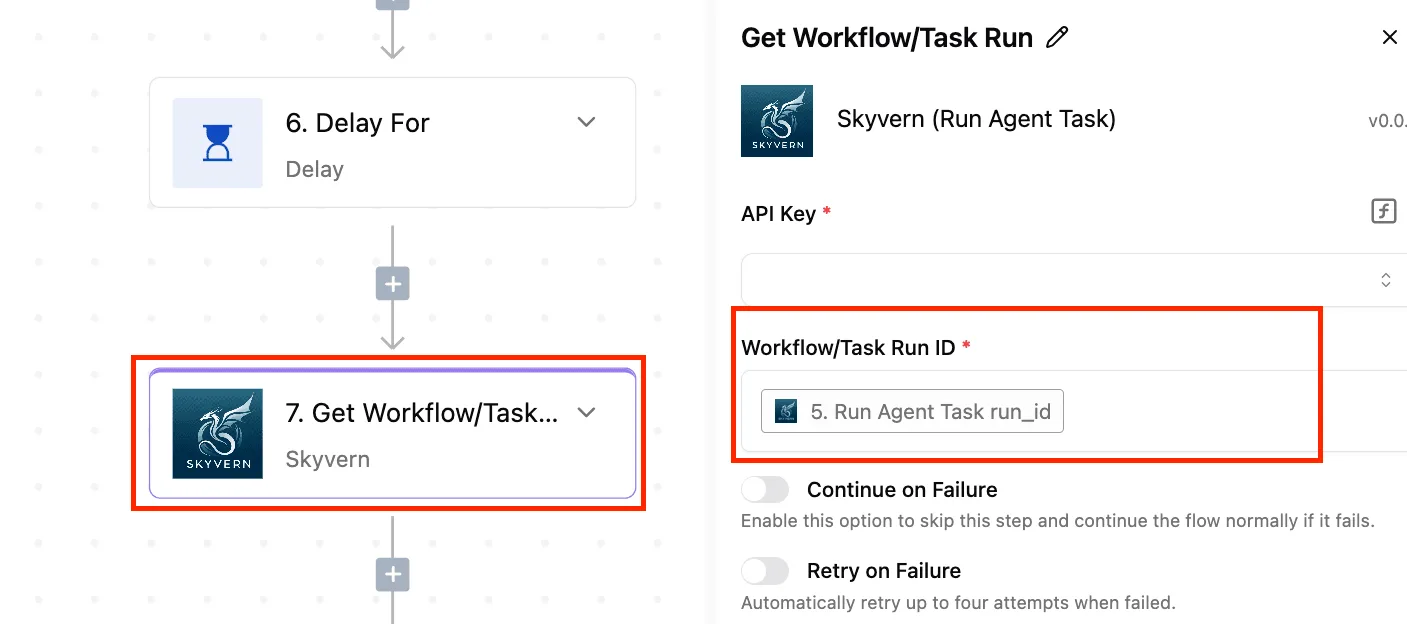 The model has to be reached through an endpoint you serve yourself. Ordered from least to most setup, the routes below all depend on the first item: 1. Stand up an endpoint that serves the model. 2. Call it from an HTTP request step. 3. Call it from an AI step using a custom or OpenAI-compatible provider. 4. Wrap it in an MCP server. Without the endpoint, nothing downstream works, and its hosting is also where your cost per run lives: you're paying for compute you control, not a published price. The routes differ in how much plumbing sits between the workflow and the model.  Route 1 is an HTTP request step. Send the request to your endpoint directly and read the response in the next step. This is the plainest route, and it shows exactly what went over the wire, which makes it the easiest place to time each call and record seconds per run. The cost is that you write the request body and parse the reply yourself. ### Route 2: an AI step with an OpenAI-compatible provider If your serving software exposes an OpenAI-style interface, point the AI step at it as a custom provider. You then swap Beam 1.0 in and out against your current model by changing a setting, not rebuilding the step, which is what a fair side-by-side trial needs. It only works if the endpoint's interface really matches, so test a single call first. ### Route 3: an MCP server An MCP server exposes the model as a tool that an agent can call. It adds a layer to build and maintain, so take this route only if your task needs an agent choosing when to use Beam, not a fixed step in a fixed place. Start with Route 1 or 2, and leave the third until the trial numbers justify it. ## A Monday plan for trying Beam 1.0 safely Run Beam 1.0 on one low-risk task, beside the model you already use, and let your own results decide what happens next. The sequence below shows the order that keeps a failed trial cheap: 1. Read the model card and the licence. 2. Pick one low-risk task. 3. Run Beam beside your current model. 4. Measure quality, speed and cost on your own data. 5. Keep a fallback in place. 6. Recheck the maker's pages. Skip one step and the later results are hard to trust, because each step guards the next. Read the card and licence first, because a licence that bars your use case makes every later hour wasted. Then choose a task where a wrong answer costs you little, such as internal summaries or tagging. Your baseline is whichever model handles that task today. Send both the same inputs. ### Measuring Beam 1.0 on your own data Use real samples from your workload, not the maker's examples. Score quality with a rubric you wrote before looking at outputs. Time the responses under realistic load. For cost, work out the price of one completed run: tokens in and out at your rate, or hardware time if you host the weights yourself. Then multiply by your real volume, since a per-run saving that looks fine in a test can disappear at scale once you add the engineering hours. ### Deciding whether to keep using Beam 1.0 Keep the old model wired in as a fallback throughout, so a bad Beam response never reaches a user. Before you decide, recheck the maker's pages, since a model this new can change its terms or documentation quickly. If Beam matches your baseline on quality and wins on cost, widen the trial to a second task. If not, you've lost a week, not a migration. ## Frequently asked questions The open questions are narrow, and the answers below rest only on the maker's pages and our own test. ### Is Reflection Beam 1.0 free to use commercially? We can't confirm that, so read the licence text on the maker's page before anything customer-facing depends on it. "Open-weight" means you can download the weights. It doesn't tell you what you may do with them, and **licences on open-weight models often restrict commercial use**, redistribution, or both. Reading it costs you a few minutes, while a wrong guess could cost far more once a product is built on it. ### Can I run Beam 1.0 on my own hardware? Possibly, but check the published checkpoint sizes before committing to hardware. The model is large, so assume a multi-GPU server rather than a workstation until the documentation says otherwise. If you only want to trial one task, a hosted endpoint, where one is offered, avoids buying hardware for an experiment that might end in a week. Price that endpoint per run before you commit, and be wary of any tier that only quotes through a sales call. ### Is Beam 1.0 better than GPT-6 Luna? We don't know. Nothing on the maker's pages compares the two on your kind of work, and our test covers three tasks. A result there tells you how each model handled that task and nothing more. It doesn't show that one model is better in general. If your own task is close to ours, the result is a reasonable hint, and running both on your inputs is the only way to turn it into an answer. ## Related reading - [Reflection Beam Open Weights: Specs, Cost and Tests](https://www.activepieces.com/blog/reflection-beam-open-weights-specs-cost-and-tests) - [Beam 1.0: Speed and Accuracy Test Results (2026)](https://www.activepieces.com/blog/beam-10-speed-and-accuracy-test-results-2026) ## References - [OpenRouter, OpenAI, aight.studio](https://openrouter.ai/reflection/beam-1.0-501b-a23b) - [Reflection Beam VRAM planner](https://reflectionbeam.org/vram) - [Reflection](https://reflectionbeam.com/benchmarks)You pay for a large model's storage and a small model's arithmetic.