# What Zoom MCP Is and What It Takes to Run It in 2026
By Gustavo Peixoto · 2026-11-17 · Source: https://www.activepieces.com/blog/what-zoom-mcp-is-and-what-it-takes-to-run-it-in-2026
---
Zoom MCP is a Model Context Protocol server from Zoom. It lets an AI assistant, whether a chat client or a workflow tool such as [Activepieces](https://www.activepieces.com), read Zoom data, such as meetings and recordings, with the permissions of the user who signed in.
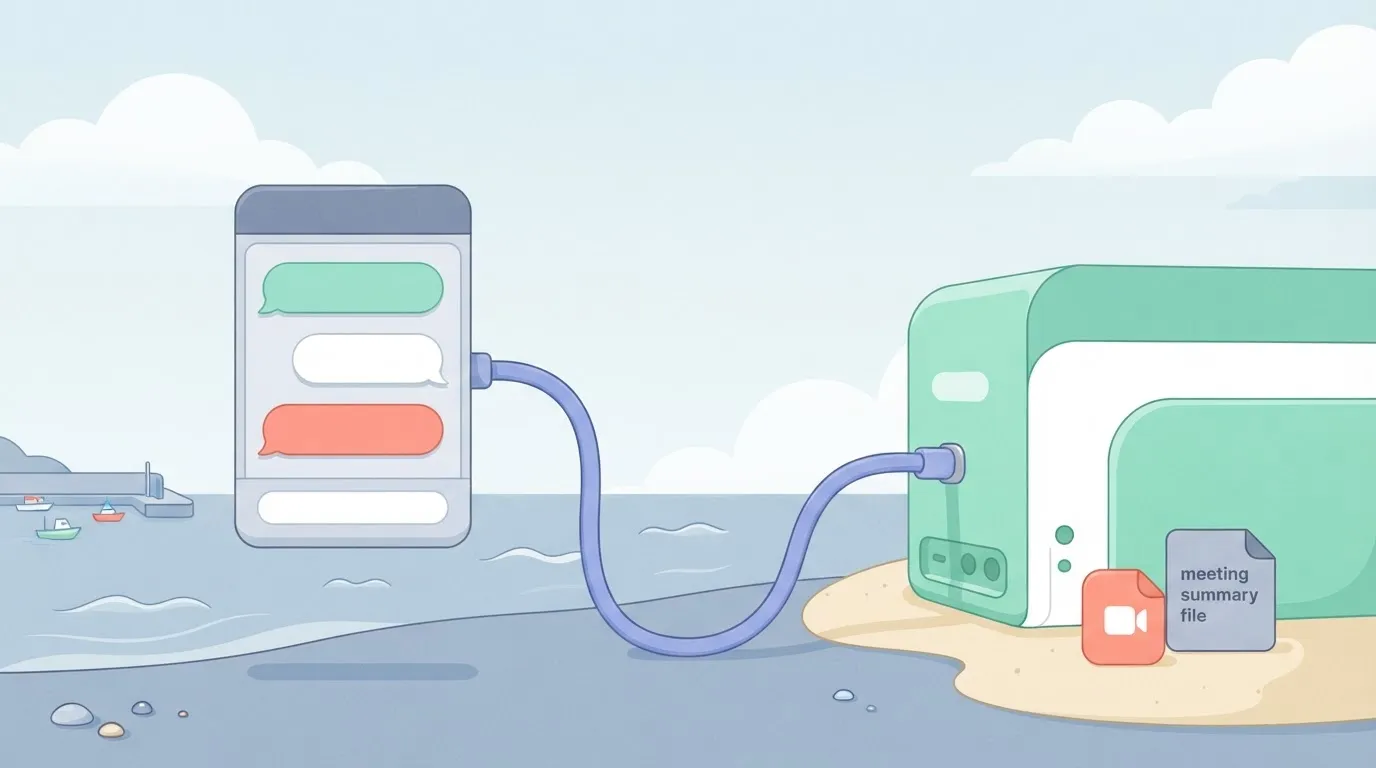
**It adds no new access**. If your account can't see a recording, neither can the assistant acting for you.
## What Zoom MCP is and how it works
### MCP in one paragraph: client, server, tool
You type a request into an AI assistant. The assistant's MCP client turns it into a call to an MCP server, and the server runs a named tool against the underlying service. For Zoom, that service is your meetings and recordings.

When a setup fails with a 403, the failure is at the padlock, not in the model.
The padlock is the point.
Everything to its left is plumbing you can swap, whether a chat app or [Activepieces](https://www.activepieces.com), which connects to Zoom among its 750 integrations and sits left of the padlock like any other client, while everything to its right is governed by your Zoom plan and your admin's approvals.
### What the Zoom server exposes, per Zoom's docs
Nine tools on the main server is not a lot. Zoom's docs, as of 17 November 2026, list three servers, and none of them is large, so integration testing must work within those infrastructure constraints.

[Canvas exposes 18 tools, the Zoom MCP Server 9, and Meetings 4](https://github.com/zoom/zoom-plugin/blob/main/skills/zoom-mcp/references/servers.md).

With four Meetings tools, don't expect it to administer meetings the way the Zoom web portal does. The assistant can only do what those tools do.
### Zoom MCP adoption and production use in 2026
**55% of organisations had no MCP in production**, in a [Stacklok survey reported in December 2025](https://www.digitalapplied.com/blog/mcp-adoption-statistics-2026-model-context-protocol). A further 26% ran it in limited production and 19% broadly, so by the time most organisations adopt it, you'll already have operational experience.

If you're still testing, you're with the majority. Only about one in five has MCP running widely, so expect to write your own runbooks for approvals and failures, because few proven ones exist.
Read those numbers as MCP in general, not Zoom's server specifically.
## What you need for Zoom MCP
You need a Zoom plan you already pay for, an admin who'll approve the connection, and an AI client billed by someone other than Zoom. Skip any of the three and the setup fails with a permissions error, not a technical one.
### Zoom plan and admin requirements
Before you start, check the table below for what you need, where Zoom publishes it, and the check date. Where no published page turned up, the row says so. Treat those rows as questions for your Zoom admin, not as settled facts.
| Requirement | Value | Zoom source page | Check date |
|---|---|---|---|
| Zoom plan | Unpublished | None found | 17 Nov 2026 |
| Account role | Unpublished | None found | 17 Nov 2026 |
| Admin enablement | Unpublished | None found | 17 Nov 2026 |
| AI Companion | Unpublished | None found | 17 Nov 2026 |
| Supported clients | Unpublished | None found | 17 Nov 2026 |
| Rate limits | 10 to 80 requests per second, by endpoint weight and plan | Zoom rate-limiting guide (linked below) | 17 Nov 2026 |
| Server URL | Unpublished | None found | 17 Nov 2026 |
| Tokens | Unpublished | None found | 17 Nov 2026 |

**Five of eight rows are blank**, so **don't buy or upgrade anything on the strength of this article; confirm plan, role and admin approval in writing first.**
If you want a number, **rate limits are the only published family**.
[Zoom's rate-limiting guide](https://github.com/zoom/skills/blob/main/skills/rest-api/concepts/rate-limiting-strategy.md) gives Light endpoints 30 to 80 requests per second, Medium 20 to 60, and Heavy 10 to 40, making Heavy endpoints the most rate-limited tier. Your plan tier decides where in each range you land.
When an agent fans out across many meetings, it hits the Heavy ceiling first. At 10 requests per second, a loop over a few hundred recordings stalls and throws 429s, rendering direct iteration over large recording sets infeasible.

### What Zoom charges and what it does not
Look at the Zoom pages checked and there is no separate MCP line item. That makes the cost the plan you already hold, and the question is whether that plan is high enough for the limits above.
Whether AI Companion is included or extra for your account is one of the unpublished rows, so ask your Zoom rep.
Separately, the client that talks to Zoom MCP bills on its own terms, whether a subscription seat or metered API usage. Zoom's pages don't set that price and I won't guess at it.
## Connecting an AI client to Zoom MCP
Before you get a read-only answer about your last meeting, there are five stages to get through, and the first one decides whether the other four work.
Since every call counts against your rate limits, a read-only first run is also the cheapest way to find out where a setup is broken.
### Stage 1: Confirm the account can use it (screenshot of admin settings)
Check your Zoom plan and your admin settings before you touch the AI client. The screenshot of the admin settings shows where approvals live, so you can see whether you can grant access yourself or need to ask someone who can.
Next, enable or approve the MCP app in Zoom, which is Stage 2. If an admin has to approve the app, get that done now and in writing.
A user who signs in before approval gets a refusal that looks like a client bug and isn't one.
Then add the server URL to the AI client, which is Stage 3. A truncated or mistyped URL fails in ways that read like auth problems, and you'll lose an hour blaming OAuth for a typo.
### Signing in to Zoom MCP and approving scopes
Once the client sends you to Zoom to sign in, a consent screen lists what it wants to read. Read that list.
It's the actual boundary of what the assistant can do, and approving everything because the button is green is how a read-only experiment gets write access.
What works is granting only what the first test needs and adding more later, when a real task requires it.
### Stage 5: Run a first read-only request and check the result
Ask the assistant for the summary of your last meeting. Then open that meeting in Zoom and compare. If the summary matches, the plan, approval, URL and scopes are all correct.
If it returns nothing, or says it can't see meetings, the likeliest cause is that the meeting never produced a summary, or that the scopes you approved don't cover it.
Work backward through the stages in order, and stop at the first one that doesn't hold.
## Mistakes that break Zoom MCP setups
Most failures trace to a plan or admin step someone skipped, not to MCP itself, and five mistakes cover nearly all of them. The list below ties each to documented Zoom behaviour, so read it top-down and stop at the first one that matches.
- Requesting data the signed-in user can't see in Zoom itself
- Over-granting scopes
- Expecting summaries that were never enabled
- Treating the bridge as a scheduled job
- Trusting output unchecked
For the first and fourth, two sentences do it. The assistant acts with the user's own permissions, so an empty result with no error usually means Zoom said no and the tool reported nothing.
**A session also runs only when someone asks**, so if you wanted a 2am digest, you need an actual scheduler. The other three get a section each.
### Granting more scopes than the task needs
To get past an authorization error, people approve the full set. That is the usual shortcut, and every scope you approve widens what a confused prompt can touch. Scopes are the permissions the app requests on the user's behalf.
Start from the question you want answered, grant only the scopes that serve it, and add more when a specific request fails. Your admin's approval step is a review point, not paperwork to rush.
### Expecting data that was never recorded or summarised
If nobody switched on cloud recording and the AI summary features before the meeting happened, there is no transcript or summary to read. **MCP reads what Zoom stored**; it can't reconstruct a call that was never captured.
If last Tuesday's meeting returns nothing, check the account's settings and your plan before you rewrite the prompt. Recordings made before the setting was enabled stay missing.
MCP reads what Zoom stored; it can't reconstruct a call that was never captured.
A model can misread which "Thursday sync" you meant, and creating or changing meetings is a write action. That is a further risk of letting the assistant act unreviewed.
Keep write tools off at first, or require a confirmation before each one runs. Invitations go to real people, and you can't unsend them.
Before Monday's first run, work through this list:
1. Confirm your Zoom plan includes the features you plan to read from.
2. Ask your admin to approve the app and name the scopes you need.
3. Check that recording and summaries are enabled for the accounts involved.
4. Test with one user whose Zoom permissions you know.
5. Disable write tools until you've reviewed a week of read-only output against the source meetings.
## Where Activepieces fits beside Zoom MCP
If a person is asking questions, Zoom MCP is the tool, and a workflow tool is for jobs that must run the same way when nobody is watching. Once a model has acted on a live account, you find out afterward.
Activepieces answers the question of whether a recurring job and an assistant need two separate Zoom integrations: they don't, because every connector is an agent tool.
Connect the Zoom integration once and it works as a step inside a flow and as a tool on the project's MCP server, where Claude, ChatGPT, Cursor or an agent you built yourself can call it, with no second catalog to publish to.
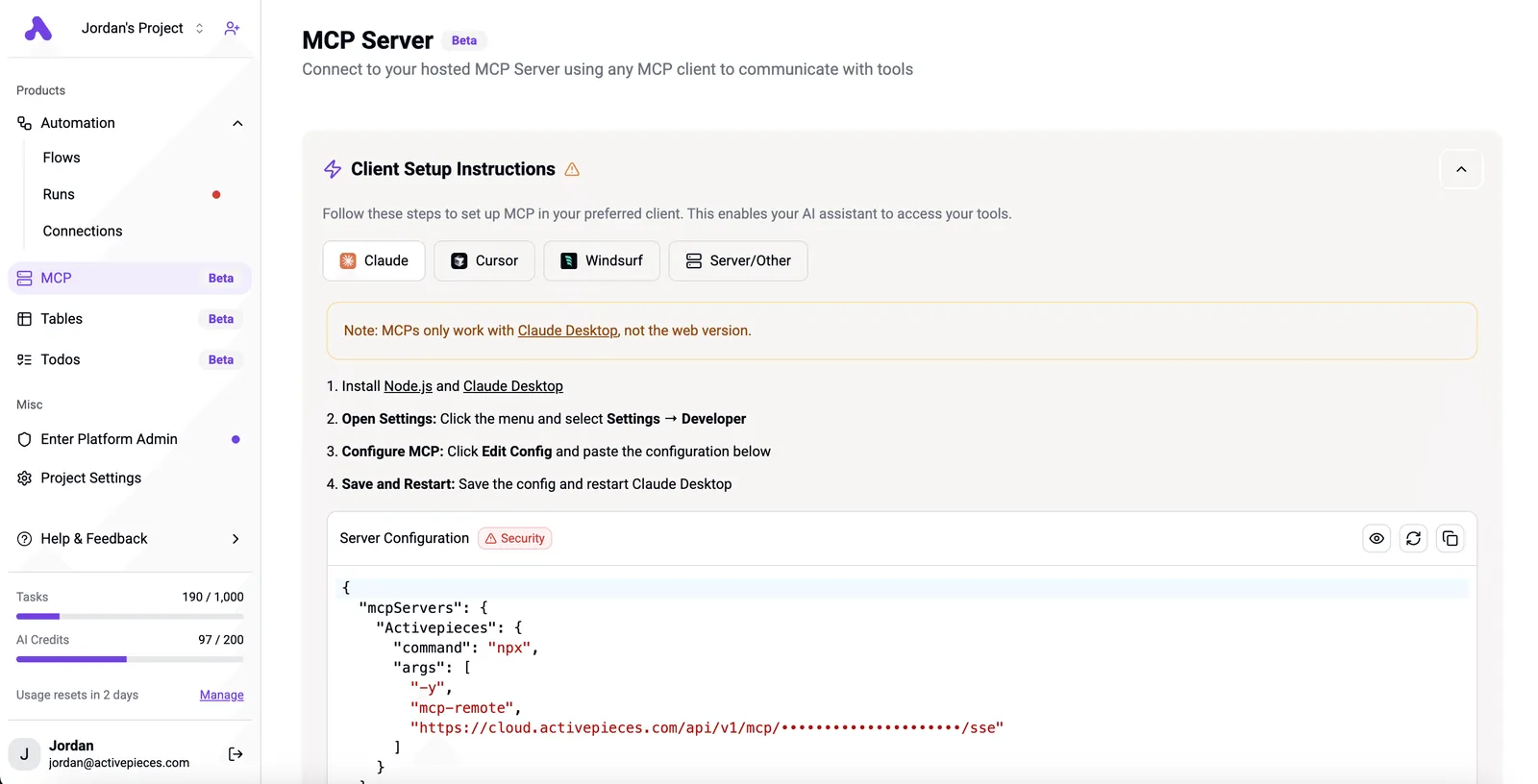
You can confirm it in packages/integrations in the open source repo, where one integration, among the 750 integrations counted there, supplies both the flow step and the MCP tool.
### When Zoom MCP alone is enough
When a human is in the loop on every request and the answer is read, not filed, Zoom MCP alone is enough.
Examples: "what did we decide in Tuesday's call?", "find the recording where pricing came up", "who was on the vendor meeting?". You see the output before anything depends on it. If the model gets it wrong, you ask again.
That works because the permissions you already granted bound the damage, and because you're present to catch a bad answer. Adding a second tool here buys you another account to approve and another place for a failure to hide.
### When a fixed workflow beats Zoom MCP
The trouble starts when the same request gets repeated on a schedule or fires off an event. A model re-deciding the steps each time will eventually skip one, and nobody is there to notice.
What a fixed workflow gives you is the same steps in the same order, and a run history that shows what happened.
Activepieces gives you that: a trigger on a Zoom event, explicit steps, and a record per run, with each run costing 1 credit however many steps it has.
Expose the flow as an MCP tool and the model can still start it from a chat, but it can't rewrite the steps.
It doesn't remove the approval work. Activepieces' free plan already includes unlimited flows and MCPs, so the plan is never the gate: the Zoom connection still needs the same admin sign-off, and a blocked scope blocks the flow too.
To see which side each job lands on, read the table. Read the last column as the default, and move a job over only when the first column's failure would go unseen.
| Job | Zoom MCP alone | Activepieces workflow | Which to use |
|---|---|---|---|
| Ad hoc question | Fine; you read the answer | Overbuilt for a one-off | Zoom MCP alone |
| Recurring summary filing | Depends on someone remembering to ask | Runs on schedule, same steps each time | Activepieces workflow |
| Cross-app routing | Model picks the route each time | Routes are fixed and inspectable, across 750 integrations | Activepieces workflow |
| Audit log | Only what your client keeps | A run record per execution | Activepieces workflow |
| Zoom event trigger | Nothing starts it without a prompt | Triggers on the event itself | Activepieces workflow |
Four of five rows go to the workflow tool, and the one that doesn't is the case where you're sitting there. Start with Zoom MCP for questions, and build a flow only for the job you catch yourself repeating.
## Frequently asked questions
Ask these before building anything and the answers are short; the earlier sections leave them open.
Is Zoom MCP free? It's not a separate product with its own price, but it's not free of conditions either.
What you can use depends on the Zoom plan you already pay for and on whether your admin has approved the app. Your AI assistant may also carry its own subscription cost.
### Can Zoom MCP join or start a meeting for me?
Mostly no. It's built around reading and retrieving: meetings, recordings, transcripts, summaries. Only a small minority of its tools write anything.
If your plan was "tell the assistant to open a call," read the tool list your server actually exposes before designing around it. A tool that isn't on that list will fail with a permissions error, not a helpful message.
### Is Zoom MCP safe to use with confidential meetings?
It's as safe as the scopes you grant and the AI vendor you send the output to. The bridge only reaches what the authorizing user and admin allowed, which is the good part.
Downstream is where it's weak: once a transcript is in the assistant's context, your Zoom controls no longer govern it. Grant the narrowest scopes that work. Read your AI vendor's retention terms before you point this at anything sensitive.
### Which AI assistants work with Zoom MCP?
In principle, any assistant that acts as an MCP client and can connect to a remote server should work. In practice, two questions decide it.
Does your client support the connection type Zoom's server uses? Does your organization permit that client to authorize against your Zoom account?
The second one fails more often than the first. Test with one client and one low-stakes account before rolling it out to a team.
### Is Zoom MCP the same as the Zoom API?
No, though they share a foundation. The Zoom API is the general set of endpoints a developer codes against.
What Zoom MCP does is wrap a selected slice of that access in a standard format an AI assistant can discover and call itself. It adds no new permissions and no new data.
If the API would refuse you, MCP will too, and that's why so many failed setups trace back to approvals nobody requested.
## References
- [Zoom](https://github.com/zoom/zoom-plugin/blob/main/skills/zoom-mcp/references/servers.md)
- [Zoom](https://github.com/zoom/skills/blob/main/skills/rest-api/concepts/rate-limiting-strategy.md)
- [digitalapplied.com (Stacklok survey, Dec 2025)](https://www.digitalapplied.com/blog/mcp-adoption-statistics-2026-model-context-protocol)