To evaluate which delivery method fits a specific workflow, you must weigh the speed of the initial signal against your system's ability to maintain state during high traffic. The following table compares the three primary methods for capturing WooCommerce events to show how each impacts your host environment and the downstream automation. | Delivery Method | Latency | Reliability under load | Data completeness | Server resource cost | | :--- | :--- | :--- | :--- | :--- | | Webhooks | Near-instant | Low (No native retry) | Partial (Requires GET request) | Low | | API Polling | Delayed (By interval) | High (Pull-based) | Full (Direct resource access) | High | | Action Scheduler | Moderate | High (Persistent retries) | Full (Internal hooks) | Moderate | Lowest latency is what you get when you choose webhooks, but you lose the persistent retry logic found in the Action Scheduler. A momentary server timeout results in a **permanently lost trigger**. Your choice of method dictates how your automation engine must handle the incoming data stream. ### Why webhook payloads arrive incomplete Webhooks are labeled as partial because the initial payload often contains only a resource ID or a limited data schema. To obtain the full order details or product metadata, your automation must include a Get Order or Get Product step immediately following the trigger.  This two-step process ensures you have the complete object before processing logic. Without this secondary fetch, your workflow will lack critical fields like line-item details or customer shipping addresses that are omitted from the push notification. ## Order management events offer the highest automation value Because it represents a finalized state transition from a cart to a financial commitment, the "Order Created" event initiates downstream fulfillment. This trigger initiates the state machine for inventory allocation; any delay in processing prevents your system from reserving physical stock for the customer. ### WooCommerce Order Created trigger explained The "Order Created" trigger is the most stable event in the WooCommerce lifecycle because it fires once per transaction, reducing the risk of duplicate execution paths. Because this event signals the shift from a web session to a database record, it's the authoritative source for customer data synchronization. By relying on this trigger for CRM entry, you ensure your system establishes the customer record before any subsequent status changes occur. This prevents orphaned updates where a system attempts to modify a record that doesn't yet exist. The order.created webhook is the primary state transition from a shopping cart to a financial record. It provides the full line-item array needed to trigger warehouse dispatch. Because WooCommerce fires this event before payment confirmation in certain gateway configurations, your workflow must check the `set_paid` status to avoid shipping unverified orders. If your automation proceeds without this conditional check, your business risks inventory depletion from failed transactions. ### WooCommerce Order Updated trigger explained Every administrative change (from a shipping label generation to a partial refund) re-emits the webhook, making "Order Updated" events occur more frequently than any other trigger. This frequency creates a high volume of redundant data, which can overwhelm automation engines that lack built-in deduplication, leading to unnecessary API task consumption. During high-traffic periods, the reliability of these updates fluctuates significantly compared to initial order creation.  As event volume scales, the data demonstrates that the "Order Updated" trigger experiences a **higher failure rate**. Status changes like "Completed" or "Refunded" are more likely to be dropped than the initial sale record. Monitoring shifts in the status field, the order.updated trigger acts as the state machine's transition signal for post-purchase communication. When a status moves to 'refunded', the payload includes a refunds object containing the specific amount and reason, allowing your automation to adjust lifetime value metrics in your external database. Without a dedicated handler for partial refunds, your external reporting tool will overstate net revenue by failing to subtract the returned portion of the transaction. ### WooCommerce Order Deleted trigger failures When a record is purged, the "Order Deleted" trigger is the only mechanism for maintaining data parity between WooCommerce and external reporting tools. If this webhook fails to deliver, your external database retains a "ghost" record. This results in inflated revenue reports and inaccurate tax liabilities. A deletion is a destructive action, unlike order creation which you can manually re-trigger. If your automation engine doesn't capture the event immediately, the source data is gone, leaving no way to audit the discrepancy without a full database reconciliation.Trigger efficiency depends on the trade-off between immediate data availability and the stability of your host server.
Deleting an order in your WooCommerce dashboard triggers a trash or delete event. This event must be mirrored in external systems to prevent data drift. Unlike an update, a deletion removes the record from the WooCommerce REST API. This means a failed webhook delivery leaves your automation engine with no source data to query for a reconciliation retry. This creates a permanent discrepancy where your marketing dashboard reflects sales figures that no longer exist in your core accounting ledger. ## Inventory and product triggers keep catalogs in sync Inventory triggers function as the primary state-change signals that synchronize your WooCommerce store’s availability with external marketplaces and marketing tools. When a stock level crosses a defined threshold, your automation engine must execute a specific sequence to prevent overselling on secondary channels. This process relies a linear chain of operations: 1. Stock change occurs 2. 'Stock Low' trigger fires 3. Workflow fetches full product object 4. Update pushed to external channels 5. Confirmation logged Because the trigger itself carries minimal data, you must perform a subsequent API call to retrieve the current state before any external update can occur. If the third step fails due to an API timeout, your external channel remains out of sync until a manual reconciliation is performed. ### Stock Low: Triggering restock alerts and marketing pauses The 'Stock Low' trigger acts as a conditional gate that fires only when a product’s inventory count drops below the threshold defined in your WooCommerce settings. By isolating this specific event from general stock changes, you'll avoid triggering expensive workflows for every single sale, which reduces the total execution count billed by your automation provider. By default, this trigger functions as a polling mechanism in Zapier. This design means there's a delay between the stock drop and the workflow start. Once the trigger clears the threshold, the workflow typically branches to pause Google Ads campaigns for that SKU. This ensures that marketing spend isn't wasted on unfulfillable items. ### Product Updated: The cost of syncing 1,000+ SKU changes via webhooks The 'Product Updated' trigger captures every modification to a product’s metadata, including price adjustments, description edits, and category shifts. For stores managing large catalogs, a bulk update (such as a store-wide discount applied via the WooCommerce built-in bulk editor) generates a massive burst of concurrent webhooks that can overwhelm the receiving endpoint. Make, an integration platform formerly known as Integromat, handles these bursts by placing incoming webhooks into a queue, though the processing time increases proportionally to the number of SKUs updated. The sync will drop packets if your automation engine lacks a robust queuing strategy or fails to handle the rate limits of the destination API. This failure causes your external catalog to display inconsistent pricing or outdated product information across the sales network. ## Customer and coupon events drive marketing automation Payload structures for customer-related triggers vary based on the user's authentication state, which dictates whether your automation engine receives a persistent identifier or a transient data set. This distinction determines if a downstream CRM can link the event to an existing profile or must initiate a new lead creation sequence. The specific data available during these events includes: * Guest checkout events, which contain only the email address and billing details, forcing your automation to rely on fuzzy matching for identity resolution. * Registered user events, which include the unique User ID, custom meta fields, and assigned roles, allow for precise segmentation in marketing tools. * Coupon usage events provide the discount code, usage count, and associated Order ID to enable the calculation of campaign ROI. These differences define the logic branches required to maintain data integrity across your stack. ## Automate WooCommerce events reliably with Activepieces Verifying how an engine handles unreliable WooCommerce hooks is faster when you can trace the logic yourself. Activepieces publishes an MIT-licensed core, allowing you to clone the repository and audit the queue and worker architecture to ensure it meets your store's uptime requirements.  By running the platform self-hosted or fully air-gapped, you gain direct visibility into the event processing layer that closed-source vendors keep hidden. ### Connecting the woocommerce 'integration' to your store The WooCommerce "Integration," a pre-built integration module, establishes a persistent listener for specific REST API endpoints. This ensures your automation engine captures every status change from 'Pending' to 'Processing'. This direct connection bypasses the common issue where shared hosting environments kill long-running processes, meaning you'll no longer lose lead data during server timeouts. The following interface demonstrates how this connection appears during the configuration of a scheduled reconciliation task. Below it, a integration selector modal is open showing spreadsheet integrations: Google Sheets, Microsoft Excel 365, AITable, and Retable on the left, with action options on the right including Insert Row, Insert Multiple Rows, Delete Row, Update Row, and Find Rows. 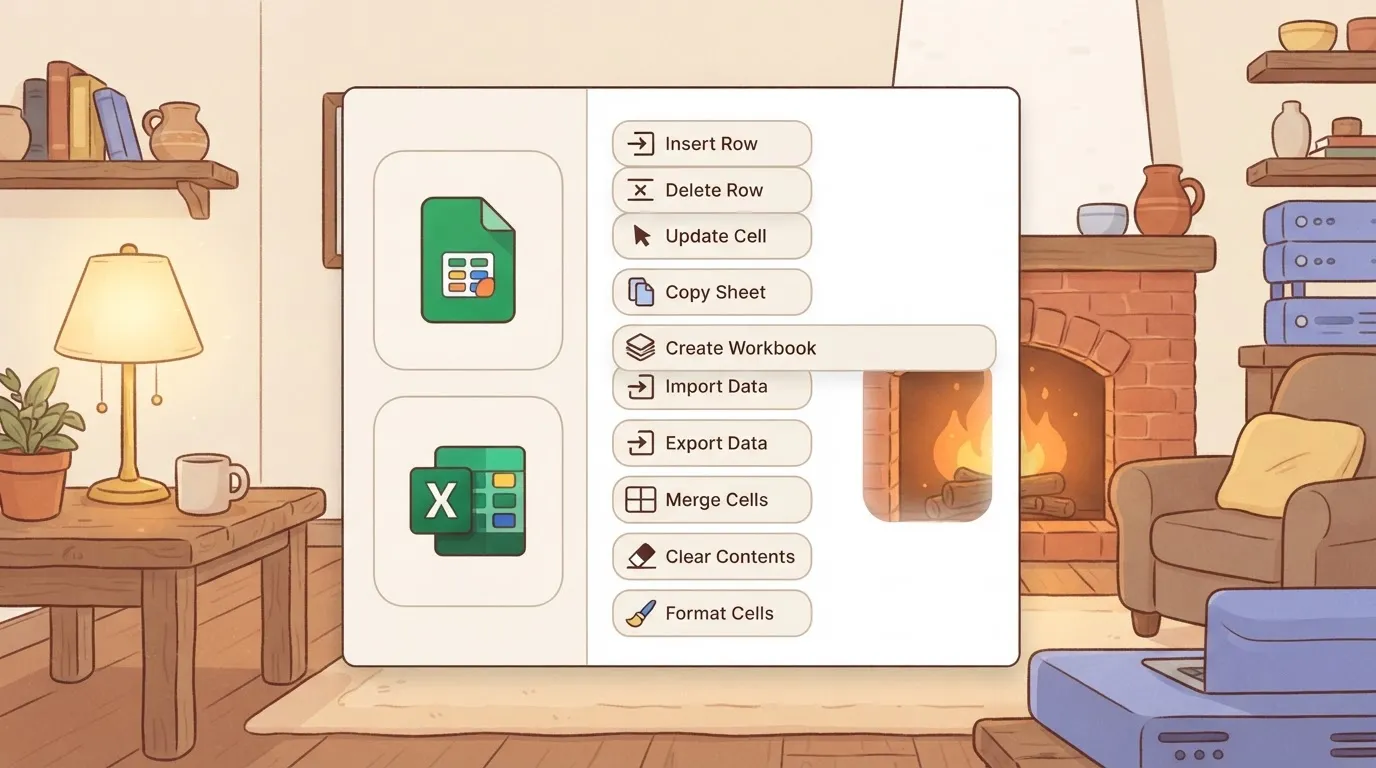 The modal has category tabs: All, AI, Core, and Apps. On the right side, a settings panel shows the Schedule trigger configuration with a "Run on weekends" toggle, and below that a "Generate Sample Data" section showing a successful test result.] ### Handling webhook retries when the receiver is down Activepieces allows you to manage WooCommerce flows using Git Sync and Release Management, treating your automation logic as versioned software that is promoted from test environments to production. This deliberate promotion process ensures that error-handling routines for failed order triggers are reviewed and tested before they go live. Organizations like FundingSocieties and MoneyGram run Activepieces in production, leveraging this structured environment to maintain data integrity across complex transaction volumes. The engine stores the execution state. You can manually replay a failed flow from the specific point of failure rather than needing to re-trigger the original order in your store. ### Filtering WooCommerce webhook events To evaluate the specific properties of a WooCommerce event before initiating subsequent API calls, the engine uses internal filter steps. By setting conditions that require a "Status" field to exactly match "Completed" before proceeding, your system prevents unnecessary executions for abandoned carts or failed payments. 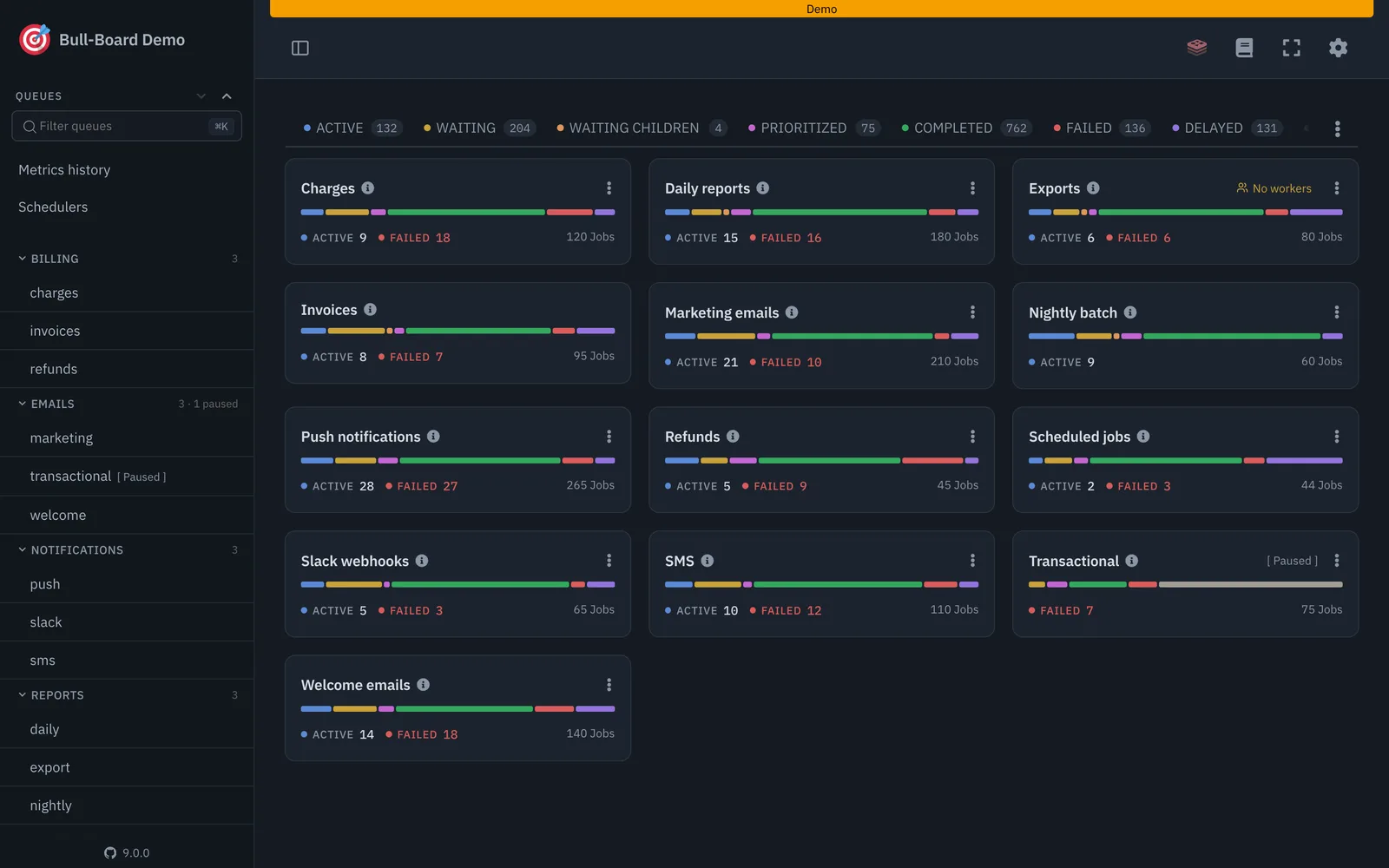 Cloud execution credits are only consumed for valid conversions. Downstream CRM systems remain free of duplicate "Draft" order entries. API rate limits on external services are preserved for critical data transfers. When the reliability of a store's automation depends on understanding exactly how events are queued and processed, transparency becomes a technical necessity. Activepieces is the better choice for developers who prioritize architectural visibility and the ability to audit source code over relying on a vendor's black-box assurances. By allowing teams to self-host and inspect the worker logic directly, it ensures that WooCommerce hooks are handled with a level of certainty that only an open-source codebase can provide. ## A Monday morning audit for WooCommerce triggers The WooCommerce Webhook system acts as the primary outbound messenger, pushing JSON payloads to external URLs whenever a specific event, such as `order.created`, reaches a terminal state in your database. To ensure these messages are authentic, WooCommerce generates a Secret Key during the webhook setup process. If this key doesn't match the one stored in your automation platform, the receiver will reject the payload as a security risk. You can verify the health of these connections by navigating to the WooCommerce Status panel and selecting the Webhook tab. A "Disabled" status here indicates that the destination URL returned multiple non-200 HTTP response codes, meaning your automation has likely missed every event since the last successful handshake. The method by which an automation platform detects changes determines the latency and resource load on your web server. Legacy REST API polling requires your automation engine to request a list of recent orders at set intervals, which creates a continuous processing load even when no sales occur. Real-time webhooks initiate a push from your store to the engine only when an event triggers, which eliminates the delay between a customer action and your workflow execution. The Action Scheduler is the internal queue manager that handles the delivery of webhooks after the initial PHP request has finished. Because webhook delivery is an asynchronous task, a failure in the Action Scheduler (often caused by a stalled WP-Cron) stops the outbound trigger from ever leaving your server. By inspecting the "Scheduled Actions" log, you can see if webhook deliveries are marked as "failed" or "pending." This confirms that the bottleneck exists within your WordPress hosting environment rather than the automation tool itself.  ## Frequently asked questions about WooCommerce triggers? ### Why didn't my WooCommerce webhook trigger for a new order? Webhook delivery failures typically stem from a mismatch between your server’s authentication requirements and your automation platform’s header configuration. If a host requires Basic Authentication, a trigger will fail silently unless the specific credentials are encoded into the request header, meaning your automation engine never acknowledges the state change from your store. In Make, a visual automation builder, you'll often encounter 401 errors because the tool expects a specific API Key format that differs from standard WordPress application passwords. ### Can i trigger a workflow when a specific product is purchased? Because WooCommerce doesn't provide a native "Product Purchased" trigger, you must initiate workflows on the broader `order.created` event and then execute a conditional filter. The payload must be parsed to check the `line_items` array for a specific Product ID.  If the ID is absent, your workflow must terminate immediately to prevent unnecessary downstream API consumption. Zapier, a popular integration service, handles this by charging a task credit for the initial filter step, so a high-volume store with many products will incur costs for every order regardless of whether the specific item was bought. ### How do i include custom checkout fields in a trigger payload? Custom fields stored in the postmeta table aren't included in the standard WooCommerce REST API response. They must be explicitly registered via the `register_rest_field` function in your site's PHP files. Without this registration, the webhook payload contains only default keys, so your automation engine can't map data like gate codes or delivery instructions to other apps. ### Is there a limit to how many webhooks WooCommerce can send at once? WooCommerce doesn't impose a hard coded numerical limit on outgoing webhooks, but delivery is constrained by your server’s PHP process availability and the Action Scheduler queue. Single-threaded servers will delay webhook execution if the CPU is saturated by concurrent traffic. Action Scheduler, the background processing library, will retry failed deliveries, which can lead to out-of-order execution if a later webhook succeeds before an earlier retry. Automation platforms like Pipedream, a developer-centric integration tool, may rate-limit incoming requests, causing your WooCommerce store to receive 429 "Too Many Requests" errors during flash sales. ## Related reading - [WooCommerce Connector Features for Store Operations (2026)](https://www.activepieces.com/blog/woocommerce-connector-features-for-store-operations-2026) - [Automating WooCommerce Orders to Send Emails via Gmail: Ultimate Guide](https://www.activepieces.com/blog/automating-woocommerce-orders-send-emails-gmail-ultimate-guide) - [Get Email Notifications About New WooCommerce Customers: A Step-by-Step Guide](https://www.activepieces.com/blog/email-notifications-new-woocommerce-customers-step-by-step) ## References - [AutomatorPlugin](https://automatorplugin.com/pricing/)A deletion is a destructive action, unlike order creation which you can manually re-trigger.