> ## Documentation Index
> Fetch the complete documentation index at: https://www.activepieces.com/docs/llms.txt
> Use this file to discover all available pages before exploring further.
# Override OAuth2 Apps
> Use your own OAuth2 credentials instead of the default Activepieces apps
## Default Behavior
When users connect to services like Google Sheets or Slack, they see "Activepieces" as the app requesting access. This works out of the box with no setup required.
## Why Replace OAuth2 Apps?
* **Branding**: Show your company name instead of "Activepieces" in authorization screens
* **Higher Limits**: Some services have stricter rate limits for shared OAuth apps
* **Compliance**: Your organization may require using company-owned credentials
## How to Configure
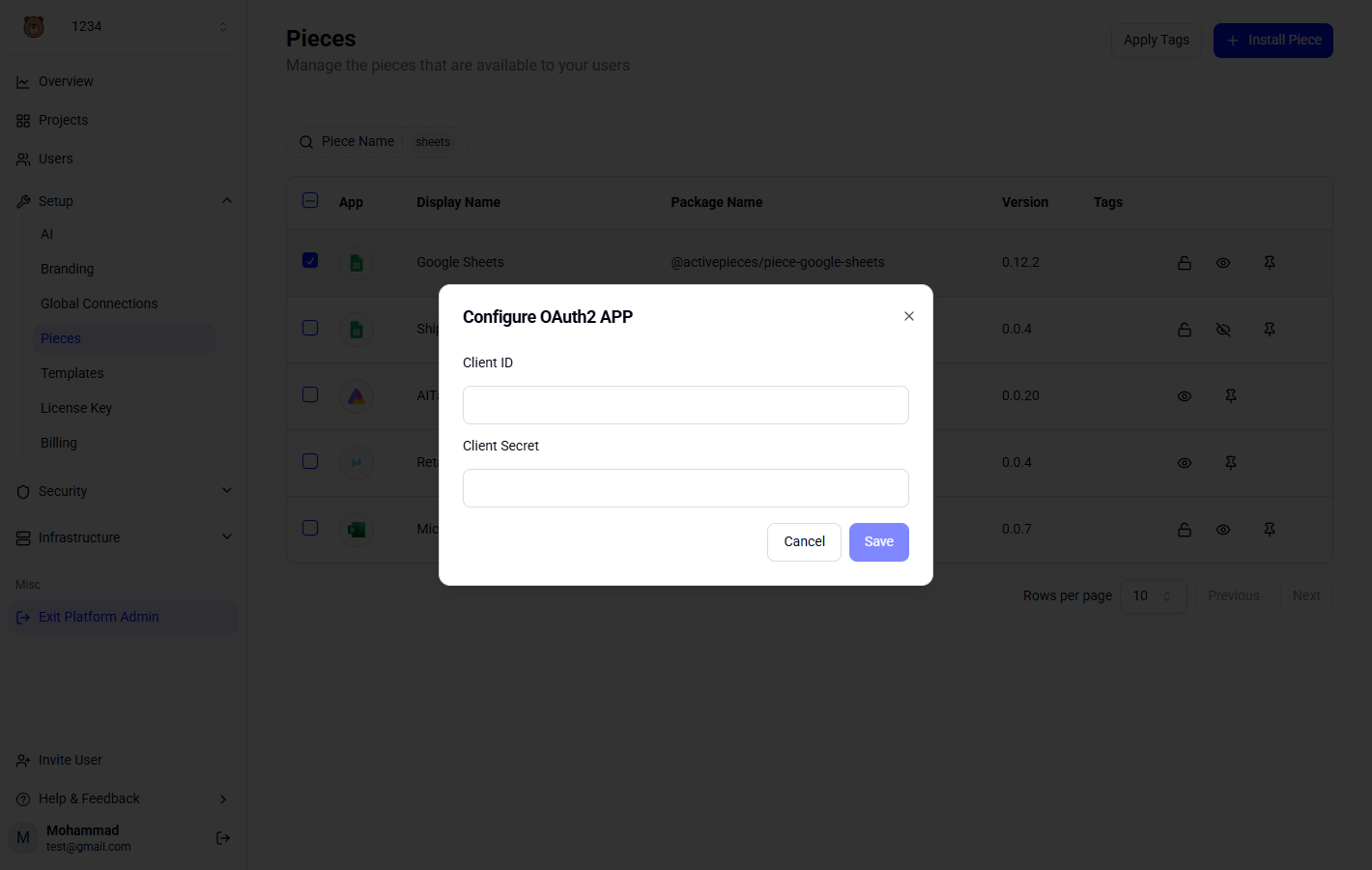
1. Go to **Platform Admin → Setup → Pieces**
2. Find the piece you want to configure (e.g., Google Sheets)
3. Click the lock icon to open the OAuth2 settings
4. Enter your own Client ID and Client Secret