> ## Documentation Index
> Fetch the complete documentation index at: https://www.activepieces.com/docs/llms.txt
> Use this file to discover all available pages before exploring further.
# Overview
> Understanding how embedding works
This section provides an overview of how to embed the Activepieces builder in your application and automatically provision the user.
The embedding process involves the following steps:
Generate a JSON Web Token (JWT) to identify your customer and pass it to the SDK, read more [here](./provision-users).
You can use the SDK to embed and customize Activepieces in your SaaS, read more [here](./embed-builder).
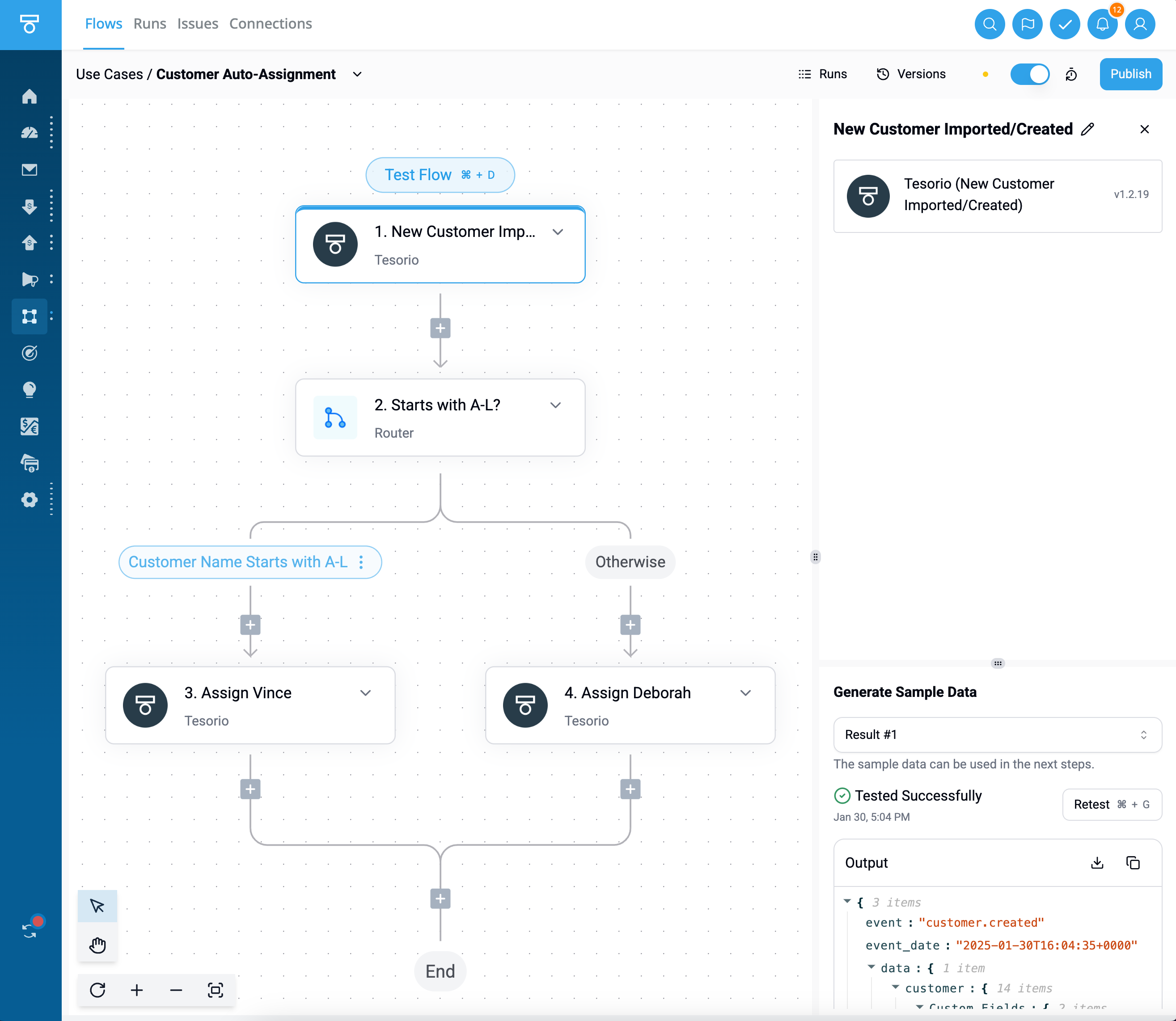
Here is an example of how it looks like in one of the SaaS that embed Activepieces:
 In case, you need to gather connections from your users in your SaaS. You can do this with the SDK. Find more info [here](./embed-connections).
If you are looking for a way to communicate between Activepieces and the SaaS embedding it through a piece, we recommend you check the [custom property doc](/build-pieces/piece-reference/properties#custom-property-beta)
In case, you need to gather connections from your users in your SaaS. You can do this with the SDK. Find more info [here](./embed-connections).
If you are looking for a way to communicate between Activepieces and the SaaS embedding it through a piece, we recommend you check the [custom property doc](/build-pieces/piece-reference/properties#custom-property-beta)