
Atera Pricing: Plans and Cost per Technician (2026)

Nov 21, 202615 min read
According to Assigner, Atera's three published plans cost $129, $159 and $209 per technician per month on annual billing.
They rise to $139, $189 and $249 month to month, so customers unwilling to commit annually, whether they are IT teams or Activepieces users weighing similar tooling, face higher per-technician fees.
Figures are current as of 21 November 2026. Sales quotes the higher tiers.
Atera's a remote monitoring and management (RMM) and professional services automation (PSA) platform. It bills by the person doing the work, not by the number of devices under management.
Plan-by-plan table
The gap between the columns is the premium for staying flexible, and it widens as you move up the tiers. Every tier has two prices, one per billing term.
| Plan | Monthly billing | Annual billing |
|---|---|---|
| Pro | $139 | $129 |
| Growth | $189 | $159 |
| Power | $249 | $209 |
| Higher tiers | Contact sales | Contact sales |
Commit for the year and you save $10 per technician per month on Pro, $30 on Growth and $40 on Power.
A ten-technician team on Power saves $400 a month by committing for the year, so the tier you pick decides how much the commitment is worth.
If you run an in-house help desk, you get the same ladder under different plan names. Assigner lists the MSP plans (for managed service providers) at $129 for Pro, $159 for Growth and $209 for Power.
It puts the IT-team equivalents at $149 for IT Professional, $189 for IT Expert and $219 for IT Master.
At each rung, an internal IT department pays $10 to $30 more per technician than an MSP, so don't budget from the MSP column if you run an in-house help desk.
Atera free trial length and limits
I haven't confirmed the trial's length or caps, so I'm not quoting them. Check them on Atera's pricing page before you plan around them.
Treat the trial as a seat-count exercise: count the technicians who will log in during the pilot, because that number sets your real bill.
If you're weighing Atera against an automation tool for the workflows around it, run the same count on both sides before comparing sticker prices.
Activepieces, for one, bills per flow run rather than per seat or per step, and its Free plan on Activepieces Cloud has $0 pricing with 1,000 credits a month and unlimited flows.
What 'per technician' means
Someone who works tickets and manages endpoints is a technician, and that person is the seat, not a device and not a client. Adding a managed laptop or a new client company doesn't change the invoice. Adding a person to the dispatch queue does.
That's good for an agency with a wide, thin client base, because the cost of each new client's devices lands on you at zero.
The risk runs the other way. A part-time contractor or an escalation-only engineer costs a full seat at your tier's rate. Make sure a client who pays enough covers every seat, or the other clients are quietly subsidizing it.
Monthly Bills at 3, 10 and 25 Technicians
Billed annually, three technicians cost $447 a month, ten cost $1,890 and twenty-five cost $5,475. Every seat needs client revenue behind it before the other clients stop subsidizing it.
Those totals use Assigner's published per-technician rates, and I assumed the tier rises with team size. Check that assumption against the features you need.
What the billing choice costs at each size is in the table. The monthly premium grows with the tier, and the per-endpoint cost shows whether your client contracts can absorb it.
| Size | Tier needed | Monthly-billed total | Annual-billed total per month | Annual saving | Cost per endpoint (annual) | Arithmetic |
|---|---|---|---|---|---|---|
| 3 techs / 300 endpoints | Professional | $507 | $447 | $60 | $1.49 | 3 × $169; 3 × $149 |
| 10 techs / 1,000 endpoints | Expert | $2,290 | $1,890 | $400 | $1.89 | 10 × $229; 10 × $189 |
| 25 techs / 2,500 endpoints | Master | $6,725 | $5,475 | $1,250 | $2.19 | 25 × $269; 25 × $219 |
To use your own numbers, multiply your technician count by the per-seat rate and divide by your endpoint count.
At $149 a month per technician on annual billing and $169 on monthly, Professional puts three seats at $447 or $507, and the $60 gap is a 13% premium for staying flexible.
At $1.49 per endpoint, this is the cheapest size to quote, so a client's flat fee can absorb it.
Pay $189 annual or $229 monthly per technician on Expert and ten seats come to $1,890 or $2,290, with the $400 difference a 21% premium.
Per-endpoint cost rises to $1.89, so price your tier upgrade into the clients who need the features, not into everyone.
Staying on monthly billing at Master costs $15,000 a year more, which is a real line item to explain on an invoice. The rates are $219 annual and $269 monthly per technician.

That gives $5,475 against $6,725, a $1,250 monthly gap and a 23% premium, with endpoints at $2.19.
Across all three sizes, the premium for monthly billing rises with the tier, from 13% to 23%. That makes the annual commitment worth the most to the biggest teams, and makes it the first lever to pull before you touch add-ons.
If you are running this arithmetic for your own team, see what the same workload costs on Activepieces.
Hidden Costs and Limits Atera Buyers Hit
Beyond the per-technician rate, five things move an Atera bill: separately priced add-ons, tier-gated features, how Atera counts seats, and the commitment and renewal terms.
The commitment discount is only the first lever, so the others decide whether the quote you signed is the bill you pay.
In the order they tend to surface, these are the items that move the bill:
- Network Discovery, priced per technician
- Work from Home, priced per end user instead
- Features that only unlock on higher tiers
- How Atera counts technician seats
- Annual commitment and renewal terms
Two of these use different billing units. That matters because a per-technician add-on grows with your staff, while a per-end-user add-on grows with your clients, and only one of those you control. The rest of this section takes them in turn.
Add-ons priced separately
Treat each add-on as its own line on the client invoice. Atera charges Network Discovery per technician, so enabling it for a team of ten when only two people run discovery means paying for eight seats that never use it.
Because Atera charges Work from Home per end user, one client with a large remote workforce can cost more than your entire technician roster. Price that client's remote-access line accordingly, or the rest of your accounts quietly subsidize them.
Because Atera charges Work from Home per end user, one client with a large remote workforce can cost more than your entire technician roster.
Check Atera's pricing page for current add-on rates before quoting.
You may find the feature you need sits one tier above the one you priced. When that happens, the upgrade applies to every technician, not only the person who needs it.
Map each workflow you rely on to the tier that includes it before you count seats, and note any feature you would sell to clients as a billable service.
Shrink or change tier mid-term and the commitment discount punishes you, because it rewards certainty. Find out whether you can add technicians mid-term at the same rate, whether you can remove them at renewal, and what the renewal price becomes if you do nothing.
Auto-renewal at list price is the usual way a discount disappears.
- Which tier includes every feature in my current workflow, and which would I need to buy separately?
- Does a shared login or part-time contractor count as a full technician seat?
- Can I add or remove seats mid-term, and at what rate?
- Which add-ons bill per technician, and which per end user?
- What does renewal cost if I take no action, and how much notice is required to change it?
- Is the discount I'm being quoted tied to the commitment length or to the seat count?
Atera Against NinjaOne, Datto and Syncro on Price
That's why a published list price matters. Atera's and Syncro's can be checked before you sign. NinjaOne, Datto RMM and ConnectWise only give you a number in a quote, so you can't tell what a renewal is being measured against.
Per-technician vs per-endpoint pricing
Atera and Syncro charge per technician. NinjaOne, Datto RMM and ConnectWise price on the endpoints you manage and quote the rate to you.
For a shop with few technicians and many devices, per-technician pricing means the bill doesn't grow when a client adds twenty laptops. For a shop with many technicians and few devices, it runs the other way.
At entry level neither undercuts the other: Atera Pro is $129, the same as Syncro Core at $129. The published numbers, per technician a month, come from Breezermm.
One step up, Atera Growth is $159 against Syncro Team at $179, which makes Atera $20 a technician cheaper. Atera Power is $209, the most expensive of the four published plans, so the top tier is where its price advantage ends.

Only two of the five vendors can be priced for this team from public numbers, as the table shows. The other three can't be compared until you have a quote.
| Vendor | Pricing model | Published or quote-only | Built-in PSA | 10 technicians, 1,000 endpoints |
|---|---|---|---|---|
| Atera | Per technician | Published | Yes | $1,290 (Pro), $1,590 (Growth), $2,090 (Power) a month |
| Syncro | Per technician | Published | Yes | $1,290 (Core), $1,790 (Team) a month |
| NinjaOne | Per endpoint | Quote-only | Sold separately | Quote needed |
| Datto RMM | Per endpoint | Quote-only | Sold separately | Quote needed |
| ConnectWise | Per endpoint | Quote-only | Sold separately | Quote needed |
Before add-ons, the Atera and Syncro figures are ten technicians times the per-technician plan price. Treat them as a floor, not the invoice.

When a team has a lot of endpoints per technician, Atera suits it, because the bill follows headcount. At Growth it also costs $200 a month less than Syncro Team for ten people, a saving worth about $2,400 a year.
It suits a team less well when it's mostly technicians and few devices. It also suits less well when it needs Power-tier features at $209 a head, or when it wants a per-endpoint quote it can negotiate down.
The three quote-only vendors may come in lower or higher, but you won't know which until you ask.
Worth checking against a plan that does not meter every step: one credit covers a whole run on Activepieces.
Connecting Atera to Other Tools with Activepieces
Add Activepieces only when you need to push Atera tickets, alerts or customer records into software Atera has no native connection to, which is where its 750 integrations, counted from the open source monorepo, come in.
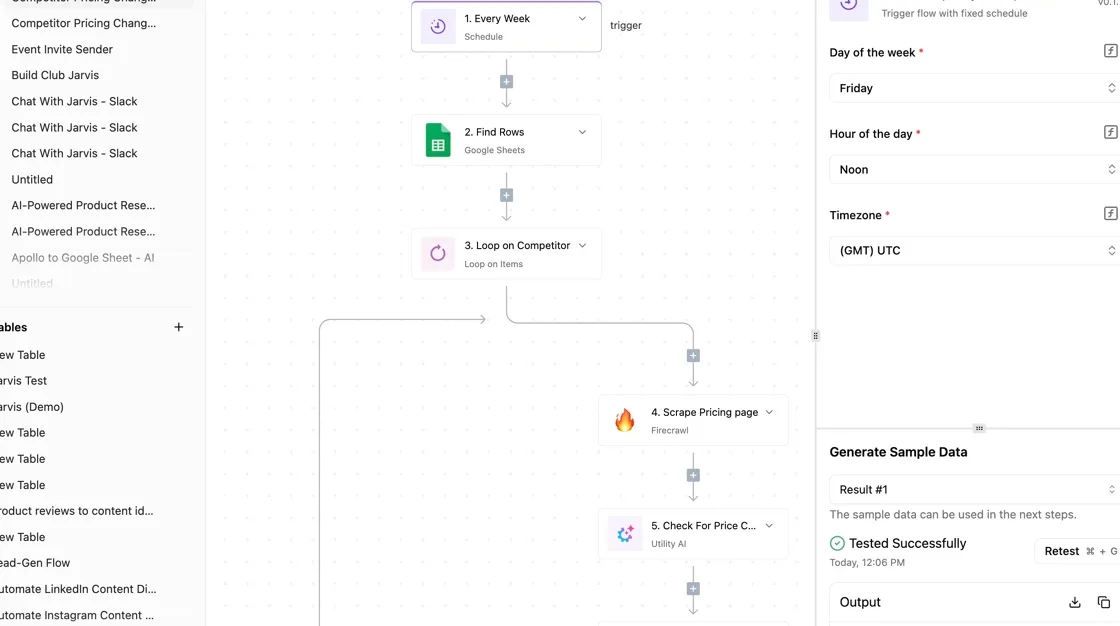
It changes neither Atera's per-technician price nor the job of your RMM (remote monitoring and management platform).
Unlike the quote-only vendors, you can settle this one yourself, in an afternoon, before anyone sends a price.
The Free plan on Activepieces Cloud includes 1,000 credits a month and unlimited flows, and the Activepieces pricing page lists 1 credit per flow run, any number of steps, whereas Zapier's pricing page bills per task and Make's bills per module.
A ticket-to-task flow with ten mapped steps therefore costs the same as one with two.
When Atera's built-in automation is enough
If the work stays inside Atera, such as routing a ticket, running a script on an alert or notifying a technician, use Atera's own automation.
It's already in the plan you pay for, so every extra tool you bolt on is a second thing to maintain and a second place a client's data can leak or break.

Don't add a workflow layer for something you can do for free where the data already lives.
When a separate workflow tool earns its place
Only one situation justifies Activepieces, even though unlimited flows come on every plan, including the free one: a client's billing, project or chat tool sits outside Atera and someone is retyping data between the two.

That retyping is unbilled labor, and on a shared setup it quietly gets absorbed by the clients who pay on time.
The handoff stops being a person's job once Activepieces listens for an event in Atera and passes the data to the other tool, and MoneyGram, Moneypenny, Alan and FundingSocieties all run Activepieces in production.
Do the steps in this order, because the first one can stop you before you build anything:
- Check that your Atera plan includes API and webhook access. If it doesn't, the tier you need is part of the cost of this project, so settle that before you plan the build.
- Generate your Atera API key from your account settings, and store it somewhere only the people running the automation can read.
- In Activepieces, build a flow whose trigger is a new ticket or a new alert from Atera.
- Map the fields to the target tool: ticket title to task name, customer to client record, priority to whatever the other tool calls urgency. Match them by what the receiving person needs to see, not by whatever field happens to share a name.
- Test with a single ticket, and confirm that exactly one record appears in the target tool with the right customer attached.
Catch a mismapped field on a single test ticket, where it is cheapest to find. If a flow ever sends records to the wrong client, you find out on a test rather than on an invoice.
Once that ticket lands cleanly, you can widen the trigger to cover alerts or more ticket types.
Frequently asked questions
Widening the trigger changes what you automate, not what Atera bills, so the questions left over are mostly about the invoice.
These answers rest on Atera's pricing and plan pages as I read them, and the pricing page is the authority if anything here has moved since.
Treat anything free as a trial until the pricing page says otherwise. A trial lets you test the features, but it tells you nothing about the bill, so don't budget from it. Price the paid tier you'd land on, with the add-ons you'd switch on.
Is Atera billed per technician or per device? Per technician. The number of endpoints you manage is not the billing unit, so a client with a hundred machines doesn't cost more in licences than a client with ten.

That also means a shared technician seat quietly carries your biggest client's workload, so work out which clients are actually using the seats you pay for.
Can I switch Atera plans mid-contract? I couldn't confirm the switching rules from the public pages, so ask before you sign. Get in writing whether you can move up a tier mid-term, whether you can move down, and when a change takes effect.
If a client's needs outgrow your tier, that answer decides whether you absorb the difference or pass it on.
- Which tier includes every feature in my current workflow, and which would I need to buy separately?
- Does a shared login or part-time contractor count as a full technician seat?
- Can I add or remove seats mid-term, and at what rate?
- Which add-ons bill per technician, and which per end user?
- What does renewal cost if I take no action, and how much notice is required to change it?
- Is the discount I'm being quoted tied to the commitment length or to the seat count?
Does Atera charge extra for remote access?
Check this against the tier you're pricing, not the platform in general. Some capabilities sit in higher tiers and some are sold as add-ons, and remote access is the one most likely to be assumed rather than verified.
Look at the plan comparison on the pricing page and confirm in the quote that it's included in the tier you picked.
How do I get a quote for more than 25 technicians?
Ask Atera's sales team directly, since a team that size is the case a self-serve price list is least likely to cover.
Come with your technician count, endpoint count, target tier and the add-ons you expect to use. A quote built on those four inputs can be compared line by line against what you charge clients.
Four moves make up the Monday checklist, which is the whole article, and the order matters because each step feeds the next:
- Re-check the Atera pricing page, so you're working from current plans rather than last quarter's.
- Count technicians and endpoints, because technicians set the bill and endpoints show who is using the seats.
- Pick the tier that includes the features you need, rather than the cheapest one and a stack of add-ons.
- Request a quote with those numbers and compare it against what your clients will actually accept on an invoice.
If the quote lands above that, the gap is the cross-subsidy to fix first.
Running the numbers
See what the same workload costs here.
Free forever plan, and every paid plan self-hosts at no extra cost.
See pricing Talk to sales