
ElevenLabs Scribe v3 API: Limits and Pricing (2026)

Nov 12, 202614 min read
Scribe v3 is ElevenLabs' speech-to-text model for recorded audio, and you reach it through the ElevenLabs API with a key created in your account, whether you call it from a script or from a workflow tool such as Activepieces.
Everything below is a docs read checked on 2026-11-12, not our own test.
On its models page, ElevenLabs describes it as its most accurate speech recognition model for recorded audio. That's the maker's claim. Here are the four facts to have before your first call:
Scribe v3 API and your key
- The model ID is
scribe_v3. - It succeeds
scribe_v2. - It covers 90+ languages.
- Scribe v3 Live is a separate realtime model, so a live phone call is not the same product as a recorded file.

Mix up the last two and you'll pay for the wrong thing or wait on the wrong one.
Because it replaced scribe_v2, anything still pinned to the old ID is running the older model and its higher error rate. ElevenLabs announced Scribe v3 in its launch post.
Scribe v3 accuracy claims and benchmarks
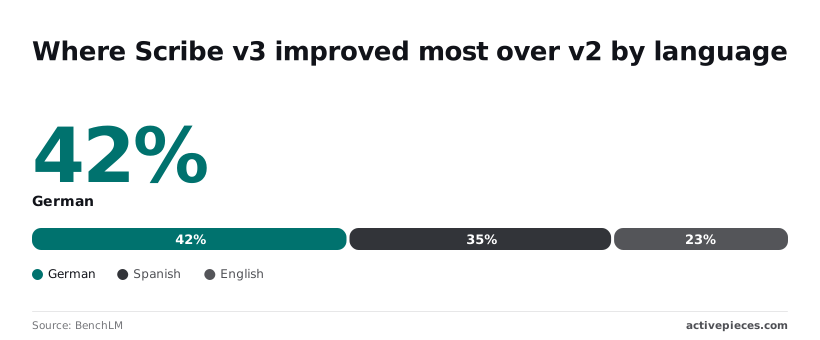
27% fewer word errors than Scribe v2 across 102 languages: that is what the launch post claims, so speakers of these languages benefit from substantially better accuracy.
On the FLEURS benchmark, BenchLM lists Scribe v3 at a 12.38% word error rate, against 16.94% for Scribe v2 and 18.5% for Gemini 3.5.
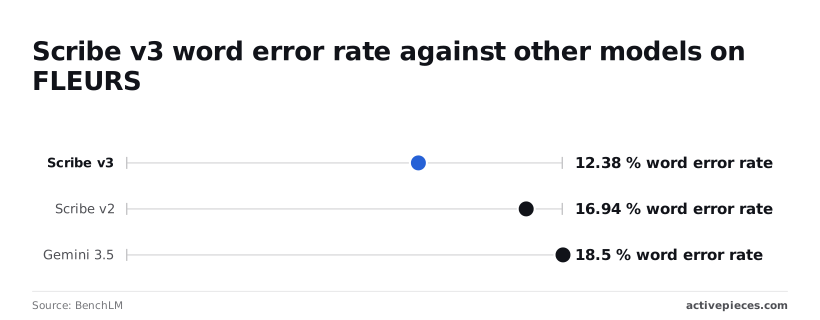
Roughly one word in eight is wrong, so you still need a human check on anything legal or medical.
Those figures are vendor-reported, so test your own audio before trusting them.
To get a key:
- Sign up for an ElevenLabs account.
- Open the API keys area in your account settings and create a key.
- Store it as a secret, never in code you share.
If you pass transcripts onward through an automation, Activepieces charges 1 credit per run however many steps sit inside it, so a ten-step flow that checks size, caps concurrency and logs the call costs the same as a two-step shortcut.
Zapier's per-task billing would charge for each of those guards.
The numbers on price, concurrency and file size come next.
If you are running this arithmetic for your own team, see what the same workload costs on Activepieces.
Scribe v3 pricing and rate limits
On a busy launch day, the first limit you hit is usually concurrency. Scribe v3 is ElevenLabs' most accurate speech-to-text model for recorded audio.
Scribe v3 model ID and endpoints
I didn't confirm an exact model ID or endpoint path for this check, so I'm not printing one from memory. A wrong ID in your code fails on the first request, which is a cheap mistake to catch and an annoying one to ship.
Copy both straight from the maker's developer documentation, and run one test file through them before anything else.
Price per unit
I couldn't confirm a published price per hour of audio for any tier on 2026-11-12, so the table marks it "not published." That gap is itself a finding.
Without a per-hour price you can't multiply your expected audio by a rate, and the bill becomes a surprise instead of a forecast. Get the number from the pricing page, or from sales, before you size anything.
Without a per-hour price you can't multiply your expected audio by a rate, and the bill becomes a surprise instead of a forecast.
Limits by plan tier
Look at the table below, checked on 2026-11-12 against the ElevenLabs speech-to-text page: concurrency rises from 8 on Free to 60 on Scale, then stays at 60 on Business. Moving up from Scale buys no extra simultaneous jobs.
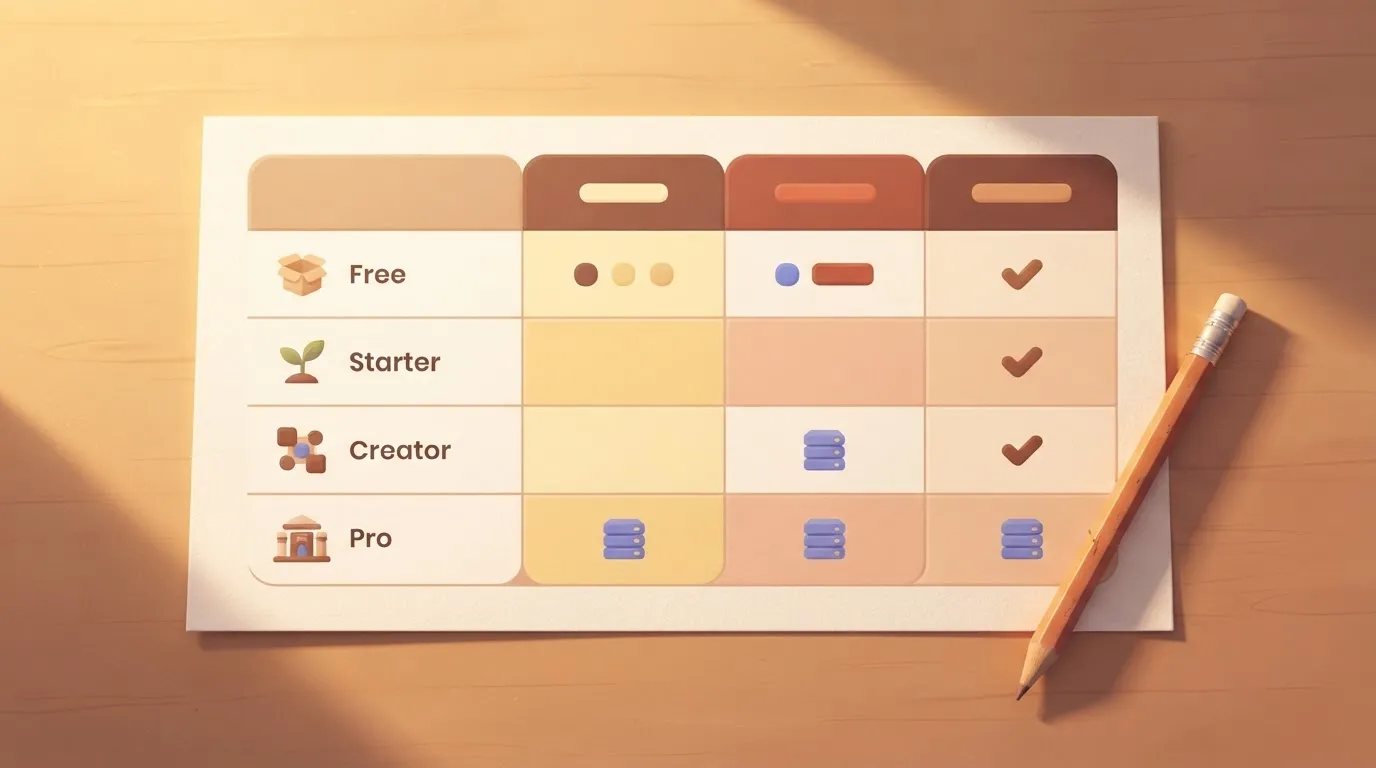
| Tier | Monthly credits | STT concurrency | Price per hour |
|---|---|---|---|
| Free | 10,000 | — | — |
| Starter | — | — | — |
| Creator | — | — | — |
| Pro | — | — | — |
| Scale | — | — | — |
| Business | — | — | — |
Prices and plan limits checked against elevenlabs.io and elevenlabs.io and elevenlabs.io and github.com on November 12, 2026.
Read the concurrency column against your busiest hour, not your average one.
Only Free and Starter have a credit figure I could confirm, so for the other tiers you can't yet say how much audio a month's credits cover. The next step is to turn these gaps and ceilings into checks your code runs before go-live.
A minimal Scribe v3 transcription request
If all you want is the smallest useful call, it is one authenticated POST with an audio file and a model name, and it returns the transcript as JSON.
The request below follows the maker's documented speech-to-text pattern. We copied it from the docs and didn't run it, so check it against the current page before you rely on it.
Scribe v3 API request with curl
curl -X POST "https://api.elevenlabs.io/v1/speech-to-text" \
 -H "xi-api-key: $ELEVENLABS_API_KEY" \
 -F "model_id=scribe_v3" \
 -F "[email protected]"
Put the key in the xi-api-key header and keep it in an environment variable, as above, because a key pasted into code ends up in version history, and a leaked key means someone else's audio billed to your account.
Leave model_id out or misspell it and you may get a different model than the one you priced, or an error. That field picks the model, and the file field carries the audio.
Send a short clip first, so a mistake costs you seconds of audio and not an hour of it.
Reading the Scribe v3 JSON response
Once a call succeeds, you get JSON back. The fields to look for first are the language the model detected, the full transcript text, and a list of individual words with timing information.
Check the language field before anything else. If a caller speaks one language and the model reports another, every word after that is suspect.
Logging is the habit to build here. A run history from any automated HTTP call shows the pattern: the request as sent, the status that came back, and how long the call took, all on one screen.
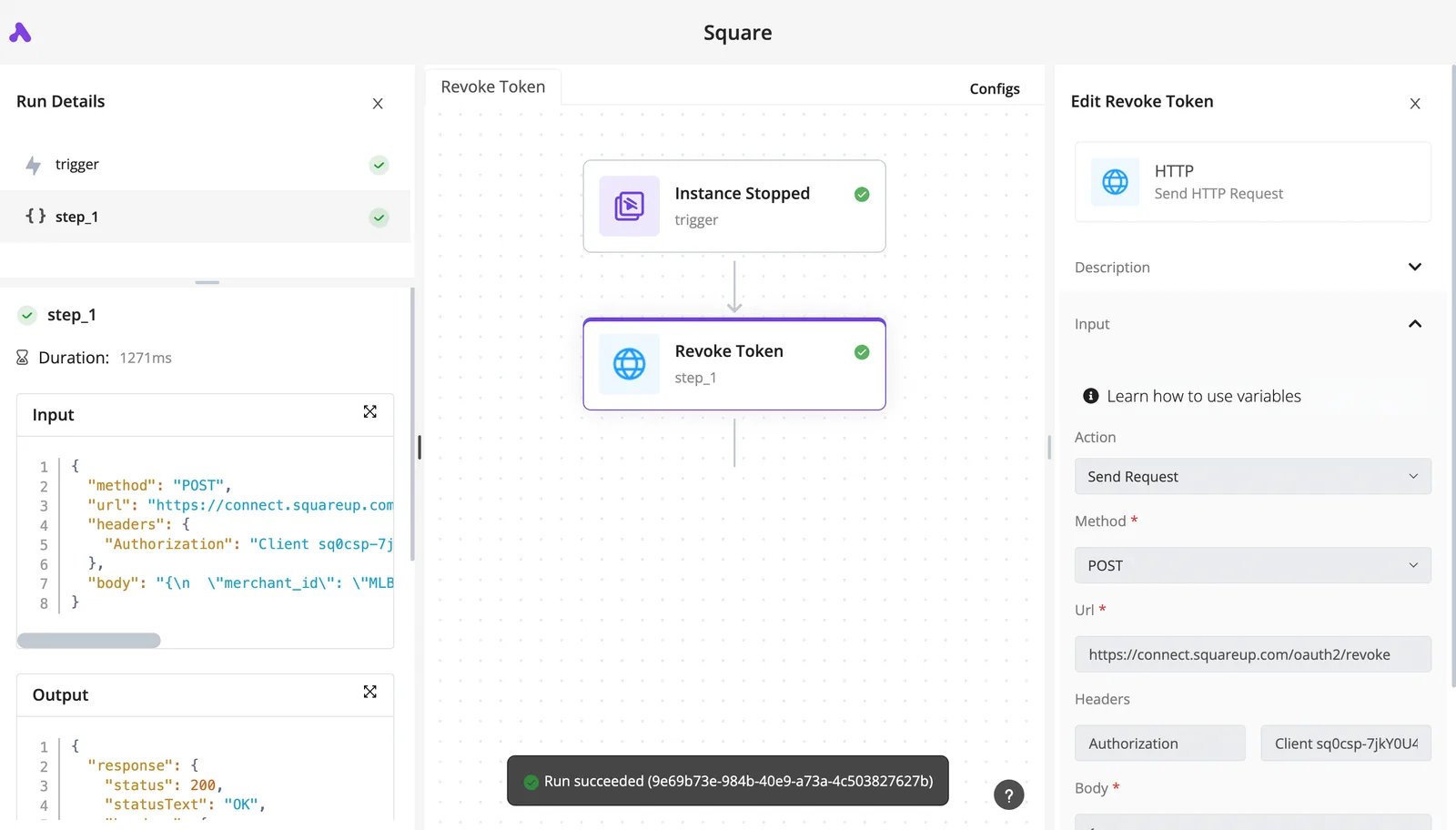
Do the same for yours. Keep the status code, the elapsed time and the audio length for every call, because those three let you reconcile a bill later and catch a slow or failing batch early.
Once this one call works by hand, the next job is wrapping it so the limits you read earlier are enforced in code before a real customer's file reaches it.
Worth checking against a plan that does not meter every step: one credit covers a whole run on Activepieces.
Scribe v3 errors in production
Expect four kinds of rejection in production: bad credentials, too many simultaneous jobs, files over the limits, and a used-up quota. Each is cheaper to block in your own code now than to explain to a customer later.
The list below follows the order you'll meet them between first build and go-live, so treat it as a checklist to finish top to bottom.
- On the first request with a key, a 401 means the key is missing or wrong, so refuse to start the service if the key is absent.
- With a small test file, an oversized one is rejected, so check size before upload and tell the customer why.
- In a parallel batch, a 429 means you sent more at once than your tier allows, so cap simultaneous jobs below that ceiling.
- For long recordings, the duration limit is unpublished, so test your longest real file and split anything near it.
- At month end, quota runs out silently until a request fails, so count usage yourself and alert early.
Each failure needs a different fix, so they are taken in turn below.
Retry a 401 and nothing changes. Load the key from a secret store, never from the code, and stop the job instead of looping.
When a 429 comes back, the provider is asking you to slow down, so a queue with a fixed worker count prevents it. Read your plan's concurrency allowance and set the cap under it, leaving room for a second job to start.
Because size limits are documented, reject early. The duration limit isn't, so the docs can't tell you where a long recording fails.
Find out with your own longest file before a customer does. Track quota in your own records, since waiting for the error means the failure reaches a customer first.
Retry only rejections that say "try later," such as a 429, and wait longer each time. Log every attempt. The docs are silent on whether a request that times out was still billed, so assume it may have been and avoid blind resends.
Scribe v3 in Activepieces: what has already shipped
Because a billing guard is only as good as the tool it sits in, it's worth knowing what Activepieces, the workflow tool with an MIT-licensed core that links apps without code, has shipped.
Only one change touches Scribe v3, and it's a change to how its ElevenLabs connector behaves, not a new transcription feature.
What shipped and when
A connector, which Activepieces calls a "piece," is the ready-made block that lets a workflow talk to an outside service.
Every Activepieces integration, the ElevenLabs one included, is available to an AI as a tool once it is connected. ElevenLabs is the maker of Scribe v3.
An output schema is a written description of what shape the answer will come back in, so a later step in your workflow can pick out the transcript without guessing.
If you have connected ElevenLabs before, you don't set up a new login, because the same change uses the API-key connection the integration already had. You don't create a second key to track.
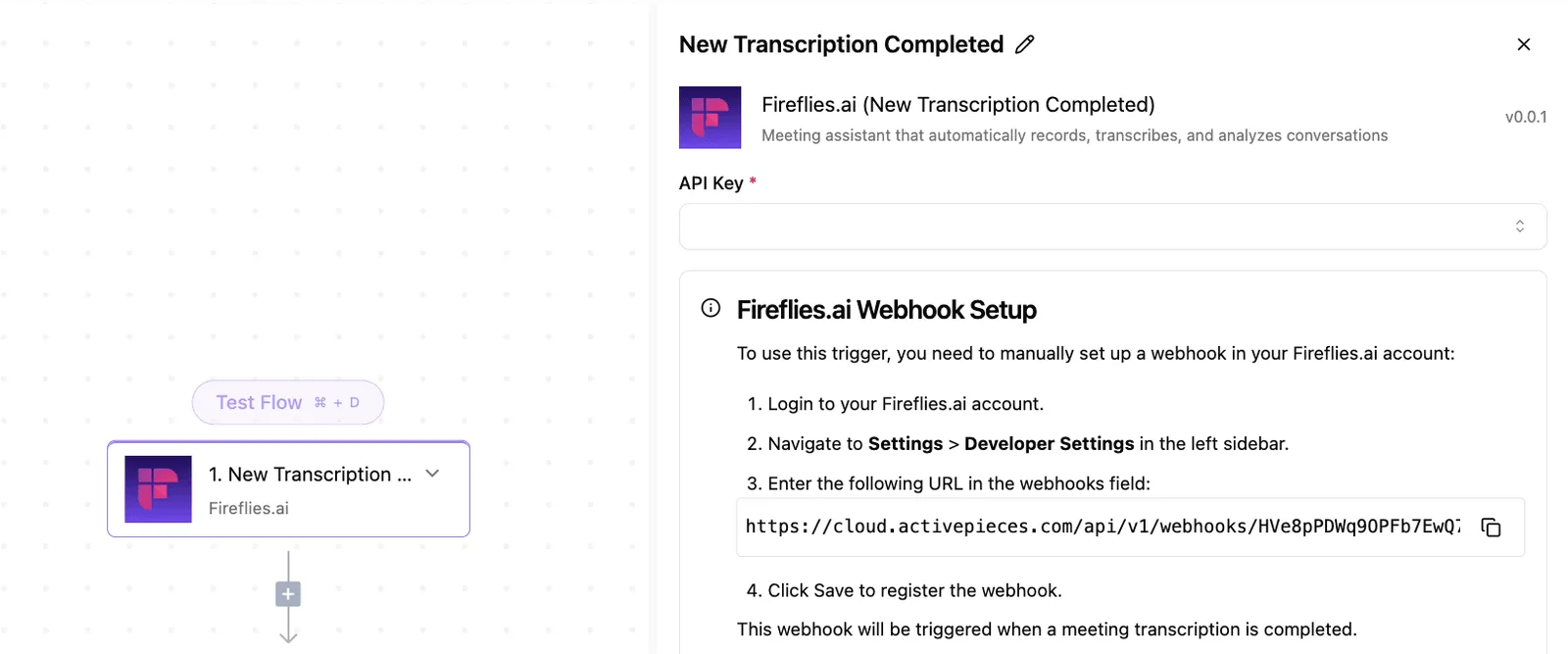
2 actions and 0 triggers: that is what the integration's own page lists. A trigger is the event that starts a workflow, such as a new file arriving.
That count is lower than the 87 above, so the agent-facing actions and the page listing don't line up, and I wouldn't treat either number as a full inventory of what the integration can do.
Where it fits a transcription workflow
In practice, Activepieces won't start your transcription for you from an ElevenLabs event, because the integration page lists 0 triggers.
The start has to come from somewhere else, such as a folder, an email, or an upload form, and ElevenLabs is then called as a step.
That puts the guards on you. Nothing in what shipped checks file size, counts how many jobs run at once, or stops a resend after a timeout.
Build those checks in the steps before the ElevenLabs call, and treat the schemas as help with reading results, not with protecting your bill.
Monday checklist before Scribe v3 goes live
Skip these five checks and you find out the limits the way most teams do: a batch stalls, or an invoice arrives, and nobody can say which page would have warned them.
Done in this order, they protect the bill and the launch better than anything inside the workflow itself.
Checks one and two: limits
The first two steps decide whether your first real batch runs or gets refused, so your project's viability depends entirely on those two decisions.
First, open the pricing page and write down your tier, its concurrency allowance, and the file limits. Whatever your plan assumed, the page governs.
If your longest recording exceeds the file limit, you want to learn that from a note on your desk rather than from a failed job in front of a client.
Second, set your own concurrency cap below the tier limit. Sitting right at the ceiling means one burst of uploads gets rejected, and every rejection is a retry that costs you time. Leave headroom so a busy hour slows you down instead of breaking you.
Checks three to five: money and change
The remaining three steps are about money and about the vendor changing things under you, which means you face escalating costs and changing terms.
Third, set a spend alert, calculated as the unit price on the pricing page multiplied by the hours of audio you expect. Set it a little above that figure.
If the alert fires early, something is looping or someone is testing with real files, and you hear about it that day instead of at month end.
Fourth, move every key out of the workflow and into a secret store. A key pasted into a step can be copied by anyone who can open that step, and whoever holds it can run up your charges without touching your system.
Fifth, put a recurring reminder in the calendar to re-read the vendor's pages. The model is new, so prices, tiers, and limits are more likely to shift than on a mature product. A change you never read still bills you.
Frequently asked questions
After launch, the same questions keep coming up, and each has a short answer on a page the maker publishes. Skipping that page means finding the answer through a surprise bill or a failed job.
The table below shows where each launch-critical fact lives. Take from it that you read the page yourself rather than trusting a summary, this one included.
| Fact | Short answer | Maker page |
|---|---|---|
| Max duration | Set by the file limits in the docs; test with your longest real recording | Speech-to-text docs |
| Price per hour | Listed per unit of audio; multiply by your real monthly volume | Pricing page |
| Scribe v3 vs v3 Live | Batch files versus streaming; they are different products with separate terms | Model pages |
| Languages | Listed on the model page; check every language your callers use | Model page |
| Accuracy claim | A maker's own claim, not your audio's result | Not published as a guarantee |
Each row is a guard you can write down before go-live. The five questions below cover what readers ask most.
Plan access, output and languages
Is Scribe v3 available on the free plan? Plan access and limits are set on the pricing page, so read it before you build a demo on a free account.
If the free tier is capped, a launch-day traffic spike hits that cap and your users see errors.
Does Scribe v3 return speaker labels or timestamps? The speech-to-text reference lists the options the endpoint accepts. Send one real recording with those options on and inspect the output. If your product depends on who said what, you want to learn about gaps now.
Which languages does Scribe v3 support? The model page holds the list. Compare it line by line with your customers' languages, because an unsupported one means bad transcripts you pay for anyway.
Audio input and pricing changes
Can I send audio by URL instead of uploading a file? Look for a URL field in the endpoint reference.
If it exists, the link must stay reachable while the job runs. If it doesn't, plan for uploads and the file limits that come with them.
How do I know if ElevenLabs changed Scribe v3 pricing? Save a dated copy of the pricing page at launch and compare it on a fixed day each month. A quiet rate change costs you every hour of audio until someone notices.
Related reading
References
Running the numbers
See what the same workload costs here.
Free forever plan, and every paid plan self-hosts at no extra cost.
See pricing Talk to sales