
GPT 6.2 Sol Pricing and Benchmarks for Automation Teams

Nov 20, 202611 min read
Learn when OpenAI released GPT 6.2 Sol Pro
The short answer
OpenAI makes it, and the model on its current list is GPT-6.2 Sol, which the maker pitches as a balance of intelligence and cost for everyday work, the sort of model people wire into Activepieces flows and similar tools without much fuss.
The pages I checked on 2026-11-20 list Sol and no "Sol Pro" tier. A release date for a Pro version is unconfirmed, and so is any Pro price. Every figure in this article is Sol's, and I label it that way.
For a team paying per task, that's the part to check, because a headline can't tell you what your own invoices will look like.
Waiting has a cost. If you wait for someone else's summary, you budget from a launch post and find out the real figure on the first bill.
Reading the maker's own pages takes an afternoon.
Sources for GPT 6.2 Sol Pro facts
None of this comes from reviews or reposts; it all comes from OpenAI's own announcement and documentation. Secondhand copies tend to drop the limits and fine print, and those are what change a per-task cost.
- Model: GPT-6.2 Sol
- Maker: OpenAI
- Positioned for: everyday work, balancing intelligence and cost
- Vendor pages checked: 2026-11-20
Because vendors revise prices and limits, the check date matters. Anything OpenAI changed after 2026-11-20 isn't reflected here, so confirm against the live page before you plan around a number.
The next sections cover which published figures to pull and how to test them against the model you run today.
If you are running this arithmetic for your own team, see what the same workload costs on Activepieces.
Why GPT 6.2 Sol Pro matters to teams
GPT 6.2 Sol Pro matters to your team only where its published price, limits and speed change what one finished task costs you. Everything else in a launch announcement is noise to a workflow.
Think about what a task actually involves. A form arrives, a script looks up the customer, the model drafts a reply, and someone's system files it. The model is one step in that chain.

If you never look at a newer model, the cost's quiet: you keep paying whatever your current one charges on every run, and you keep living with its delays and its misses.
If you switch on a headline alone, the cost's louder: a workflow that stalls, breaks or quietly gets worse.
Four things decide whether a switch pays off, and each one shows up in a different place in your day:
- Price per task shows up as the monthly bill once volume climbs.
- Speed per call shows up as how long a customer or colleague waits for each step.
- Rate and context limits show up as jobs that get throttled at busy hours or documents that no longer fit in one request.
- Reliability across repeated runs shows up as the same input producing a good answer on Monday and a bad one on Tuesday.
One strong number tells you little, because a model can win on one and lose on another. What follows is how to collect these figures and check them against the model you run now.
What measurably improved in GPT 6.2 Sol Pro
So far the measurable gains are on the maker's own benchmarks. GPT-6.2 Sol beats GPT-6.1 Sol on five of six tests and slips on one, so treat it as an upgrade to verify, not assume.
GPT-6.2 Sol's price is $2 input and $10 output per million tokens, per OpenAI's own page, so you can build a budget from that. Until you read the price on OpenAI's own page, you can't say whether a task gets cheaper or dearer. That's the number your test needs to produce.
The only rates I found published are for GPT-6.2 Sol, and they appear in the pricing section below. I found no price for a Sol Pro tier, so none of those figures should be read as Pro's.
Published benchmark results
These are vendor numbers, relayed by TechPP, and they show what each test rewards, not what your workflow does. They describe GPT-6.2 Sol against GPT-6.1 Sol, not a Pro tier.
| Benchmark | Change vs GPT-6.1 Sol |
|---|---|
| BenchCAD 2.1 | +20.5 points |
| Terminal-Bench Sci | +11 points |
| GDPval v2 | +5.4 points |
| AutomationBench | +5.1 points |
| FrontierCode 2.0 | +4.8 points |
| Vals Science | −1.1 points |
Large as BenchCAD 2.1's 20.5-point jump is, it measures design work, so it matters only if you do that.
AutomationBench's 5.1 points is closest to a business workflow, and even that's a general test, not yours. GDPval v2's 5.4 points suggests better office-style output.
If anyone on your team sits on one of those two plans, they can't try it in ChatGPT at all, because OpenAI says four ChatGPT plans include Sol and two don't. Plan access before you plan the test.

What Activepieces shipped for GPT 6.2 Sol Pro
Nothing I can point at names GPT 6.2 Sol Pro, but Activepieces, the workflow tool this test would run in, offers an OpenAI piece covering chat, images, audio and embeddings. Don't wait for a launch announcement from them before you start.
For chat, images, audio and embeddings from OpenAI models, the OpenAI piece (Activepieces calls each connector a "piece") has 19 actions. That means one OpenAI connection serves every kind of step in your workflow, so a model swap doesn't mean rebuilding credentials or wiring.

Closest to the model is PR #16381. It moved OpenAI and Azure to OpenAI's Responses API.
In practice, newer OpenAI models can fail in older plumbing, and this PR is the sort of fix that decides whether a new name works at all.
I have no confirmed date for it, so check the repository before you rely on it.
In the screenshot below, a four-step flow has the Extract Keywords step selected, and its panel shows OpenAI as the provider and GPT-4o as the model. The model is one field in one step.
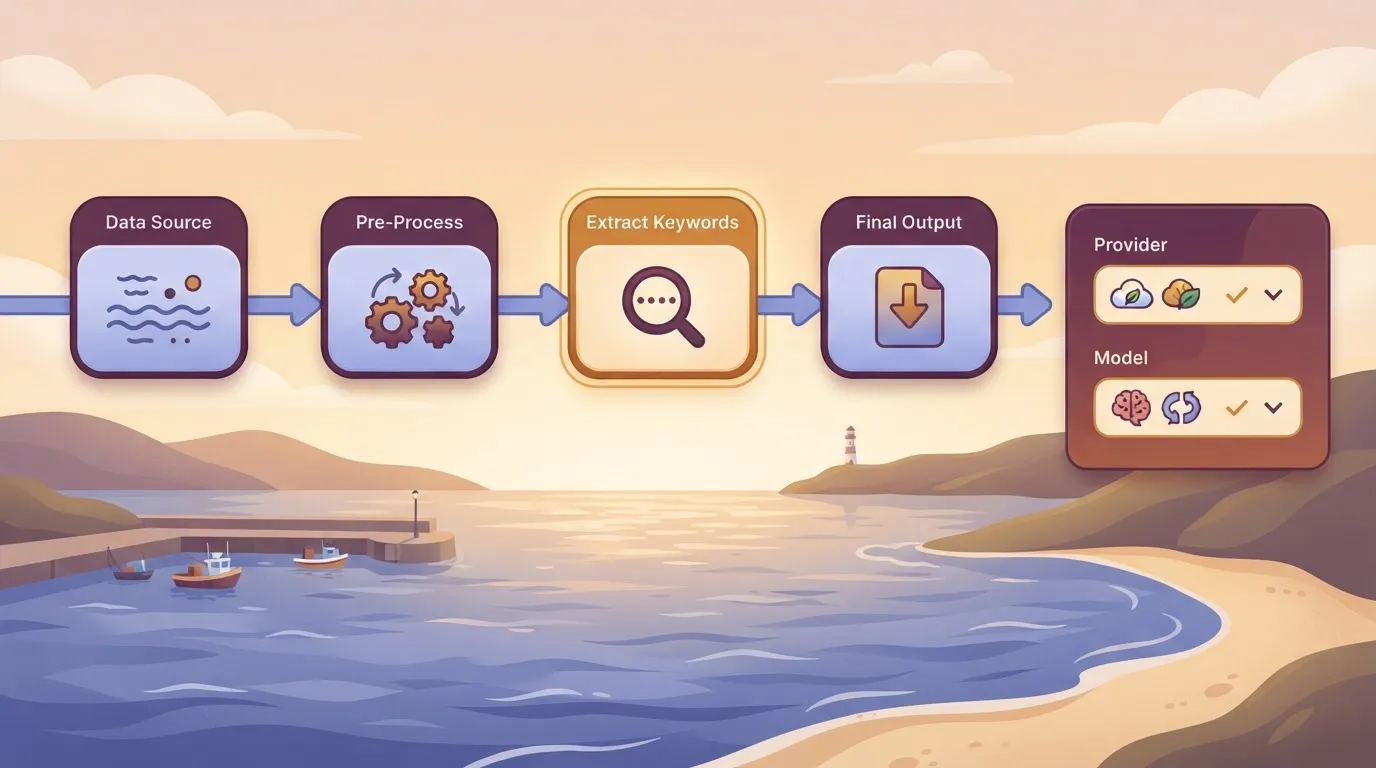
If the name you want appears in that list, changing that field and rerunning the same inputs is your whole test.
MoneyGram, Moneypenny, Alan and FundingSocieties run Activepieces in production.
The run, not each step, is the base unit.
Worth checking against a plan that does not meter every step: one credit covers a whole run on Activepieces.
Test GPT 6.2 Sol Pro on three tasks
Run this test yourself: the same three tasks through GPT-6.2 Sol and through GPT-6 Luna, with each answer checked against a known correct one, so you can compare how both models perform.
If a Sol Pro tier appears on the vendor's list, swap it in for Sol. I have not run it, so this article contains no measured results from it. It's a small test and indicates a direction, nothing more.
The three tasks
Pick chores a team would plausibly hand to a model: sorting a support ticket into a category, pulling fields out of an invoice, and summarising an email thread.
Choose tasks that have a right answer you can check, so "good" means "matched," not "sounded fine."
Run both models through OpenRouter, a service that lets you call many models by name from one account, after confirming the model you want is listed there. Leave every setting at its default, so anyone can repeat it with the same inputs.
Recording Results per task
Build a table with one row per task and columns for each model's result quality, seconds per run and cost per task, then read it row by row and not as a single winner.
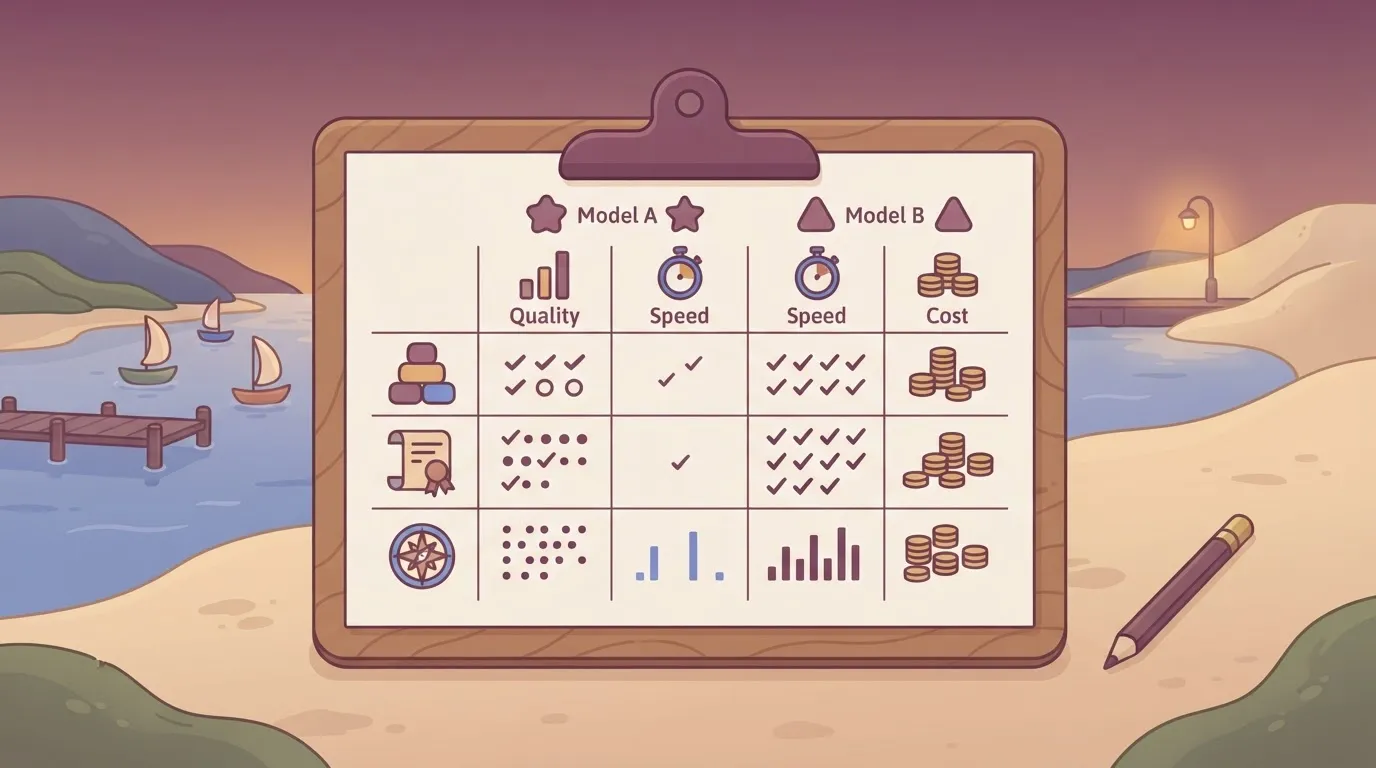
A model that's better at summaries may be no better at sorting tickets, and you only pay for the upgrade where it earns its keep. Note the date and the small sample on every row.
Speed and cost per task
For most teams, the last two columns matter more than the first. A task that runs slower or costs more per run does that on every ticket, invoice and thread, so a small gap per task becomes a large bill at volume.
If the cheaper model matches the known answer on a task, the extra spend buys you nothing there. Run your own three tasks the same way before you commit, in case you've introduced a regression.
Compare GPT 6.2 Sol Pro cost and speed
Although list price per token tells you the ceiling, your bill is set by what each task actually costs, and only a test gives you that. Start with the published rates, quoted per million tokens, input first and then output:
- GPT-6 Luna: no figure verified here; check OpenAI's pricing page
- GPT-6.2 Sol: $2 and $10
- GPT-6.2 Astra: $8 and $40
- Claude Fable 5.2: $8 and $40
The $2 and $10 are Sol's rates as of 2026-11-20. The pages I checked show no Sol Pro tier, so a Pro price is unconfirmed and could differ from Sol's.
Sol's price relative to GPT-6 Luna is worth checking on OpenAI's pricing page, so switching up only pays if it finishes work Luna gets wrong or needs retries on.
Astra and Fable 5.2 sit at four times Sol's price. Treat them as a deliberate choice for hard work, not a default for routine jobs.
Because per-token price still leaves out how many tokens a model spends on one task, a wordier model can erase a cheaper rate.
Once your test gives you a measured cost per task, project a month of 5,000 runs for GPT-6.2 Sol and GPT-6 Luna from it, which means the gap you see is the one you would see on an invoice, not the one on a price page.
Because per-token price still leaves out how many tokens a model spends on one task, a wordier model can erase a cheaper rate.
If the difference is small next to what a finished task is worth to you, buy the stronger model and stop thinking about it.
If a person would've spent minutes on each task anyway, Luna likely wins at this volume, and you should still check it against your own three tasks before you commit.
What to watch for GPT 6.2 Sol Pro
Watch three pages, the vendor's pricing page, its changelog and its documentation, because that's where a change to price, limits or speed gets published. A Sol Pro listing, its release date and its price would appear there first.
Write down the date you last checked each one. A price you read months ago is a guess, and your cost per task is only as current as the page it came from.
You don't need to forecast anything. Check the pages, note what changed since your last look, and let your own test results decide.
The steps below are this week's job. They take one step you already run on an older model and show whether switching pays off in your own workflow, which no launch headline can tell you.
- Pick one workflow step that currently runs on an older model and repeats often, so any savings or overruns show up quickly.
- Use GPT-6.2 Sol for that step, since no Sol Pro tier is listed. Leave everything else alone, so any difference comes from the model.
- Run the same 20 inputs through both models. Identical inputs keep the comparison fair, and 20 is enough to show a pattern without running up a bill.
- Record cost per task and seconds per run for each model, and note any output a person had to fix, since that time is a cost too.
- Decide. If the newer model costs more per task, ask whether the better results cover the gap. If they don't, stay where you are.
Whichever way it comes out, file the numbers with the date, and repeat the test when the pricing page or changelog changes.
Related reading
Running the numbers
See what the same workload costs here.
Free forever plan, and every paid plan self-hosts at no extra cost.
See pricing Talk to sales