
Veryfi Thinking Mode for Automation Teams in 2026

Nov 20, 202612 min read
Thinking Mode is an alternative way for Veryfi to read a document. Standard extraction reads a file and returns fields such as vendor, date and total, the kind of structured output that teams often pass along to workflow tools like Activepieces for whatever happens next.

Thinking Mode, as the Veryfi Help Center article "What is Thinking Mode and how do I use it" presents it, is a mode you choose for documents where the standard read is likely to struggle, and it applies only to the document types that page lists.
A reasoning-style extraction mode for harder documents
The Help Center's description is the only definition this article relies on. It doesn't give a field-by-field comparison of what comes back differently, so any claim that the output is more accurate or more complete is unconfirmed until you measure it.
Everything below works on Activepieces' free plan. Start without code or a credit card.
Check the Thinking Mode release date
Trust only the dates and behavior that Veryfi's own announcement and changelog give. Thinking Mode is a feature Veryfi released for its document data extraction service.
Veryfi is a vendor that turns invoices, receipts and other documents into structured data a workflow can use. Anything beyond its own pages is secondhand, and that includes this article.
Because Veryfi released Thinking Mode as a product update, the date to cite is the one on Veryfi's announcement or changelog entry.
I did not find a release date for Thinking Mode in the pages I checked. The only date in this article is 2026-11-20, which is when I checked, not when Veryfi shipped anything.
Take any claim about the release, from this article or anywhere else, back to that entry. If an entry doesn't say it, treat it as unconfirmed.
That matters because teams often wire a new vendor feature into an automation the same afternoon a blog post mentions it. Nobody has yet checked what it does on their own documents.
The table records what I verified and when, so you can see how fresh it is.
| Field | Detail |
|---|---|
| Vendor | Veryfi |
| Product | Thinking Mode |
| Date checked | 2026-11-20 |
Everything after this point builds on those three facts and nothing else. The next section covers how a team can try the feature without waiting for native support.
How Thinking Mode shapes automation results
Because extraction decides what every later step in an invoice or receipt automation receives, a change in how it handles hard documents reaches error handling, review and retries alike.
Where extraction feeds the rest of a workflow
In a typical accounts-payable flow, a trigger such as a new email attachment hands the file to an extractor. The extractor returns fields, and everything after it, including validation, approval routing and posting to the ledger, trusts those fields.
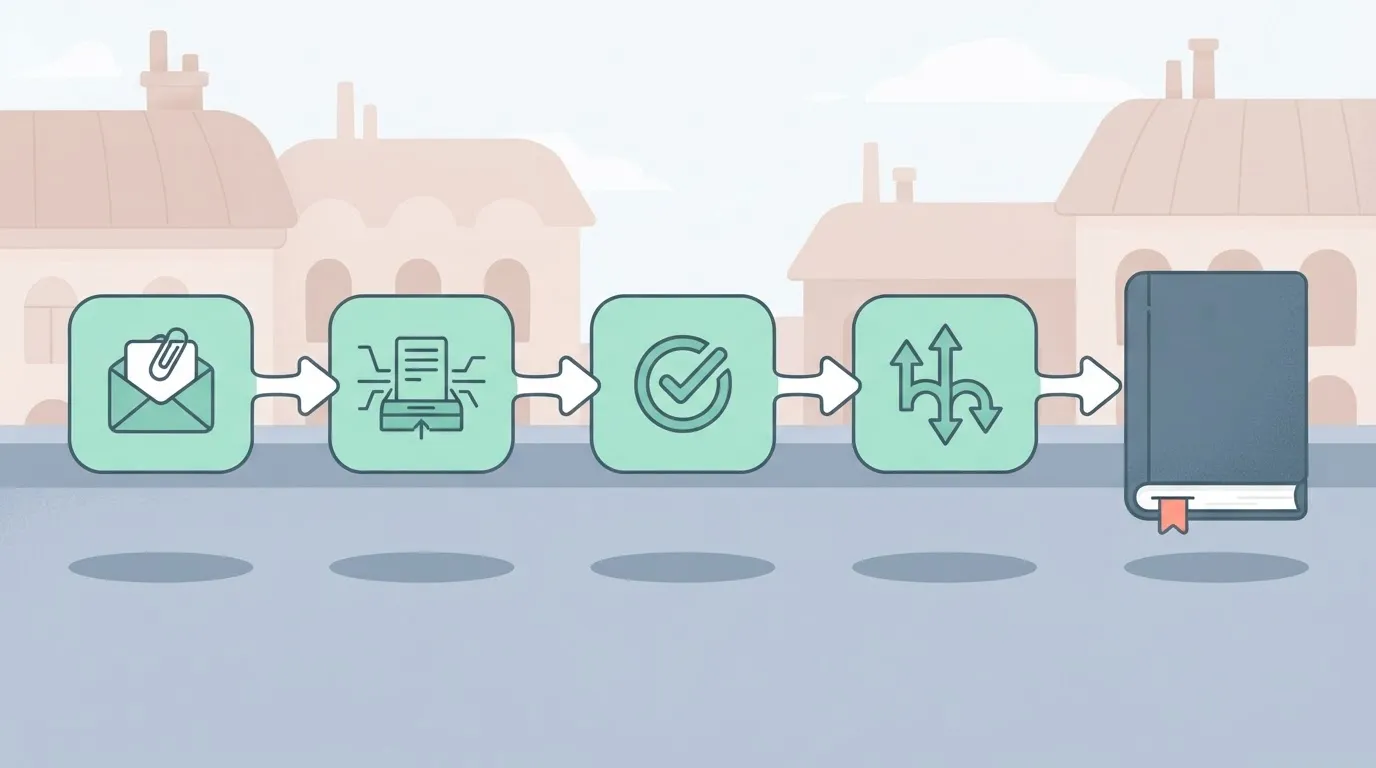
Whatever Veryfi's page says Thinking Mode changes about difficult documents, it changes at this hand-off, and the rest of the workflow inherits the effect without being edited.
What a more careful extractor changes for review queues
Four points are touched when the extractor changes:
- An extractor change touches error-handling branches
- An extractor change touches human review steps
- An extractor change touches retries
- An extractor change touches invoice and receipt intake
Treat each as a question to check against what Veryfi's page actually claims, not as an assumed benefit.
Take the test one step further. If Veryfi documents better handling of hard documents, fewer files should land in your error branch and fewer should need a person.
A retry that existed only to catch bad reads might then be redundant.
Don't remove any of those safeguards on the strength of a vendor page. Keep them in place, and see whether they fire less often on your own files.
If the page doesn't state something, such as how it behaves on your vendors' layouts, it stays unknown until you measure it.
What Veryfi states is new in Thinking Mode
Only two things are published. Veryfi's documentation states which document types Thinking Mode covers, and a third-party page lists standard per-document rates. Everything else about it isn't published.
Four of six rows are empty. The table below shows what each source says as of 2026-11-20, so any plan can rest only on the two filled ones.
| Item | What Veryfi states | Source page | Date checked |
|---|---|---|---|
| Availability | not published | not published | 2026-11-20 |
| Enablement | not published | not published | 2026-11-20 |
| Accuracy claim | not published | not published | 2026-11-20 |
| Latency claim | not published | not published | 2026-11-20 |
| Document types | 2 supported, 5 not | Veryfi Help Center | 2026-11-20 |
Don't read the blank rows as a reason to wait. They're a reason to test.
If you need enablement steps or regional availability, you won't find them in the sources checked. Confirm both in your own Veryfi account before you build a workflow around it.
Figures Veryfi publishes
Two document types are supported and five aren't, per the Help Center. Any workflow that sends the other five won't get Thinking Mode, so route by type first.

The two supported types are receipts and invoices, via the documents endpoint; other types are not covered.
Open the Help Center article linked in the table, copy the two type names it lists into the first branch of your workflow, and send everything else down the standard path.
Read the rates as standard per-document prices:
- A receipt costs 0.08 $
- An invoice costs 0.16 $
- A bank statement costs 0.25 $: A bank statement costs over three times a receipt, so a mixed batch costs whatever its mix dictates. These come from DocuOCR, not Veryfi, and they don't say whether Thinking Mode adds a surcharge.

You will find no accuracy figure and no latency figure in what I found. Without them, you must measure both on your own documents.
Easier to see it running than to read about it: set it up free, no card.
Connect Veryfi Thinking Mode in Activepieces workflows today
You can connect Thinking Mode to an Activepieces flow through three general building blocks, simplest first. Activepieces has shipped nothing specific to it as of 2026-11-20. We haven't run Thinking Mode ourselves, so each check below is yours to perform.
Option 1: an HTTP request step
Add an HTTP request step after your trigger, for example a new attachment arriving in a mailbox, and call the Veryfi API with the settings Veryfi documents for Thinking Mode. Put the API credentials in the step's headers, not in the flow text.

Check: run the flow on one known document and confirm the response contains the fields you expect, such as vendor, date and total. If a field is empty, stop here. Nothing downstream will fix it.
Option 2 is an AI step with a model you choose. Activepieces runs any major model in an AI step, or your own provider key, so you choose the model and the spend lands on your own provider bill.
That makes it a route to a general-purpose model, not to Thinking Mode, and we haven't seen Veryfi document a model endpoint of its own. Confirm that with Veryfi before building.
Check: send a document through the step and confirm structured fields come back, not free text you must parse afterward.
Use Veryfi Thinking Mode through an MCP server
If you want an AI agent in your flow to call Veryfi as a tool, use an MCP server.
Activepieces registers a piece once and it works both as a flow step and as a tool on its per-project MCP server, so once the Veryfi call is a piece you don't register it a second time.
The action you test in a flow is what Claude, ChatGPT, Cursor or an agent you built would call, and you can read how that works in packages/integrations in the MIT-licensed core, the same repo where the 750 integrations are counted, meaning you likely have an existing example to reference.
MoneyGram, Moneypenny, Alan and FundingSocieties run Activepieces in production. It's still the most moving parts, so try it last.
Check: have the agent process one document and compare its returned fields against the HTTP request result from Option 1. If the two disagree, trust the direct call and debug the agent layer.
Whichever you pick, run the same document set through it, then score the output against your own ground truth.
Thinking Mode's cost and speed implications
No pricing is published for Thinking Mode: no price, no latency figure, no accuracy figure. The only cost baseline you can trust today is what Veryfi charges for its standard extraction, and that's what you measure Thinking Mode against.
The table below shows what is and isn't published; read every "not published" cell as a number you must produce yourself from your own run.
| Route | Published price per document | Latency | Stated accuracy on hard documents | Source and date |
|---|---|---|---|---|
| Veryfi standard | $0.08 to $0.25, by document type | Not published | Not published | Veryfi Help Center, plans page, undated |
| Veryfi Thinking Mode | Not published | Not published | Not published | Not published |
| General-purpose AI model route | Not published | Not published | Not published | Not published |

According to the Veryfi Help Center, standard prices vary by document type. A receipt costs $0.08, so a high-volume receipt queue is where any premium would hurt least in absolute terms.
An invoice costs $0.16, double the receipt rate. Bank statements and bank checks each cost $0.25, over three times the receipt rate, so those are the document types where a Thinking Mode surcharge would add up fastest., so those are the document types where a Thinking Mode surcharge would add up fastest.
Because that cost depends on the model you pick and the tokens each page consumes, the general-purpose row is blank. It is your measurement, not a vendor's.
Fill all three rows from the same document set, then compare cost per correctly extracted document, not cost per call, so you're measuring the true cost of success rather than the apparent cost of attempts.
Test Veryfi Thinking Mode on your own documents
Watch Veryfi's changelog, pricing page and API docs, and on Monday run your own documents through both modes before anything in production changes. Those three pages are the only place the cost-per-correct-document comparison can get its inputs.
What to check on Veryfi's pages
Whether Thinking Mode is moving from release to something maintained shows up in the changelog, so a silent behavior change doesn't skew your comparison midway.
The pricing page tells you how Thinking Mode is billed against standard mode, which sets the cost row in your table.
The API docs tell you whether it's a parameter on an existing call or a separate path, which decides whether your workflow needs one extra setting or a new branch. Treat anything not written on those pages as unconfirmed.
Pull the sample from your own mailbox or storage, for example with a Gmail search like has:attachment filename:pdf label:invoices. The sequence below shows the whole test; read it as a first-day plan, since each step feeds the next.
- Collect 20 to 50 of your own documents, including the ugly ones: skewed scans, crumpled receipts, odd layouts. A sample of clean files will flatter both modes.
- Run all of them through standard mode and save the raw output.
- Run the same files through Thinking Mode.
- Compare field errors, processing time and cost, document by document.
- Switch only if the error gap on your hard documents justifies the time and cost you measured.
A sample of clean files will flatter both modes.
Frequently asked questions
Before anyone wires this in, four practical questions come up, and Veryfi's own pages answer only some of them. Where a page says nothing, the answer below is "not published", and that's a gap for you to test, not to assume away.
Is Thinking Mode free?
Is Veryfi Thinking Mode free to use? Not published. Veryfi's pages give no pricing for it, so don't assume it's bundled into your current plan. Confirm the charge on your account before you run a large batch through it.
How do you access Veryfi Thinking Mode?
Does Activepieces have a Veryfi Thinking Mode integration? Veryfi hasn't published a native integration for it, and none of the 750 integrations in the Activepieces open source repo is specific to it as of 2026-11-20.
You would reach it the way you reach any API, through a generic HTTP request step, which is why the testing approach in this article works without native support.
Do existing API calls need to change?
Do I need to change my existing Veryfi API calls to use it? The enabling steps aren't published in the pages this article relies on. Until you've read them, treat your current calls as possibly needing a change.
Send a single document through a test copy of the workflow, so a wrong parameter can't corrupt live records.
Is the extra cost worth it?
How do I know whether Thinking Mode is worth the extra cost? Veryfi publishes no cost comparison, so only your own documents can answer this.
Run the same sample through both modes and compare the fields that get corrected by hand today. If the corrections you would save don't offset whatever the mode adds per document, the answer is no.