
Handing a Wix Automation to a Developer

Sep 10, 202614 min read
Handoff occurs when a developer takes a functional Wix prototype to audit, harden, and migrate it into a transparent execution environment, which often involves configuring workflows through Activepieces to ensure seamless data synchronization across the new infrastructure.
Handoff refers to the systematic process of transitioning a Wix automation from a prototype state into a developer-managed codebase to ensure architectural transparency, security, and long-term maintainability.
This shift moves the logic from a visual "black box" into a version-controlled codebase where every trigger and transformation is visible to your entire engineering team.
Transition Wix automations from prototype to production
The limits of Wix's built-in automation logic
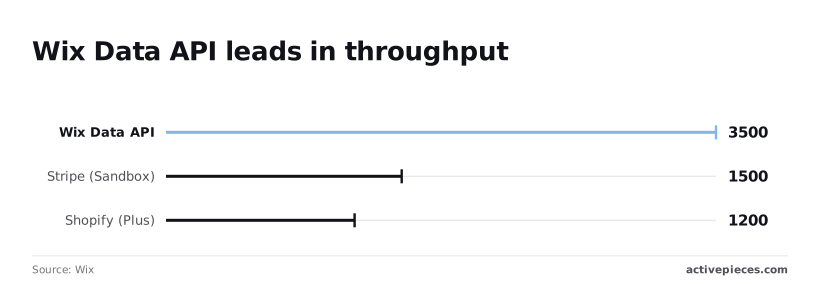
Wix’s native automation suite prioritizes immediate accessibility over high-volume throughput, creating hard ceilings. The Wix Data API caps requests at 3,500 per minute.
A marketing blast could drop lead captures if traffic spikes beyond that threshold. These constraints tighten when interacting with external financial ecosystems.
The Stripe Sandbox is limited to 1,500 requests per minute. This forces developers to throttle testing cycles to avoid errors.
Even Shopify Plus is restricted to 1,200 requests per minute, which means high-traffic storefronts risk hitting a hard ceiling during peak sales events. A synchronized inventory update for a large catalog could take hours rather than seconds.
When you should stop building and start delegating
You should stop building when the automation handles sensitive customer data or requires multi-step error handling that the visual builder can't represent.

The transition looks like a "Prototype to Production" pipeline. A Wix Automation UI card (Trigger: Form Submission) with a dashed arrow pointing to a professional IDE screen showing a clean JavaScript function represents the move from a rigid UI to a flexible, auditable script.
Once the logic requires conditional branches that exceed the visual clarity of the Wix canvas, delegating to a developer ensures the architecture remains maintainable.
The technical debt hidden in chat-built workflows
Chat-built automations often hide "spaghetti logic" behind a clean interface, making it impossible to debug failure points without clicking through dozens of nested menus.
While tools like Activepieces allow for a more structured bridge between no-code and code, native Wix chat-generated scripts often lack the logging necessary for a developer to see why a specific execution failed.
By moving these workflows into a standard IDE, developers can implement unit tests and error logging that the chat interface simply can't provide.
Everything below works on Activepieces' free plan. Start without code or a credit card.
Risks of business-built production automations
You're prioritizing immediate utility over architectural durability, creating a "No-Code Paradox" where the time saved during initial setup is eventually paid back with interest during the eventually system failure.
While a chat interface can generate a functional trigger-action sequence in seconds, it lacks the structural scaffolding required to survive a production environment.
Why developers dread 'fixing' no-code workflows
Engineering teams often inherit no-code automations only after they've become failures that are impossible to debug without a visual editor.
A closed platform forces security teams to approve internal logic without seeing the underlying engine.
Engineering teams often inherit no-code automations only after they've become failures that are impossible to debug without a visual editor.
Activepieces removes this friction by providing an MIT-licensed core, allowing developers to clone the repository and trace the queue and worker architecture before deploying it self-hosted or in an air-gapped environment.
Having the source available for audit closes security reviews faster than a vendor's promise of maturity.
| Feature | Wix Native Automations | Custom Code (Velo/Node.js) |
|---|---|---|
| Version Control | Manual snapshots only | Git-integrated history |
| Error Handling | Silent failure or basic alert | Granular try/catch & logging |
| Logic Complexity | Max 30 steps | Unlimited modular functions |
| Vendor Lock-in | High (Platform specific) | Low (Portable logic) |
The lack of version control and error handling in Wix Chat
Automations built through chat interfaces operate as "black boxes" that offer no native way to roll back to a known-good state after a breaking change. Rigid execution limits worsen this lack of versioning.
As stated by Asyncqueue, Vercel Pro enforces a 300-second execution timeout. Any automation relying on a Vercel-hosted API will simply drop the connection if the process exceeds five minutes. Other serverless environments are even more restrictive: AWS Lambda allows up to 900 seconds, providing the longest buffer for complex data processing, which means developers have more time to execute intensive tasks before hitting a timeout.
- Google Cloud follows with a 540-second limit, requiring developers to optimize scripts to fit within a nine-minute window.
- Cloudflare Workers permit only 30 seconds of CPU time, so a script attempting to resize multiple images will likely time out before completion.
- Netlify offers a slim 26-second window, which forces a failure if a third-party CRM takes too long to respond to a webhook.

Security risks of unmanaged API connections
When you prompt an AI to connect a Wix store to a CRM, the resulting automation often utilizes over-privileged API keys.
These keys are stored as plain text within the automation's configuration. Without a centralized secrets manager or an audited codebase, these credentials remain exposed to anyone with dashboard access.
Why business-led prototyping accelerates requirements gathering
Business-led prototyping eliminates the ambiguity of static documents by allowing stakeholders to build functional models that demonstrate exactly how a process should behave.
Using the Wix automation editor to communicate logic
Low-code environments are a bridge between abstract business goals and concrete technical execution because they allow non-technical users to "draw" logic.
Instead of a developer interpreting a vague email, they can log into the Wix dashboard and see a sequence of blocks representing a specific user journey.
Reducing the 'lost in translation' phase of development
The handoff succeeds when the developer treats the no-code flow as a functional blueprint rather than a production-ready asset.
The following Handoff Document Requirements ensure the developer has the context necessary to rebuild the logic safely:
The handoff succeeds when the developer treats the no-code flow as a functional blueprint rather than a production-ready asset.
- The business objective: The "Why" behind the automation, such as increasing trial-to-paid conversion rates.
- The trigger event: The specific action that starts the flow, such as a Member Login or a form submission.
- The data payload: The specific fields needed from Wix Data, such as the user’s email, subscription tier, or last login timestamp.
- The failure consequence: The business impact if the automation fails, which dictates whether the developer needs to implement heavy retries or simple error logging.
Testing automation ideas in Wix before coding
Prototyping in Wix allows you to test market assumptions immediately so that engineering resources are only spent on features with proven utility.
If a chat-built automation successfully handles a week of live traffic, you've confirmed the workflow's value without the overhead of a full sprint cycle.
Easier to see it running than to read about it: set it up free, no card.
Standardizing the handoff process for Wix automations
Standardizing the handoff requires a structured document that captures the business logic behind the Wix flow.
A developer inheriting a black-box automation must reverse-engineer the "why" from messy, AI-generated Velo code. This increases the risk of replicating logical errors in the production environment.
Connecting Wix to external tools with Velo
The bridge between Wix and an external environment is built using the wix-fetch module to push data out and wix-http-functions to pull data back.
Developers use wix-fetch to send a JSON payload to a specific URL, such as an Activepieces webhook or a Cloud Function, whenever a trigger event occurs on the site.
This method ensures that the heavy lifting of the automation happens in a transparent, scalable environment rather than within the hidden Wix UI.
To complete the loop, the developer sets up a JavaScript file in the Backend section of the Wix site to define custom HTTP endpoints. These functions allow the external environment to send status updates or processed data back into the Wix database.
By using these two mechanisms, the developer creates a secure, two-way street that replaces the opaque native automation with a visible and auditable data flow.
Documenting the trigger-action map outside of Wix
Mapping the automation logic in a platform-agnostic tool like Mermaid.js ensures the sequence survives even if the Wix Automation dashboard is bypassed for a custom Google Cloud Function.
I start by prompting the Wix IDE to explain the logic of a hook in plain English. I then translate that response into a flow diagram where the entry point defines exactly which user interaction starts the process.
Identifying external data dependencies and API keys
A developer needs a centralized inventory of every third-party service. This includes the Twilio SMS gateway or the Stripe payment processor.
Listing them in the handoff prevents the missing key errors that stall deployment. This list must specify whether a service relies on a Webhook URL, which requires a stable endpoint, or a Bearer Token.

Defining success metrics and failure alerts for the developer
Clear definitions of a "successful run" allow a developer to build automated tests in a framework like Jest.
Because Wix automations often fail silently, the handoff document must specify the exact data payload that constitutes a valid transaction.
It must also list the specific error codes from external APIs that should trigger a retry. Finally, it should name the notification channel, such as a dedicated Slack thread, where the system should post logs when a critical failure occurs.
Bridging the gap with Activepieces for scalable Wix workflows
Activepieces connects Wix triggers to complex logic while maintaining the transparency developers need to audit the architecture. It offers the visibility developers need and the simplicity you started with.
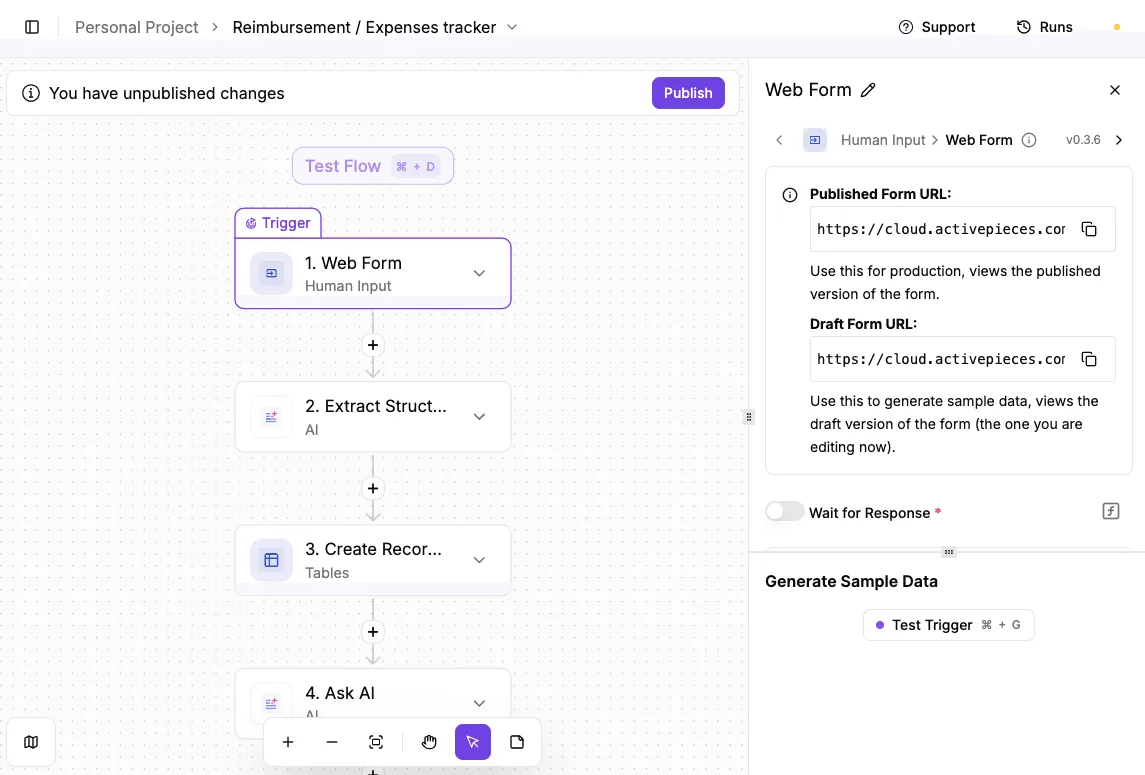
By moving the execution logic out of the Wix chat-interface and into a dedicated automation builder, you gain a visual canvas that maps every data transformation.
To ensure these visual flows meet production standards, Activepieces supports Git Sync and Release Management, allowing teams to promote versioned changes from a test environment to production rather than relying on a manual "publish" click.
This treats the automation as code that can be peer-reviewed and rolled back, a capability detailed in the Activepieces documentation for both its cloud and self-hosted versions.
Safely connecting Wix webhooks to other services
The data above demonstrates that Wix is an exceptionally powerful trigger source. It requires professional handling to avoid overwhelming downstream services like Shopify that have much tighter constraints.
The transition begins by pointing a Wix Velo webhook toward an Activepieces URL. This webhook is a custom script that sends real-time event data.
| Platform | API Rate Limit (Requests Per Minute) | Consequence for Scalability |
|---|---|---|
| Wix Data API | 3500 | Allows for massive data ingestion from storefronts |
| Shopify Admin Standard | 120 | Limits how fast a Wix sync can push updates to Shopify |
| Shopify Admin Advanced | 240 | Doubles throughput but still requires a queue to prevent 429 errors |
Adding error handling and branching that Wix Chat lacks
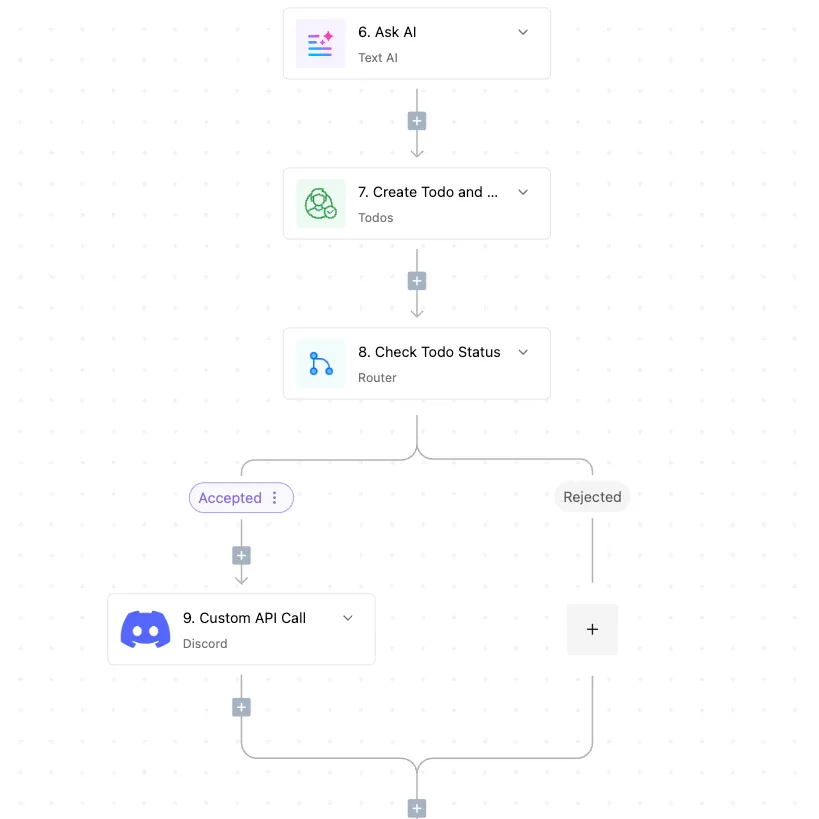
Activepieces allows developers to insert "Try/Catch" blocks and conditional branches. A failed API call to a fulfillment provider triggers a specific recovery path rather than silently failing.
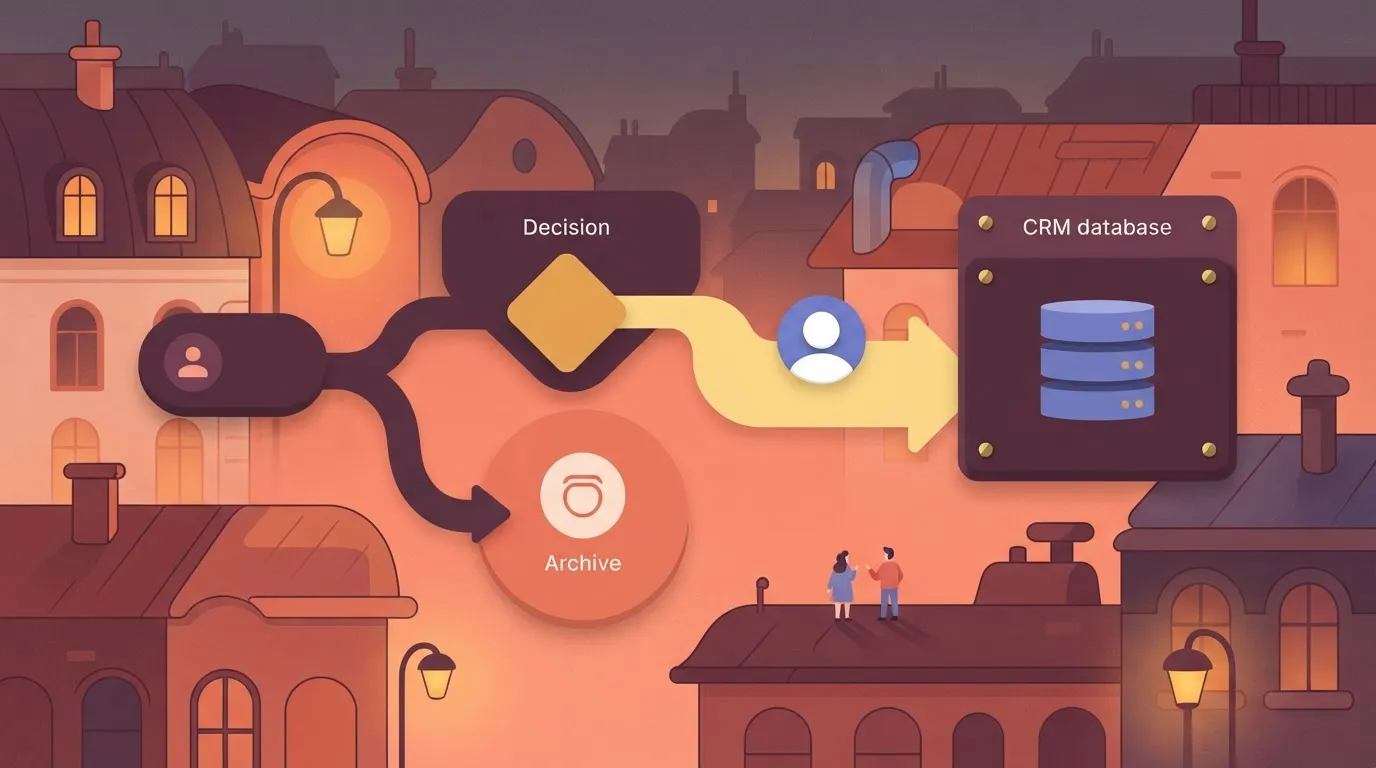
By using the Activepieces visual builder, a developer can define a path where the system checks if a customer exists in the CRM. The flow branches to create a new profile if the search returns empty.
Maintaining a single source of truth for cross-platform automations
Centralizing logic within Activepieces ensures that the business rules governing a Wix store are stored in one auditable location.
MoneyGram and Moneypenny run Activepieces in production to maintain this level of central governance across their departments.
With 733 integrations available, the platform reaches the apps a company already uses while keeping the combined logic under the control of custom RBAC and audit logs, so security teams can maintain granular oversight across a vast ecosystem of third-party tools.
Wix automation audit and ownership checklist
Cataloging every active Wix automation and its owner instrumentally
Identifying the current volume and ownership of your Wix automations prevents a developer from inheriting a "ghost" ecosystem where updates break undocumented dependencies.
This audit acts as the primary inventory for the handoff. It reveals which tasks are mission-critical and which are redundant experiments left over from the prototyping phase.
The Monday Morning Audit provides a snapshot of system health and establishes the baseline for the transition:
- Count active automations: Compare the current count against the Wix limit of 30 active workflows to see how much operational overhead remains before the platform hits a hard ceiling.
- Identify "Silent Failures": Flag any automation steps that lack a notification or error-log trigger, as these are the points where customer data will disappear without warning.
- Verify API key expiry: Check the connection status of third-party integrations to prevent a sudden service outage when a secret token silently expires.
- Export Wix Data: Download a CSV of the automation history to give your developer a dataset for stress-testing the new architecture.
Scheduling the 'logic walkthrough' with your lead developer
A structured logic walkthrough allows a developer to see the "why" behind the chat-built triggers before they begin writing the "how" in a professional IDE like VS Code.
This highlights the specific edge cases that the new code must handle. This prevents the developer from simply replicating the flaws of the no-code version.
Limiting step count in Wix no-code automations
Establishing a limit on how many steps a Wix automation can contain prevents the "spaghetti logic" that makes a system impossible to audit or secure.
By enforcing this ceiling, you signal to the team that once a process reaches a certain level of sophistication, it must be moved into a managed repository.
Common questions about Wix automation handoffs?
Can a developer directly edit a Wix Chat-built automation?
Developers can't access the underlying logic of a chat-generated automation because Wix stores these sequences as compiled, closed-source workflows rather than editable scripts.
When I prompted the AI assistant to add a conditional retry logic to the existing email sequence, it produced a completely new version instead of modifying the original.
A developer must recreate the logic from scratch in Velo to gain granular control. This structural barrier forces a total rewrite whenever a business process requires custom API headers or complex error handling that the chat interface doesn't expose.
What is the cost difference between Wix native automations and external hosting?
Native Wix automations operate on a per-action quota system where high-volume triggers lead to rapidly escalating monthly subscription tiers.
Moving logic to an external cloud provider, such as Google Cloud Functions or AWS Lambda, shifts the expense to a consumption-based model where you only pay for the exact compute time used.
For a scaling store, this transition typically reduces the overhead of automated tasks. You're no longer paying a premium for the convenience of the Wix drag-and-drop interface.
How do I prevent a developer from completely breaking the Wix UI?
You protect the site interface by restricting developer permissions to "Back-End Developer" roles, which prevents them from accessing the Wix Editor's visual layout tools.
By isolating their workspace to the Velo sidebar or an external IDE, you ensure that code changes to the database or API calls can't shift elements or break the mobile responsiveness of the frontend.
This separation of concerns allows the developer to work on logic without risking the design.
Is Velo by Wix required for every professional handoff?
Velo, the full-stack development platform integrated into Wix, is the primary requirement for any handoff that involves custom database interactions or third-party integrations. Without enabling Velo, a developer is restricted to the basic triggers provided in the standard dashboard.
This dashboard lacks the logging capabilities necessary to audit why a specific automation failed. Professional handoffs rely on Velo to provide the environment where code can be version-controlled and tested before deployment.