
Interview Scheduling Automation: A 2026 Guide for Hiring

Nov 14, 202618 min read
The moment a candidate reaches a specific hiring stage, interview scheduling automation triggers a synchronized workflow. It autonomously cross-references team availability to deliver a self-service booking experience.
By utilizing a logic engine, such as Activepieces, to bridge the gap between the applicant tracking system (ATS) and the interviewers' live schedules, this system eliminates the manual "calendar tetris" performed by recruiting coordinators.
An automation platform providing an MIT-licensed core that can be self-hosted on your own infrastructure ensures that sensitive recruitment data and internal calendar metadata remain under your direct control.
Define interview scheduling automation workflows
The three components of a scheduling workflow
To function without human intervention, a resilient scheduling architecture requires three distinct layers. The Trigger is a status change within an ATS, like Greenhouse or Lever, which signals that a candidate has cleared the initial screening.
The Logic Engine is a middleware platform that authenticates with Microsoft Outlook or Google Calendar to identify available slots while respecting "do not disturb" blocks.
The Delivery Action is a communication tool, such as Slack or Gmail, that sends the unique scheduling link to the candidate and notifies the hiring manager once they secure a time.
Why native calendar invites aren't enough
Because they lack the conditional intelligence required to handle high-velocity changes, native calendar invites remain static objects. While a standard invite can hold a time slot, it can't verify if an emergency meeting pulled a panelist away three minutes prior to the send.
Because they lack the conditional intelligence required to handle high-velocity changes, native calendar invites remain static objects.
This leads to double-bookings that damage the candidate experience.
Native invites don't sync bi-directionally with the ATS. If a candidate declines the invite, the recruitment dashboard remains "scheduled."
This creates a data discrepancy that prevents accurate reporting on time-to-hire. The impact of shifting from manual coordination to automated flows is best observed in the reduction of administrative overhead for enterprise teams.
7,200 minutes to 29 minutes: that is how far General Motors saw their time to schedule drop, representing a massive acceleration in their hiring efficiency, which means candidates are engaged and secured before they can accept competing offers.
This change allowed their talent acquisition team to reclaim 120 hours of productivity for every interview cycle, freeing up significant capacity for higher-value recruiting tasks, so recruiters can focus on building deeper relationships with top-tier talent.
S&P Global reduced their window from 30 minutes to 5 minutes, ensuring that their scheduling process is now six times faster, meaning the company can capture applicant interest at the peak of their enthusiasm.
High-demand engineers now receive a booking link before a competitor can even open their inbox. These efficiencies allow recruiters to focus on candidate evaluation rather than logistical data entry.
This takes minutes, not a project: automate it in Activepieces free.
Build your first scheduling workflow
Automated scheduling workflows bridge the gap between candidate selection and calendar confirmation. They use a centralized automation platform to orchestrate data movement between your Applicant Tracking System (ATS) and communication tools.
The moment the hiring team approves the next step, the system sends the candidate a scheduling link to book the interview. This sequence eliminates the manual hand-off where recruiters often wait for a candidate to check their personal inbox.
Trigger scheduling from an ATS status change
When a recruiter moves a candidate to a specific stage, such as 'Interview Requested', within an ATS like Greenhouse or Lever, the workflow begins. This action fires a webhook.
This webhook functions as an instantaneous digital notification that carries the candidate’s unique ID, email address, and the assigned hiring manager’s name to your automation builder.
Step 2: Filter for candidate availability windows
To prevent the system from sending links to candidates who aren't yet ready or have already dropped out, the automation passes the data through a logic filter.
This step verifies that the candidate status matches your 'Invite to Interview' criteria exactly. Only qualified leads receive a scheduling request. This prevents accidental invites during bulk profile updates.
Step 3: Generate the dynamic meeting link
Once the filter clears, the automation uses an integration with a scheduling tool like Calendly or Chili Piper to generate a one-time, dynamic URL.
The system pulls the hiring manager’s specific calendar ID from the initial webhook data. It creates a link that only shows time slots where that specific interviewer is actually free, removing the risk of double-booking.
Send interview invites by email or SMS
Through a messaging service like Twilio for SMS or Gmail for branded email, the automation sends the generated link to the candidate.
Using a template ensures that every candidate receives the same high-touch instructions and preparation materials. This stabilizes the candidate experience regardless of which recruiter is handling the file.
Step 5: Log the scheduled event back to the candidate profile
Once the final step occurs, the automation writes the confirmed date and time back into the ATS notes field.
A complex scheduling flow often requires dozens of steps to verify data across multiple systems, which can become prohibitively expensive on platforms that bill per task, effectively penalizing organizations for having robust internal workflows, so companies are incentivized to compromise on data integrity to keep operational costs manageable.
Activepieces uses a flat meter where one credit covers an entire flow run regardless of the number of steps inside it.
You can verify this on the published pricing page, which lists 1 credit per flow run, contrasting with the per-task or per-module billing found on Zapier or Make’s own pricing pages.
This creates a permanent audit trail on the candidate’s profile. It allows the entire hiring team to see the interview status without needing to ask the recruiter for a manual update.
The process follows five distinct stages.
- First, the system catches a webhook from the ATS.
- Second, it filters by the 'Invite to Interview' status.
- Third, it generates a dynamic scheduling link.
- Fourth, it sends a personalized email or SMS.
- Finally, it writes the 'Scheduled' status back to the ATS.
Compare top interview scheduling tools
Whether your priority is candidate-facing simplicity, deep API integration, or complex load balancing dictates which scheduling engine you select. The following table compares the primary contenders on their structural utility for enterprise recruiting workflows.
| Tool | Entry Price (Seat/Mo) | Enterprise Floor (Annual) | API Focus | Multi-Interviewer Support |
|---|---|---|---|---|
| Calendly | Standard Tier | Enterprise Agreement | Low | Basic Collective |
| Cronofy | Developer Pro | Production Contract | High | Advanced Logic |
| Prelude | Professional | Enterprise Platform | High | Optimized Panels |
This breakdown identifies where a tool’s native features end and where custom automation must bridge the gap to maintain data integrity. The choice of platform dictates how much manual intervention your recruiting coordinators will perform daily.
Calendly for high-volume recruiter-led screens
Because it requires zero configuration from the candidate side, Calendly is the standard for one-to-one interactions. While it excels at simple availability mapping, it lacks the native logic to handle complex interview loops involving three or more internal stakeholders with different priority levels.
Recruiters often hit a wall when attempting to sync these links with specific job IDs in an ATS like Greenhouse. This leads to manual data entry to ensure the candidate record stays current.
Cronofy for multi-panel technical interview scheduling
Cronofy is built for teams that treat scheduling as an infrastructure problem. It has an API that allows developers to trigger external events like the creation of a coding environment.
When a team books a technical round, Cronofy can pass a webhook to a service like GitHub to provision a repository.
The moment the invite hits their inbox, the candidate receives their credentials. This prevents the "day-of" scramble where a developer realizes the test environment isn't ready. This setup requires a technical lead to maintain the API connections.
Prelude for enterprise-grade load balancing across hiring managers
By using sophisticated load-balancing logic to distribute interviews across a global engineering or sales org, Prelude addresses the "interviewer fatigue" problem. It tracks how many hours each manager has spent in interviews this week.
This prevents top performers from being overwhelmed and shares the hiring load equitably. For organizations running hundreds of parallel loops, this automation replaces the spreadsheet-based tracking that usually results in scheduling bottlenecks and delayed offers.

Common failure points in automated interview workflows.
When the underlying data bridge between the Applicant Tracking System (ATS) and the hiring team’s calendar loses synchronization, automated scheduling fails.
Without a robust middleware to validate real-time availability, automation platforms merely accelerate the delivery of errors rather than resolving the logistical friction of high-volume hiring.
The 'busy-but-available' calendar sync error
When a calendar provider like Microsoft Outlook or Google Calendar fails to reflect tentative holds, a scheduling flow breaks. This results in double-bookings that force manual rescheduling.
This typically occurs because basic triggers only look for 'Busy' status, ignoring the 'Private' or 'Out of Office' flags that recruiters use to signal unavailability.
To prevent this, the automation must query the calendar API for specific event metadata before presenting a time slot to the candidate. The following data points indicate why candidates abandon a process when scheduling becomes a point of friction:
| Reason for Disengagement | Candidate Percentage |
|---|---|
| Slow scheduling | 42% |
| Disorganized process | 37% |
| Middle East market specific drop-off | 48% |
These figures mostly demonstrate that technical delays directly impact the talent pipeline, though regional drop-off rates like this one may reflect other market factors rather than scheduling friction alone.
Handling candidate-initiated cancellations automatically
If a candidate cancels an invite but the ATS remains in a 'Scheduled' state because the webhook failed to fire, workflows stall. This creates a data mismatch where the recruiter believes the slot is filled while the candidate has already exited the process.
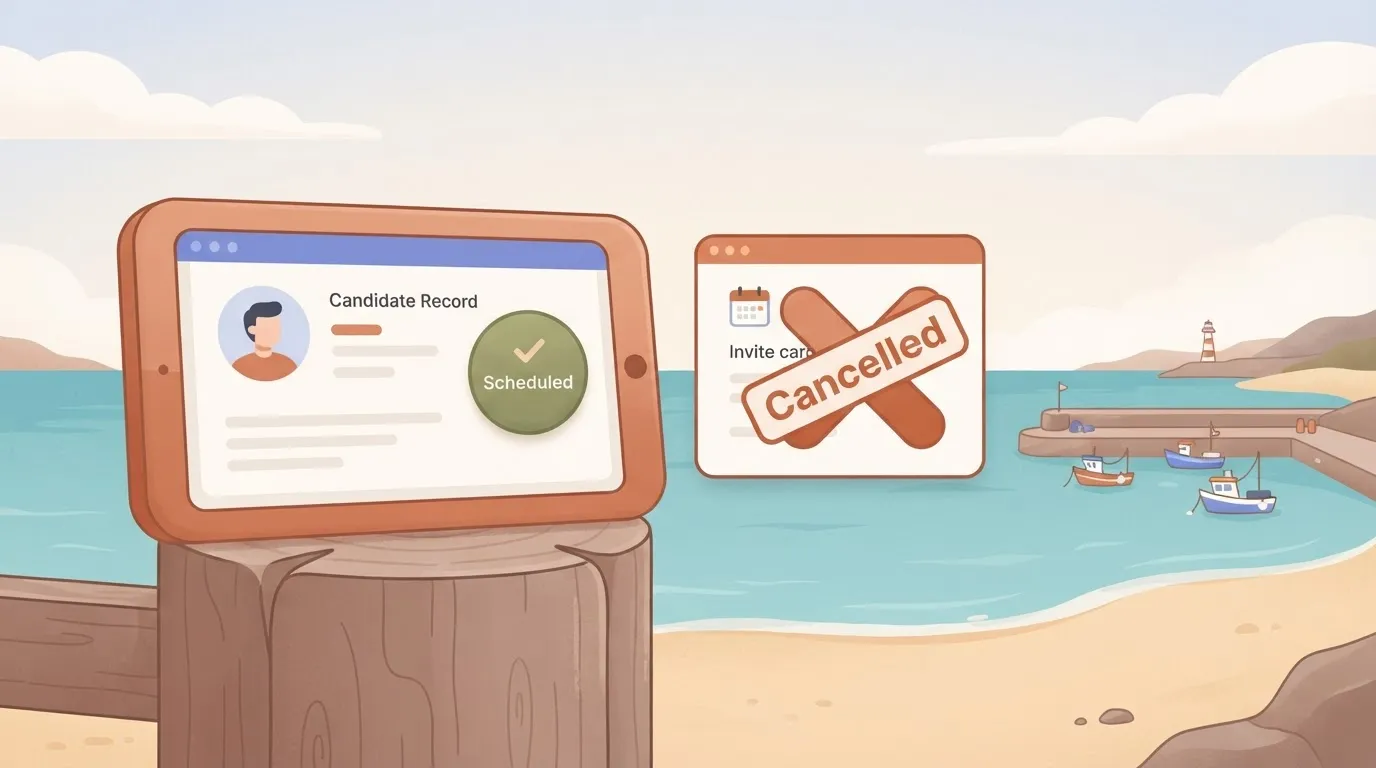
A resilient flow uses a listener to detect the cancellation. It updates the candidate record status and immediately notifies the hiring manager via Slack or Microsoft Teams to prevent wasted preparation time.
API rate limits during high-volume hiring cycles
During peak university recruiting seasons, standard automation tiers often hit API rate limits, causing the scheduling engine to stop processing new interview requests entirely.
When a system like Zapier or Make attempts to pull data from a high-volume source every minute, the host application may temporarily block the connection to protect its own performance.
Zapier is best for teams needing a massive library of pre-built connectors who can afford higher monthly costs for increased task volume. Make is ideal for complex logic and visual mapping of data flows. It requires a steeper learning curve for non-technical users.
n8n is suited for organizations requiring self-hosted data residency to comply with strict internal security protocols. To build a flow that avoids these bottlenecks, you can start by configuring a trigger in a comprehensive automation library and start free today.
You can follow the rest of this with the builder open. Start free, no card.
Extending scheduling logic with Activepieces automation.
Activepieces syncs candidate status across your hiring stack without requiring manual data entry between interview stages, a capability that companies like MoneyGram and FundingSocieties use to maintain data integrity in production.
By connecting disparate services through a visual builder, recruitment teams can ensure that a booked time slot triggers immediate updates in the records that the interview panel actually monitors.
Connecting your scheduler to internal databases
A dedicated automation platform bridges the "data silo" gap where a booking exists in Calendly but remains invisible to the Applicant Tracking System (ATS) or internal CRM.
While standalone scheduling links are effective for choosing times, they lack the native logic to check if a candidate’s record in a database like Airtable needs a status update from "Screening" to "Technical Interview."
By using Activepieces, you can create a flow where a new event in Calendly triggers a search in your database. This search locates the matching email address and appends the meeting URL directly to that person’s profile.
If the specific messaging tool your team uses is not in a standard library, you are typically forced to wait for a vendor update.
Activepieces allows you to generate a missing integration with AI and add it privately to your instance, a capability reflected in the open-source monorepo where roughly 60% of the 748 integrations are community-contributed, demonstrating the platform's reliance on collective user innovation, which ensures the ecosystem evolves rapidly to meet diverse technical needs, meaning the library grows far faster than a single internal team could manage.
This visibility ensures the source of truth is updated in real-time. Recruiters never call a candidate to schedule a phase that is already on the calendar.
Automating pre-interview brief delivery to the panel
An unprepared interviewer is the primary cause of poor candidate experience. This usually stems from the brief being buried in an email thread rather than attached to the calendar invite.
You can solve this by inserting a step in your workflow that fetches the candidate’s resume from a cloud storage folder, such as Google Drive.
The workflow then pushes it into a Slack channel dedicated to that specific hiring loop.
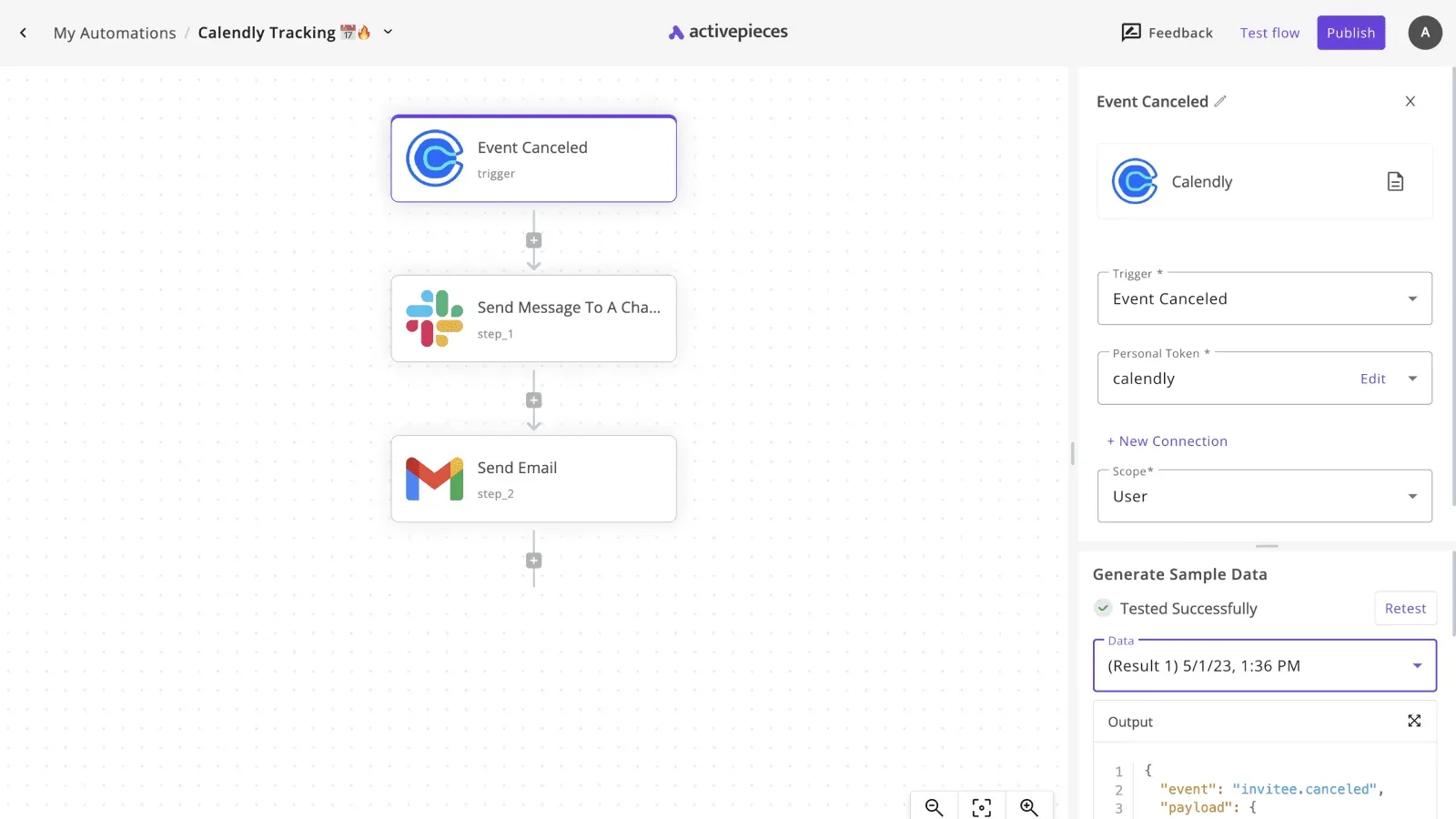
The Activepieces workflow builder shows a three-step automation. The "Calendly Tracking" flow uses a Calendly "Event Canceled" trigger connected to a "Send Message To A Channel" action for Slack and a "Send Email" action for Gmail.
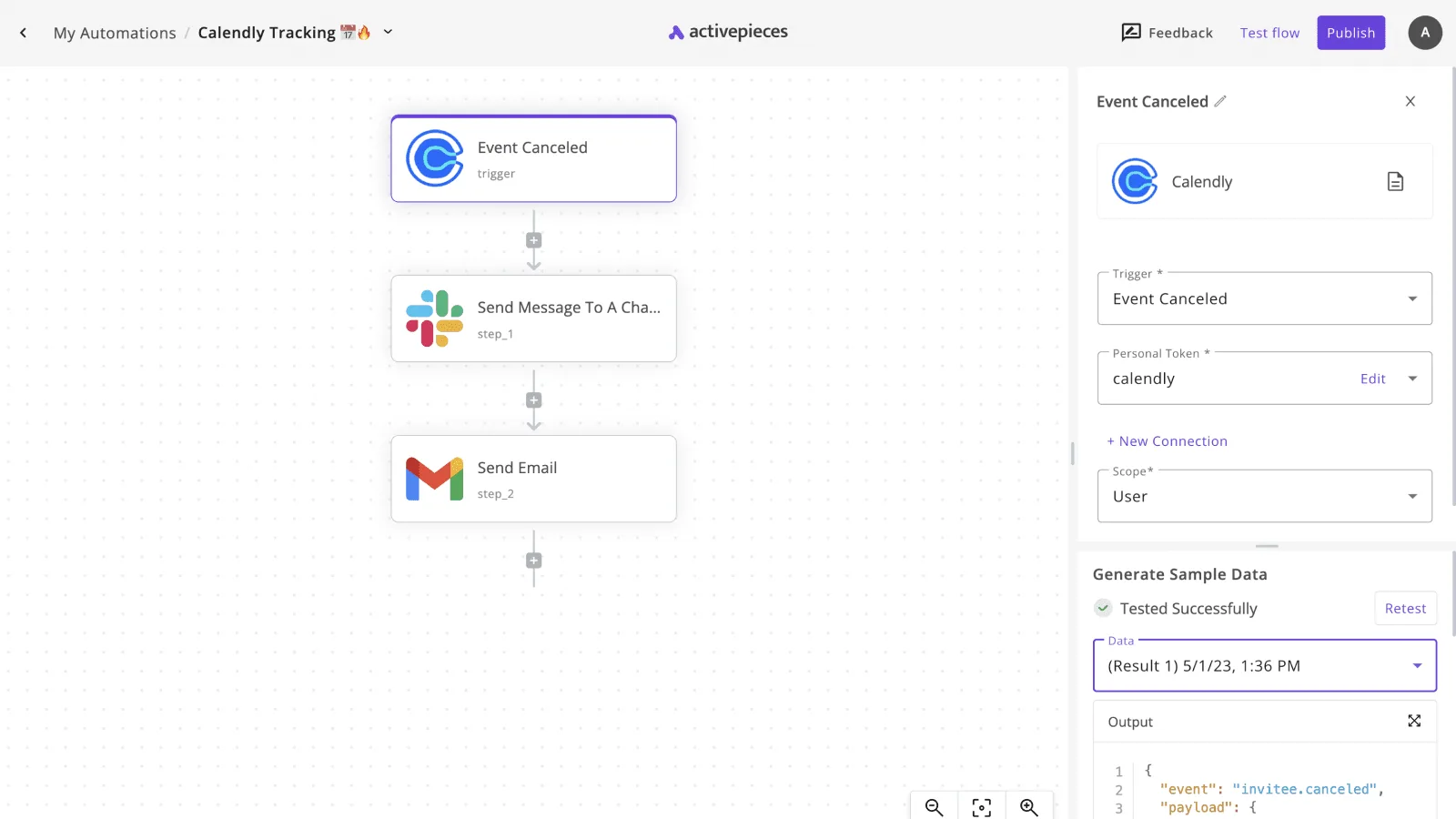
The right panel displays the trigger configuration for "Event Canceled". It shows the Personal Token set to "calendly", Scope set to "User", and sample data showing a test result from 5/1/23.
The flow is in edit mode with Feedback, Test flow, and Publish buttons visible at the top.
If a candidate cancels, this visibility ensures that the panel is notified instantly on the platform they are already using for work.
This prevents them from finding out when they show up to an empty Zoom room. Following a successful booking, the same logic can be used to distribute the scorecard link to the panel five minutes before the start time.
Automate interview reminders across multiple channels
By sending reminders through the channels where candidates are most responsive, such as SMS or WhatsApp, reliable automation handles the "last mile" of communication.
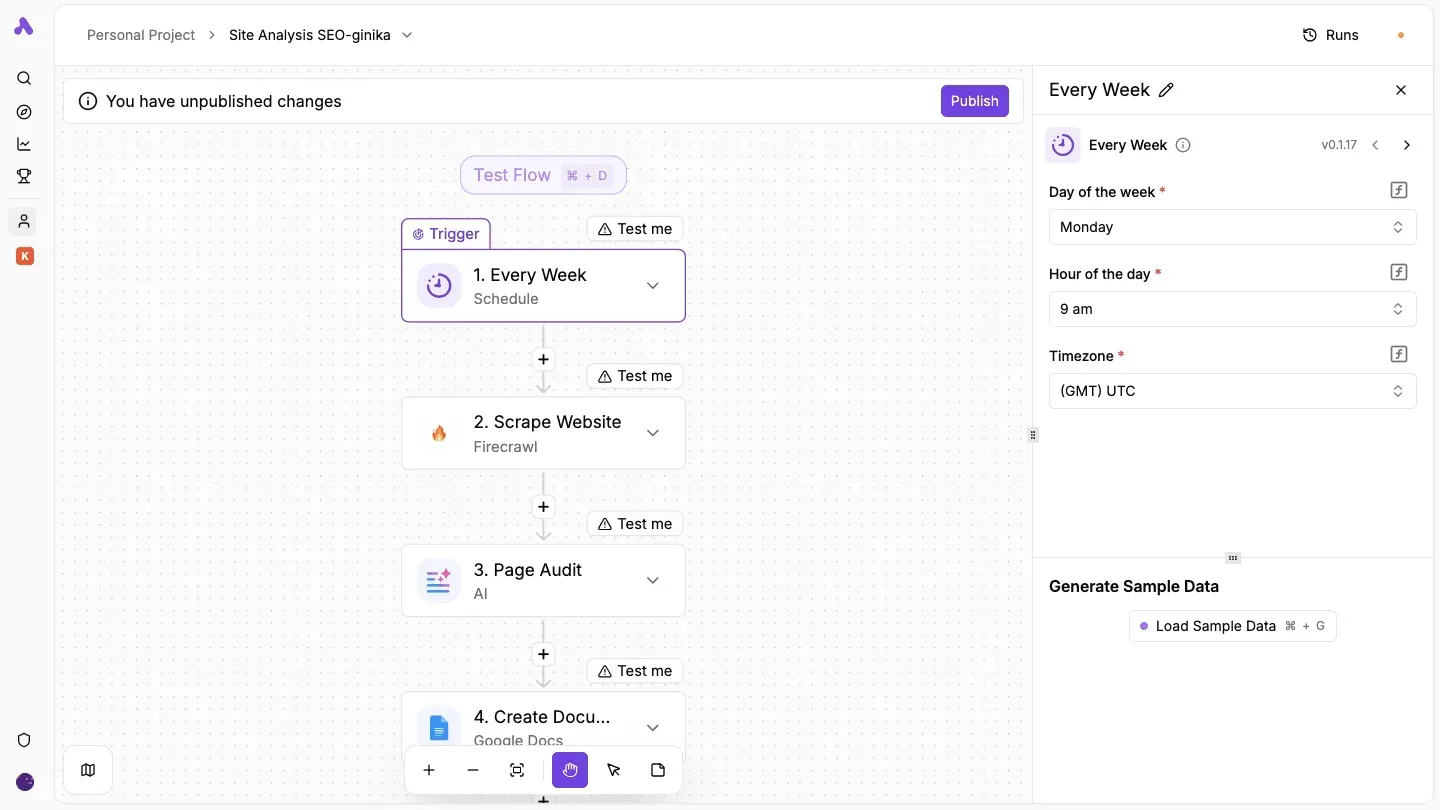
The trigger initiates when a new event is created in Calendly.
An action step uses the Gmail integration to send a formal confirmation with the calendar invite and dial-in details.
A branch or delay step waits until 24 hours before the event to trigger a secondary notification, so the system risks being unresponsive to last-minute changes.
A final action uses a messaging integration to send a brief text reminder, which significantly reduces no-show rates for high-volume roles.
While Zapier offers more third-party integrations for niche apps, Activepieces provides a more cost-effective self-hosted option for enterprise teams requiring strict data residency. To start building these flows, browse the Activepieces library and start free today.

The Monday morning checklist for scheduling resilience.
To prevent double-booking during high-volume hiring sprints, resilient scheduling requires a weekly audit of the integration points between your calendar availability and the automated outreach triggers.
The Engineering Recruitment team at Block was the first to identify that stale calendar permissions often lead to "ghost slots" where candidates book time that the interviewer has since blocked for deep work.
By verifying these three levers every Monday, operations leads ensure that the automation remains a facilitator of talent acquisition rather than a source of friction.
Audit your 'buffer time' settings across all accounts
To prevent back-to-back sessions that lead to interviewer burnout, buffer settings must be synchronized between your scheduling tool and the underlying Google Calendar or Microsoft Outlook accounts.
While a scheduling app might promise a fifteen-minute gap, it can't "see" a last-minute meeting invite accepted directly in the primary calendar. This only works if that specific account's sync interval is set to real-time.
Check that the global "Minimum Notice Period" is set to at least four hours. This ensures interviewers aren't surprised by meetings appearing on their schedule while they are already in other sessions.
Confirm that "Buffer Before" and "Buffer After" settings are active for all active event types to allow for candidate evaluation scoring immediately following the call.
Verify that the "Maximum Events Per Day" limit is capped at four for any single team member to maintain the quality of the technical assessment.
Verify the fallback path for manual intervention
If a candidate fails to select a slot within the first twenty-four hours of receiving the link, a human recruiter must take over. Every automated flow requires a defined "Exit Step" for this purpose.

This prevents the candidate from falling into a "silent funnel" where no further action is taken because the automation is waiting for a trigger that will never arrive.
- The recruiter first opens the automation builder and locates the "Time Delay" or "Wait" step following the initial link delivery.
- Then, the recruiter routes the "Timed Out" path to a Slack or Microsoft Teams notification sent directly to the assigned Recruiter Coordinator.
- Finally, the recruiter ensures the notification includes a direct link to the candidate’s profile in the ATS, such as Greenhouse or Lever, so the recruiter can initiate a manual phone call without searching the database.
Test the mobile-responsiveness of the scheduling link
Because candidates frequently interact with scheduling links via mobile push notifications, the load speed and touch-target size of your landing page are the primary factors in prompt booking.
High-intent talent often checks emails during transit. If the calendar grid isn't responsive, they'll defer the task and contribute to the 48-hour email lag.
The following data demonstrates that the method of re-engagement significantly impacts whether a candidate actually appears for the interview they have booked:
| Reminder Type | Candidate Attendance Rate |
|---|---|
| No reminder | 67.8% |
| SMS reminder | 78.6% |
| Phone call reminder | 80.3% |
SMS reminders drive a nearly 11% increase in attendance over sending no reminder at all.
Moreover, your Monday audit should confirm that the Twilio or SMS Central integration is successfully pulling the "Mobile Phone" field from your ATS. Once these checks are complete, the system is prepared to handle the week's load without manual oversight.
Frequently asked questions about interview automation.
How does the system handle conflicting time zones?
By normalizing all participant availability to Coordinated Universal Time (UTC) before presenting options to the candidate, automated scheduling systems resolve time zone conflicts.
This ensures that a hiring manager in London and a candidate in San Francisco never see overlapping slots that physically can't occur. This prevents the scheduling errors that frequently stall international recruitment.
Is interview scheduling automation GDPR compliant?
Scheduling automation maintains GDPR compliance by utilizing data processing agreements and automated data retention policies. These policies purge candidate PII (Personally Identifiable Information) after a set period of inactivity.
The Talent Acquisition team at Siemens was among the first to standardize these guardrails. They ensured that sensitive calendar metadata is encrypted at rest so that no unauthorized party can scrape internal meeting titles or attendee lists.
Can i automate scheduling for a panel of three different people?
By using "collective availability" logic to identify only the time slots where every required interviewer is simultaneously free, panel scheduling is automated.
This eliminates the manual cross-referencing of three separate Outlook or Google Calendars, a process that currently inflates the cost of every new hire.
The following data demonstrates the rising financial stakes of inefficient hiring cycles:
| Year | Average Non-Executive Cost Per Hire |
|---|---|
| 2022 | 4,683 |
| 2023 | 4,700 |
| 2025 (Projection) | 5,475 |
As these costs climb, the ability to lock in panel interviews instantly becomes a critical margin-protection strategy. To manage this at scale, teams use different tools based on their infrastructure.
Zapier is best for teams needing simple, linear connections between a single ATS and a calendar without complex branching logic. Make is best for high-complexity workflows where data needs to be transformed or mapped across multiple conditional paths between the ATS and the inbox.
n8n is best for technical teams requiring self-hosted environments to keep all scheduling data within their own firewall for maximum security. Built-in ATS Automation is best for small teams who only need to send basic links and don't require cross-platform data syncing.
Related reading
Build it
Set this up in minutes.
No code required. Connect your accounts, and Activepieces runs it from there.
Start free Talk to sales