
Mattermost Automation: Integrations Guide (2026)

Nov 17, 202616 min read
You can get messages into and out of Mattermost channels without a person typing them. The fastest route is an incoming webhook, which needs only a URL and a JSON body. The rest of this guide follows the official documentation.
Learn about Mattermost automation
Which method fits which job
Pick the row that matches your job before reading further. Mattermost ships four built-in mechanisms, and they differ mainly in who initiates the traffic and how much code you own afterward. The table below sorts them by direction, complexity and best use.
| Method | Direction | Complexity | Best use case |
|---|---|---|---|
| Incoming Webhooks | In | Low | Posting alerts, build results or form submissions into a channel from a script or another system |
| Slash Commands | Out, with a reply back | Medium | Letting a user type a command and get an answer or action from your own service |
| Outgoing Webhooks | Out | Medium | Reacting to messages that contain a trigger word by sending them to your endpoint |
| Bot Accounts | In and Out | Higher | Two-way automation through the REST API: posting, reading, replying and managing channels under a dedicated identity |
Most teams stop at the first or second row. Activepieces only becomes relevant when one job has to touch several other apps, which none of these four does on its own.
Mattermost integration permissions and admin requirements
Even though the docs treat them as part of the platform rather than paid add-ons, each of the four sits behind a switch.
A system admin has to enable the integration type in the System Console, and the person creating a webhook or slash command needs the matching permission on the team.

Hand someone a bot's access token and you have handed them the bot's reach, because a bot authenticates with that token. Bot accounts also have their own setting for creation.
Hand someone a bot's access token and you have handed them the bot's reach, because a bot authenticates with that token.
Before you build anything, confirm these settings on your own server, because a hidden toggle is the usual reason a first attempt fails.
What you'll have working at the end
By the end you'll have a script posting into a channel through an incoming webhook. A slash command will return a reply from your own endpoint, and a bot account will post and respond under its own name.
You'll also know when an outgoing webhook is the better trigger than a command, and where the built-in tools stop.
This takes minutes, not a project: automate it in Activepieces free.
Post to a channel with a webhook
Turn on incoming webhooks in System Console, create one under Integrations for the target channel, then POST a JSON body with a text field to the URL Mattermost gives you. The message appears in the channel within a moment.
Enable incoming webhooks in System Console
Open System Console, go to Integrations, then Integration Management, and switch on Enable Incoming Webhooks. It's off by default on many installs, so a missing "Incoming Webhooks" entry in the Integrations menu usually means this toggle, not a permissions bug.
While you're there, note the two override settings for usernames and profile pictures. They're separate toggles, and the last subsection depends on them.
Create the webhook and copy the URL
From the Integrations page in a team, choose Incoming Webhooks, then Add Incoming Webhook. Give it a title, pick the channel it posts to, and save. Mattermost shows a URL ending in a long token.
Because that token is the only credential, anyone holding the URL can post to the channel as the webhook. Keep it in your secrets store, not in a repo or a pasted chat message.

curl -i -X POST \
 -H 'Content-Type: application/json' \
 -d '{"text": "Deploy finished on staging."}' \
 https://your-mattermost.example.com/hooks/your-token
If you see a 200 response and a new message in the channel, the chain works. If you get a 403 or 404, recheck the toggle and the URL before touching anything else.
A missing Content-Type header is the other usual culprit, because the body then arrives as something Mattermost can't parse.
Format webhook messages with Markdown and attachments
Write Markdown in the text field and bold, links, code blocks and tables work as they do in a normal post. For a structured alert, add an attachments array with fields such as a colored sidebar, title and key-value rows.
That keeps a build report scannable instead of a wall of text.
To post somewhere other than the default, add channel, username or icon_url to the payload. Those last two only take effect if you enabled the override settings earlier; otherwise Mattermost ignores them silently.
Look at outside builders that start from a webhook catch and you see what this single POST grows into. A version-history panel on such a flow lists each saved revision with a timestamp and status, so you can see which edit broke a step.
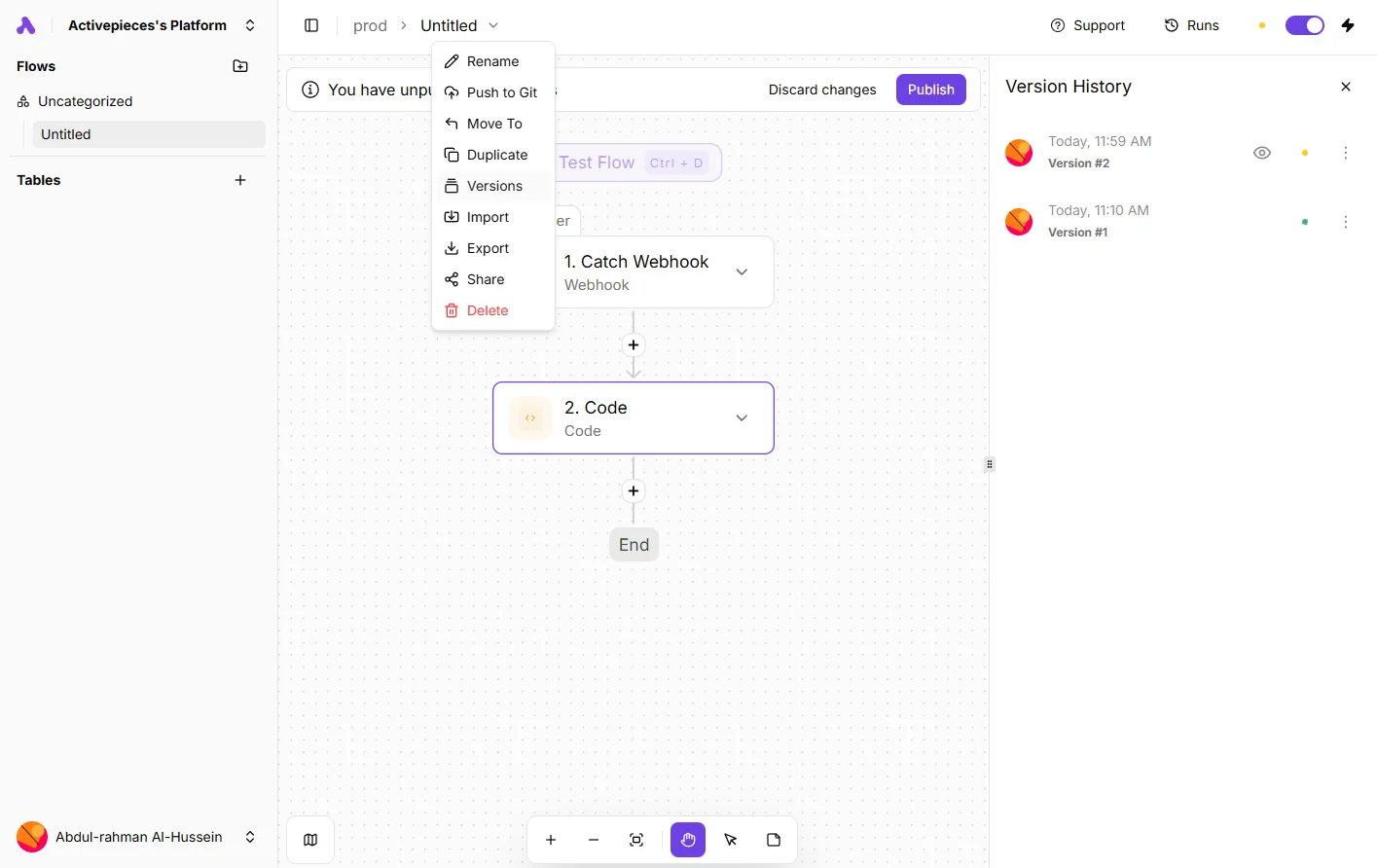
Nothing comparable comes with a Mattermost webhook. When a payload changes, the history is whatever your sending script keeps in source control.
Add slash commands and webhooks
In both cases Mattermost sends the request to a URL you control, and the answer depends on code you maintain. That puts the history of the behaviour in your repository too.
Slash commands have a 3-second limit and outgoing webhooks 30 seconds, so if your code takes longer it'll timeout.
Create the command and set the Request URL
Go to Integrations, then Slash Commands, then Add. The form wants a title, a description, and a trigger word without the leading slash, so deploy becomes /deploy.
Of everything on the form, the Request URL is the field that matters, the endpoint Mattermost calls when someone runs the command. Set the method to POST unless your endpoint only accepts GET.

The autocomplete hint and description are optional, but without them nobody learns what arguments the command takes.
Slash command response format and JSON reply
When someone runs the command, Mattermost posts form data to your URL, including the channel, the user name, and everything typed after the trigger word. Reply with JSON.
The text field is the message, and response_type decides who sees it: in_channel posts for everyone, ephemeral shows only the person who ran the command.
On a normal day, any handler that queries a slow API will time out, because a Mattermost slash command waits about 3 seconds, the same as Slack's. Return a short acknowledgement at once, then do the work and post the result afterwards.

Outgoing webhooks versus slash commands
Nobody types a slash with an outgoing webhook, which makes it passive. You register trigger words, a channel, or both, and Mattermost POSTs to your callback URL whenever a message matches. Your JSON reply appears in the channel as a response to that message.
That changes two things. First, a trigger word fires for anyone who says it in conversation, so a common word will call your server constantly. Pick distinctive words.
Second, the patience is longer: Mattermost gives outgoing webhooks 30 seconds, ten times the slash-command window, so operations that take longer won't timeout. That's enough for a modest lookup, but a build or a report can still outrun it.

Choose the slash command when a person is asking for something on purpose. Choose the outgoing webhook when the message itself is the signal. In both cases, anything slower than the window needs the quick acknowledgement first.
When the slow work behind that acknowledgement means calling several other apps, Activepieces has a Mattermost connector among its 750 integrations.
That count is taken from the folders in the packages/pieces/community directory of the open-source monorepo on GitHub, whose core is MIT-licensed, and roughly 60% of those connectors were contributed by the community, which means features get built for real problems, not just vendor priorities.
If the app you need isn't there, the code is open to read and extend.
You can follow the rest of this with the builder open. Start free, no card.
Use bot accounts for automation
If the short reply window from the earlier stages is the problem, a bot account is the way around it. It gives your automation its own identity and an API token, so it can post, reply and read on its own schedule.
Mattermost's REST API accepts that token directly, and the setup takes four steps, meaning you have a working integration in minutes.
Create the bot and its token
Run these four steps in this order; the last one is the one people skip:
- Enable bot accounts in the System Console, under Integrations, then Bot Accounts. Creation stays off until an admin turns it on.
- Open Integrations from the product menu, choose Bot Accounts, and add a bot with a username and display name.
- Assign its role. Leave it as Member unless the job demands more, because a bot with admin rights turns a leaked token into a workspace-wide problem.
- Copy the access token and store it in your secrets manager immediately. Mattermost shows it once, and losing it means generating a new one and updating every script that used the old one.
After that, add the bot to the team and to each channel it should post in. A bot that isn't a member of a private channel gets a permission error, and that's the most common reason a freshly created bot appears to be broken.
Post a message through the API
To post, send one request to POST /api/v4/posts, with the token in a Bearer header and the target channel's ID in the body:
curl -X POST https://your-mattermost.example.com/api/v4/posts \
 -H "Authorization: Bearer YOUR_BOT_TOKEN" \
 -H "Content-Type: application/json" \
 -d '{"channel_id": "CHANNEL_ID", "message": "Deploy finished."}'
People get tripped up on channel_id. It's the internal ID, not the channel name, and you find it under the channel's View Info or by querying the channels endpoint.
Add root_id with a post's ID and the message lands as a threaded reply, which is what makes the exchange two-way instead of a broadcast.
Bot or personal access token
Use a bot for anything that should outlive a person. A personal access token acts as the user who created it, carries that user's permissions, and stops working if that account is deactivated. Your deploy notifier then goes silent the week someone changes teams.
For a one-off script that must act as you, such as editing your own posts, a personal access token still makes sense. For automation other people depend on, the bot's separate identity also makes its messages easy to recognise in the channel.
Fix integration errors
Three causes account for nearly every failed integration: nobody added the bot to the channel, the server blocks the target URL, or the call timed out. Each shows up as a distinct status code.
To go from the log line to the setting that needs changing, use the table below, which pairs each code with its usual cause and the fix.
| Error code | Likely cause | Fix |
|---|---|---|
| 403 | Bot not in channel | Add the bot account to the channel, or confirm its role may post there |
| 404 | Webhook URL wrong, disabled, or blocked | Re-copy the URL from the integration page, and confirm incoming webhooks are enabled in the System Console |
| 500 | Timeout | Return a quick acknowledgement, then do the slow work and post the result afterwards |
When a 404 comes back on a URL you copied correctly, someone has usually switched the webhook off at the system level, not deleted it.
Fix webhook permission and network errors
Read a 403 as a permission problem, not a broken token. Private channels are the usual trap because a bot can't post into one it hasn't joined.
Point an outgoing webhook or slash command at an internal address and Mattermost refuses by default, so you must allow that host explicitly in the server's trusted-connection settings. Without that, the call fails before it leaves the server.
Rate limits and message size
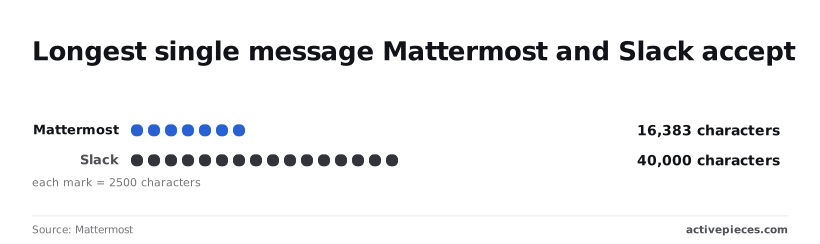
16,383 characters is the most Mattermost caps a post at, per its product limits. Slack allows 40,000.
That makes Mattermost's limit well under half of Slack's, so a long report or log dump that posted fine in Slack will be rejected here. Split the output into several posts, or attach it as a file.

Because the server administrator sets rate limits, a burst of posts from a loop can be throttled on one deployment and pass on another. Batch messages into one post where you can.
Before you design around a feature, check the pricing page, because some capabilities depend on your plan. If a feature is missing from the System Console, the plan is the likely reason, not a misconfiguration.
Once you can read the status code, most fixes take a minute.
When to connect Mattermost to other apps with Activepieces
Connect Mattermost to Activepieces when one job has to read from or write to several other apps. The same job should decide what to do based on what comes back.
Anything simpler is a webhook, a slash command or a bot account, and a status code will tell you what broke.
When Mattermost webhooks and slash commands are enough
An incoming webhook posts a message from one system into a channel. A slash command sends a typed request to your own endpoint and shows the reply. A bot account lets a script read and post through the API under its own identity.
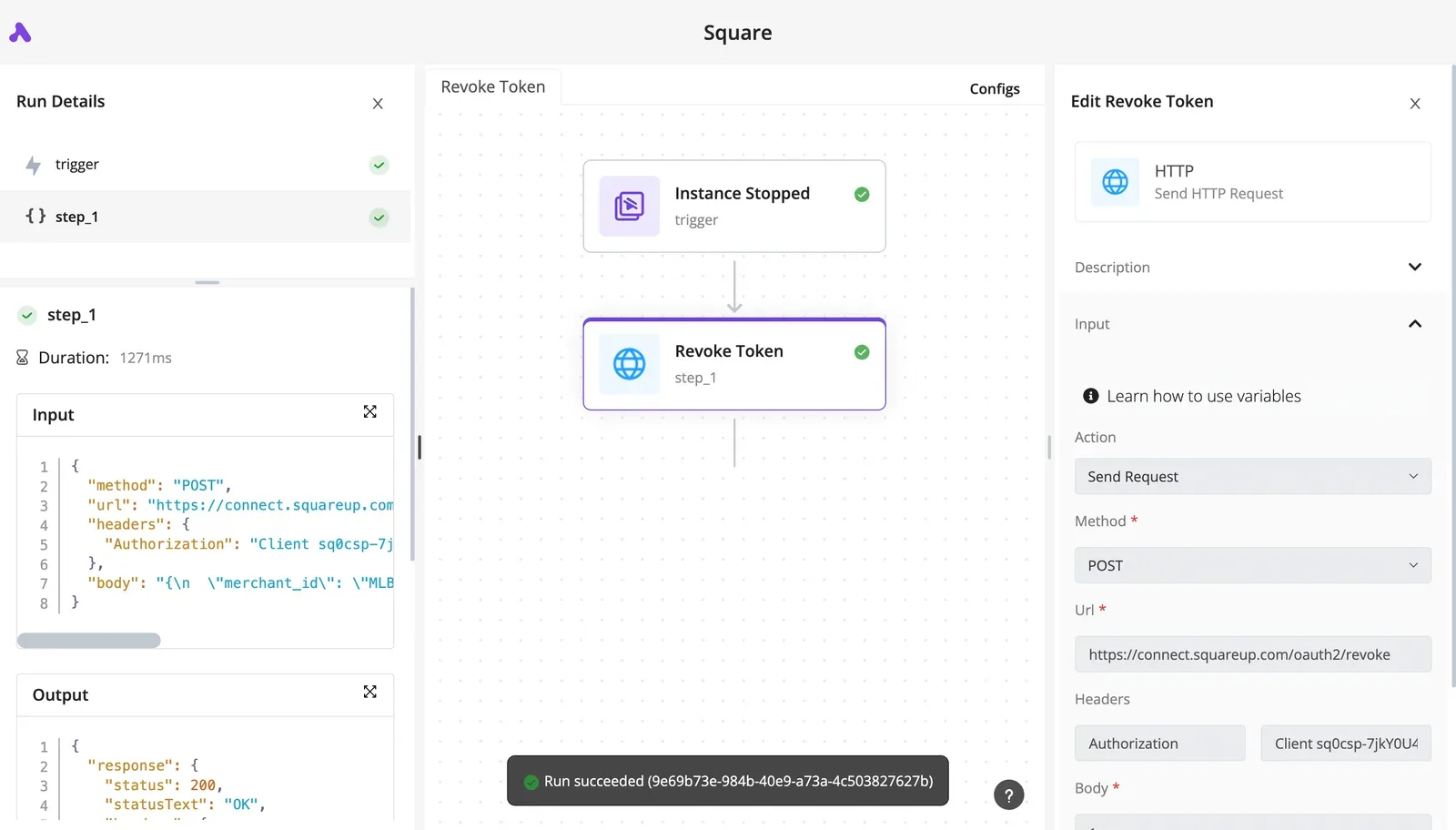
If your job is one source, one channel and no branching, these three cover it, and adding a platform only gives you another thing to patch and another login to audit.
Where an outside workflow tool earns its place
Activepieces connects Mattermost to the other apps a job touches through its 750 integrations, and its core is MIT-licensed. Its value is the plumbing around Mattermost, not Mattermost itself.
Before committing, read the connector's documented triggers and actions against your actual job. A long catalogue says nothing about whether the one trigger you need exists. Zapier, Make and n8n are comparable options, and the same check applies to each.
Four triggers justify the switch:
- Multi-app branching, where the next step depends on what a ticketing system, a CRM or a calendar returned
- Automatic error retries, so a failed call is repeated without someone rerunning a script
- Visual state management, where you can see which step a run reached and what data it held
- No-code maintenance, so someone who is not a developer can edit the flow
If your job hits none of the four, the built-in tools are still the better fit. If it hits two or more, hand-rolled scripts will cost you more in upkeep than a workflow tool costs to run.

- List your current Mattermost automations and mark each as one source to one channel, or as several apps with conditions.
- Leave the simple ones on webhooks and slash commands.
- For the multi-app jobs, open the Activepieces Mattermost connector docs and confirm it offers the trigger and action each job needs.
- Build one flow, break it on purpose, and watch how it retries and what the run history shows before moving a second job over.
Frequently asked questions
Is Mattermost automation free on the Team Edition?
Yes: incoming webhooks, outgoing webhooks, slash commands and bot accounts are part of the core server, so the free Team Edition covers the common jobs without a paid tier.
You pay in your own time, since someone has to host the scripts that sit behind them and keep them running.
Although some enterprise-side features, such as certain admin and compliance controls, sit in paid editions, none of the basic posting and command mechanisms do. Check the edition comparison in the Mattermost docs before you plan around anything beyond those.
Can Mattermost run automations without writing code?
Partly. Creating an incoming webhook, a slash command or a bot account is a form in the System Console or the Integrations menu, with no code involved.
At the other end, the code comes in. A webhook needs something that sends it a JSON payload, and a slash command needs a URL that answers the request.
If the sending tool can fire an HTTP POST on its own, as many monitoring and ticketing tools can, you can wire it up with no scripting.
If the job means reading a field from one app and reshaping it for another, you're writing code or adding a workflow tool.
Can a webhook post into a private channel or a direct message?
Yes, with conditions. You tie an incoming webhook to a channel when you create it, and it can post to a private channel only if the person creating it is a member of that channel.
To target other channels or a direct message, override the destination in the payload, provided the server setting that allows channel overrides is switched on.
If you want a script to message individuals reliably, a bot account is the cleaner route: it posts through the API under its own name, and you control exactly which channels it has joined.
Does Mattermost have built-in workflows like Slack Workflow Builder?
Not in the same sense. Mattermost's built-in tooling is webhooks, slash commands and bots, which react to a single event and do one thing.
Its Playbooks feature handles checklists and incident-style runbooks inside the product, and it can trigger webhooks at certain steps.
It doesn't chain actions across other apps the way Slack's visual builder does. For multi-app logic you need an outside workflow tool, which is the point at which that extra product earns its place.
Related reading
References
Build it
Set this up in minutes.
No code required. Connect your accounts, and Activepieces runs it from there.
Start free Talk to sales