n8n RBAC Explained: How Roles Work and One Costly Miss

Oct 26, 202613 min read
What a user can see, edit, run and share in n8n depends on the role RBAC assigns them.
Which roles exist depends on your plan, and the vendor's one-line description of a role won't tell you its full reach, which is worth remembering whenever you compare it with how a tool like Activepieces labels its own permissions.
Check both against the current documentation and the source before granting anything.
Understand n8n RBAC through its exposure
The morning the edit went live
Treat what follows as an illustrative composite, not a real customer. It reflects a pattern common to self-hosted tools such as n8n, a workflow automation platform, where one role can both edit and save a workflow that's already running on a schedule.
- An editor opens a live workflow that syncs records into the company's CRM (customer relationship management system).
- They change the field mapping on the HTTP node, the step that sends data to the CRM's API.
- They save. There's no staging copy and no approval gate; the saved version is the live version.
- The next scheduled run fires and uses the new mapping.
- Bad data reaches the CRM, overwriting fields that sales staff rely on.
- Someone notices the alert, after the platform has already written the records.
What the role allowed that nobody intended
When the buyer approved the editor role, the assumption was that "editor" meant someone who drafts and tests changes.
In practice, the role meant someone who could alter production behavior on save, with the credentials attached to that workflow already in place.
That's the gap this series is about: a role that works exactly as designed but grants more than the person approving it assumed.
Before you hand out any role, treat it as a liability line until you've confirmed its scope. The permission definitions show whether saving a workflow and activating it are separate rights, and whether edit access extends to credentials.
Everything below works on Activepieces' free plan. Start without code or a credit card.
What the incident cost
Nothing malfunctioned, and the incident still cost the business engineering time, re-sent and corrupted records, customer contact and unplanned cleanup.
The table's assumptions are illustrative, not measurements; read it as cost categories and who pays for each.
| Cost line | Scenario assumption | Unit | Who bore the cost |
|---|---|---|---|
| Downtime hours | Sync keeps running from first bad run until the change is found and reverted | Hours | Operations and the teams waiting on the data |
| Records re-sent | Every record pushed while the change was live goes out again | Records | Engineering, plus the downstream system's owner |
| Records corrupted | Some records were overwritten and cannot be restored from the destination | Records | Whoever owns the destination data |
| Customers contacted | Customers who received wrong or duplicate messages get a correction | Customers | Support and account management |
| Cleanup hours | Manual reconciliation of both systems after the fix | Hours | Finance, operations and engineering |
Hours go first, and most of them are search time. The platform's audit view shows that a workflow changed, but not that the editor's role should never have allowed it. So the team spends its hours asking who edited what, rather than fixing it.
If the destination accepts duplicates, re-sent records are recoverable. Corrupted records are not, because the original value is gone once overwritten.
Customer contact follows from the corrupted set, since a customer who saw a wrong value must be told, and that conversation is a trust cost no cleanup script removes.
Manual cleanup after the n8n access incident
Someone has to reconcile by hand, and it's usually people whose jobs weren't designed to include it. Finance checks totals, support checks messages sent, and engineering checks what the destination now holds.
How n8n roles scope across projects
Because n8n's instance roles apply across the whole installation while its project roles apply only inside one project, the role reached that far. Unless you assign project roles deliberately, the broader instance role decides what a person can touch.

Instance roles are Owner, Admin and Member. Owner and Admin can see and manage everything, including every user. Member is the default, and a Member sees only what others have shared with them.
Project roles (Project Admin, Editor, Viewer) narrow access to one project's workflows and credentials. Anyone you give an instance Admin role bypasses that narrowing entirely.
What editors, viewers and admins can each do
Five actions matter, and the table compares each role on them. It also gives the plan needed, according to n8n's pricing page, checked 26 October 2026.
| Role | View | Edit | Run | Share credentials | Manage users | Plan needed |
|---|---|---|---|---|---|---|
| Instance Owner | All | All | All | All | Yes | All plans |
| Instance Admin | All | All | All | All | Yes | Pro and above |
| Instance Member | Shared only | Shared only | Shared only | Own only | No | All plans |
| Project Admin | Project | Project | Project | Project | Project members | Pro and above |
| Project Editor | Project | Project | Project | No | No | Pro and above |
| Project Viewer | Project | No | No | No | No | Enterprise |

Watch the Editor, who can run workflows that use credentials they can't see.
Which plans include project roles, as of 26 October 2026
Per n8n's pricing page, Starter costs $20 per month and Pro $50 per month, both billed annually.

Moving from Starter to Pro therefore costs at least 30 € more each month, and that's the entry price for admin-level role controls.
On Pro, you get the Editor role, but the Viewer role sits at Enterprise. Before you grant any role, test what it can reach on the plan you are actually paying for.
Recognize n8n access control mistakes
In each of the five errors below, a role or credential works exactly as configured, for someone who needed less than they got. Each comes with the n8n control that prevents it and the plan that control needs.
n8n access controls that prevent each mistake
Grant the narrowest project role that does the job to avoid an over-broad role; project roles are in n8n's RBAC documentation, and the finer roles sit on higher plans.
Separating work into projects prevents one shared project, which requires a paid plan. Sharing each credential only with the project that uses it prevents wide credential sharing, on the same paid plans.
To put a gate before live, use source control and separate environments; n8n lists them under Business and Enterprise. Keeping the instance owner for administration and giving operators their own named accounts prevents a daily owner account, on any plan.
Over-broad roles and shared projects
The risk of the broadest role is that the holder can now change or delete workflows they were only meant to watch. Start from the viewer or editor level and raise it only on a stated need.
In a single project, every member reaches every workflow. A contractor building a reporting automation can also open finance and customer-facing flows. Separate projects make the boundary one you can inspect rather than one you assume.

Shared credentials and unreviewed edits
When a credential is shared more broadly than the workflow needs, anyone with access can use that login in their own workflows, with the full rights of the connected account.
Treat each shared credential as a standing liability line, and review who holds it whenever a workflow's audience changes.
Without environments, an edit saved by one person is production behavior immediately. With source control, a reviewer sees a change before it reaches the live instance.
Where your plan lacks it, you have no formal gate, so restrict who may edit active workflows.
Easier to see it running than to read about it: set it up free, no card.
Workflow access control in Activepieces as an alternative
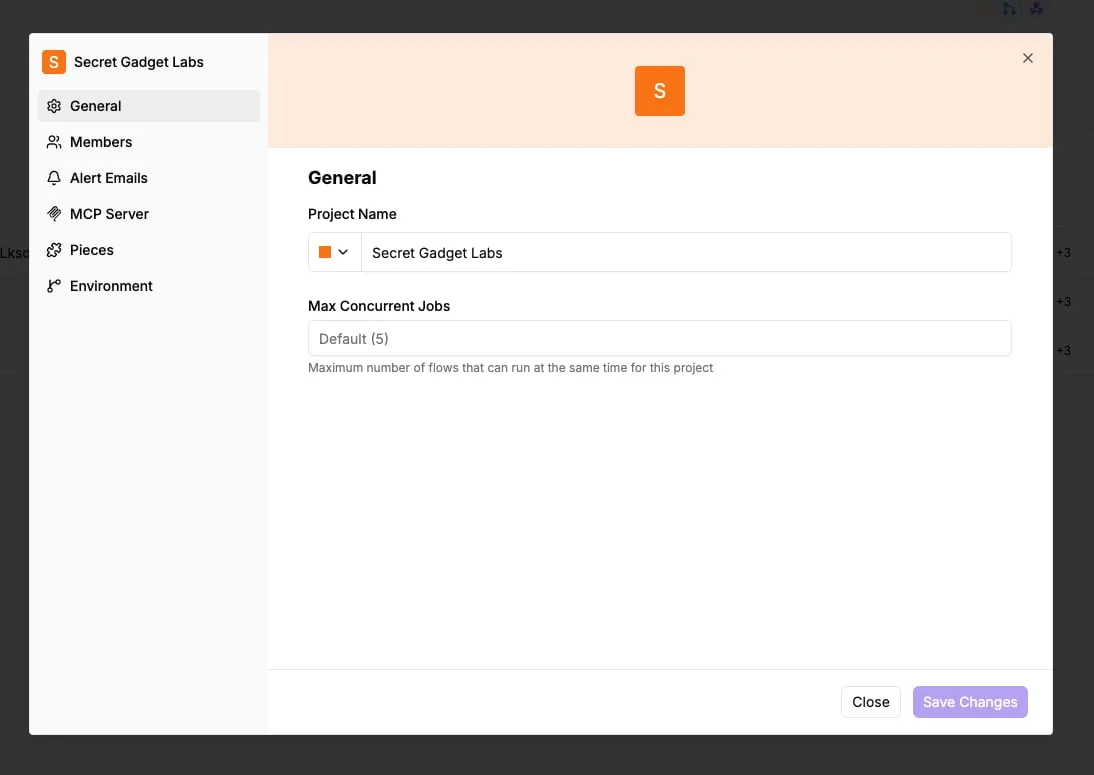
If you want to limit a builder to one project's workflows and connections instead of giving them a broad administrator account, Activepieces is organized for that.
It's an open-source workflow automation product that organizes access around projects, with standard roles on Team and custom roles (custom RBAC) on Ultimate and Enterprise.
How roles apply within projects?
Its documentation describes a project as the unit of separation: flows and connections live inside a project, and a person's role applies within it. Custom RBAC, on Ultimate and Enterprise, lets you define roles beyond the standard ones.
The risk to test is the middle of any such range.
You still have to check a role described as "editor" or "operator" against what it can do with a connection, because a person who can run a flow can often cause a stored credential to act.
Read the table below as a list of questions to settle before you assign anything, not as a ranking. It shows what I could and could not confirm for each plan.
| Plan | Built-in roles | Project scoping | Connection sharing |
|---|---|---|---|
| n8n Pro | Not verified here | Not verified here | Not verified here |
| n8n Business | Not verified here | Not verified here | Not verified here |
| Activepieces Plus | Not verified here; custom RBAC is on Ultimate and Enterprise | Projects separate flows and connections | Connections belong to a project; plan gating not verified here |
| Activepieces Team | Standard roles; custom RBAC is on Ultimate and Enterprise | Projects separate flows and connections | Connections belong to a project; plan gating not verified here |
Read both from the vendor's pricing page on the day you decide, and record that date beside your decision.

For a team whose n8n plan lacks the project roles it needs, Activepieces puts flows and connections inside projects, and it does not change what n8n's own roles grant.
Its core is MIT-licensed, and the LICENSE file in the repository (25,226 GitHub stars) marks the packages/ee/ directories as separate commercial code, so the line between what you can read freely and what sits behind a paid licence is visible in the tree.
Its pricing page lists SSO and standard roles on Team and custom roles (custom RBAC) on Ultimate, so the gating is written down rather than inferred.
You can read the permission definitions and the queue and worker architecture in the repository before anyone is handed a role, then run it self-hosted or fully air-gapped.
MoneyGram, Moneypenny, Alan and FundingSocieties run it in production, and a codebase you can read settles a review faster than a vendor's description of a role.
When switching from n8n isn't worth it
Moving platforms doesn't fix an n8n role problem. It replaces it with a new one, and every migrated connection is a credential you must re-issue, re-scope and re-audit.
If your n8n plan already covers the roles you need, the migration is cost without a matching reduction in exposure.
Moving platforms doesn't fix an n8n role problem. It replaces it with a new one, and every migrated connection is a credential you must re-issue, re-scope and re-audit.
Switch only when the permission definitions show a scope you can't get otherwise.
n8n RBAC rules and a Monday audit
Four rules now govern access. A quarterly audit keeps them honest: each person holds a named role, production stays locked, credentials belong to one project, and nothing goes live unreviewed.
Four n8n RBAC rules after the incident
The role worked as built and granted more than anyone had assumed, so the incident wasn't a failure of the role system. The rules narrow what's granted and add a checkpoint before anything runs.
Each person holds one named role, chosen after reading its permission definitions rather than its marketing description.
A contractor's experiment can't touch live data, because production sits in its own project and only a small named group can change it. Credentials are stored per project, so a leaked key exposes one project, not every system the team connects to.
Finally, a second person reviews any workflow before it's activated, because an active workflow is a standing liability that keeps running with whatever access it was given.
A quick n8n role and access audit
- List every user and the role each one holds, including former staff and contractors whose accounts were never closed.
- Narrow each role to what the person's work requires, checking the permission definitions instead of the role's label.
- Lock the production project so that changes come only from the named group.
- Move credentials per project, and remove any that serve more than one.
- Require review before activation, with the reviewer someone other than the author.
- Book the quarterly audit now, while the findings are fresh, so it doesn't depend on anyone remembering.
Frequently asked questions
Some questions only surface once the audit is under way, and the earlier sections left them open. Answers reflect n8n's documentation and pricing pages as checked on 2026-10-26, and plan gating changes, so confirm each against the current page before you rely on it.
Is n8n RBAC available on the self-hosted community edition?
Only in its most basic form. The community edition separates the instance owner from other users, but project-scoped roles, which are what let you limit someone to one team's workflows and credentials, sit behind paid plans.
The risk is that a team assumes the free edition contains the controls it's read about, and every added user then gets broader reach than intended.
Can I give someone view-only access to n8n workflows?
Yes, but a viewer role at the project level is a paid-plan feature. Without it, anyone you add as a member can edit what they can reach.
Check what a viewer can see inside a workflow as well, because a read-only role that exposes node configuration may still reveal how a credential is used.
Does n8n support SSO together with roles?
On the plans that include SSO, yes. SSO and the finer role controls are both enterprise-tier features, so you generally get them together or not at all.
Confirm how roles are assigned after sign-in: if they're set inside n8n rather than mapped from your identity provider, offboarding someone from the provider won't necessarily remove their n8n role.
How do I see who changed an n8n workflow?
Start with workflow version history; its depth depends on your plan. Execution logs show what ran, not who edited it, so they don't answer this question.
If edit attribution matters to your auditors, ask whether log streaming to your own system is available on your plan, and test it with a deliberate change before you depend on it.
What's the difference between an n8n admin and a project admin?
An instance admin governs the whole installation: users, settings, and access across every project. A project admin governs one project's members, workflows, and credentials.
Treat the instance admin role as the more dangerous grant, because it crosses every boundary you drew. Keep it to as few named people as you can, and review it first each quarter.