NVIDIA NIM Automation: How to Set Up the API (2026)

Nov 17, 202614 min read
By the end you'll have an nvapi- key, one successful curl reply from a NIM endpoint, a scheduled call that repeats it through a Activepieces flow or a plain cron job, and a logged failure path.
NIM is NVIDIA's packaging of inference microservices, and each one exposes an OpenAI-compatible HTTP API.
Each step is a checkpoint, so if step three breaks, steps one and two were sound. This guide was checked on 17 November 2026, and a first pass should take 30 to 45 minutes.
NVIDIA NIM automation: what you'll have working
NVIDIA NIM API quick start summary
Generate a key, send one curl request to the chat completions route with a model name copied exactly from the catalog, and confirm you get text back.
Hosted API versus self-hosted container
There's nothing to install and nothing to patch on the hosted route, which calls NVIDIA's cloud endpoint with your key. That makes it the right place to prove the call works.
On the self-hosted route, the NIM container runs on your own GPU machine and the same request points at your own address. That keeps data in-house but makes you responsible for hardware, drivers and uptime.
NVIDIA NIM automation requirements and prerequisites
You need an NVIDIA account that can generate an nvapi- key, curl in a terminal, somewhere a schedule can run, and a writable place for logs.
This takes minutes, not a project: automate it in Activepieces free.
API key and first call
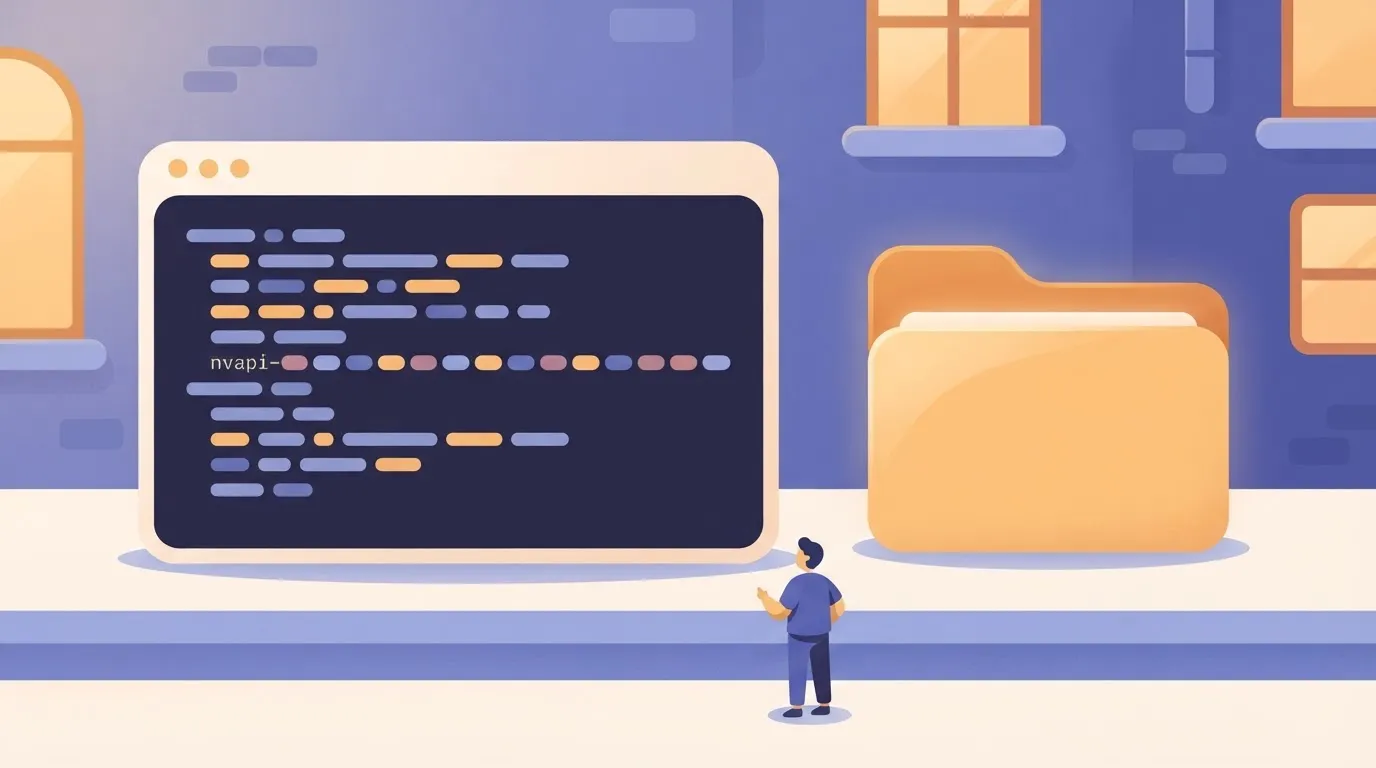
Generate an nvapi- key with the Get API Key button on a model's page in NVIDIA's catalogue. Then send one curl request with that key as a Bearer token and confirm a JSON reply comes back.
Generate an NVIDIA NIM API key
Open the model's page, click Get API Key, and sign in. The key begins with nvapi-. Copy it once and store it in an environment variable, not in the workflow file or the repository:
export NVIDIA_API_KEY="nvapi-your-key-here"Stage 2: Send one curl request
Point the request at https://integrate.api.nvidia.com/v1; the route is the same chat completions path any OpenAI-style client uses. The model name must match the string on the model page exactly, including the publisher prefix:
curl https://integrate.api.nvidia.com/v1/chat/completions \
 -H "Authorization: Bearer $NVIDIA_API_KEY" \
 -H "Content-Type: application/json" \
 -d '{
 "model": "meta/llama-3.1-8b-instruct",
 "messages": [{"role": "user", "content": "Reply with the word ready."}],
 "max_tokens": 20
 }'
When the call succeeds, you get a JSON object with a choices array whose first message contains text. A 401 means the key is wrong or missing. A 404 usually means the model name or path is wrong.

Because the endpoint is OpenAI-compatible, the official openai Python package works with only two changes: the base URL and the key.
import os
from openai import OpenAI

client = OpenAI(
 base_url="https://integrate.api.nvidia.com/v1",
 api_key=os.environ,
)

reply = client.chat.completions.create(
 model="meta/llama-3.1-8b-instruct",
 messages=[{"role": "user", "content": "Reply with the word ready."}],
 max_tokens=20,
)
print(reply.choices[0].message.content)
If this prints text, the same code can move into a scheduled job unchanged.
NIM scheduling and triggers
Put the working call behind a scheduler first, and move to a workflow tool or your own container only when cron's limits show up in a real failure.
Cron is fastest to set up and the quietest when it breaks. The container takes the most work and moves the failure onto hardware you own.
Cron is fastest to set up and the quietest when it breaks.
| Option | Setup time | Who maintains it | Failure behaviour |
|---|---|---|---|
| Cron plus script | Minutes, once the call works | You, including the key and the logs | Exits quietly unless you capture output and alert on it |
| No-code workflow | Short, mostly connecting the trigger | The tool's vendor or your admin, plus whoever owns the flow | Marks the run failed and can retry, but a bad model name fails every run the same way |
| Self-hosted NIM container | Longest: GPU host, image pull, model download | You, including drivers, updates and capacity | Stops answering if the host is down, and needs its own health check |
Stage 3: Cron plus a short script
When cron runs the script, it starts from a bare environment, so the first failure is usually a missing API key that your shell had and cron doesn't.
Set the key explicitly in the crontab or load it from a file the script reads. Redirect both output streams to a log, and have the script exit non-zero on any HTTP error or empty response.
Stage 4: A no-code workflow with trigger and HTTP step
Swap the script for a workflow tool and a trigger (a schedule, a webhook, a new row or file) takes its place. The other half is an HTTP step that posts to the same chat completions path with the same bearer header.

Activepieces is one tool that fits this stage: a schedule or webhook trigger followed by an HTTP request step, wrapped around NIM rather than replacing it, and cron does the same job if you'd rather not add a tool.
The useful part is that an integration you connect for that NIM flow is already an agent tool, with no second integration to build.
In packages/pieces of the repo, which holds 750 integrations under an MIT-licensed core, a piece's action is the same code whether it runs as a flow step or is served as a tool on the project's MCP server, so Claude, ChatGPT or Cursor can call it; the Pieces Framework and MCP Server documentation describe both paths, and MoneyGram, Moneypenny, Alan and FundingSocieties run it in production.
What you gain is run history and retries. What you give up is visibility into the request, so copy the exact body that worked in your script.
Keep the step's timeout and retry count explicit. Retrying a rate-limited call at once only extends the rate limiting.
Stage 5: Point the workflow at a self-hosted container
If you run a NIM container, the workflow change is small: swap the base URL for your host and drop the hosted key requirement if you haven't enabled authentication. The call stays the same.
Now you own startup time, model loading and capacity. A trigger that fires while the container is still loading will time out, so add a health check before the first call.
NVIDIA NIM limits and costs
The hosted API has a per-minute request cap and a finite credit allowance, and self-hosting needs a paid AI Enterprise licence. I couldn't confirm an exact figure for any of them from NVIDIA's own pages as of 2026-11-17, so none is stated here.
| Item | Value | Source link | NVIDIA-published |
|---|---|---|---|
| Hosted rate limit | A requests-per-minute cap exists; the exact figure is not confirmed here | None cited | Not confirmed |
| Trial credits | Granted through the developer programme; the amount varies and is not confirmed here | None cited | Not confirmed |
| Key expiry | Keys expire; the lifetime is not confirmed here | None cited | Not confirmed |
| Self-host licence, small GPU count | Covered by AI Enterprise; terms not confirmed here | None cited | Not confirmed |
| AI Enterprise | Paid, per-GPU licensing; price not confirmed here | None cited | Not confirmed |
| GPU memory | Set per model; check each model's card | None cited | Per model, on the card |
Hosted API rate limits and credits
After a week of working, a nightly job begins returning HTTP 429 responses. The cause is the hosted endpoint's request cap, which applies per account rather than per script.
When credits run out, calls fail even if you stay under the rate cap. That is the second ceiling.
Log the status code and response headers on every call, and add a retry with backoff, so you learn where the real limit sits for your account.
Self-hosted NIM licensing and GPU requirements
Running NIM containers on your own hardware is a different cost model. Production use is tied to an AI Enterprise licence, while the Developer Program covers experimentation.
What bites hardest is GPU memory. Each model's page lists what it needs, and a container started on a card that's too small fails at load time, not at the first request.

What NVIDIA does not publish
Numbers quoted in forums and tutorials are observations from other people's accounts, and they can change without notice.
Get AI Enterprise pricing from NVIDIA or a reseller. Where a figure matters to your budget, reproduce it in a test account first and record the date you measured it.
You can follow the rest of this with the builder open. Start free, no card.
NVIDIA NIM errors and fixes
Handle 429 rate-limit errors first: in one 10,000-call analysis of AI API failures, they were about 40% of all failures, well ahead of every other type.

In the same DEV Community analysis, 5xx server errors come to 25%, timeouts 15%, authentication failures 10% and model-not-found 5%.
According to DEV Community, the bottom two together are 15% of failures, and both are a one-line config change once you know where to look. The top three, 80% combined, are transient, so they need backoff and timeouts in the workflow rather than a human.
NVIDIA NIM authentication and model name errors
When a workflow that ran yesterday now returns 401 or 403, the key is usually the problem. The key may be expired, revoked, pasted with a trailing space, or stored under a different name in the scheduler's secret store than in your shell.
Test the same key with a single curl call against the endpoint. If that works and the workflow fails, the key isn't reaching the workflow.
When a 404 names a model, it's a spelling or availability problem.
Copy the model ID exactly from the catalog entry, including the publisher prefix, and call the model-list route on the endpoint to confirm it's served to your account.
NVIDIA NIM 429 rate limits and timeouts
If you see a 429, you're sending faster than your account allows. Retry with exponential backoff and random jitter, honor a Retry-After header if one is returned, and cap concurrency in the workflow itself.
Set an explicit client timeout, longer for large models and long outputs, and retry once or twice.
Treat 5xx errors, 25% of failures, the same way, since they are usually transient. If one persists across retries, stop and check the service status before changing your code.
If you run the NIM container yourself, the symptom is a container that exits or never answers its health check. Check three things in order:
- The container log, which usually names the missing integration.
- Whether the NGC API key was passed into the container as an environment variable.
- Whether the GPU's visible inside the container and has enough memory for the model.
What Activepieces does about this
The article's advice is to get one authenticated call working, then wrap it in a trigger. Activepieces is an open-source workflow tool built for the second half of that.
You build a flow with a schedule or webhook trigger, followed by an HTTP request step that posts to https://integrate.api.nvidia.com/v1/chat/completions with the same Authorization: Bearer header and the body that already worked in curl.

Nothing about NIM changes, and the flow replaces only the crontab line and the wrapper script.
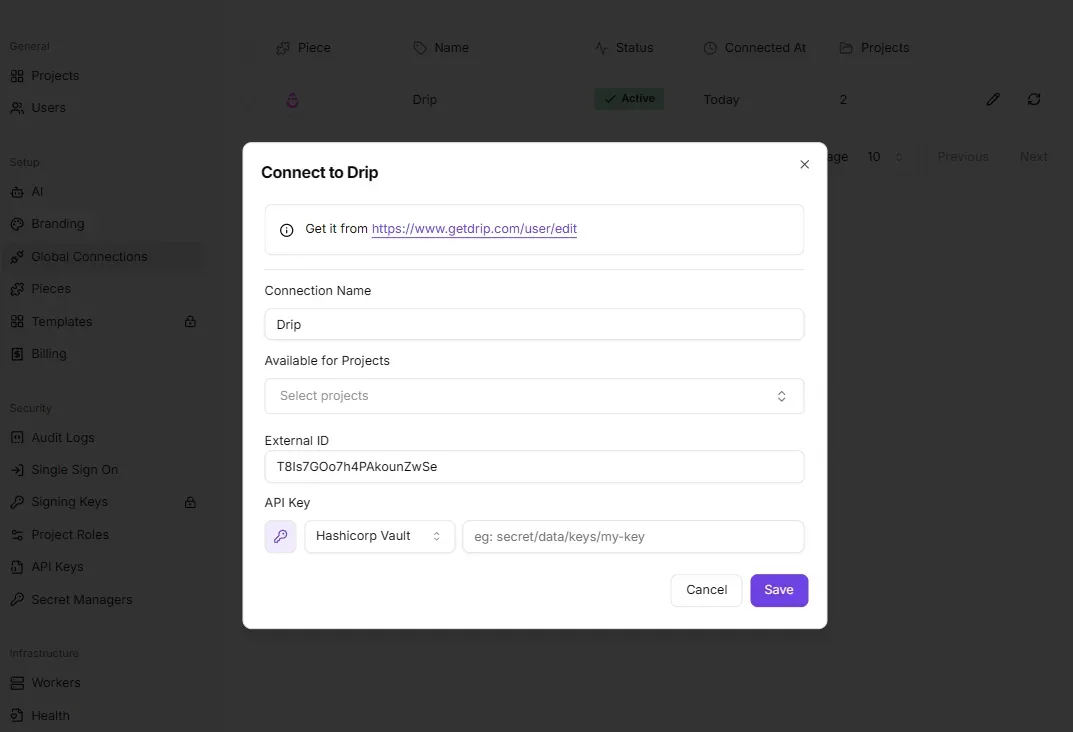
That placement addresses the failures listed above. The key goes into the connection store, not the flow body, so it doesn't end up in an exported definition or a screenshot.
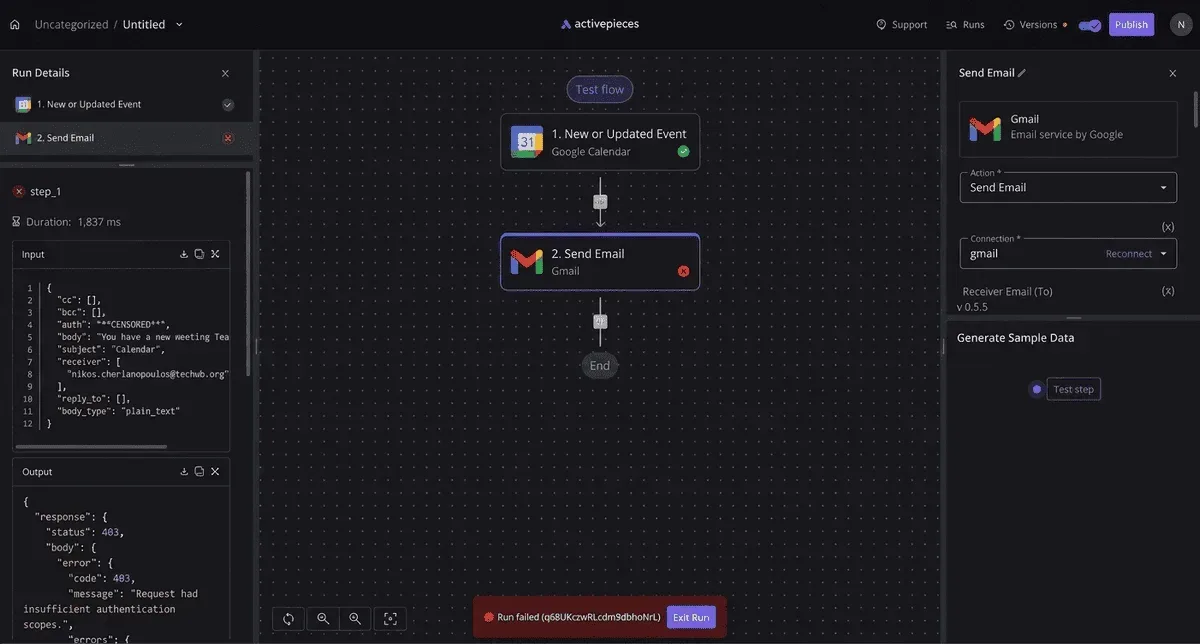
Each run is recorded with its status, so a 401 from a bad key, a 404 from a mistyped model name or a 429 from the rate cap shows up as a failed run you can open, instead of a silent cron exit.
Retries are configured per step, which is where the backoff and timeout settings from the errors section belong.
Activepieces won't fix a wrong model string or lift NVIDIA's rate cap. A bad model name fails every run identically, and a fan-out flow with no concurrency cap will still hit 429 on each run.
Paste the exact request that worked in your terminal, set the timeout and retry count yourself, and treat the first scheduled run as another checkpoint.
The core is MIT-licensed, so you can self-host the same flows next to a self-hosted NIM container and point the base URL at your own host.
The repository's packages/pieces directory holds 750 integrations, and the same integration can run as a flow step or be served as a tool on the project's MCP server for Claude, ChatGPT or Cursor. MoneyGram, Moneypenny, Alan and FundingSocieties run it in production.
If your NIM flow later needs a Slack alert or a spreadsheet row on failure, that is one more step in the flow, not a second integration project.
Frequently asked questions
Is NVIDIA NIM free to use for automation?
You get limited free access on the hosted API, meant for prototyping, not for running a production workflow indefinitely. Treat it as a test bench.
A scheduled job that fires often enough will hit the rate limit and start returning errors, which looks like a flaky workflow but is the quota doing what it was built to do.
Self-hosted containers have their own licensing terms for production use, so read them before you commit a workflow to that route.
Can I use NIM with the OpenAI client library?
Yes. NIM exposes an OpenAI-compatible endpoint, so the official OpenAI client works once you change two things: the base URL and the key.
Change only the key and the client keeps calling OpenAI's servers, which returns an authentication error that looks like a bad NIM key. That is the usual failure. Set the base URL explicitly and confirm where the request goes before you debug anything else.
Do I need my own GPU to automate with NIM?
No, not to get started. The hosted endpoint runs on NVIDIA's hardware, and your workflow only needs to make an HTTPS call.
You need a GPU only if you self-host, and what fits depends on the model you pick and the card's memory.
If a self-hosted container won't start or runs out of memory, the model's too large for the card. Pick a smaller model before you suspect the workflow.
How do I keep my NIM API key out of my workflow?
Store the key in your workflow tool's credential store or in an environment variable, and reference it by name. Never paste it into a node, a script body or a file that gets committed.
Exported workflow definitions and shared screenshots are how keys leak in practice.
If a key has ever appeared in either, revoke it and issue a new one instead of hoping nobody saw it. Give each workflow its own key where the platform allows, so one revocation doesn't take down everything.
Which NIM model should I start with?
Start with a small instruct-tuned model from the catalog and prove one authenticated call works before you try anything larger. Small models answer faster and cost you less when a prompt's wrong.
Copy the model name exactly as the catalog lists it, including the publisher prefix. A mistyped or outdated name returns a "not found" error that's easy to mistake for an access problem.
Once the call's stable, swap in a larger model by changing that one string and re-running the same test.
Related reading
References
Build it
Set this up in minutes.
No code required. Connect your accounts, and Activepieces runs it from there.
Start free Talk to sales