Run MiniCPM-V 4.7 Locally: Step-by-Step Setup Guide

Oct 25, 202615 min read
MiniCPM-V 4.7 is OpenBMB's compact model that reads images and text together.
The 1B version's small enough to run on your own hardware instead of through a hosted API, which makes it easy to wire into a Activepieces flow or any other automation you host yourself.

Deploy MiniCPM-V 4.7 locally
What MiniCPM-V 4.7 does with images and text
Per the OpenBMB model card, you give it pictures plus a text prompt and it answers in text. The card describes three jobs:
- Image Q&A: you ask a question about a picture and get an answer.
- OCR of text-heavy images: it reads scans, screenshots and documents.
- Multi-image input: you pass several images in one prompt.
Against Qwen3.5 0.8B, a similarly sized rival, the card's comparison puts the 1B ahead. On MMMU, a college-level multimodal reasoning test, MiniCPM-V scores 56.89% to Qwen's 49%. That's a gap of nearly eight points, so the extra parameters buy real reasoning.
On OCRBench it scores 86.1% against 74.5%, which matters most if you plan to feed it receipts or scanned forms, because fewer characters get misread.
On MathVista, which tests math inside images, it scores 74.3% against 62.2%. That's the widest margin of the three, so charts and diagrams are a safer bet than you'd expect from a model this size.

Because of those three gaps, the rest of this article concerns memory and quantization instead of whether the model's good enough to bother with.
You get the most from it on private image work you don't want to send to a third party: screenshots, scanned paperwork, photos of whiteboards.
I read the model card on 2026-10-25. Every score above comes from that page. I haven't re-run the benchmarks, so treat them as unverified vendor figures, and test on your own images before you rely on them.
This takes minutes, not a project: automate it in Activepieces free.
Hardware and licence requirements before you download
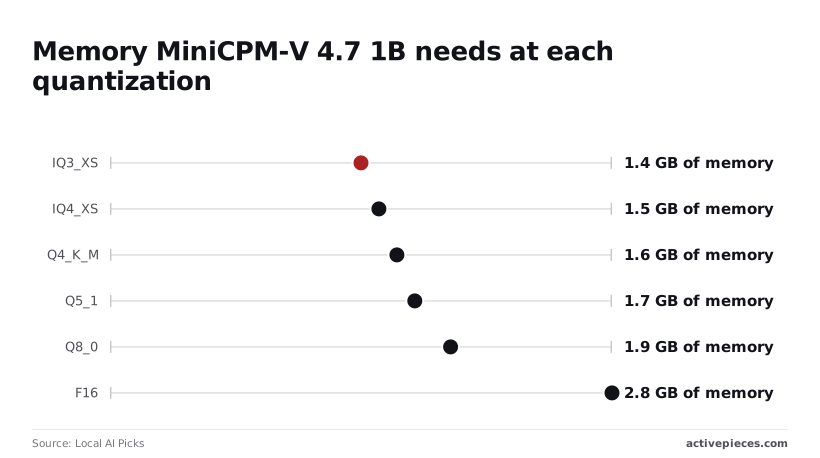
Your own test images only mean something once the model fits, and memory, not compute, decides whether the 1B runs at all. The format you pick moves the requirement from 1.4 GB to 2.8 GB.
MiniCPM-V 4.7 memory needed per format
Local AI Picks lists:
- IQ3_XS at 1.4 GB
- IQ4_XS at 1.5 GB
- Q4_K_M at 1.6 GB
- Q5_1 at 1.7 GB
- Q8_0 at 1.9 GB
- F16 at 2.8 GB
The spread is wide, so the 4-bit formats cost noticeably more memory than IQ3_XS. The table compares the formats on the dimensions that matter, with file sizes where the sources give them.
| Format | File size | Minimum memory | Relative speed | Quality loss |
|---|---|---|---|---|
| Full-precision weights (F16 GGUF) | 1.89 GB | 2.8 GB | Slowest of the three | None; the reference |
| int4 (Q4_K_M) | Between the other two | 1.6 GB | Faster than F16 | Small |
| IQ3_XS | 552 MB | 1.4 GB | Fastest of the three | Largest of the three |
Q4_K_M is the sensible default: it saves 1.2 GB against F16 and keeps most of the quality, so you'd only choose F16 if you had specific precision requirements.
Drop to IQ3_XS only when 1.6 GB genuinely won't fit. Speed and loss are directional here, since I haven't measured them, so check them on your own images.
Disk, operating system and GPU support
The 35B-A3B is where disk bites. On the Hugging Face repository, the llama.cpp GGUF is 21.2 GB, Ollama's is 22 GB, and Transformers is 70.6 GB.

Plan for roughly 71 GB free if you take the Transformers route, because the download is more than three times the GGUF one. I haven't confirmed per-OS or per-GPU support, so check the repository's README for your hardware before pulling anything.
I haven't verified the commercial terms, and I won't guess at them. Read the licence file in the same Hugging Face repository before you ship anything built on the weights, because that file, not a summary, is what binds you.
Run MiniCPM-V 4.7 with Ollama
Once you've cleared the licence, install Ollama, pull the exact model tag, send one image with a prompt, and check that the GPU is doing the work. That takes about fifteen minutes, and most of it's download time.
Install the runtime and pull the model
On Linux, curl -fsSL https://ollama.com/install.sh | sh installs the runtime and starts its background service. On macOS and Windows you use the installer from the Ollama site.
Then run ollama pull followed by the tag you chose when you settled on a quantization. Copy the tag character for character from the model's page.
A near-miss either fails with "pull model manifest: file does not exist" or quietly gives you a different quantization than you budgeted memory for.
Send your first image prompt
Start ollama run with that tag, then type your question and put the path to a local image file in the same line. Ollama reads the file and passes it to the vision encoder.
Pick something with legible text, like a screenshot or a receipt, so you can tell a real reading from a plausible guess. If the answer describes the scene but misses the text, suspect the image handling before you blame the model.
Check MiniCPM-V is running on the GPU
However fluent the answer is, it proves nothing about where it ran. A CPU fallback produces the same words, only far slower.
While the model sits in memory, run ollama ps and read the processor column. A fully GPU-resident model shows GPU. A split such as part CPU and part GPU means the weights didn't fit in video memory.
nvidia-smi in another terminal should show the Ollama process holding memory. A split is the signal to go back and choose a smaller quantization, not to tweak flags.
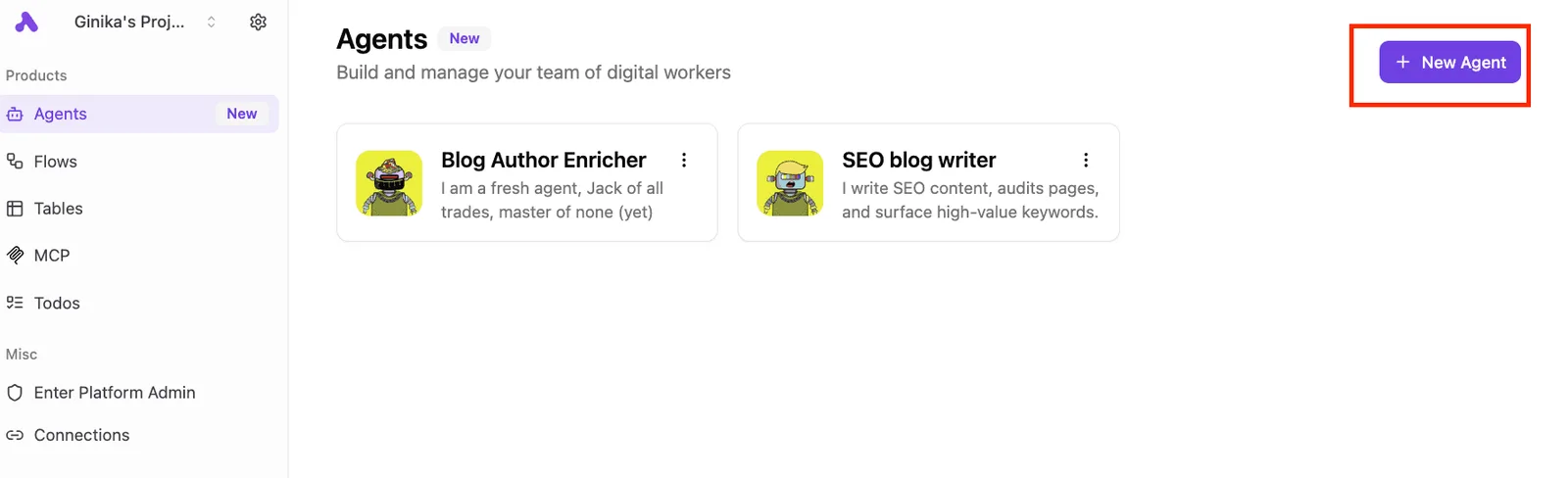
Below is a dashboard showing a list of agent cards, each with a name and a one-line description, and a button for creating another.
That's the kind of front end you may later point at this local endpoint, and it's only as responsive as the load you just verified.
Next comes the step that decides whether that endpoint stays usable: how much memory each quantization actually needs.
Serve MiniCPM-V 4.7 with llama.cpp or Transformers
Pick llama.cpp if you want one process you control and can put behind HTTP. Pick Transformers if you need full precision, and use Ollama only when you accept its defaults on image handling and quantization.
The table shows where each runtime gives you control and where it hides it, so read the middle two columns first.
| Runtime | Setup time | Control over image resolution | Control over quantization | Suitability for serving others via HTTP |
|---|---|---|---|---|
| Ollama | Shortest: one install, one pull | Low; the preprocessing is decided for you | Low; you take the quantizations the library publishes | Good for a small team, with few knobs |
| llama.cpp | Moderate: build or fetch a binary, download two files | Medium; exposed through launch flags | High; any GGUF you can obtain or produce | Good; ships a server with an OpenAI-style API |
| Transformers | Longest: Python environment, GPU libraries, large download | High; you set it in the processor | Limited to what the loader supports | Weak unless you write the server yourself |
If you want to tune anything, Ollama loses; it only wins on setup. If an image comes back misread, you can't tell whether the quantization or the downscaling did it, because both choices were made before you arrived.
Run MiniCPM-V with llama.cpp GGUF and projector
The server starts, the text prompt works, and the first image request errors out or returns nonsense. That's the failure you'll hit first, and the cause is almost always a missing projector.
In GGUF form, a vision model is two files: the language weights and a separate multimodal projector that turns image patches into tokens. Load only the first and the model has no eyes.
Download both from the same repository, keep their quantizations deliberate, and pass the projector explicitly at launch. Keeping the projector at higher precision than the language weights is often the cheaper trade, since it's the smaller file.
Run MiniCPM-V 4.7 in Transformers at full precision
Transformers is where you go to learn what the model does when nothing is compressed. Use it to produce reference outputs, then compare your GGUF answers against them on your own images.
If the quantized build disagrees on your documents, that's your answer about the quantization.
Don't make it your serving layer unless you're ready to write batching, queueing and timeouts yourself.
Exposing an OpenAI-compatible local endpoint
Start llama.cpp's server with the language file, the projector, and a bound address, and it exposes a chat completions route. Send images as base64 data URLs in the message content, the same shape any OpenAI-style client already produces.
Bind to localhost until you've put authentication in front of it; the server has no opinion about who is calling. A successful image request against that route is the end of this stage.
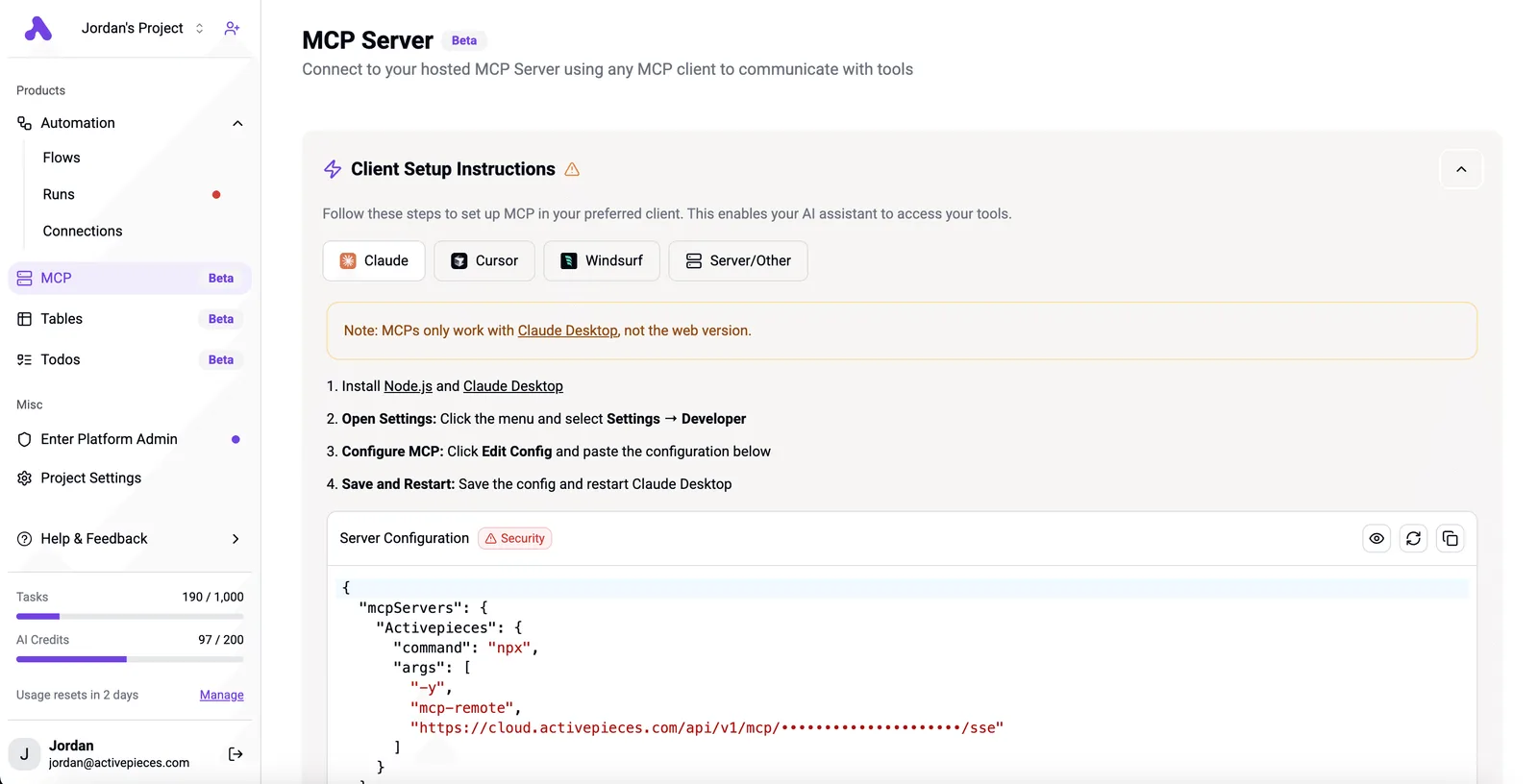
Once that route answers, Activepieces can call it from a workflow to describe invoice images arriving by email, and it can do that on a sealed network.
The air-gapped build carries the same SSO, SCIM, custom RBAC, audit logs, release management and secret managers as the managed cloud, and MoneyGram, Moneypenny, Alan and FundingSocieties run Activepieces in production, alongside regulated and public-sector teams, so keeping images local doesn't mean settling for a cut-down product.
You can follow the rest of this with the builder open. Start free, no card.
Avoid common MiniCPM-V setup mistakes
After a first working image request, almost every failure is one of six. They're a missing projector file, silent CPU fallback, an oversized image, too little context, over-quantizing, or instructions written for an older release.
Old guides cause the first and last, because they name files and flags that no longer match the current model.
When the projector is missing, you get text-only answers or a complaint that the image can't be read. Check that the projector file sits beside the model weights and is passed explicitly.
Nothing errors. The answer is correct, it just arrives minutes late. That's the signature of a runtime that quietly kept the model on the CPU, either because the GPU build isn't installed or because the weights didn't fit and nothing was offloaded.
Read the load log for how many layers went to the GPU, then watch nvidia-smi during a request. If memory use doesn't move, you're on the CPU.
The fix is the right build or a smaller quantization, and you should settle it before blaming the model.
Images too large for memory
You'll usually see CUDA out of memory, and it arrives on the image request, not at load.
A phone photo is split into a huge number of visual tokens, and those tokens consume both memory and context. A too-small context setting produces truncated or nonsensical answers for the same reason.
In the chart, one image is compared two ways. The full 2592x1944 photo needs about 41 GB of VRAM at roughly 20k tokens, while the same image capped at 1024x1024 needs 1830 MB, so full-resolution becomes impractical on typical hardware.
Image resolution, not the size of the model file, decides whether your machine survives the request.
Resize before sending, and set the context only as large as the capped image needs.
**Image resolution, not the size of the model file, decides whether your machine survives the request.
Over-quantizing for document reading
On photo descriptions, heavy quantization often looks fine, and then it fails on documents. The symptoms are swapped digits, dropped characters in small print, and invoice totals that are almost right. Fine text depends on exactly the precision that aggressive quantization removes.
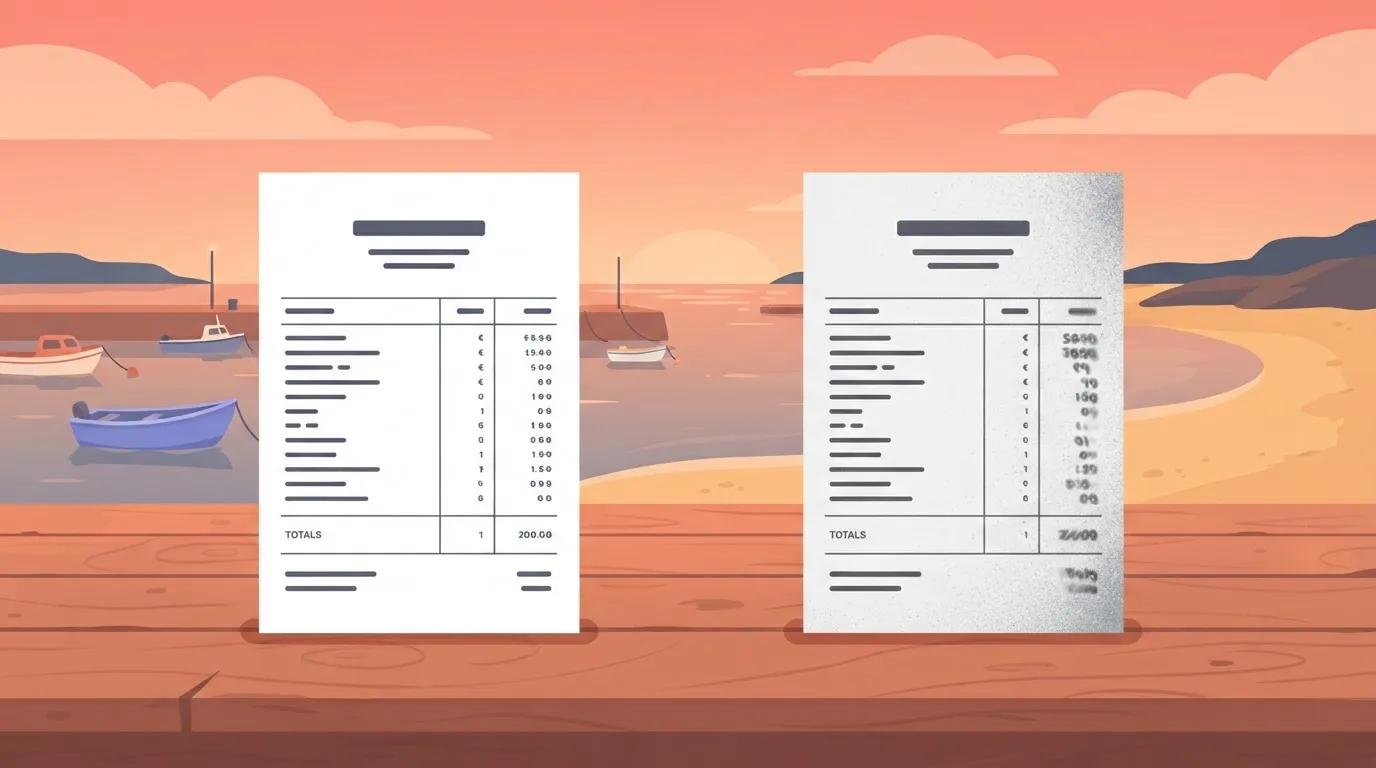
Step up one quantization level for document work, then test on one real page from your own files. If the digits come back clean, the budget is right.
Connect the local model to a workflow with Activepieces
For this job, Activepieces, whose core is MIT-licensed and whose open source monorepo holds 744 integrations, fits in a narrow way. It triggers on a new email or file, calls your local MiniCPM-V endpoint through an HTTP step, and writes the result to a sheet.
That works only if the machine running Activepieces, which you can self-host from that MIT-licensed core, can actually reach that endpoint.
Reaching the endpoint from the workflow
That last condition is where most of these setups fail, and it fails quietly. You get connect ECONNREFUSED 127.0.0.1 in a step log, and the cause is a design mistake rather than a bug.
If Activepieces runs in a container or on a hosted instance, including the free cloud plan ($0, 1,000 credits a month, unlimited flows), 127.0.0.1 is that container or that host, not the laptop serving your model.
The model server has to listen on an address the workflow runner can route to, and you have to decide deliberately whether exposing it that way is acceptable.
Every Activepieces plan runs on its cloud or on your own servers, and the free self-hosted Community Edition under the MIT licence can sit on the same network as the model, so that choice stays yours.
The shape of the workflow
Below is a canvas showing the shape of a flow. It has a schedule at the top, a Google Sheets step that pulls open job offers, a step selected for keyword extraction, and an HTTP step at the bottom.
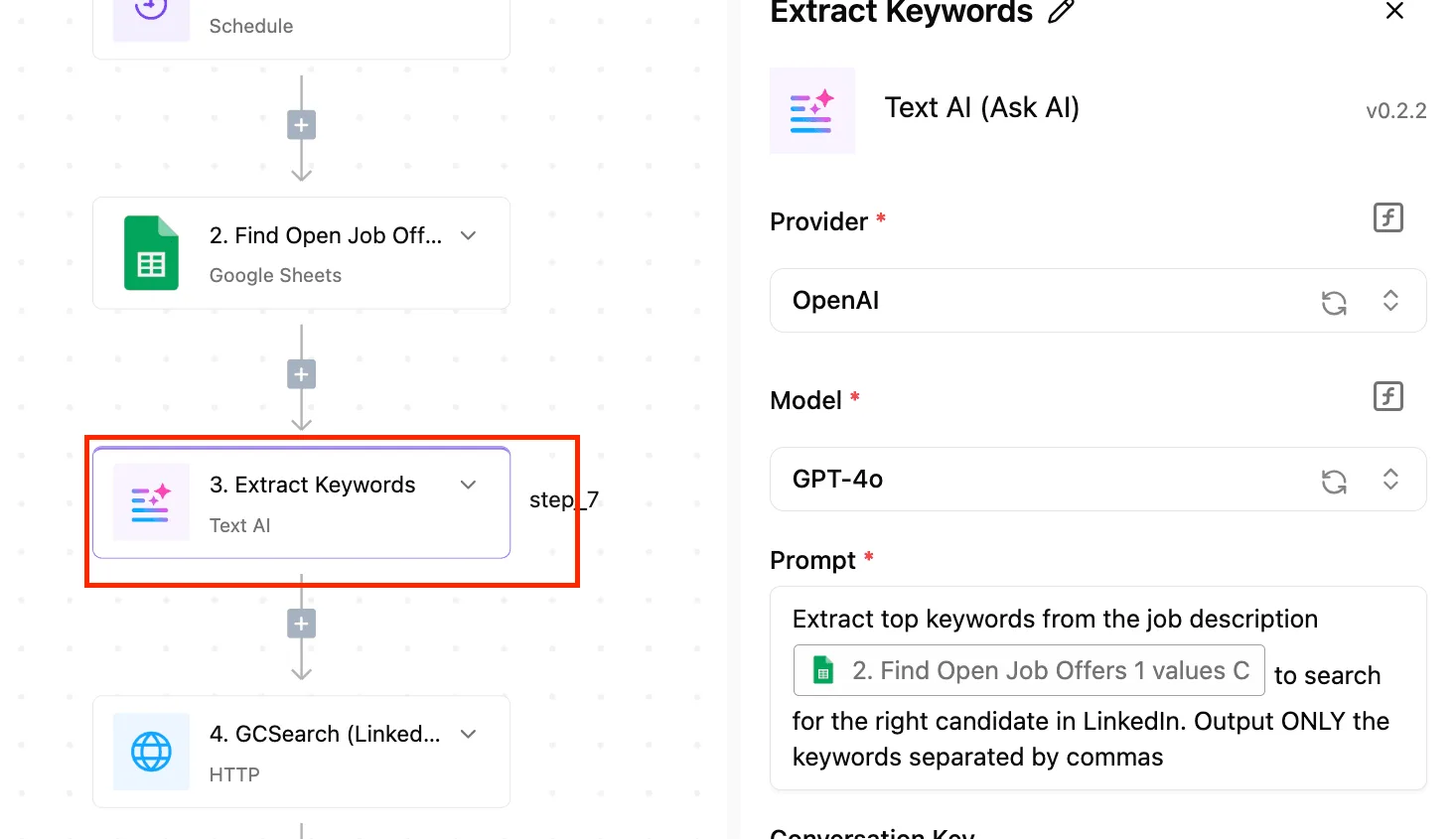
All are joined by vertical connectors with plus icons for inserting more.
Look at the selected step: it's configured with a hosted provider, OpenAI's GPT-4o in the screenshot (an older model; GPT-6 Luna or GPT-6.1 Sol are OpenAI's current options), and a one-line prompt. Take the layout from it, not the provider. Every step's a box you can swap, so the keyword step is where your local endpoint goes instead.
Call the local endpoint from an HTTP step
Use the HTTP step, not a built-in AI step, because the built-in ones expect a hosted provider.
Point it at your server's chat completions route, send a POST with a JSON body holding your prompt and the image or file content, and map the response text into the next step.
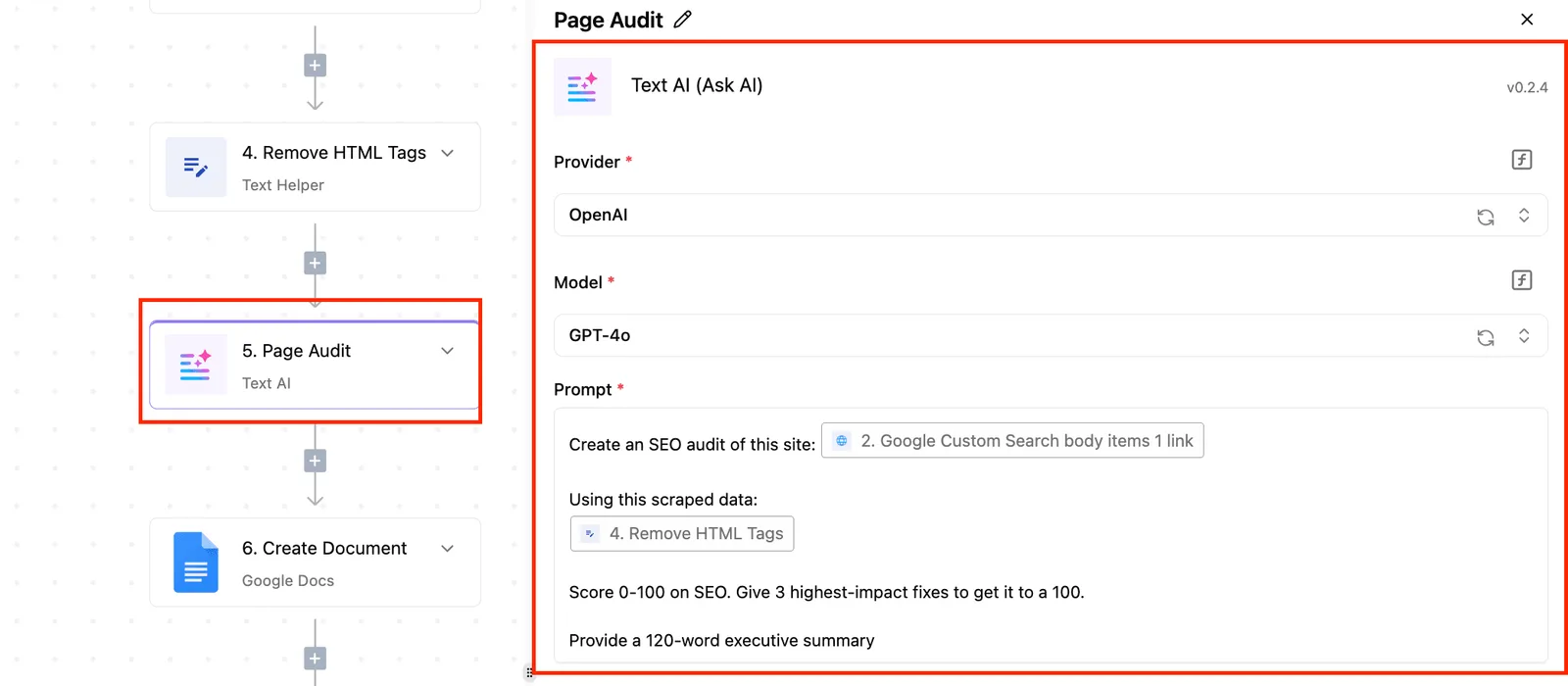
If your server accepts an API key, set it as a header rather than pasting it into the body.
Keep the quantization you validated earlier. The workflow sends whatever you hand it, and a model that fit comfortably for one test image can run out of memory when a trigger fires several times at once.
Run triggers one at a time until you know your headroom.
- Confirm the endpoint answers from the machine running Activepieces, not just from your own terminal.
- Build a flow with one trigger, one HTTP step, and one sheet row written.
- Feed it a single file and compare the output to what you saw in your direct test.
- Only then add more triggers.
Frequently asked questions
If your headroom test ended in an out-of-memory error, these four questions are probably next, and I'm answering them without numbers I can't confirm.
On a laptop without a GPU, a quantized build can run on CPU alone, but expect it to be slow. Encoding the image is the expensive step, so the wait comes before the first token, not during generation.
Pick a smaller quantization, keep images small, and treat it as a tool for occasional jobs, not a live assistant.
Whether it's free for commercial use depends on the license file in the model repository, so read it before you ship anything. Weights and code are often licensed separately, and a permissive code license tells you nothing about the weights.
I won't summarize terms I haven't checked. If the terms ask for registration or limit certain uses, find that out before you build on it, not after.
How does it compare with running a hosted vision API?
They trade different things. Local costs you hardware, setup time, and the quantization decision this article keeps pushing. In return you get data that never leaves your machine and no per-call bill.
With a hosted API, setup costs nothing and it scales without you thinking about it, but you pay per request and send every image to someone else.
For a steady, private workload, local usually wins. For bursty or unpredictable traffic, the API is easier. Price both against your own volume, because any other estimate is a guess.
Can it read video as well as images?
Check the model card for your build, because I haven't confirmed native video input. The usual workaround is to sample frames and pass them as a batch of images.
That multiplies memory use with every frame, so it runs straight into the headroom limit from the previous section.
Start with a few frames, watch memory, and add more only if the answers need them.
Related reading
References
Build it
Set this up in minutes.
No code required. Connect your accounts, and Activepieces runs it from there.
Start free Talk to sales