Sage Accounting Pricing 2026 After the Discount Ends

Oct 30, 202616 min read
Sage Accounting pricing today, plan by plan
Sage Accounting pricing after the promotion ends
The headline price on each plan is a promotional rate, and it ends.
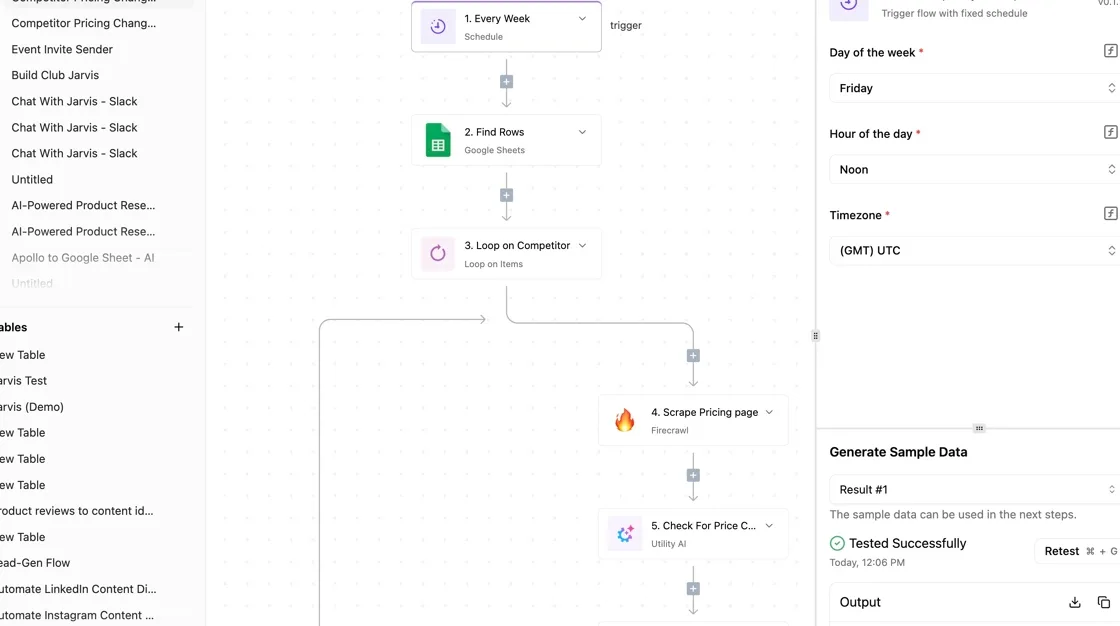
Sage Accounting's sold as three tiers, Start, Standard and Plus, and anyone who wires it into a wider workflow, perhaps through a tool like Activepieces, should still check what the price becomes once the promotion lapses.
What you pay afterwards depends on how many users, invoices and quotes you run through the plan, and on which add-ons you need. The meters are users, invoices and quotes, so count those first and read the price second.
Plan table (checked against Sage's pricing page)
Read the table below as a list of questions to answer for your own usage. It sets the three plans against the columns that decide the bill, and every column except the headline price can change what you pay.
| Plan | Intro price | Full price | Users | Invoice/quote limits | Add-ons | Billing terms | Ex-VAT note | Check date |
|---|---|---|---|---|---|---|---|---|
| Start | Promotional rate for a limited period | Replaces the intro rate when the period ends | Fewest of the three plans | Tightest allowance | Extras cost more on top | Price depends on the billing period you pick | Listed price may exclude VAT, so add it | Date you read the page |
| Standard | Promotional rate for a limited period | Replaces the intro rate when the period ends | More than Start | Wider allowance than Start | Extras cost more on top | Price depends on the billing period you pick | Listed price may exclude VAT, so add it | Date you read the page |
| Plus | Promotional rate for a limited period | Replaces the intro rate when the period ends | Most of the three plans | Widest allowance | Extras cost more on top | Price depends on the billing period you pick | Listed price may exclude VAT, so add it | Date you read the page |
You have to fill in the check-date column yourself. A pricing page changes without notice, so a figure you copied last month may no longer be the one Sage charges.
How the price differs by country and billing period
Where you are changes the price. Sage publishes separate pricing pages by country, so the same plan name can carry a different price, currency and VAT treatment. Compare plans on the page for your own country and never carry a figure across from another one.
When the introductory discount ends, the full price takes over, and that's the number to budget against.
The billing period matters as much as the country: a rate shown per month may only apply if you commit to a longer term, and the discount may run for a fixed stretch.
If you are running this arithmetic for your own team, see what the same workload costs on Activepieces.
The month-end when the invoice limit stopped billing
On the last working day, a small services firm on the cheapest plan can reach its monthly invoice allowance. It then finds that sending's blocked and has to upgrade before it can bill anyone.

The firm below is illustrative: the plan meters invoices, not users or days.
Sage Accounting invoice limit blocking month-end invoices
The bookkeeper is working through the month's final batch of time-based invoices. Each one is routine, and the firm has never thought of itself as a high-volume sender. Then the next invoice will not go out.
By now this month's recurring invoices, a few one-off project bills and some credit-note corrections have used up the allowance, and the plan counts invoices per month.
Nothing on the pricing page said so. It named a monthly fee and listed features. The allowance only became real when the count reached it, which is why the limit's a cost you have to estimate before you choose the plan.

What was blocked and for how long
Nothing was lost, but nothing could go out. The remaining invoices sat in draft while the bookkeeper tried to work out whether the block was a fault, a permissions problem or the plan.
Time went on that diagnosis, and the same person then had to find who held the authority to change the subscription.
When invoices miss the month-end run, they are dated into the next month, so payment terms start later and the money arrives later. The cost shows up in cash flow.
For a firm that pays staff and suppliers from receipts, a late batch means a month in which cash arrives after the bills it was meant to cover.
Upgrading Sage Accounting plans under pressure
Because the alternative was a late billing run, the firm upgraded the same afternoon. It chose the next plan up without comparing options, and that's the real price of the limit.

A decision that should have been made against a usage forecast was made against a deadline, with no time to ask whether a different plan, or a different add-on, fitted better.
Before you pick the plan, count your invoices for a busy month, not an average one.
Sage plan costs at realistic usage
You can count three inputs, and they decide what each plan costs:
- users
- invoices in your busiest month
- the month the introductory discount ends
Price those three against the plan limits and the monthly figure on the pricing page stops mattering.
Run the same sum for each of the three firms below. Take the monthly price of the cheapest plan whose invoice and user limits you stay inside.
Multiply the discounted rate by the months the discount runs, then the full rate by the months left in a 12-month year.
Add any add-on you can't do without. The gap between that total and twelve times the headline price is the part the pricing page doesn't show you.
Solo freelancer: 1 user, 20 invoices a month
With one user and a low invoice count, the entry plan is most likely to fit. You're well inside the metered unit, invoices per month, even in a busy month.
If anything bites here, it's the discount ending, not a limit. From the month the introduction lapses, your bill's the same plan at a higher rate, so budget for the full-price figure from day one.

If the entry plan fits at full price, you can stay on it. If it only makes sense at the discounted rate, you've already found the point where it stops being cheap.
Small team: 3 users, 100 invoices a month
Here the invoice count and the user count each push against a limit, and either can force you up a tier. Check the busiest month first.
A plan that fits for eleven months and fails in the twelfth still sets your price, because you pay the higher tier or an add-on for that month.
Then check whether extra users are a per-seat charge or a jump to another plan. The cheaper plan stops being cheaper at the point where its add-ons plus its rate exceed the next tier's flat rate, so work that comparison out explicitly.
A plan that fits for eleven months and fails in the twelfth still sets your price, because you pay the higher tier or an add-on for that month.
Growing firm: 5 users, 400 invoices a month
You're probably on a higher tier from the start at this size. That makes the introductory discount a smaller share of the year's cost, and the plan's limits matter more than the offer.
Count invoices at your peak, not your average, and price the next tier up as well. If your volume is still growing, the 12-month total at full price is the figure to plan around, because the discounted total describes a year you won't repeat.
Activepieces can run that count for you: a scheduled flow that tallies invoices and users, checks the renewal date and messages you before a cap is reached costs 1 credit per run however many steps it has, so the free plan's 1,000 monthly credits cover it many times over.

Zapier's pricing page bills per task and Make's per module, so the same flow gets dearer there with every step you add. It only works where Sage offers an integration or API route to those figures, and it has no bearing on what Sage charges.
Worth checking against a plan that does not meter every step: one credit covers a whole run on Activepieces.
Sage's hidden costs and limits
Before you sign, check six places where the bill moves away from the listed monthly price; the discounted year is the first of them.
Each one is easier to check before you sign than after. The list below follows the order we met them, with where to verify each.
- Discount ending at renewal: Sage pricing page
- Extra users: Sage pricing page
- Separate payroll: Sage pricing page
- Add-ons and payment fees: ask sales
- Filing and bank feed limits: Sage pricing page
- Exit costs: ask sales
Two of the six have no published figure, so your total stays incomplete until sales answers in writing.
When renewal comes, the price you modelled stops applying. Take the full-price monthly rate, multiply by twelve, and use that as your baseline. Anything below it is a one-year saving, not a running cost.
Each extra user adds to the monthly charge, so the plan price covers only the seats it includes. Payroll is billed apart from accounting, which means two subscriptions for one back office.
Payment fees depend on your transaction volume, and we found no published rate, so ask sales and get it in writing.
Feature and filing limits that force an upgrade
You outgrow a tier when its filing and bank feed limits run out. Filing pressure is also rising from outside Sage.
A4g-llp reports that the [Low Incomes Tax Reform Group] sets the Making Tax Digital for Income Tax threshold at £50,000 of annual gross income from April 2026. Anyone earning above this figure will be required to file digitally.
The threshold then falls in two further steps, so the obligation will eventually extend to lower earners.
According to Litrg, the threshold drops to £30,000 in April 2027. It falls to £20,000 in April 2028.

Each drop pulls in smaller businesses, so a sole trader who needs no digital filing today may need compatible software within two years. Check whether your plan's filing allowance covers that, because the upgrade is a cost you can see coming.
You can put numbers on exit costs, which are the part of lock-in:
- the hours to export your records
- the fee for any archive access after cancelling
- the time to rebuild bank feeds in new software
Sage doesn't publish the access terms, so ask sales what you keep after cancelling and for how long.
Sage Accounting versus the competitors
At £20 a month ex-VAT, Sage has the highest entry price of the four tools charted. You start with the least headroom and the most reason to check what sits beyond that price. The AI Till puts the four side by side below.
Entry price and what it includes
Read the chart for each tool's starting price and how far it sits from Sage. Take the gap as the most Sage could save you by being swapped out on headline price alone.
| Tool | Entry price per month, ex-VAT | Gap versus Sage |
|---|---|---|
| Sage Accounting | £20 | none |
| FreeAgent | £19 | £1 lower |
| Xero | £18 | £2 lower |
| Zoho Books | £12 | £8 lower |

A £1 or £2 gap is noise. Over a year, Xero's £2 difference is £24, less than one extra add-on would cost.
Only Zoho Books's £8 gap, £96 a year, is large enough to decide anything on its own, and it decides nothing until you know what each plan limits.
Cost at the realistic-usage scenario
Because it's billed against a plan's allowance, not your usage, the entry price is a floor. The units that move the bill are users, invoices per month and payroll headcount.
At five users and 400 invoices a month, check each plan's cap on all three. Where a cap is lower, you pay for the next tier or a paid add-on, and the table above no longer describes your bill.
Do the same for bank feeds and payroll, and ask each vendor what the price becomes when an introductory discount ends. A plan that's cheapest in month one but needs an upgrade by month four hasn't been cheapest.
Work out twelve months of cost per tool, with the discount removed, before you compare anything else.
Who each one suits
If you're choosing mainly on cost, Zoho Books suits you, since £12 leaves the most room to absorb an add-on and still come out level with Sage.
Xero and FreeAgent, at £18 and £19, sit close enough to Sage that the choice turns on limits and features, not price.
Sage wins when your accountant already works in it, or when its written limits fit your five users and 400 invoices without an upgrade. In those cases the £8 premium over Zoho Books buys you less friction, which can be worth more than the saving.
Plan-limit checks for Sage Accounting, with Activepieces
Check Sage's plan limits on a schedule, using three rules: a named subscription owner, an alert at 80% of any cap, and a usage review 30 days before renewal.
Three rules for managing Sage plan limits
A cap that belongs to nobody gets noticed only when it blocks someone's work, so the owner is one named person, not "finance". The 80% alert exists so you have room to trim or upgrade before invoices, users or bank accounts hit the ceiling.
The review 30 days before renewal leaves enough time to change plan, negotiate or leave, rather than discovering the new price on the renewal notice.
The routine below turns those rules into a monthly habit. Its output is a record of the decision, which is what stops the same debate recurring each year.
- Name the subscription owner and write it down.
- Each month, export the invoice count, the user count and the bank-account count.
- Compare each count with the cap on your current plan.
- Flag any count at 80% of its cap.
- Thirty days before renewal, review the last several months of counts.
- Record the decision: stay, change plan, or leave, with the reason.
Done by hand, this costs a few minutes a month. Its weakness is that it depends on someone remembering.
Setting up automated alert delivery
Activepieces has an MIT-licensed core, with 746 integrations counted in its public GitHub monorepo, and its workflows start from a schedule trigger and use those integrations to send the email or chat message; where no integration exists for a system, you can generate one with AI and add it privately to your own instance.
That maps onto steps 2 to 4: a monthly run fetches the counts, compares them with caps you enter once, and messages the owner when one passes 80%.
Where the counts come from is the open question. If Sage exposes the figures you need through an API you can authenticate against, the workflow can pull them directly.
If it doesn't, the workflow can read a spreadsheet that someone updates from the monthly export, and still handle the comparison and the reminder. Check which route your Sage plan supports before building anything.
The automation replaces the remembering, not the decision in step 6.
On Monday:
- Put a name against the Sage subscription.
- Look up each cap on your current plan and write it beside your latest count.
- Mark any count already near 80%.
- Find the renewal date and set a reminder 30 days before it.
- Decide whether the monthly check stays manual or moves into a scheduled workflow.
Frequently asked questions
Free version and extra users
Is there a free version of Sage Accounting?
Not as a standing plan you can run a business on; Sage sells paid tiers, and any free access is a time-limited trial.
A trial shows you the software, not your bill. Test it against your real invoice and user counts, because those are what the paid tier will meter.
Does Sage Accounting charge extra for more users?
Yes, in effect: the number of users included depends on the plan, so adding people can push you into a higher tier or onto a paid extra.
Count everyone who needs a login, including your bookkeeper and accountant, before you compare plans. Otherwise you'll price the tier for two people and pay for five.
Changing plans and payroll
Can I change Sage Accounting plans mid-contract?
Moving to a bigger plan is usually the easy direction, since you're buying more. Moving down, or leaving before the term ends, depends on the terms you accepted at sign-up.
Read the commitment length and the cancellation wording at checkout, because a monthly price attached to a longer commitment is a different cost from a rolling one.
Does Sage Accounting include payroll in its price?
Treat payroll as a separate line unless the plan page lists it as included. Sage sells payroll as its own product, so running wages through it means a second subscription with its own metering, typically per employee.
Add that to your total before deciding the accounting plan is the cheap option.
Are Sage Accounting prices shown with or without VAT?
Check the wording beside the price on the page you're looking at, because software aimed at businesses is commonly quoted before VAT. If it's ex-VAT, the amount on your card will be higher than the headline.
A VAT-registered business can usually reclaim that tax, but a business that isn't registered can't, and for that business the headline understates the cost.
Related reading
References
Running the numbers
See what the same workload costs here.
Free forever plan, and every paid plan self-hosts at no extra cost.
See pricing Talk to sales