Accounting Automation Examples and Savings in 2026

Oct 19, 202617 min read
Accounting automation and examples that generate returns
What accounting automation is
Accounting automation is software doing rule-based finance work (capture, match, post, remind), whether built in a dedicated finance tool or wired together with a workflow builder like Activepieces, so nobody re-keys a number from one system into another.

The failure it removes is the typo made while copying an invoice total into a ledger at 5pm on a Friday.
Most teams are only partway there. Rossum's 2026 survey puts 54.2% of finance leaders at partially automated, 36% at fully automated and 9.8% at not automated, which means you can see where your organization stands on the peer spectrum.

The failure it removes is the typo made while copying an invoice total into a ledger at 5pm on a Friday.
So about 90% already automate something, and the live question is which hand-offs still run on copy-paste, meaning your next improvement is hiding in these remaining steps. A partly automated team usually has a gap exactly where one system's output becomes another's input.
The five examples most teams start with
Each of these is a trigger, a fixed rule and a destination, which's why none needs judgment.
A cross-app workflow tool can run that rule across your apps, ideally with unlimited flows on every plan including a free one, or you can build it inside the accounting package itself.

The table shows what each example replaces and what a person still owns, so you can see where exceptions land before you build.
| Example | Hand-off it replaces | What a person still owns |
|---|---|---|
| Invoice capture-to-bill | Reading a emailed invoice and keying it into a bill | Invoices with missing or mismatched fields |
| Payment-to-ledger matching | Ticking bank lines against open invoices | Payments that match no invoice, or several |
| Overdue reminders | Checking the ageing list and writing chasers | Disputed accounts and key customers |
| Receipt capture | Collecting and typing expense receipts | Receipts with unclear purpose or amount |
| Month-end summary | Pulling totals into one report | Reading the summary and explaining variances |
I have left published time-saving percentages out of the table. Vendor figures vary with invoice volume and how clean the inputs are, so they're a poor basis for a purchase.
Your own count of minutes per task is the number to price, and the next section starts there.
Everything below works on Activepieces' free plan. Start without code or a credit card.
Five accounting workflows with trigger, steps and apps
Five workflows are worth pricing first, each a trigger, a few steps and a human on exceptions: invoice bills, payment entries, overdue reminders, receipts and a month-end summary.
A bill posted twice or to the wrong vendor is the failure to design against. The sequence below shows where the human sits: nothing reaches the books before step four.
- An email with a PDF invoice arrives in a shared inbox.
- The flow extracts vendor, amount and date.
- It creates a draft bill in the accounting app.
- It sends an approval request in Slack, the team chat where approvers already work.
- On approval, it posts the bill.

If extraction fails or the vendor is unknown, the flow stops at a human instead of guessing. The next four flows reuse this shape.
Four more accounting automation workflow examples
When a payment confirmation arrives from the payment processor, the flow looks up the matching open invoice, records the payment against it, and writes the ledger entry.
Anything with no match or a partial amount goes to a review queue, because a wrong match is worse than a late one.
Every day on a schedule, the flow reads open invoices from the accounting app, picks those past due, and emails the customer a templated reminder. It may send the reminder but not alter the invoice, and it skips any customer flagged as in dispute.

A receipt photo or forwarded email is the trigger here. The flow extracts merchant, amount and date, then asks the manager for approval in Slack. On approval it creates the expense in the accounting app. A receipt it can't read goes back to the submitter.
On the first business day of the month, the flow pulls totals from the accounting app, such as open bills, unpaid invoices and expenses awaiting approval, and posts them to the finance channel in Slack.
It only reads, so a wrong summary costs a correction, not a ledger error.
Accounting automation workflows and benefits
Four of the five examples write to your ledger or send mail in your name, and they carry more risk than the read-only summary, so each needs a named person who checks it.
The table below shows that for all five: what each replaces, how much work to set up, what breaks, and who reviews it. No source publishes a trustworthy hours-saved figure for these, so that column says so rather than guessing.
| Task replaced | Setup effort | Monthly hours saved (source) | Risk if it fails | Reviewer |
|---|---|---|---|---|
| Invoice capture into the ledger | Moderate: field mapping per supplier | No published figure; time your last month's keying | Duplicate or misposted bills | AP clerk, on every exception |
| Bank reconciliation matching | Moderate: matching rules need tuning | No published figure; count unmatched lines per month | Wrong match hides a real difference | Accountant, before close |
| Payment reminders | Low: a template and a schedule | No published figure; count chasers sent by hand | Reminder sent for an invoice already paid | Credit controller, on a sample |
| Approval routing | Low to moderate: needs an accurate approver list | No published figure; log how long approvals sit | Payment released without the right sign-off | Finance manager |
| Read-only summaries | Low | No published figure; time your current write-up | A correction | Whoever reads it |
Setup effort follows how many systems must agree on one record. Reminders and summaries are cheap to start because they touch little. Invoices and reconciliation take longer because the mapping has to be right before anything is posted.
Whatever your accounting vendor already ships is the cheapest option. Reach for something else only when the hand-off crosses systems.
| Option | Best at | Fails when |
|---|---|---|
| Vendor built-in | Tasks inside one product | The next step lives in another app |
| Cross-app workflow tool | Passing records between systems through their interfaces | A connector lacks the action you need |
| RPA (software that clicks through screens) | Systems with no usable interface | The screen layout changes |
A missing connector is the usual reason a cross-app flow stalls, and with a tool that lets you add an AI-generated integration to your own instance, the gap doesn't turn into a queue: you needn't wait on a vendor release.
Such a tool handles the cross-app run from invoice email to spreadsheet to Slack approval to accounting entry, between your systems rather than replacing the ledger or the bank feed.
A catalogue of 742 integrations, counted from the contents of the community integrations directory in an open-source monorepo, is a count taken from the code rather than a marketing figure, and roughly 60% of them were contributed by the community, meaning you're only missing an edge case.
MoneyGram, Moneypenny, Alan and FundingSocieties run it.
Feature sets change, so confirm the current list with your vendor before you commit. Pick the first row that covers your workflow, then price the hours it saves.
What accounting automation costs and requires
Start from the gap between manual and best-in-class invoice handling, because the total has to come in under it.
Parseur puts manual teams at $19.83 per invoice and best-in-class teams at $2.78, so every invoice moved to the better process is worth $17.05.
viz type=pictogram title="What processing one invoice costs by AP team type" unit="$ per invoice" source="Parseur - https://parseur.com/blog/ai-invoice-processing-benchmarks"9.83 per invoice against $2.78 for best-in-class teams, roughly seven times as much." Best-in-class: 2.78 Manual teams: 19.83
At 400 invoices a month that's about $6,820, the ceiling your quote has to stay under. Against it you set a subscription, a per-task or per-user fee, setup hours and a clean ledger.
The table lists each cost line and where its number comes from. Take every amount from the vendor's own pricing page and write down the date you checked, because tiers change.
| Cost line | What it is | Amount or source | Plan gating |
|---|---|---|---|
| Vendor tier | The plan that includes your workflow's automation feature | Vendor's pricing page, with date checked | The feature may sit only on a higher tier |
| Per-task or per-user fee | A charge per run or per seat | Vendor's pricing page | Task allowances usually scale with the tier |
| Setup hours | Time to build and test the flow | Your hours times your hourly rate | None |
| Chart of accounts cleanup | Merging duplicate and retired accounts | Your hours times your hourly rate | None |
| API access | The connection between your systems | Vendor's pricing page or docs | Some plans may exclude it |
| Approver | A named person who signs off exceptions | Their time per week | None |
If a per-task fee sits on a high-volume flow, it adds up fast, so multiply it by monthly runs before you compare tiers.
At machine speed, duplicate vendors and retired accounts become wrong postings. Clean the chart of accounts first, then build the flow on the one workflow you picked.
Name one approver before the first run. Without one, an exception such as a mismatched amount has no owner, and the automation either stalls or posts it anyway. Give the flow permission to draft, not to pay.
Easier to see it running than to read about it: set it up free, no card.
Mistakes that make accounting automation create more work
Even a flow that drafts and never pays can fail in seven ways, and each one leaves your team cleaning up after the automation instead of being relieved by it. The set below names them with what each costs you.
- Automating a messy process repeats the inconsistency at machine speed, so you produce wrong entries faster than anyone can review them.
- Without an exception queue, an invoice the flow can't match has nowhere to go, so it stalls silently or gets forced through.
- A retry or a resent email can book the same bill twice, and someone has to find and reverse it.
- With unlimited auto-approval, one bad vendor record or typo clears with no ceiling on the amount.
- A revoked token stops the flow without a sound, and the gap surfaces at month-end.
- With no audit trail, nobody can say what the flow touched or why, which is the first thing an auditor asks.
- If the same flow creates the vendor, enters the bill and approves it, the check that segregation of duties exists to provide is gone.
The rest of this section groups them by the design flaw underneath.
If two people code the same expense differently today, a flow won't settle the disagreement. It'll pick one answer, apply it everywhere, and make the inconsistency harder to spot.
Write the rule down first, run it by hand on a week of real items, and automate only what two people would handle identically.
Every flow needs a place for items it can't decide, owned by a named person. Without one, the flow either drops the item or guesses.
Pair that with a duplicate check on vendor, invoice number and amount before posting, because retries and forwarded emails are routine, and each one becomes a second payable.
Set a ceiling above which the flow must hand off to a human, and keep creation and approval in different hands.
Log every action with the input, the result and the time. When a credential lapses, that log's also how you learn what went unprocessed while the flow was down.
Run accounting workflows across apps with Activepieces
Activepieces connects the apps where accounting hand-offs happen (email, spreadsheets, Slack, your accounting tool) into flows that run on a trigger and keep a log of every run. It automates the movement between systems, not the bookkeeping itself.
Which accounting tasks to automate or avoid
The first set is the work this article has argued for: rule-based hand-offs that a person currently does by copying and pasting.
The second is work where a wrong run changes the books or a filing, so the right answer is to keep it out of a general-purpose flow builder.
Where it fits:
- Picking invoices out of an email inbox and logging them in a sheet
- Posting reminders and chasers in Slack
- Pausing a run for a human approval before anything moves on
- Self-hosting, if your data must stay on your own infrastructure
- A free plan, so you can measure one workflow before paying for anything
Where it does not:
- The general ledger, which needs the controls of your accounting system
- Bank feeds, which belong with the bank connection your accounting tool already maintains
- Tax filing, where a silent failure has legal consequences
Start with the first set and leave the second alone.
Building the invoice approval workflow
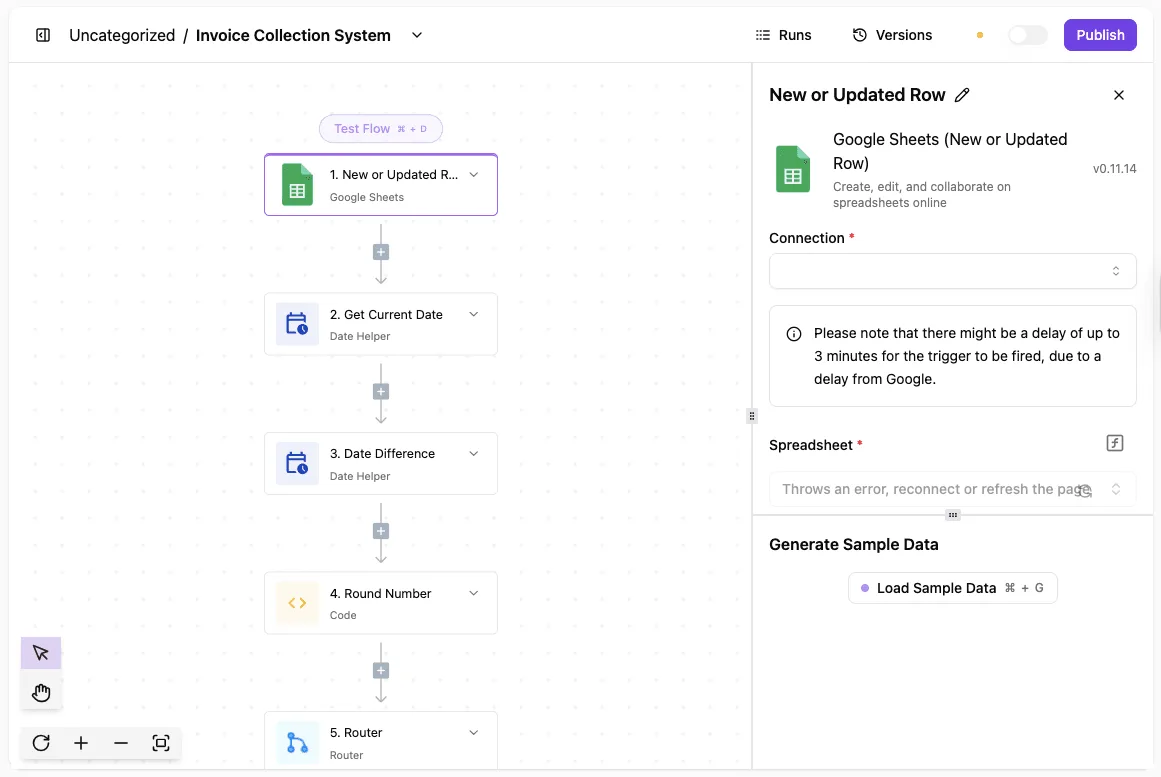
The trigger is a new email with an attachment in the shared invoices inbox. The steps run in this order:
- Gmail receives the message and passes on the sender, subject and attachment.
- Google Sheets adds a row with the supplier, amount and date, so every invoice has a record before anyone acts on it.
- Slack sends the approver a message with the row details and an approval step that pauses the run until they approve or reject.
- On approval, the row is marked approved. On rejection, or if a required field is missing, it goes to a named person as an exception.
The pause is where the human stays in the loop. The flow can only read the email, write to one sheet and post to one channel, and when it's wrong, a person sees it before money moves.

To try it on one inbox, sign up for the free plan (no card).
A first-week plan to automate one accounting task
Spend the week timing a single process, automate only its highest-volume rule-based step on a copy of your data, and route everything odd to a person. Skipping the timing is how teams automate the wrong task and can't prove it later.
A flow built on a hunch is the usual failure. It runs fine on clean invoices, then posts a duplicate on the first credit note, and nobody notices because no one measured the manual process beforehand. This order prevents that.
Five steps to set up accounting automation
First, time one process for a week. Pick something like invoice intake or bank reconciliation and log each touch: who handled it, how long, and where it waited. Without this baseline, "hours saved" later is a guess.
Second, pick the highest-volume rule-based task. Choose the step where the same decision repeats, such as matching an invoice to a purchase order or sending a payment reminder. Volume is what pays back the build time. Avoid anything where staff say "it depends."
Third, build on a test copy. Use a sandbox company file or exported sample data, never the live ledger. A wrong rule then costs you an afternoon instead of a month-end correction.
Fourth, add an exception queue. Anything the rule can't match cleanly, such as a missing PO number or an amount outside tolerance, lands in a queue for a named person.
The flow may not guess and may not post. Silent guessing is how a duplicate gets booked.
Fifth, measure saved hours at 30 days, by which point adoption is real and the before-state still fresh, so you capture real gains, not honeymoon effects. Compare against your week-one log.
A month covers a full close cycle, so you see the awkward cases and not only the easy ones.
Calculating accounting automation savings against tooling cost
Once the 30-day number is in, you can price what you saved against what the tooling costs, which is the decision the rest of this article is built around.
To run steps three and four without spending anything, start on a free plan (no card) if your tool offers one.
Frequently asked questions
Is accounting automation safe for audited books?
Yes, when every run leaves a record an auditor can follow and nothing posts without a person approving it. The failure auditors fear is a flow that quietly skipped a step on a Tuesday, with nobody able to show which invoices it touched.
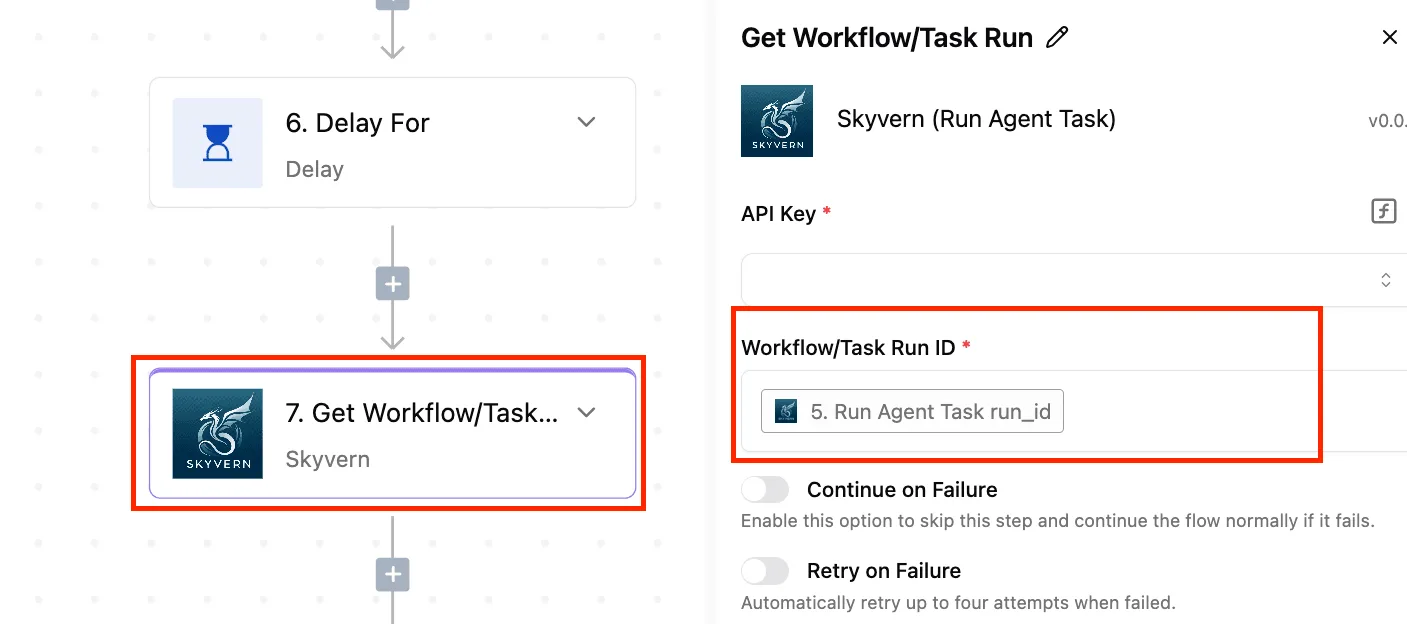
You should keep the run logs, record who approved each exception, and give the flow only the access it needs, read-only wherever it can be. A failed run should alert a person rather than retry forever.
If nobody owns the patching, backups and access control, self-hosting is the wrong call for finance data. Without that person, a hosted service with proper permissions is the lesser risk.
Will automation replace bookkeepers?
It replaces the retyping, not the judgment. A flow can move an invoice from an inbox to your ledger, but it can't decide whether an odd vendor charge is a mistake, a duplicate or a fraud attempt.
The likelier change is that the same bookkeeper spends fewer hours copying and more on the exceptions queue. Whether a role that was mostly copying survives is a staffing decision the tool doesn't make for you.
Do small businesses need it?
Only if one hand-off repeats often enough to annoy someone. If you send the same payment reminders by hand every week, or key the same supplier invoices into two systems, yes.
If your volume is a handful of items a month, a spreadsheet and a calendar entry cost less than building and watching a flow. Whether you can name the workflow and say how many hours it eats is the test.
How long until it pays for itself?
I can't give you a date without your volumes. It pays for itself when the hours saved, priced at what that person's time costs, exceed the subscription plus the time you spend building and babysitting the flow.
Time the manual version for a few weeks first, then count exception handling against the automated one. If the saving only appears when you ignore the exceptions, it hasn't paid back yet.