Email Automation Examples You Can Set Up This Week
Find useful email automation examples you can set up this week. See how Activepieces makes it easy to do it in no time.

December 3, 202519 min read @ashrafsam
Yesterday, a new subscriber joined your list after grabbing a free guide. You meant to send a welcome email right away, then a short series to warm them up. But you got pulled into calls and never hit send.
Two days later, that person's interest was cold. With an email automation tool, those emails run by themselves.
In this article, you'll learn email automation examples you can set up this week.
TL;DR
- Email automation sends messages for you based on triggers like sign-ups, purchases, or inactivity.
- You can set up flows such as welcome emails, trial onboarding, cart reminders, post-purchase updates, and win-back messages.
- Good data and clear triggers make these automations work smoothly.
- Tools like Activepieces help you build and connect these workflows without extra effort.
Everything below works on Activepieces' free plan. Start without code or a credit card.
How Email Automation Works
Email automation means you write a set of messages ahead of time, then let a system send them when something happens. You pick an automation tool, then decide which action should kick things off. That action is the "trigger."
After that, you map the email workflow. You tell the platform which email goes first, how long to wait, and what to do next based on clicks or no clicks. When you turn it on, the platform watches for the trigger and runs the sequence on its own, so your email marketing strategy keeps moving even when your marketing teams focus on other work.
Most setups follow the same order. First, you choose a goal and a trigger. Maybe you want to warm up leads who download a guide, so the trigger is a form fill.
Next, you build the logic. You draft Email 1, add a wait step, then add a check like "Did they open?" or "Did they click?" If the answer is yes, you send a deeper follow-up. When it's a no, you send a simpler message with a subject line or a different hook.
Last, you load the emails, test them, and publish the flow. From that point on, every person who hits the trigger moves through the same steps without you touching anything.
Before we get into specific examples, let's break down the two building blocks that matter most: triggers and the data behind them.
Triggers Used in Email Automation Examples
A trigger is the event that starts your automated emails. You choose the signal once, then the system watches for it.
Four trigger types cover most email automation examples:
- Sign-up triggers start when someone joins your list or downloads a guide.
- Shopping triggers start when someone adds to the cart, buys for the first time, or buys a certain item.
- Behavior triggers start when someone clicks a link, views a page, or goes quiet for weeks.
- Date triggers start from saved dates, so you can send messages like birthday and anniversary emails on the exact day without tracking it yourself.
Data You Need for Effective Email Automation
Automation needs clean customer data, such as:
- Behavior data, such as pages visited, products viewed, and opens or clicks. Those signals tell you who feels ready to buy and who needs a softer nudge.
- Purchase data lets you run post-purchase follow-ups, cross-sells, and win-back flows based on what someone bought and when.
- Preference data helps you send relevant content tied to interests.
- Real-time customer data lets your email automation workflow react the moment someone shows intent, so your messages land while the moment still feels warm.
Benefits of Email Automation for Growth
Email automation takes pressure off your day-to-day work and makes growth feel a lot steadier. For instance, it:
- Supports the full customer journey by sending the right emails at each stage.
- Strengthens your email marketing efforts since you build the system once and let it run for every new lead and buyer.
- Enhances email campaigns by using triggers to hit people while interest is still high.
- Raises customer experience because messages arrive when they feel helpful.
- Boosts customer retention through timely follow-ups after sign-up or purchase.
- Increases engagement and conversions through personalized marketing that matches what people view, click, or buy.
- Lifts customer lifetime value (CLV) since repeat buys become easier to win with post-purchase sequences.
- Improves click-through rates (CTR) when emails react to real actions.
- Enriches conversion rates by pushing the right offer right after intent shows up.
- Gives valuable insight into what steps work, what steps stall, and where people drop off.
- Lowers spam complaints because fewer people get emails that don't fit their needs.
Top-Funnel Email Automation Examples
Top-funnel automation examples help you turn fresh leads into active readers and buyers fast. Each one starts right after someone shows interest, so you catch them while they still care.
Example 1: Welcome Email Series Automation
A welcome series is the first set of automated emails someone gets after joining your list. You usually send 2 to 5 welcome emails in the first week.
For example:
- Email 1 goes out right away to thank new customers for joining, confirms what they signed up for, and delivers any freebie you promised.
- Email 2 lands a day or two later to share your story, what you stand for, and the problem you solve.
- Email 3 follows with social proof, like a short testimonial or a quick win from a real user.
In short, your welcome flow can guide your customers from "Nice to meet you" to "Ready to buy again."
Example 2: Trial Onboarding Automation for SaaS
Trial onboarding emails guide people through a free trial and push them toward real use.
The sequence starts the moment someone opens a trial account. Email 1 goes out right away to welcome them, provide login details, and point to a small first step, like "Connect your first app" or "Finish setup."
Next, use behavior checks. On day one or two, the system looks for that first step. If they did it, send a quick "nice work" note and show the next feature. Mid-trial, highlight the main value feature. Keep that email focused on one win, not ten.
Near the end, send two or three reminder emails that show what they lose if they stop, plus what they gain if they stay.
Example 3: Lead Magnet Delivery Plus Nurture
A lead magnet automation starts when a potential customer signs up for a specific free item: a checklist, guide, or webinar replay.
Your Email 1 should go out within seconds. It delivers the file or link, then tells them what to expect next. That sets trust right away.
After delivery, you send a short nurture run tied to the same topic, such as:
- Email 2 can share a tip or related post
- Email 3 can add proof, like a quick case or result
One to two days between emails works well for most lists.
When the customer clicks the offer, the system can stop the nurture and move them to a buyer track. If they don't click, they finish the series and slide into your regular updates.
Mid-Funnel Email Automation Examples
Mid-funnel automation examples push hesitant leads to buy by showing the right message when interest is high, but doubt still exists.
Example 4: Abandoned Cart Emails
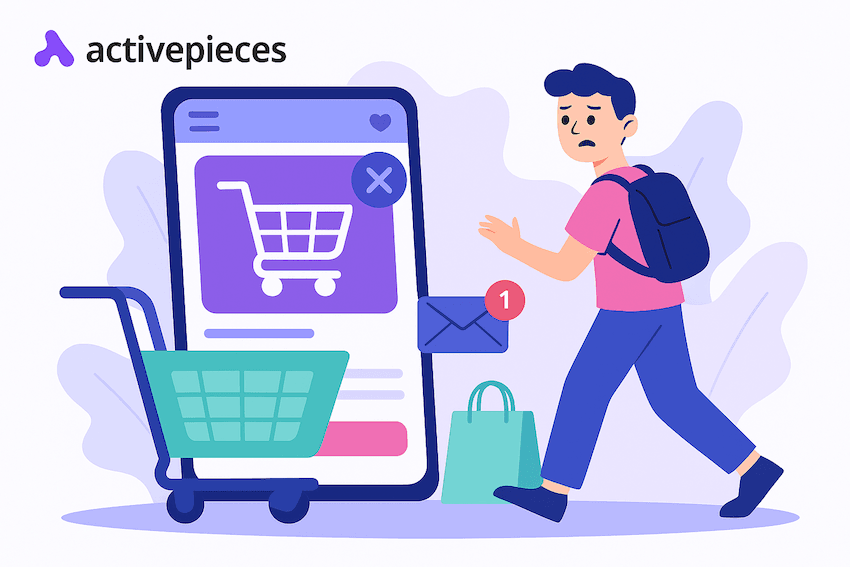
Abandoned cart emails trigger when someone adds items to a cart, then leaves before paying. You need this automation since online customers usually abandon a cart after adding products to it for simple reasons like getting distracted, needing more time, or feeling unsure about the price.
Let's say:
- Email 1 goes out about an hour later. Show the items they left, add a direct link back to the cart, and use a friendly tone.
- Email 2 sends about 24 hours later. It should answer common worries, such as shipping speed, return policy, size help, or reviews.
- Email 3 lands 2 to 3 days later. Add urgency, like low stock or a small offer, if that fits your brand.
Set a stop rule so that the moment they buy, the flow ends. That prevents awkward discount sends after checkout.
Example 5: Price Drop or Back in Stock Alerts
Price drop and back-in-stock alerts work best when shoppers ask for them first. A person clicks "Notify me," and your system saves that request under the exact item. After that, the automation waits for a change in price or inventory.
When stock returns or prices drop, send one email right away. Put the product image near the top. Show the new price or "Back in stock" message clearly. Add a single button that takes them straight to the product page.
These alerts hit hard because the shopper already showed intent. Limit the flow, though, to relevant product categories so people only get updates for items they care about.
As the stock runs low fast, add a second reminder a day later, but only if they didn't buy.
Example 6: Lead Nurture Sequence Based on Intent
Intent nurture starts when someone shows a clear interest in one topic: a click on a category link, repeat visits to a pricing page, or a demo request can all signal intent. That action tags the lead, then starts a short series that guides them forward.
For example:
- Email 1 goes out within a day. Call out what they viewed or clicked, then share a helpful resource or top option.
- Email 2 follows one to two days later. Add proof and detail, like a short case story or a quick list of results.
- Email 3 comes two days after that. Give a direct next step, such as "Shop this set" or "Book a call," based on your offer.
Each lead-nurturing email should match the same intent trail. That keeps leads moving along a sales funnel instead of wandering.
Use exit rules so buyers stop getting nurture messages. Keep the contact list clean by removing cold leads from this flow after a set time.
Post-Purchase Email Automation Examples
Post-purchase automation covers the emails that go out after someone pays. These flows support repeat buying and keep the post-purchase experience smooth.
Example 7: Order Confirmation
Order confirmation emails hit inboxes seconds after checkout. For eCommerce businesses, speed matters. People want proof their payment went through, so send this the moment the customer's purchases settle.
Put the confirmation details up front: order number, items, total paid, shipping address, and expected ship date if you have it. Keep the layout clean so they can scan it fast on a phone.
Add one warm line, like "Thanks for your order," to make the thank-you email feel real. After the receipt, you can show one related add-on or a support link, but don't bury the basics.
When the email answers every "Did it work?" question at a glance, trust goes up, and refunds go down.
Example 8: Shipping Updates Automation
Shipping updates begin after order confirmation. Send the first email when your system marks the order as shipped and a tracking number exists. Include:
- Carrier name
- Tracking link
- Delivery estimate
When the carrier scans "Out for delivery," send a second note. After delivery confirmation, send the last update.
These emails calm customers during the buying process. They don't need to dig through old emails or open a carrier site to check progress. Your support team also gets fewer "Where is my order?" tickets.
Example 9: Review Request Email
Review request emails work best once the package arrives and the buyer has used it. Wait long enough for a real opinion.
For simple items, ask after two or three days. Meanwhile, for higher-effort items like furniture or skincare routines, wait a week.
The first message should show the exact product, offer one clear button to leave a rating, and remind them how their feedback helps other shoppers. If they don't respond, send one polite follow-up a few days later, then stop.
Through this flow, you keep your existing customers happy by showing you care about their opinion. It also strengthens customer relationships since you stay in touch without pestering.
Besides that, reviews let you collect testimonials and build social proof that lifts future sales.
Easier to see it running than to read about it: set it up free, no card.
Re-Engagement Email Automation Examples
A re-engagement campaign brings quiet contacts back into the fold and stops your list from going stale.
Example 10: Inactive Subscriber Reactivation
Reactivation looks a lot like win-back, but the goal is slightly different. You want to encourage customers to repurchase and turn them from inactive to active customers again.
Start by tagging anyone who has not opened or clicked in your chosen window. Send Email 1 with a simple "We still have things you'll like" angle plus one small action to take, such as browsing a new collection or updating preferences.
Wait 3 to 5 days, then send Email 2 with either a limited-time offer or a reminder of a best-seller they viewed earlier. If they still don't act, send Email 3 that offers a choice to stay or leave.
Watch for any open, click, or buy. The moment they re-engage, stop the reactivation flow and move them back to your main sends.
Example 11: Win Back Sequence for Inactive Customers
A win-back flow starts when someone goes silent for a set period. Pick that window based on your business. Typically, the time frame is determined by your sales cycle, so a fast-moving store may treat 60 days as inactive, while a high-ticket brand may wait 120 days.
Once the trigger fires, run a short three-email path:
- Email 1 goes out right away with a friendly check-in and one clear reason to return.
- Email 2 follows 3 to 5 days later with a stronger offer or a reminder of what they liked before.
- Email 3 lands a few days after that and gives a final call.
When your customers click or buy, stop the flow. If they do nothing, remove them to protect deliverability.
With this sequence, you can recover lost sales without blasting your whole list. It also pairs nicely with back-in-stock emails for people who went quiet after an item sold out.
Example 12: Personalized We Miss You Content
A personalized "We miss you" flow goes deeper than a basic discount. It uses user behavior to shape targeted messages based on what each person cared about before they went quiet.
First, pull a small set of signals, like last product viewed, last category bought, or top clicks. Build Email 1 around that history and keep the subject line tight and clear. Show one item or topic they cared about and add a simple path back.
Email 2 can follow a few days later with a fresh angle, such as a new guide or deal in the same lane.
These personalized messages create an opportunity to develop customer loyalty, especially with past customers who have just drifted away. You can even link to a relevant blog post, invite email subscribers into a referral program, or highlight a new feature, then stop the flow as soon as they return.
Tools You Can Use to Build These Email Marketing Automation Examples
You need a clear stack to run all these flows. Three tool types do most of the work: email marketing platforms, CRM systems, and workflow tools that connect everything.
Email Marketing Platforms
Email marketing platforms store contacts, send newsletters, and run most of your triggered flows. You collect addresses through forms, pop-ups, or checkout fields.
The platform saves that data, then uses it to send the right message at the right time. You can run a simple broadcast or a more advanced automated email campaign in the same place.
Commonly, email marketing platforms give you a visual builder. You drop in a trigger, add steps like "Send email," "Wait two days," or "Check if they clicked," then link them into one clear line. That line becomes your working flow.
Platforms like Mailchimp, Klaviyo, Brevo, and HubSpot also connect to stores and payment tools, so purchase and browsing data can drive the paths you set.
CRM Tools
CRM tools track email opens, calls, deals, support tickets, and site visits in one timeline. That view helps you see where someone stands and what should happen next. When you link a CRM to your email platform, you gain stronger triggers and better context.
A status change in the CRM can start a new sequence, such as a trial moving to a proposal. A deal marked as won can stop promo sends, so you don't pitch someone who just signed.
Lead scores inside the CRM also guide which contacts get more sales-focused emails. Over time, that mix gives you a sharper picture of who's paying attention and who's drifting away.
Workflow Automation Tools
Workflow automation tools connect all your apps, so data moves without manual exports. You set rules like "If a form is filled, add the contact to my email list and CRM" or "If someone buys, tag them as a customer and start a receipt flow."
Each rule links one trigger to one or more actions, even if those live in different systems.
You can treat the full path from a new sign-up to the first series of sends as one email workflow, even when three tools take part. That approach lets you collect data in one place, send from another, and log results in a third, without copying anything by hand.
As your setup grows, these links keep your stack simple to manage while your automations stay in sync.
Why Activepieces Fits Naturally Into Your Email Automation Stack

Activepieces plugs into the tools you already use and gives you way more control over your email automation than a basic connector ever could. You can design flows that match how your business really works, then keep them easy to run and easy to change.
The key features below let you build stronger automations.
Custom Triggers That Hit at the Right Moment
Your best emails fire from real actions. Activepieces lets you start a flow from a form fill, a new Shopify order, a CRM status change, a Calendly booking, or any custom API event. Pick the signal that shows intent, then send the email right when it matters.
Send With the Email Provider You Trust
Some platforms force you to use other marketing channels you don't usually use. Activepieces doesn't.
As of now, Activepieces has 502 pre-built integrations, called "pieces," that you can connect with. For instance, you can route automated emails through Gmail, Outlook, or SendGrid and keep your domain reputation in your hands.
That choice also helps you avoid surprise limits as volume grows.
Drag and Drop Builder for Clear Flows
You don't need to code to build serious logic. The editor lets you build automated workflows with a simple drag-and-drop editor.
Drop in a trigger, add steps, branch based on rules, and test before you publish. The whole path stays visible, so you can spot problems early.
Self-Host When You Need Full Control
Some teams can't push data outside their system. Activepieces gives you a self-host option, so you can run flows on your own server. That setup keeps control in-house and supports strict privacy needs.
Add Code Steps for Edge Cases
When you need extra logic, you can add a small JavaScript or TypeScript step to format data, clean inputs, or run checks before you send. You get power without turning the whole build into a dev project.
AI Steps for Smarter Messages
AI tools help you add brains to a flow. Summarize notes, score a lead, or draft a quick reply before an email goes out. Your automation can react in a smarter way without extra tools.
Set Up High-Converting Email Automation Workflows With Activepieces

Activepieces gives you one place to build and run serious automations. You can connect your email platform, CRM, store, spreadsheets, and AI tools in a single flow, then push messages out based on real actions.
That's how you move from simple triggers to a full system of automated email workflows that keep working every day.
A few things make Activepieces stand out. First, it's open source, so you can self-host if you need full control.
Second, the platform ships with 502 data integrations, and the list keeps growing since the community adds more.
Third, AI sits inside the builder. You can drop in AI steps, call your own agents, or let Copilot help you map logic faster.
Other than that, devs can set up strong building blocks, then anyone else can build flows without code. Enterprises get single sign-on (SSO), RBAC, audit logs, and on-prem options when needed.
If you want email automations that feel smart, linked, and easy to run, start your next flow in Activepieces.
FAQs About Email Automation Examples
What is email automation?
Email automation means software sends marketing emails for you when a trigger happens, like a sign-up, purchase, or no activity for a set time. You plan the steps once, then the system runs them.
What is an example of an automated email response?
An automated email response example is a cart reminder that sends follow-up emails an hour after someone leaves checkout, then stops if they buy.
What is the 60:40 rule in email?
The 60:40 rule in email says about 60% of results come from the list and offer, while about 40% come from copy, design, and timing, so effective marketing communications start with the right audience and promise.
What are three examples of automation?
Three automation examples are a welcome series for new sign-ups, a price drop alert for watchers, and a re-engagement workflow that targets people who went quiet, often paired with loyalty programs to pull them back.