n8n vs Zapier Pricing: Which Costs Less? (2026)

Oct 16, 202614 min read
n8n vs Zapier: why the billing unit decides the price
Direct answer and what each tool is
n8n bills a whole workflow run as one execution, while Zapier bills every action step as a task.
You can't compare their plan prices line for line, because they measure different things. Which one costs less depends on how many steps your workflows have and who maintains them, whether that's a developer comfortable with open-source tools like Activepieces or a non-technical teammate.
n8n is a workflow automation tool you can run on your own server or use as a hosted cloud service. It's built for people comfortable with branching logic, custom code and debugging their own flows.
Zapier is a hosted-only automation service built for non-developers, with a large app catalogue and a guided editor.
Executions versus tasks, with a 10-step example
Take one workflow of ten connected steps (a trigger, then nine actions that look up a record, reformat it, write it somewhere and notify someone), which means a failure in any step breaks the downstream operations.

In n8n, that entire run is counted once, however many steps fire inside it. In Zapier, each action step that completes counts as a task, so the same run can consume up to ten.
Add a step and the gap widens. Fire the workflow more often and it doesn't.
Shared n8n or Zapier accounts for agency clients
Stretch a workflow and n8n's unit looks better, while short two- or three-step workflows narrow the gap. For an agency, this is where a shared account quietly cross-subsidises one client.
When one client has a sprawling twelve-step onboarding flow and another a simple form-to-spreadsheet flow, the first can burn through the allowance the second barely touches, yet both get the same line on your invoice. Count steps per client before you quote a flat retainer.
What the cheaper unit leaves out
The cheaper unit isn't automatically the cheaper tool, because Zapier's per-task unit does buy you something: you don't maintain servers or debug failed nodes yourself. That has a labour cost you should price in.
How I verified n8n and Zapier billing definitions
I checked the billing definitions here against n8n's and Zapier's own pricing and documentation pages on 2026-10-16.
I've left out plan prices and allowance limits on purpose, because vendors change them and a stale number would mislead your quote. Pull current figures from those pages.
Activepieces meters the run, not the steps inside it: its pricing page lists 1 credit per flow run, so a ten-step flow costs what the two-step workaround it replaced did, and you can set that against Zapier's per-task billing.

If you are running this arithmetic for your own team, see what the same workload costs on Activepieces.
What n8n and Zapier plans cost at three workload sizes
Run 20,000 ten-step workflows and Zapier counts 200,000 tasks where n8n counts 20,000 executions, so anyone comparing the two platforms faces a 10-fold difference in billing units for identical work. The step count, not the run count, decides the bill.
Zapier Professional is priced by task volume, and every action step in a run is a task:
- On workflowmath.com's price data, 2,000 tasks cost $73.50 a month, so that tier covers only 200 runs of a ten-step workflow
- At 5,000 tasks it's $133.50 a month
- At 10,000 tasks it's $193.50 a month
- At 20,000 tasks it's $283.50 a month
- Each jump buys more tasks at a lower unit price, but the bill still climbs with every step you add
- At 200,000 tasks it reaches $1,149 a month, which is the figure to put in front of a client whose workflows keep growing, so they see what unlimited expansion actually costs
n8n Cloud tiers and execution limits
Whatever the workflow's length, n8n Cloud counts one execution per run. A ten-step workflow and a three-step workflow draw down the same allowance.
Take the entry and higher-tier prices and caps from n8n's pricing page, then compare executions, not tasks. Moving a three-step job to ten steps costs nothing extra on n8n, while on Zapier it more than triples the task count.

Worked comparison at three workload sizes
Here is what each plan counts for the three workloads. Zapier's dollar figures come from the tiers above; n8n's cost is the price of the execution allowance that covers the count shown.
| Plan | 1,000 runs × 3 steps | 1,000 runs × 10 steps | 20,000 runs × 10 steps |
|---|---|---|---|
| Zapier Professional | 3,000 tasks, between $73.50 and $133.50 | 10,000 tasks, $193.50 | 200,000 tasks, $1,149 |
| n8n Cloud entry | 1,000 executions | 1,000 executions | 20,000 executions |
| n8n Cloud higher tier | 1,000 executions | 1,000 executions | 20,000 executions |
| Self-hosted n8n | No per-run fee | No per-run fee | No per-run fee |
| Activepieces Cloud Free | — | — | — |
From the second column to the third, Zapier's cost rises roughly sixfold. The n8n execution count rises twentyfold, so a plan with a low cap is the risk there. Check whether the cap, not the step count, is where your workload breaks.

Even with the per-run fee gone, self-hosting leaves the server, backups, upgrades and on-call time landing on someone.
If that someone is your agency, price it as a line item on the client's invoice. Absorbing it into a shared account means every client with a light workload quietly pays for the one with the heavy one.
Where n8n and Zapier differ on features and ease of use
Zapier is easier for non-developers and connects to far more apps, while n8n gives builders deeper control over logic, code and agents. The gap in build hours is the second place a shared account hides a subsidy.
Here are the two side by side on the features that decide how long a workflow takes to build and who can maintain it. Read the learning-curve row as my judgement, not a measurement.
| Zapier | n8n | |
|---|---|---|
| Integration count | 9,000+ | 1,000+ |
| Branching | Paths and filters | IF and Switch nodes, branches that rejoin, loops |
| Error handling | Failure alerts, replay of failed runs | Dedicated error workflows, per-node retry settings |
| Code and API access | Code steps, webhooks, custom requests | Code node, HTTP Request node, custom nodes |
| AI agents | Agent features inside the Zap builder | AI Agent node with tools and memory on the canvas |
| Learning curve (judgement) | Gentler for non-developers | Steeper, rewards technical users |
If you need a niche industry app, Zapier's larger catalogue makes a ready connector more likely. n8n's shorter list is partly offset by its HTTP Request node, which reaches any service with an API.
For branching, merging and looping, n8n is the more natural fit, and its error workflows let one flow catch failures from many others. Zapier covers common conditional cases well and is quicker to set up.
The practical difference appears in complex jobs: n8n saves rework there, while Zapier saves setup time on simple ones.
AI agent building in n8n vs Zapier
Both tools let you add AI steps, but n8n puts the agent, its tools and its memory on the same canvas as everything else. That suits a builder who wants to see and adjust how the agent decides.
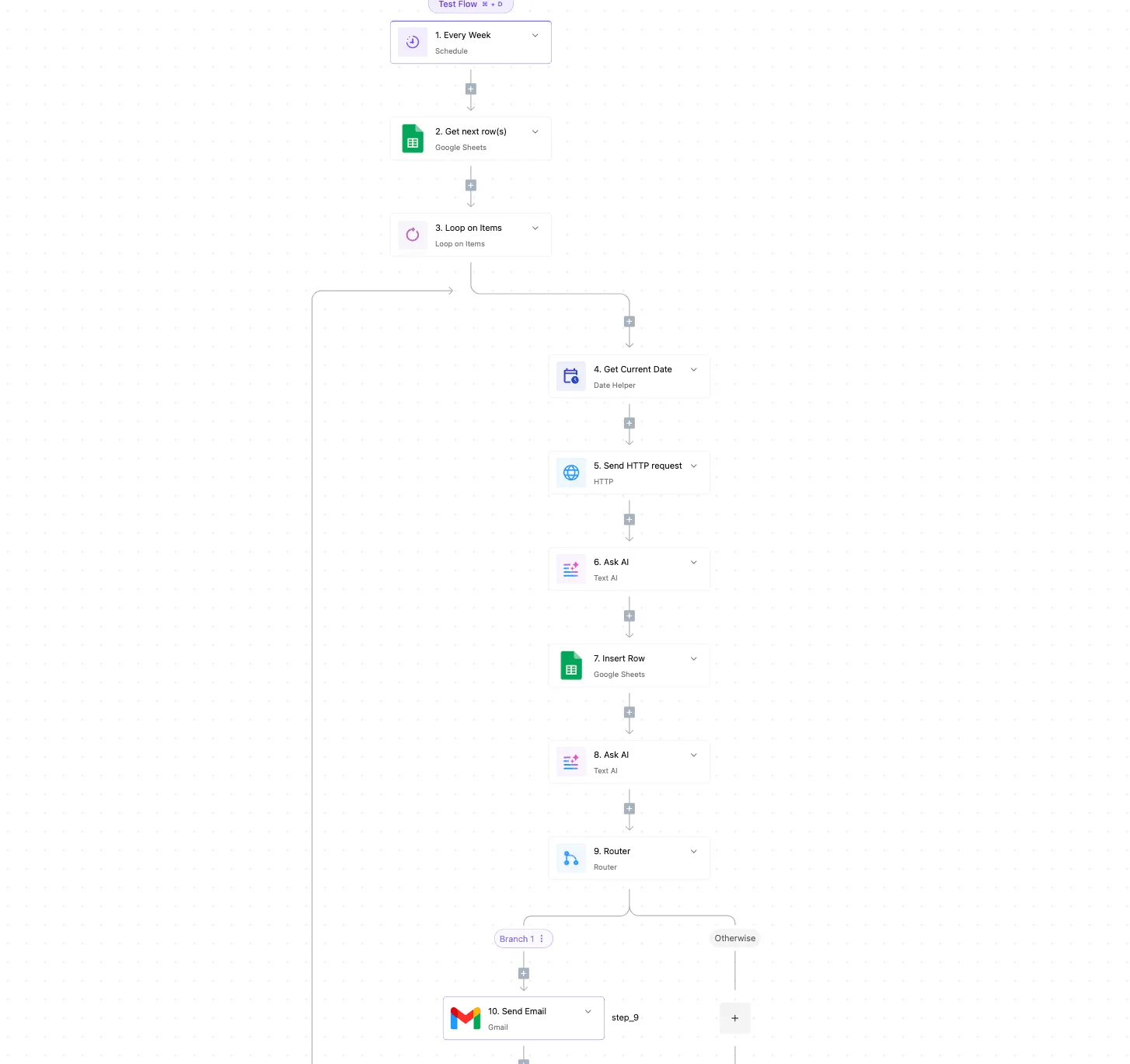
If a client only wants a model to summarise or classify one step, Zapier's lighter approach is enough and cheaper to hand over.
For a non-developer, Zapier's step-by-step builder is the easier place to start. That's a judgement from how the tools present themselves, not a tested result.
n8n assumes comfort with data structures and expressions. If the client's own staff will edit the workflows after handover, price in the training or choose the tool they can actually maintain.
Worth checking against a plan that does not meter every step: one credit covers a whole run on Activepieces.
Mistakes teams make when choosing between n8n and Zapier
Count the wrong unit and most of the bad choices follow, and the maintainer question above is only one of five ways that happens. Each mistake below has a rule that would have caught it before the first invoice.
- Comparing sticker prices instead of units: price a representative workflow in each tool's own unit before comparing plans.
- Undercounting steps: count every action step, including filters, formatters and lookups, because one of the two tools bills per step.
- Treating self-hosting as free: add the server, backups, updates and the hours of whoever is on call.
- Ignoring Sustainable Use License limits: read the license before running n8n for clients, not after.
- Picking a tool nobody can maintain: choose for the person who will be editing at the worst moment.
Comparing price tags instead of units
Zapier counts a task for each action step. n8n counts a whole workflow execution, however many steps run inside it. A plan that looks cheap in one unit can cost far more in the other once a workflow grows.
Build one real workflow, count its steps honestly, and price that. Trigger-only steps and branches you forgot are where the undercount hides, and the client's invoice absorbs the difference.
Treating self-hosted as free
Installing it costs nothing, but the server, backups, security patches and the hours of whoever is on call all do.
If that person is billed to one client and the instance serves several, the quiet cross-subsidy is yours. Cost the upkeep as a line item and bill it.
Self-hosting also brings the Sustainable Use License into play. It allows internal business use but restricts offering n8n itself to others as a hosted service.
Running automations that you build for a client is a different thing from reselling access to an instance, and the line is easy to blur. Have the specific arrangement checked against the license text before you build a retainer around it.
On the day the builder leaves, a workflow only they can fix is a liability. Match the tool to the person who will own it. A visual, guided editor suits staff who aren't technical, while n8n's flexibility pays off only if someone can use it.
On the day the builder leaves, a workflow only they can fix is a liability.
Hit a cap mid-month and client automations stop; short execution history means you can't trace a failed run later.
Every plan has both limits: how many runs you can use and how long history is kept. Check both against your busiest workflow, not your average one.
Running the same job in Activepieces when n8n gets in the way
When n8n's license, hosting upkeep or cloud limits are the friction, Activepieces answers each with something checkable: an MIT-licensed core, a self-hostable option, and a free cloud plan with 1,000 credits a month and unlimited flows.
Its core is open source under the MIT license, the cloud plan is free with no card, and you can self-host.
If you bill a client for automation, you want to know what a run costs before you quote it, and a free tier you can test on removes one unknown.
With an MIT core, you can read, modify and run the code without the usage restrictions that come with a source-available license.
For an agency, that's the difference between hosting automations for a client on your own server and wondering whether that counts as reselling the product.
If you'd rather not maintain a server, the free cloud plan lets you build first and decide on hosting later. That way a client's workflow isn't quietly running on infrastructure you pay for and never invoiced.

To show the shape of the work, here's a small job that many teams build: a web form submission that gets logged, summarised and announced.
Activepieces calls its app connectors pieces, 741 of which sit in its open source monorepo, and each step below uses one:
- Add the form trigger piece so a submission starts the flow.
- Add the (source) to write each submission to a spreadsheet, which gives you a record the client can audit.
- Add the AI summarise piece to condense the submission text into a few lines.
- Add the Slack send-message piece to post the summary to the channel your team watches.
- Test the flow with a sample submission, then publish it.
That sequence is four steps, so it's also a useful test of the article's main point. Count your own steps, compare how each tool meters them, and price the flow on that basis rather than on the sticker.
Because Activepieces doesn't import or convert n8n workflows, treat this as a rebuild. A flow this size fits comfortably inside the free plan's 1,000 credits a month and unlimited flows, so evaluating it costs you nothing.
Sign up for a free Activepieces cloud account, which allows up to 5 users and needs no card, and build the flow above before you commit to either tool. MoneyGram, Moneypenny, Alan and FundingSocieties run Activepieces in production.
Frequently asked questions
Is n8n really free to use?
The self-hosted Community Edition costs nothing in license fees. You pay for the server, backups, updates and whoever is on call when it stops.
On n8n's hosted cloud plans you pay, and usage is capped by workflow executions. If you bill a client for automation, price the hosting and the maintenance hours into the retainer. Otherwise your own time quietly subsidizes their workflows.
Can I move my workflows from Zapier to n8n?
Not by importing. As far as we know, neither tool converts the other's workflows, so a move means rebuilding each one by hand.
The logic usually carries over: a trigger, some actions, some conditions. But field mappings, filters and authentication all have to be recreated and retested. Budget the move as a small project per workflow, not a migration button.
Rebuilding also lets you collapse many Zapier steps into one n8n execution, which is where the unit-of-count difference pays off.
Which is better for a small business without a developer?
Usually Zapier, because the vendor maintains the platform and the person building the automations doesn't have to learn what a webhook payload or a JSON field looks like. The higher per-task price is what you pay for not running anything yet.
Someone has to be willing to own the learning curve and, if self-hosting, the server; only then does n8n make sense for that business. Without that person, a cheaper invoice from n8n can turn into an outage nobody is responsible for.
Is n8n open source?
Not in the strict sense. n8n publishes its source code under the Sustainable Use License, which is often called "fair-code." You can read it, run it yourself and modify it for your own business use.
If your plan involves running n8n on behalf of clients and charging for access to it, read the license terms first, or confirm with n8n directly.
Offering n8n to others as a commercial hosted service is restricted by the license, and some features sit under a separate paid license. An OSI-approved open source license wouldn't carry that restriction.
Related reading
References
Running the numbers
See what the same workload costs here.
Free forever plan, and every paid plan self-hosts at no extra cost.
See pricing Talk to sales