
Sarvam AI Automation: Steps, Limits and Fixes for 2026

Nov 23, 202617 min read
Sarvam AI automation means calling Sarvam's hosted models over HTTPS with an API key from a script or workflow tool. The fastest route is a single authenticated test call from a script, moved into a workflow tool such as Activepieces once it returns.
Sarvam automation's fastest path
What Sarvam AI automation means in practice
Nothing is installed and no model runs on your machine.
Your script or workflow tool sends a request carrying your key, Sarvam's servers do the speech, translation or text work, and a JSON response comes back for you to write somewhere useful, such as a spreadsheet row.
Read the flow below as three parts: a script or workflow tool sends an HTTPS request with an API key to Sarvam's hosted models, and a JSON response returns to a spreadsheet.

Your side of the system is only the request and the handling of whatever returns.
When something breaks later, it breaks at one of those three points: the key, the request, or the response. Audio that is too long, a rate limit, a wrong language code and a rejected key each break a different point.
That's why the rest of this article is organised around the documented limits.
From zero to a working call takes five steps, so you cannot make an API call immediately upon starting.
- Create an account and generate an API key in Sarvam's dashboard.
- Store the key in an environment variable, not in the script.
- Send the smallest request the docs show for the service you want, with a short text or a short audio clip.
- Read the JSON response and confirm the field you need is present.
- Only then move the call into a workflow tool, such as Activepieces, or into a scheduled script.
If a call fails inside a workflow tool, the tool's own messages hide the raw error. A call that fails in a script shows you the status code and body directly, so you learn which of the three points broke.
That is why the order matters.
Sources checked for Sarvam automation, November 2026
On 23 November 2026 I checked everything here against three sources: Sarvam's API documentation, its pricing page and its changelog. The docs set the behaviour described, the pricing page sets what free access covers, and the changelog is where limits and language support change first.
Check the changelog again before you build, because a limit that has moved will break a design made around the old one.
Everything below works on Activepieces' free plan. Start without code or a credit card.
Five Sarvam automation steps
Skip any of the five steps and it fails in its own recognisable way. Every step below names the setting involved, because the failures nearly always trace back to one misplaced header or one mismatched field.
Step 1: Create an account and an API key
Sign up on Sarvam's dashboard and generate an API key there. Copy it once into a secrets store or an environment variable, never into the script itself.
Paste a key into a script and it ends up in version control, and then in someone else's hands, so the first failure you debug is a revoked key rather than anything about speech or text.

Step 2: Choose the endpoint that matches the task
Pick by the input you hold and the output you need, because Sarvam exposes separate endpoints for speech-to-text, text-to-speech, translation and chat. Audio in and text out is speech-to-text; text in, another language out is translation.
Paste a key into a script and it ends up in version control, and then in someone else's hands, so the first failure you debug is a revoked key rather than anything about speech or text.
Get it wrong and the first call returns a validation error, and the error message is the cheapest diagnostic you'll get all day. Check the language code format that endpoint expects before you write any code, since this is where the documented limits bite earliest.
Step 3: Send a first request with the documented parameters
Send the key in the api-subscription-key header, not as a bearer token, which is the habit most developers bring from other APIs. If a perfectly valid key gets rejected, a bearer-style header is the usual cause.

Then send only the fields the endpoint's reference page lists, with a short sample, such as a brief audio clip or one sentence. Keep the first request small, because it separates an auth problem from a length problem, and you want those two diagnosed apart.
Step 4: Handle the response and save the output
Parse the JSON body, read the documented output field, and write the result to a file, spreadsheet or database before doing anything else with it.
Log the HTTP status and the response body whenever the status isn't a success. Without that log line, a rate-limit rejection and a malformed request look identical when you read the failure the next morning.
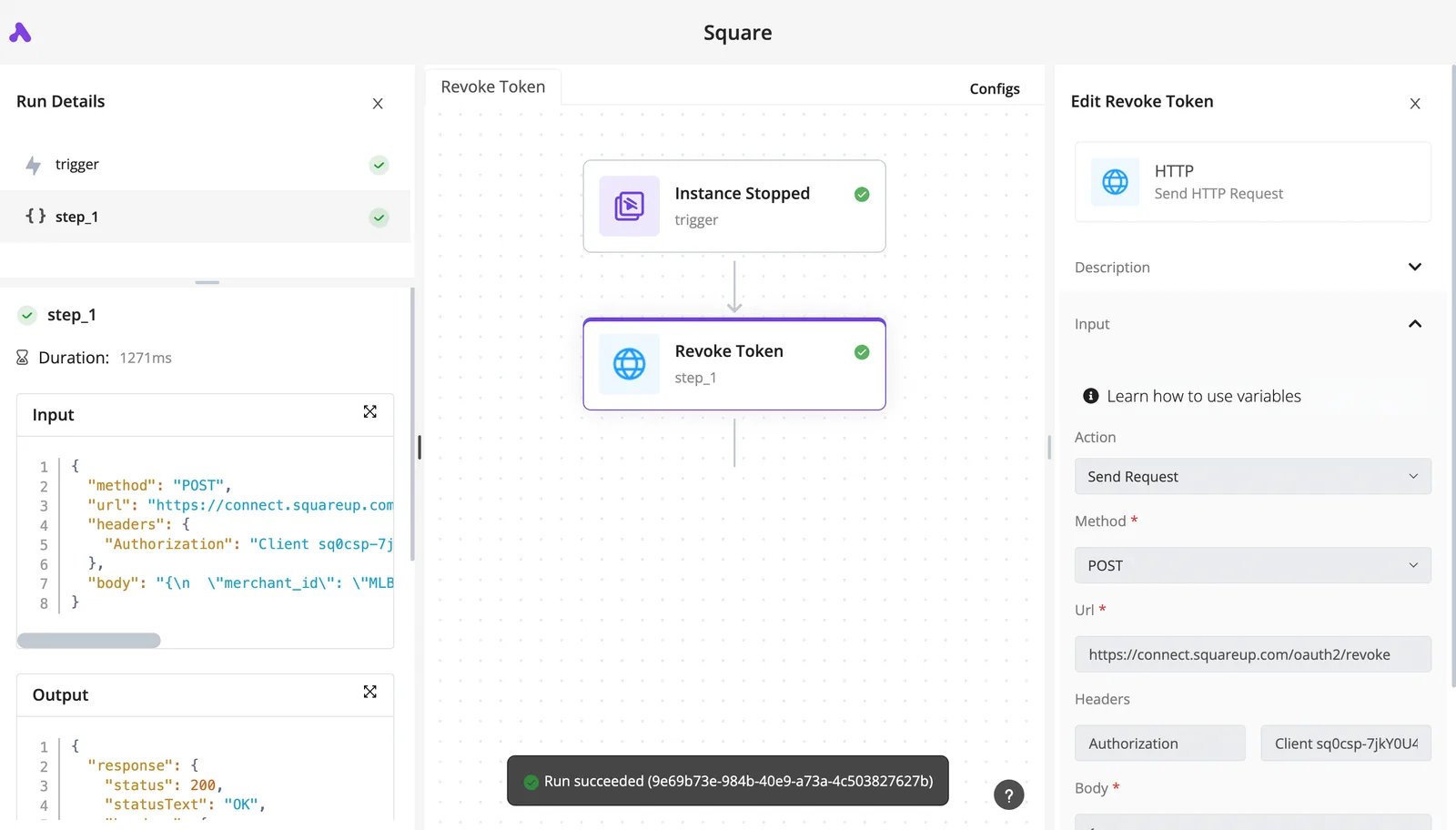
Treat a rate-limit response as a signal to wait and retry, and any other error as a reason to stop and look.
Step 5: Trigger it automatically
Once one request succeeds by hand, wrap it in whatever fires it. Use a cron job for a nightly batch, or a webhook in a workflow tool for events such as a new file arriving.
Keep the trigger separate from the request code, so you can change the schedule without touching the API call.
What remains is deciding where that trigger lives, and that choice shapes how you handle retries and failures.
Sarvam models and APIs compared by task
Choose the endpoint by what goes in and what comes out, because each one fails differently and your retry logic has to match that failure.
Which model fits which automation
Start with the size column in the table below, which sets the four offerings side by side: a chat call fails on context, a speech call fails on audio length, and the two need different retries.
| Task | Input type | Languages | Size or duration limit | Sync vs batch | Pricing unit |
|---|---|---|---|---|---|
| Chat (Sarvam-M, 30B, 105B) | Text | Indic languages and English | Context window per model | Sync, streaming optional | Tokens |
| Translation (Mayura) | Text | 11 language codes | Text length cap per request | Sync | Characters |
| Speech-to-text (Saaras v4) | Audio | 22 Indic languages + Global and Indian English | Audio duration cap per request | Sync for short clips, batch for long recordings | Audio duration |
| Text-to-speech (Bulbul) | Text | 11 language codes | Text length cap per request | Sync | Characters |
Prices and plan limits checked against docs.claude.com and claude.com and openai.com and gemini.google on November 23, 2026.
If you call chat, you pay per token, so tokenizer efficiency decides your cost.
On the Sarvam model card, as reported by productgrowth.in, Hindi drops from 2.67 tokens per word on a Llama tokenizer to 1.4 on Sarvam's. That's about half the tokens for the same text.
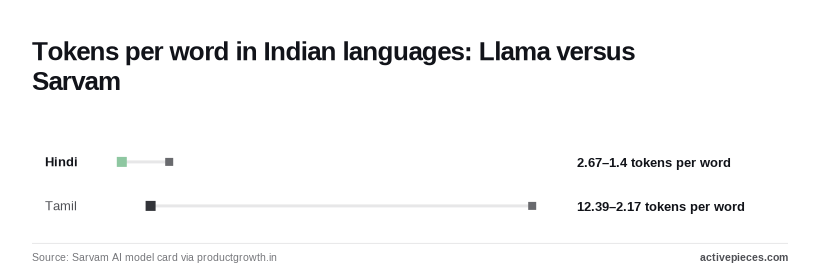
For Tamil the drop is from 12.39 to 2.17, roughly a sixth. A Tamil workflow therefore gets far more text into each context window and a much smaller bill.
Next, the language codes, which are where most of the silent failures start.
Sarvam language codes by endpoint
Only 11 language codes work on text-to-speech and translation, against 23 on speech-to-text, according to Sarvam's docs. The gap matters in a pipeline. You can transcribe a recording in a language that you then can't translate or speak back.
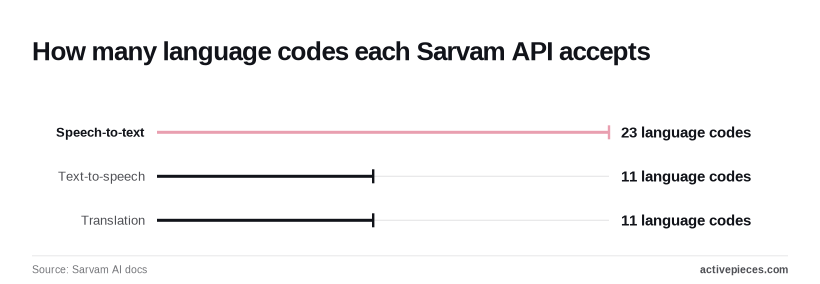
Because a transcribe, translate, speak chain is only as wide as its narrowest step, the usable set is the 11-code overlap, as the Sarvam AI docs note.
Check the detected or requested code against the downstream endpoint's list before you make the next call. Don't let it fail on the second hop, after you've already paid for the first.
Easier to see it running than to read about it: set it up free, no card.
Sarvam API limits and errors with fixes
When a Sarvam call fails, it is most often one of eight symptoms, and each has a cause you can check before the second paid call goes out.
According to Deepwiki, the table below pairs each symptom with its likely cause and fix; the 429 row uses the per-minute limits AIFree lists by plan, so hitting it means you've exceeded that quota.

| Symptom | Cause | Fix |
|---|---|---|
| 403 | Missing, wrong or revoked key | Check the key header and the key's status |
| 429 | Over 60/min Starter, 40/min on 105B, 200/min Pro | Throttle and retry with backoff |
| 400 | Malformed request | Validate the payload before sending |
| 422 | Fields present but values rejected | Compare against the endpoint's schema |
| Audio over 30s | Clip exceeds the cap | Split before upload |
| Bad language code | Code not in the supported list | Map codes in one lookup |
| Credits exhausted | Balance spent | Alert on balance; top up |
| Timeouts | No documented figure | Set your own limit and retry once |
Read the table as a triage order: the first three rows fail instantly, the rest fail after you've spent something, meaning early failures cost nothing while later failures cost your effort.
When you see a 403, the request never reached the model. Test the key with one cheap call at the start of every run, so a revoked key stops the job before any upstream step is billed.
Rate limits and 429 responses
On Starter you get 60 requests per minute on most models and 40 on the 105B model, which means 105B on Starter is the lower-throughput option. Swap the larger model into a loop that worked on a small one and it starts returning 429s.
Pro defaults to 200 per minute.
Size your concurrency to the lowest limit among the models in the workflow, and log the retry count so you can see when you're hitting the ceiling.
When a transcription batch fails, audio over 30 seconds is the usual cause. Split recordings into clips under that length before the first call, and keep the clip order in your file names so you can reassemble the transcript.

I found no documented cap on request payload size, so test your largest file rather than assuming.
If a request looks right and still returns a 400 or 422, the cause is usually a language code the endpoint doesn't accept.
Keep one lookup table from your own labels to Sarvam's codes and validate against it before sending. Never pass user-typed values straight through.
From the script's side, exhausted credits fail differently from a bad key: they return a 402 rather than a 403. Check the balance before a large batch, and stop the run rather than retrying. Retries can't fix an empty balance.
No timeout figure is documented, so choose your own and retry once, not in a loop.
Connecting Sarvam to your other tools with Activepieces
Activepieces is worth reaching for when the Sarvam call is one step in a chain that can fail halfway, and its free plan includes unlimited flows, so a transcribe, translate and notify chain costs nothing to try; for a single call on a schedule, a script is enough.
If no ready-made Sarvam connector exists, you don't wait on a vendor's roadmap: Activepieces lets you generate a Sarvam integration with AI and add it privately to your own instance.
About 60% of the 750 integrations in its open-source monorepo were contributed by the community, so the catalogue was never limited to what one company had time to build.
When a workflow tool is worth it versus a script
Picture a nightly job that transcribes a recording, translates the text and posts it to a team channel. It fails at step two. The transcript exists, the translation doesn't, and nobody is told.
In a bare cron script, that failure usually leaves nothing behind except a stack trace in a log nobody reads.
The same job in Activepieces is one flow, and a run costs 1 credit however many steps it has, so splitting transcribe, translate and notify into separate steps, with a failure branch of their own, adds nothing to the bill.
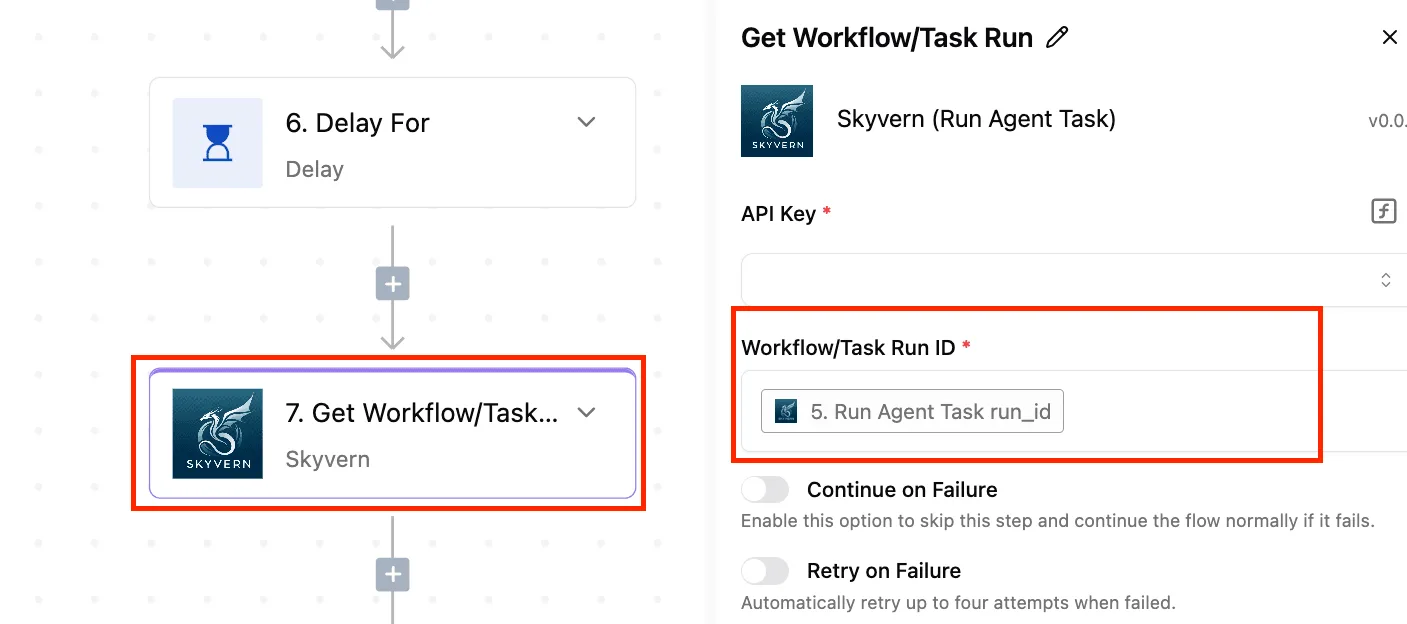
Against the limits this article has covered, the product offers three things:
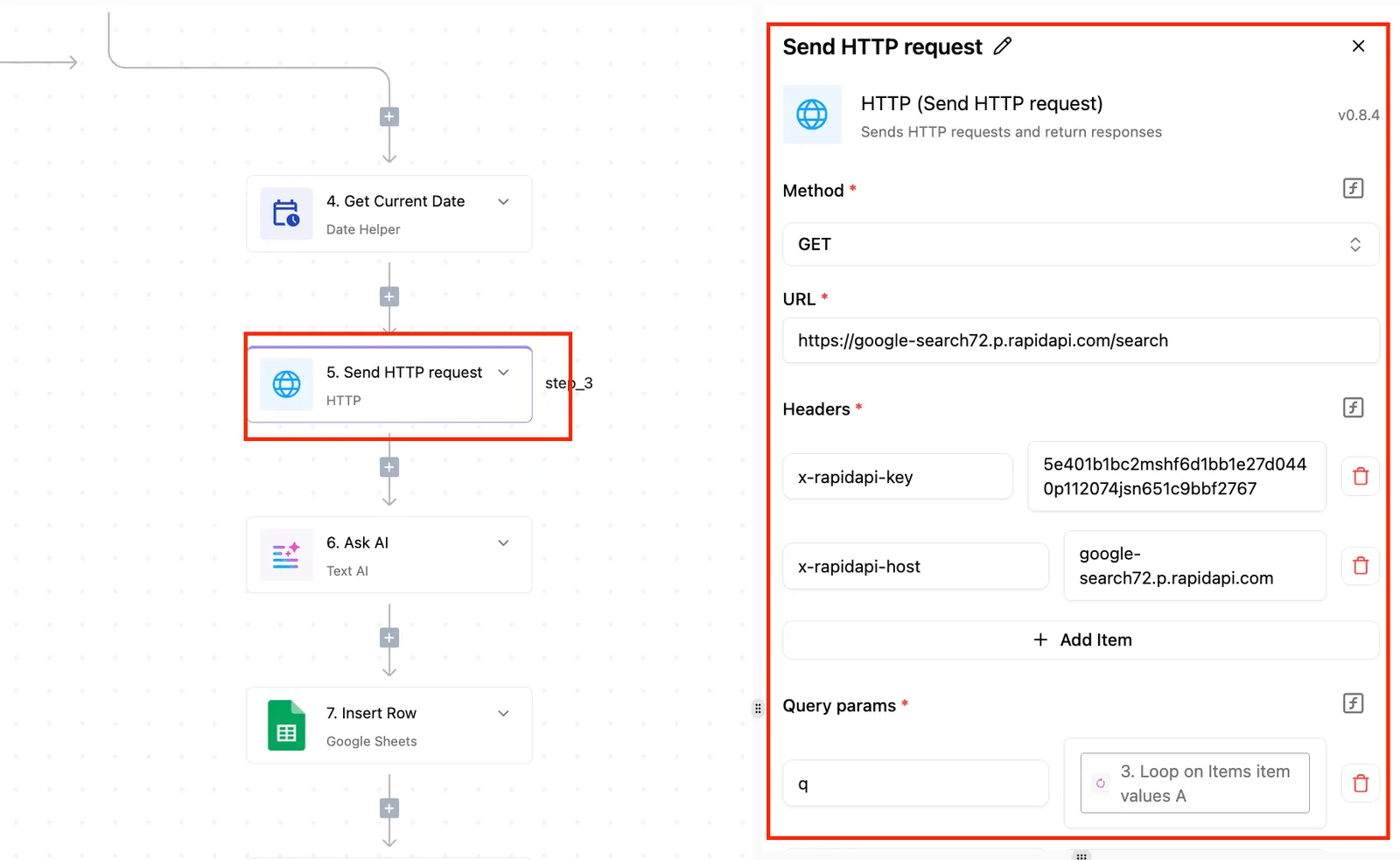
- The HTTP step lets you set the auth header Sarvam expects, so you never hand-roll the request.
- Your API key lives in a stored connection, not pasted into each step, so rotating it's a change in one place.
- A step can be set to retry, and a loop step can walk through a list of audio chunks, which matters when a recording is longer than the audio limit allows.
I wouldn't claim more than that. Retry settings on a step don't distinguish a rate limit from any other failure, so you still decide how many attempts are acceptable. As before: one retry, not a loop.
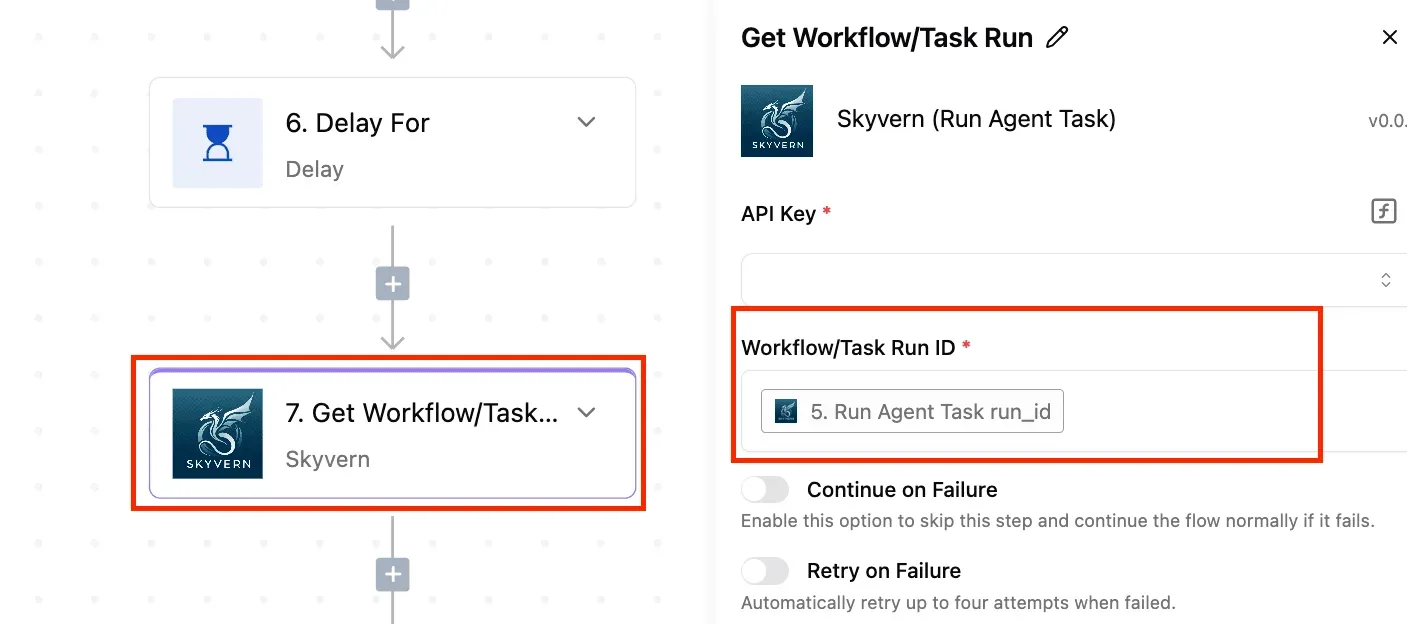
If your job is one call, with one input and one output, write the script. A workflow tool adds a service to run and a place for things to break that isn't your code.
Laid out step by step, a transcribe, translate and notify workflow looks like this.
- Trigger on a new file, for example an upload to a storage folder or a form submission carrying an audio link.
- Split the audio into chunks under the documented length limit, then loop over them.
- Inside the loop, call Sarvam's speech-to-text endpoint through the HTTP step, using the stored connection for the key. Set a single retry here, since this is where a rate-limit response will land.
- Join the chunk transcripts in order.
- Call the translation endpoint with the explicit source and target language codes, because a wrong code is a failure you can prevent before the run starts.
- Send the result to chat or email, and add a separate failure branch that notifies you when any earlier step errors.
Step 6's failure branch is the part scripts most often omit, and it's the reason to build this in a workflow tool.
Start Sarvam automation with one weekly task
Start with one task you already do by hand every week, such as transcribing a recorded call or translating a support reply, and build only that.
A failure in a single task you understand is easy to trace; a failure in a pipeline you designed in one sitting is not, because you can't tell which assumption broke.
In the order that surfaces problems cheapest, the whole plan is six items.
Before you trust the workflow with real work, check the items below; each one maps to a limit named earlier in this article:
- Pick one repeatable task with a clear input and a clear output.
- Run one test call with your key, a short sample and an explicit language code, and read the full response, not only the status.
- Compare the real file sizes and audio durations in your backlog to the documented caps.
- Add retries for 429 and 5xx responses, with a wait that grows between attempts and a hard ceiling on attempts.
- Check your credit balance before each batch.
- Re-read the changelog monthly.
Take the order seriously, because each item removes a failure that would otherwise look like something else. The test call separates an auth or language-code mistake from everything that follows.
Test on your sample file and it will probably pass, since it is usually the best-behaved one you own; the audio that breaks the workflow is the long recording at the back of the folder. That is why the size comparison matters.
If a script treats both a 429 ('slow down') and a 5xx ('try again') as final answers, it will drop work silently. That is why the retry rule exists.
The credit check is there because an empty balance produces errors that resemble an outage, and you'll lose an hour debugging a service that is working.
Of all six, the changelog is the one item with no immediate payoff.
Limits, supported languages and model names change, and a workflow that ran cleanly in November can fail in January with no change on your side.
A monthly read costs minutes, and it's the only way the documented limits you designed around stay the limits you're actually running against.
When all six boxes are ticked and the one task runs unattended for a week, add the second task. Not before.
Frequently asked questions
Where a detail changes over time, the answer below points you to the page that holds the current version; each one comes from Sarvam's own documentation and dashboard.
Can Sarvam AI automate WhatsApp or phone call replies?
Yes, but Sarvam supplies only the language layer. Speech-to-text, translation, text generation and text-to-speech are API calls.
Whether it is a WhatsApp Business account or a telephony provider, the channel itself is a separate service that passes audio or text to your script and carries the reply back.
When a call-handling build fails, the fault usually sits at that hand-off, such as an audio format or an expired token, and not in the model.
Does Sarvam AI support Indian languages beyond Hindi?
Yes. Sarvam's models cover the major Indian languages, including Bengali, Tamil, Telugu, Kannada, Malayalam, Marathi, Gujarati and Punjabi, alongside English. Coverage differs by endpoint, so a language that works for translation may not be available for speech.
Check the language list on the specific endpoint's documentation page before you commit a workflow to it, and send the exact code that page lists.
Where do I find Sarvam's current pricing and credit terms?
For pricing and credit terms, the pricing page and your account dashboard are the authority.
Free credits, rate limits and per-model rates are set there and can change, so a figure quoted in an article, including this one, is a reason to go and look, not a substitute.
Read the credit terms before you schedule a job that loops over a large batch, because a loop is how an allowance disappears unnoticed.
Can I run Sarvam models on my own servers?
Only some of them. Sarvam has published open-weight models that you can download and host yourself, and those carry their own licence terms. Its speech and voice models are served through the hosted API.
Check each model's page to see which kind you're looking at, since the answer decides whether you need an API key or your own GPU.
How do I know when Sarvam changes a model or limit?
Watch the official documentation and any changelog or announcements Sarvam publishes, and build your own early warning as well. Keep model names and language codes in one config file so a change is a one-line edit.
Log the full error body from every failed call. A sudden run of identical rejections on a job that worked yesterday is usually a changed limit or a retired name, and the log line will say which.